
Ringover-anmeldelse: Fordele, ulemper, funktioner og priser
Ringover udmærker sig med sin brugervenlige grænseflade og pålidelige CRM-integration, hvilket gør det til et oplagt valg for teams, der søger effektiv opkaldshåndtering.

We review tools independently, and commissions help fund our testing. See our transparency policy, our methodology, or suggest a tool.
Ringover is a CRM call center software built for sales and support teams that handle high call volumes and need voice, SMS, and video calling connected directly to their CRM. I'd mainly consider it over Aircall if native CRM integrations and built-in SMS are priorities for your team, since Ringover includes both without requiring extra add-ons or workarounds.
Ringover Evaluation Summary
4.7/5
- From $15/user/month (billed annually)
- 7-day free trial + free demo available
Why Trust Our Software Recommendations
6,700+
Reviews
20
Industry experts
16+
Evaluation factors
14
Years
Our team has been testing and reviewing software since 2012. As CX leaders ourselves, we know how difficult—and important—it is to choose the right software.
For this guide, we evaluated tools using hands-on testing and independent research, scoring tools using our selection criteria.
Our reviews reflect our human editorial judgment, not a sales pitch.
 Gui DrusinaCreative Director
 Tim FisherVP of AI
Ringover Overview
In my opinion, Ringover is a strong contender in the call center software arena. It excels in user-friendliness and reliable customer support, making it an excellent choice for teams that value smooth, effortless communication.
Ringover delivers strong value for the price, offering reliable performance and responsive support. However, its onboarding experience could be more streamlined for new users. If your team prioritizes high call quality and attentive assistance, Ringover is a solid option. That said, businesses requiring a wide range of integrations may find it to be too basic compared to more comprehensive alternatives. Overall though, it’s a dependable choice for small to mid-sized teams seeking efficiency and reliability.
Pros
- Strong call quality with reliable VoIP performance.
- Smooth CRM and tool integrations that enhance workflow.
- Easy setup and intuitive interface for fast onboarding.
Cons
- Advanced features and integrations may require costly add-ons.
- Occasional connectivity issues and technical glitches.
- Some users find number availability and plan limits restrictive.
Is Ringover Right For Your Needs?
Who Would be a Good Fit for Ringover?
If your team deals with high volumes of customer interactions, Ringover could be a great fit. It's particularly beneficial for customer service departments due to its key features like call recording, automatic call distribution, and real-time analytics. These tools make it easier for teams to handle calls smoothly and understand how they’re performing, which ultimately leads to happier customers.
- Customer SupportRingover excels in customer support with call recording and real-time analytics, helping your team handle inquiries efficiently.
- Sales TeamsSales teams benefit from automatic call distribution, which streamlines the process of reaching potential clients quickly.
- Small BusinessesFor small businesses, Ringover offers a cost-effective business phone system with features like multiple phone lines, call forwarding, SMS messages, and contact management.
- Remote WorkforcesRemote teams can leverage Ringover's cloud-based capabilities to maintain consistent communication across various locations.
- Tech StartupsTech startups can use Ringover's advanced analytics to gain insights into customer interactions and improve service delivery.
- International CompaniesWith international number support, Ringover is ideal for companies operating in multiple countries.
Who Would be a Bad Fit for Ringover?
If your team relies heavily on more advanced analytics or customized reporting, Ringover might not meet your needs. Its basic reporting features could be limiting, especially if you're in an industry that requires in-depth data analysis to drive decisions. Additionally, if you operate in a sector with highly specialized communication needs, such as telehealth or legal services, ringover's standard feature set may not cover the specific functionalities you’re looking for.
- Large EnterprisesRingover's feature set might not scale well for large enterprises requiring complex integrations and custom solutions.
- Financial ServicesIf your work involves compliance-heavy communication, Ringover's standard security features may fall short.
- Healthcare ProvidersRingover lacks specific healthcare communication compliance and integrations needed for regulations like HIPAA.
- Sales Teams Needing CRM IntegrationsRingover may not offer full integration with all CRM systems, limiting sales efficiency.
- Tech Companies Needing API AccessIf your team needs extensive API access for custom development, Ringover's API capabilities may be too limited.
- Customer Support Departments Requiring Advanced IVRRingover's IVR capabilities may not be robust enough for support teams needing intricate call routing.
How We Test & Score Tools
We’ve spent years building, refining, and improving our software testing and scoring system. The rubric is designed to capture the nuances of software selection and what makes a tool effective, focusing on critical aspects of the decision-making process.
Below, you can see exactly how our testing and scoring works across seven criteria. It allows us to provide an unbiased evaluation of the software based on core functionality, standout features, ease of use, onboarding, customer support, integrations, customer reviews, and value for money.
Core Functionality (25% of final scoring)
The starting point of our evaluation is always the core functionality of the tool. Does it have the basic features and functions that a user would expect to see? Are any of those core features locked to higher-tiered pricing plans? At its core, we expect a tool to stand up against the baseline capabilities of its competitors.
Standout Features (25% of final scoring)
Next, we evaluate uncommon standout features that go above and beyond the core functionality typically found in tools of its kind. A high score reflects specialized or unique features that make the product faster, more efficient, or offer additional value to the user.
We also evaluate how easy it is to integrate with other tools typically found in the tech stack to expand the functionality and utility of the software. Tools offering plentiful native integrations, 3rd party connections, and API access to build custom integrations score best.
Ease of Use (10% of final scoring)
We consider how quick and easy it is to execute the tasks defined in the core functionality using the tool. High scoring software is well designed, intuitive to use, offers mobile apps, provides templates, and makes relatively complex tasks seem simple.
Onboarding (10% of final scoring)
We know how important rapid team adoption is for a new platform, so we evaluate how easy it is to learn and use a tool with minimal training. We evaluate how quickly a team member can get set up and start using the tool with no experience. High scoring solutions indicate little or no support is required.
Customer Support (10% of final scoring)
We review how quick and easy it is to get unstuck and find help by phone, live chat, or knowledge base. Tools and companies that provide real-time support score best, while chatbots score worst.
Customer Reviews (10% of final scoring)
Beyond our own testing and evaluation, we consider the net promoter score from current and past customers. We review their likelihood, given the option, to choose the tool again for the core functionality. A high scoring software reflects a high net promoter score from current or past customers.
Value for Money (10% of final scoring)
Lastly, in consideration of all the other criteria, we review the average price of entry level plans against the core features and consider the value of the other evaluation criteria. Software that delivers more, for less, will score higher.
Core Features
Unlimited VoIP Calling
With Ringover, your team can make unlimited business calls to over 80 destinations without worrying about additional costs. This feature is essential for businesses with a global reach, allowing for consistent interaction with clients worldwide.
Local Numbers
You can obtain free local numbers from more than 65 countries, helping your business establish a local presence and build trust with customers in different regions. This feature is particularly valuable for companies looking to expand their market reach.
Multi-Communication Modes
Ringover supports HD video calls, SMS, faxes, and voicemail to email, allowing your team to communicate through the most effective channel for each situation. This flexibility allows your team to maintain clear and efficient communication with both clients and colleagues.
Advanced Call Management
Features like IVR, call routing, and a power dialer help your team handle calls efficiently, reducing wait times and improving the overall customer experience. These tools help streamline call management, making it easier for your team to focus on delivering excellent service.
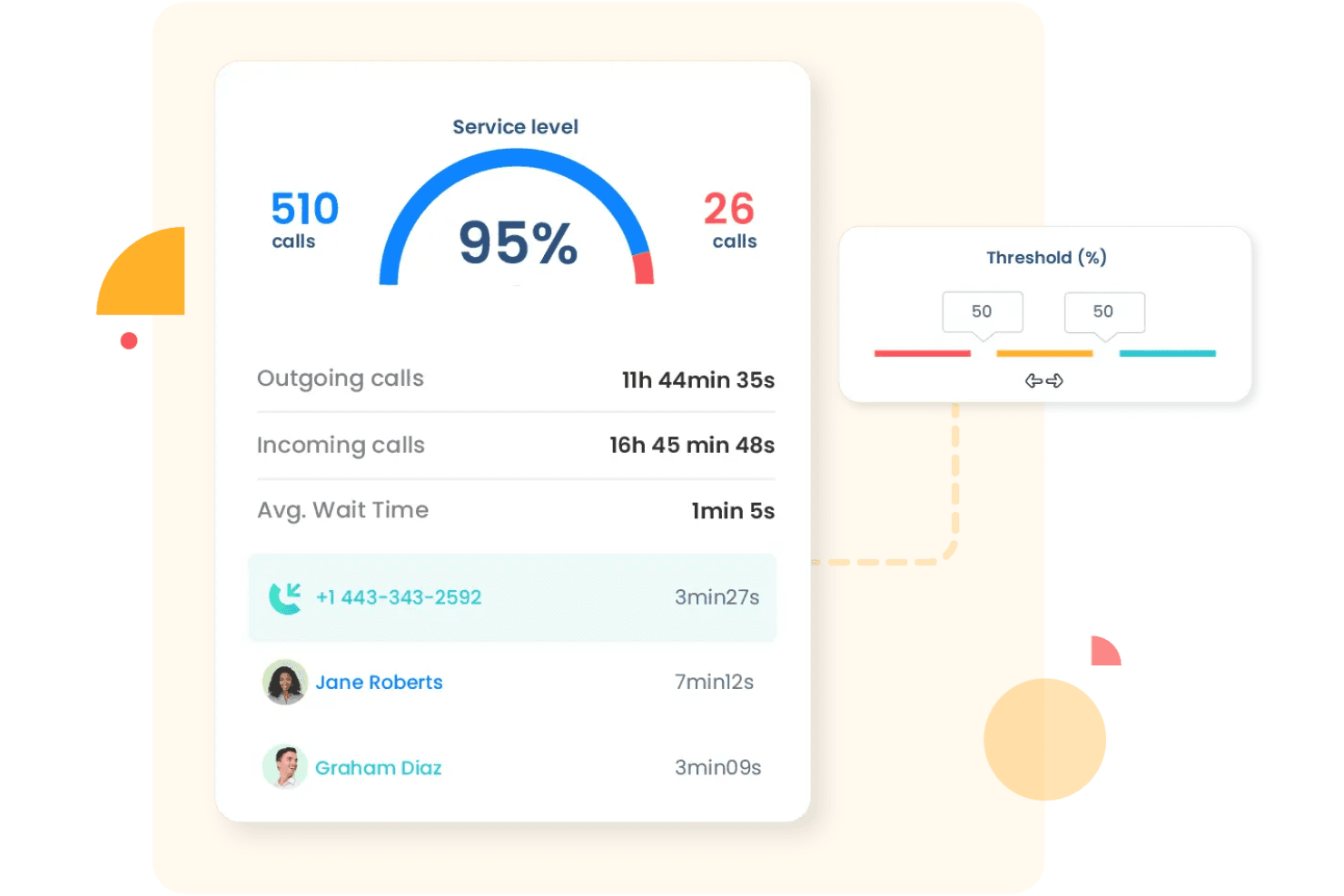
Real-Time Analytics
The software provides insights into call performance, helping you track key metrics and refine your strategies for better results. By understanding call data, your team can make informed decisions to enhance productivity and improve team performance. .
Coaching and Monitoring Tools
Features like call recordings, live coaching, and performance tracking make it easier to train your team and keep service levels high. These tools are incredibly helpful for ongoing improvement and making sure quality stays consistent.
Ease of Use
Ringover stands out for its intuitive user interface and straightforward navigation. You can quickly access features through its well-organized dashboard, making it easy for your team to manage calls and track performance. User reviews highlight its simplicity in setup and daily use, which reduces the learning curve for new users. Unlike more complex systems, Ringover's functionality is clear and accessible, enabling you to focus on improving customer interactions without getting bogged down by complicated processes.
Integrations
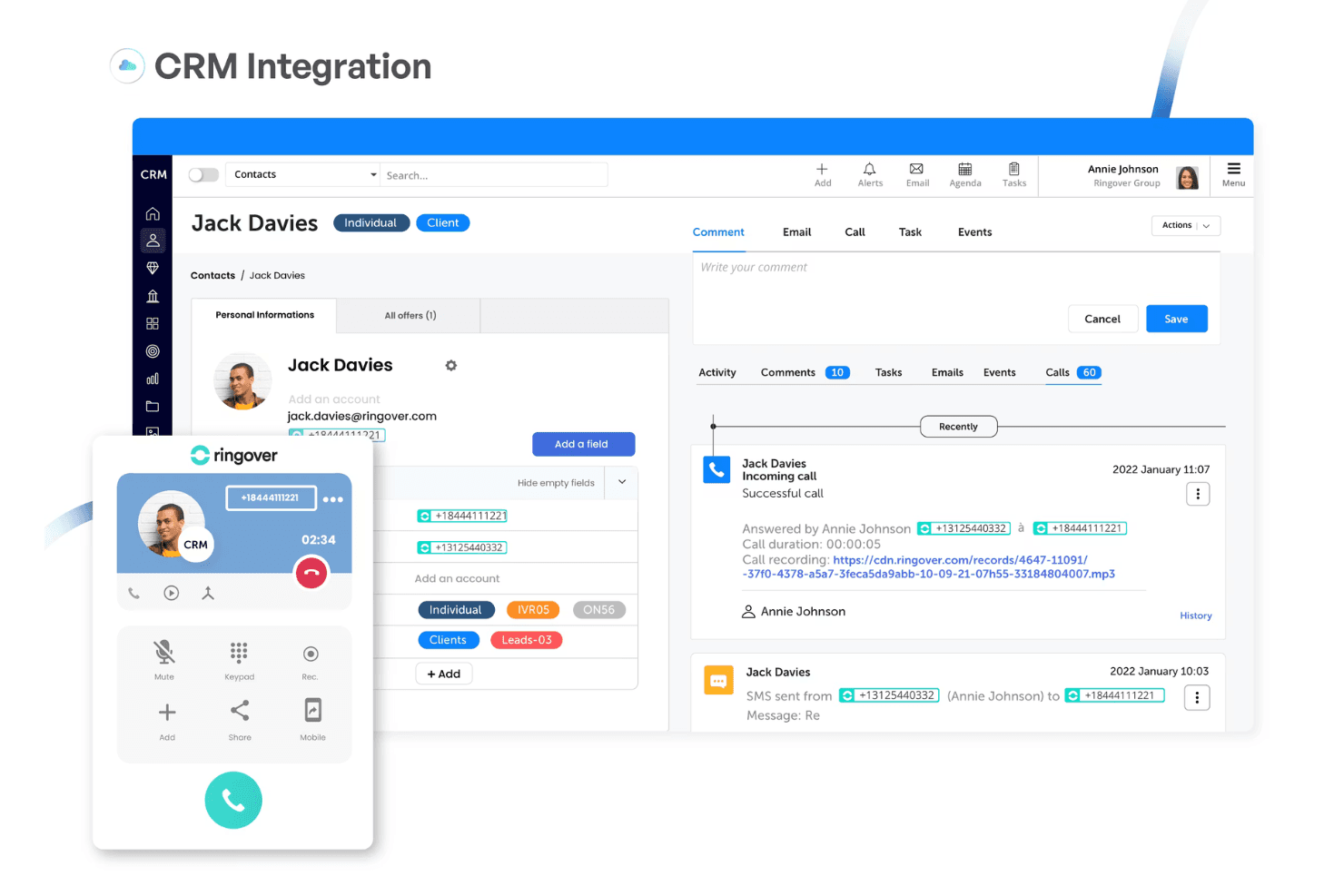
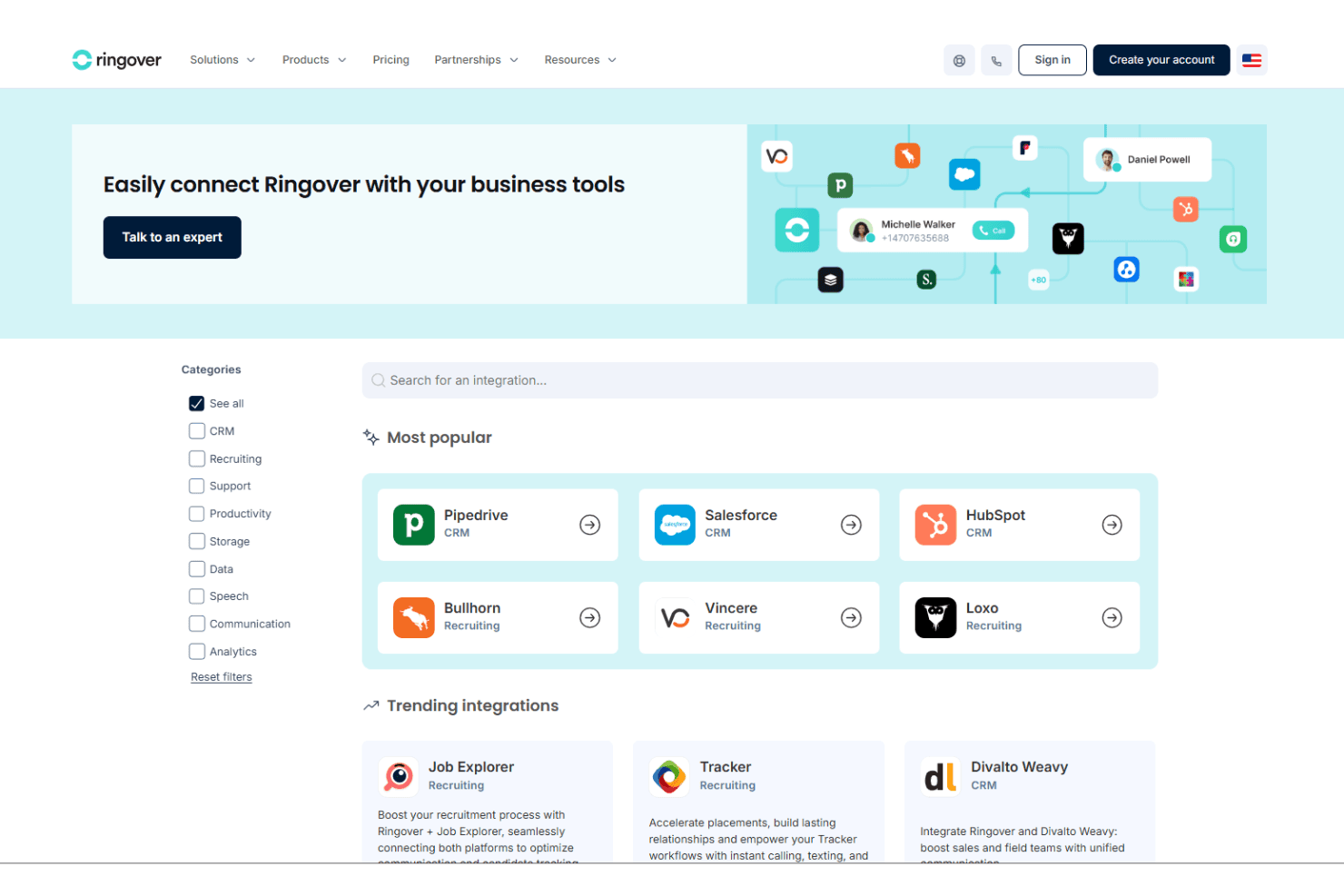
Ringover integrates with Salesforce, HubSpot, Bullhorn, Avionté, Google Workspace, Microsoft Dynamics, Slack, Zoom, Monday.com, and Zendesk. Ringover also has an API and webhooks, allowing businesses to create customized workflows and integrate their existing technology stack.
Ringover Specs
- API: Yes
- Call Disposition: Yes
- Call Recording: Yes
- Call Tracking: Yes
- Click-to-Dial: Yes
- Custom Data Forms: No
- External Integrations: Yes
- Multi-User: Yes
- Notifications: Yes
- Scheduling: Yes


