

10 alternativas a WalkMe seleccionadas para 2026

Lista de alternativas a WalkMe


Una alternativa sólida a WalkMe ofrece a tu equipo una incorporación flexible, orientación dentro de la aplicación y automatización de procesos sin limitarte a un único enfoque. Si estás buscando alternativas a WalkMe, probablemente estés evaluando el coste, las necesidades de integración o buscando funciones que se adapten mejor a los flujos de trabajo de tu producto o de tus empleados.
La plataforma de adopción digital (DAP) adecuada puede ayudarte a ofrecer experiencias de usuario coherentes, respaldar la gestión del cambio e impulsar la adopción, sin la complejidad ni las limitaciones que quizá hayas experimentado con WalkMe. En esta lista encontrarás una variedad de opciones adaptadas a diferentes tamaños de empresa, requisitos técnicos y casos de uso, para que puedas elegir con confianza la opción que mejor se adapte a tus objetivos de experiencia del cliente.
¿Qué es WalkMe?
WalkMe es una plataforma de adopción digital que ayuda a las organizaciones a guiar a los usuarios por el software, automatizar tareas y mejorar la incorporación mediante recorridos guiados y sugerencias dentro de la aplicación. Los equipos utilizan WalkMe para simplificar procesos complejos, reducir las solicitudes de asistencia y aumentar la adopción por parte de los usuarios en las aplicaciones web.
Sus funciones incluyen automatización de flujos de trabajo, análisis y orientación personalizable, lo que la convierte en una opción popular para las empresas que buscan mejorar las experiencias de empleados o clientes con herramientas digitales.
Tabla comparativa de alternativas a WalkMe
Esta tabla comparativa resume los detalles de precios de mis principales alternativas seleccionadas a WalkMe:
| Tool | Best For | Trial Info | Price | ||
|---|---|---|---|---|---|
| 1 | Mejor para el seguimiento del cumplimiento de flujos de trabajo | Demo gratuita disponible | Desde $9500/app | Website | |
| 2 | Ideal para la automatización de procesos a nivel empresarial | Demostración gratuita disponible | Precio a consultar | Website | |
| 3 | Ideal para soporte de integración con Salesforce | Demostración gratuita disponible | Precio bajo petición | Website | |
| 4 | Ideal para una rápida incorporación de empleados | Demostración gratuita disponible | Precio bajo demanda | Website | |
| 5 | Ideal para análisis de productos dentro de la aplicación | Prueba gratuita de 30 días + plan gratuito + demo gratuita disponible | Precios a consultar | Website | |
| 6 | Ideal para la recopilación de comentarios de clientes | Prueba gratuita + demostración gratuita disponible | Precio a consultar | Website | |
| 7 | Ideal para adopción de funciones sin código | Prueba gratuita de 14 días | Desde $299/mes (facturado anualmente) | Website | |
| 8 | Ideal para orientación en aplicaciones Oracle | Prueba gratuita de 90 días disponible | Precio bajo solicitud | Website | |
| 9 | Ideal para la creación automatizada de contenido de capacitación | Demostración gratuita disponible | Precios a consultar | Website | |
| 10 | Mejor para orientación al usuario basada en IA | Demo gratuita disponible | Precio a consultar | Website |
Por qué confiar en nuestras recomendaciones de software
Nuestro equipo lleva probando y evaluando software desde 2012. Como líderes de CX, sabemos lo difícil —y lo importante— que es elegir el software adecuado.
Para esta guía, evaluamos las herramientas mediante pruebas prácticas e investigación independiente, puntuando las herramientas según nuestros criterios de selección.
Nuestras reseñas reflejan nuestro criterio editorial humano, no un discurso de ventas.
Reseñas de alternativas a WalkMe
A continuación encontrarás mis resúmenes detallados de las alternativas a WalkMe que llegaron a mi lista. Mis reseñas ofrecen un análisis detallado de las funciones, los mejores casos de uso y las integraciones de cada plataforma para ayudarte a encontrar la mejor opción para ti.
Apty
Mejor para el seguimiento del cumplimiento de flujos de trabajo
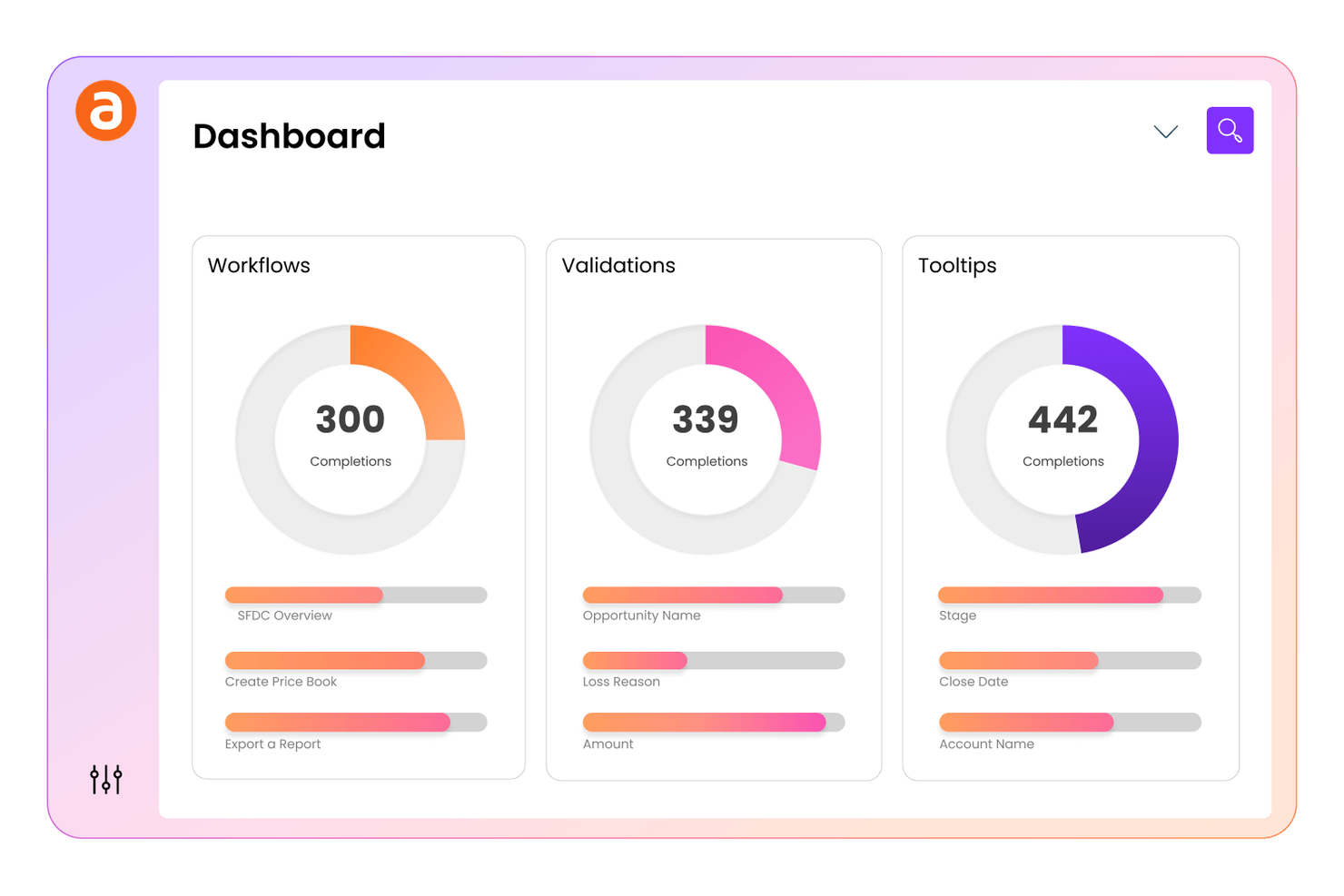
Apty proporciona un seguimiento del cumplimiento de flujos de trabajo integrado en su plataforma de adopción digital para equipos que necesitan asegurar que los empleados sigan procesos y políticas críticas. Es especialmente útil para líderes de operaciones, cumplimiento y TI en industrias reguladas que necesitan monitorear y hacer cumplir el uso correcto del software. Apty se diferencia permitiéndote configurar puntos de control de cumplimiento y rastrear las acciones de los usuarios, facilitando la identificación y resolución de brechas en la adherencia a los procesos.
Por qué Apty es una buena alternativa a WalkMe
A diferencia de muchas plataformas de adopción digital, Apty está diseñado para ayudarte a rastrear y hacer cumplir el cumplimiento de flujos de trabajo en toda tu organización. Elegí Apty porque te permite configurar puntos de control de cumplimiento dentro de tu software, para que puedas monitorear si los usuarios siguen los pasos y procesos requeridos.
La plataforma también proporciona análisis detallados sobre las acciones de los usuarios, facilitando la identificación de dónde existen brechas de cumplimiento. Este enfoque en el cumplimiento de flujos de trabajo hace que Apty sea una opción sólida para equipos en industrias reguladas o con requisitos de procesos estrictos.
Características clave de Apty
Además del seguimiento del cumplimiento de flujos de trabajo, Apty ofrece varias otras funciones que favorecen la adopción digital y el compromiso del usuario:
- Creación de guías integradas: Crea recorridos paso a paso y mensajes informativos directamente en tus aplicaciones empresariales.
- Segmentación de contenido: Dirige el contenido de incorporación y capacitación a grupos de usuarios o roles específicos.
- Herramientas de recopilación de comentarios: Recoge sugerencias de los usuarios a través de encuestas y mensajes dentro de la aplicación.
- Seguimiento automático de tareas: Supervisa el progreso del usuario en tareas asignadas y resalta acciones incompletas.
Integraciones de Apty
Las integraciones incluyen Salesforce, Workday, Oracle, Infor, Coupa, ServiceNow, Microsoft Dynamics, SAP SuccessFactors, NetSuite y Jira.
Pros and Cons
Pros:
- Ofrece seguimiento del cumplimiento de flujos de trabajo
- Proporciona análisis dentro de la aplicación para obtener perspectivas
- Conecta métricas de adopción con KPIs empresariales
Cons:
- El editor visual carece de control profundo sobre CSS
- La segmentación está limitada a aplicaciones web

Whatfix
Ideal para la automatización de procesos a nivel empresarial
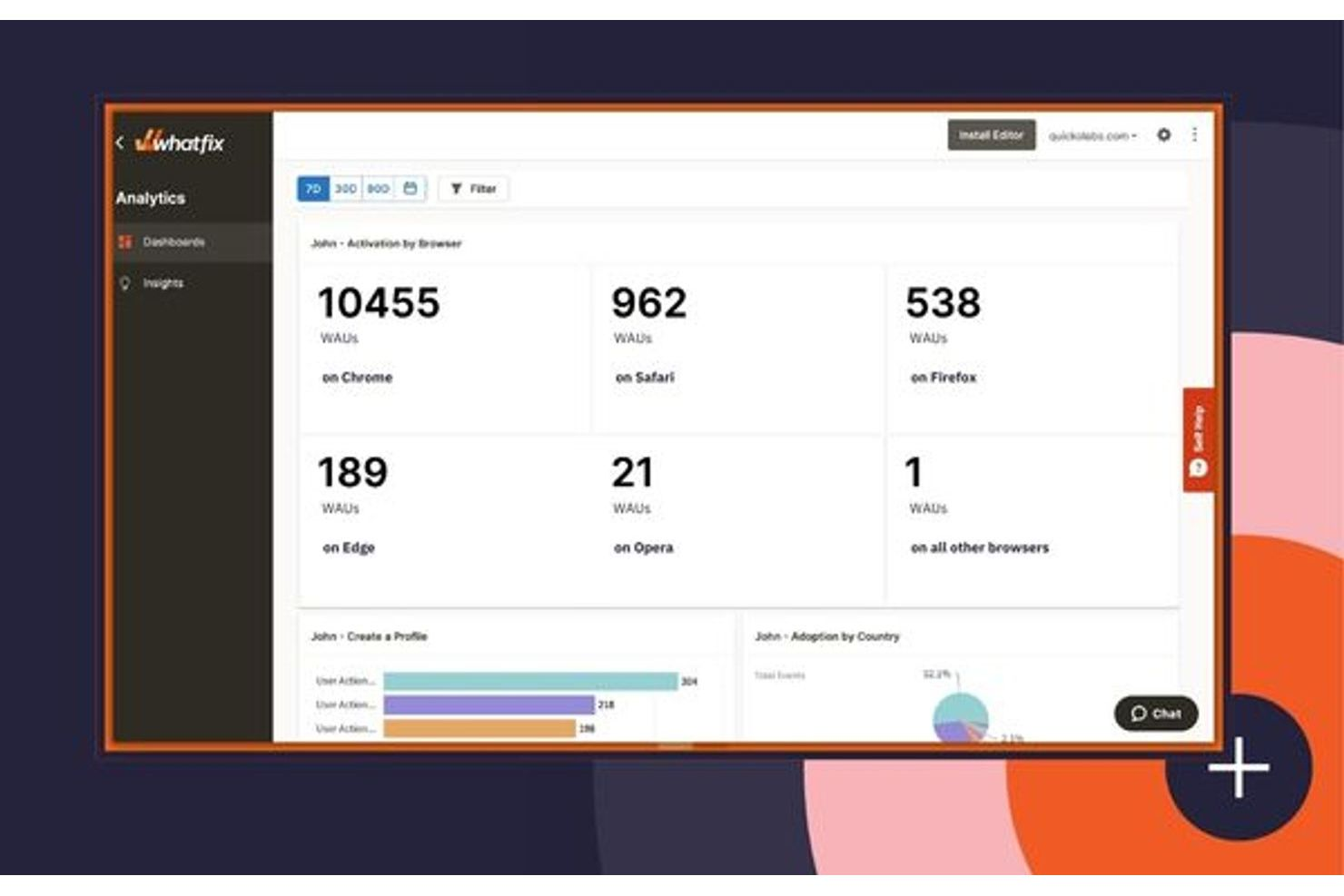
Whatfix es una plataforma de adopción digital diseñada para organizaciones que necesitan automatización avanzada de procesos y una guía personalizada para los usuarios a gran escala. Es especialmente adecuada para grandes organizaciones que gestionan flujos de trabajo complejos a través de múltiples sistemas empresariales. Los equipos que buscan automatizar tareas repetitivas y ofrecer experiencias personalizadas dentro de las aplicaciones encontrarán que Whatfix es especialmente útil en comparación con herramientas de incorporación más básicas.
Por qué Whatfix es una buena alternativa a WalkMe
Para los equipos enfocados en automatizar procesos empresariales complejos, Whatfix destaca por sus capacidades de automatización de procesos a nivel empresarial. Elegí Whatfix porque permite crear flujos de trabajo dinámicos que guían a los usuarios a través de tareas de varios pasos, reduciendo el esfuerzo manual y los errores.
Sus herramientas avanzadas de segmentación permiten ofrecer una guía personalizada basada en los roles o comportamientos de los usuarios. La plataforma también admite análisis de procesos en tiempo real, lo que te permite monitorear la adopción y optimizar los flujos de trabajo a medida que evolucionan tus necesidades.
Funciones clave de Whatfix
Otras funciones de Whatfix pueden ayudarte a implementar y gestionar la adopción digital a gran escala:
- Creación de contenido en múltiples formatos: Crea guías paso a paso, videos tutoriales y PDFs a partir de un solo flujo de trabajo para adaptarse a diferentes preferencias de aprendizaje.
- Base de conocimientos de autoservicio: Inserta widgets de ayuda contextual directamente en tus aplicaciones para que los usuarios puedan acceder a respuestas sin salir de su flujo de trabajo.
- Integración con SCORM y LMS: Conecta Whatfix con tu sistema de gestión de aprendizaje para hacer seguimiento del cumplimiento y finalización de la capacitación.
- Soporte para localización: Ofrece orientación dentro de la aplicación en varios idiomas para respaldar equipos globales y bases de usuarios diversas.
Integraciones de Whatfix
Las integraciones incluyen Amplitude, Bullhorn, Confluence, FullStory, Google Analytics, Microsoft Azure, Oracle, Salesforce, ServiceNow y más.
Pros and Cons
Pros:
- Permite crear contenido en varios formatos desde un solo flujo de trabajo
- Genera recorridos guiados a partir de instrucciones de texto
- Traduce contenidos automáticamente a más de 70 idiomas
Cons:
- El precio no se aclara hasta etapas avanzadas de la venta
- Requiere de 2 a 4 meses para la implementación

Spekit
Ideal para soporte de integración con Salesforce
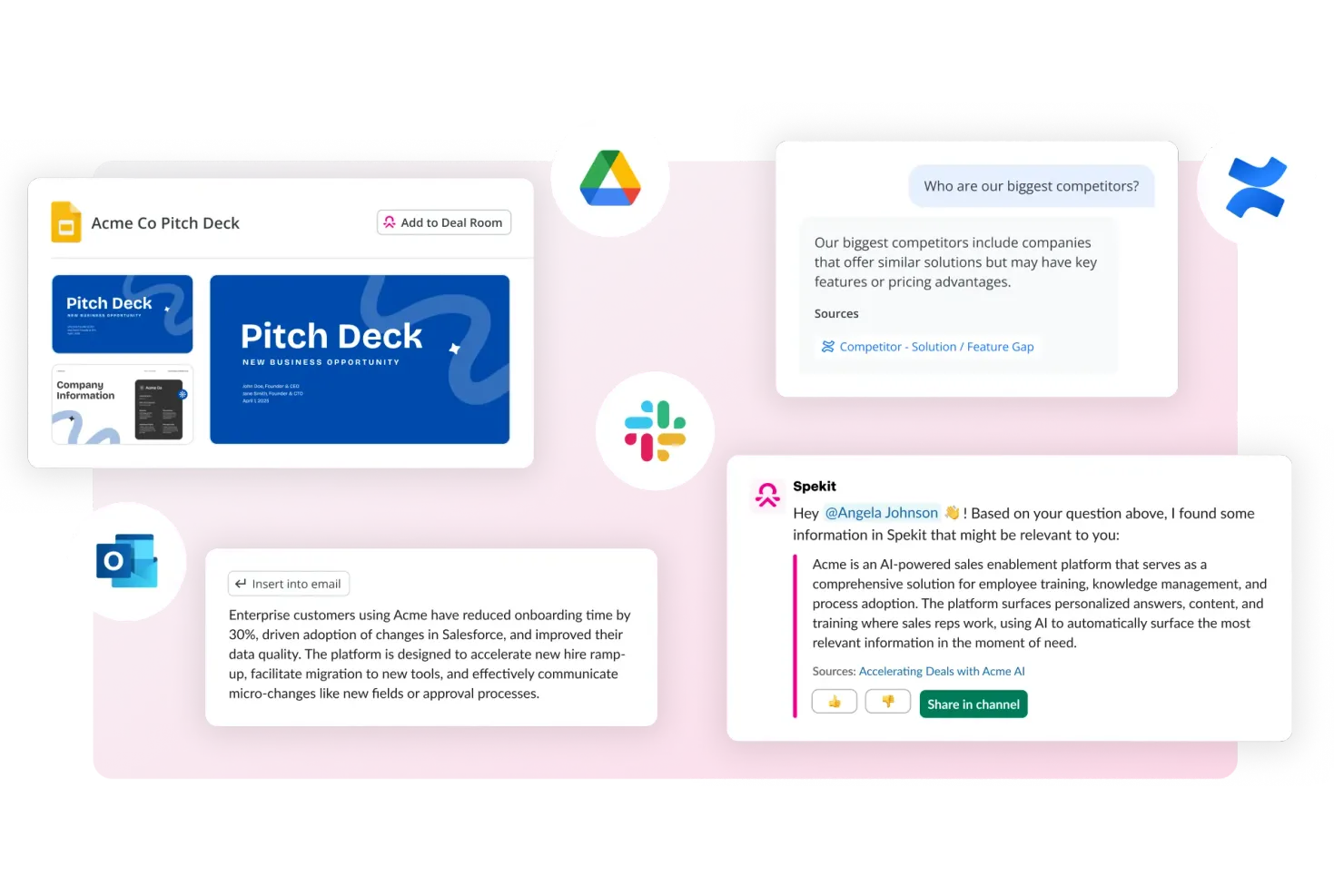
Spekit está diseñado para equipos centrados en Salesforce que necesitan formación y soporte dentro de la aplicación, ofreciendo una integración profunda con Salesforce y otras herramientas web. Está pensado para profesionales de ventas, soporte y operaciones que desean ofrecer conocimiento justo a tiempo directamente en sus flujos de trabajo. Spekit se diferencia de WalkMe y otras plataformas similares al mostrar orientación contextual y concisa exactamente donde los usuarios trabajan, sin interrumpir su experiencia.
Por qué Spekit es una buena alternativa a WalkMe
Para los equipos que dependen en gran medida de Salesforce, Spekit ofrece un nivel de integración y soporte contextual difícil de igualar. Elegí Spekit porque incrusta formación, documentación de procesos y conocimientos directamente en los campos, objetos y flujos de trabajo de Salesforce, de modo que los usuarios reciben orientación exactamente donde la necesitan.
La plataforma también permite actualizar y publicar nuevo contenido al instante, lo que es valioso para entornos de ventas y soporte que cambian rápidamente. Este enfoque dirigido, dentro de la aplicación, hace de Spekit una sólida alternativa a WalkMe para organizaciones que priorizan la adopción de Salesforce.
Características clave de Spekit
Otras características que hacen que Spekit sea útil para la adopción digital incluyen:
- Extensión para Chrome: Accede y crea contenido de Spekit directamente desde tu navegador.
- Panel de análisis: Haz seguimiento del compromiso de los usuarios y el uso del contenido en toda tu organización.
- Evaluaciones de conocimiento: Añade cuestionarios y verificaciones de conocimiento para reforzar el aprendizaje dentro de los flujos de trabajo.
- Integración con Slack: Comparte y muestra contenido de Spekit directamente en las conversaciones de Slack.
Integraciones de Spekit
Las integraciones incluyen Salesforce, Gmail, Outlook, Slack, Gong, Chorus, Salesloft, Outreach, SharePoint y más.
Pros and Cons
Pros:
- Integración profunda con Salesforce
- Unifica la habilitación de ventas y el contenido de formación
- Recomienda contenido en función de los acuerdos activos
Cons:
- Carece de funciones de gamificación como insignias
- Analítica básica para el seguimiento del comportamiento del usuario

Userlane
Ideal para una rápida incorporación de empleados
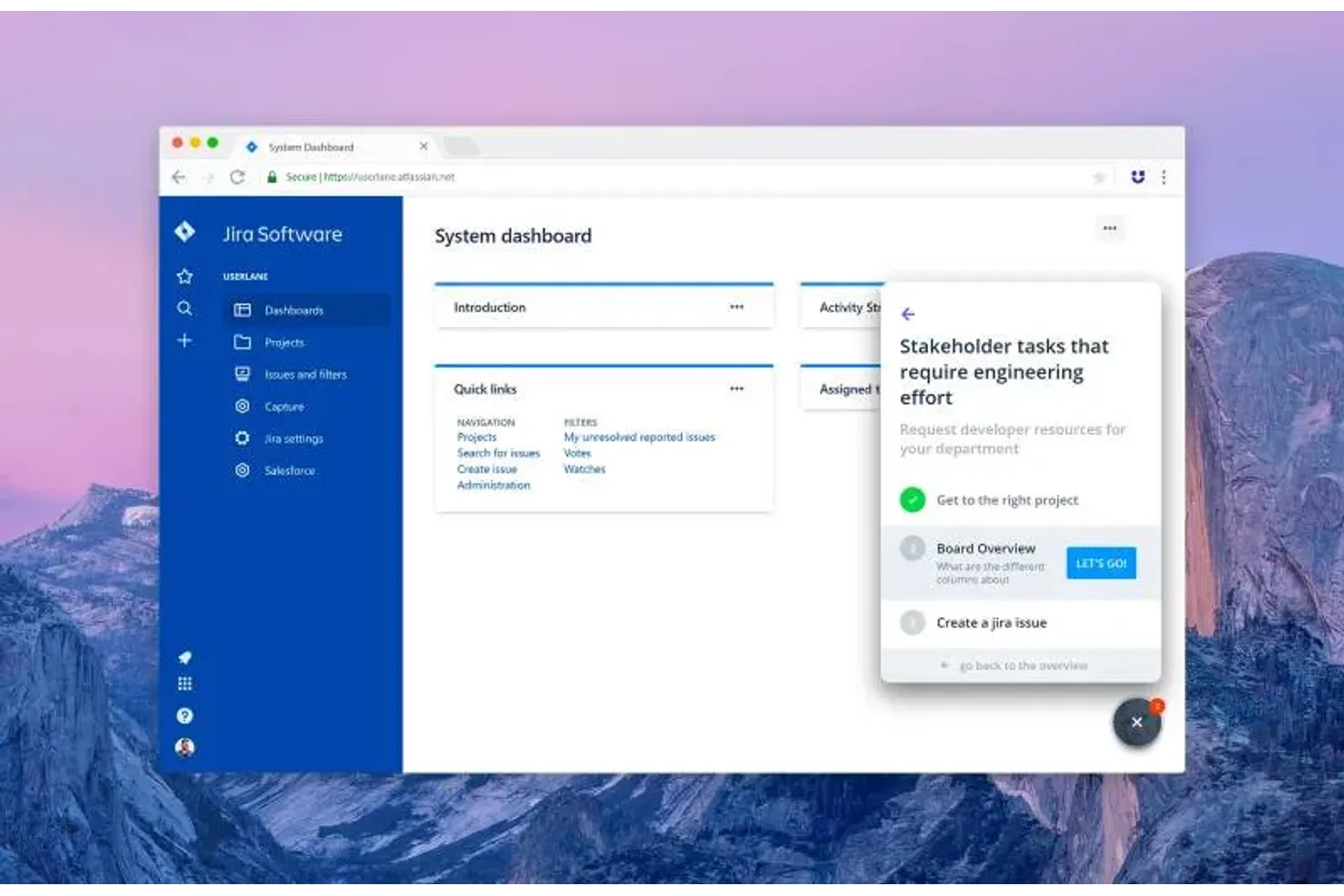
Userlane está diseñado para equipos que necesitan incorporar empleados rápidamente en múltiples herramientas de software, ofreciendo orientación interactiva paso a paso para apoyar una adopción rápida. Es ideal para líderes de RR. HH., TI y operaciones que buscan mejorar la formación de empleados mientras reducen las solicitudes de soporte durante los despliegues de software. La plataforma se diferencia de otras soluciones de adopción digital mediante recorridos interactivos en tiempo real dentro de la aplicación, que ayudan a los nuevos usuarios a adaptarse sin salir de su flujo de trabajo.
Por qué Userlane es una buena alternativa a WalkMe
Si necesitas que los empleados se familiaricen rápidamente con un nuevo software, Userlane está pensado para una incorporación ágil. Elige Userlane porque te permite crear guías interactivas dentro de la aplicación que acompañan a los usuarios paso a paso en los procesos, justo cuando necesitan ayuda.
La plataforma también incluye un asistente en tiempo real que responde preguntas y brinda soporte a los usuarios finales directamente dentro de la aplicación. Este enfoque en la guía contextual e inmediata convierte a Userlane en una opción sólida para equipos que implementan nuevas herramientas o procesos.
Funciones clave de Userlane
Otras funciones de Userlane pueden ayudar a tu equipo a mejorar la adopción del software y detectar brechas de uso en tus aplicaciones:
- Descubrimiento de apps: Descubre qué herramientas SaaS utilizan realmente tus empleados para encontrar licencias sin usar, herramientas redundantes y shadow IT.
- Análisis HEART: Controla la satisfacción, el compromiso, la adopción, la retención y el éxito en tareas para entender dónde tienen dificultades los usuarios.
- Anuncios: Comparte actualizaciones dentro de la app para que los usuarios vean mensajes importantes mientras trabajan.
- Encuestas y NPS: Recoge feedback desde la app y revisa los datos de opinión para medir cómo valoran la experiencia de usuario.
Integraciones de Userlane
Las integraciones incluyen SharePoint, Confluence, KnowledgeOwl y más.
Pros and Cons
Pros:
- Permite instalación completa en servidores propios
- Automatiza la selección de elementos en la guía mediante Heartbeat
- Incluye un asistente virtual dedicado
Cons:
- Ofrece menos opciones de personalización visual
- No dispone de análisis predictivo conductual avanzado

Pendo
Ideal para análisis de productos dentro de la aplicación
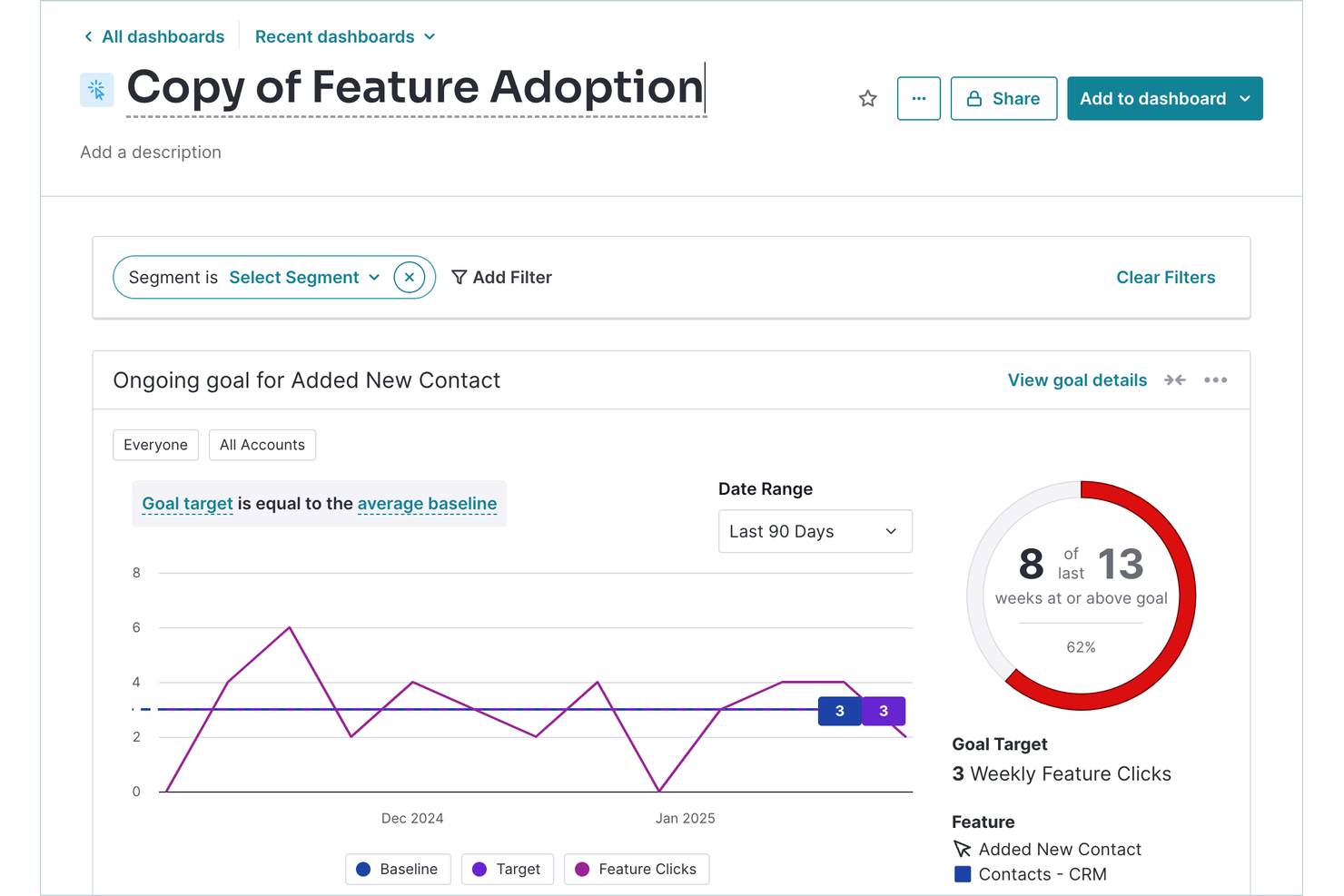
Pendo ofrece análisis de productos dentro de la aplicación para equipos que necesitan una visión profunda de cómo los usuarios interactúan con su software. Es especialmente útil para empresas SaaS y equipos digitales que buscan combinar retroalimentación de usuarios, seguimiento de adopción de funcionalidades y orientación dentro de la app en una sola plataforma. Pendo se diferencia al combinar análisis detallados con herramientas que impulsan el compromiso, la incorporación y la adopción de productos.
Por qué Pendo es una buena alternativa a WalkMe
A diferencia de muchas plataformas de adopción digital, Pendo pone los análisis de producto en la aplicación en el centro de su oferta. Elegí Pendo porque te permite rastrear el uso de funcionalidades, flujos de usuarios y puntos de abandono directamente dentro de tu aplicación, dándote una visión clara de cómo interactúan los clientes con tu producto.
También puedes recolectar retroalimentación de usuarios mediante encuestas dentro de la app y combinar estos datos con análisis de comportamiento para una visión más completa. Este enfoque te ayuda a tomar decisiones fundamentadas sobre incorporación, adopción de funcionalidades y compromiso de los usuarios.
Características clave de Pendo
Otras funciones de Pendo pueden ayudarte a ofrecer experiencias personalizadas dentro de la app y mejorar la escalabilidad de la adopción digital:
- Constructor de guías sin código: Crea recorridos interactivos, consejos y anuncios dentro de la app sin necesidad de recursos de desarrolladores.
- Centro de recursos: Añade un centro de ayuda permanente dentro de la app para que los usuarios accedan a guías, soporte y documentación en cualquier momento.
- Soporte para aplicaciones móviles: Implementa análisis y mensajes dentro de la app tanto en aplicaciones web como móviles.
- Herramientas de segmentación: Dirige mensajes y guías a grupos de usuarios específicos según su comportamiento o atributos.
Integraciones de Pendo
Las integraciones incluyen Salesforce, HubSpot, Jira, Segment, Slack, Zendesk, Intercom, Gong y más.
Pros and Cons
Pros:
- Conserva análisis de usuarios durante 7 años
- Rastrea eventos de usuario retroactivamente sin etiquetado
- Combina encuestas de retroalimentación con datos de uso
Cons:
- Retrasos en los informes de hasta 24 horas
- Límite estricto de 500 usuarios mensuales

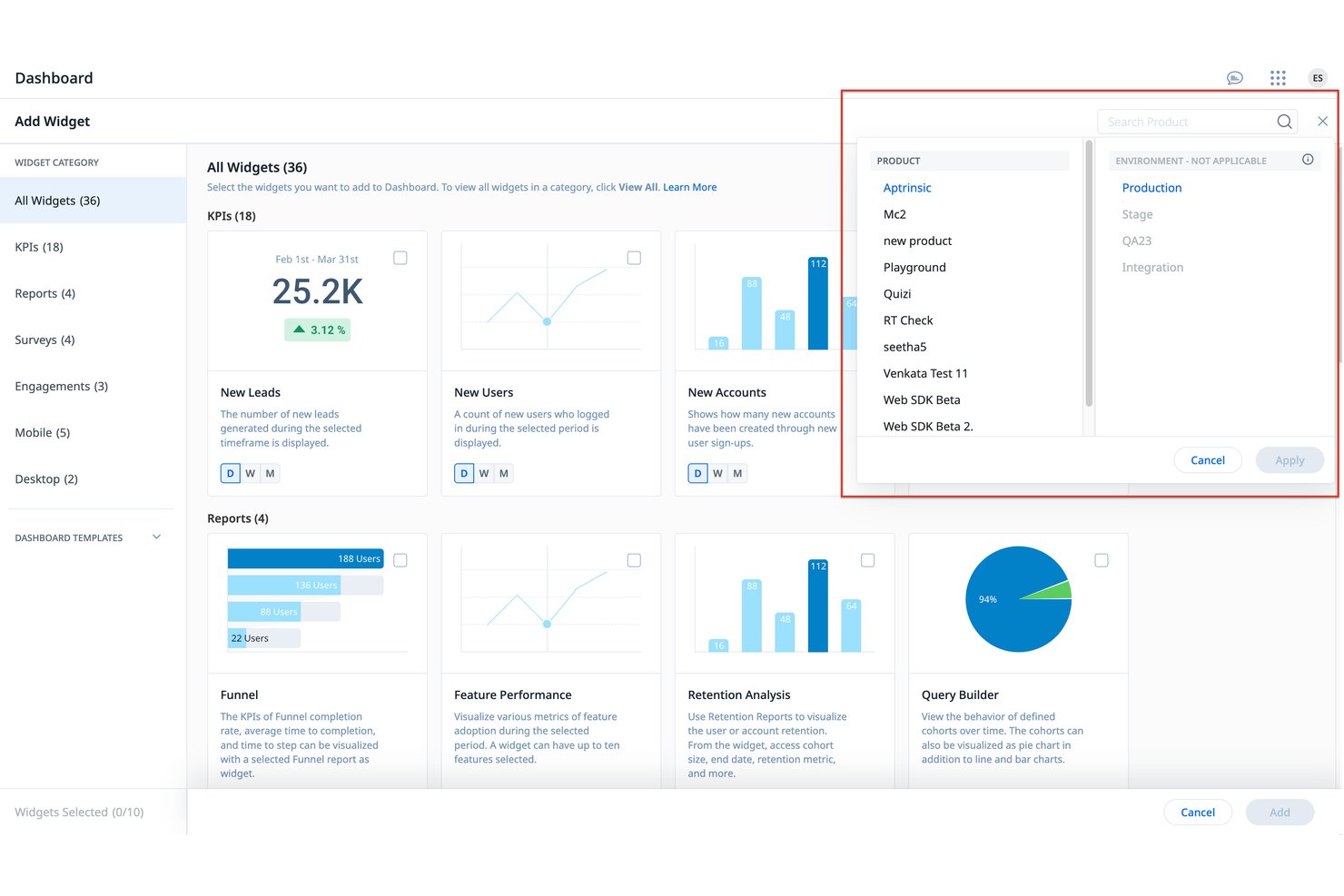
Gainsight PX está diseñado para equipos que buscan una plataforma de adopción digital que priorice la retroalimentación del cliente. Está orientado a equipos de producto y líderes de experiencia del cliente que desean recopilar, analizar y actuar sobre los comentarios de los usuarios directamente dentro de su producto. Gainsight PX se diferencia de WalkMe por sus capacidades de encuestas y retroalimentación dentro de la aplicación, ayudando a los equipos a comprender el sentimiento del usuario y guiar las mejoras del producto.
Por qué Gainsight PX es una buena alternativa a WalkMe
Gainsight PX destaca para aquellos equipos que quieren priorizar la recopilación de comentarios de clientes dentro de su estrategia de adopción digital. Elegí Gainsight PX porque ofrece encuestas integradas, seguimiento de NPS y widgets de retroalimentación que te permiten obtener información procesable de los usuarios mientras interactúan con tu producto. Estas funcionalidades te ayudan a identificar puntos débiles y oportunidades de mejora directamente desde tu base de usuarios. Con Gainsight PX, puedes refinar continuamente la experiencia del producto en función del sentimiento real de los usuarios, algo en lo que WalkMe no se enfoca tan profundamente.
Funciones clave de Gainsight PX
Otras funciones que hacen a Gainsight PX valioso para equipos de adopción digital incluyen:
- Analítica de producto: Monitorea el comportamiento de los usuarios y la adopción de funcionalidades en tu aplicación.
- Guías dentro de la app: Crea y lanza recorridos paso a paso para incorporar y educar a los usuarios.
- Segmentación de audiencia: Dirige mensajes y experiencias personalizadas a grupos específicos de usuarios.
- Seguimiento de eventos: Monitorea eventos personalizados para comprender cómo los usuarios interactúan con flujos de trabajo clave.
Integraciones de Gainsight PX
Las integraciones incluyen Salesforce, Slack, Zendesk, HubSpot y más.
Pros and Cons
Pros:
- Evalúa la salud del cliente según el uso
- Automatiza el contacto por correo electrónico basado en el comportamiento
- Mapea el recorrido de usuarios entre múltiples productos
Cons:
- No identifica elementos de la interfaz sin etiquetar
- Acceso limitado al soporte en vivo 24/7 del proveedor


Userpilot está diseñado para equipos de producto y empresas SaaS que desean impulsar la adopción de funciones sin escribir código. Es especialmente útil para gestores de producto y profesionales de UX que necesitan lanzar flujos de incorporación, ayudas emergentes y anuncios de nuevas funciones directamente desde un editor visual. Userpilot se distingue por permitir a los equipos crear y desplegar guías interactivas y listas de comprobación sin depender de recursos de desarrollo, facilitando así una respuesta ágil a las necesidades de los usuarios.
Por qué Userpilot es una buena alternativa a WalkMe
Para equipos que quieren incrementar la adopción de funciones sin depender de desarrolladores, Userpilot ofrece una solución verdaderamente libre de código. Elegí Userpilot porque permite crear y lanzar flujos de incorporación, ayudas emergentes y anuncios de funciones directamente desde un editor visual.
También puedes configurar listas de comprobación interactivas y encuestas dentro de la aplicación para guiar a los usuarios por nuevas funciones y recoger comentarios. Esto convierte a Userpilot en una opción sólida para gestores de producto que necesitan actuar rápido y adaptar las experiencias de onboarding de forma inmediata.
Funciones clave de Userpilot
Otras características que hacen que Userpilot sea útil para equipos de adopción digital incluyen:
- Segmentación de audiencia: Ofrece experiencias de incorporación y mensajes a segmentos de usuarios específicos según su comportamiento o atributos.
- Pruebas A/B: Prueba diferentes flujos y variaciones de contenido dentro de la aplicación para ver qué impulsa el compromiso.
- Widget de centro de recursos: Añade un centro de ayuda personalizable dentro de la app con enlaces, videos y documentación.
- Analíticas basadas en eventos: Rastrea las acciones de los usuarios y mide el impacto de las campañas de onboarding y adopción de funciones.
Integraciones de Userpilot
Las integraciones incluyen Salesforce, HubSpot, Segment, Google Analytics, Zendesk, Slack, Amplitude, Mixpanel, Intercom y más.
Pros and Cons
Pros:
- Permite el seguimiento de características de la UI con un solo clic
- Incluye paneles integrados de NPS y CSAT
- Permite pruebas A/B en flujos de incorporación
Cons:
- Solo es compatible con aplicaciones web orientadas al cliente
- Sin opción gratuita para startups en etapas iniciales

Ideal para orientación en aplicaciones Oracle
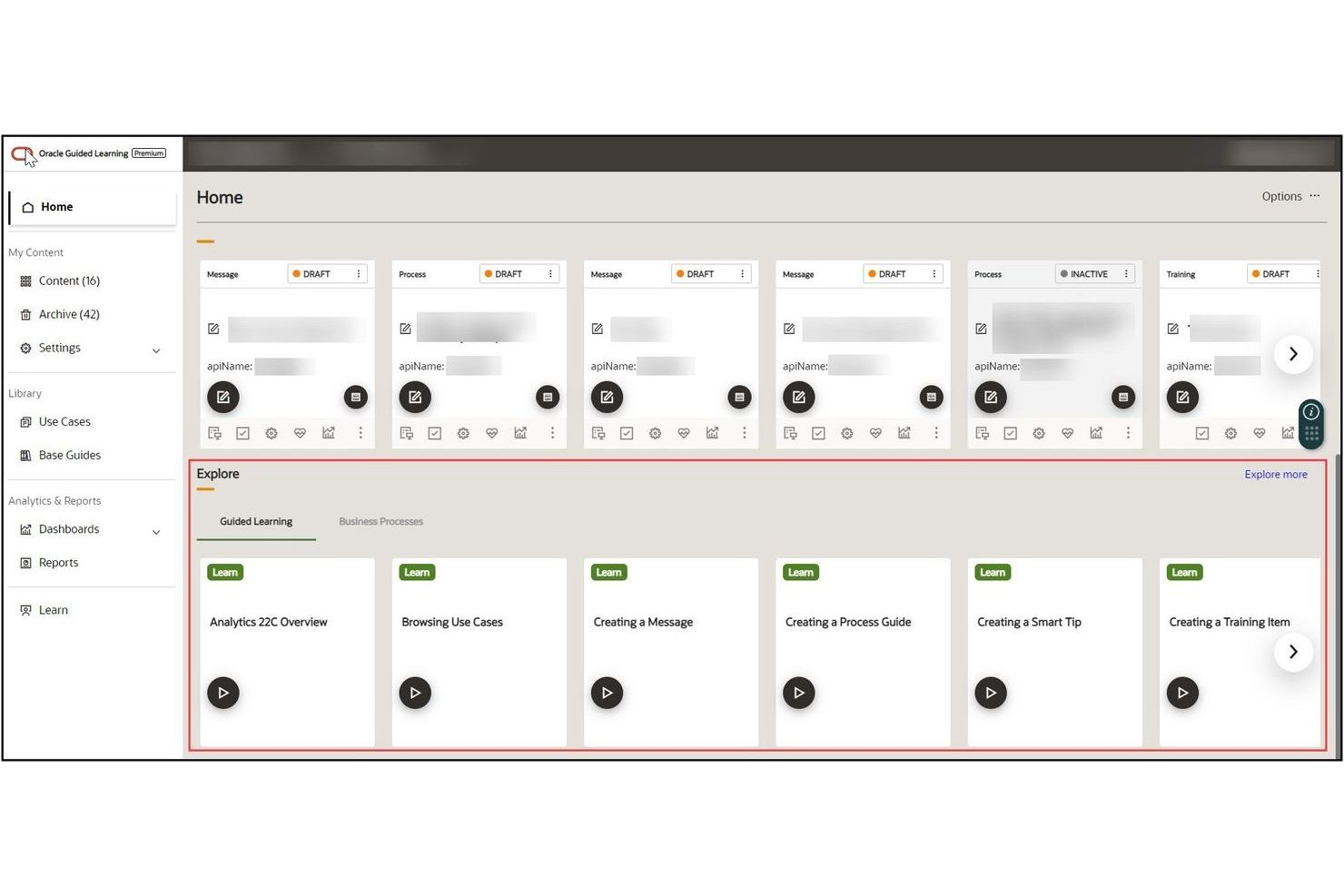
Oracle Guided Learning ofrece orientación dentro de la aplicación diseñada específicamente para organizaciones que utilizan aplicaciones Oracle Cloud. Está dirigido a líderes de TI, equipos de RRHH y profesionales de operaciones que necesitan incorporar usuarios y fomentar la adopción en flujos de trabajo complejos de Oracle. La plataforma se diferencia por su profunda integración con los productos Oracle, lo que permite brindar ayuda contextual y actualizaciones de procesos directamente dentro de la interfaz de Oracle.
Por qué Oracle Guided Learning es una buena alternativa a WalkMe
Si tu empresa depende de las aplicaciones Oracle Cloud, Oracle Guided Learning está diseñado para ofrecer orientación dentro de la aplicación totalmente alineada con la interfaz y los flujos de trabajo cambiantes de Oracle. Elegí esta herramienta porque ofrece recorridos guiados sensibles al contexto y actualizaciones de procesos que aparecen directamente dentro de los productos Oracle, para que los usuarios siempre reciban ayuda relevante en tiempo real.
La plataforma también te permite gestionar y actualizar el contenido de la orientación de manera centralizada, lo cual es especialmente útil para organizaciones con cambios de procesos frecuentes. Este nivel de integración específica de Oracle es algo que la mayoría de las plataformas generales de adopción digital, incluida WalkMe, no pueden igualar.
Características clave de Oracle Guided Learning
Otras características que hacen valioso a Oracle Guided Learning para la adopción digital incluyen:
- Versionado de contenido: Permite rastrear y gestionar diferentes versiones del contenido de ayuda a medida que evolucionan los procesos.
- Segmentación de usuarios: Dirige la orientación específica a distintos grupos o roles de usuarios dentro de tu organización.
- Seguimiento del progreso: Monitorea la finalización por parte de los usuarios de rutas de aprendizaje guiadas y recorridos dentro de la aplicación.
- Soporte multimedia: Añade videos, imágenes y enlaces para enriquecer el contenido de la orientación en la aplicación.
Integraciones de Oracle Guided Learning
Las integraciones incluyen Oracle Fusion Cloud Applications, Oracle NetSuite, Oracle APEX, Oracle Analytics Cloud, PeopleSoft y más.
Pros and Cons
Pros:
- Integración nativa dentro de las aplicaciones Oracle Cloud
- Publica actualizaciones directamente en los entornos Fusion
- Incluye contenido predefinido para procesos Oracle
Cons:
- Restringido únicamente al ecosistema de Oracle
- Los flujos se vuelven frágiles durante actualizaciones de la interfaz de Oracle

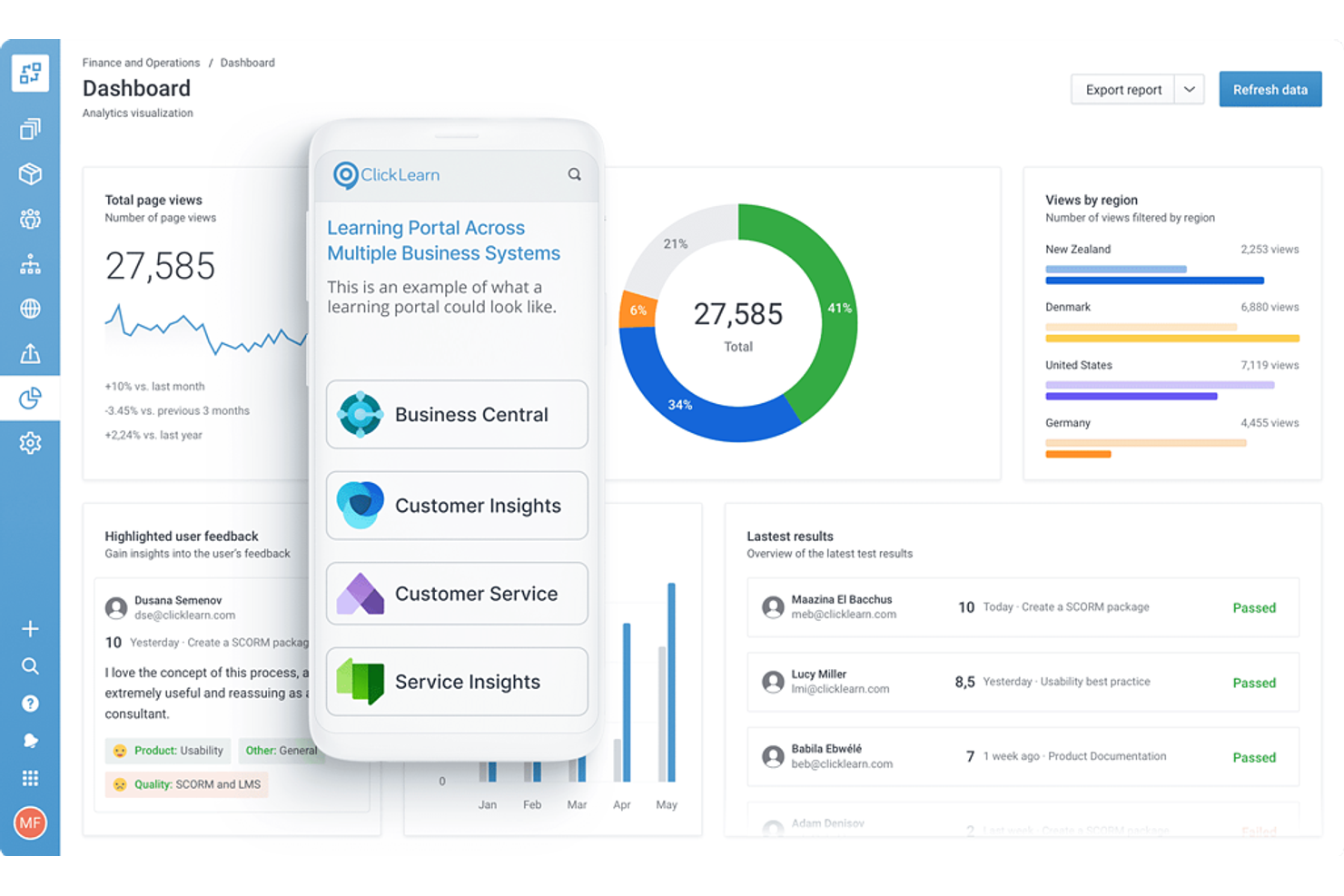
ClickLearn ofrece un enfoque único para la creación de contenido de capacitación mediante la generación automática de materiales en varios sistemas empresariales. Es particularmente útil para equipos de TI, RRHH y operaciones que desean capturar procesos una vez y producir al instante guías paso a paso, videos y módulos de aprendizaje electrónico. A diferencia de WalkMe, ClickLearn se diferencia automatizando la creación y actualización de materiales de capacitación a medida que los sistemas evolucionan.
Por qué ClickLearn es una buena alternativa a WalkMe
A diferencia de la mayoría de las plataformas de adopción digital, ClickLearn automatiza el proceso de creación de contenido de capacitación para tus aplicaciones empresariales. Elegí ClickLearn porque graba acciones del usuario y genera al instante guías paso a paso, videos y módulos de e-learning en múltiples formatos. La herramienta también actualiza todos los materiales de capacitación de forma automática cuando cambian tus procesos o software, por lo que tu documentación siempre se mantiene al día.
Esta automatización hace que ClickLearn sea una sólida alternativa a WalkMe para equipos que necesitan mantener los recursos de capacitación actualizados con el mínimo esfuerzo manual.
Funciones clave de ClickLearn
Otras características que hacen valioso a ClickLearn para la adopción digital incluyen:
- Soporte multilingüe: Genera automáticamente materiales de capacitación en varios idiomas para equipos globales.
- Asistente virtual: Guía a los usuarios en los procesos en tiempo real con un asistente en pantalla.
- Portal de contenido: Centraliza todos los materiales de capacitación en un portal de marca y buscable para un acceso sencillo.
- Control de versiones: Realiza un seguimiento de los cambios y gestiona diferentes versiones de tu contenido de capacitación.
Integraciones de ClickLearn
Las integraciones incluyen Microsoft Dynamics 365, SAP, Oracle, Acumatica, Salesforce y más.
Pros and Cons
Pros:
- Genera documentación en 7 formatos diferentes
- Graba procesos en aplicaciones de escritorio nativas
- Actualiza capturas de pantalla automáticamente con un solo clic
Cons:
- Tiempo de procesamiento más largo para nuevas grabaciones
- Requiere instalación local de software para autores

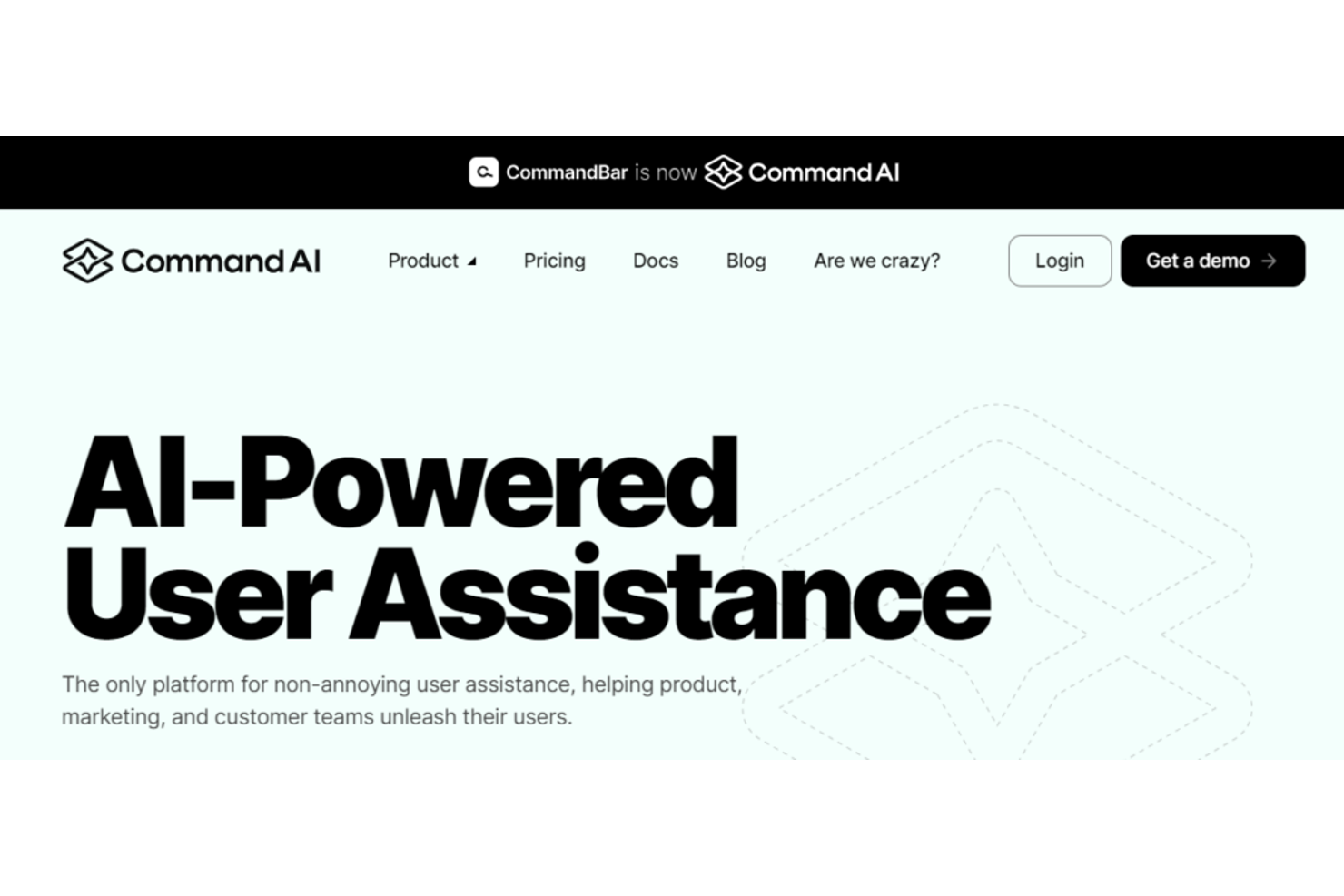
Command AI ofrece un enfoque moderno para los equipos que buscan agregar orientación basada en IA a su estrategia de adopción digital. La plataforma está diseñada para gerentes de producto, equipos de éxito del cliente y líderes de operaciones que desean brindar soporte personalizado y contextualizado dentro de sus aplicaciones. Se diferencia de WalkMe al usar IA generativa para proporcionar asistencia personalizada y en tiempo real que se adapta a las necesidades y acciones de cada usuario.
Por qué Command AI es una buena alternativa a WalkMe
Lo que distingue a Command AI como alternativa a WalkMe es su enfoque en la orientación al usuario impulsada por IA que se adapta en tiempo real. Elegí Command AI porque utiliza IA generativa para ofrecer soporte personalizado y contextualizado directamente dentro de tu aplicación.
La plataforma puede analizar el comportamiento del usuario y activar orientaciones o recursos relevantes según lo que esté haciendo cada usuario. Este enfoque ayuda a tu equipo a proporcionar un soporte más dinámico y receptivo que los recorridos tradicionales basados en reglas.
Características clave de Command AI
Otras características que hacen que Command AI sea útil para los equipos de adopción digital incluyen:
- Creador de flujos de trabajo sin código: Crea y despliega flujos de orientación al usuario sin escribir código.
- Panel de análisis: Haz seguimiento del compromiso del usuario y mide el impacto de la orientación dentro de la aplicación.
- Segmentación basada en roles: Ofrece orientación específica a los usuarios según su rol o permisos.
- Integración con la base de conocimientos: Muestra artículos de ayuda y recursos relevantes directamente dentro de tu aplicación.
Integraciones de Command AI
Las integraciones incluyen Salesforce, HubSpot, Zendesk, Intercom, Slack, Google Analytics, Jira, Trello y más.
Pros and Cons
Pros:
- Creador de flujos de trabajo sin código
- Integra documentación en una búsqueda global
- Ofrece chat impulsado por IA para respuestas instantáneas
Cons:
- Impacto en el rendimiento en aplicaciones web pesadas
- Altos costos iniciales de instalación para startups
Otras alternativas a WalkMe
Estas son algunas alternativas adicionales a WalkMe que no llegaron a mi lista, pero que aun así merece la pena conocer:
- Stonly
Ideal para bases de conocimientos interactivas
- UserGuiding
Ideal para onboarding en pequeñas empresas
- Chameleon
Mejor para recorridos de incorporación personalizados


Cómo evalúo las alternativas de WalkMe
Evalúo las alternativas de WalkMe en dos niveles: requisitos básicos imprescindibles, como los creadores de guías sin código y la segmentación de usuarios, y elementos diferenciadores, como la generación de contenido mediante IA y las integraciones con la pila tecnológica de CX.
Funcionalidad esencial para esta lista
Al seleccionar herramientas para mi lista, califico cada una en una escala de 0 (no ofrece la funcionalidad) a 5 (sobresale en esta área) para cada una de las funcionalidades principales que se indican a continuación. Después, calculo la puntuación total de la herramienta como porcentaje. Cada herramienta debe alcanzar una puntuación total mínima del 65 % para ser considerada para su inclusión.
- Tutoriales guiados dentro de la aplicación: Compruebo si una herramienta admite recorridos de varios pasos con ramificaciones, como guiar a un usuario nuevo durante la configuración de la cuenta de forma diferente según su rol o nivel de plan.
- Creador de contenido sin código: Los equipos de CX necesitan publicar guías sin presentar solicitudes al equipo de desarrollo, por lo que busco editores visuales con funciones de arrastrar y soltar, plantillas y vistas previas en tiempo real.
- Mensajería contextual dentro de la aplicación: Cada herramienta debería permitir activar información sobre herramientas, ventanas modales o banners en función de las acciones del usuario, como mostrar un aviso cuando alguien omite un paso clave de configuración.
- Segmentación y orientación de usuarios: Evalúo el nivel de granularidad con el que se pueden orientar las guías; por ejemplo, mostrando diferentes flujos de incorporación a administradores y usuarios finales, o a cuentas gratuitas y de pago.
- Análisis y seguimiento de la interacción: Es importante saber en qué punto abandonan los usuarios un recorrido o qué funciones no utilizan, por lo que busco análisis de embudos, tasas de finalización y paneles de adopción.
- Encuestas y comentarios dentro de la aplicación: Compruebo si ofrece compatibilidad integrada con NPS, CSAT y encuestas personalizadas, con activadores dentro de la aplicación, como solicitar una valoración de satisfacción después de que un cliente complete la incorporación.
Una vez que tengo una lista de herramientas que cumplen estos criterios, considero qué diferencia a cada plataforma.
Factores diferenciadores (qué distingue a los proveedores)
Así es como comparo y contrasto los diferentes proveedores:
Funciones destacadas
Un centro de recursos integrado es un factor diferenciador importante: permite a los clientes acceder a guías, preguntas frecuentes y vídeos desde un único componente dentro de la aplicación, en lugar de tener que buscar en la documentación de ayuda. También busco la orquestación de recorridos con listas de comprobación de incorporación que persistan entre sesiones, para que los usuarios puedan retomar el proceso donde lo dejaron. Para los equipos que prestan asistencia a una base de clientes global, la compatibilidad con varios idiomas y una gestión de traducciones integrada reducen considerablemente el esfuerzo de localización en comparación con duplicar las guías manualmente.
Más allá de las funciones
Las integraciones con la pila tecnológica de CX son muy importantes en este caso. Compruebo si una plataforma se conecta de forma nativa con herramientas como Zendesk, Intercom, Salesforce y Segment, porque, sin esas conexiones, los datos de adopción quedan aislados de los flujos de trabajo de soporte y éxito del cliente. Los modelos de precios también merecen mucha atención, ya que el uso por parte de los clientes puede crecer rápidamente; busco niveles basados en MAU que no penalicen el crecimiento. El tiempo hasta obtener valor es otro factor que tengo en cuenta. Algunas plataformas permiten lanzar la primera guía en un día, mientras que otras necesitan semanas de asistencia para la implementación.
¿Por qué buscar una alternativa a WalkMe?
Aunque WalkMe es una buena opción como plataforma de adopción digital, hay varios motivos por los que algunos usuarios buscan soluciones alternativas. Es posible que estés buscando una alternativa a WalkMe porque…
- Necesitas opciones de precios más transparentes o flexibles
- Tu equipo quiere herramientas más avanzadas de análisis del producto o de recopilación de comentarios
- Tu equipo quiere evitar una curva de aprendizaje pronunciada
- Necesitas una asistencia al cliente más rápida o personalizada
- Necesitas una solución más fácil de configurar y gestionar
- Tu organización tiene requisitos de integración específicos
Si alguno de estos puntos te resulta familiar, has llegado al lugar adecuado. Mi lista incluye varias plataformas de adopción digital y competidores de WalkMe más adecuados para equipos que afrontan estos desafíos con WalkMe y buscan soluciones alternativas.
Funciones principales de WalkMe
Estas son algunas de las funciones principales que ofrece WalkMe, para ayudarte a contrastar y comparar lo que ofrecen las soluciones alternativas:
- Tutoriales guiados dentro de la aplicación para la incorporación y la capacitación
- Información sobre herramientas contextual y mensajes emergentes
- Automatización de flujos de trabajo para tareas de usuario repetitivas
- Segmentación de usuarios para experiencias específicas
- Paneles de análisis para hacer seguimiento de la interacción de los usuarios
- Elementos de marca y de interfaz personalizables
- Compatibilidad con varios idiomas para equipos internacionales
- Integración con sistemas de CRM y mesa de ayuda
- Controles de acceso basados en roles para la gestión de equipos
Qué sigue:
Si estás investigando alternativas a WalkMe, ponte en contacto con un asesor de SoftwareSelect para recibir recomendaciones gratuitas.
Rellenas un formulario y tienes una breve conversación en la que se profundiza en los detalles de tus necesidades. Después, recibirás una lista breve de programas que podrás revisar. Además, te ayudarán durante todo el proceso de compra, incluidas las negociaciones de precios.