

Reseña de InMoment: ventajas, desventajas, funciones y precios
InMoment destaca por ofrecer información práctica mediante sus exclusivas capacidades de gestión de comentarios, lo que la diferencia de otras plataformas de inteligencia del cliente.

Revisamos las herramientas de manera independiente, y las comisiones ayudan a financiar nuestras pruebas. Consulta nuestra política de transparencia, nuestra metodología o sugiere una herramienta.
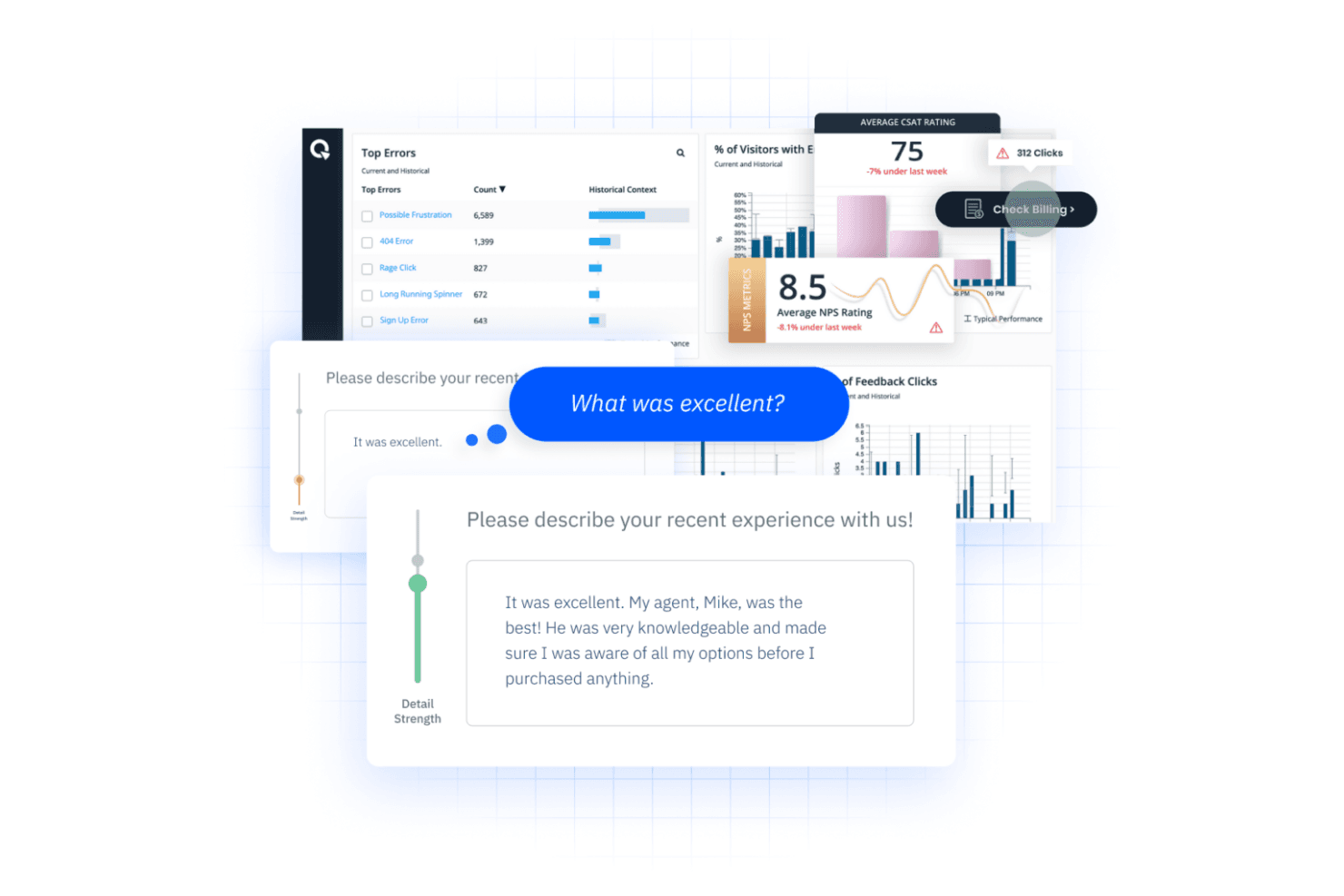
InMoment is a customer intelligence platform built to capture and analyze customer feedback across surveys, reviews, and contact center interactions in one place. It's a great tool for CX teams that need to act on experience data at scale without the lengthy implementation cycles that come with Qualtrics. If your team is ready to move faster from insight to action, InMoment gives you the infrastructure to do that without as much lift.
InMoment Evaluation Summary

4.7/5
- Pricing upon request
- Free demo available
Por qué confiar en nuestras recomendaciones de software
6,700+
Reviews
20
Industry experts
16+
Evaluation factors
14
Years
Nuestro equipo lleva probando y evaluando software desde 2012. Como líderes de CX, sabemos lo difícil —y lo importante— que es elegir el software adecuado.
Para esta guía, evaluamos las herramientas mediante pruebas prácticas e investigación independiente, puntuando las herramientas según nuestros criterios de selección.
Nuestras reseñas reflejan nuestro criterio editorial humano, no un discurso de ventas.
 Gui DrusinaCreative Director
 Tim FisherVP of AI
InMoment Overview
In my opinion, InMoment offers a solid foundation as a customer feedback and multi-channel intelligence platform, especially for businesses looking to use natural language processing tools for customer experience improvement. It excels in standout features that provide insightful data-driven decisions powered by text analytics and sentiment analysis, but its ease of use could be improved to better compete with more intuitive platforms.
The onboarding process and customer support are satisfactory, providing necessary guidance, though not exceptional. While the pricing might seem steep, the value it provides aligns well with its capabilities, making it a viable choice for medium to large enterprises focused on leveraging customer insights and business intelligence. If your team prioritizes robust data analytics and is willing to navigate a slightly complex interface, InMoment could be a strong contender in your selection process.
Pros
- You get insightful analytics that help you understand customer behavior better and support smarter purchase decisions.
- Your team can easily customize surveys to fit your specific needs.
- You can access a wide array of feedback channels to capture customer sentiments.
Cons
- You might find the user interface less intuitive compared to other platforms.
- Your team may experience occasional delays in customer support response.
- You might encounter challenges with data integration from various sources.
Is InMoment Right For Your Needs?
Who Would be a Good Fit for InMoment?
InMoment is well-suited for businesses of all sizes that prioritize understanding and improving customer experiences. If your team is dedicated to collecting and analyzing customer feedback, InMoment's robust data analytics and feedback management tools can be invaluable. Companies in industries with high customer interaction, like retail or hospitality, will find InMoment particularly beneficial due to its ability to generate actionable insights from customer data. Its comprehensive feature set supports multiple feedback channels, ensuring you can tailor your approach to meet your audience's needs and map every step of the customer journey.
- Retail IndustryInMoment's feedback management helps you understand customer satisfaction and buying behavior, allowing you to adapt your strategies swiftly.
- Hospitality SectorWith its real-time data insights and automated notifications, your team can enhance guest experiences by addressing issues promptly and improving service quality.
- Customer Service DepartmentsUse InMoment to track and enhance customer interactions, thus improving overall satisfaction and loyalty.
- Marketing TeamsLeverage its analytics and sentiment analysis to fine-tune campaigns and understand customer preferences, leading to more effective marketing strategies.
- Product DevelopmentInMoment's insights can guide your product innovation by aligning features with customer needs and preferences, providing measurable metrics for improvement.
- Small BusinessesBenefit from its scalable solutions that offer valuable customer insights and automate feedback workflows without overwhelming your resources.
Who Would be a Bad Fit for InMoment?
If you're part of a small business or a startup with limited resources, InMoment might not be the best match for you. Its comprehensive suite of features can be overwhelming and may not justify the investment if your team isn't equipped to leverage its full capabilities. For instance, if you don't have a dedicated customer experience team, you might find it challenging to utilize InMoment's advanced analytics and reporting tools effectively.
- Small StartupsInMoment's robust feature set may be too complex and costly for small startups with limited budgets and resources.
- Non-Technical TeamsIf your team lacks technical expertise, navigating InMoment's advanced analytics and integrations could be daunting.
- Budget-Conscious CompaniesFor companies prioritizing cost-efficiency, InMoment's pricing might not align with their financial constraints.
- Industries with Minimal Customer InteractionBusinesses in sectors with limited customer engagement won't benefit from InMoment's customer experience tools.
- Temporary ProjectsShort-term projects may not justify the investment in InMoment's extensive features and setup time.
- Small Retail BusinessesSmall retailers may find InMoment's enterprise-focused solutions excessive for their customer feedback needs.
Cómo Probamos y Evaluamos Herramientas
Hemos pasado años construyendo, refinando y perfeccionando nuestro sistema de evaluación y puntuación de software. La rúbrica está diseñada para capturar los matices de la selección de software y lo que hace que una herramienta sea eficaz, centrándose en los aspectos críticos del proceso de toma de decisiones. A continuación, puedes ver exactamente cómo funcionan nuestras pruebas y puntuaciones en siete criterios. Esto nos permite ofrecer una evaluación imparcial del software basada en funcionalidad principal, características destacadas, facilidad de uso, incorporación, soporte al cliente, integraciones, opiniones de clientes y la relación calidad-precio.
Funcionalidad Principal (25% de la puntuación final)
El punto de partida de nuestra evaluación siempre es la funcionalidad principal de la herramienta. ¿Tiene las funciones básicas que un usuario esperaría? ¿Alguna de esas funciones principales está bloqueada en planes de precios más altos? Consideramos que una herramienta debe estar a la par de las capacidades básicas de sus competidores.
Características Destacadas (25% de la puntuación final)
A continuación, evaluamos aquellas características poco comunes y destacadas que superan la funcionalidad principal típica de herramientas de ese tipo. Una puntuación alta refleja funciones especializadas o únicas que hacen que el producto sea más rápido, eficiente o que aporte un valor adicional al usuario. También evaluamos lo fácil que es integrar la herramienta con otras que típicamente se utilizan en el ecosistema tecnológico para ampliar la funcionalidad y utilidad del software. Las herramientas que ofrecen abundantes integraciones nativas, conexiones de terceros y acceso a API para integraciones personalizadas obtienen la mejor puntuación.
Facilidad de Uso (10% de la puntuación final)
Consideramos lo rápido y sencillo que es ejecutar las tareas definidas en la funcionalidad principal usando la herramienta. El software que puntúa alto está bien diseñado, es intuitivo, ofrece aplicaciones móviles, proporciona plantillas y hace que tareas relativamente complejas parezcan sencillas.
Incorporación (10% de la puntuación final)
Sabemos lo importante que es la rápida adopción del equipo en una nueva plataforma, así que evaluamos lo fácil que es aprender y usar una herramienta con poca formación. Evaluamos cuán rápido un miembro del equipo puede configurarse y comenzar a usar la herramienta sin experiencia. Las soluciones mejor puntuadas requieren poco o ningún soporte.
Soporte al Cliente (10% de la puntuación final)
Revisamos lo rápido y sencillo que es salir de un atasco y encontrar ayuda por teléfono, chat en vivo o una base de conocimientos. Las herramientas y empresas que brindan soporte en tiempo real obtienen la mejor puntuación, mientras que los chatbots obtienen la peor.
Opiniones de Clientes (10% de la puntuación final)
Más allá de nuestras propias pruebas, consideramos el puntaje neto del promotor de los clientes actuales y anteriores. Revisamos la probabilidad de que elijan la herramienta nuevamente para la funcionalidad principal. Un software con alta puntuación refleja un alto puntaje neto del promotor por parte de clientes actuales o anteriores.
Relación Calidad-Precio (10% de la puntuación final)
Por último, considerando todos los demás criterios, analizamos el precio promedio de los planes de nivel inicial frente a las funciones principales y valoramos el resto de los criterios de evaluación. El software que ofrece más por menos obtiene una mayor puntuación.
Core Features
Customer Feedback Insights
InMoment collects customer feedback to generate valuable insights, allowing your team to make informed decisions and boost ROI. This feature ensures you have actionable data at your fingertips to enhance customer satisfaction.
Digital Listening
The platform uses digital listening functionality to understand online customer behavior, helping you improve conversions and address operational issues promptly. It gives your team the edge in identifying what needs immediate attention.
Employee Experience
By gathering employee experience data, InMoment provides insights to improve company culture and increase employee satisfaction. This feature helps you create a more engaging and productive workplace with continuous enhancements.
Reputation Management
InMoment monitors social media and online reviews, centralizing review management to improve search rankings. Your team can respond swiftly to public feedback, enhancing your brand's reputation and overall and overall business value.
Market Research
Analyzing customer and market trends, InMoment offers insights that help you maintain a competitive advantage. This feature allows your organization to stay ahead in the market by understanding emerging trends and purchase decisions.
Conversational Intelligence
AI-driven conversational intelligence and sentiment analytics enhance customer interactions, improving resolution times and agent productivity in the contact center. Your team benefits from smarter interactions that drive better customer service outcomes.
Ease of Use
InMoment's usability is sometimes criticized for its complexity. Users report that navigating through its features can be cumbersome, as the interface isn't always intuitive.However, you can rely on detailed customer support to guide you through the platform. Despite these issues, the tool's comprehensive capabilities may offer the depth your team needs, albeit with a steeper learning curve. The platform can also be difficult to customize for teams lacking technical expertise.

Integrations
InMoment integrates with Salesforce, Gmail, HubSpot, Trustpilot, and Google Sheets. InMoment also supports API access and connects with third-party integration tools.

InMoment Specs
- Analytics: Yes
- API: Yes
- Calendar Management: No
- Chat: No
- Click-to-Dial: No
- CRM Integration: No
- Customer Management: Yes
- Customer Service: No
- Dashboard: Yes
- Dashboards: No
- Data Export: Yes
- Data Import: Yes
- Data Visualization: Yes
- External Integrations: Yes
- Feedback Management: No
- Knowledge Base: No
- Lead Management: No
- Lead Scoring: No
- Multi-Source Feedback: No
- Multi-User: No
- Net Promoter Score: Yes
- Notifications: Yes
- Omnichannel Referrals: No
- Online Surveys: No
- Review Moderation: No
- Scheduling: No
- Sentiment Analysis: No
- Social Media Monitoring: No


