

Recensione di Netigate: vantaggi, svantaggi, funzionalità e prezzi
Netigate eccelle nella creazione di sondaggi intuitivi, rappresentando una scelta eccellente per i team che danno priorità alla facilità d'uso nella gestione dell'esperienza cliente.

Recensiamo gli strumenti in modo indipendente e le commissioni aiutano a finanziare i nostri test. Consulta la nostra politica di trasparenza, la nostra metodologia o suggerisci uno strumento.
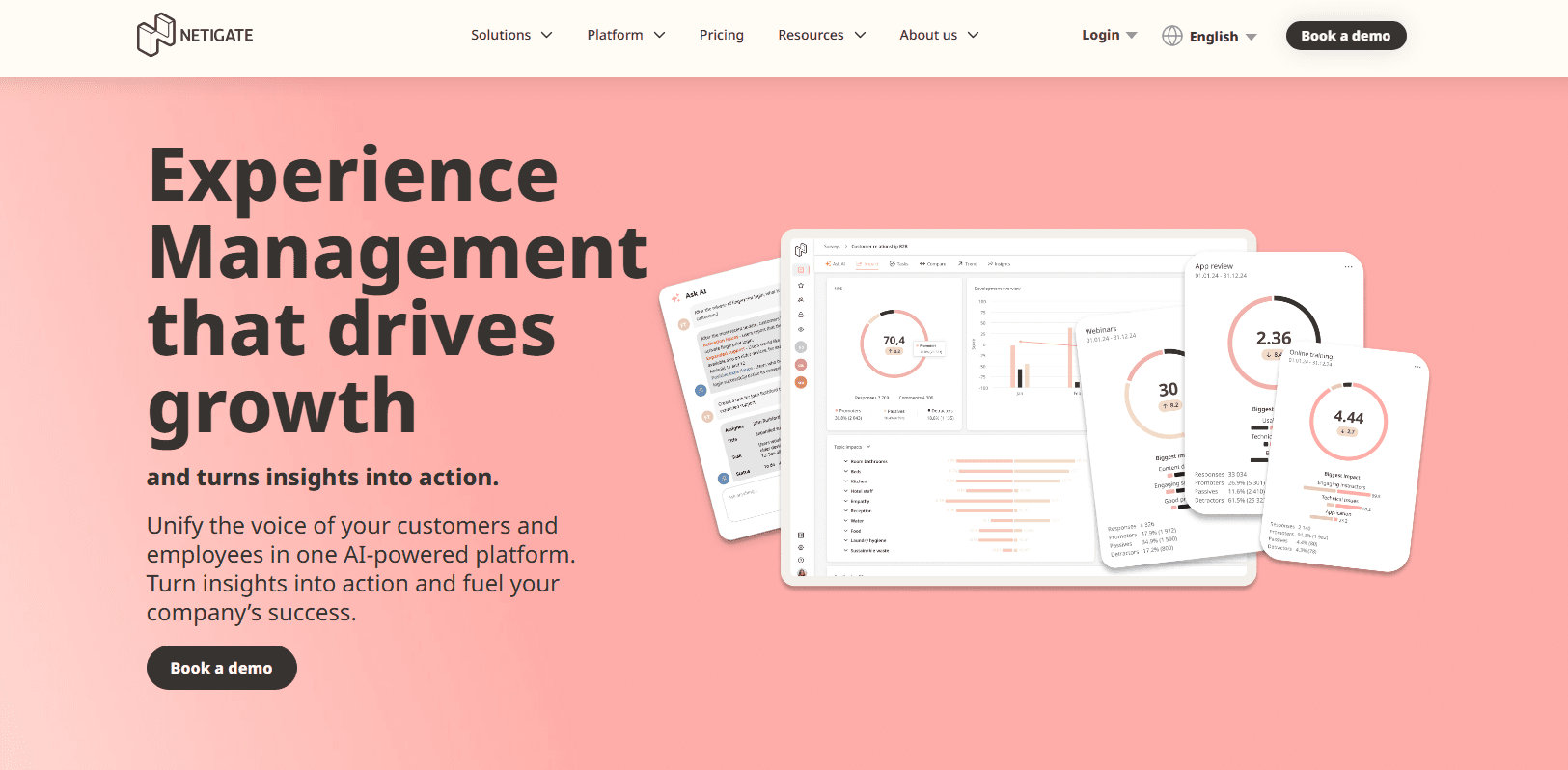
Netigate is a customer experience software built around feedback collection, NPS tracking, and customer satisfaction measurement. It's worth considering if your team runs structured feedback programs and needs actionable reporting without the implementation complexity of an enterprise platform like Qualtrics. If Qualtrics feels like more than you need, Netigate gives you serious feedback infrastructure at a scale that's easier to manage and deploy.
Netigate Evaluation Summary
4.4/5
- From €7,000/year (billed annually)
- Free demo available
Perché fidarsi dei nostri consigli sui software
6,700+
Reviews
20
Industry experts
16+
Evaluation factors
14
Years
Il nostro team testa e recensisce software dal 2012. In quanto leader CX noi stessi, sappiamo quanto sia difficile — e importante — scegliere il software giusto.
Per questa guida, abbiamo valutato gli strumenti attraverso test pratici e ricerche indipendenti, assegnando un punteggio agli strumenti in base ai nostri criteri di selezione.
Le nostre recensioni riflettono il nostro giudizio editoriale umano, non un discorso di vendita.
 Gui DrusinaCreative Director
 Tim FisherVP of AI
Netigate Overview
In my opinion, Netigate offers a solid suite of features for customer experience management. It stands out with its advanced analytics and survey functionalities, making it a good fit for data-driven teams. The onboarding process is straightforward, but there's room for improvement in terms of hands-on guidance. Customer support is generally responsive, though not as fast as some top-tier competitors.
Netigate is a great fit for medium to large enterprises that need deep, detailed insights and don’t mind putting in the time to learn a more robust platform. So if your team values comprehensive features over simplicity, Netigate could be a strong contender for your organization.
Pros
- Strong analytics capabilities.
- Robust survey-building features.
Cons
- Onboarding can be a bit challenging.
- Customization options are limited compared to other tools.
- Reporting features can be less intuitive compared to other software.
Is Netigate Right For Your Needs?
Who Would be a Good Fit for Netigate?
Netigate is a good fit for customer experience and marketing teams working in industries like retail and hospitality.It makes collecting and analyzing customer feedback much easier, so your team can focus on improving satisfaction rather than wrestling with tools. Its strong analytics capabilities offer clear insights into customer sentiment, which is especially valuable in environments where customer interactions happen daily. If your work relies heavily on understanding and acting on feedback, Netigate can significantly enhance your decision-making process.
- Retail IndustryNetigate helps your team collect and analyze customer feedback to improve shopping experiences.
- Hospitality ServicesYour team can use Netigate to understand guest satisfaction and make data-driven improvements.
- Marketing and CRM DepartmentsNetigate provides insights that help your team customize SMS, social media, and email marketing campaigns based on customer preferences.
- Customer Support TeamsYou can use Netigate to track and enhance customer service quality through detailed feedback and net promoter score (NPS) analysis.
- Medium-Sized EnterprisesNetigate's features are well-suited for your company if it requires scalable feedback solutions.
- Educational InstitutionsNetigate assists your institution in gathering student and parent feedback to enhance educational services.
Who Would be a Bad Fit for Netigate?
Netigate might not be the best choice for small startups or solo entrepreneurs who need simple, low-cost solutions. Its range of features and analytics might be more than you need if your operations are basic or your feedback collection is minimal. Similarly, if your team requires highly customizable reports or advanced integrations with niche software, Netigate's offerings might not meet your expectations. Organizations with limited tech resources might also find the onboarding process challenging, leading to slower adoption across teams.
- Startups and Small BusinessesNetigate's extensive features can overwhelm smaller teams if you're just starting out.
- Solo EntrepreneursIf you handle everything yourself, Netigate's capabilities might be more than you need.
- Highly Specialized IndustriesYour industry might require niche integrations that Netigate doesn't support.
- Basic Feedback NeedsIf your data collection and feedback needs are minimal, Netigate's advanced features might be unnecessary.
- Non-Tech Savvy TeamsNetigate's onboarding might be challenging for your team if tech isn't your strong suit.
- Limited Budget OrganizationsIf your budget is tight, Netigate's pricing might not align with your financial plans.
Come Testiamo e Valutiamo gli Strumenti
Abbiamo passato anni a costruire, perfezionare e migliorare il nostro sistema di valutazione e testing dei software. Il nostro schema è progettato per cogliere tutte le sfumature nella selezione del software e per valutare ciò che rende uno strumento efficace, concentrandosi sugli aspetti critici nel processo decisionale. Qui sotto puoi vedere esattamente come funziona il nostro processo di testing e valutazione su sette criteri. Ci permette di offrire una valutazione imparziale del software basata su funzionalità principali, caratteristiche distintive, facilità d’uso, onboarding, supporto clienti, integrazioni, recensioni clienti e rapporto qualità/prezzo.
Funzionalità Principali (25% del punteggio finale)
Il punto di partenza della nostra valutazione sono sempre le funzionalità fondamentali dello strumento. Possiede le funzioni di base che un utente si aspetta? Alcune di queste funzionalità sono disponibili solo con piani più costosi? In sostanza, ci aspettiamo che uno strumento sia competitivo rispetto ai suoi concorrenti principali.
Caratteristiche Distintive (25% del punteggio finale)
Successivamente, valutiamo le funzionalità particolari e distintive che vanno oltre le funzionalità standard solitamente presenti in strumenti simili. Un punteggio elevato riflette funzionalità specializzate o uniche che rendono il prodotto più veloce, efficiente o che offrono valore aggiunto all’utente. Valutiamo anche quanto sia facile integrare lo strumento con altri strumenti tipicamente presenti nel tech stack, per ampliare le funzionalità e l’utilità del software. Ottengono il punteggio migliore gli strumenti che offrono numerose integrazioni native, connessioni di terze parti e accesso API per creare integrazioni personalizzate.
Facilità d’Uso (10% del punteggio finale)
Consideriamo quanto sia rapido e intuitivo eseguire le attività core usando lo strumento. Un software con un alto punteggio è ben progettato, intuitivo all’uso, offre app mobili, mette a disposizione modelli e semplifica attività relativamente complesse.
Onboarding (10% del punteggio finale)
Sappiamo quanto sia importante l’adozione rapida da parte del team per una nuova piattaforma, quindi valutiamo la facilità di apprendimento e utilizzo dello strumento con una formazione minima. Valutiamo quanto velocemente un membro del team può iniziare a usare lo strumento senza esperienza. Le soluzioni con punteggio elevato richiedono poco o nessun supporto.
Supporto Clienti (10% del punteggio finale)
Valutiamo quanto sia semplice ricevere assistenza via telefono, chat dal vivo o knowledge base. Gli strumenti e le aziende che offrono supporto in tempo reale ottengono il punteggio migliore, mentre i chatbot hanno il punteggio più basso.
Recensioni Clienti (10% del punteggio finale)
Oltre alla nostra valutazione interna, prendiamo in considerazione il net promoter score dei clienti attuali e passati. Analizziamo la probabilità che, potendo scegliere, selezionino di nuovo lo strumento per le sue funzionalità core. Un software con punteggio elevato riflette un alto net promoter score dai clienti attuali o passati.
Rapporto Qualità/Prezzo (10% del punteggio finale)
Infine, tenendo conto di tutti gli altri criteri, analizziamo il prezzo medio dei piani entry level rispetto alle funzionalità principali e consideriamo il valore delle altre metriche di valutazione. Il software che offre di più, a meno, otterrà un punteggio maggiore.
Core Features
Survey Creation: Netigate lets you design surveys using a variety of templates and question types. This feature helps your team gather precise feedback quickly.
Data Analysis: You can analyze customer feedback effectively with Netigate's real-time analytics and data visualization tools. These tools provide insights into key areas like customer loyalty, customer engagement, and sentiment trends that are crucial for making informed decisions.
Feedback Management: You can manage and organize feedback efficiently, allowing your team to track customer sentiments over time. This helps you identify trends and areas for improvement.
Reporting Tools: Netigate offers customizable reporting options, allowing you to present data in a way that suits your needs. This makes it easier for your team to share insights with stakeholders.
Multi-Channel Feedback: Collect feedback across different channels to capture diverse customer voices. This feature is helpful for broadening your understanding of customer experiences.
User Access Control: Control who accesses specific data with user access settings, keeping your information secure. This is vital for maintaining data privacy and integrity.

Ease of Use
Netigate's ease of use is commendable, with its intuitive interface making navigation a breeze for your team. Unlike some complex tools, Netigate simplifies survey creation and feedback management, reducing the learning curve significantly. Users appreciate the straightforward design, which lets you focus on analyzing data rather than struggling with the software itself. While onboarding might require some effort, the overall user experience is smooth, allowing your team to quickly adapt and start reaping the benefits of customer feedback insights.

Integrations
Netigate integrates with Intercom, Dixa, Freshdesk, Zendesk, Hubspot, Salesforce, and social media platforms like Facebook and Instagram. It also connects with a number of user review sites (like Amazon and Trustpilot) for comprehensive feedback analysis.
Netigate also offers an API for custom data integrations and connects with third-party integration tools to automate feedback flows.

Netigate Specs
- Analytics: Yes
- API: Yes
- Calendar Management: No
- Chat: No
- Click-to-Dial: No
- CRM Integration: No
- Customer Management: No
- Customer Service: No
- Dashboard: No
- Dashboards: No
- Data Export: Yes
- Data Import: Yes
- Data Visualization: Yes
- External Integrations: Yes
- Feedback Management: No
- Knowledge Base: No
- Lead Management: No
- Lead Scoring: No
- Multi-Source Feedback: No
- Multi-User: No
- Net Promoter Score: No
- Notifications: No
- Omnichannel Referrals: No
- Online Surveys: No
- Review Moderation: No
- Scheduling: No
- Sentiment Analysis: No
- Social Media Monitoring: No


