

Et VoIP-telefonsystem for små bedrifter er skybasert programvare som lar teamet ditt ringe og motta samtaler over internett i stedet for via tradisjonelle telefonlinjer. Hvis du ser etter moderne måter å håndtere kunde- og teamsamtaler på, kan det å velge riktig VoIP-system hjelpe deg med å håndtere et høyt samtalevolum, jobbe hvor som helst og enkelt koble deg til andre verktøy du bruker. I denne listen går jeg gjennom topprangerte VoIP-telefonsystemer, hva som gjør hvert av dem unikt, og hvordan du velger det som passer best for den lille bedriften din i 2026.
Why Trust Our Software Recommendations
6,700+
Reviews
20
Industry experts
16+
Evaluation factors
14
Years
Our team has been testing and reviewing software since 2012. As CX leaders ourselves, we know how difficult—and important—it is to choose the right software.
For this guide, we evaluated tools using hands-on testing and independent research, scoring tools using our selection criteria.
Our reviews reflect our human editorial judgment, not a sales pitch.
 Gui DrusinaCreative Director
 Tim FisherVP of AI
Sammenligningstabell for VoIP-telefonsystemer for små bedrifter
Denne sammenligningstabellen oppsummerer prisdetaljene for mitt beste VoIP-telefonsystem for små bedrifter:
| Tool | Best For | Trial Info | Price | ||
|---|---|---|---|---|---|
| 1 | Best for advanced call queue management | 14-day free trial | From $25/user/month (billed annually) | Website | |
| 2 | Best for separating business and personal calls | 7-day free trial available | From $14/month (billed annually) | Website | |
| 3 | Best for customizable workflow integrations | Free plan available | Pricing upon request | Website | |
| 4 | Best for simple call routing for teams | 7-day free trial + free demo available | From $20/user/month (billed annually) | Website | |
| 5 | Best for unlimited extensions with any plan | Not available | From $15/user/month (billed annually) | Website | |
| 6 | Best for AI-enabled customer conversation handling | Free demo available | From $15/user/month (billed annually) | Website | |
| 7 | Best for AI-powered voice transcriptions | 14-day free trial + free demo available | Pricing upon request | Website | |
| 8 | Best for flexible mobile and desktop use | 14-day free trial | From £18/user/month | Website | |
| 9 | Best for straightforward plug-and-play setup | Not available | From $19.95/user/month | Website | |
| 10 | Best for easy integration with video meetings | Free demo available | From $10.50/user/month | Website |


Anmeldelser av de beste VoIP-telefonsystemene for små bedrifter
Nedenfor finner du mine detaljerte sammendrag av de beste VoIP-telefonsystemene for små bedrifter som kom med på kortlisten min. Anmeldelsene mine gir en detaljert oversikt over funksjonene, de beste bruksområdene og prisene for hvert system, slik at du kan finne det beste alternativet for deg.
 Best for advanced call queue management
- 14-day free trial
- From $25/user/month (billed annually)
Visit WebsiteCustomer Rating:4.4/5
CloudTalk wallboard offers real-time queue metrics and agent insights. CloudTalk is a cloud-based VoIP phone system for small businesses that supports inbound and outbound calls, customizable IVR, smart call routing, live call monitoring, and detailed call analytics.
Who Is CloudTalk Best For?
Customer support or sales teams at small and midsize businesses that handle high call volumes across multiple departments or queues.
Why I Picked CloudTalk
I picked CloudTalk as one of the best because I see its advanced call queue management options handle multiple queues, real-time queue statistics, and queue-specific agent assignment. I can quickly spot and reduce bottlenecks as call volume shifts.
CloudTalk Key Features
- Smart dialer: Automatically compiles call lists and dials numbers in sequence.
- Call tagging: Lets you categorize calls for better search and reporting.
- Voicemail transcriptions: Converts voicemail messages into readable text in your dashboard.
- Call recording: Records calls automatically and stores them for future playback.
CloudTalk Integrations
CloudTalk offers native integrations with Salesforce, HubSpot, Zendesk, Freshdesk, Intercom, Pipedrive, Zoho CRM, Aircall, Microsoft Dynamics 365, and Google Contacts. An API is available for custom integrations.
Pros and Cons
Pros:
- International number support for global teams
- Highly customizable IVR menu builder
- Real-time call monitoring and listening
Cons:
- Power dialling tool requires paid plan upgrades
- Base accounts delete data logs after a certain period
 Best for separating business and personal calls
- 7-day free trial available
- From $14/month (billed annually)
Visit WebsiteCustomer Rating:4.2/5
The Grasshopper app offers separate call logs across multiple extensions. Grasshopper is a virtual phone system designed for small businesses that lets you manage business calls, texts, and voicemails from a dedicated business number on your mobile device or desktop.
Who Is Grasshopper Best For?
Solo entrepreneurs and small business owners who want to manage business communications separately from personal calls using a single mobile device.
Why I Picked Grasshopper
I picked Grasshopper as one of the best because I can add a distinct business number to my mobile, keeping my work and personal calls totally separate. I also like being able to customize greetings and manage voicemails from both desktop and mobile apps.
Grasshopper Key Features
- Call transfers: Easily forward calls to any extension or phone number.
- Business texting: Send and receive texts from your business number.
- Simultaneous call handling: Answer multiple calls at the same time.
- Voicemail transcription: Get your voicemails automatically transcribed to text.
Grasshopper Integrations
Integrations include LegalZoom, Invoice Simple, TransUnion, WordPress, Joist, Woo, and Novo.
Pros and Cons
Pros:
- Includes mobile call forwarding
- Mobile and desktop apps for calls
- Adds lines as needed
Cons:
- Lacks performance tracking metrics
- Requires external software for metrics
Learn more about Grasshopper: Best for customizable workflow integrations
- Free plan available
- Pricing upon request
Visit WebsiteCustomer Rating:4.1/5
Vonage workflow builder offers customizable call routing integrations. Vonage is a cloud-based VoIP phone system for small businesses that offers voice calling, unified communications, SMS, call recording, and advanced workflow automation.
Who Is Vonage Best For?
Small businesses and IT teams that need advanced call automation and custom integration capabilities.
Why I Picked Vonage
I picked Vonage as one of the best because I use its visual flow builder to automate call handling, connect custom business apps, and integrate SMS and voice triggers into everyday workflows without writing code.
Vonage Key Features
- Call recording: Automatically records inbound and outbound calls for later review.
- Desktop and mobile apps: Let users make and receive calls from computers or mobile devices.
- Voicemail to email: Sends voicemail audio and transcripts directly to your inbox.
- Click-to-dial extension: Enables click-to-call functionality within web browsers and supported CRMs.
Vonage Integrations
Integrations include Salesforce, Microsoft Teams, Zendesk, HubSpot, Zoho CRM, Freshdesk, Bullhorn, and ConnectWise.
Pros and Cons
Pros:
- Flexible call handling rules for teams
- SMS and fax support alongside voice
- Visual dial plan designer for call routing
Cons:
- Latency spikes during high volume
- Base plans exclude team chat and video options
Learn more about Vonage: Best for simple call routing for teams
- 7-day free trial + free demo available
- From $20/user/month (billed annually)
Visit WebsiteCustomer Rating:4/5
MightyCall call flow builder offers simple routing for teams and callers. MightyCall is a cloud-based small business VoIP phone system that offers features like call routing, virtual numbers, voicemail transcription, call forwarding, and mobile apps for easy team communication and management.
Who Is MightyCall Best For?
Small businesses and remote teams that want a quick setup and straightforward call handling without IT overhead.
Why I Picked MightyCall
I picked MightyCall as one of the best because I use its quick drag-and-drop call flow builder to map how team calls get routed, set custom routing rules by schedule, and assign extensions to distributed teammates with no IT setup required.
MightyCall Key Features
- Voicemail transcription: Converts voicemail messages into text you can read.
- Mobile apps: Let you make and receive calls from iOS and Android devices.
- Caller ID management: Displays your business number on outbound calls.
- Call recording: Records incoming and outgoing calls for quality and compliance.
MightyCall Integrations
MightyCall offers native integrations with HubSpot, Zoho CRM, Pipedrive, Salesforce, and Microsoft Teams. An API is available for custom integrations.
Pros and Cons
Pros:
- Mobile app for handling calls on the go
- Virtual phone numbers for multiple locations
- Visual call flow builder for routing
Cons:
- Occasional delays in voicemail transcription
- Missing real-time queue status monitors
 Best for unlimited extensions with any plan
- Not available
- From $15/user/month (billed annually)
Visit WebsiteCustomer Rating:3.3/5
Phone.com user management offers team extensions and user setup. Phone.com is a cloud-based VoIP phone system for small businesses that offers call management, SMS, voicemail, video conferencing, and multiple user management capabilities.
Who Is Phone.com Best For?
Small business owners who want to give every team member a unique extension and manage calls without handling on-premise phone hardware.
Why I Picked Phone.com
I picked Phone.com as one of the best because it lets me add unlimited extensions on any plan, making it simple to cover distributed and growing teams. I also rely on its call screening tools and professional greetings to strengthen team communication.
Phone.com Key Features
- HD video conferencing: Host secure video meetings for up to 100 participants.
- SMS and MMS messaging: Send and receive business text messages using your business number.
- Voicemail to email: Receive voicemails as audio files or transcripts delivered to your inbox.
- Custom hold music: Upload and use your own hold music for caller engagement.
Phone.com Integrations
Phone.com offers native integrations with Zapier, Zoho CRM, and AllProWebTools. An API is available for custom integrations.
Pros and Cons
Pros:
- Local and toll-free numbers available
- Video meetings up to 100 participants
- Unlimited extensions on every plan
Cons:
- Mobile app can be slow to update
- Call analytics are limited
Learn more about Phone.com: Best for AI-enabled customer conversation handling
- Free demo available
- From $15/user/month (billed annually)
Visit WebsiteCustomer Rating:4.5/5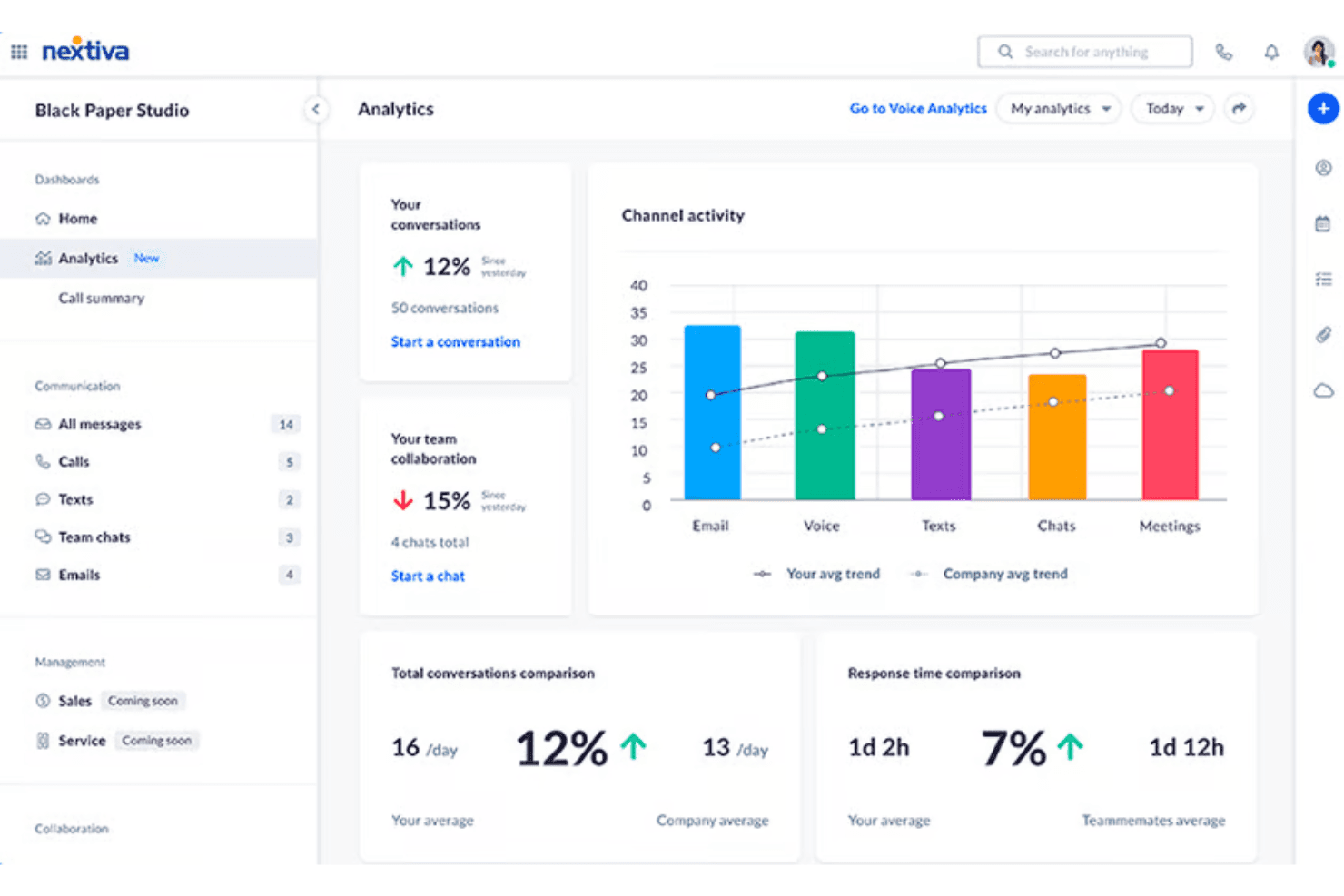
Nextiva offers conversation analytics and channel performance reports. Nextiva is a cloud-based VoIP and unified communications platform that combines business calling, SMS, video meetings, team chat, and omnichannel customer messaging in a single interface.
Who Is Nextiva Best For?
Nextiva is a strong fit for small businesses with up to 100 employees that need to move beyond a basic phone line into a full multi-channel communication setup.
Why I Picked Nextiva
Nextiva earns its spot on my shortlist because of XBert, its AI employee that handles inbound calls, books appointments, and answers FAQs without a human agent picking up the phone. I also like Agent Assist, which surfaces relevant information to reps in real time during live calls. When a call exceeds what XBert can handle, the handoff to a human agent is context-aware, so the customer never has to repeat themselves.
Nextiva Key Features
- Shared team inboxes: Manage calls, voicemails, emails, and social messages in unified inboxes for group collaboration.
- Multi-level IVR builder: Create advanced interactive voice response menus to route calls based on customer input or business hours.
- Call recording with transcription: Automatically record and transcribe calls for quality assurance and compliance tracking.
- Custom reporting dashboards: Build tailored dashboards to monitor call volume, trends, agent activity, and key performance metrics.
Nextiva Integrations
Nextiva offers native integrations with Salesforce, HubSpot, Microsoft Teams, Zoho CRM, ServiceNow, Zendesk, Oracle Sales Cloud, and Google Contacts, with API access available for custom integrations.
Pros and Cons
Pros:
- Reliable 99.999% uptime SLA for business continuity
- Built-in omnichannel inbox across voice, SMS, and email
- AI handles inbound calls without human agents
Cons:
- Setup complexity can challenge non-technical small business admins
- Advanced AI features locked behind higher-tier plans
 Best for AI-powered voice transcriptions
- 14-day free trial + free demo available
- Pricing upon request
Visit WebsiteCustomer Rating:4.3/5
Dialpad offers live call transcripts and messaging in a unified workspace. Dialpad is a cloud-based VoIP business phone system for small businesses, offering voice calling, built-in video conferencing, SMS, and call routing within a unified communications platform.
Who Is Dialpad Best For?
Sales and support teams at small to midsize businesses that rely on real-time call intelligence and cloud communications.
Why I Picked Dialpad
I picked Dialpad as one of the best because I use its real-time AI voice transcription and call summaries to capture details from client calls. The AI highlights follow-ups and action items for my team right in the call dashboard.
Dialpad Key Features
- Voicemail transcription: Converts voicemails into text for quick review.
- Business SMS and MMS: Send and receive text and picture messages from your business line.
- Multi-level auto attendant: Automatically routes inbound calls to the right person or team.
- Call recording: Lets you record inbound and outbound calls for reference.
Dialpad Integrations
Dialpad offers native integrations with Google Workspace, Microsoft 365, Salesforce, HubSpot, Slack, Zendesk, Okta, Zapier, and an API for custom integrations.
Pros and Cons
Pros:
- Multi-device support for desktop and mobile
- Real-time call coaching and sentiment analysis
- AI-powered call and voicemail transcription
Cons:
- Advanced features require higher-tier plans
- Call quality can be inconsistent during peak hours
 Best for flexible mobile and desktop use
- 14-day free trial
- From £18/user/month
Visit WebsiteCustomer Rating:4.2/5
RingCentral offers consistent calling tools across desktop and mobile. RingCentral is a cloud-based VoIP phone system designed for small businesses, offering call management, team messaging, video meetings, and flexible device compatibility across desktop and mobile platforms.
Who Is RingCentral Best For?
Small business teams that want a unified phone, messaging, and video solution across office and remote work environments.
Why I Picked RingCentral
I picked RingCentral as one of the best because I use its mobile and desktop apps to manage calls, texts, and video meetings on any device. I like switching between mobile and computer during a busy day without missing business communications.
RingCentral Key Features
- Auto-attendant: Routes inbound calls to the right person or department using an interactive menu.
- Team messaging: Lets users collaborate with instant messaging, file sharing, and threaded conversations.
- Call recording: Records inbound and outbound calls for quality assurance and compliance.
- Voicemail-to-email: Sends voicemails as audio files and text transcripts directly to your email inbox.
RingCentral Integrations
Integrations include Salesforce, Zendesk, Google Workspace, Slack, HubSpot, ServiceNow, and Zapier.
Pros and Cons
Pros:
- Built-in video meetings and team messaging
- Supports unlimited audio conferencing participants
- Switch calls between devices anytime
Cons:
- Call quality can drop on weak networks
- Requires stable broadband for performance
Learn more about RingCentral: Best for straightforward plug-and-play setup
- Not available
- From $19.95/user/month
Visit WebsiteCustomer Rating:3/5
Ooma conference panel offers call controls and participant tools for team calls. Ooma Office is a small business VoIP phone system that delivers business calling, virtual fax, conferencing, and call management features in a single package.
Who Is Ooma Office Best For?
Small businesses that need a reliable, easy-to-install phone system without IT staff or technical resources.
Why I Picked Ooma Office
I picked Ooma Office as one of the best because I can get a physical desk phone working in minutes, configure the system myself, and handle call routing right out of the box. Setup doesn’t require IT or a complicated onboarding process.
Ooma Office Key Features
- Virtual receptionist: Routes incoming calls based on time or caller input.
- Ring groups: Let multiple phones ring simultaneously for team coverage.
- Mobile app: Provides business call features on smartphones and tablets.
- Voicemail-to-email: Sends voicemails automatically to your email inbox.
Ooma Office Integrations
Integrations include HubSpot, Salesforce, QuickBooks Online, Microsoft Dynamics 365, Google Chrome Extension, Freshdesk CRM, Pipedrive CRM, SugarCRM, Zoho, and Zendesk.
Pros and Cons
Pros:
- Voicemail can forward messages to email
- Includes virtual receptionist auto-attendant
- Hardware available for in-office phone setups
Cons:
- Fewer advanced features than other providers
- Lacks detailed historical usage data
Learn more about Ooma Office: Best for easy integration with video meetings
- Free demo available
- From $10.50/user/month

Zoom Phone offers unified video meetings and team messaging. Zoom Phone is a cloud-based VoIP phone system for small businesses that integrates call management, voicemail, SMS, and call recording into the Zoom communications platform.
Who Is Zoom Phone Best For?
Teams that rely on video meetings and want a unified platform for business calls, messaging, and integrated collaboration.
Why I Picked Zoom Phone
I picked Zoom Phone as one of the best because I can launch phone calls directly from Zoom Meetings, switch live calls to video, and manage voicemails in the same app my team uses for video collaboration.
Zoom Phone Key Features
- Call queues: Route inbound calls to the right group or individual automatically.
- SMS and MMS support: Send and receive text messages directly from your business number.
- Auto attendant: Greet and direct callers digitally without manual intervention.
- Call park: Place calls on hold in a shared space to be picked up by any team member.
Zoom Phone Integrations
Zoom Phone offers native integrations with Salesforce, ServiceNow, Slack, Microsoft Teams, Google Workspace, and Zendesk. An API is available for custom integrations.
Pros and Cons
Pros:
- Centralized management in the Zoom admin portal
- Reliable call quality across devices and locations
- Transition calls to video meetings
Cons:
- Limited advanced call analytics for power users
- Mobile app notifications are sometimes delayed
Learn more about Zoom Phone:
Andre VoIP-telefonsystemer for små bedrifter
Her er noen flere alternativer for VoIP-telefonsystemer for små bedrifter som ikke kom med på kortlisten min, men som likevel er verdt å se nærmere på:
- 11GoTo ConnectBest for managing remote and hybrid teams
- 128x8Best for international number availability
- 13AircallBest for collaborative call commenting
- 14RingoverBest for unlimited international calling plans
- 15JustCallBest for quick CRM integration setup
- 16TalkRouteBest for using existing business numbers
- 17Intermedia UniteBest for built-in team chat and file sharing
- 18Google VoiceBest for easy multi-device number management
- 19Microsoft Teams PhoneBest for tight Office 365 workflow integration
How I Evaluate a VoIP Phone Systems for Small Businesses
I split my evaluation into baseline functionality every platform must cover and the differentiators that separate a system built for CX teams from one that just handles calls.
Core Functionality (Table Stakes For This List)
When I'm selecting tools for my list, I rank each one on a scale from 0 (does not offer the functionality) to 5 (excels in this area) for each core functionality listed below. I then calculate the tool's total score into a percentage, using 65% as a benchmark to help assess its overall fit for the list.
- Cloud VoIP calling: I check for reliable HD voice, business number provisioning, and extensions that let a five-person team sound like an established operation.
- Multi-level IVR & routing: I look for auto-attendant menus, ring groups, and time-based rules that route after-hours calls to on-call agents automatically.
- Voicemail & call management: Voicemail transcription, call recording, and warm transfer are what I evaluate so agents can hand off context without making customers repeat themselves.
- Mobile & desktop softphone apps: I evaluate whether native iOS, Android, and desktop apps carry full calling features so hybrid agents can take customer calls from a laptop or phone.
- Business SMS & messaging: Two-way texting from the business number matters here, like sending appointment confirmations or order updates without switching to a personal device.
- Call analytics & reporting: I look for dashboards that track missed calls, average talk time, and per-agent activity so support managers can spot coverage gaps before customers notice.
Once I have a list of tools that meet the criteria, I consider what sets each platform apart.
Differentiating Factors (What Sets Vendors Apart)
Here's how I compare and contrast different vendors:
Standout Features
AI call summaries are a major time-saver I evaluate closely. When an agent wraps a 10-minute support call, an auto-generated summary with sentiment flags means they skip manual note-taking and move to the next customer faster. I also check for live call coaching tools like whisper and barge, which let a manager guide a new hire through a tricky billing dispute without the caller knowing. Shared team inboxes matter too. I look for a single queue where calls, voicemails, and texts land together so no customer message sits unclaimed.
Beyond Features
I check whether pricing is transparent and predictable, with no surprise per-minute charges or hidden number fees that inflate the bill after month one. Reliability matters just as much. I look for published uptime SLAs and automatic failover to mobile so a brief internet outage doesn't mean missed customer calls. I also evaluate native CRM and helpdesk integrations because a platform that auto-logs calls into Salesforce or creates Zendesk tickets on hang-up saves agents from toggling between tabs and re-entering data manually.
Slik velger du et VoIP-telefonsystem for en liten bedrift
Det er lett å gå seg vill i lange funksjonslister og komplekse prisstrukturer. For å hjelpe deg med å holde fokus mens du går gjennom den unike prosessen din for valg av programvare, finner du her en sjekkliste over faktorer du bør ha i tankene:
| Faktor | Hva du bør vurdere |
|---|---|
| FaktorSkalerbarhet | Hva du bør vurdereVil systemet støtte bedriften din når den vokser? Sjekk brukerbegrensninger, alternativer for internnumre og begrensninger på samtalevolum. |
| FaktorIntegrasjoner | Hva du bør vurdereKan det kobles direkte til CRM-systemet, brukerstøttesystemet eller planleggingsverktøyene dine? Unngå manuelle omveier ved å kontrollere viktige integrasjoner. |
| FaktorTilpasningsmuligheter | Hva du bør vurdereKan du tilpasse innstillinger, hilsener og samtaleflyter til teamets prosesser uten hjelp fra IT? Vurder hvor fleksible administratorkontrollene er. |
| FaktorBrukervennlighet | Hva du bør vurdereVil de ansatte trenge omfattende opplæring? Test grensesnittet for intuitiv utforming og rask innføring, også for nyansatte. |
| FaktorImplementering og innføring | Hva du bør vurdereHvor lang tid tar oppsettet, og støttes migrering fra det gamle systemet ditt? Vurder hvor tilgjengelig oppsettsstøtte og selvbetjeningsressurser er. |
| FaktorKostnad | Hva du bør vurdereEr prisnivåene forutsigbare når samtalevolumet eller antallet brukere vokser? Vær oppmerksom på skjulte gebyrer og obligatoriske tillegg. |
| FaktorSikkerhetstiltak | Hva du bør vurdereHvordan beskyttes samtaler og kundedata? Se etter kryptering, rollebaserte tilgangskontroller og samsvar med relevante forskrifter. |
| FaktorTilgjengelig brukerstøtte | Hva du bør vurdereFår du raskt kontakt med en ekspert når du trenger hjelp? Se etter brukerstøtte døgnet rundt, alle dager, og nivådelte responstjenestenivåavtaler basert på kanal. |
Hva er et VoIP-telefonsystem for små bedrifter?
VoIP-telefonsystemer for små bedrifter er internettbaserte kommunikasjonsplattformer som lar bedrifter ringe og motta samtaler ved hjelp av bredbåndstilkoblinger i stedet for tradisjonelle telefonlinjer. Disse systemene samler funksjoner for bedriftstelefoni, som telefonsvarer, samtaleruting og opptak, slik at teamet ditt kan holde kontakten fra hvor som helst og med hvilken som helst enhet uten å være avhengig av fysisk infrastruktur.
Funksjoner i VoIP-telefonsystem for små bedrifter
Når du velger et VoIP-telefonsystem for en liten bedrift, bør du se etter følgende viktige funksjoner:
- Samtaleruting: Viderekobler innkommende samtaler til riktig medarbeider eller avdeling basert på egendefinerte regler, tidspunkt på dagen eller innringerens valg i en meny.
- Transkripsjon av talemeldinger: Konverterer talte talemeldinger til lettlest tekst, slik at teamet raskt kan gå gjennom og prioritere svar.
- IVR-meny: Interaktive talesvarknapper lar innringere navigere mellom alternativer ved hjelp av tastaturet eller stemmen, noe som gir selvbetjening og effektiv viderekobling av samtaler.
- Viderekobling av samtaler: Lar deg overføre innkommende samtaler til andre numre, mobile enheter eller eksterne medarbeidere, slik at viktige samtaler aldri blir ubesvart.
- Opptak av samtaler: Fanger opp og lagrer samtaler på en sikker måte for opplæring, kvalitetsovervåking og etterlevelse av regelverk.
- Mobil- og skrivebordsapper: Gjør det mulig for team å ringe og motta forretningssamtaler på farten eller fra en hvilken som helst arbeidsstasjon, og støtter fleksibelt og eksternt arbeid.
- Telefonkonferanser: Lar flere deltakere bli med i samme samtale, slik at teamdiskusjoner og møter med eksterne blir enkle å administrere.
- Nummerportabilitet: Lar deg beholde eksisterende bedriftsnumre når du bytter leverandør, slik at kundene ikke mister kontakten.
- Administrasjon av innringer-ID: Tilpasser hvordan bedriftsnummeret ditt vises for eksterne kontakter, slik at du bygger tillit og sikrer et konsekvent uttrykk.
- Sanntidsanalyse: Viser løpende samtaleaktivitet, svartider og måltall for teamets resultater, slik at ledere kan overvåke servicen og oppdage trender.
Fordeler med VoIP-telefonsystem for små bedrifter
Implementering av et VoIP-telefonsystem for en liten bedrift gir flere fordeler for teamet og virksomheten. Her er noen av fordelene du kan se frem til:
- Større mobilitet: Teammedlemmer kan ringe og motta forretningssamtaler fra hvilken som helst enhet eller lokasjon ved hjelp av mobil- og skrivebordsapper.
- Økt fleksibilitet: Samtaleruting, viderekobling og IVR-menyer tilpasser seg enkelt endringer i teamstrukturer og arbeidsflyter.
- Lavere driftskostnader: VoIP-systemer reduserer vanligvis samtalekostnadene og eliminerer behovet for dyr maskinvare eller separate telefonlinjer.
- Profesjonelt omdømme: Funksjoner som samtaleopptak, tilpassbar innringer-ID og transkripsjon av talemeldinger forbedrer virksomhetens responstid og kundeopplevelse.
- Skalerbarhet for vekst: Det er enkelt å legge til numre, brukere eller internnumre etter hvert som virksomheten vokser – ingen kompliserte installasjoner er nødvendig.
- Bedre innsikt i resultater: Sanntidsanalyse og rapportering gjør det mulig å overvåke samtaleaktivitet, følge trender og optimalisere teamets resultater.
- Pålitelig kontinuitet: Innebygd viderekobling og nummerportabilitet sørger for at virksomheten er tilgjengelig og forhindrer avbrudd, også ved flytting av kontoret eller driftsstans.
Kostnader og priser for VoIP-telefonsystem for små bedrifter
Valg av VoIP-telefonsystem for en liten bedrift krever en forståelse av de ulike prismodellene og abonnementene som er tilgjengelige. Kostnadene varierer basert på funksjoner, teamets størrelse, tilleggstjenester og mer. Tabellen nedenfor oppsummerer vanlige abonnementer, gjennomsnittsprisene deres og typiske funksjoner som inngår i VoIP-telefonsystemløsninger for små bedrifter:
Sammenligningstabell for VoIP-telefonsystem for små bedrifter
| Abonnementstype | Gjennomsnittspris | Vanlige funksjoner |
|---|---|---|
| AbonnementstypeGratisabonnement | Gjennomsnittspris$0 | Vanlige funksjonerStøtter et begrenset antall brukere, grunnleggende samtaler, enkel talepost og tilgang til mobil- eller skrivebordsapp. |
| AbonnementstypePersonlig abonnement | Gjennomsnittspris$5-$15/user/month | Vanlige funksjonerUbegrensede lokalsamtaler, viderekobling, transkripsjon av talemeldinger og grunnleggende brukerstøtte. |
| AbonnementstypeBedriftsabonnement | Gjennomsnittspris$15-$35/user/month | Vanlige funksjonerIVR-menyer, samtaleopptak, samtaleanalyse, avansert ruting og integrasjon med forretningsverktøy. |
| AbonnementstypeAbonnement for store bedrifter | Gjennomsnittspris$35-$60/user/month | Vanlige funksjonerPrioritert brukerstøtte, tilpassede integrasjoner, forbedret sikkerhet, alternativer for regelverksetterlevelse og fleksibel skalerbarhet. |
Vanlige spørsmål om VoIP-telefonsystemer for små bedrifter
Her er noen svar på vanlige spørsmål om en VoIP-telefontjeneste for en bedrift i vekst:
Kan jeg beholde det eksisterende bedriftstelefonnummeret mitt når jeg bytter til en VoIP-løsning?
Ja, de fleste VoIP-leverandører støtter nummerportering, slik at du kan gå bort fra den tradisjonelle fasttelefonen og overføre det nåværende bedriftsnummeret ditt uten å forstyrre kundekommunikasjonen.
Fungerer VoIP-telefonsystemer med mobile enheter?
Ja, nesten alle systemer tilbyr mobilapper, slik at teamet ditt kan bruke mobiltelefonen eller nettbrettet til å ringe og motta samtaler, sjekke talepost og administrere innstillinger på smarttelefoner. Mange leverandører inkluderer disse verktøyene i en samlet UCaaS-plattform som tilbyr videosamtaler i høy oppløsning i tillegg til standard telefonifunksjoner.
Er VoIP-telefonsystemer sikre for bedriftsbruk?
Ja, en anerkjent tjenesteleverandør tilbyr kryptering, tilgangskontroller og regelmessige sikkerhetsoppdateringer for å beskytte samtalene og dataene dine. Kontroller alltid sikkerhetsfunksjonene for å sikre at de oppfyller virksomhetens spesifikke behov.
Trenger jeg spesielt utstyr til et VoIP-telefonsystem?
Nei, du trenger ikke spesielt utstyr – de fleste systemer fungerer med de eksisterende datamaskinene dine, en programvarebasert telefonapplikasjon og smarttelefoner. Noen små team velger å bruke dedikerte IP-telefoner eller hodesett for ekstra bekvemmelighet, men dette er ikke nødvendig for et moderne telefonoppsett for små bedrifter.
Hvor pålitelig er samtalekvaliteten med et VoIP-telefonsystem?
Samtalekvaliteten avhenger av internettforbindelsen din. Med en stabil bredbåndsforbindelse, en moderne ruter eller et sterkt wi-fi-signal kan et skybasert telefonsystem levere krystallklar lyd og pålitelige samtaler med svært høy oppetid. Det er viktig å kontrollere båndbredden og innstillingene for tjenestekvalitet for å oppnå best mulig resultat.
Hva skjer hvis internettforbindelsen min går ned?
Ved et avbrudd kan en PBX automatisk videresende en VoIP-samtale til alternative mobilnumre eller sikkerhetsenheter, slik at tapte forbindelser begrenses. Mange VoIP-funksjoner, som elektronisk talepost til e-post og automatisk ruting, fortsetter å fungere i skyen selv om den lokale telefontjenesten midlertidig blir avbrutt, og mange abonnementer beskytter fortsatt budsjettet ditt ved å opprettholde ubegrenset ringing til sikkerhetslinjer.