

Å drive en virksomhet innebærer å håndtere utallige oppgaver, og effektiv informasjonsstyring er ofte en stor utfordring. Som leder med kundekontakt kjenner du verdien av raske og presise svar for kundene og teamet ditt. Gratis programvare for kunnskapsbaser kan være en livredder og hjelpe deg med å organisere og dele informasjon uten å belaste budsjettet.
Jeg har testet og vurdert en rekke alternativer for å gi deg mine beste anbefalinger. Disse løsningene tilbyr viktige funksjoner og hjelper deg med å håndtere vanlige utfordringer som spredt informasjon, utdaterte wikier og tidkrevende søk. Du finner de beste gratisabonnementene og prøveperiodene som kan dekke behovene dine.
I denne artikkelen guider jeg deg gjennom alternativene og hjelper deg med å velge det som passer best for teamet ditt.
Why Trust Our Software Recommendations
6,700+
Reviews
20
Industry experts
16+
Evaluation factors
14
Years
Our team has been testing and reviewing software since 2012. As CX leaders ourselves, we know how difficult—and important—it is to choose the right software.
For this guide, we evaluated tools using hands-on testing and independent research, scoring tools using our selection criteria.
Our reviews reflect our human editorial judgment, not a sales pitch.
 Gui DrusinaCreative Director
 Tim FisherVP of AI
Sammenligningstabell for gratis programvare for kunnskapsbaser
Her er grunnkostnadene for hvert av verktøyene som kom med på kortlisten min:
| Tool | Best For | Trial Info | Price | ||
|---|---|---|---|---|---|
| 1 | Best for customer self-service portals | 14-day free trial | From $19/user/month (billed annually) | Website | |
| 2 | Best for all-in-one docs and task-linked wikis | Free plan available | From $7/user/month (billed annually) | Website | |
| 3 | Best with AI-powered ticket routing | 14-day free trial | From $25/user/month (billed annually) | Website | |
| 4 | Best for social collaboration | Free plan available | Pricing upon request | Website | |
| 5 | Best for open-source customization | Free plan + 30-day free trial available | From €2.50/user/month (billed annually) | Website | |
| 6 | Best for free RBAC and SSO on a solo knowledge base | Free demo + 15-day free trial available | From $0.99/user/month (billed annually) | Website | |
| 7 | Best for knowledge base analytics tied to a live inbox | Free plan available | From $25/user/month (billed annually) | Website | |
| 8 | Best for docs-as-code knowledge publishing | 14-day free trial + free plan available | From $65/site/month + $12/user/month (billed annually) | Website | |
| 9 | Best for AI-generated KB articles from tickets | Free plan available | From $95/month | Website | |
| 10 | Best for large-scale documentation | Free to use | Free to use | Website |


Vurderinger av den beste gratis programvaren for kunnskapsbaser
Nedenfor finner du mine detaljerte sammendrag av den beste gratis programvaren for kunnskapsbaser som kom med på kortlisten min. Vurderingene mine gir en detaljert gjennomgang av de viktigste funksjonene, fordelene og ulempene, integrasjonene og ideelle bruksområdene for hvert verktøy, slik at du kan finne det beste alternativet for deg. Selv om noen av disse verktøyene tilbyr en helt gratis versjon, tilbyr andre en gratis prøveperiode. Jeg har lagt til en merknad om hva som er gratis i hver av vurderingene mine.
 Best for customer self-service portals
- 14-day free trial
- From $19/user/month (billed annually)
Visit WebsiteCustomer Rating:4.4/5
Freshdesk knowledge base supports customer self-service portals with organized help articles. Freshdesk is a customer service platform with an integrated knowledge base, combining ticket management, self-service portals, article authoring, and analytics within one system.
Who Is Freshdesk Best For?
Teams piloting a customer-facing help center who want ticket management and a public self-service portal in one platform.
Why I Picked Freshdesk
I picked Freshdesk as one of the best because I’ve set up branded customer self-service portals using its built-in knowledge base, tight ticket integration, and article authoring. I rely on its hierarchical content structure to organize FAQs and troubleshooting guides, and I appreciate that portal publishing controls let me scope content visibility across customer and agent audiences.
Freshdesk Key Features
- Integrated ticketing system: Manage customer support tickets, dispatch, and responses directly alongside your knowledge base articles.
- AI-powered article drafting: Use Freddy AI to suggest and generate knowledge base articles from ticket replies and other interactions.
- REST API and webhooks: Connect Freshdesk to third-party applications and automate workflows using developer-friendly APIs.
- Marketplace app integrations: Access over 1,000 native integrations for tools like Slack, Salesforce, Shopify, and WhatsApp to extend your help center’s capabilities.
Freshdesk Integrations
Freshdesk connects to 1,000+ marketplace integrations, including Slack, Microsoft Teams, Salesforce, HubSpot, Shopify, Atlassian Jira, WhatsApp, Zoom, and Google Calendar. Developer-friendly REST APIs and webhooks support custom integrations across CRMs, collaboration tools, and customer channels.
What's Free?
Freshdesk offers a 14-day free trial of all features, but it doesn't include a free-forever plan. After the trial, you’ll need to pick a paid plan to keep your help center live. Some features and integrations may be limited or unavailable during the trial period.
Pros and Cons
Pros:
- Portal supports hierarchical content organization
- AI can draft knowledge base articles
- Branded customer self-service portal included
Cons:
- Most advanced features require paid tier
- Free plan limited to 6 months
Learn more about Freshdesk: Best for all-in-one docs and task-linked wikis
- Free plan available
- From $7/user/month (billed annually)
Visit WebsiteCustomer Rating:4.6/5
ClickUp offers an editor with embedded task lists for knowledge base management. ClickUp is a productivity platform that brings together collaborative docs, internal wikis, knowledge organization, and task management in a single workspace for managing and sharing team knowledge.
Who Is ClickUp Best For?
Internal enablement and customer success teams that need to link documentation and SOPs directly to workflows, tasks, and project tracking.
Why I Picked ClickUp
I picked ClickUp because the feature ClickUp Docs brings together collaborative docs, task management, and wiki-like internal knowledge sharing in one place. I use nested Docs to build structured wikis for my team, link SOPs directly to tasks, and rely on real-time editing for quick updates. The free plan's unlimited Docs and members help my team centralize knowledge without extra costs.
ClickUp Key Features
- Version history: Track changes and restore previous versions of Docs whenever needed.
- Docs Hub: Access a centralized, searchable repository for all documentation across your workspace.
- Public sharing of Docs: Share any Doc with a public link for easy external access and optional search engine indexing.
- Granular permissions: Set view, comment, or edit rights at the individual document level for precise access control.
ClickUp Integrations
ClickUp supports 30+ integrations, including native connections with Slack, Microsoft Teams, Google Drive, OneDrive, Dropbox, Box, Zendesk, HubSpot, GitHub, Figma, and Zapier. The platform also offers an open API for custom integrations.
What's Free?
ClickUp offers a free-forever plan with unlimited Docs and unlimited members. Some advanced features, permission settings, and integrations are limited to paid plans, but most teams can collaborate and build internal wikis at no cost.
Pros and Cons
Pros:
- Real-time collaboration with version history
- Nested docs and task linking for workflows
- Unlimited docs and members on the free plan
Cons:
- No branded public help center on free
- Storage cap restricts file-heavy knowledge bases
Learn more about ClickUp: Best with AI-powered ticket routing
- 14-day free trial
- From $25/user/month (billed annually)
Visit WebsiteCustomer Rating:4.6/5
Front enables teams to collaborate on customer conversations and access shared knowledge efficiently. Front brings shared inbox and knowledge management features together for teams that handle high volumes of customer communication. If you’re looking for a solution that blends collaborative email, ticketing, and a basic help center, Front may fit your workflow. It’s especially useful for support, operations, or account management teams that want to centralize conversations and internal knowledge in one place.
Who Is Front Best For?
Front is a good fit for customer support and operations teams in midsize businesses that need to manage shared inboxes and centralize customer knowledge.
Why I Picked Front
I picked Front for this list because its AI-powered ticket routing stands out for teams that need to manage customer inquiries efficiently while maintaining a knowledge base. The platform uses AI to automatically assign incoming messages to the right team member based on topic, urgency, or customer history, which helps prevent bottlenecks and ensures faster responses. This routing works alongside Front’s shared inbox and knowledge base features, so teams can quickly reference or update help articles as they resolve tickets. For support teams juggling high volumes of requests, this combination of AI-driven workflow and accessible knowledge resources is especially valuable.
Front Key Features
Some other features in Front that support knowledge management and team collaboration include:
- Internal comments: Add private notes and context to conversations without leaving the shared inbox.
- Help center builder: Create and organize public or private help articles for customers or internal teams.
- Analytics dashboard: Track message volume, response times, and team performance with built-in reporting tools.
- Template library: Store and reuse pre-written responses and knowledge articles to maintain consistency across customer interactions.
Front Integrations
Integrations include Salesforce, HubSpot, Asana, Slack, Microsoft Dynamics 365, Aircall, Twilio, ClickUp, Zendesk Sell, GitHub, Zoom, and more.
What's Free?
Front offers a free 14-day trial of its Professional plan. After the trial, continued use requires a paid subscription, and there is no free-forever plan available.
Pros and Cons
Pros:
- Enables creation of onboarding guides within the platform
- Provides analytics for knowledge base usage
- Allows internal comments on knowledge base articles
Cons:
- Lacks built-in multilingual knowledge base support
- Knowledge base customization options are limited
Learn more about Front: Best for social collaboration
- Free plan available
- Pricing upon request
Visit WebsiteCustomer Rating:4.5/5
eXo Platform lets users search and filter content by type across spaces. eXo Platform is an open-source digital workplace suite combining a knowledge base, wiki, document management, social networking, and AI-powered search within one collaborative platform.
Who Is eXo Platform Best For?
Teams needing an internal knowledge hub with integrated collaboration, social networking, and customizable permissions—especially in privacy-sensitive or regulated industries.
Why I Picked eXo Platform
I picked eXo Platform because I see real value in its combination of knowledge base, wiki, and document management tied directly to social networking features like activity streams, comments, and gamification. This approach fits teams that want collaboration woven into their knowledge workflows, not bolted on. AI-guided authoring and granular permissions give my team flexible, privacy-first control without sacrificing engagement.
eXo Platform Key Features
- Unified search functionality: Search across articles, documents, people, and spaces with AI-powered relevance and semantic capabilities.
- Fine-grained permissions: Control access at the role, group, and page level for secure internal knowledge management.
- Spaces and taxonomy management: Organize content using spaces, folders, categories, tags, and metadata for easy navigation.
- Multilingual support: Create and manage knowledge base content in multiple languages, including right-to-left language compatibility.
eXo Platform Integrations
eXo Platform offers integrations via LDAP, SAMLv2, OAuth2, OpenID Connect, WebDAV, CMIS, and iCal. Native connectors for OnlyOffice and Jitsi are available in the Enterprise edition. Developers can build custom integrations using REST APIs and the add-on manager. No built-in integration with Zendesk, Intercom, or Freshdesk.
What's Free?
eXo Platform offers a free-forever Community edition with core knowledge base, wiki, and collaboration features. This plan is self-hosted, so your team is responsible for installation, updates, and support—advanced integrations and official support require a paid plan.
Pros and Cons
Pros:
- Built-in AI for search and authoring
- Unlimited users and articles for free
- Combines wiki, KB, and social collaboration
Cons:
- No help center theme or deflection analytics
- Requires self-hosting and IT resources
Learn more about eXo Platform: Best for open-source customization
- Free plan + 30-day free trial available
- From €2.50/user/month (billed annually)
Visit WebsiteCustomer Rating:4.4/5
XWiki organizes help content with tutorials, features, and support links. XWiki is an open-source knowledge base platform that lets teams author, organize, and publish articles with real-time collaboration, granular permissions, page hierarchies, and multilingual support.
Who Is XWiki Best For?
XWiki is a strong fit for teams with technical resources who want full control to customize and self-host a powerful knowledge base platform.
Why I Picked XWiki
I picked XWiki as one of the best because its open-source customization lets me fully tailor page hierarchies, permissions, and article workflows for any knowledge base scenario. I've used its AppWithinMinutes builder to create structured content types and leveraged the AI assistant to automate article translation for global teams.
XWiki Key Features
- Advanced permission system: Assign granular rights at the page, space, group, or user level to control knowledge base access.
- Hierarchical content structure: Organize information with nested pages, drag-and-drop menus, and tags for intuitive navigation.
- Real-time collaborative editing: Multiple users can edit articles together and leave comments or annotations directly on pages.
- Office document import and export: Attach, preview, and convert Word, Excel, PowerPoint, and PDF documents within your knowledge base.
XWiki Integrations
XWiki offers 700+ marketplace integrations, including REST API for custom automation, LDAP/Active Directory, Google Drive, SAML, Entra ID (Azure AD), Confluence Migration Toolkit, SharePoint, and MediaWiki. It supports draw.io diagrams and connects to Microsoft 365 files via Pro Apps.
What’s Free?
XWiki offers a free, open source version that you can self-host with unlimited users and core features. Cloud hosting is paid, but you’ll get a 30-day free trial to test all functionalities before committing.
Pros and Cons
Pros:
- Native AI assistant for translation and search
- Advanced real-time collaborative editing features
- Free self-hosted version with unlimited users
Cons:
- UI feels complex and somewhat outdated
- Setup and deep customization need technical skill
Learn more about XWiki: Best for free RBAC and SSO on a solo knowledge base
- Free demo + 15-day free trial available
- From $0.99/user/month (billed annually)
Visit WebsiteCustomer Rating:4.5/5
ProProfs Knowledge Base lets users edit and publish articles with a rich-text editor. ProProfs Knowledge Base is a cloud-based knowledge management platform that lets teams build public help centers and internal knowledge bases with WYSIWYG authoring, RBAC, SSO, analytics, and native integrations for ticketing and chat platforms.
Who Is ProProfs Knowledge Base Best For?
Solo CX leaders or small teams who need a quick, no-cost way to launch both public and internal knowledge bases with built-in RBAC and SSO.
Why I Picked ProProfs Knowledge Base
I picked ProProfs Knowledge Base because I can set up both public and internal knowledge bases with real RBAC and SSO controls on its free plan. Setting up SAML or JWT for truly private sites with just one user is rare at no cost. I can also import content from Word and PDF straight into my solo FAQ without hitting a paywall.
ProProfs Knowledge Base Key Features
- Multi-level folder hierarchy: Organize articles and FAQs into nested folders and categories for clear site structure.
- WYSIWYG editor with revision history: Create, edit, and restore knowledge base articles easily with version comparison and rollback capabilities.
- Help widget and ticket forms: Embed on-page widgets and forms to deflect tickets and offer contextual support directly from your help site.
- Third-party integrations: Connect with tools like Zendesk, Freshdesk, HubSpot, Salesforce, and Google Analytics for streamlined support workflows.
ProProfs Knowledge Base Integrations
ProProfs Knowledge Base offers 30+ native integrations, including Zendesk, Freshdesk, Salesforce, HubSpot, Google Analytics, Hotjar, JIRA, Tidio Chat, Slack, and Microsoft Clarity. It also provides an API for custom integrations and connects natively to the broader ProProfs suite.
What's Free?
ProProfs Knowledge Base offers a free-forever plan for solo users. You get one author, RBAC, SSO, and basic integrations, but advanced features, more users, or advanced analytics require a paid plan.
Pros and Cons
Pros:
- Supports content import from Word and PDF
- Allows both public and internal knowledge bases
- Free plan includes SSO and RBAC controls
Cons:
- AI search features only on paid tiers
- Free plan capped at one author
Learn more about ProProfs Knowledge Base: Best for knowledge base analytics tied to a live inbox
- Free plan available
- From $25/user/month (billed annually)
Visit WebsiteCustomer Rating:4.5/5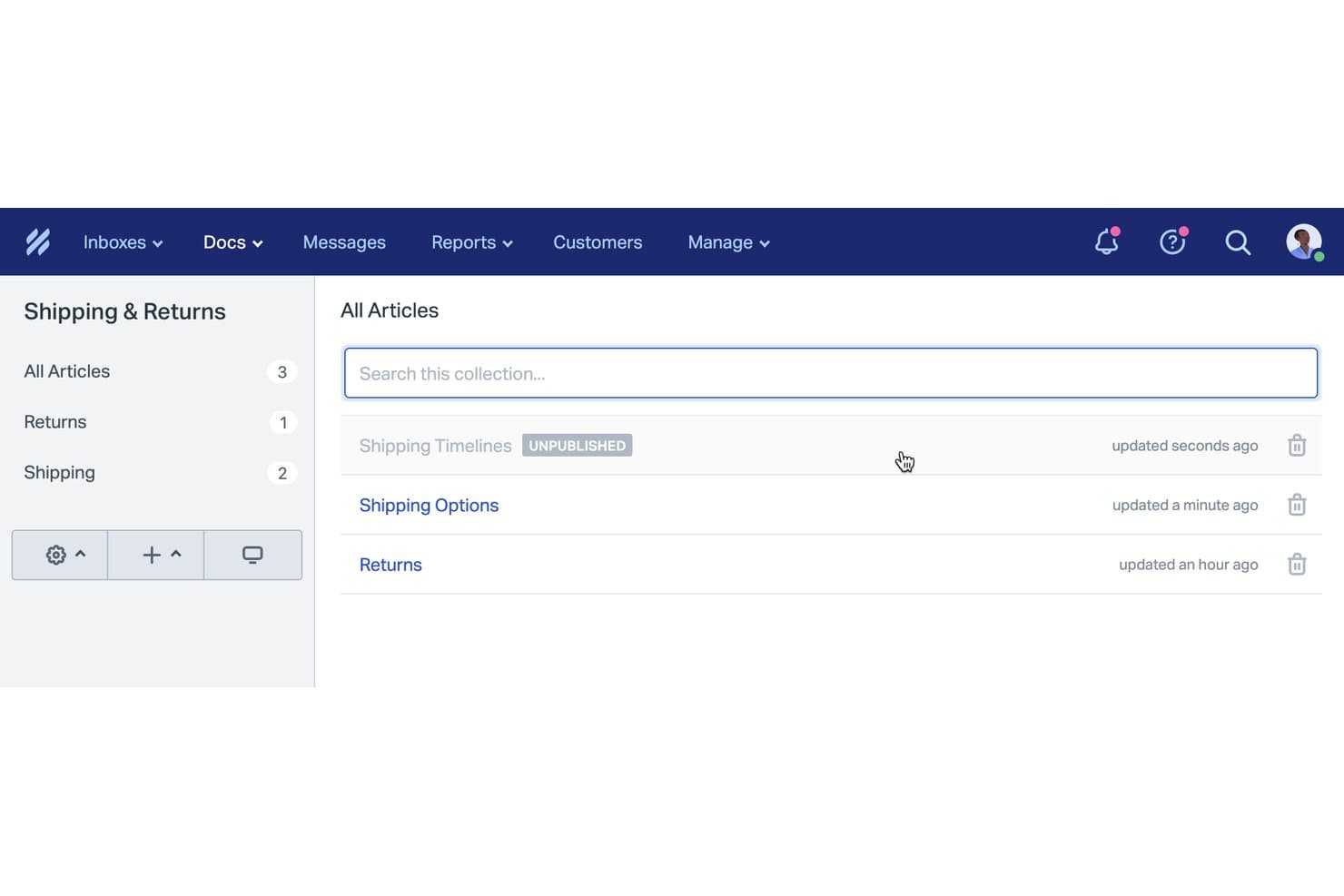
Help Scout organizes knowledge base articles into categorized collections. Help Scout Docs is a cloud-based knowledge base platform that lets you build public or internal help centers, organize articles in collections, and manage content alongside a shared inbox with analytics and AI-powered authoring tools.
Who Is Help Scout Best For?
Help Scout is a solid choice for small support teams who want a help center tightly integrated with their shared inbox and analytics.
Why I Picked Help Scout
I picked Help Scout because its knowledge base analytics are tightly connected to your team’s live inbox, so you can see failed searches and real customer questions as they happen. I like that you can surface these insights to improve articles and plug gaps fast. My team finds value in being able to deploy both public and internal content, with analytics guiding ongoing help center improvements.
Help Scout Key Features
- WYSIWYG article editor: Create and format help content visually with support for images, video, and embedded media.
- Collections and categories hierarchy: Organize articles into collections and categories for a clear, searchable structure.
- Custom domain hosting: Publish your Docs site on your own branded subdomain without extra setup.
- Beacon support widget: Embed articles directly in your app or website so users can find answers without leaving the page.
Help Scout Integrations
Help Scout offers 100+ native integrations, including Slack, HubSpot, Salesforce, Jira, Shopify, Aircall, Mailchimp, and Crowdin. The free plan supports 1 app integration. An API is available for custom integrations, and Beacon can be embedded in websites or apps.
What's Free?
Help Scout offers a free-forever plan, but you can only connect one user and one app integration. The free plan has limited features compared to paid plans, so you may outgrow it quickly if your team scales.
Pros and Cons
Pros:
- AI writing assistance improves article quality
- Agents insert articles directly in conversations
- Analytics highlight content gaps and failed searches
Cons:
- No customer commenting on articles
- Free plan limits to 10 articles
Learn more about Help Scout: Best for docs-as-code knowledge publishing
- 14-day free trial + free plan available
- From $65/site/month + $12/user/month (billed annually)

GitBook flags broken links across your documentation automatically. GitBook is a knowledge base software platform with block-based editing, Git integration, and advanced AI-driven publishing features designed for both product documentation and help centers.
Who Is GitBook Best For?
Solo founders, indie developers, and technical teams who want a docs-as-code experience or need to publish developer-facing knowledge bases without budget approval.
Why I Picked GitBook
I picked GitBook because its docs-as-code workflow, with GitHub/GitLab sync and block-based editing, lets me quickly publish developer-ready knowledge bases. I like using the built-in AI Docs Linter for content quality checks and the reusable content blocks to scale updates across product docs. The perpetual free plan gives solo builders real, production-ready authoring capabilities.
GitBook Key Features
- Block-based visual editor: Create documentation visually with full Markdown support, embeds, images, diagrams, and custom components.
- GitHub and GitLab two-way sync: Sync content with Git repositories to support docs-as-code workflows even on the free plan.
- Role-based permissions: Assign admin, editor, reviewer, commenter, and viewer roles for granular access control in paid plans.
- Helpdesk and analytics integrations: Connect GitBook with platforms like Intercom, Freshdesk, Google Analytics, and Mixpanel to centralize support and reporting.
GitBook Integrations
GitBook offers 30+ native integrations, including GitHub, GitLab, Intercom, Freshdesk, HelpScout, Front, Google Analytics, Mixpanel, Amplitude, HubSpot, and Slack. It also provides an API for custom integrations and supports content embedding from sources like Canva, Loom, Figma, and Mermaid.
What's Free?
GitBook offers a free-forever plan with public workspaces, block-based editing, and Git sync. The free plan is limited to one private workspace and doesn’t include advanced permissions or most integrations—you’ll need a paid plan to access those.
Pros and Cons
Pros:
- AI-ready content for smart chatbot usage
- Git sync for real docs-as-code workflow
- Best-in-class block-based editor experience
Cons:
- Key AI features locked behind paid tiers
- Free plan supports only one user
Learn more about GitBook: 9Best for AI-generated KB articles from tickets
Enjo
- Free plan available
- From $95/month
Visit WebsiteCustomer Rating:4.8/5
Enjo lets users generate help center docs from a URL instantly. Enjo is an AI-powered knowledge base solution that offers a self-serve help center, auto-generates articles from tickets and docs, and integrates with tools like Confluence, Notion, Google Drive, and Zendesk.
Who Is Enjo Best For?
Enjo is a strong match for teams who want to launch a public or internal help center powered by AI, with unlimited human collaborators and no upfront budget approval.
Why I Picked Enjo
I picked Enjo because I can auto-generate knowledge base articles from support tickets and documents, then quickly launch a self-serve help center with AI-powered search and direct answers. In my workflow, I’ve used the bulk edit and article drafting via natural language prompts to keep customer help content fresh without manual effort.
Enjo Key Features
- AI-powered semantic search: Returns direct answers from your content using natural language processing instead of just basic keyword matching.
- Multi-brand and multilingual centers: Launch separate help centers for different products or regions with support for over 100 languages.
- Custom domain and SEO controls: Customize URLs, add SEO settings, and use your branding even on the free plan.
- Deep third-party integrations: Sync knowledge from Confluence, SharePoint, Google Drive, Notion, Zendesk, and more into one unified index.
Enjo Integrations
Enjo offers native integrations with Confluence, SharePoint, Google Drive, Notion, Zendesk, Jira, Salesforce, ServiceNow, Slack, Microsoft Teams, Guru, HubSpot, Okta, Stripe, Azure DevOps, Bitbucket Cloud, and Box. It also provides an API for custom integrations.
What’s Free?
Enjo offers a free-forever plan with unlimited human collaborators, so you can launch a help center and try core features without budget approval. Some advanced features and integrations may be reserved for paid plans.
Pros and Cons
Pros:
- Supports over 100 languages natively
- Free plan offers unlimited human collaborators
- AI drafts articles from tickets automatically
Cons:
- Staleness detection for articles is limited
- Free tier limits AI reply volume
Learn more about Enjo:

MediaWiki organizes wiki content with navigation, search, and editing tools. MediaWiki is an open-source knowledge base platform that powers public and internal wikis with advanced article authoring, structured content organization, powerful search, and granular access controls.
Who Is MediaWiki Best For?
MediaWiki suits technical teams or organizations with in-house admin resources who need a scalable, customizable knowledge base for extensive documentation.
Why I Picked MediaWiki
I picked MediaWiki as one of the best because it’s unmatched for large-scale documentation, letting my team set up unlimited articles, leverage powerful content structuring with namespaces and templates, and handle multilingual resources all in a single, truly free platform. In my experience, nothing else manages sprawling, multi-author wikis at this scale.
MediaWiki Key Features
- VisualEditor WYSIWYG editor: Lets you edit and format articles with images, tables, and templates, without learning wiki syntax.
- Granular access controls: Built-in group and per-page permissions allow admins to manage who can read, edit, or manage specific content areas.
- Extensive extension ecosystem: Thousands of community-contributed add-ons enable you to add custom search, workflows, authentication, and structured data capabilities.
- Multilingual support: Provides full interface localization and interlanguage linking, making it easy to manage global knowledge bases.
MediaWiki Integrations
MediaWiki offers integrations through extensions for LDAP, SAML, OAuth (including Google and Azure Active Directory), Wikimedia Commons, and its Action/REST API. Extensions like Semantic MediaWiki, Cargo, and Wikibase add structured data. No native helpdesk connectors are provided.
What's Free?
MediaWiki is completely free and open-source with no user or feature limits. You can self-host unlimited wikis, articles, and users without paying a license or subscription fee.
Pros and Cons
Pros:
- Advanced granular permissions for content access
- Handles multilingual wikis out of the box
- Unlimited articles and users with no caps
Cons:
- Out-of-the-box interface looks like Wikipedia
- Self-hosting requires web server admin skills
Learn more about MediaWiki:
Annen gratis programvare for kunnskapsbaser
Her er noen flere alternativer for programvare til kunnskapsbaser som også tilbyr gratisabonnementer eller prøveperioder. Selv om disse verktøyene ikke kom med på kortlisten min, er de likevel verdt å undersøke:
- 11phpMyFAQBest for multilingual support
- 12Zoho DeskBest for helpdesk-native ticket deflection
- 13NuclinoBest for real-time collaborative editing
- 14FlowluBest for project management-linked wikis
- 15StonlyBest for step-by-step interactive guides
- 16NotionBest for integrated task management
- 17Bitrix24 Best for CRM-linked internal knowledge bases
- 18SlabBest for internal team wiki
- 19BookStackBest for book-like organization
- 20DokuWikiBest for no-database wiki file storage
How I Evaluate Free Knowledge Base Software
I evaluate these tools in two layers—core requirements every free knowledge base must nail, like article editing, search, and publishing controls, then differentiators like AI drafting and analytics.
Core Functionality (Table Stakes For This List)
When I'm selecting tools for my list, I rank each one on a scale from 0 (does not offer the functionality) to 5 (excels in this area) for each core functionality listed below. Then, I calculate the tool's total score into a percentage. Each tool needs to achieve a minimum total score of 65% to be considered for inclusion.
- Free Plan Availability: I check whether the vendor offers a genuinely free forever tier that includes knowledge base features—not just a 14-day trial that locks you out.
- Article Authoring & Editor: A good editor lets you format articles, embed screenshots, and add links without switching to HTML or relying on a developer.
- Content Organization: I look at how each tool handles categories, subcategories, and collections—especially whether you can build a logical help center structure that customers can browse.
- Search Functionality: The search bar is often the first thing a frustrated customer reaches for, so I evaluate whether results are accurate, fast, and go beyond simple title matching.
- Public & Internal Publishing: Some teams need a customer-facing help center and an internal agent reference—I check whether the tool supports both or limits you to one audience.
- Access Controls & Permissions: I evaluate whether you can assign distinct roles so content writers can draft articles, reviewers can approve them, and end-users only see what's relevant.
Once I have a list of tools that meet this criteria, I consider what sets each platform apart.
Differentiating Factors (What Sets Vendors Apart)
Here's how I compare and contrast different vendors:
Standout Features
Analytics matter here. I look for tools that track which articles get views, which search queries return no results, and where customers drop off. Those gaps tell you exactly what content to create next. Customer feedback loops—like article ratings or "was this helpful?" prompts—pair well with that data by adding direct user input. I also evaluate helpdesk integrations, since surfacing KB articles inside a support agent's ticket view cuts resolution time. AI-assisted drafting is a newer differentiator worth watching across tools like Zendesk and Freshdesk.
Beyond Features
Free plan generosity varies wildly. I check how many articles, users, and admin seats each vendor includes before paywalls kick in—and whether branding or watermarks clutter your help center. Time-to-value also matters when you're spinning up a KB without a budget. Tools like HelpDocs and Document360 offer templates that get you live fast, while others require more manual setup. SEO is easy to overlook, but I evaluate whether free tiers include custom domains, meta tags, and sitemaps so your articles actually surface in search results where customers start looking.
Slik velger du gratis programvare for kunnskapsbaser
Komplekse funksjonslister og prismodeller kan gjøre det vanskelig å finne ut hva du egentlig får med gratis programvare for kunnskapsbaser. For å holde fokus mens du arbeider deg gjennom prosessen med å velge programvare, er det noen faktorer du bør ha i bakhodet:
| Faktor | Hva du bør vurdere |
|---|---|
| FaktorOmfanget av gratistilbudet | Hva du bør vurdereKontroller begrensningene i gratisabonnementet, for eksempel antall brukere og lagringsplass, for å sikre at det oppfyller teamets behov uten uventede kostnader. |
| FaktorSkalerbarhet | Hva du bør vurdereVurder om programvaren kan vokse sammen med teamet ditt. Se etter alternativer som tilbyr enkle oppgraderinger til betalte abonnementer når behovene dine øker. |
| FaktorIntegrasjoner | Hva du bør vurdereSørg for at programvaren integreres med verktøyene du allerede bruker, for eksempel Slack eller Google Workspace, slik at arbeidsflytene forblir effektive og sammenhengende. |
| FaktorBrukervennlighet | Hva du bør vurdereSe etter et brukervennlig grensesnitt som teamet ditt kan navigere i. En bratt læringskurve kan forsinke innføringen og redusere produktiviteten. |
| FaktorSikkerhet | Hva du bør vurdereKontroller programvarens tiltak for databeskyttelse. Sørg for at den overholder bransjestandarder, slik at informasjonen din holdes trygg og sikker. |
| FaktorTilpasning | Hva du bør vurdereKontroller om du kan tilpasse programvaren til behovene dine med maler eller alternativer for profilering, slik at den passer til teamets arbeidsflyt og stil. |
| FaktorKundestøtte | Hva du bør vurdereVurder tilgjengeligheten av kundestøtte, inkludert direktechat og hjelpesentre, for å bistå teamet når problemer oppstår. |
| FaktorMobil tilgang | Hva du bør vurdereSørg for at programvaren tilbyr en mobilapp eller responsivt design, slik at teamet kan få tilgang til informasjon på farten og opprettholde produktiviteten utenfor kontoret. |
Hva er gratis programvare for kunnskapsbaser?
Programvare for kunnskapsbaser er et verktøy som hjelper organisasjoner med å lagre, administrere og dele informasjon effektivt. Disse verktøyene leveres ofte med gratisabonnementer eller prøveperioder som gir grunnleggende funksjoner uten kostnad. De brukes vanligvis av kundestøtteteam, IT-avdelinger og virksomheter av alle størrelser, og gir verdi ved å forbedre tilgjengeligheten til informasjon og samarbeidet. Funksjoner som oppretting av artikler, søkefunksjonalitet og brukertillatelser bidrar til å organisere informasjon, øke produktiviteten internt i teamet og sikre tilgang.
Funksjoner i gratis programvare for kunnskapsbaser
La oss gå gjennom funksjonene som ofte finnes i programvare for kunnskapsbaser, og hvilke som vanligvis er inkludert i gratis- og betalte abonnementer.
Vanlige funksjoner i gratis programvare for kunnskapsbaser
- Oppretting av artikler: Gjør det mulig for brukere å skrive og organisere innhold effektivt, slik at informasjonen er lett tilgjengelig.
- Søkefunksjonalitet: Gjør det mulig å finne informasjon raskt, noe som sparer tid og øker produktiviteten.
- Brukertillatelser: Kontrollerer tilgangen til innholdet og sikrer at bare autoriserte brukere kan vise eller redigere informasjon.
- Versjonskontroll: Sporer endringer i dokumenter, slik at brukere kan gå tilbake til tidligere versjoner ved behov.
- Mobil tilgang: Gir mulighet til å få tilgang til kunnskapsbasen på mobile enheter, slik at informasjonen er tilgjengelig på farten.
- Grunnleggende maler: Tilbyr forhåndsdesignede oppsett som hjelper brukere med å opprette ensartede og profesjonelt utformede dokumenter raskt.
- Grunnleggende analyse: Gir innsikt i brukerengasjement og innholdets resultater, noe som hjelper med å identifisere populære artikler.
- Flerspråklig støtte: Gjør det mulig å opprette og få tilgang til innhold på flere språk, slik at ulike team kan benytte det.
Vanlige funksjoner i betalt programvare for kunnskapsbaser
- Avansert analyse: Gir dypere innsikt i brukeratferd og innholdets effektivitet for å optimalisere strategier for kunnskapsforvaltning.
- KI-drevet søk: Forbedrer søkemulighetene med intelligente forslag og anbefalinger, og gjør det enklere å finne informasjon.
- Tilpasset profilering: Gjør det mulig å tilpasse grensesnittet slik at det samsvarer med virksomhetens profil, og gir en helhetlig brukeropplevelse.
- Integrasjon med CRM: Kobler kunnskapsbasen til CRM-systemer for å styrke kundestøtten og forbedre tjenesteleveransen.
- Avansert tilpasning: Gir omfattende muligheter til å skreddersy plattformen etter spesifikke forretningsbehov og arbeidsflyter.
- Automatisering av arbeidsflyter: Automatiserer repetitive oppgaver, øker effektiviteten og reduserer den manuelle arbeidsmengden for brukerne.
- Prioritert støtte: Gir raskere svartider og dedikerte støttekanaler for å bistå med tekniske problemer og henvendelser.
- Enkel pålogging (SSO): Forenkler brukerautentiseringen ved å gi tilgang med eksisterende påloggingsopplysninger, noe som øker sikkerheten og brukervennligheten.
Fordeler med gratis programvare for kunnskapsbaser
Implementering av gratis programvare for kunnskapsbaser gir flere fordeler for teamet og virksomheten din. Her er noen du kan se frem til:
- Kostnadsbesparelser: Gratisabonnementer lar deg administrere og dele informasjon uten økonomiske forpliktelser, noe som gjør dem ideelle for kostnadsbevisste team.
- Bedre tilgjengelighet: Med mobiltilgang og søkefunksjonalitet kan teamet ditt finne og bruke informasjon, uansett hvor de befinner seg.
- Bedre samarbeid: Redigering i sanntid og brukertillatelser hjelper teamet med å jobbe effektivt sammen og sikrer at alle har riktig tilgang til informasjonen.
- Organisert informasjon: Funksjoner som oppretting av artikler og versjonskontroll holder kunnskapsbasen godt organisert og oppdatert, og reduserer overflødighet og forvirring.
- Rask implementering: Grunnleggende maler og intuitive grensesnitt gjør det mulig å sette opp løsningen raskt, slik at teamet kan begynne å dra nytte av programvaren med en gang.
- Skalerbarhet: Gratisabonnementer inkluderer ofte oppgraderingsmuligheter, slik at kunnskapsbasen kan vokse i takt med at teamet og behovene dine utvides.
- Flerspråklig støtte: Denne funksjonen ivaretar behovene til mangfoldige team og sikrer at språkforskjeller ikke hindrer informasjonsdeling og samarbeid.
Kostnader og priser for gratis programvare for kunnskapsbaser
Jeg forstår at du kom til denne artikkelen på jakt etter de beste alternativene for programvare for kunnskapsbaser med gratisabonnementer. Siden gratisabonnementer imidlertid bare tilbyr begrensede funksjoner, er det en god sjanse for at du må oppgradere abonnementet ditt i fremtiden.
Tabellen nedenfor oppsummerer vanlige abonnementer, gjennomsnittsprisene deres og typiske funksjoner som er inkludert i programvareløsninger for kunnskapsbaser:
Sammenligningstabell for abonnementer for programvare for kunnskapsbaser
| Abonnementstype | Gjennomsnittlig pris | Vanlige funksjoner |
|---|---|---|
| AbonnementstypeGratisabonnement | Gjennomsnittlig pris$0 | Vanlige funksjonerGrunnleggende oppretting av artikler, søkefunksjonalitet, brukertillatelser, mobiltilgang og grunnleggende maler. |
| AbonnementstypePersonlig abonnement | Gjennomsnittlig pris$0.83-$10/user/month | Vanlige funksjonerMaksimal lagringskapasitet, tilpasningsmuligheter, integrasjoner og prioritert brukerstøtte. |
| AbonnementstypeBedriftsabonnement | Gjennomsnittlig pris$10-16/user//month | Vanlige funksjonerAvansert analyse, AI-drevet søk, tilpasset profilering og arbeidsflytautomatisering. |
| AbonnementstypeVirksomhetsabonnement | Gjennomsnittlig pris$20+/user/month | Vanlige funksjonerEnkel pålogging (SSO), en dedikert kundeansvarlig, avanserte sikkerhetsfunksjoner og omfattende tilpasningsmuligheter. |
Vanlige spørsmål om gratis programvare for kunnskapsbase
Her er noen svar på vanlige spørsmål om gratis programvare for kunnskapsbase:
Kan jeg bruke gratis programvare for kunnskapsbase uten et brukerstøttesystem?
Ja, du kan bruke gratis programvare for kunnskapsbase uavhengig av et brukerstøttesystem. Den er utviklet for å lagre og dele informasjon, noe som gjør den nyttig for team som ønsker å tilby selvbetjent brukerstøtte eller organisere intern dokumentasjon uten ekstra verktøy.
Hvor sikker er gratis programvare for kunnskapsbase?
Sikkerheten varierer fra leverandør til leverandør, men de fleste gratis programvarer for kunnskapsbase inkluderer grunnleggende sikkerhetsfunksjoner som brukertillatelser og datakryptering. Det er viktig å gjennomgå sikkerhetstiltakene til hver plattform for å sikre at de oppfyller organisasjonens krav.
Er det begrensninger på antall brukere i gratisabonnementer?
Ja, mange gratisabonnementer for programvare for kunnskapsbase har brukerbegrensninger. Disse begrensningene varierer, så sjekk detaljene for hver leverandørs gratisabonnement for å sikre at det kan støtte teamets størrelse uten at det kreves en oppgradering.
Hvilke lagringsbegrensninger har gratis programvare for kunnskapsbase?
Gratisabonnementer har ofte lagringsbegrensninger som kan påvirke hvor mye innhold du kan lagre. Det er viktig å forstå disse begrensningene for å sikre at programvaren dekker dine nåværende behov, og å vurdere en oppgradering hvis lagringsbehovet øker.
Kan jeg integrere gratis programvare for kunnskapsbase med andre verktøy?
Mange alternativer for gratis programvare for kunnskapsbase tilbyr integrasjoner med populære plattformer som Slack eller Google Workspace, selv om antallet og typen integrasjoner kan være begrenset sammenlignet med betalte abonnementer. Sjekk integrasjonsalternativene for å sikre at de passer med de eksisterende arbeidsflytene dine.
Er kundestøtte tilgjengelig for gratis programvare for kunnskapsbase?
Kundestøtten for gratisabonnementer er vanligvis begrenset. Noen leverandører tilbyr grunnleggende støtte gjennom brukerfora eller nettbasert dokumentasjon, men tilgang til dedikerte supportkanaler krever ofte et betalt abonnement.