

Zscaler Review: Pros, Cons, Features, and Pricing Explained
Zscaler stands out for its robust cloud-based security and data management, excelling in secure access and scalability, but may be too complex for smaller teams.

We review tools independently, and commissions help fund our testing. See our transparency policy, our methodology, or suggest a tool.
Zscaler is a cloud-native customer data management software built for organizations that need to monitor, classify, and protect sensitive data across cloud environments and distributed workforces. It's worth considering if your team manages data at scale across multiple cloud applications and needs policy enforcement built into the network layer rather than layered on afterward. I'd put it ahead of Netskope if tighter integration with existing identity and access management infrastructure matters to you—Zscaler's zero-trust architecture connects more directly into enterprise identity systems without requiring significant custom configuration.
Zscaler Evaluation Summary

4.3/5
- Pricing upon request
- Free demo available
Why Trust Our Software Recommendations
6,700+
Reviews
20
Industry experts
16+
Evaluation factors
14
Years
Our team has been testing and reviewing software since 2012. As CX leaders ourselves, we know how difficult—and important—it is to choose the right software.
For this guide, we evaluated tools using hands-on testing and independent research, scoring tools using our selection criteria.
Our reviews reflect our human editorial judgment, not a sales pitch.
 Gui DrusinaCreative Director
 Tim FisherVP of AI
Zscaler Overview
When evaluating Zscaler as a cybersecurity and network security platform, its cloud-native architecture, zero trust framework, and real-time threat prevention clearly position it as a leader in modern enterprise security. Unlike traditional firewall or data center-based models, Zscaler routes internet traffic through its global cloud, reducing latency while improving secure connections for end users.
That said, this is not a plug-and-play tool. The platform demands proper configuration, strong policy management, and technical oversight. For enterprises replacing traditional VPNs, securing remote work, and protecting SaaS and cloud workloads, Zscaler delivers serious firepower.
Pros
- Strong zero trust security for customer data protection
- Real-time monitoring and analytics for data access
- Scales well for large, multi-cloud environments
Cons
- High cost compared to similar data management tools
- Occasional performance slowdowns during peak usage
- Complex configuration for advanced data policies


How We Test & Score Tools
We’ve spent years building, refining, and improving our software testing and scoring system. The rubric is designed to capture the nuances of software selection and what makes a tool effective, focusing on critical aspects of the decision-making process.
Below, you can see exactly how our testing and scoring works across seven criteria. It allows us to provide an unbiased evaluation of the software based on core functionality, standout features, ease of use, onboarding, customer support, integrations, customer reviews, and value for money.
Core Functionality (25% of final scoring)
The starting point of our evaluation is always the core functionality of the tool. Does it have the basic features and functions that a user would expect to see? Are any of those core features locked to higher-tiered pricing plans? At its core, we expect a tool to stand up against the baseline capabilities of its competitors.
Standout Features (25% of final scoring)
Next, we evaluate uncommon standout features that go above and beyond the core functionality typically found in tools of its kind. A high score reflects specialized or unique features that make the product faster, more efficient, or offer additional value to the user.
We also evaluate how easy it is to integrate with other tools typically found in the tech stack to expand the functionality and utility of the software. Tools offering plentiful native integrations, 3rd party connections, and API access to build custom integrations score best.
Ease of Use (10% of final scoring)
We consider how quick and easy it is to execute the tasks defined in the core functionality using the tool. High scoring software is well designed, intuitive to use, offers mobile apps, provides templates, and makes relatively complex tasks seem simple.
Onboarding (10% of final scoring)
We know how important rapid team adoption is for a new platform, so we evaluate how easy it is to learn and use a tool with minimal training. We evaluate how quickly a team member can get set up and start using the tool with no experience. High scoring solutions indicate little or no support is required.
Customer Support (10% of final scoring)
We review how quick and easy it is to get unstuck and find help by phone, live chat, or knowledge base. Tools and companies that provide real-time support score best, while chatbots score worst.
Customer Reviews (10% of final scoring)
Beyond our own testing and evaluation, we consider the net promoter score from current and past customers. We review their likelihood, given the option, to choose the tool again for the core functionality. A high scoring software reflects a high net promoter score from current or past customers.
Value for Money (10% of final scoring)
Lastly, in consideration of all the other criteria, we review the average price of entry level plans against the core features and consider the value of the other evaluation criteria. Software that delivers more, for less, will score higher.
Core Features
Unified Data Loss Prevention (DLP)
Zscaler provides real-time, inline DLP across web, email, endpoints, and cloud channels, helping prevent data leaks and risky sharing everywhere data moves.
Data Security Posture Management
Continuously discovers, classifies, and protects sensitive data across cloud and on-premises environments, automatically identifying misconfigurations and excessive permissions.
Advanced Data Classification Function
Uses AI-driven classification, including LLM, EDM, IDM, and OCR, to understand and label sensitive data without relying on static keywords.
Zero Trust Access Controls
Applies least-privileged, identity-based access to customer data, ensuring only authorized users and devices can reach sensitive information.
Automated Incident Response
Enables workflow automation for incident management, user justification, and escalation, reducing manual effort and speeding up response times.
Comprehensive Compliance Reporting
Delivers centralized visibility and audit-ready reports that map to standards like GDPR, HIPAA, and PCI DSS, supporting regulatory compliance across multi-cloud deployments.
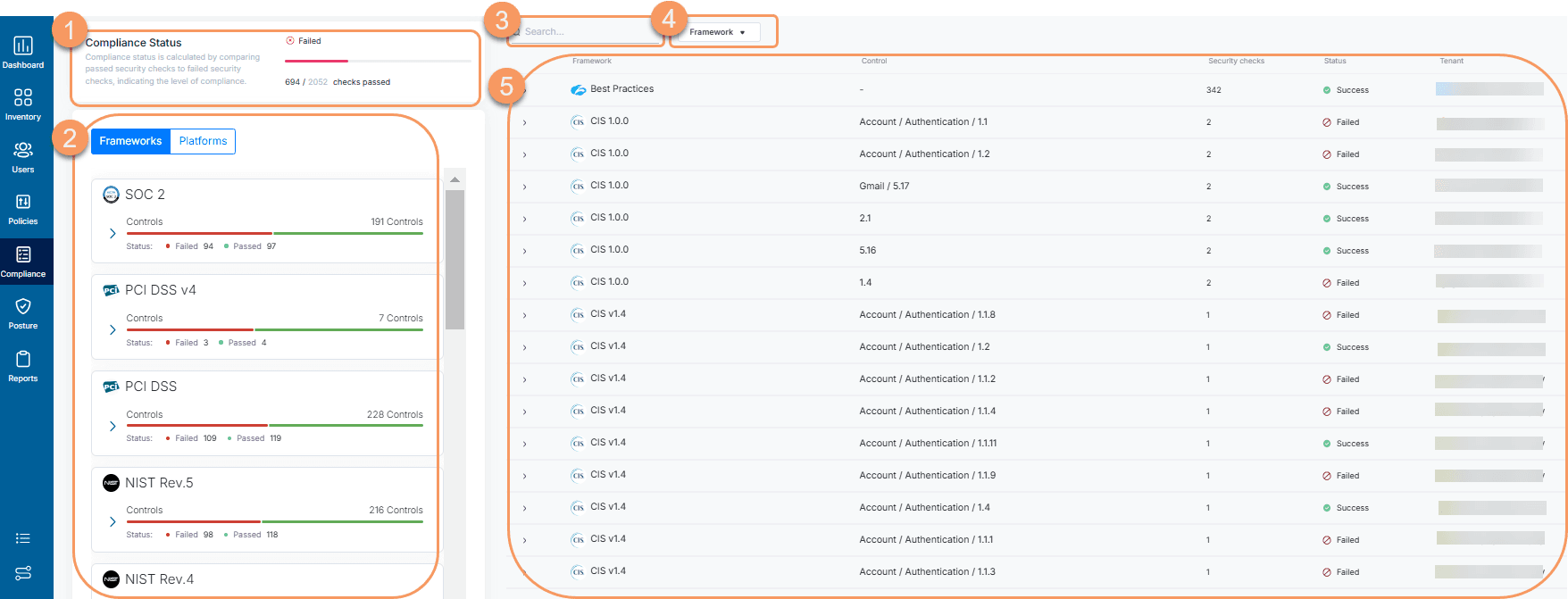
Ease of Use
Zscaler offers a modern, intuitive interface, but its depth of features and security controls can feel overwhelming for teams without dedicated IT support. Users often mention that initial setup and policy configuration require careful planning and technical expertise. However, once deployed, the centralized dashboard and automated workflows make ongoing management straightforward for experienced admins. Zscaler’s detailed documentation and responsive support help bridge the usability gap for complex environments.

Integrations
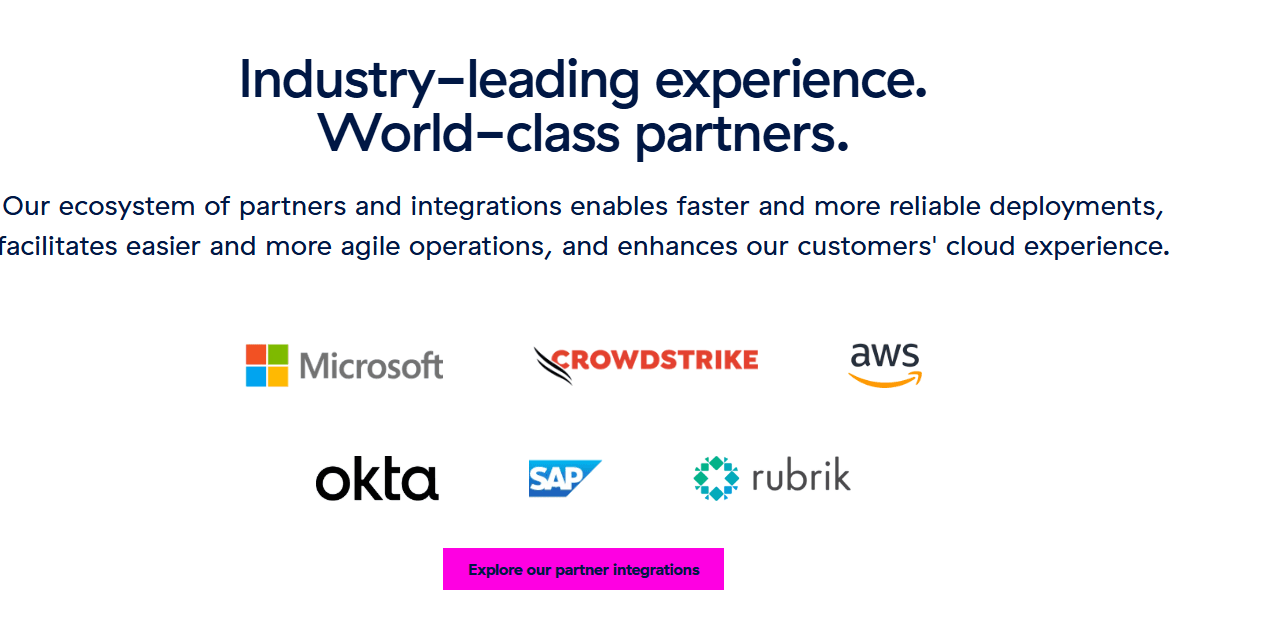
Zscaler integrates with Microsoft 365, AWS, Azure, Google Cloud, and Okta, among others.
Zscaler also offers a robust API and supports connections with third-party integration tools for custom workflows and automation.
Zscaler Specs
- API: Yes
- Bug Tracking: No
- CI/CD Integration: No
- Cloud Deployment: Yes
- Code Review: No
- Code Transformation: No
- Collaboration Support: No
- Data Export: Yes
- Data Import: Yes
- Developer Tools: No
- External Integrations: Yes
- Git Integration: No
- History/Version Control: No
- IDE Plugins: No
- Local Deployment: No
- Multi-User: Yes
- Notifications: Yes
- Project Management: No
- Release Management: No
- Static Analysis: No
- Task Scheduling/Tracking: No
- Testing: No


