

10 Best NinjaOne Alternatives for IT Management in 2026

Best NinjaOne Alternatives Shortlist


A strong NinjaOne alternative gives your team reliable IT management, automation, and remote monitoring tools—without sacrificing usability or flexibility. If you’re searching for NinjaOne alternatives, you likely need solutions that handle patching, device management, and support tickets while fitting your workflows and budget.
With so many options available, it’s tough to know which platforms deliver the right mix of features, integrations, and security. This list will help you quickly compare the top NinjaOne alternatives for 2026, so you can find the best fit for your IT operations and customer experience goals.
What is NinjaOne?
NinjaOne is an IT management platform that helps teams monitor, manage, and support endpoints from a single dashboard. It combines remote monitoring and management (RMM), patch management, ticketing, and automation tools. Cybersecurity and IT professionals use NinjaOne to streamline device maintenance, automate routine tasks, and improve response times. The platform is popular with managed service providers (MSPs) and internal IT teams looking for centralized control and visibility.
NinjaOne Alternatives Comparison Table
This comparison table summarizes pricing details for my top NinjaOne alternative selections:
| Tool | Best For | Trial Info | Price | ||
|---|---|---|---|---|---|
| 1 | Best for mobile-first remote management | Free demo available | From $44/month | Website | |
| 2 | Best for native Microsoft 365 user management | 14-day free trial + free demo available | Pricing upon request | Website | |
| 3 | Best for unified PSA and RMM platform | 7-day free trial | Pricing upon request | Website | |
| 4 | Best for policy-based IT automation | Free demo available | Pricing upon request | Website | |
| 5 | Best for zero-touch device provisioning | 14-day free trial | From €3/user/month | Website | |
| 6 | Best for unified endpoint security and management | 30-day free trial + free demo available | From $795/50 endpoints (billed annually) | Website | |
| 7 | Best for agentless patch management | 14-day free trial | From $2/asset/month | Website | |
| 8 | Best with AI-powered IT insights | Free trial available | From $29/month (billed annually) | Website | |
| 9 | Best with no-code automation tools | Free trial + free demo available | Pricing upon request | Website | |
| 10 | Best for all-in-one IT management | 30-day free trial + free demo available | From $129/technician/month (billed annually) | Website |

Why Trust Our Software Recommendations
Our team has been testing and reviewing software since 2012. As CX leaders ourselves, we know how difficult—and important—it is to choose the right software.
For this guide, we evaluated tools using hands-on testing and independent research, scoring tools using our selection criteria.
Our reviews reflect our human editorial judgment, not a sales pitch.
Best NinjaOne Alternatives Reviews
Below are my detailed summaries of NinjaOne alternatives that made it onto my shortlist. My reviews offer a detailed look at the features, best use cases, and integrations of each platform to help you find the best one for you.

Pulseway
Best for mobile-first remote management
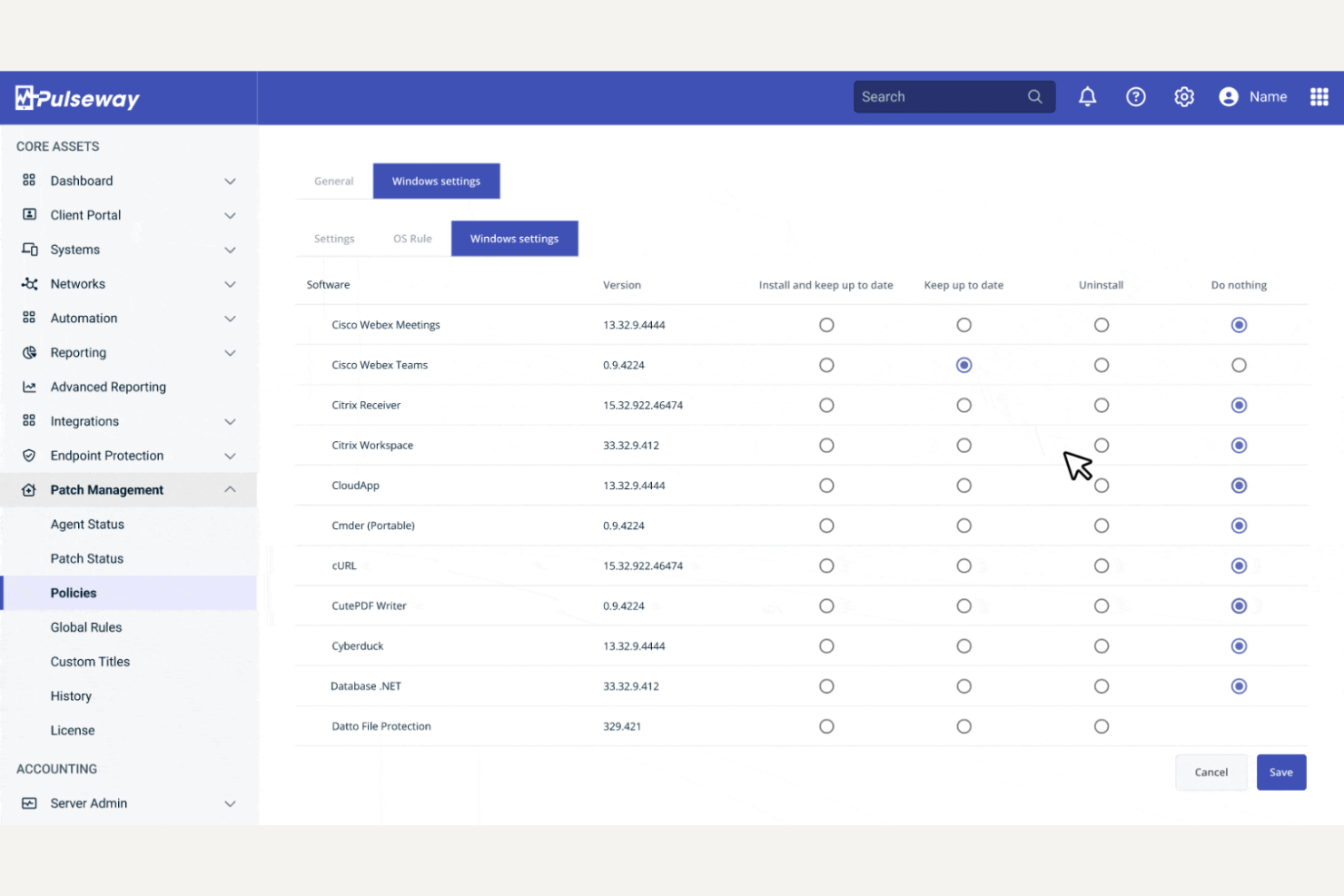
Pulseway is a remote monitoring and management platform designed for IT teams that need real-time control from anywhere. It’s especially useful for organizations that want to manage endpoints and servers on the go, without being tied to a desktop. If you’re searching for NinjaOne alternatives that prioritize flexibility and fast response, Pulseway addresses those needs directly.
Who Is Pulseway Best For?
Pulseway is a strong choice for IT administrators and managed service providers who need to monitor and manage systems remotely from mobile devices.
Why Pulseway Is a Good NinjaOne alternative
What sets Pulseway apart as a NinjaOne alternative is its mobile-first approach to remote management. I picked Pulseway because it lets you monitor, manage, and even resolve IT issues directly from a mobile app, which is rare among RMM tools.
The mobile app supports real-time alerts, remote command execution, and live system status updates, so you can respond to incidents without being at your desk. If you need to stay connected to your IT environment while on the move, Pulseway offers a level of flexibility that most other solutions don’t match.
Pulseway Key Features
Some other features that make Pulseway a strong NinjaOne alternative include:
- Automated Patch Management: Schedule and deploy operating system and third-party application updates across endpoints.
- Remote Desktop Access: Connect to and control user desktops for troubleshooting and support without requiring user intervention.
- Custom Scripting: Run and schedule custom scripts on endpoints to automate repetitive IT tasks.
- Asset Discovery: Scan networks to identify and inventory all connected devices for better visibility and management.
Pulseway Integrations
Integrations include Autotask, PagerDuty, Slack, Zendesk, Webroot, IT Glue, Warranty Master, and ConnectWise Manage.
Pros and Cons
Pros:
- Automated patching for Windows and third-party apps
- Real-time alerts for critical system events
- Mobile app supports full remote management
Cons:
- Lacks mobile device management capabilities
- No built-in backup or disaster recovery

Best for native Microsoft 365 user management
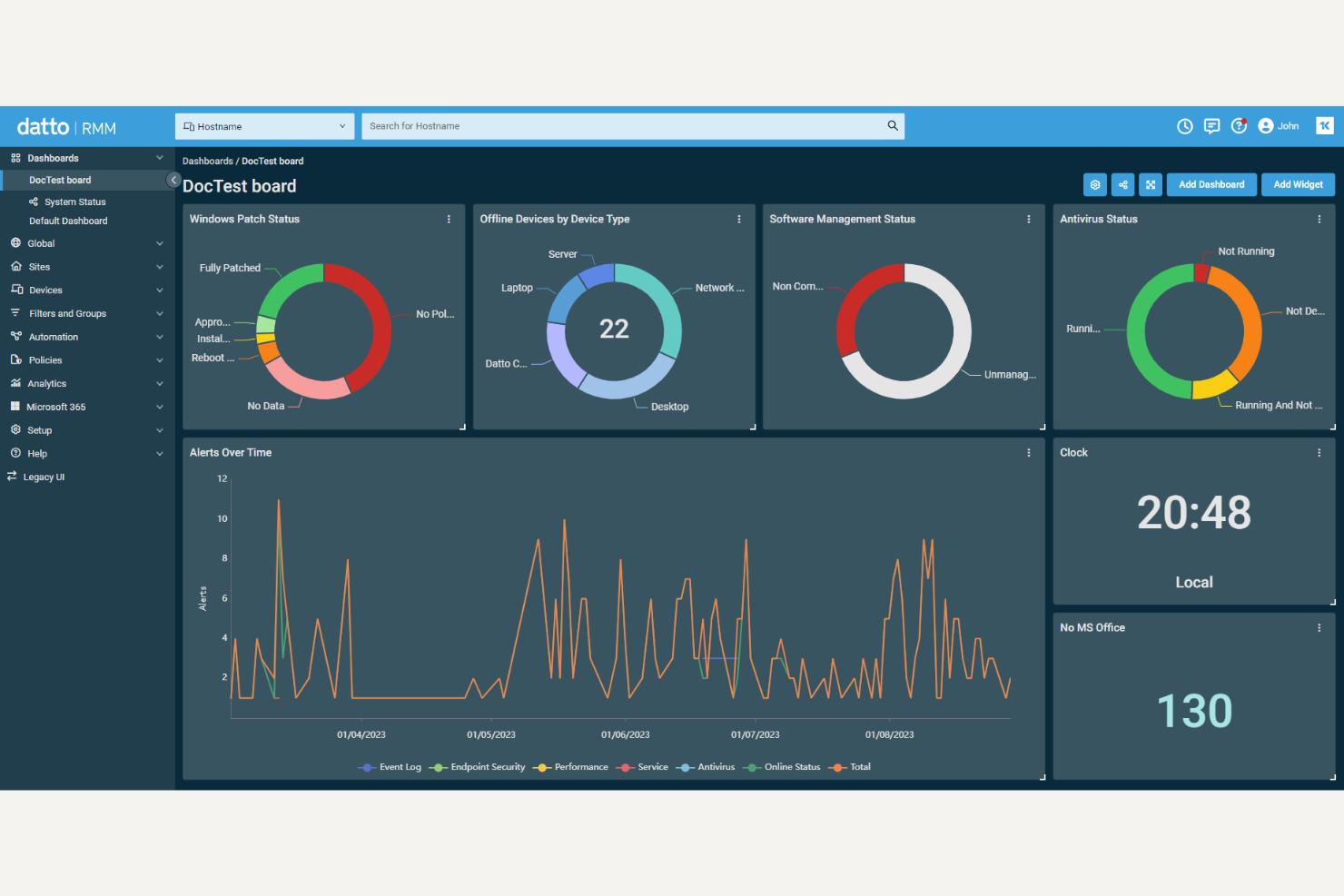
Datto RMM is a cloud-based remote monitoring and management platform designed for IT service providers and internal IT teams. It’s a strong choice if you need advanced automation and patch management across distributed device fleets. For teams comparing NinjaOne alternatives, Datto RMM offers a flexible approach to managing endpoints and supporting users at scale.
Who Is Datto RMM Best For?
Datto RMM is a good fit for managed service providers and IT teams in mid-sized businesses that need centralized, cloud-based endpoint management.
Why Datto RMM Is a Good NinjaOne alternative
What sets Datto RMM apart as a NinjaOne alternative is its deep, native integration with Microsoft 365 user management. I picked Datto RMM because it lets you automate onboarding, offboarding, and user permissions directly within Microsoft 365, which is especially useful for organizations running on Microsoft’s ecosystem.
The platform also provides real-time monitoring and automated remediation for Microsoft 365 services, so you can proactively address issues before they impact users. If your team relies heavily on Microsoft 365, Datto RMM offers a level of control and automation that’s hard to match.
Datto RMM Key Features
Some other features that make Datto RMM a strong NinjaOne alternative include:
- Automated Patch Management: Schedule and deploy operating system and third-party application patches across all managed devices.
- Remote Control and Access: Securely connect to endpoints for troubleshooting and support without interrupting end users.
- Custom Scripting Engine: Create and deploy custom scripts in multiple languages to automate routine IT tasks.
- Real-Time Alerting: Receive instant notifications for device health, performance issues, and security events across your environment.
Datto RMM Integrations
Integrations include Autotask PSA, Datto SIRIS, Datto ALTO, Datto Endpoint Backup, Datto SaaS Protection, Datto File Protection, Datto Workplace, Datto Quote Manager, Datto Wi-Fi, and Datto Switches.
Pros and Cons
Pros:
- Built-in remote troubleshooting and access tools
- Real-time device health and security alerts
- Custom scripting for advanced automation
Cons:
- Fewer third-party integrations than competitors
- No built-in backup or disaster recovery

Best for unified PSA and RMM platform
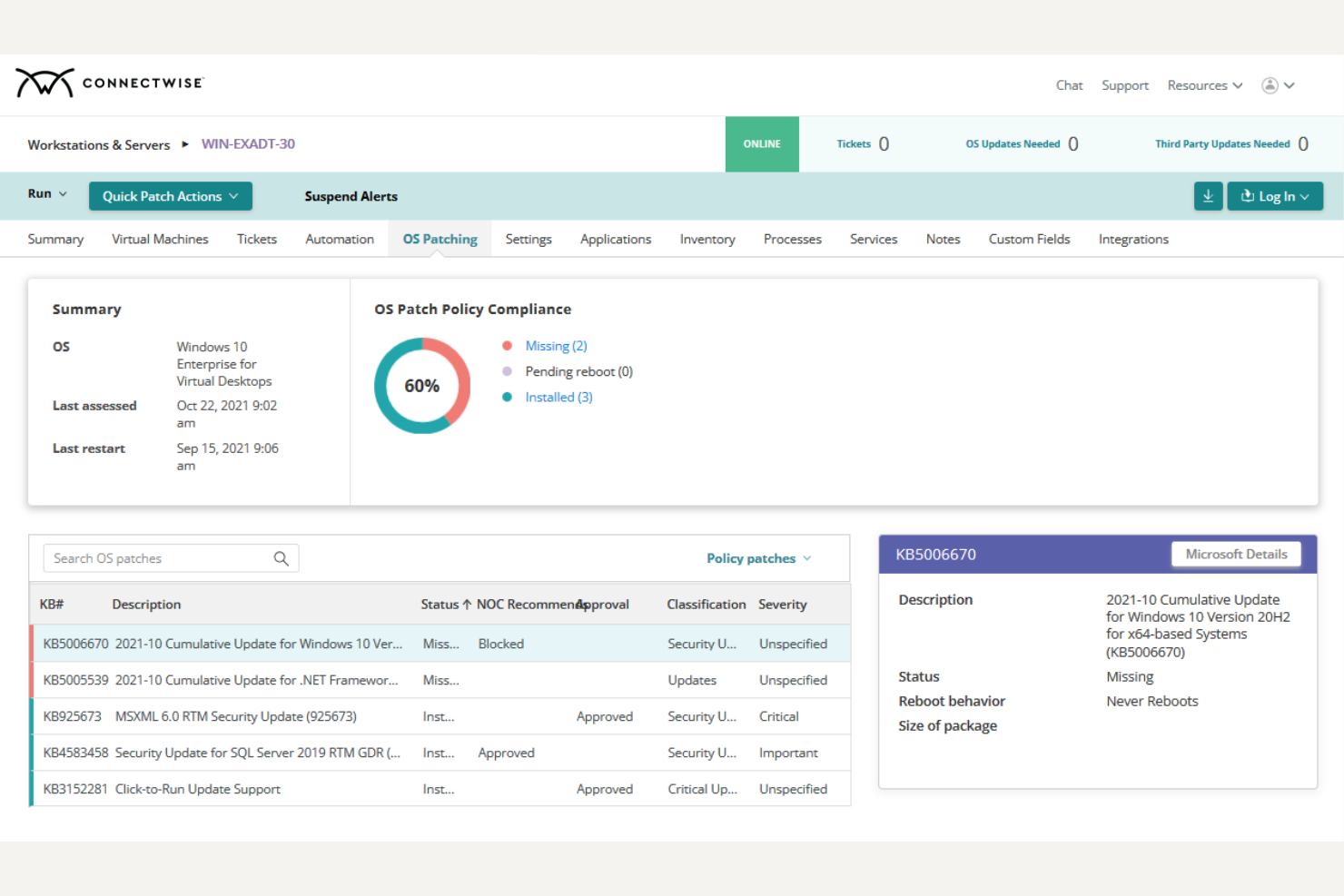
ConnectWise is a platform designed for IT service providers and internal IT teams that want to unify service management and endpoint monitoring. It appeals to businesses looking for a single solution to handle both help desk operations and device management. If you’re comparing NinjaOne alternatives, ConnectWise stands out for its ability to centralize workflows across support, projects, and asset management.
Who Is ConnectWise Best For?
ConnectWise is a good fit for managed service providers and IT departments in mid-sized to large organizations that need unified service management and remote monitoring.
Why ConnectWise Is a Good NinjaOne alternatives
What makes ConnectWise a strong NinjaOne alternative is its unified approach to professional services automation (PSA) and remote monitoring and management (RMM). I picked ConnectWise because it lets you manage tickets, projects, billing, and device monitoring all from a single platform, which reduces the need for multiple disconnected tools. The platform’s workflow automation connects service desk operations directly to asset and endpoint management, so you can streamline processes across IT functions. If you want to centralize both service delivery and device oversight, ConnectWise offers a level of integration that’s hard to find in other NinjaOne alternatives.
ConnectWise Key Features
Some other features that set ConnectWise apart include:
- Patch Management: Schedule, deploy, and monitor operating system and third-party application updates across all managed devices.
- Remote Control Tools: Securely access and troubleshoot endpoints without disrupting end users.
- Network Monitoring: Track network devices and performance metrics to identify and resolve issues proactively.
- Role-Based Access Controls: Assign granular permissions to users based on their job function or responsibilities.
ConnectWise Integrations
Integrations include Xero, HubSpot, Datto RMM, ImmyBot, Salesforce, Jira, Site24x7, Microsoft Teams, Asana, and ServiceNow.
Pros and Cons
Pros:
- Automated patching for Windows and third-party apps
- Built-in time tracking for service tickets
- Combines PSA and RMM in one platform
Cons:
- Workflow automation becomes fragile once you start customizing heavily
- Interface can feel cluttered to new users


Kaseya VSA is a remote monitoring and management platform designed for IT departments and managed service providers who need centralized control over endpoints. It appeals to teams looking for deep automation, granular policy enforcement, and broad device coverage. If you want to standardize IT processes and automate routine tasks at scale, Kaseya VSA offers a feature set that goes beyond basic RMM tools.
Who Is Kaseya VSA Best For?
Kaseya VSA is a strong choice for IT teams and managed service providers at midsize to large organizations that need centralized, policy-driven endpoint management.
Why Kaseya VSA Is a Good NinjaOne alternative
What sets Kaseya VSA apart as a NinjaOne alternative is its strong focus on policy-based IT automation. I picked Kaseya VSA because it lets you define, enforce, and automate IT policies across devices and users, which is especially valuable for organizations with strict compliance or operational standards.
The platform’s automation engine allows you to schedule scripts, deploy software, and manage patches based on custom rules and triggers. If you need to standardize IT processes and reduce manual intervention at scale, Kaseya VSA’s policy-driven approach is a clear differentiator.
Kaseya VSA Key Features
In addition to its policy-based automation, Kaseya VSA offers several other features that appeal to IT teams looking for NinjaOne alternatives:
- Remote Control: Securely access and troubleshoot endpoints without interrupting end users.
- Network Monitoring: Track network devices and performance metrics with real-time alerts.
- Patch Management Dashboard: View, approve, and deploy patches across multiple operating systems from a centralized interface.
- IT Documentation Integration: Store and access IT documentation directly within the platform for faster issue resolution.
Kaseya VSA Integrations
Integrations include IT Glue, Datto Autotask PSA, BMS, Datto RMM, Datto Backup, vPenTest, Spanning Backup, Graphus, BullPhish ID, and RocketCyber.
Pros and Cons
Pros:
- Network monitoring includes real-time device alerts
- Built-in IT documentation for faster troubleshooting
- Policy automation supports complex IT environments
Cons:
- MacOS support is less comprehensive
- Fewer third-party integrations than competitors
Trio
Best for zero-touch device provisioning
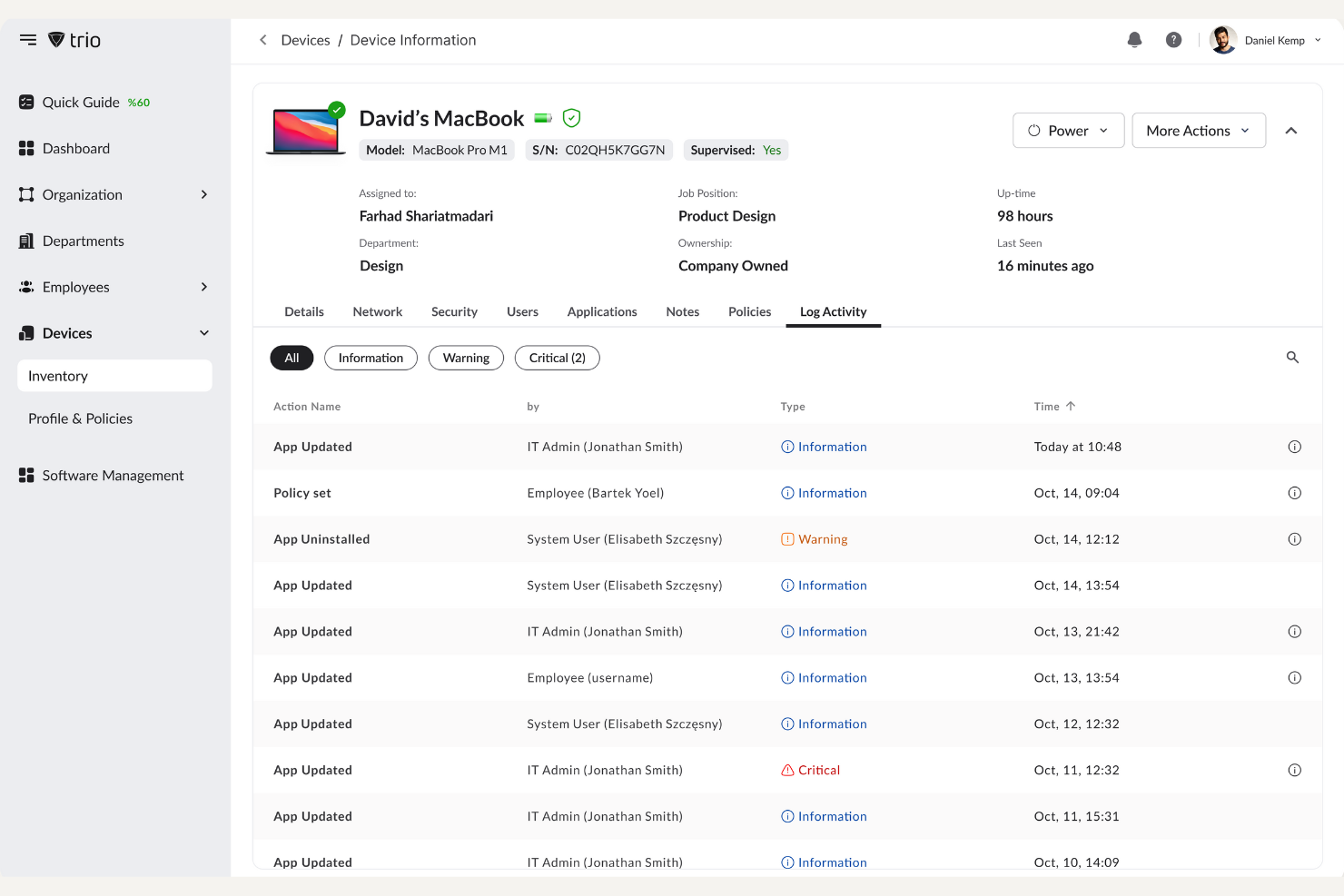
Trio is a device management platform designed for IT teams that want to simplify device deployment and lifecycle management. It’s a strong fit for organizations managing distributed or remote workforces who need to automate device setup and reduce manual IT tasks. If you’re searching for NinjaOne alternatives that focus on modern device management challenges, Trio offers a fresh approach.
Who Is Trio Best For?
Trio is a good fit for IT teams in growing companies that need to automate device provisioning and management for remote or distributed employees.
Why Trio Is a Good NinjaOne alternative
What makes Trio stand out as a NinjaOne alternative is its focus on zero-touch device provisioning. I picked Trio because it lets IT teams pre-configure devices so employees can receive and start using them right out of the box, without manual setup.
The platform also supports remote device enrollment and automated policy enforcement, which helps reduce hands-on IT workload. If you need a solution that prioritizes hands-off deployment for distributed teams, Trio is a strong option to consider.
Trio Key Features
In addition to its device provisioning capabilities, I also found these features worth noting:
- Automated Patch Management: Trio lets you schedule and deploy software updates to devices from a central dashboard.
- Remote Lock and Wipe: You can remotely lock or erase devices to protect sensitive data if a device is lost or stolen.
- Custom Device Tagging: Assign tags to devices for easier grouping, searching, and reporting.
- Role-Based Access Controls: Set specific permissions for different users or teams to manage device access and actions.
Trio Integrations
Integrations include Slack, Google Workspace, Microsoft Teams, Okta, Stripe, Microsoft Entra ID, Intercom, Acronis, Splunk, and Vanta.
Pros and Cons
Pros:
- Role-based access controls for IT teams
- Remote lock and wipe for lost devices
- Zero-touch provisioning for remote device setup
Cons:
- Mobile device support is still expanding
- Lacks native backup and restore options


ManageEngine Endpoint Central is a unified endpoint management platform designed for IT teams managing diverse device fleets. It’s a strong fit for organizations that need to secure, configure, and support endpoints across Windows, Mac, Linux, and mobile devices from a single console. If you’re looking for a NinjaOne alternative that covers both device management and security controls in one place, Endpoint Central is worth considering.
Who Is ManageEngine Endpoint Central Best For?
ManageEngine Endpoint Central is a good fit for IT teams in mid-sized to large organizations that need centralized management and security for a wide range of endpoints.
Why ManageEngine Endpoint Central Is a Good NinjaOne alternative
What makes ManageEngine Endpoint Central stand out as a NinjaOne alternative is its unified approach to both endpoint security and management. I picked Endpoint Central because it combines patch management, device configuration, and vulnerability assessment in a single platform. This means you can enforce security policies, automate software deployment, and monitor compliance across Windows, Mac, Linux, and mobile devices from one dashboard. If you need a solution that brings together device management and security controls without juggling multiple tools, Endpoint Central is a strong option.
ManageEngine Endpoint Central Key Features
Some other features that set Endpoint Central apart for IT teams include:
- Remote Control: Access and troubleshoot user devices remotely without interrupting their work.
- Software Metering: Track software usage across endpoints to optimize license allocation and compliance.
- USB Device Management: Control and restrict USB device access to prevent unauthorized data transfers.
- Self-Service Portal: Allow end users to install approved software and run specific tasks without IT intervention.
ManageEngine Endpoint Central Integrations
Integrations include Tenable, Splunk, CrowdStrike, Rapid7, ServiceDesk Plus, Jira Service Management, Zendesk, ServiceNow, Analytics Plus, and Zoho Creator.
Pros and Cons
Pros:
- Integrates with major ITSM platforms
- Includes software metering and license tracking
- Built-in remote troubleshooting tools
Cons:
- Interface can feel dated to some users
- Patch management for Mac is basic

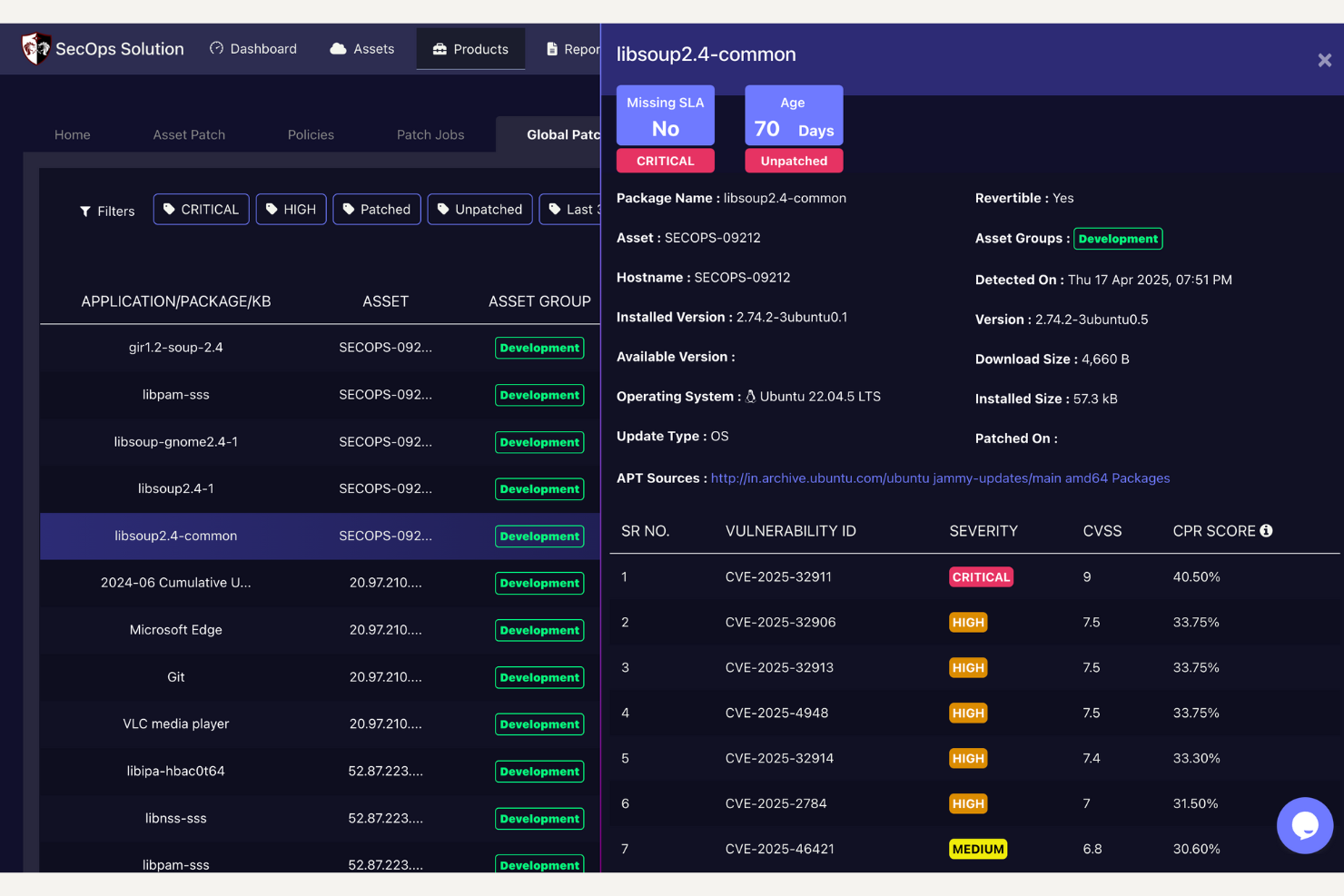
SecOps Solution is a security-focused IT management platform designed for organizations that want to simplify patching and vulnerability management. It’s a strong fit for IT and security teams in regulated industries or those managing large, diverse device fleets. If you’re looking for a NinjaOne alternative that emphasizes agentless operations and compliance, SecOps Solution offers a distinct approach.
Who Is SecOps Solution Best For?
SecOps Solution is a good fit for IT and security teams in mid-sized to large organizations that need agentless patch management across diverse device environments.
Why the SecOps Solution Is a Good NinjaOne alternative
What sets SecOps Solution apart from NinjaOne is its agentless patch management approach. I picked this tool because it allows IT teams to scan, deploy, and verify patches across endpoints without installing agents, which reduces overhead and compatibility issues.
This tool also provides real-time vulnerability detection and automated remediation workflows, making it easier to maintain compliance. If you need to manage patching at scale without the hassle of agent deployment, SecOps Solution is a strong alternative.
SecOps Solution Key Features
Some other features that make SecOps Solution a strong NinjaOne alternative include:
- Role-based access controls: Assign granular permissions to different users and teams for secure platform management.
- Automated reporting: Generate scheduled or on-demand compliance and patch status reports for audits and stakeholders.
- Third-party application patching: Manage and deploy updates for a wide range of non-OS software alongside operating system patches.
- Cloud-native architecture: Operate entirely from the cloud without requiring on-premises infrastructure or hardware.
SecOps Solution Integrations
Integrations include Slack, Jira, email, SOC/SIEM solutions, Dropbox, Google Drive, and an open API for custom integrations.
Pros and Cons
Pros:
- Automated compliance reporting for audits
- Real-time vulnerability scanning for endpoints
- Agentless patching reduces deployment complexity
Cons:
- Patch scheduling granularity could be improved
- No built-in remote desktop functionality


LogMeIn Resolve is a remote IT support platform designed for IT teams and service providers who need to diagnose and fix issues quickly. It appeals to organizations that want to combine remote access with advanced troubleshooting and automation tools. If you’re looking for NinjaOne alternatives, LogMeIn Resolve stands out for its focus on reducing manual effort in IT support workflows.
Who Is LogMeIn Resolve Best For?
LogMeIn Resolve is a good fit for IT support teams in mid-sized to large organizations that need advanced remote troubleshooting and automation capabilities.
Why LogMeIn Resolve Is a Good NinjaOne alternative
What sets LogMeIn Resolve apart as a NinjaOne alternative is its use of AI-powered IT insights to speed up troubleshooting and resolution. I picked LogMeIn Resolve because it analyzes device data in real time and surfaces actionable recommendations for IT teams, which helps reduce time spent diagnosing issues.
The platform also offers automated remediation scripts that can resolve common problems without manual intervention. If you want a tool that goes beyond basic remote access and actively helps your team identify and fix issues faster, LogMeIn Resolve is worth considering.
LogMeIn Resolve Key Features
Some other features that make LogMeIn Resolve a strong NinjaOne alternative include:
- Remote Command Line Access: Run scripts and commands on remote devices without interrupting end users.
- Session Recording: Capture and review remote support sessions for auditing and training purposes.
- Multi-Platform Support: Manage and troubleshoot Windows, Mac, and mobile devices from a single dashboard.
- Custom Alerts and Notifications: Set up real-time alerts for device health, security events, and system changes.
LogMeIn Resolve Integrations
Integrations include ServiceNow, Acronis, Microsoft Intune, LogMeIn Rescue, LogMeIn Pro, LogMeIn Central, GoToMyPC, GoTo Connect, GoTo Webinar, and GoTo Meeting.
Pros and Cons
Pros:
- Session recording for compliance and training
- Remote command line access without user disruption
- AI-driven diagnostics for faster issue resolution
Cons:
- Interface can feel cluttered for new users
- Limited reporting customization options
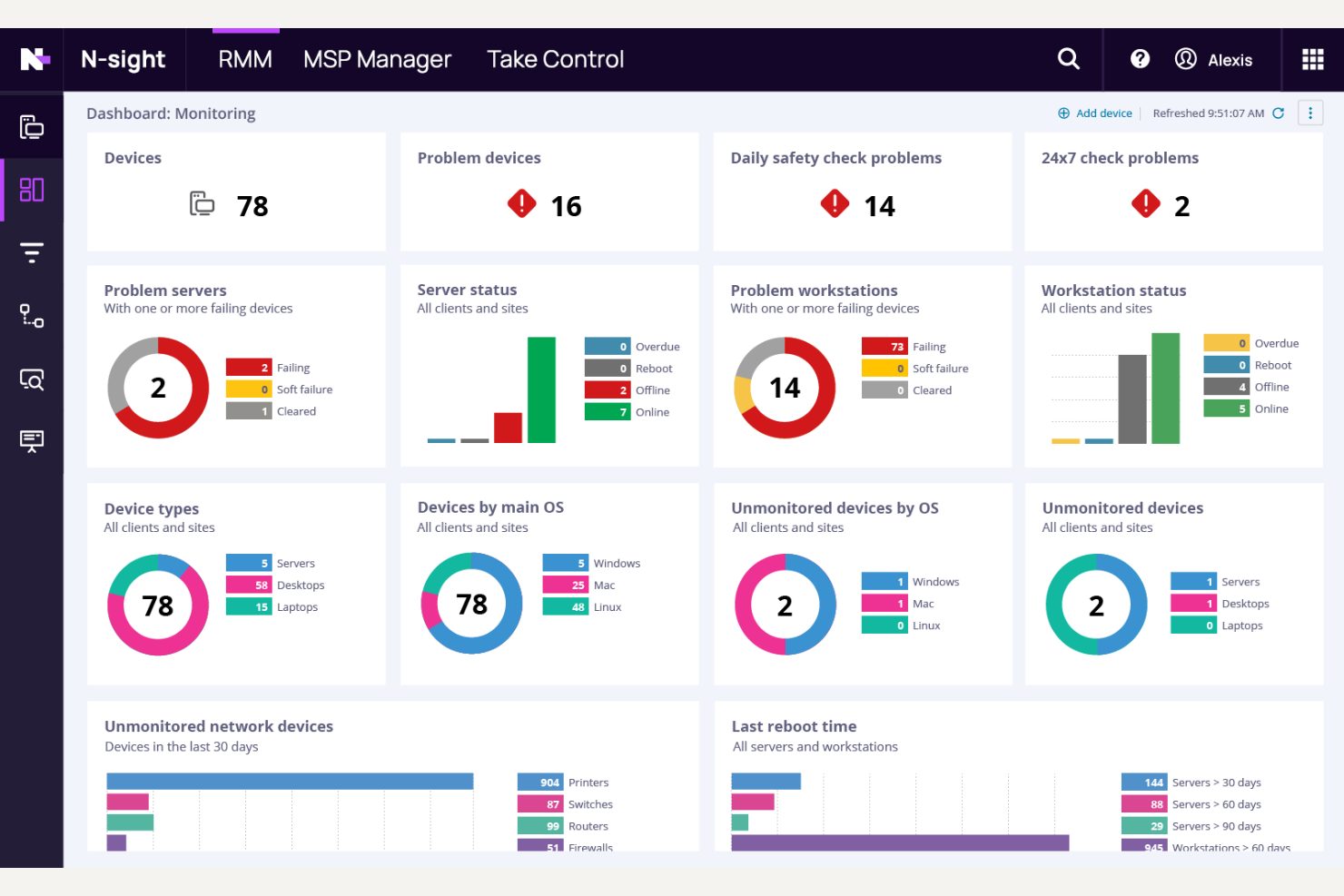
N-able N-sight RMM is a remote monitoring and management platform designed for IT service providers and internal IT teams. It appeals to organizations that want to centralize device oversight and automate routine maintenance without heavy scripting. If you’re looking for a NinjaOne alternative that supports scalable IT operations, N-sight RMM addresses common challenges like patching, alerting, and endpoint visibility.
Who Is N-able N-sight RMM Best For?
N-sight RMM is a strong fit for managed service providers and IT teams at small to midsize businesses seeking no-code automation for remote monitoring and management.
Why N-able N-sight RMM Is a Good NinjaOne alternative
What makes N-sight RMM stand out as a NinjaOne alternative is its focus on no-code automation tools. I picked this tool specifically because it lets you automate patching, maintenance tasks, and alert responses through a visual workflow builder, so you don’t need to write scripts. This approach is especially helpful for IT teams that want to scale their operations without hiring automation specialists. If you’re looking for a solution that simplifies routine IT management with drag-and-drop automation, N-sight RMM is a strong contender.
N-able N-sight RMM Key Features
Some other features that set N-sight RMM apart for IT teams looking at NinjaOne alternatives include:
- Remote Access and Support: Technicians can securely connect to endpoints for troubleshooting and maintenance without disrupting end users.
- Automated Patch Management: The platform scans, schedules, and deploys patches for Windows, macOS, and third-party applications.
- Integrated Antivirus Management: Built-in antivirus tools allow you to deploy, monitor, and manage endpoint protection from the same dashboard.
- Customizable Alerting: Set up detailed alert thresholds and escalation policies to ensure the right team members are notified of issues.
N-able N-sight RMM Integrations
Integrations include Accelo, Autotask, Computicate PSA, ConnectWise Manage, HaloPSA, RangerMSP, RepairShopr, Shockey Monkey, Passportal, and BrightGauge.
Pros and Cons
Pros:
- Patch management covers Windows and macOS
- Remote access works without user interruption
- No-code automation for routine IT tasks
Cons:
- Reporting options are limited in customization
- Fewer third-party integrations than NinjaOne

Atera
Best for all-in-one IT management
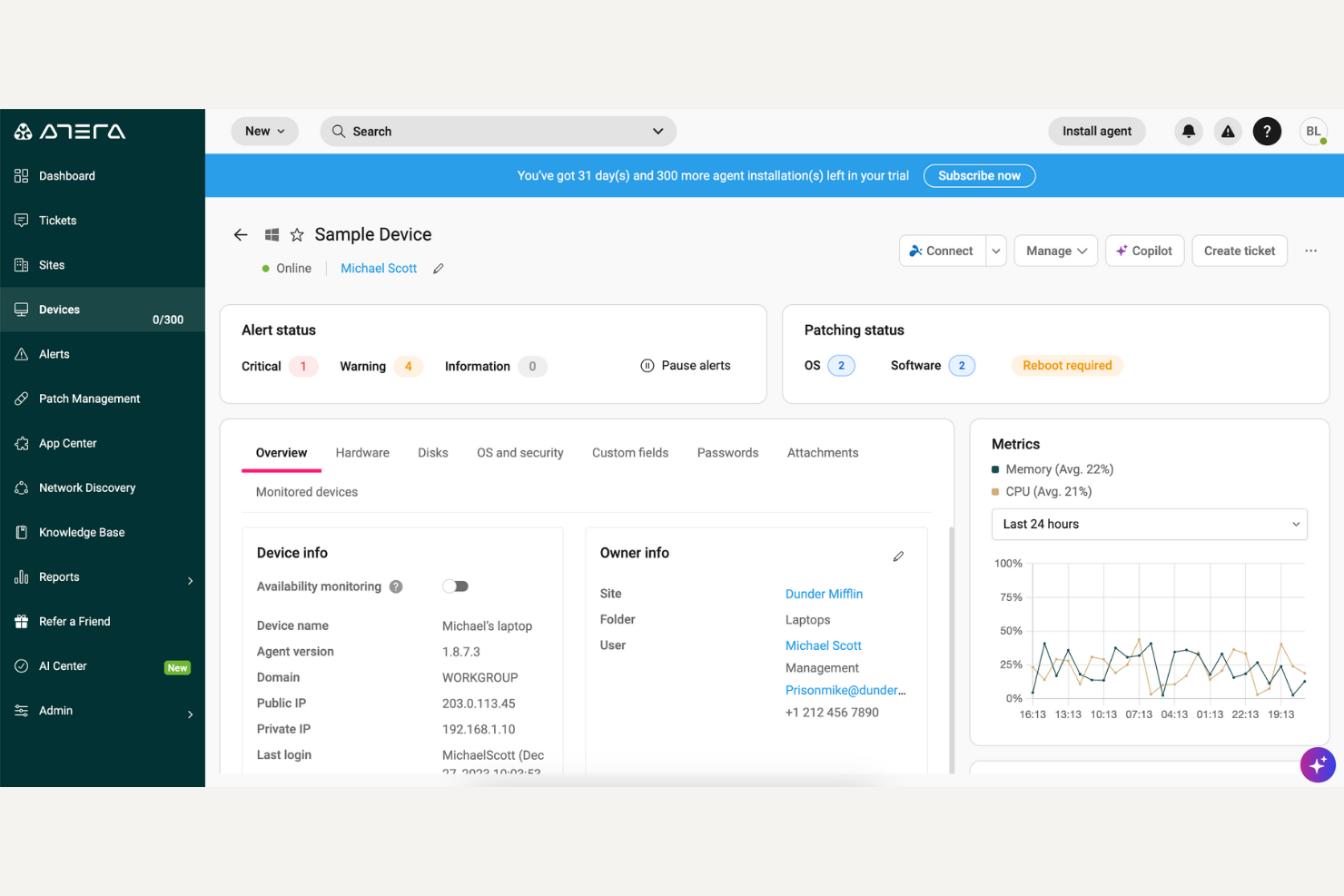
Atera offers a unified IT management platform designed for managed service providers and internal IT teams. If you’re looking for a solution that combines remote monitoring, ticketing, and automation in one place, Atera stands out for its simplicity and scalability. It’s a strong choice for teams that want to manage multiple IT functions without juggling separate tools.
Who Is Atera Best For?
Atera is a good fit for managed service providers and small to midsize IT teams that need an all-in-one platform to manage devices, automate tasks, and support end users.
Why Atera Is a Good NinjaOne Alternative
I picked Atera for this list because it truly delivers on all-in-one IT management. The platform combines remote monitoring and management, help desk ticketing, and patch management in a single interface. This unified approach means you can handle device oversight, automate maintenance, and resolve support requests without switching between tools. For teams seeking a NinjaOne alternative that centralizes core IT functions, Atera’s integrated toolkit stands out.
Atera Key Features
Some other features I found useful in Atera include:
- Network Discovery: Automatically scans and identifies all devices connected to your network for easier asset management.
- Scripting Automation: Lets you create, schedule, and deploy custom scripts across multiple endpoints to handle repetitive IT tasks.
- Remote Access: Provides secure, one-click remote access to user devices for troubleshooting and support.
- Reporting and Analytics: Offers customizable reports on system health, ticket status, and device performance to support data-driven decisions.
Atera Integrations
Integrations include Acronis, Bitdefender, IT-Glue, Splashtop, Domotz, Keeper, Webroot, Malwarebytes, OpenAI, and TeamViewer.
Pros and Cons
Pros:
- Automated patch management for Windows and Mac
- Built-in remote access with multiple options
- Unlimited devices per technician pricing model
Cons:
- Reporting customization options are somewhat basic
- Limited mobile device management capabilities
New Product Updates from Atera

Atera Adds Webhook Triggers for Technician Assignment Changes
Atera ticket automation rules now support a webhook trigger when a ticket’s technician assignment changes, expanding automation beyond creation, status updates, and closure/resolution events. For more information, visit Atera's official site.
Other NinjaOne Alternatives
Here are some additional NinjaOne alternative options that didn’t make it onto my shortlist, but are still worth checking out:
- SuperOps
For AI-driven automation workflows
- Syncro
With built-in Microsoft 365 management
- Auvik
For automated network mapping
- Action1
For rapid third-party patch deployment
- Automox
For custom patch automation scripts
- PDQ Connect
For agent-based remote device management
- Microsoft Intune
For cross-platform device compliance
- AnyDesk
For flexible remote access deployment
- Ivanti
For unified IT and security workflows
- Arcserve
For immutable backup and ransomware recovery


How I Evaluate NinjaOne Alternatives
I split my evaluation into two layers: baseline requirements every RMM tool must meet—like remote access and patch management—and the differentiators that matter most for CX IT teams.
Core Functionality (Table Stakes For This List)
When I'm selecting tools for my list, I rank each one on a scale from 0 (does not offer the functionality) to 5 (excels in this area) for each core functionality listed below. Then, I calculate the tool's total score into a percentage. Each tool needs to achieve a minimum total score of 65% to be considered for inclusion.
- Remote Monitoring & Management: I check whether the platform offers real-time endpoint telemetry, customizable alert thresholds, and dashboards that surface device health across distributed agent sites.
- Remote Access & Control: Unattended access matters here—I evaluate whether IT staff can troubleshoot an agent's workstation mid-shift without forcing them off a live customer call.
- Patch Management: Automated OS and third-party patching is what I look for, including scheduled deployment windows that avoid disrupting peak contact center hours.
- Endpoint Security Integration: I look at whether the tool bundles or integrates with AV and EDR solutions, especially for environments where agent devices handle sensitive customer data.
- IT Automation & Scripting: Custom script libraries and conditional workflow triggers are key—things like auto-remediating a crashed softphone client across hundreds of endpoints at once.
- Multi-Device & OS Support: I evaluate coverage across Windows, macOS, Linux, and mobile, since most CX teams run a mix of desktops in-office and personal devices for remote agents.
Once I have a list of tools that meet this criteria, I consider what sets each platform apart.
Differentiating Factors (What Sets Vendors Apart)
Here's how I compare and contrast different vendors:
Standout Features
I pay close attention to whether a platform offers AI-driven anomaly detection—catching a failing hard drive before it takes an agent offline mid-shift saves hours of reactive work. Integrated ticketing or PSA connectivity is another big differentiator, since it lets endpoint alerts flow directly into IT service queues without manual handoff. I also evaluate built-in backup and restore capabilities, which matter when an agent's workstation crashes and you need them back on calls within minutes, not hours.
Beyond Features
Compliance matters when agent endpoints touch customer PII—I check for SOC 2, HIPAA, and PCI-DSS coverage depending on the industry your CX team serves. Integration with your existing tech stack is equally important; an RMM tool that connects to your CCaaS platform and identity provider reduces manual overhead. I also evaluate pricing models closely, since per-endpoint licensing can balloon fast when you're scaling a seasonal contact center from 200 to 800 agents overnight.
Why Look For a NinjaOne Alternative?
While NinjaOne is a good choice of NinjaOne alternatives, there are a number of reasons why some users seek out alternative solutions. You might be looking for a NinjaOne alternative because…
- You need agentless patch management for endpoints
- Your organization requires more advanced compliance reporting
- You want broader support for third-party application patching
- You need more granular role-based access controls
- Your team prefers a cloud-native platform with no on-premises setup
- You require integrations with specific security or IT tools
If any of these sound like you, you’ve come to the right place. My list contains several NinjaOne alternative options that are better suited for teams facing these challenges with NinjaOne and looking for alternative solutions.
Features
Here are some of the key features of NinjaOne, to help you contrast and compare what alternative solutions offer:
- Patch management: Automates the process of identifying, testing, and deploying patches to operating systems and applications across managed devices, helping teams reduce vulnerabilities and maintain compliance.
- Remote monitoring and management: Provides real-time visibility into device health, performance, and security status, allowing IT teams to proactively address issues before they impact users.
- Automated software deployment: Enables IT administrators to remotely install, update, or remove software on endpoints, streamlining application management across distributed environments.
- Asset inventory: Tracks hardware and software assets across your organization, giving you a centralized view of device details, configurations, and lifecycle status.
- Remote access and support: Offers secure, one-click remote access to endpoints for troubleshooting, maintenance, and user support without interrupting end users.
- Alerting and notifications: Sends customizable alerts for system events, patch failures, or security incidents, so teams can respond quickly to emerging issues.
- Role-based access controls: Lets you assign permissions and access levels to different users or groups, ensuring sensitive data and functions are only available to authorized personnel.
- Reporting and analytics: Generates detailed reports on patch status, device compliance, and IT operations, supporting audits and data-driven decision-making.
- Scripting and automation: Supports custom scripts and automated workflows for routine IT tasks, reducing manual effort and increasing operational efficiency.
- Integration with IT service management tools: Connects with popular ticketing and ITSM platforms to streamline incident response and service delivery.
What’s Next:
If you're in the process of researching NinjaOne alternatives, connect with a SoftwareSelect advisor for free recommendations.
You fill out a form and have a quick chat where they get into the specifics of your needs. Then you'll get a shortlist of software to review. They'll even support you through the entire buying process, including price negotiations.