

UserZoom-anmeldelse: Fordele, ulemper, funktioner og priser
UserZoom udmærker sig ved at levere omfattende indsigter i brugeroplevelsen, hvilket gør platformen til et oplagt valg for teams, der søger dybdegående muligheder for research i brugeroplevelser.

We review tools independently, and commissions help fund our testing. See our transparency policy, our methodology, or suggest a tool.
UserZoom is a digital monitoring tool built for UX and product teams that need to run structured user research studies—both moderated and unmoderated—and track experience quality metrics over time. I'd reach for it over Hotjar if your work goes beyond heatmaps and session recordings and you need a more formal research environment with participant recruitment, study templates, and experience benchmarking built in.
UserZoom Evaluation Summary
4.4/5
- Pricing upon request
Why Trust Our Software Recommendations
6,700+
Reviews
20
Industry experts
16+
Evaluation factors
14
Years
Our team has been testing and reviewing software since 2012. As CX leaders ourselves, we know how difficult—and important—it is to choose the right software.
For this guide, we evaluated tools using hands-on testing and independent research, scoring tools using our selection criteria.
Our reviews reflect our human editorial judgment, not a sales pitch.
 Gui DrusinaCreative Director
 Tim FisherVP of AI
UserZoom Overview
In my opinion, UserZoom is a solid choice for teams focused on user experience and research. Its comprehensive user testing tools, which allow testing to be conducted without moderators, set it apart from competitors. However, some users might find the onboarding process a bit challenging, and customer support could be more responsive. Despite these areas for improvement, UserZoom's extensive functionality makes it cost-effective and suitable for usability testing teams in tech industries. If you're seeking a reliable research platform for detailed real user insights, UserZoom is worth considering.
Pros
- UserZoom offers moderated and unmoderated user testing tools that cater to your team's research needs.
- The platform provides actionable metrics so you can improve user experiences effectively.
- It's well-suited for tech industries needing comprehensive UX insights.
Cons
- Some users find the onboarding process a bit challenging for their teams.
- Customer support could be more responsive to your team's needs.
- The interface may require a learning curve for new users.
Is UserZoom Right For Your Needs?
Who Would be a Good Fit for UserZoom?
UserZoom suits UX designers, researchers, and product teams in tech-driven industries such as e-commerce and SaaS. Its card sorting, tree testing, and click testing tools generate actionable metrics that help your team improve user experiences. If you're in a fast-paced environment where understanding user behavior is key, UserZoom's capabilities offer significant value. Teams focused on detailed user feedback and data-driven decisions will find it aligns well with their goals.
- Tech StartupsUserZoom helps your startup gain critical user insights to refine product features.
- E-commerce CompaniesIt provides data that helps you enhance customer journeys on your e-commerce platforms.
- UX Research TeamsUserZoom's testing tools are perfect for diving deep into user behavior.
- Product DevelopmentYour team can use it to gather feedback for iterative product improvements.
- Marketing DepartmentsIt aids in understanding customer interactions with your marketing campaigns.
- Educational InstitutionsUserZoom helps your institution assess digital learning tools' effectiveness.
Who Would be a Bad Fit for UserZoom?
UserZoom isn't the ideal UX research platform for small businesses or startups with limited budgets and resources. The platform's advanced features might overwhelm small teams that don't have dedicated UX researchers. If your team doesn't prioritize detailed user testing or lacks the time to learn a new system, you might find UserZoom less suitable. Organizations with simple user feedback needs may not fully utilize its capabilities.
- Small Local BusinessesYour small business might find UserZoom's features more than you need for basic customer feedback.
- Non-Tech IndustriesIf your industry doesn't rely heavily on digital user interactions, UserZoom might not add much value.
- FreelancersAs a freelancer, you might find UserZoom's comprehensive tools unnecessary for solo projects.
- Budget-Conscious TeamsTeams with tight budgets might see UserZoom as too costly for their needs.
- Traditional RetailIf your retail business focuses on in-store experiences, UserZoom's digital focus might not be relevant.
- Simple Service ProvidersService providers with straightforward customer interactions may not need UserZoom's detailed insights.
How We Test & Score Tools
We’ve spent years building, refining, and improving our software testing and scoring system. The rubric is designed to capture the nuances of software selection and what makes a tool effective, focusing on critical aspects of the decision-making process.
Below, you can see exactly how our testing and scoring works across seven criteria. It allows us to provide an unbiased evaluation of the software based on core functionality, standout features, ease of use, onboarding, customer support, integrations, customer reviews, and value for money.
Core Functionality (25% of final scoring)
The starting point of our evaluation is always the core functionality of the tool. Does it have the basic features and functions that a user would expect to see? Are any of those core features locked to higher-tiered pricing plans? At its core, we expect a tool to stand up against the baseline capabilities of its competitors.
Standout Features (25% of final scoring)
Next, we evaluate uncommon standout features that go above and beyond the core functionality typically found in tools of its kind. A high score reflects specialized or unique features that make the product faster, more efficient, or offer additional value to the user.
We also evaluate how easy it is to integrate with other tools typically found in the tech stack to expand the functionality and utility of the software. Tools offering plentiful native integrations, 3rd party connections, and API access to build custom integrations score best.
Ease of Use (10% of final scoring)
We consider how quick and easy it is to execute the tasks defined in the core functionality using the tool. High scoring software is well designed, intuitive to use, offers mobile apps, provides templates, and makes relatively complex tasks seem simple.
Onboarding (10% of final scoring)
We know how important rapid team adoption is for a new platform, so we evaluate how easy it is to learn and use a tool with minimal training. We evaluate how quickly a team member can get set up and start using the tool with no experience. High scoring solutions indicate little or no support is required.
Customer Support (10% of final scoring)
We review how quick and easy it is to get unstuck and find help by phone, live chat, or knowledge base. Tools and companies that provide real-time support score best, while chatbots score worst.
Customer Reviews (10% of final scoring)
Beyond our own testing and evaluation, we consider the net promoter score from current and past customers. We review their likelihood, given the option, to choose the tool again for the core functionality. A high scoring software reflects a high net promoter score from current or past customers.
Value for Money (10% of final scoring)
Lastly, in consideration of all the other criteria, we review the average price of entry level plans against the core features and consider the value of the other evaluation criteria. Software that delivers more, for less, will score higher.
Core Features
User Testing Tools: UserZoom lets your team conduct remote user testing to gather detailed feedback on your digital products through tools such as Figma prototypes for usability testing. It helps you understand user behavior and make design decisions suited to the appropriate demographic.
Surveys and Feedback: You can create surveys to collect user opinions directly, helping you gauge satisfaction and identify areas for improvement.
Benchmarking: This feature allows you to compare your site’s performance with competitors, providing insights into where you can enhance user experience.
Task Analysis: Your team can view task success metrics and apply filters to results data to see how users navigate your site, enabling you to identify pain points and improve usability.
Heatmaps: Heatmaps show where users click the most, giving you visual insights into user interactions and interests on your pages.
Video Recordings: You can watch session recordings to see exactly how testers interact with your site, helping you pinpoint issues and optimize flows.
Ease of Use
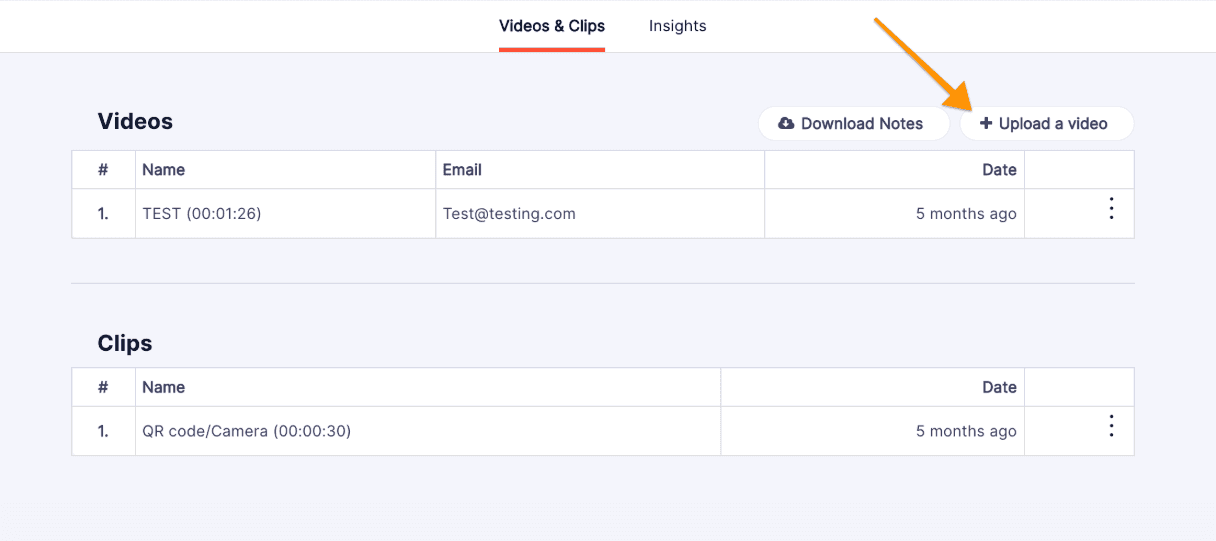
UserZoom is fairly user-friendly, but some users might find the interface a bit overwhelming at first. Once your team gets familiar with it, the platform's powerful features, including website testing and participant recruitment, become easier to navigate. Compared to other platforms, UserZoom's setup might take some time, but the detailed insights it provides can greatly enhance your team's user research capability.
Integrations
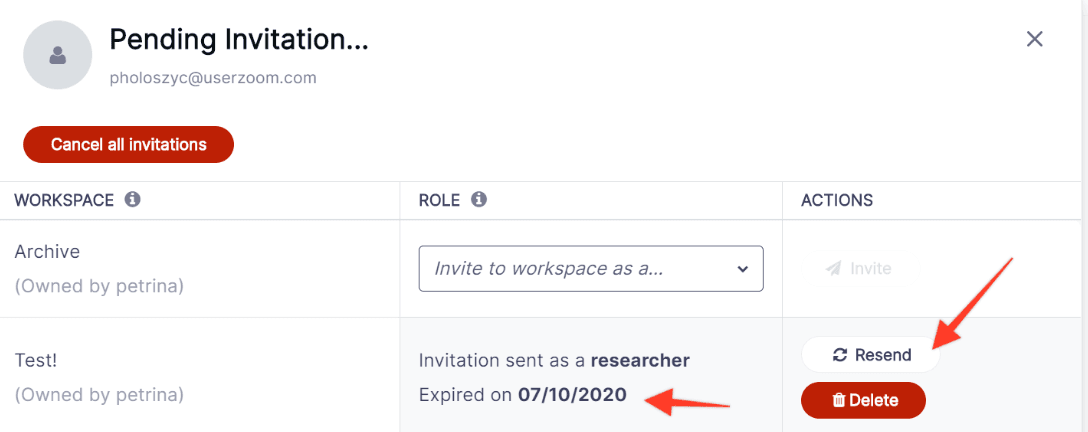
UserZoom integrates with Rally, Adobe Target, Ensighten, Tealium, Enjoy HQ, IBM Coremetrics, and SuperTag.
UserZoom also provides an API to support third-party integrations.
UserZoom Specs
- Analytics: Yes
- API: Yes
- Calendar Management: No
- Chat: No
- Click-to-Dial: No
- CRM Integration: No
- Customer Management: No
- Customer Service: No
- Dashboard: Yes
- Dashboards: No
- Data Export: Yes
- Data Import: Yes
- Data Visualization: Yes
- External Integrations: Yes
- Feedback Management: Yes
- Knowledge Base: No
- Lead Management: No
- Lead Scoring: No
- Multi-Source Feedback: Yes
- Multi-User: Yes
- Net Promoter Score: Yes
- Notifications: Yes
- Omnichannel Referrals: No
- Online Surveys: Yes
- Review Moderation: No
- Scheduling: Yes
- Sentiment Analysis: Yes
- Social Media Monitoring: No


