

Calabrio ONE Rezension: Vor- und Nachteile & Funktionen
Calabrio ONE überzeugt durch intuitive Analysen und flexible Planung und ist damit eine herausragende Wahl für die Optimierung Ihrer Callcenter-Abläufe.

Wir bewerten Tools unabhängig; Provisionen helfen, unsere Tests zu finanzieren. Siehe unsere Transparenzrichtlinie und unsere Methodik.
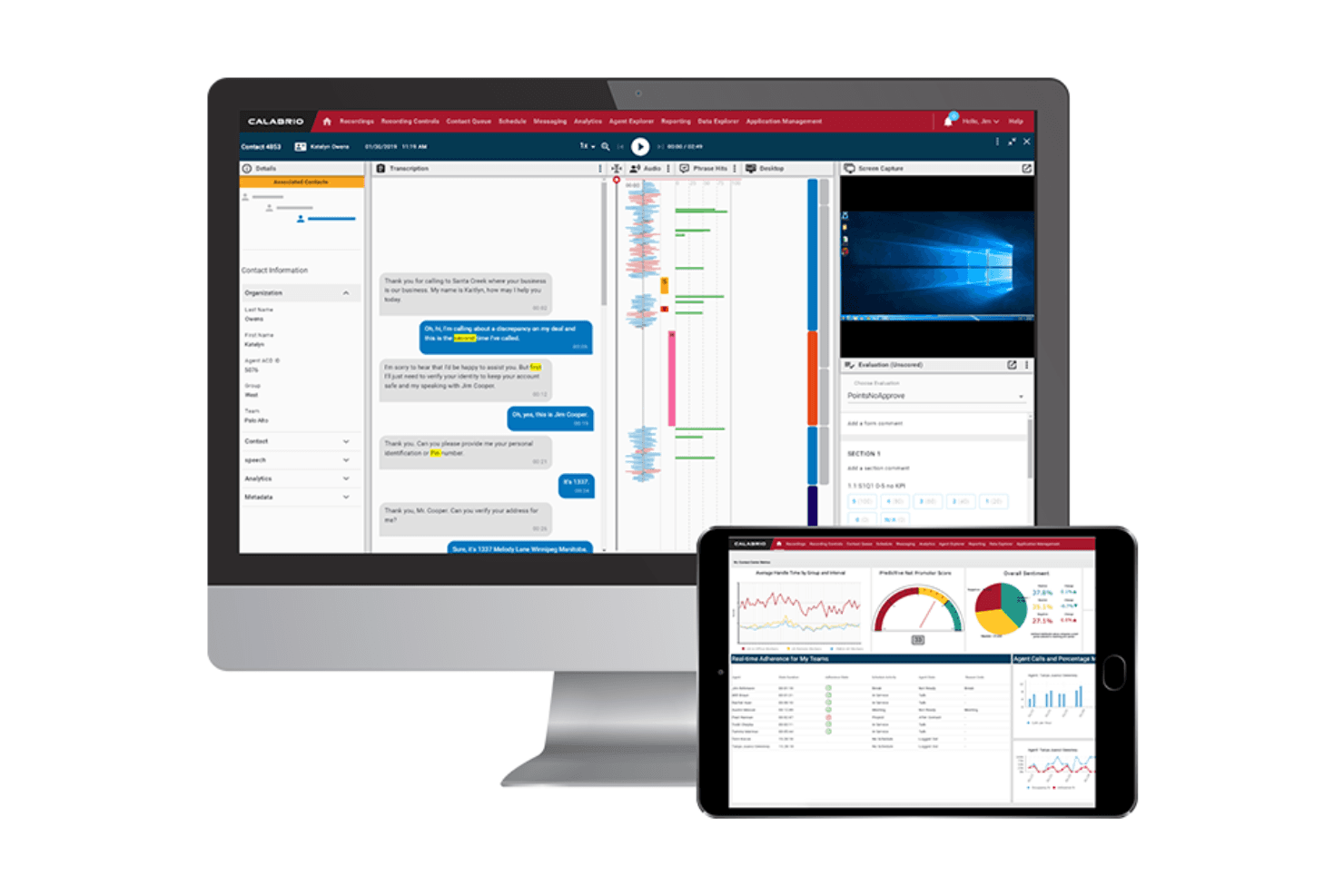
Calabrio ONE is a call center software built around workforce engagement management that combines call recording, quality management, workforce scheduling, and analytics in a single place. It's worth considering if you're running a contact center that needs to connect performance data directly to coaching and scheduling workflows. If you're looking at other options, I'd lean toward Calabrio ONE over something like Verint if your team wants a more intuitive interface without giving up the depth of reporting that enterprise contact centers depend on.
Calabrio ONE Evaluation Summary
4.2/5
- Available upon request
- Free demo available
Warum Sie unseren Software-Empfehlungen vertrauen können
6,700+
Reviews
20
Industry experts
16+
Evaluation factors
14
Years
Unser Team testet und bewertet Software seit 2012. Als CX-Führungskräfte selbst wissen wir, wie schwierig – und wichtig – es ist, die richtige Software auszuwählen.
Für diesen Leitfaden haben wir Tools mithilfe von praktischen Tests und unabhängiger Recherche bewertet und dabei unsere Bewertungskriterien angewendet.
Unsere Bewertungen spiegeln unser menschliches redaktionelles Urteilsvermögen wider, keine Verkaufsstrategie.
 Gui DrusinaCreative Director
 Tim FisherVP of AI
Calabrio ONE Overview
In my opinion, Calabrio ONE is a solid choice for contact centers looking for a workforce management system or WFM that offers in-depth analytics, flexible scheduling and in-bult automated forecasting capability. Its standout features and excellent customer and technical support make it a strong contender. However, it might feel a bit complex for newcomers, and its pricing could be a hurdle for smaller teams. Compared to other software, Calabrio ONE excels in analytics and forecasting but could be more user-friendly. It's best suited for medium to large enterprises that prioritize data-driven decision-making, employee engagement, and performance management. If your team values detailed insights and robust support, the Calabrio ONE is worth considering.
Pros
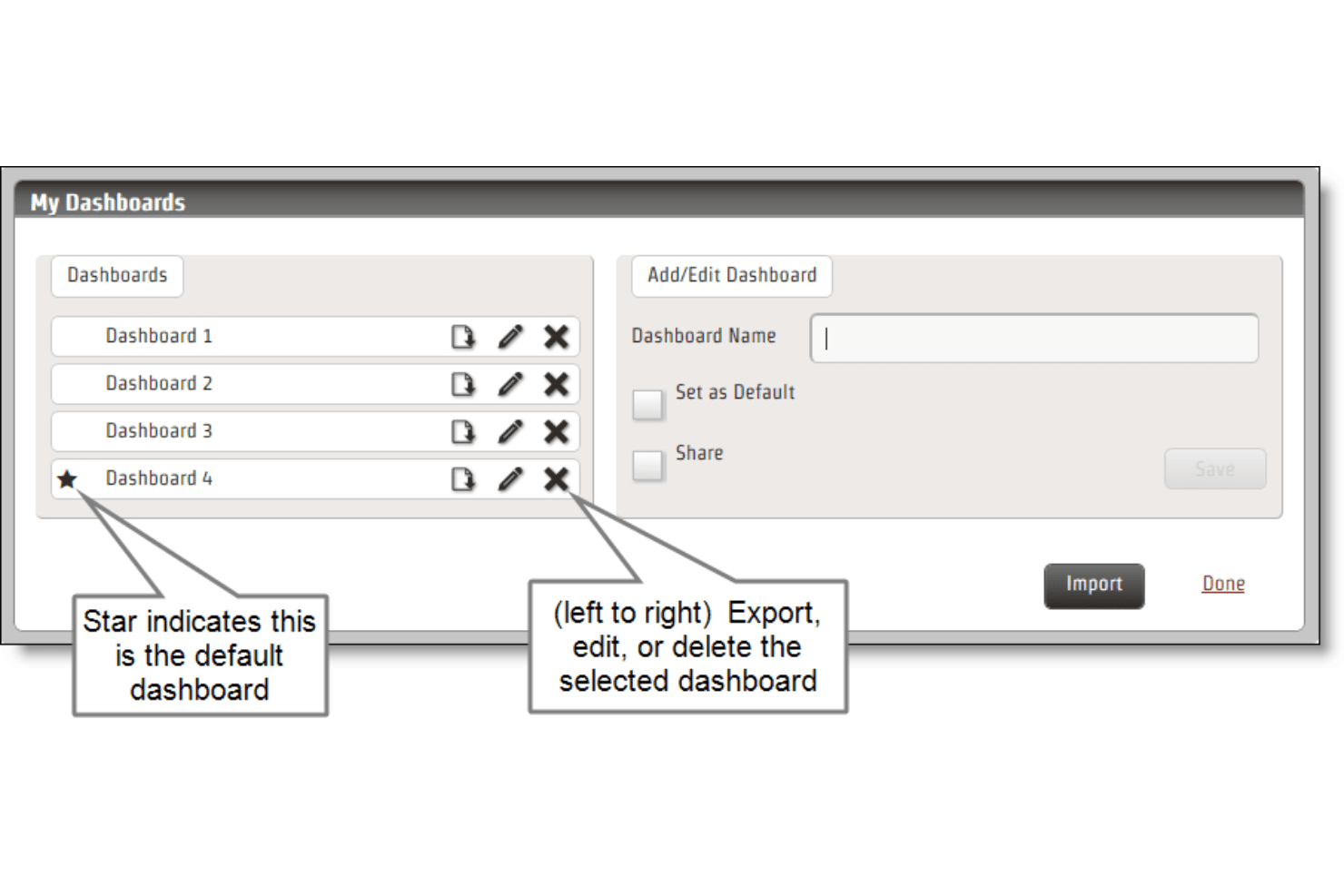
- It offers in-depth analytics for data-driven decisions and a unified metrics dashboard.
- Powerful, AI assisted forecasting tool
- Your team can benefit from flexible scheduling options like time offs and advanced WFM tools.
- Customer support is highly responsive and helpful with integrated notifications and alert workflows.
Cons
- The interface might feel complex for new users.
- Your team may find the initial learning curve steep, especially aspects of the workforce management solutions.
Is Calabrio ONE Right For Your Needs?
Who Would be a Good Fit for Calabrio ONE?
Calabrio ONE suits medium to large enterprises in industries like retail, healthcare, and finance. If your team needs detailed analytics, self-service agent scheduling functionality and integrated text analytics, you’ll find Calabrio ONE valuable. Its strong focus on employee engagement and contact center workforce optimization can ease the transition for your team. For organizations focused on data-driven decision-making and high agent engagement, Calabrio ONE's analytics capabilities and workflows stand out as a key benefit.
- Retail Contact CentersCalabrio's analytics help your team understand customer trends and improve omnichannel service quality.
- Healthcare Support TeamsFlexible scheduling ensures your team meets the demands of patient inquiries efficiently while accurate forecasting can help reduce agent fatigue.
- Financial ServicesCalabrio's data-driven insights can enhance your team's decision-making and customer interactions.
- Customer Support DepartmentsYour team will benefit from the robust reporting, integrated CRM and responsive customer support especially in the high-volume telecommunications sector.
- Large EnterprisesScalable modules and enterprise-level architecture make the Calabrio ONE suite a perfect fit for complex organizational needs and large-scale contact center workforce operations.
- Data-Driven TeamsIf your team relies on analytics for strategy, forecasting and staffing, Calabrio provides the tools you need.
Who Would be a Bad Fit for Calabrio ONE?
Small businesses or startups with limited resources might struggle with Calabrio's complexity and cost. If your team lacks the capacity to handle a steep learning curve, you might find Calabrio's interface challenging. Organizations looking for simple solutions without extensive analytics would not benefit from its advanced features. If your focus is on a quick and, straightforward setup, Calabrio may not be the best fit.
- Small StartupsThe complexity and potential high cost might overwhelm your limited resources and team size.
- Non-Technical TeamsIf your team isn’t well-versed with tech, Calabrio ONE's interface could be too complex.
- Simple OperationsFor straightforward needs, the ONE’s advanced features might be overkill.
- Short-Term ProjectsThe initial setup time might not be worth it for short-term needs.
- Minimal Data NeedsIf your team doesn't need detailed analytics, the ONE’s capabilities might be unnecessary.
Wie wir Tools testen & bewerten
Wir haben jahrelang unser System zur Softwarebewertung entwickelt, verfeinert und verbessert. Unser Bewertungsraster ist darauf ausgelegt, die Nuancen der Softwareauswahl und Merkmale eines effektiven Tools abzubilden, wobei der Fokus auf den entscheidenden Aspekten des Entscheidungsprozesses liegt. Nachfolgend sehen Sie, wie unser Test- und Bewertungssystem anhand von sieben Kriterien funktioniert. Es ermöglicht uns, eine unabhängige Bewertung der Software basierend auf Kernfunktionen, besonderen Merkmalen, Benutzerfreundlichkeit, Onboarding, Kundensupport, Integrationen, Kundenbewertungen und Preis-Leistungs-Verhältnis zu geben.
Kernfunktionen (25% der Gesamtnote)
Der Ausgangspunkt unserer Bewertung ist immer die grundlegende Funktionalität eines Tools. Verfügt es über die Basisfunktionen, die ein Benutzer erwarten würde? Sind einige dieser Kernfunktionen nur in teureren Preisplänen verfügbar? Im Kern erwarten wir, dass ein Tool mit den Grundfunktionen seiner Konkurrenten mithalten kann.
Besondere Merkmale (25% der Gesamtnote)
Anschließend bewerten wir außergewöhnliche Funktionen, die über die üblichen Kernfunktionen hinausgehen. Eine hohe Punktzahl spiegelt spezialisierte oder einzigartige Features wider, die das Produkt schneller, effizienter oder für den Endnutzer besonders wertvoll machen. Wir prüfen außerdem, wie einfach es ist, das Tool mit anderen typischerweise verwendeten Programmen zu integrieren, um die Funktionalität und den Nutzen zu erweitern. Tools mit vielen nativen Integrationen, Verbindungen zu Drittanbietern und API-Zugang für eigene Integrationen erhalten die besten Bewertungen.
Benutzerfreundlichkeit (10% der Gesamtnote)
Wir berücksichtigen, wie schnell und einfach sich Aufgaben ausführen lassen, die zur Kernfunktionalität gehören. Software mit hoher Punktzahl ist gut gestaltet, intuitiv zu bedienen, bietet mobile Apps, stellt Vorlagen bereit und erleichtert auch relativ komplexe Aufgaben erheblich.
Onboarding (10% der Gesamtnote)
Wir wissen, wie wichtig eine schnelle Team-Akzeptanz einer neuen Plattform ist. Deshalb bewerten wir, wie leicht sich ein Tool mit minimalem Training erlernen und benutzen lässt. Wir prüfen, wie schnell ein Teammitglied ohne Vorkenntnisse eingerichtet ist und das Tool nutzen kann. Lösungen mit hoher Bewertung erfordern wenig oder keine Unterstützung.
Kundensupport (10% der Gesamtnote)
Wir beurteilen, wie schnell und einfach man telefonisch, per Live-Chat oder Wissensdatenbank Unterstützung erhält. Tools und Anbieter mit echtem Echtzeit-Support bekommen die besten Bewertungen, während Chatbots am schlechtesten abschneiden.
Kundenbewertungen (10% der Gesamtnote)
Neben unseren eigenen Tests berücksichtigen wir den Net Promoter Score von aktuellen und ehemaligen Nutzern. Wir prüfen, ob sie sich wieder für das Tool entscheiden würden. Software mit hoher Bewertung weist auch einen hohen Net Promoter Score auf.
Preis-Leistungs-Verhältnis (10% der Gesamtnote)
Schließlich bewerten wir unter Berücksichtigung aller anderen Kriterien den durchschnittlichen Preis der Einstiegspläne in Bezug auf die Kernfunktionen und vergleichen den Nutzen der anderen Bewertungskriterien. Software, die mehr für weniger bietet, erhält eine höhere Bewertung.
Core Features
Call Recording
Capture and store calls for quality management, regulatory compliance and training. Your team can review recordings to improve communication and resolve disputes.
Analytics and Reporting
Get detailed insights into your contact center's performance. Use these analytics to make AI-assisted forecasts and improve omnichannel service.
Workforce Management
Schedule your team efficiently with Calabrio ONE's flexible tools and forecast capabilities. Enable your team to trade shifts and provide automated approvals for time offs. This ensures you're always staffed to meet customer demand drives agent engagement as it lends a level of autonomy over their schedules.
Quality Management
Evaluate your team's performance with customizable scorecards, sentiment tools, and text analytics.. This helps maintain high service standards and identify training needs.
Real-Time Dashboards
Updates every 2-5 seconds, enabling you to address any issues and keep performance on track in real-time.
Agent Coaching
The ability to specifically track non-adherence helps you provide targeted feedback with integrated coaching tools. This feature helps your team improve skills and boost customer satisfaction.

Ease of Use
Calabrio ONE's interface can feel complex and not as user-friendly, especially if your team is new to call center software. The learning curve is noticeable, but once you get accustomed to its layout, the powerful features become accessible. Users often mention that while the setup takes time, the benefits in analytics and scheduling are worth the effort. If your team can invest in training, you'll find Calabrio's capabilities rewarding.
Integrations
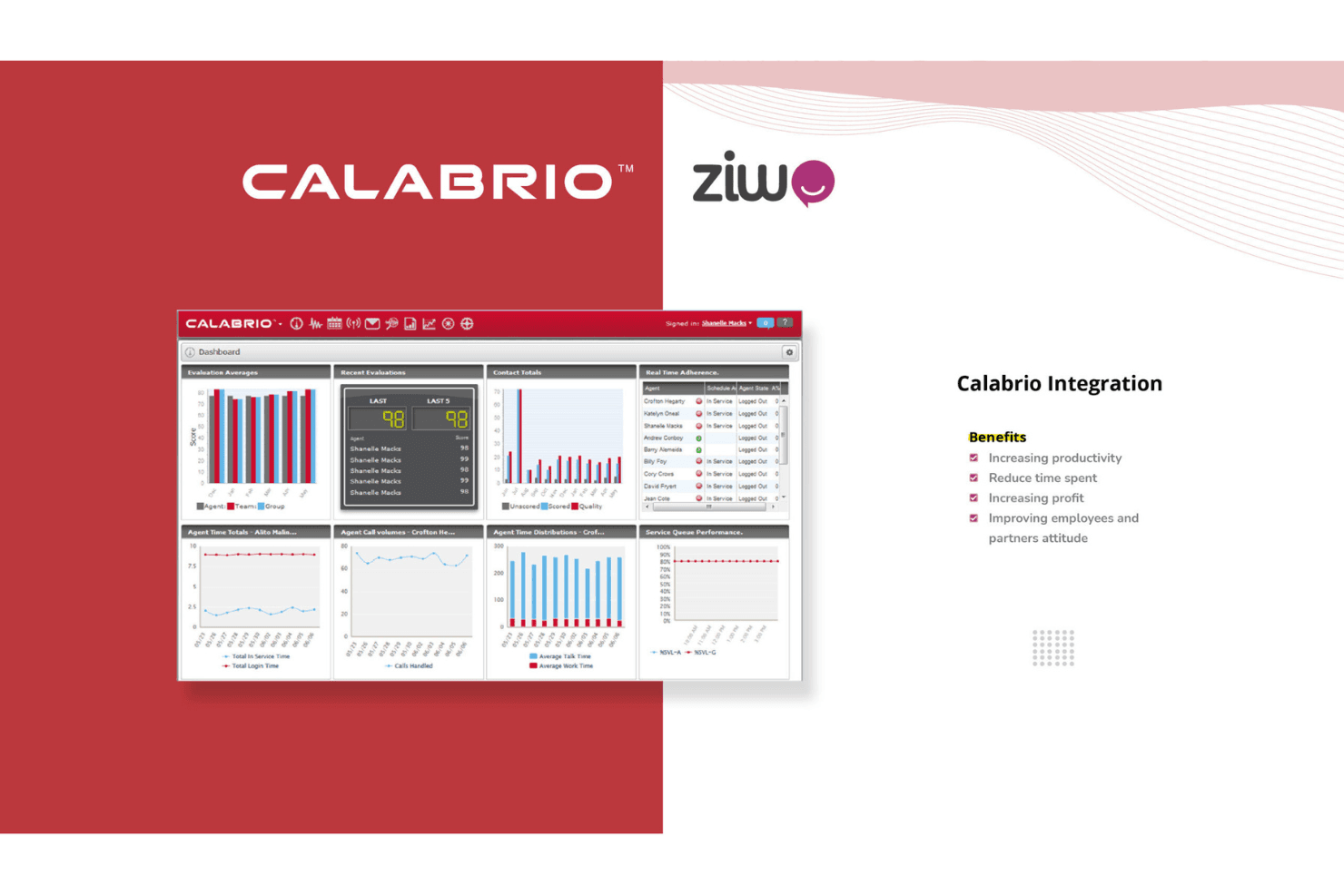
Calabrio ONE integrates natively with Cisco, Genesys, Twilio, Microsoft Dynamics 365, Salesforce, Mitel, Kustomer, 8x8, and Gladly. It also supports API-based extensibility, creating a bridge between your contact center ecosystem and reporting/CRM infrastructure.
Calabrio ONE Specs
- API: Yes
- Auto Dialer: No
- Batch Permissions & Access: No
- Calendar Management: No
- Call Disposition: No
- Call Integration: No
- Call Logging: No
- Call Monitoring: No
- Call Recording: No
- Call Scripting: No
- Call Tracking: Yes
- Chat: Yes
- Click-to-Dial: Yes
- Contact Management: Yes
- Contact Sharing: No
- Custom Data Forms: Yes
- Customer Management: Yes
- Customer Service: No
- Dashboard: Yes
- Data Export: Yes
- Data Import: No
- Data Visualization: Yes
- Email Integration: No
- Escalation Management: No
- External Integrations: Yes
- Google Apps Integration: No
- Interactive Voice Response: No
- Knowledge Base: No
- Lead Management: No
- Lead Scoring: No
- Marketing Automation: No
- Multi-User: No
- Notifications: Yes
- SAP Integration: No
- Scheduling: Yes
- Softphone: No
- Supplier Management: No
- Support Forum: No
- Ticket Management: No


