
Mouseflow-Test: Vorteile, Nachteile, Funktionen und Preise
Mouseflow zeichnet sich durch detaillierte Einblicke in das Nutzerverhalten mit seinen intuitiven Heatmaps und Sitzungswiedergabefunktionen aus und ist damit eine herausragende Plattform für die Analyse der Kundenreise.

Wir bewerten Tools unabhängig; Provisionen helfen, unsere Tests zu finanzieren. Siehe unsere Transparenzrichtlinie und unsere Methodik.
Mouseflow is a customer journey analytics software for teams that need to understand where and why users abandon their journeys. It combines session recordings, heatmaps, funnel tracking, and form analytics in one place. I'd pick it over Hotjar if funnel-level behavioral data and friction point analysis matter more to you than a simpler, lighter-weight tool.
Mouseflow Evaluation Summary
4.7/5
- From $25/month
- Free plan available
Warum Sie unseren Software-Empfehlungen vertrauen können
6,700+
Reviews
20
Industry experts
16+
Evaluation factors
14
Years
Unser Team testet und bewertet Software seit 2012. Als CX-Führungskräfte selbst wissen wir, wie schwierig – und wichtig – es ist, die richtige Software auszuwählen.
Für diesen Leitfaden haben wir Tools mithilfe von praktischen Tests und unabhängiger Recherche bewertet und dabei unsere Bewertungskriterien angewendet.
Unsere Bewertungen spiegeln unser menschliches redaktionelles Urteilsvermögen wider, keine Verkaufsstrategie.
 Gui DrusinaCreative Director
 Tim FisherVP of AI
Mouseflow Overview
In my opinion, Mouseflow is a solid option as a customer journey analytics platform, especially for teams focused on user behavior tracking. It excels with its heatmap tools and session replay features, which provide valuable insights into user interactions on websites and in sales funnels. Mouseflow’s pricing is also competitive, making it a reasonable choice for mid-sized businesses. I do think the onboarding process could be smoother, but once you're familiar with the interface, it's quite intuitive. Customer support is decent, though not exceptional.
Ultimately, if your team values visual data for optimizing user experience, mouseflow is worth considering. That said, it might not be the best fit if you need extensive data analysis capabilities or robust integration options.
Pros
- You gain insights into user behavior with heatmaps and session recordings.
- The interface is user-friendly, making data analysis easy.
- It helps improve your website's conversion rates and user experience.
Cons
- Customer support might be slow to respond.
- Pricing can be high for smaller businesses.
- Some features can be confusing and may have a learning curve.
Is Mouseflow Right For Your Needs?
Who Would be a Good Fit for Mouseflow?
If you're in marketing, UX design, or web development, Mouseflow can provide invaluable insights for your team. It helps you understand user behavior through session replays and heatmaps, allowing you to optimize your site's conversion rates. For businesses trying to refine their user experience and increase conversions, its analytics and feedback tools make it much easier to make informed, confident decisions.
- E-commerceMouseflow is great for tracking user paths and drop-off points, helping you refine the shopping experience and boost sales.
- Marketing TeamsUse Mouseflow to analyze user interactions and optimize landing pages for better conversion rates.
- Web DevelopersIdentify and fix issues quickly with session replays and error detection tools.
- UX DesignersGain insights into user behavior to improve site design and user satisfaction.
- Content CreatorsOptimize content placement using heatmap data to improve engagement.
- Product ManagersLeverage funnel analysis to understand user journeys and prioritize development efforts.
Who Would be a Bad Fit for Mouseflow?
If you're running a small business or managing a tight budget, Mouseflow might not be the best choice for you. The pricing structure can be steep, and the complex user interface could be overwhelming, especially if you're not tech-savvy. Additionally, if your work depends heavily on integration with other software, Mouseflow's limited compatibility may pose some challenges.
- Small BusinessesMouseflow's pricing and complex interface can be too much for smaller teams with limited budgets.
- Non-Tech TeamsIf your team isn't tech-savvy, the steep learning curve could slow down your workflow.
- FreelancersThe tool's extensive set of features might be overkill for individual freelancers needing basic analytics.
- New StartupsStartups needing quick and easy setup might find the interface too complex.
- Legacy SystemsLimited integration options may cause issues with older systems that require seamless data flow.
Wie wir Tools testen & bewerten
Wir haben jahrelang unser System zur Softwarebewertung entwickelt, verfeinert und verbessert. Unser Bewertungsraster ist darauf ausgelegt, die Nuancen der Softwareauswahl und Merkmale eines effektiven Tools abzubilden, wobei der Fokus auf den entscheidenden Aspekten des Entscheidungsprozesses liegt. Nachfolgend sehen Sie, wie unser Test- und Bewertungssystem anhand von sieben Kriterien funktioniert. Es ermöglicht uns, eine unabhängige Bewertung der Software basierend auf Kernfunktionen, besonderen Merkmalen, Benutzerfreundlichkeit, Onboarding, Kundensupport, Integrationen, Kundenbewertungen und Preis-Leistungs-Verhältnis zu geben.
Kernfunktionen (25% der Gesamtnote)
Der Ausgangspunkt unserer Bewertung ist immer die grundlegende Funktionalität eines Tools. Verfügt es über die Basisfunktionen, die ein Benutzer erwarten würde? Sind einige dieser Kernfunktionen nur in teureren Preisplänen verfügbar? Im Kern erwarten wir, dass ein Tool mit den Grundfunktionen seiner Konkurrenten mithalten kann.
Besondere Merkmale (25% der Gesamtnote)
Anschließend bewerten wir außergewöhnliche Funktionen, die über die üblichen Kernfunktionen hinausgehen. Eine hohe Punktzahl spiegelt spezialisierte oder einzigartige Features wider, die das Produkt schneller, effizienter oder für den Endnutzer besonders wertvoll machen. Wir prüfen außerdem, wie einfach es ist, das Tool mit anderen typischerweise verwendeten Programmen zu integrieren, um die Funktionalität und den Nutzen zu erweitern. Tools mit vielen nativen Integrationen, Verbindungen zu Drittanbietern und API-Zugang für eigene Integrationen erhalten die besten Bewertungen.
Benutzerfreundlichkeit (10% der Gesamtnote)
Wir berücksichtigen, wie schnell und einfach sich Aufgaben ausführen lassen, die zur Kernfunktionalität gehören. Software mit hoher Punktzahl ist gut gestaltet, intuitiv zu bedienen, bietet mobile Apps, stellt Vorlagen bereit und erleichtert auch relativ komplexe Aufgaben erheblich.
Onboarding (10% der Gesamtnote)
Wir wissen, wie wichtig eine schnelle Team-Akzeptanz einer neuen Plattform ist. Deshalb bewerten wir, wie leicht sich ein Tool mit minimalem Training erlernen und benutzen lässt. Wir prüfen, wie schnell ein Teammitglied ohne Vorkenntnisse eingerichtet ist und das Tool nutzen kann. Lösungen mit hoher Bewertung erfordern wenig oder keine Unterstützung.
Kundensupport (10% der Gesamtnote)
Wir beurteilen, wie schnell und einfach man telefonisch, per Live-Chat oder Wissensdatenbank Unterstützung erhält. Tools und Anbieter mit echtem Echtzeit-Support bekommen die besten Bewertungen, während Chatbots am schlechtesten abschneiden.
Kundenbewertungen (10% der Gesamtnote)
Neben unseren eigenen Tests berücksichtigen wir den Net Promoter Score von aktuellen und ehemaligen Nutzern. Wir prüfen, ob sie sich wieder für das Tool entscheiden würden. Software mit hoher Bewertung weist auch einen hohen Net Promoter Score auf.
Preis-Leistungs-Verhältnis (10% der Gesamtnote)
Schließlich bewerten wir unter Berücksichtigung aller anderen Kriterien den durchschnittlichen Preis der Einstiegspläne in Bezug auf die Kernfunktionen und vergleichen den Nutzen der anderen Bewertungskriterien. Software, die mehr für weniger bietet, erhält eine höhere Bewertung.
Core Features
Detailed Session Replay Capabilities
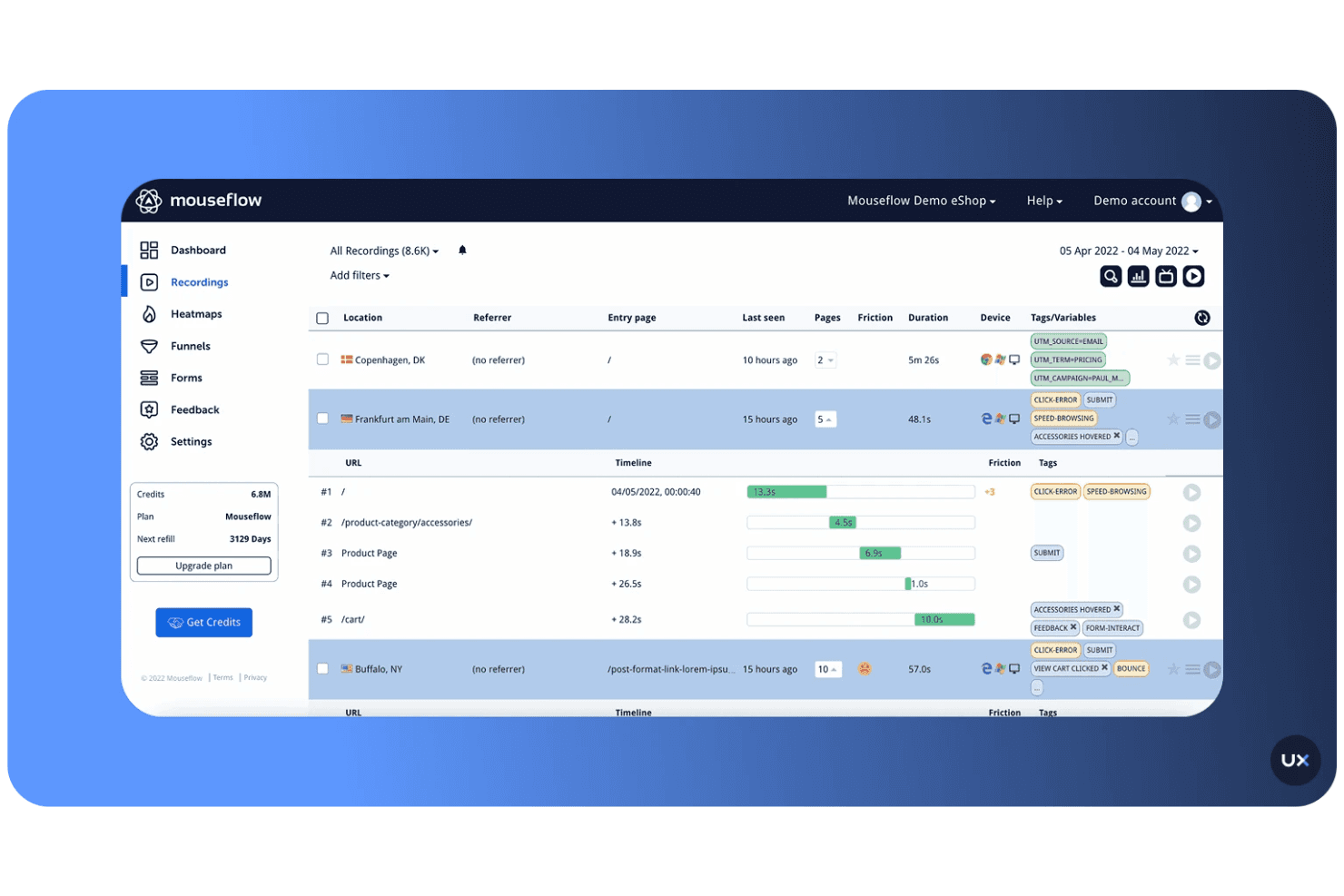
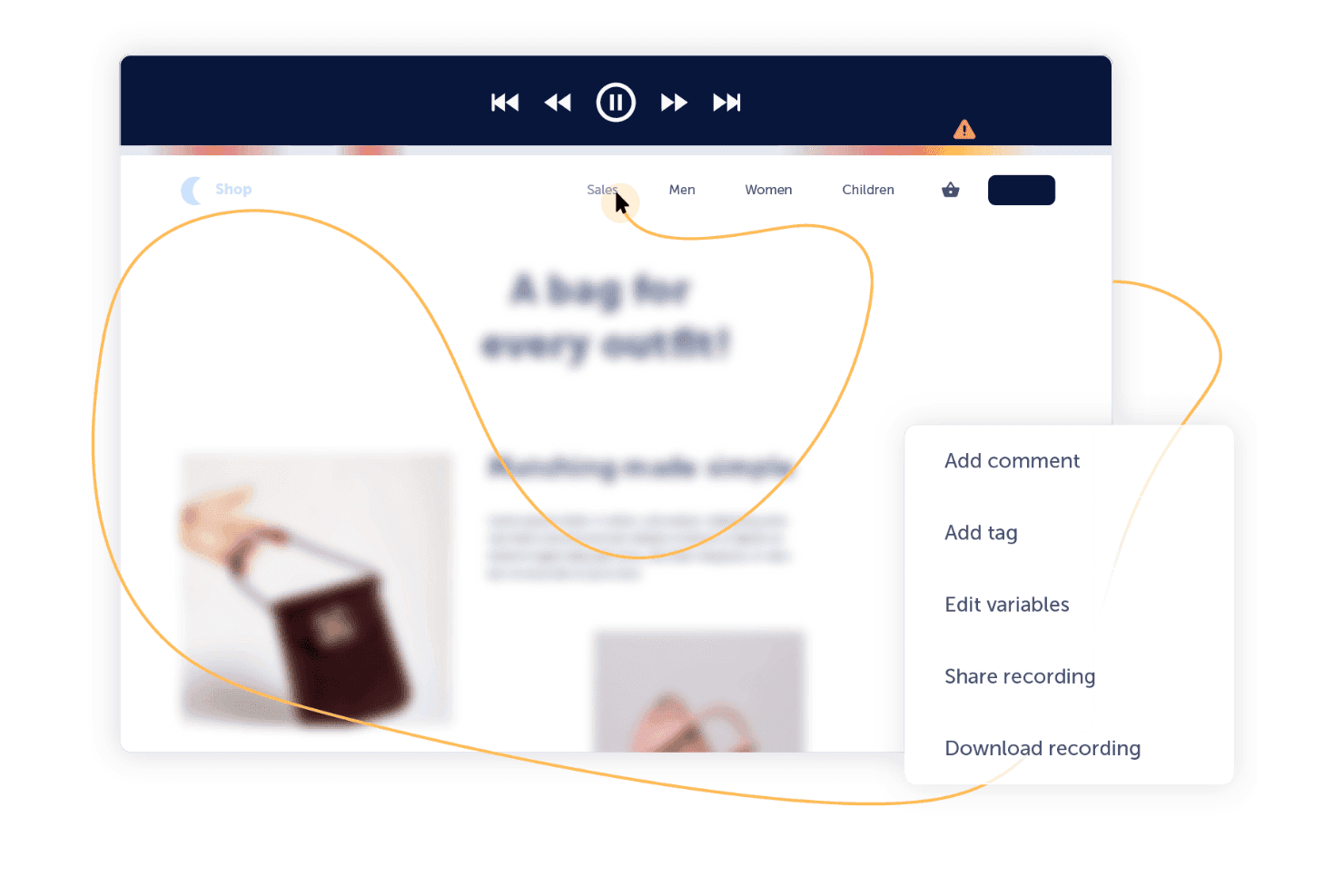
Mouseflow records real user sessions so you can see exactly how visitors interact with your site. This helps your team identify friction points and understand user behavior with precision.
Comprehensive Heatmap Tracking
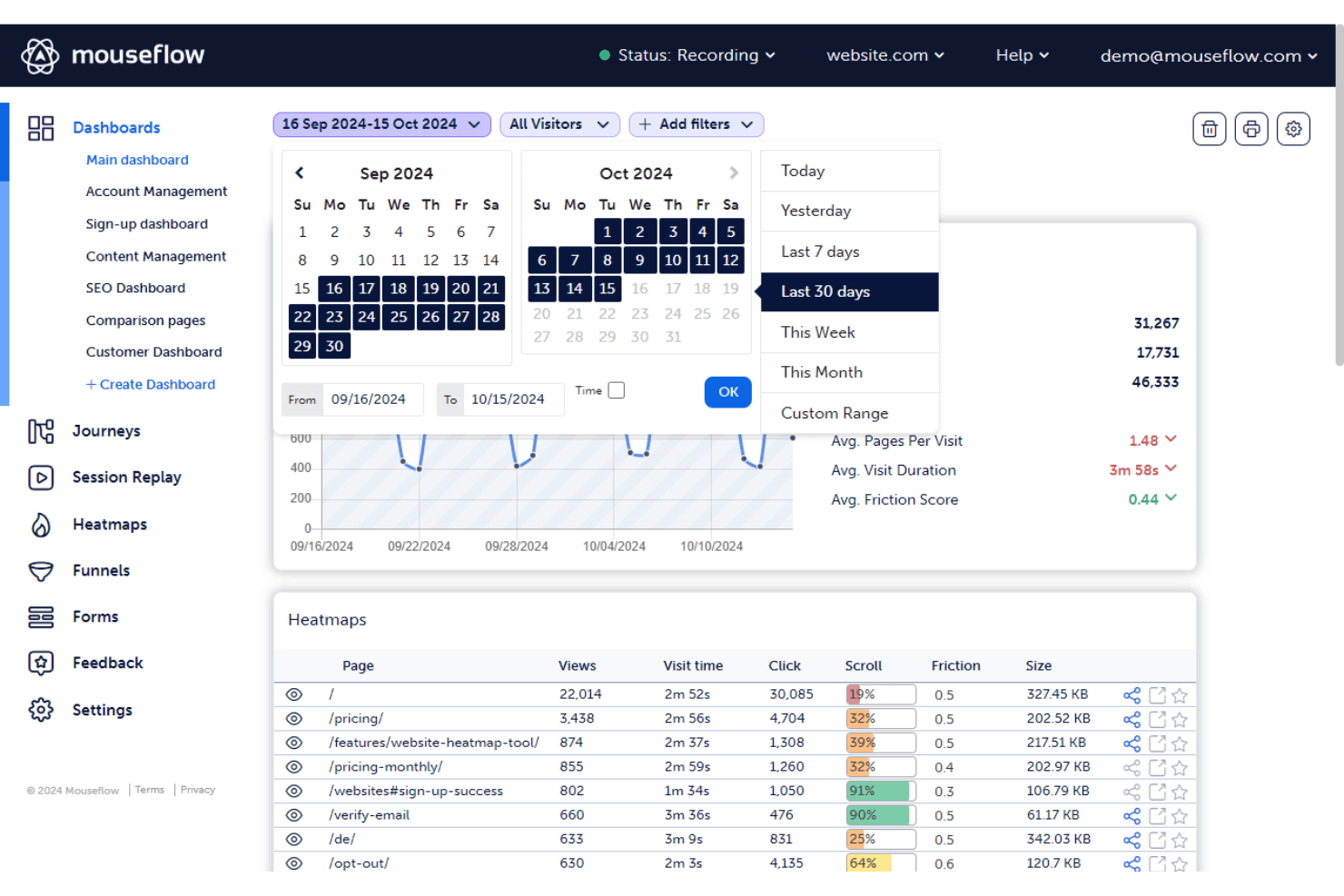
It automatically generates click, scroll, movement, and attention heatmaps. These visuals make it easier to spot engagement patterns and optimize key pages for better performance.
In-Depth Form Performance Analytics
Mouseflow tracks form interactions, field drop-offs, and user hesitations. This insight helps your team improve conversions by refining forms and removing unnecessary barriers.
User Journey Funnel Visualization
You can build funnels to pinpoint where users abandon the journey. This allows your team to focus improvements on the exact steps causing the highest drop-off.
Built-In Feedback and Survey Tools
Mouseflow includes on-page surveys and feedback widgets that capture real user opinions. This feature gives your team direct insight into customer sentiment and expectations.
Cross-Device Behavioral Tracking
It works across desktop, tablet, and mobile sessions to provide a full picture of user behavior. Your team can ensure consistent, optimized experiences on every device.
Ease of Use
Mouseflow's intuitive design makes it accessible for users at all experience levels. Its straightforward dashboard and clear navigation structure allow you to quickly access key features with minimal training. Users appreciate its real-time session replay and heatmaps, which provide valuable insights into user behavior. While some find the initial setup a bit complex, the overall user experience is positive, with many highlighting the tool's efficiency in capturing customer data and improving user engagement.
Integrations
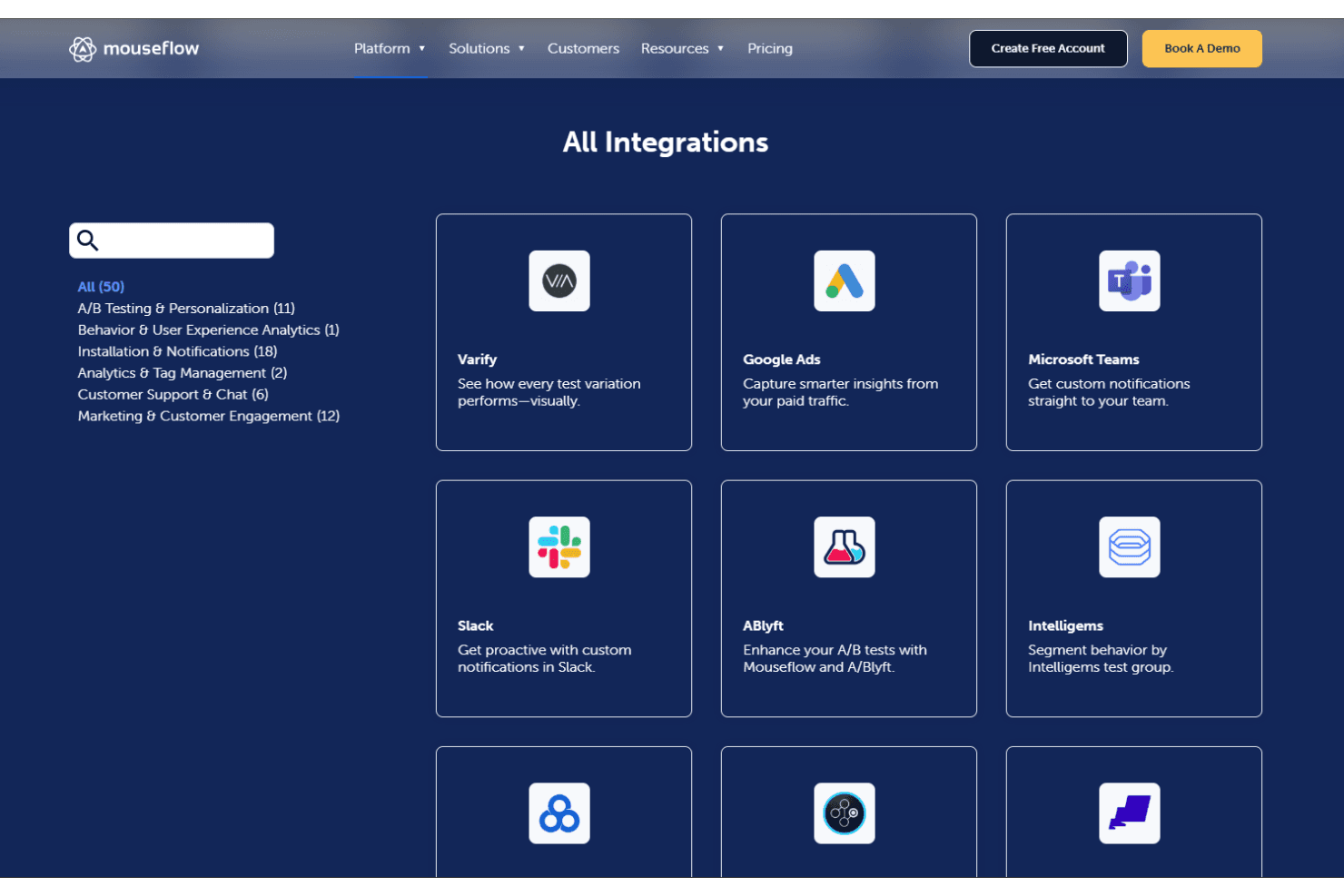
Mouseflow integrates with HubSpot, Shopify, Adobe Analytics, Google Analytics, Google Tag Manager, AB Tasty, Google Ads, Wordpress, Microsoft Teams, and more. Mouseflow also offers an API and connects with third-party integration tools.
Mouseflow Specs
- A/B Testing: No
- AI Integration: No
- Analytics: Yes
- API: Yes
- Big Data: No
- Campaign Management: No
- Conversion Tracking: Yes
- Custom Reports: No
- Dashboard: Yes
- Data Export: Yes
- Data Import: No
- Data Visualization: Yes
- External Integrations: Yes
- Feedback Management: No
- Keyword Tracking: Yes
- Landing Pages: No
- Link Tracking: Yes
- Multi-User: Yes
- Notifications: Yes
- Process Reporting: No
- Referral Tracking: Yes
- Sentiment Analysis: No
- SEO: No
- Workflow Management: No


