

Bewertung der Sling-Dienstplanungssoftware: Vorteile, Nachteile, Funktionen und Preise
Die Sling-Dienstplanungssoftware überzeugt bei der Dienstplanung in Callcentern mit ihrer intuitiven Benutzeroberfläche und erschwinglichen Tarifen und ist damit ideal für kleine Teams, die eine effiziente Verwaltung anstreben.

Wir bewerten Tools unabhängig; Provisionen helfen, unsere Tests zu finanzieren. Siehe unsere Transparenzrichtlinie und unsere Methodik.
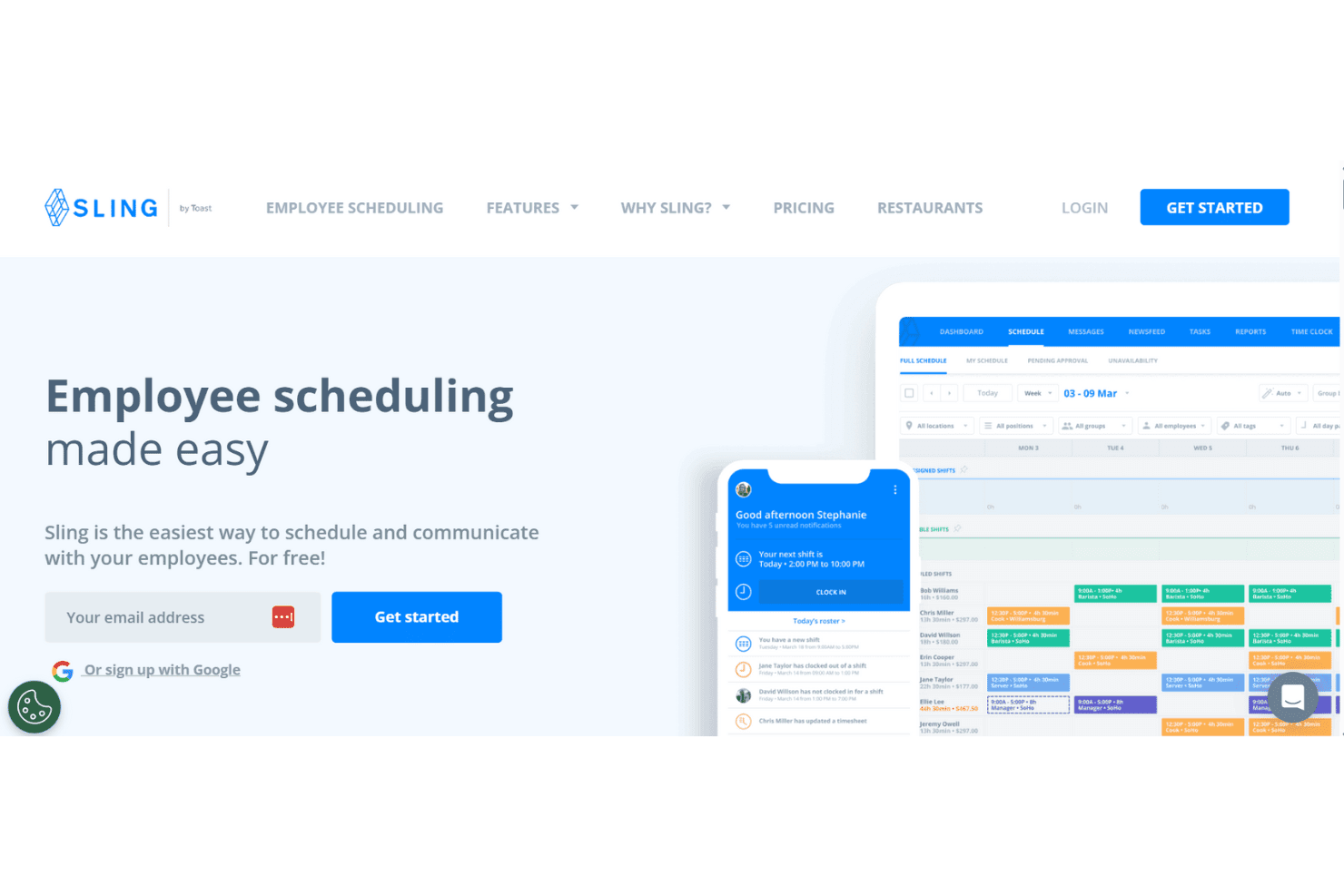
Sling is a call center scheduling software designed for shift-based teams that need scheduling, time tracking, and team messaging in one place. It's worth a look if you're managing a small to mid-sized call center and want visibility into labor costs without investing in a heavy enterprise platform. If you want a free starting tier and built-in communications, it's better than When I Work, as Sling includes both without requiring a paid upgrade to unlock the basics.
Sling Evaluation Summary
0/5
- From $1.70/user/month (billed annually)
- Free trial + free plan available
Warum Sie unseren Software-Empfehlungen vertrauen können
6,700+
Reviews
20
Industry experts
16+
Evaluation factors
14
Years
Unser Team testet und bewertet Software seit 2012. Als CX-Führungskräfte selbst wissen wir, wie schwierig – und wichtig – es ist, die richtige Software auszuwählen.
Für diesen Leitfaden haben wir Tools mithilfe von praktischen Tests und unabhängiger Recherche bewertet und dabei unsere Bewertungskriterien angewendet.
Unsere Bewertungen spiegeln unser menschliches redaktionelles Urteilsvermögen wider, keine Verkaufsstrategie.
Sling Overview
In my opinion, Sling Scheduling Software is a solid choice for small- to medium-sized call centers looking for an efficient, automated scheduling app. Its user-friendly interface makes it easy for your team to adapt quickly. Though not as feature-rich as some higher-end solutions, it offers a good balance of functionality and cost. Sling Scheduling Software excels in providing basic and easy-to-use employee scheduling needs, but if you're looking for more advanced features, such as extensive reporting or integrations, you might find it lacking compared with competitors like Deputy or When I Work. It's best suited for teams that don't want a hefty price tag and that prioritize straightforward scheduling and communication.
Pros
- Your team will find the interface intuitive and easy to navigate.
- Scheduling shifts is quick and efficient, saving you time.
- Communication tools help your team stay connected and informed.
Cons
- Reporting features are limited for detailed analysis.
- Advanced customization options might not meet your specific needs.
- Larger teams may find the functionality lacking compared to other options.
Is Sling Right For Your Needs?
Who Would be a Good Fit for Sling?
Sling Scheduling Software is ideal for small- to medium-sized businesses, especially in retail and hospitality, where scheduling shifts is a daily task. Your team will appreciate its easy-to-use interface, which streamlines communication and shift management. If you manage a customer support team that needs efficient employee scheduling software without complex features, Sling Scheduling Software's straightforward tools will meet your needs. Its communication features ensure everyone stays informed, making it perfect for environments where quick updates are crucial.
- Retail TeamsSling Scheduling Software simplifies shift scheduling and communication, allowing employees to see available shifts and shift trade, making it great for retail environments where staff changes are frequent.
- Hospitality BusinessesWith its key features and intuitive scheduling, Sling Scheduling Software helps track employee shifts efficiently in dynamic hospitality settings.
- Small Call CentersSling Scheduling Software's ease of use is perfect for small call centers needing basic scheduling tools, such as tracking PTO requests, without overwhelming features.
- Customer Support DepartmentsSling's integrated platform offers all-in-one software that keeps your support team connected and informed, ideal for maintaining appropriate staffing and service quality.
- Non-Profit OrganizationsIts cost-effective plans and simple tracking time tools make Sling Scheduling Software a good fit for budget-conscious non-profits.
- Healthcare ClinicsFor clinics needing straightforward and streamlined scheduling, Sling Scheduling Software's features help manage staff shifts where complete coverage of all work hours is important.
Who Would be a Bad Fit for Sling?
Sling Scheduling Software might not suit large enterprises or industries needing advanced scheduling features and integrations. If your team requires detailed reporting, extensive customization, or integration with other software, Sling Scheduling Software's limited capabilities may frustrate you. For tech-heavy environments or large-scale operations, its straightforward tools may feel too basic. You'll likely need a more robust solution to handle complex scheduling and data analysis.
- Large CorporationsSling Scheduling Software's limited features won't meet the complex scheduling needs of large corporate environments.
- Tech CompaniesFor tech firms needing advanced integrations, Sling Scheduling Software's basic tools aren't sufficient.
- Manufacturing PlantsSling Scheduling Software lacks the detailed reporting necessary for managing large-scale manufacturing operations.
- Finance DepartmentsDepartments needing precise scheduling and reporting won't find Sling Scheduling Software's tools adequate.
- Educational InstitutionsSling Scheduling Software's basic scheduling doesn't cater to the complex timetabling needs of schools or universities.
- Healthcare NetworksFor large healthcare networks requiring advanced scheduling, Sling Scheduling Software's simplicity is a drawback.
Wie wir Tools testen & bewerten
Wir haben jahrelang unser System zur Softwarebewertung entwickelt, verfeinert und verbessert. Unser Bewertungsraster ist darauf ausgelegt, die Nuancen der Softwareauswahl und Merkmale eines effektiven Tools abzubilden, wobei der Fokus auf den entscheidenden Aspekten des Entscheidungsprozesses liegt. Nachfolgend sehen Sie, wie unser Test- und Bewertungssystem anhand von sieben Kriterien funktioniert. Es ermöglicht uns, eine unabhängige Bewertung der Software basierend auf Kernfunktionen, besonderen Merkmalen, Benutzerfreundlichkeit, Onboarding, Kundensupport, Integrationen, Kundenbewertungen und Preis-Leistungs-Verhältnis zu geben.
Kernfunktionen (25% der Gesamtnote)
Der Ausgangspunkt unserer Bewertung ist immer die grundlegende Funktionalität eines Tools. Verfügt es über die Basisfunktionen, die ein Benutzer erwarten würde? Sind einige dieser Kernfunktionen nur in teureren Preisplänen verfügbar? Im Kern erwarten wir, dass ein Tool mit den Grundfunktionen seiner Konkurrenten mithalten kann.
Besondere Merkmale (25% der Gesamtnote)
Anschließend bewerten wir außergewöhnliche Funktionen, die über die üblichen Kernfunktionen hinausgehen. Eine hohe Punktzahl spiegelt spezialisierte oder einzigartige Features wider, die das Produkt schneller, effizienter oder für den Endnutzer besonders wertvoll machen. Wir prüfen außerdem, wie einfach es ist, das Tool mit anderen typischerweise verwendeten Programmen zu integrieren, um die Funktionalität und den Nutzen zu erweitern. Tools mit vielen nativen Integrationen, Verbindungen zu Drittanbietern und API-Zugang für eigene Integrationen erhalten die besten Bewertungen.
Benutzerfreundlichkeit (10% der Gesamtnote)
Wir berücksichtigen, wie schnell und einfach sich Aufgaben ausführen lassen, die zur Kernfunktionalität gehören. Software mit hoher Punktzahl ist gut gestaltet, intuitiv zu bedienen, bietet mobile Apps, stellt Vorlagen bereit und erleichtert auch relativ komplexe Aufgaben erheblich.
Onboarding (10% der Gesamtnote)
Wir wissen, wie wichtig eine schnelle Team-Akzeptanz einer neuen Plattform ist. Deshalb bewerten wir, wie leicht sich ein Tool mit minimalem Training erlernen und benutzen lässt. Wir prüfen, wie schnell ein Teammitglied ohne Vorkenntnisse eingerichtet ist und das Tool nutzen kann. Lösungen mit hoher Bewertung erfordern wenig oder keine Unterstützung.
Kundensupport (10% der Gesamtnote)
Wir beurteilen, wie schnell und einfach man telefonisch, per Live-Chat oder Wissensdatenbank Unterstützung erhält. Tools und Anbieter mit echtem Echtzeit-Support bekommen die besten Bewertungen, während Chatbots am schlechtesten abschneiden.
Kundenbewertungen (10% der Gesamtnote)
Neben unseren eigenen Tests berücksichtigen wir den Net Promoter Score von aktuellen und ehemaligen Nutzern. Wir prüfen, ob sie sich wieder für das Tool entscheiden würden. Software mit hoher Bewertung weist auch einen hohen Net Promoter Score auf.
Preis-Leistungs-Verhältnis (10% der Gesamtnote)
Schließlich bewerten wir unter Berücksichtigung aller anderen Kriterien den durchschnittlichen Preis der Einstiegspläne in Bezug auf die Kernfunktionen und vergleichen den Nutzen der anderen Bewertungskriterien. Software, die mehr für weniger bietet, erhält eine höhere Bewertung.
Core Features
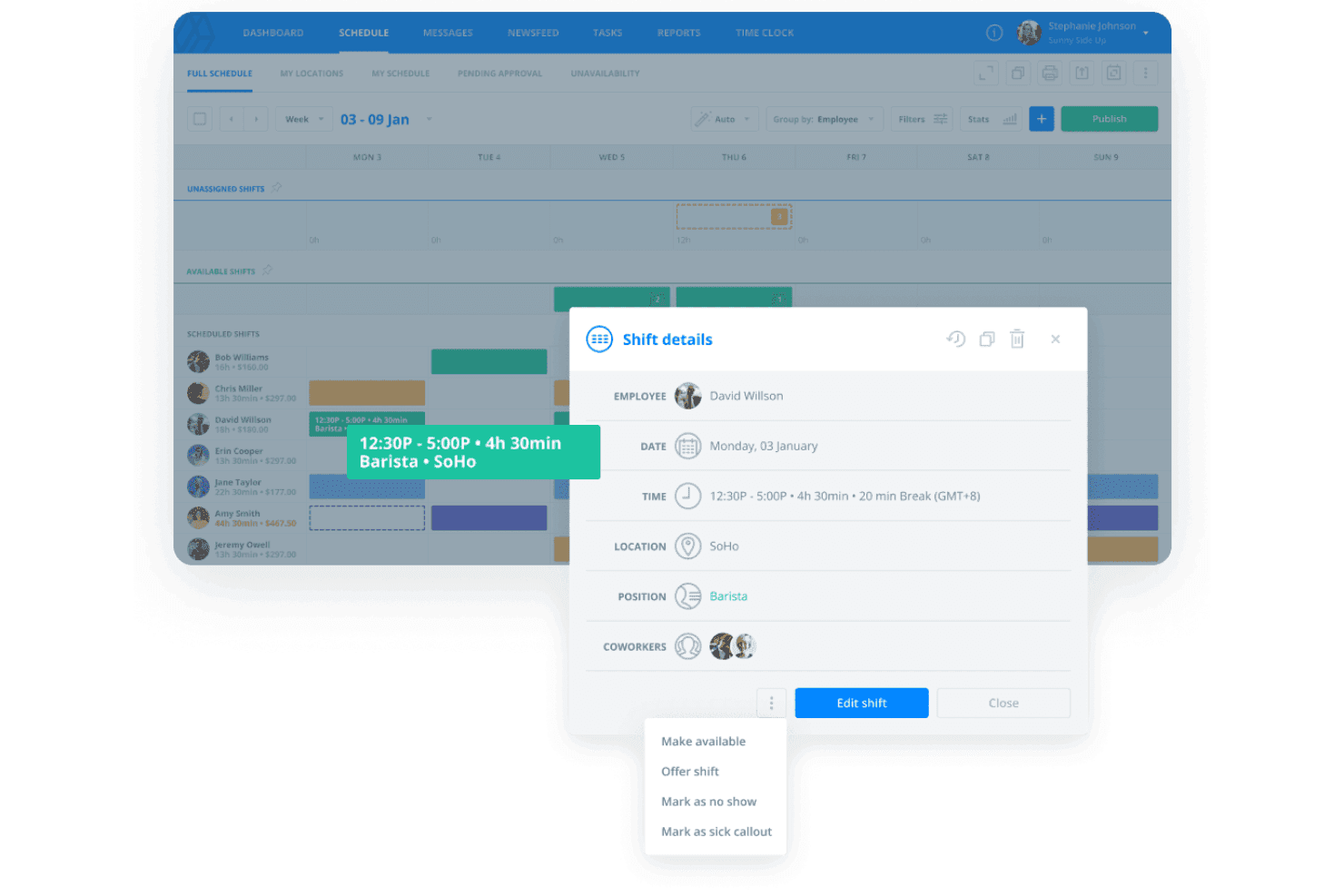
Shift Scheduling: Sling Scheduling Software lets you easily create and manage timesheets, ensuring your team knows their schedule at all times. Key features allow your employees to see overlapping shifts, upcoming shifts, and approved PTO requests, making it easy to handle last-minute changes.
Time Tracking: Track your team's hours accurately with Sling Scheduling Software's built-in time tracking. This feature saves time, helps reduce errors in payroll, and keeps everyone accountable.
Task Management: Assign tasks directly within the app and message the appropriate team members, so your team knows what needs to be done and when. It keeps everyone on the same page and improves productivity.
Communication Tools: Use Sling Scheduling Software's messaging feature to keep your team informed and connected. It reduces miscommunication, allows employees to request time off, and ensures everyone gets important updates.
Availability Management: Your team can input their availability, helping you schedule shifts more efficiently. It minimizes conflicts and keeps everyone happy with their schedules.
Notifications: Sling Scheduling Software sends reminders and updates directly to your team, so no one misses a shift or important message. It helps keep operations running smoothly.
Ease of Use
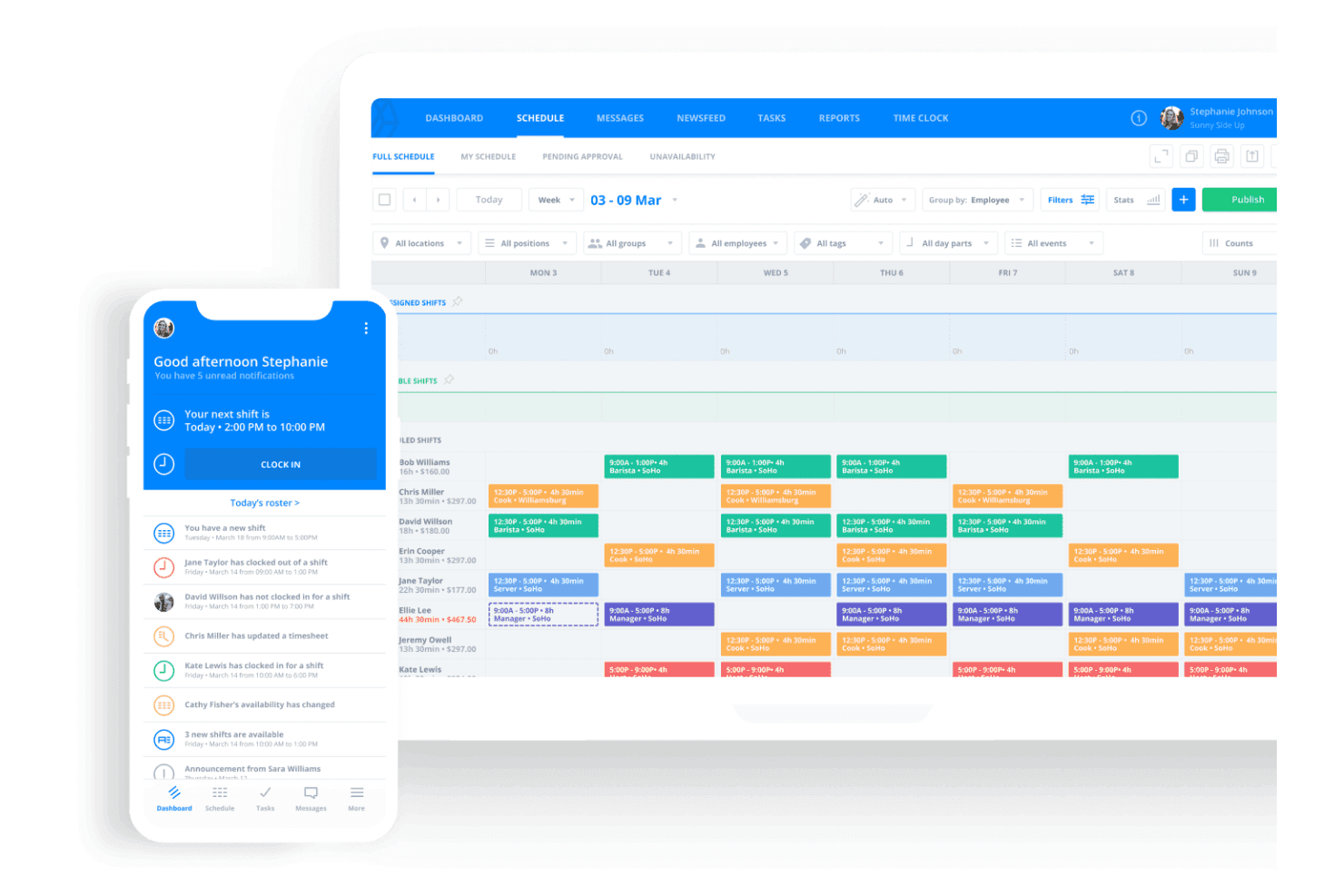
Sling Scheduling Software is incredibly user-friendly, making it simple for your team to navigate and use daily. Its intuitive interface and templates mean you won't waste time on training, and your team can start scheduling right away. Its straightforward features, like drag-and-drop scheduling and instant notifications, enhance usability. Compared to more complex systems, Sling Scheduling Software's simplicity is a huge advantage, allowing your team to focus on their work without technical hurdles.
Integrations
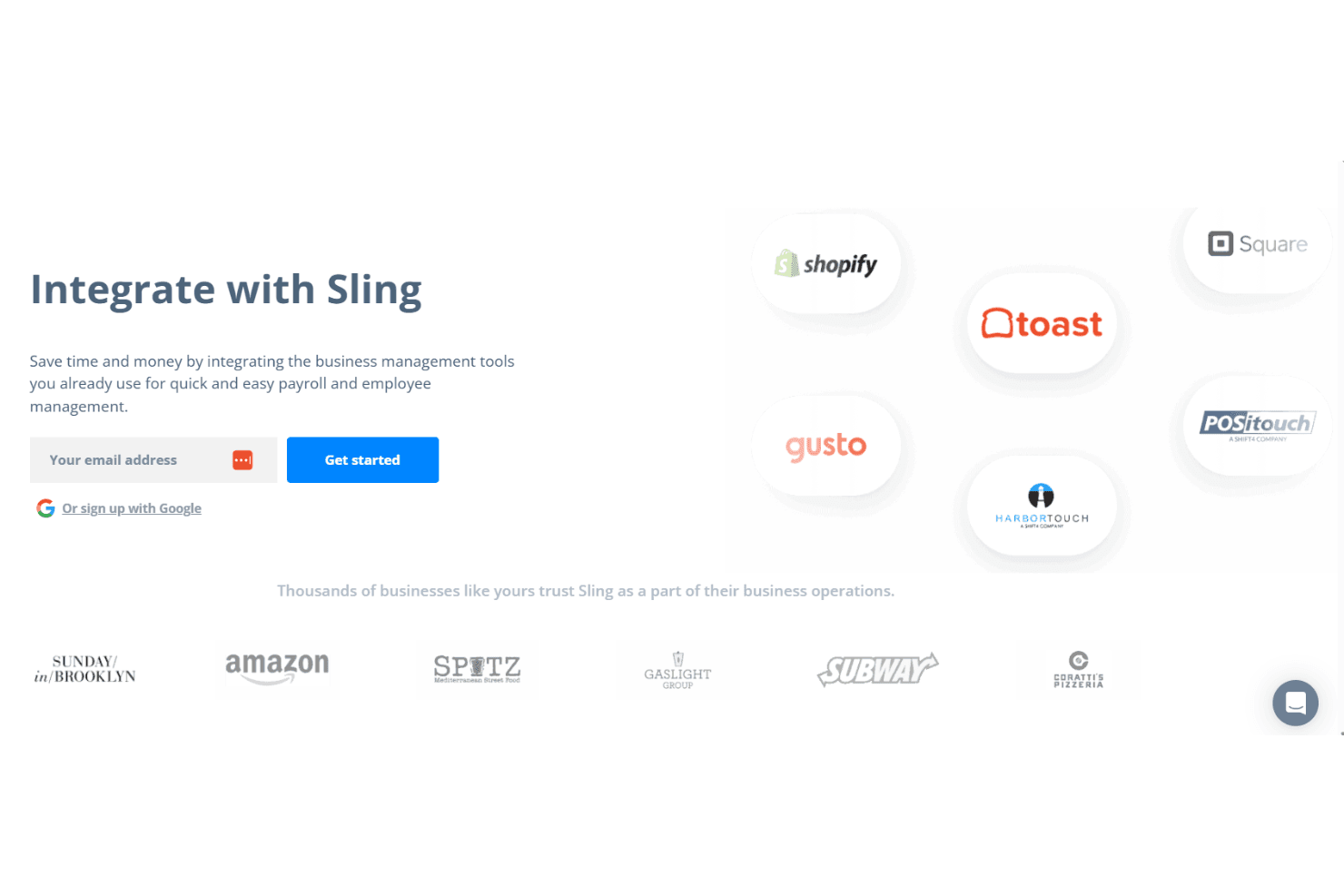
Sling Scheduling Software integrates with Square, Gusto, Harbortouch, Restaurant Manager, POSiTouch, Shopify, and Toast. These integrations help streamline scheduling, payroll, and labor cost management by allowing you to track employee hours, shifts, and PTO requests.
Sling Scheduling Software also offers an API for further customization, connecting with third-party integration tools to expand its capabilities.
Sling Specs
- 2-Factor Authentication: No
- 360 Degree Feedback: No
- API: Yes
- Application Tracking: No
- Attendance Tracking: Yes
- Batch Permissions & Access: No
- Compliance Tracking: No
- Dashboard: Yes
- Data Export: Yes
- Data Import: Yes
- Data Visualization: No
- Employee Database: No
- Employee Engagement: No
- Employee Incentive Management: No
- Employee Onboarding: No
- Employee Training: No
- Expense Tracking: No
- External Integrations: Yes
- Feedback Management: No
- Multi-User: Yes
- Notifications: Yes
- Payroll: Yes
- Performance Appraisal: No
- Scheduling: Yes
- Time Management: Yes
- Timesheets: Yes
- Travel Management: No
- Vacation & Absence Calendar: Yes


