
Sogolytics-Bewertung 2026: Vorteile, Nachteile, Funktionen und Preise
I see Sogolytics less as a help desk and more as a way to listen at scale—here’s whether its free customer-service offering can turn feedback into better support.

Wir bewerten Tools unabhängig; Provisionen helfen, unsere Tests zu finanzieren. Siehe unsere Transparenzrichtlinie und unsere Methodik.
Sogolytics is a customer feedback and experience platform in the free customer service software category. It uses surveys to track CSAT, Customer Effort Score, and NPS after support cases close. If you need service-quality feedback and recurring issue analysis more than ticket management, I’d choose Sogolytics over Zendesk for its case-linked surveys and feedback analysis.
Sogolytics Evaluation Summary
4.5/5
- Pricing upon request
- Free demo available
Warum Sie unseren Software-Empfehlungen vertrauen können
6,700+
Reviews
20
Industry experts
16+
Evaluation factors
14
Years
Unser Team testet und bewertet Software seit 2012. Als CX-Führungskräfte selbst wissen wir, wie schwierig – und wichtig – es ist, die richtige Software auszuwählen.
Für diesen Leitfaden haben wir Tools mithilfe von praktischen Tests und unabhängiger Recherche bewertet und dabei unsere Bewertungskriterien angewendet.
Unsere Bewertungen spiegeln unser menschliches redaktionelles Urteilsvermögen wider, keine Verkaufsstrategie.
 Gui DrusinaCreative Director
 Tim FisherVP of AI
Sogolytics Overview
I’d choose Sogolytics when you need to measure service quality, not run a help desk. Its free plan has project and response limits, making it suitable for small feedback pilots rather than high-volume support. Drag-and-drop surveys and templates make setup approachable; for example, you can send a survey after case closure to track CSAT, customer effort, or NPS and identify recurring issues. Compared with ticket-focused tools, it offers deeper feedback analysis but limited ticket management, with integrations and ticket workflows available in enterprise plans. I’d recommend it for CX teams testing and expanding their feedback programs.
Pros
- Free plan includes branching, multilingual surveys, and real-time dashboards.
- Reviewers praise templates and drag-and-drop survey creation for quick launches.
- Cross-tabs and reports help teams examine customer feedback patterns.
Cons
- The free plan caps total responses at 200 annually.
- Ticketing, case management, and workflow automation require enterprise plans.
- Recent reviewers report rigid report filters and occasional lost edits.
Is Sogolytics Right For Your Needs?
Who Would be a Good Fit for Sogolytics?
Sogolytics suits small teams that want to collect customer or participant feedback, rather than manage support cases. Its templates, drag-and-drop survey builder, branching, multilingual surveys, and real-time dashboards support focused feedback pilots. The free plan’s 15 projects and 200 annual responses can work for limited programs, but the response cap makes it a poor choice for broad, ongoing feedback collection.
- Small RetailersA small retailer can use survey templates to run a focused customer feedback pilot, provided its annual volume stays within the free plan’s 200-response limit.
- Nonprofit ProgramsA nonprofit can collect feedback from a small group of program participants with surveys and review responses in real-time dashboards.
- School TeamsSchool teams can use multilingual surveys to gather feedback from students or families who prefer different languages.
- CX DepartmentsA customer experience team can test a feedback survey with branching questions before deciding whether to expand its program.
- Product ManagersProduct managers can use the drag-and-drop builder and survey branching to ask follow-up questions based on customer responses.
- Solo ConsultantsA solo consultant can manage up to 15 projects on the free plan and use email invitations to distribute surveys, within the 200-invitation annual cap.
Who Would be a Bad Fit for Sogolytics?
Sogolytics isn’t a good free choice for teams that need a support queue, case ownership, or high-volume customer service. The free plan allows 200 responses and 200 email invitations per year, and it doesn’t include ticket management. Teams that need ticket management, workflows, or multi-user access should also note that these capabilities are listed among Enterprise features, which have custom pricing.
- Contact CentersA contact center that needs agents to track and resolve customer cases won’t get a ticket queue from Sogolytics’ free plan.
- High-Volume SupportA busy support department can exceed the free plan’s 200 annual responses quickly, making it unsuitable for ongoing, high-volume feedback.
- Enterprise ServiceAn enterprise service team that needs ticket management, workflows, or multi-user access must look beyond the free plan to Enterprise, which uses custom pricing.
- Growing RetailersA retailer collecting feedback across a large customer base may outgrow the free plan’s annual response and email invitation limits.
- Case Management TeamsTeams responsible for assigning and following cases won’t find free ticket management in Sogolytics, which is built around surveys and responses.
- Global Support TeamsA global support team that needs to resolve customer requests in multiple languages won’t get a case-management system from Sogolytics; multilingual surveys don’t provide a ticket queue.
Wie wir Tools testen & bewerten
Wir haben jahrelang unser System zur Softwarebewertung entwickelt, verfeinert und verbessert. Unser Bewertungsraster ist darauf ausgelegt, die Nuancen der Softwareauswahl und Merkmale eines effektiven Tools abzubilden, wobei der Fokus auf den entscheidenden Aspekten des Entscheidungsprozesses liegt. Nachfolgend sehen Sie, wie unser Test- und Bewertungssystem anhand von sieben Kriterien funktioniert. Es ermöglicht uns, eine unabhängige Bewertung der Software basierend auf Kernfunktionen, besonderen Merkmalen, Benutzerfreundlichkeit, Onboarding, Kundensupport, Integrationen, Kundenbewertungen und Preis-Leistungs-Verhältnis zu geben.
Kernfunktionen (25% der Gesamtnote)
Der Ausgangspunkt unserer Bewertung ist immer die grundlegende Funktionalität eines Tools. Verfügt es über die Basisfunktionen, die ein Benutzer erwarten würde? Sind einige dieser Kernfunktionen nur in teureren Preisplänen verfügbar? Im Kern erwarten wir, dass ein Tool mit den Grundfunktionen seiner Konkurrenten mithalten kann.
Besondere Merkmale (25% der Gesamtnote)
Anschließend bewerten wir außergewöhnliche Funktionen, die über die üblichen Kernfunktionen hinausgehen. Eine hohe Punktzahl spiegelt spezialisierte oder einzigartige Features wider, die das Produkt schneller, effizienter oder für den Endnutzer besonders wertvoll machen. Wir prüfen außerdem, wie einfach es ist, das Tool mit anderen typischerweise verwendeten Programmen zu integrieren, um die Funktionalität und den Nutzen zu erweitern. Tools mit vielen nativen Integrationen, Verbindungen zu Drittanbietern und API-Zugang für eigene Integrationen erhalten die besten Bewertungen.
Benutzerfreundlichkeit (10% der Gesamtnote)
Wir berücksichtigen, wie schnell und einfach sich Aufgaben ausführen lassen, die zur Kernfunktionalität gehören. Software mit hoher Punktzahl ist gut gestaltet, intuitiv zu bedienen, bietet mobile Apps, stellt Vorlagen bereit und erleichtert auch relativ komplexe Aufgaben erheblich.
Onboarding (10% der Gesamtnote)
Wir wissen, wie wichtig eine schnelle Team-Akzeptanz einer neuen Plattform ist. Deshalb bewerten wir, wie leicht sich ein Tool mit minimalem Training erlernen und benutzen lässt. Wir prüfen, wie schnell ein Teammitglied ohne Vorkenntnisse eingerichtet ist und das Tool nutzen kann. Lösungen mit hoher Bewertung erfordern wenig oder keine Unterstützung.
Kundensupport (10% der Gesamtnote)
Wir beurteilen, wie schnell und einfach man telefonisch, per Live-Chat oder Wissensdatenbank Unterstützung erhält. Tools und Anbieter mit echtem Echtzeit-Support bekommen die besten Bewertungen, während Chatbots am schlechtesten abschneiden.
Kundenbewertungen (10% der Gesamtnote)
Neben unseren eigenen Tests berücksichtigen wir den Net Promoter Score von aktuellen und ehemaligen Nutzern. Wir prüfen, ob sie sich wieder für das Tool entscheiden würden. Software mit hoher Bewertung weist auch einen hohen Net Promoter Score auf.
Preis-Leistungs-Verhältnis (10% der Gesamtnote)
Schließlich bewerten wir unter Berücksichtigung aller anderen Kriterien den durchschnittlichen Preis der Einstiegspläne in Bezug auf die Kernfunktionen und vergleichen den Nutzen der anderen Bewertungskriterien. Software, die mehr für weniger bietet, erhält eine höhere Bewertung.
Core Features
Drag-And-Drop Survey Builder
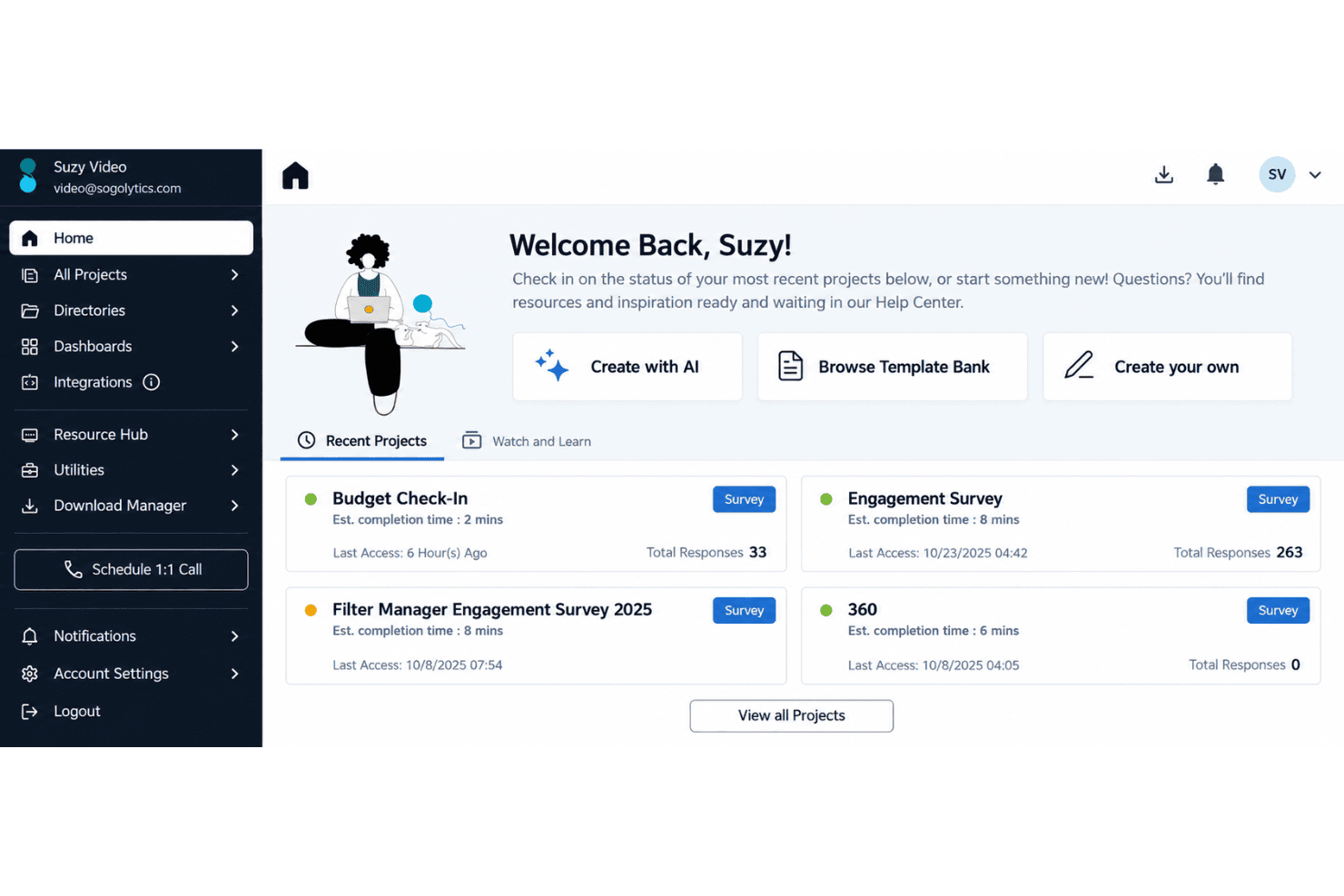
Use the drag-and-drop editor and templates to build feedback surveys without coding. You can start with a CSAT survey template, then adjust questions to match your support process.
CSAT, NPS, And Rating Questions
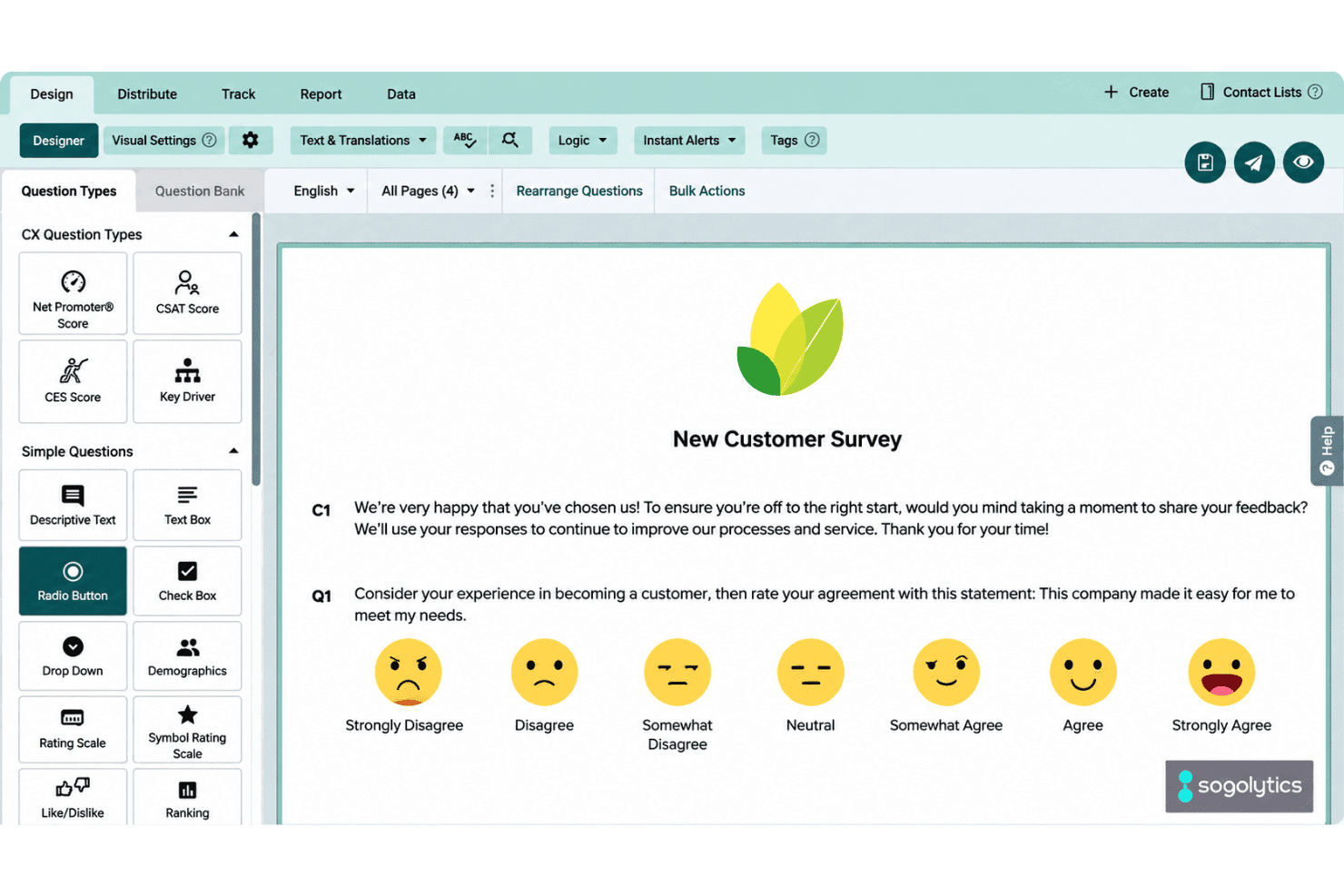
Choose from question types such as NPS, rating scales, multiple choice, and open text. For example, pair a satisfaction rating with a comment box to capture both a score and the reason behind it.
Branching and Skip Logic
Set rules that send respondents to different pages or end the survey based on their answers. You can show a follow-up question only to customers who report a low rating, keeping the survey focused on their experience.
Multilingual Surveys
Offer a survey in multiple languages, with participants selecting their preferred option before they begin. This helps you collect feedback from customers in their preferred language; the free plan allows two languages per project.
Email Invitations and Reminders
Send survey invitations and reminders by email, then review participant responses in Sogolytics. The free plan includes 200 emails per year, making it suitable for a small post-support feedback pilot.
Real-Time Reports and Dashboards
View survey results in real-time reports and dashboards, with cross-tabs and trend analysis to examine response patterns. For example, compare satisfaction scores across survey questions to see which service issues recur; the free plan caps responses at 200 per year.
Ease of Use
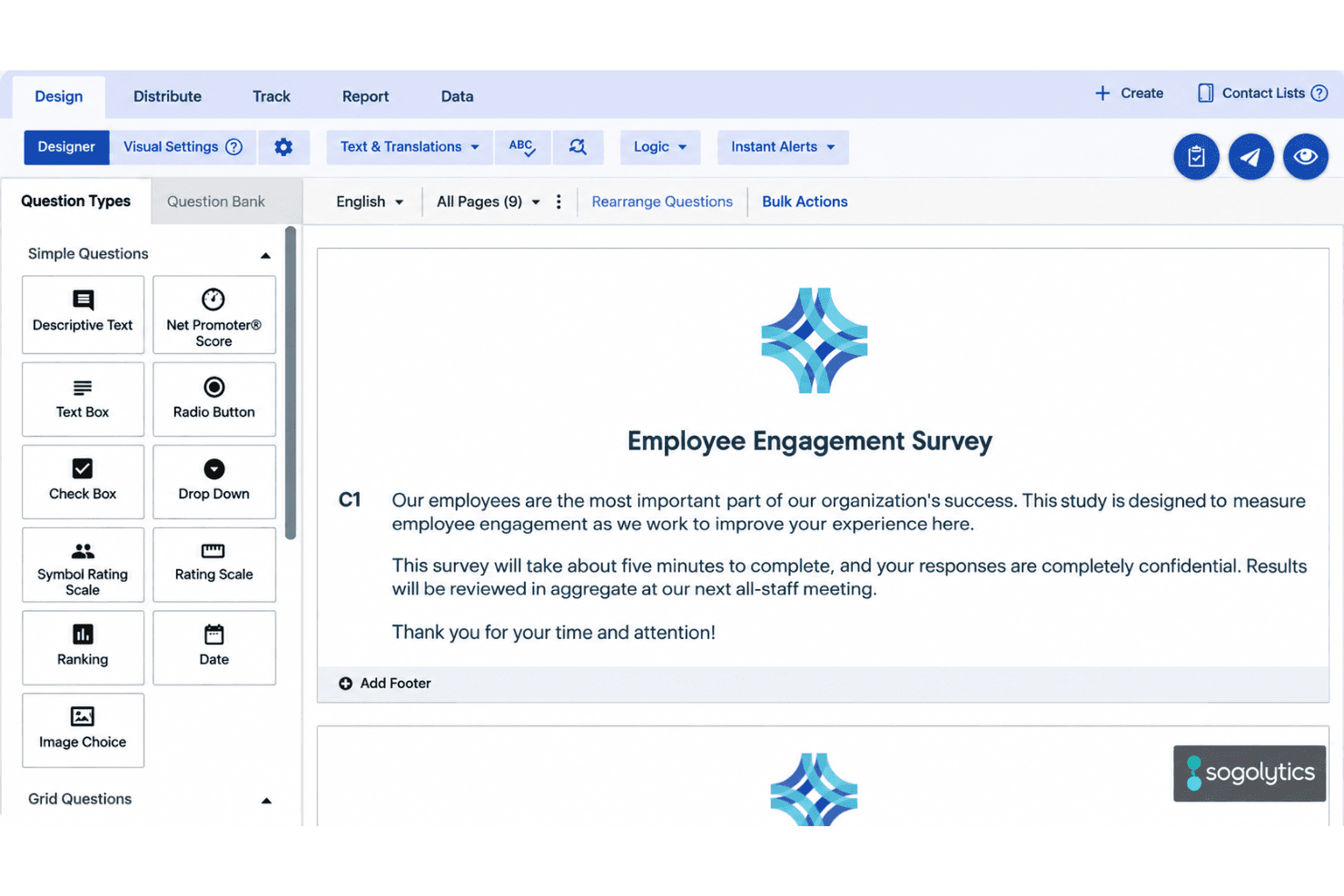
Sogolytics is easy to use for a small feedback pilot, but it isn’t a free help desk. Reviewers praise its templates and drag-and-drop survey builder, and branching, multilingual surveys, and real-time dashboards give you useful options without complex setup. The trade-off is a 200-response annual cap and no free ticket management. Some reviewers also report rigid report filters and lost edits, so usability can dip once you’re analyzing results.
Integrations
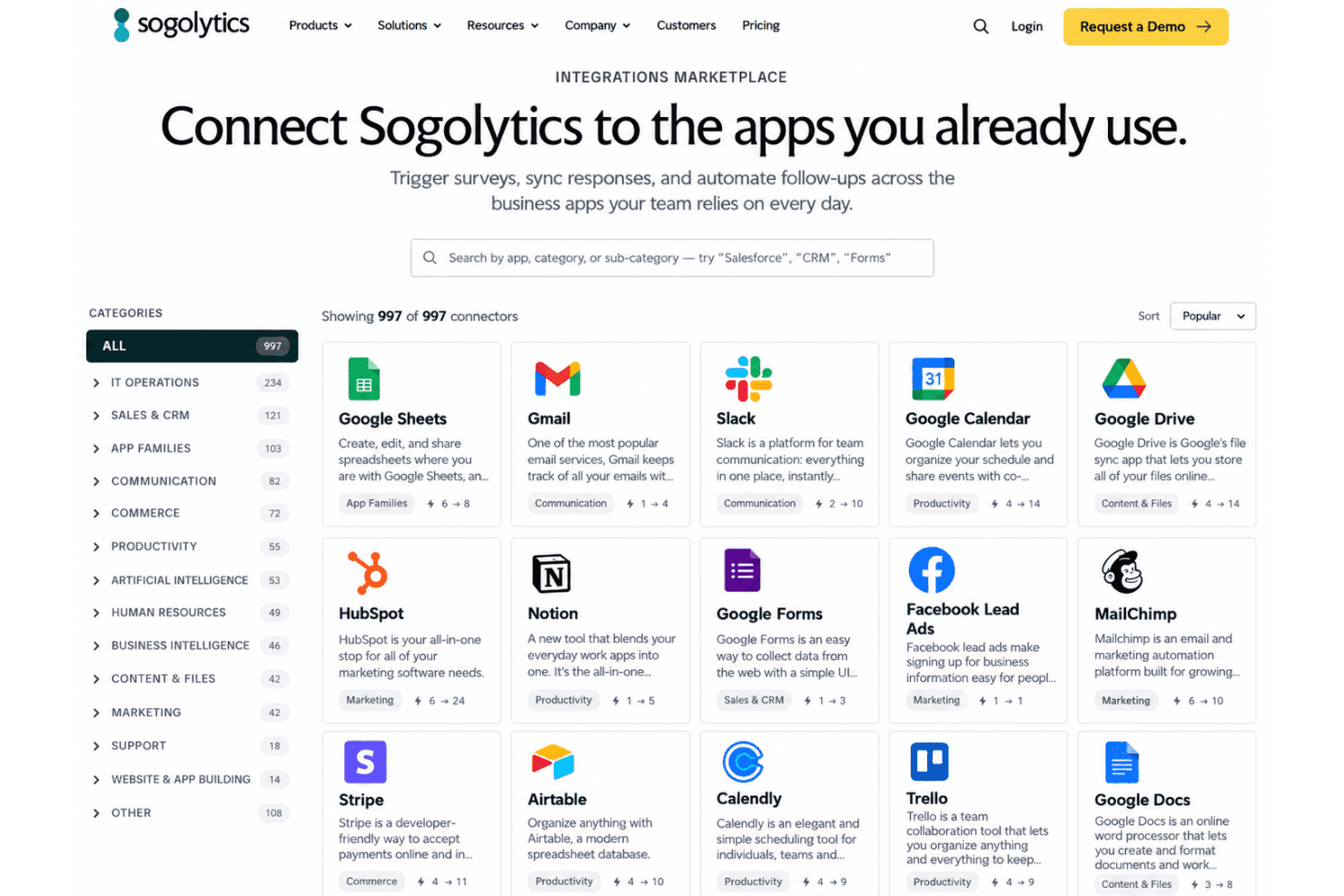
Sogolytics integrates with Salesforce, Microsoft Dynamics, Google Drive, Google Analytics, and OneDrive, among others.
Sogolytics also offers an API for custom integrations and connects with third-party applications through Zapier.
New Product Updates from Sogolytics
Sogolytics Adds Shareable Track, Automated Imports, and Folder Permissions
Sogolytics now lets users share Track pages and widgets with configurable access controls, automate imports from SFTP, Google Drive, OneDrive, and other projects, and assign permissions at the folder level. The release also expands Custom Dashboard controls for formatting, sorting, labels, and shared widget downloads. Highlights include:
- Shareable Track: Share Track pages or individual widgets with stakeholders.
- Access Controls: Set permissions for filtering, exports, drill-downs, passwords, and expiration dates.
- Scheduled Sharing: Send Track access immediately, on a schedule, or as a recurring share.
- Expanded Import Automation: Automate imports from SFTP, Google Drive, OneDrive, and other Sogolytics projects.
- Folder-Level Permissions: Apply access rules across projects within a folder.
- Dashboard Enhancements: Add conditional formatting, labels, sorting, column resizing, and download controls to Custom Dashboards.
Visit Sogolytics’ official site for more details.
Sogolytics Adds Teams and Slack Surveys and Custom Automations
Sogolytics adds Microsoft Teams and Slack survey distribution, a low-code Custom Automations Builder, Derived Fields, PointClickCare integration, and authenticator-based MFA. The updates help teams collect feedback through collaboration tools, automate workflows and calculations, connect healthcare data, and strengthen account security. Highlights include:
- Teams and Slack Distribution: Lets organizations send surveys directly to individuals or channels in Microsoft Teams and Slack.
- Custom Automations Builder: Provides a low-code drag-and-drop builder with expanded triggers and actions for automating workflows.
- Derived Fields: Creates calculated Directory fields from contact and activity data with automatic recalculation.
- PointClickCare Integration: Uses admission, discharge, and transfer events to automate resident and patient experience surveys.
- Authenticator-Based MFA: Adds support for authenticator apps and lets primary users require MFA for sub-users.
Visit Sogolytics’ official site for more details.
Sogolytics Specs
- Analytics: Yes
- API: Yes
- Calendar Management: No
- Call Tracking: No
- Contact Management: Yes
- Dashboard: Yes
- Data Export: Yes
- Data Import: Yes
- Data Visualization: Yes
- Email Integration: Yes
- External Integrations: Yes
- Google Apps Integration: Yes
- Multi-User: Yes
- Net Promoter Score: Yes
- Notifications: Yes
- Review Monitoring: No
- Scheduling: Yes
- Softphone: No
- Third-Party Plugins/Add-Ons: Yes


