

Userback-Bewertung: Vor- und Nachteile, Funktionen und Preise
Userback überzeugt durch visuelles Feedback in Echtzeit und umfangreiche Integrationsmöglichkeiten und ist damit ein wertvolles Tool für Teams, die sich auf Kundeneinblicke und Zusammenarbeit konzentrieren.

Wir bewerten Tools unabhängig; Provisionen helfen, unsere Tests zu finanzieren. Siehe unsere Transparenzrichtlinie und unsere Methodik.
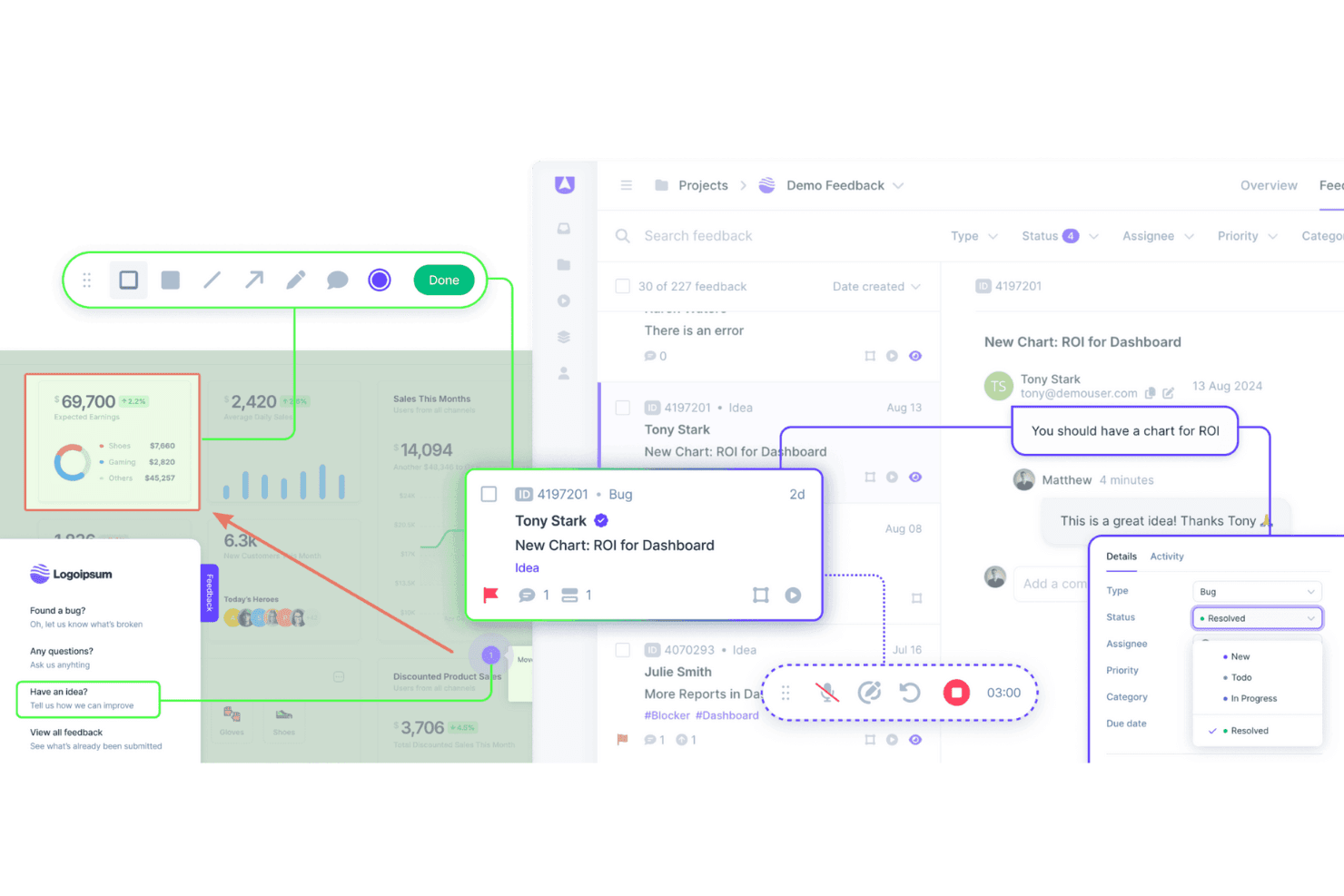
Userback is a customer data platform built around in-product feedback collection, letting users annotate screenshots, record their screen, and submit bug reports directly from your app or website. It's worth considering if your team needs structured, visual feedback that's easy to triage and act on. I'd look at it specifically if you want more actionable user input than Hotjar gives you, without adding a full-scale analytics suite to your stack.
Userback Evaluation Summary
4.8/5
- From $29/month (billed annually)
- Free plan available
Warum Sie unseren Software-Empfehlungen vertrauen können
6,700+
Reviews
20
Industry experts
16+
Evaluation factors
14
Years
Unser Team testet und bewertet Software seit 2012. Als CX-Führungskräfte selbst wissen wir, wie schwierig – und wichtig – es ist, die richtige Software auszuwählen.
Für diesen Leitfaden haben wir Tools mithilfe von praktischen Tests und unabhängiger Recherche bewertet und dabei unsere Bewertungskriterien angewendet.
Unsere Bewertungen spiegeln unser menschliches redaktionelles Urteilsvermögen wider, keine Verkaufsstrategie.
 Gui DrusinaCreative Director
 Tim FisherVP of AI
Userback Overview
In my opinion, Userback offers a solid set of customer data features, making it a viable option for teams looking for an efficient way to gather user feedback. Its standout features and ease of use are commendable, although onboarding and customer support could benefit from some enhancements. The platform is well suited for small and medium-sized teams that need user feedback integration functions that don't break the bank. However, it may lack advanced customization and detailed analytics. If your team values simplicity and cost-effectiveness, Userback is worth considering.
Pros
- Gather visual feedback efficiently with Userback's intuitive interface.
- Real-time collaboration features mean faster issue resolution.
- Userback's screenshot and annotation tools make it easy to communicate specific feedback.
Cons
- Your team might face a learning curve with its wide range of features.
- Some users find the customization options limited for niche use cases.
- Userback has limited customer support channels.
Is Userback Right For Your Needs?
Who Would be a Good Fit for Userback?
Userback suits any team that needs visual feedback on digital projects. If your work involves web development or design, Userback helps by collecting annotated screenshots directly from users. It's perfect for quality assurance (QA) teams, product managers, and developers who want to streamline feedback processes. Its integration with tools such as Jira and Slack makes it an efficient choice for teams already using those platforms.
- Web Development TeamsUserback excels in gathering detailed visual website feedback, which helps developers identify and fix issues quickly.
- Design AgenciesDesigners can benefit from Userback's ability to collect client feedback directly on design projects, strengthening collaboration.
- Product ManagersWith Userback, product managers can gather user insights efficiently and integrate feedback into development cycles.
- QA TeamsQA teams can leverage Userback for bug tracking and capture, making the debugging process faster.
- Marketing TeamsMarketers can use Userback to gather user impressions on digital campaigns and refine strategies based on real user feedback.
- Small and Medium-Sized EnterprisesSmall and medium-sized enterprises benefit from Userback's cost-effective feedback tools that integrate with existing workflows to improve product quality.
Who Would be a Bad Fit for Userback?
Userback may not suit businesses with limited technical resources. If your team doesn't have a dedicated IT department or technical staff, Userback's setup and integration might be challenging. It's designed for environments where feedback can be actively managed and acted upon, so if your operations are more straightforward and don't require detailed feedback loops, it might not be the best fit.
- Non-Technical TeamsTeams lacking technical expertise might struggle with Userback's setup and customization options.
- Retail IndustryRetailers focusing on in-store customer experiences might not benefit from Userback's digital feedback tools.
- HR DepartmentsHR teams may not find Userback useful, as it primarily addresses user experience and product feedback rather than employee feedback.
- Health Care ProvidersHealth care providers with strict compliance requirements may face challenges integrating Userback due to data privacy concerns.
- Logistics CompaniesLogistics companies that have minimal customer interaction may not need Userback's extensive feedback capabilities.
Wie wir Tools testen & bewerten
Wir haben jahrelang unser System zur Softwarebewertung entwickelt, verfeinert und verbessert. Unser Bewertungsraster ist darauf ausgelegt, die Nuancen der Softwareauswahl und Merkmale eines effektiven Tools abzubilden, wobei der Fokus auf den entscheidenden Aspekten des Entscheidungsprozesses liegt. Nachfolgend sehen Sie, wie unser Test- und Bewertungssystem anhand von sieben Kriterien funktioniert. Es ermöglicht uns, eine unabhängige Bewertung der Software basierend auf Kernfunktionen, besonderen Merkmalen, Benutzerfreundlichkeit, Onboarding, Kundensupport, Integrationen, Kundenbewertungen und Preis-Leistungs-Verhältnis zu geben.
Kernfunktionen (25% der Gesamtnote)
Der Ausgangspunkt unserer Bewertung ist immer die grundlegende Funktionalität eines Tools. Verfügt es über die Basisfunktionen, die ein Benutzer erwarten würde? Sind einige dieser Kernfunktionen nur in teureren Preisplänen verfügbar? Im Kern erwarten wir, dass ein Tool mit den Grundfunktionen seiner Konkurrenten mithalten kann.
Besondere Merkmale (25% der Gesamtnote)
Anschließend bewerten wir außergewöhnliche Funktionen, die über die üblichen Kernfunktionen hinausgehen. Eine hohe Punktzahl spiegelt spezialisierte oder einzigartige Features wider, die das Produkt schneller, effizienter oder für den Endnutzer besonders wertvoll machen. Wir prüfen außerdem, wie einfach es ist, das Tool mit anderen typischerweise verwendeten Programmen zu integrieren, um die Funktionalität und den Nutzen zu erweitern. Tools mit vielen nativen Integrationen, Verbindungen zu Drittanbietern und API-Zugang für eigene Integrationen erhalten die besten Bewertungen.
Benutzerfreundlichkeit (10% der Gesamtnote)
Wir berücksichtigen, wie schnell und einfach sich Aufgaben ausführen lassen, die zur Kernfunktionalität gehören. Software mit hoher Punktzahl ist gut gestaltet, intuitiv zu bedienen, bietet mobile Apps, stellt Vorlagen bereit und erleichtert auch relativ komplexe Aufgaben erheblich.
Onboarding (10% der Gesamtnote)
Wir wissen, wie wichtig eine schnelle Team-Akzeptanz einer neuen Plattform ist. Deshalb bewerten wir, wie leicht sich ein Tool mit minimalem Training erlernen und benutzen lässt. Wir prüfen, wie schnell ein Teammitglied ohne Vorkenntnisse eingerichtet ist und das Tool nutzen kann. Lösungen mit hoher Bewertung erfordern wenig oder keine Unterstützung.
Kundensupport (10% der Gesamtnote)
Wir beurteilen, wie schnell und einfach man telefonisch, per Live-Chat oder Wissensdatenbank Unterstützung erhält. Tools und Anbieter mit echtem Echtzeit-Support bekommen die besten Bewertungen, während Chatbots am schlechtesten abschneiden.
Kundenbewertungen (10% der Gesamtnote)
Neben unseren eigenen Tests berücksichtigen wir den Net Promoter Score von aktuellen und ehemaligen Nutzern. Wir prüfen, ob sie sich wieder für das Tool entscheiden würden. Software mit hoher Bewertung weist auch einen hohen Net Promoter Score auf.
Preis-Leistungs-Verhältnis (10% der Gesamtnote)
Schließlich bewerten wir unter Berücksichtigung aller anderen Kriterien den durchschnittlichen Preis der Einstiegspläne in Bezug auf die Kernfunktionen und vergleichen den Nutzen der anderen Bewertungskriterien. Software, die mehr für weniger bietet, erhält eine höhere Bewertung.
Core Features
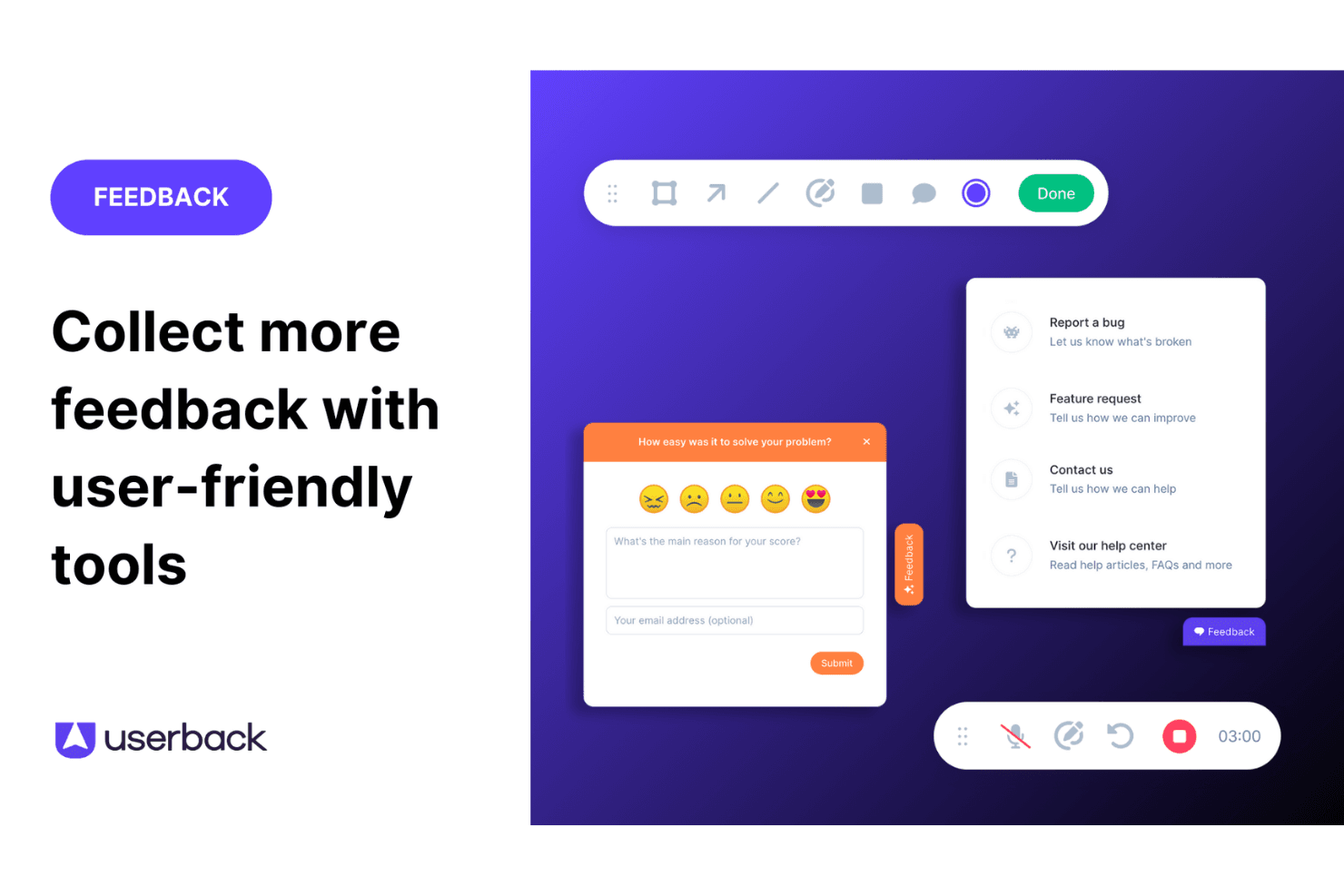
Feedback Widget: You can easily gather user feedback with a customizable button placed directly on your website or app. This in-app tool stands out because it simplifies the feedback process for users, encouraging more participation.
User Surveys: Create and deploy targeted surveys to collect specific insights from your end users. These feedback forms can be embedded in your app or shared externally, allowing you to get detailed information directly from your audience.
Feature Portal: Engage your users by allowing them to view, vote for, and comment on new features. This helps you make data-driven decisions based on real user input.
Browser Extension: This no-code feature lets you collect feedback from any web page quickly and efficiently. It's perfect for gathering insights without needing technical setup.
Visual Feedback Collection: Utilize screen annotation and video feedback to gain clear insights into user experiences. These tools help you understand exactly what users see and experience.
Session Replay: Record and review user sessions to analyze how they interact with your product. This feature gives you valuable insights to improve user experience.

Ease of Use
Userback is straightforward to use thanks to its intuitive interface and clear navigation. Setting up feedback collection is quick, which lets your team focus on responding to insights rather than struggling with complex tools. Reviews highlight that Userback's simplicity doesn't compromise its capabilities, making it accessible even for those unfamiliar with CDPs. Its ease of use ensures your workflow is efficient, allowing more time for decision-making based on valuable customer feedback.
Integrations
Userback integrates with Jira, Slack, ClickUp, Intercom, Asana, Notion, Trello, Basecamp, monday.com, and Teamwork.
Userback also provides a representational state transfer application programming interface, or REST API, and supports third-party integration tools such as Zapier, strengthening its functionality for user feedback management.

Userback Specs
- Analytics: Yes
- API: Yes
- Calendar Management: Yes
- Call Tracking: Yes
- Contact Management: Yes
- Dashboard: Yes
- Data Export: Yes
- Data Import: Yes
- Data Visualization: Yes
- Email Integration: Yes
- External Integrations: Yes
- Google Apps Integration: Yes
- Multi-User: Yes
- Net Promoter Score: Yes
- Notifications: Yes
- Review Monitoring: Yes
- Scheduling: Yes
- Softphone: Yes
- Third-Party Plugins/Add-Ons: Yes


