

Las 10 mejores alternativas a monday CRM para equipos de ventas en 2026

Las mejores alternativas a monday CRM


Una alternativa sólida a monday CRM ofrece una gestión flexible de los embudos de ventas, una integración sencilla con tus herramientas actuales y funciones que se adaptan al proceso de ventas de tu equipo. Si estás buscando alternativas a monday CRM, probablemente quieras una plataforma que se ajuste a tu flujo de trabajo, respalde tus objetivos de experiencia del cliente y crezca junto con tu empresa. Esta lista te ayudará a comparar las principales opciones, entender qué diferencia a cada una y elegir un CRM que se adapte a las necesidades de tu equipo.
¿Qué es monday CRM?
monday CRM es una plataforma de gestión de relaciones con los clientes basada en el sistema operativo de trabajo de monday.com que ayuda a los equipos a gestionar los embudos de ventas, hacer seguimiento de las tareas y organizar los datos de los clientes en un solo lugar. Combina las funciones esenciales de un CRM con herramientas de gestión del trabajo, como listas de tareas, vista de calendario y flujos de trabajo personalizables, lo que la convierte en una opción flexible para los equipos que buscan algo más que un CRM tradicional.
Diseñado para facilitar su uso, monday CRM ayuda a equipos pequeños y empresas en crecimiento con la gestión visual de embudos, la automatización y las herramientas de colaboración. Aunque ofrece planes escalables con funciones avanzadas en las opciones de niveles superiores, algunos equipos que exploran alternativas a monday.com pueden buscar capacidades más completas, como diagramas de Gantt, dependencias o seguimiento del tiempo para proyectos complejos o flujos de trabajo de desarrollo de software.
Tabla comparativa de alternativas a monday CRM
Esta tabla comparativa resume los detalles de precios de mis principales alternativas seleccionadas a monday CRM:
| Tool | Best For | Trial Info | Price | ||
|---|---|---|---|---|---|
| 1 | La mejor opción para obtener información integrada sobre ventas basada en inteligencia artificial | Plan gratuito disponible | Desde $9/usuario/mes (facturado anualmente) | Website | |
| 2 | La mejor opción para la integración de la automatización de marketing | Demostración gratuita disponible | Precios bajo solicitud | Website | |
| 3 | Ideal para la gestión sencilla de contactos | Prueba gratuita de 15 días | Desde $9.99/mes (facturado anualmente) | Website | |
| 4 | La mejor compatibilidad con el ecosistema de Microsoft 365 | Plan gratuito disponible | Desde $14/usuario/mes (facturado anualmente) | Website | |
| 5 | Ideal para la gestión visual del embudo de ventas | Prueba gratuita de 14 días disponible | Desde $14/usuario/mes (facturado anualmente) | Website | |
| 6 | Ideal para la integración con la planificación de recursos empresariales | Demostración gratuita disponible | Precio bajo solicitud | Website | |
| 7 | Ideal para funciones de gestión de proyectos | Prueba gratuita de 14 días disponible | Desde $29/user/month (facturado anualmente) | Website | |
| 8 | Ideal para herramientas de colaboración en equipo | Prueba gratuita de 14 días | Desde $13/usuario/mes (facturado anualmente) | Website | |
| 9 | Mejor opción para canalizaciones de pequeñas empresas | Prueba gratuita de 15 días | Desde $7/usuario/mes (facturado anualmente) | Website | |
| 10 | La mejor integración con Google Workspace | Prueba gratuita de 14 días disponible | Desde $29/usuario/mes | Website |
Por qué confiar en nuestras recomendaciones de software
Nuestro equipo lleva probando y evaluando software desde 2012. Como líderes de CX, sabemos lo difícil —y lo importante— que es elegir el software adecuado.
Para esta guía, evaluamos las herramientas mediante pruebas prácticas e investigación independiente, puntuando las herramientas según nuestros criterios de selección.
Nuestras reseñas reflejan nuestro criterio editorial humano, no un discurso de ventas.
Opiniones sobre alternativas a monday CRM
A continuación encontrarás mis resúmenes detallados de las alternativas a monday CRM que llegaron a mi lista de favoritas. Mis análisis ofrecen una visión detallada de las funciones, integraciones y casos de uso ideales de cada plataforma para ayudarte a encontrar la mejor opción para ti.

La mejor opción para obtener información integrada sobre ventas basada en inteligencia artificial
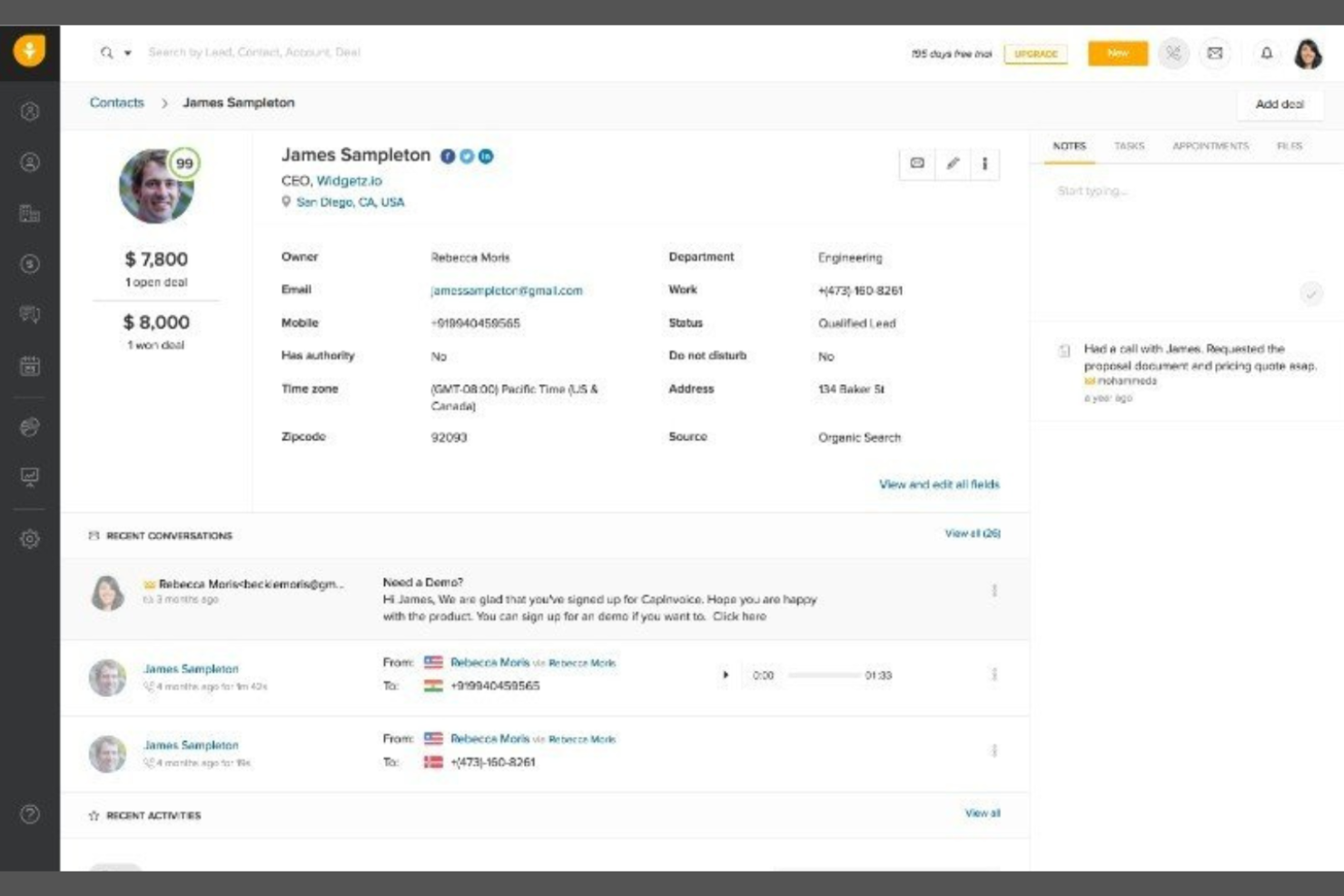
Los equipos de ventas que buscan inteligencia artificial integrada para orientar sus actividades de contacto pueden considerar Freshsales. Este CRM está diseñado para empresas que desean obtener información predictiva, puntuación automatizada de clientes potenciales y recomendaciones sobre actividades de ventas sin depender de complementos de terceros. A diferencia de monday CRM, Freshsales coloca la inteligencia de ventas basada en inteligencia artificial en el centro de su plataforma, lo que ayuda a los equipos a priorizar clientes potenciales y cerrar acuerdos más rápido.
Por qué Freshsales es una buena alternativa a monday CRM
Lo que distingue a Freshsales de monday CRM es su enfoque en la información integrada de ventas basada en inteligencia artificial, que ayuda a los equipos a trabajar de forma más inteligente. Elegí Freshsales porque ofrece puntuación de clientes potenciales e información sobre acuerdos impulsadas por inteligencia artificial desde el primer momento, de modo que puedes identificar rápidamente qué prospectos tienen más probabilidades de convertirse. La plataforma también proporciona sugerencias de actividades de ventas y previsiones predictivas, lo que ayuda a los representantes de ventas a priorizar sus actividades de contacto diarias. Si quieres un CRM que guíe activamente el proceso de ventas de tu equipo con inteligencia práctica, Freshsales es una alternativa sólida.
Características principales de Freshsales
Otras características de Freshsales ayudan a los equipos a gestionar las relaciones con los clientes y las actividades de ventas de forma más eficiente:
- Teléfono y correo electrónico integrados: Haz llamadas y envía correos electrónicos directamente desde el CRM sin cambiar de herramienta.
- Canal de ventas visual: Realiza un seguimiento de los acuerdos a través de etapas personalizables del canal mediante una interfaz de arrastrar y soltar.
- Gestión de contactos y cuentas: Almacena, organiza y consulta todos los datos y las interacciones de los clientes en un solo lugar.
- Automatización de flujos de trabajo: Configura tareas, recordatorios y seguimientos automatizados para mantener en marcha los procesos de ventas.
Integraciones de Freshsales
Las integraciones incluyen Mailchimp, PandaDoc, HubSpot, QuickBooks, Xero, Stripe, Freshservice, Freshdesk y Trello.
Pros and Cons
Pros:
- La puntuación basada en inteligencia artificial ayuda a priorizar clientes potenciales y realizar un seguimiento del progreso
- Las herramientas de comunicación integradas agilizan los flujos de trabajo de contacto
- La automatización admite tareas y seguimientos recurrentes
Cons:
- Las funciones de informes carecen de profundidad para análisis avanzados
- La experiencia móvil puede ser inconsistente

La mejor opción para la integración de la automatización de marketing
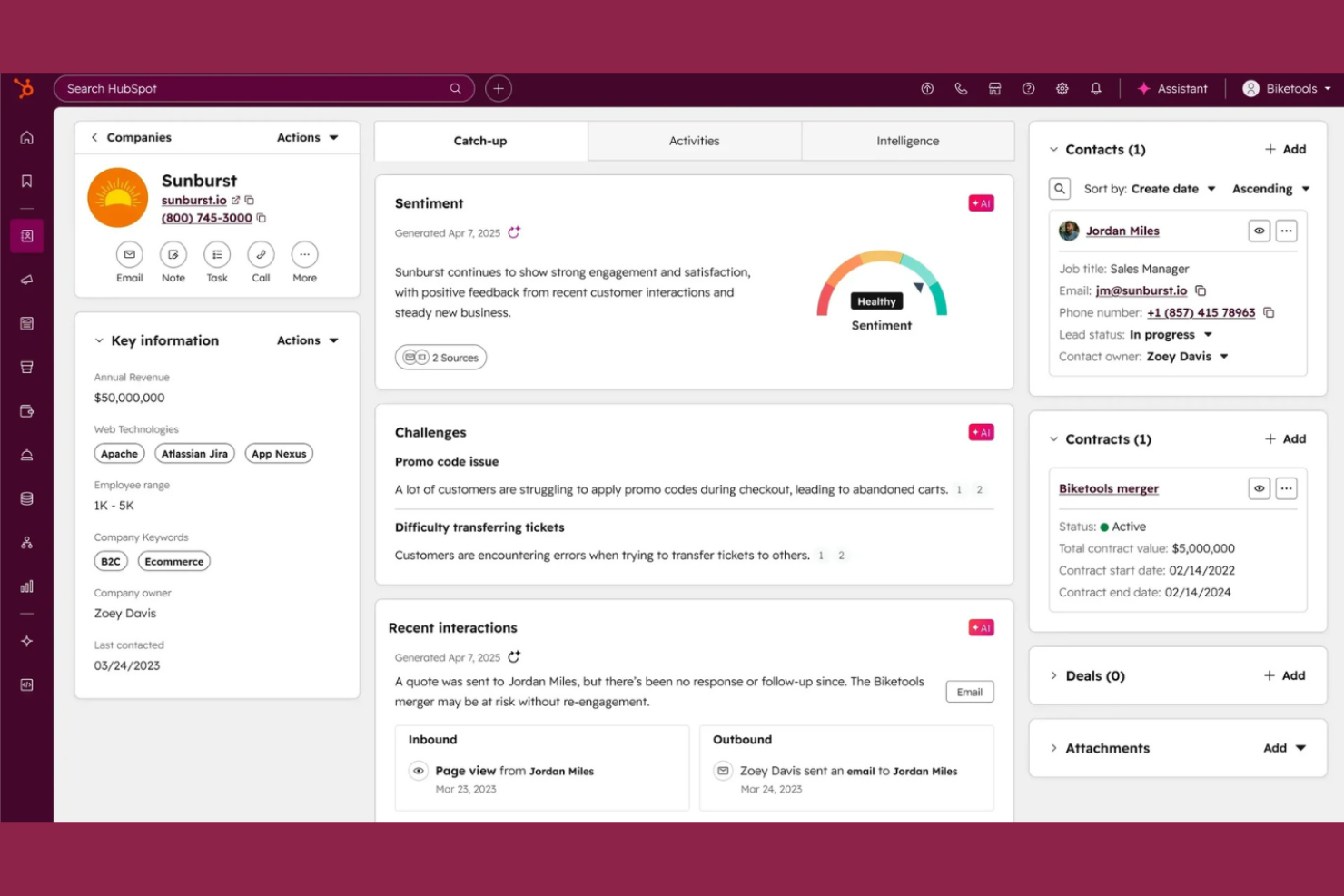
Si buscas un CRM que conecte las ventas y el marketing en un solo lugar, HubSpot CRM merece la pena considerar. Esta plataforma destaca por su automatización de marketing integrada y su profunda integración con las herramientas de marketing de HubSpot. Es una opción adecuada para equipos que quieren coordinar las actividades de ventas y marketing sin tener que gestionar varios sistemas.
Por qué HubSpot CRM es una buena alternativa a monday CRM
Lo que diferencia a HubSpot CRM son sus sólidas capacidades de automatización de marketing, que van más allá de lo que ofrece monday CRM. Recomiendo HubSpot CRM a equipos que quieren automatizar campañas de correo electrónico, el seguimiento de clientes potenciales y la segmentación de clientes directamente desde su CRM. La automatización de flujos de trabajo de la plataforma permite activar acciones según el comportamiento de los clientes, lo que ayuda a ofrecer comunicaciones oportunas y personalizadas. Para las empresas que necesitan que ventas y marketing trabajen conjuntamente, HubSpot CRM reúne estas funciones en una sola plataforma.
Funciones principales de HubSpot CRM
Otras funciones de HubSpot CRM ayudan a los equipos a gestionar las relaciones con los clientes de forma más eficiente:
- Registros de contactos y empresas: Almacena y organiza información detallada sobre cada contacto y empresa de tu base de datos.
- Seguimiento de acuerdos: Visualiza y actualiza el estado de los acuerdos a medida que avanzan por tu canal de ventas.
- Programación de reuniones: Permite que los clientes reserven reuniones directamente con tu equipo mediante enlaces de calendario integrados.
- Gestión de tareas: Asigna, supervisa y prioriza tareas relacionadas con contactos, acuerdos o empresas dentro del CRM.
Integraciones de HubSpot CRM
Las integraciones incluyen Gmail, Outlook, Slack, Mailchimp, Shopify, Asana, Google Ads, Intercom, Zoom y Microsoft Dynamics 365.
Pros and Cons
Pros:
- Automatización de marketing integrada para los flujos de trabajo de las campañas
- Canal de ventas visual con etapas de arrastrar y soltar
- Seguimiento de correos electrónicos y plantillas para mantener la coherencia en la comunicación
Cons:
- La personalización de informes es limitada en los niveles inferiores
- Se aplican límites a los flujos de trabajo en los planes de pago de nivel inicial

Ideal para la gestión sencilla de contactos
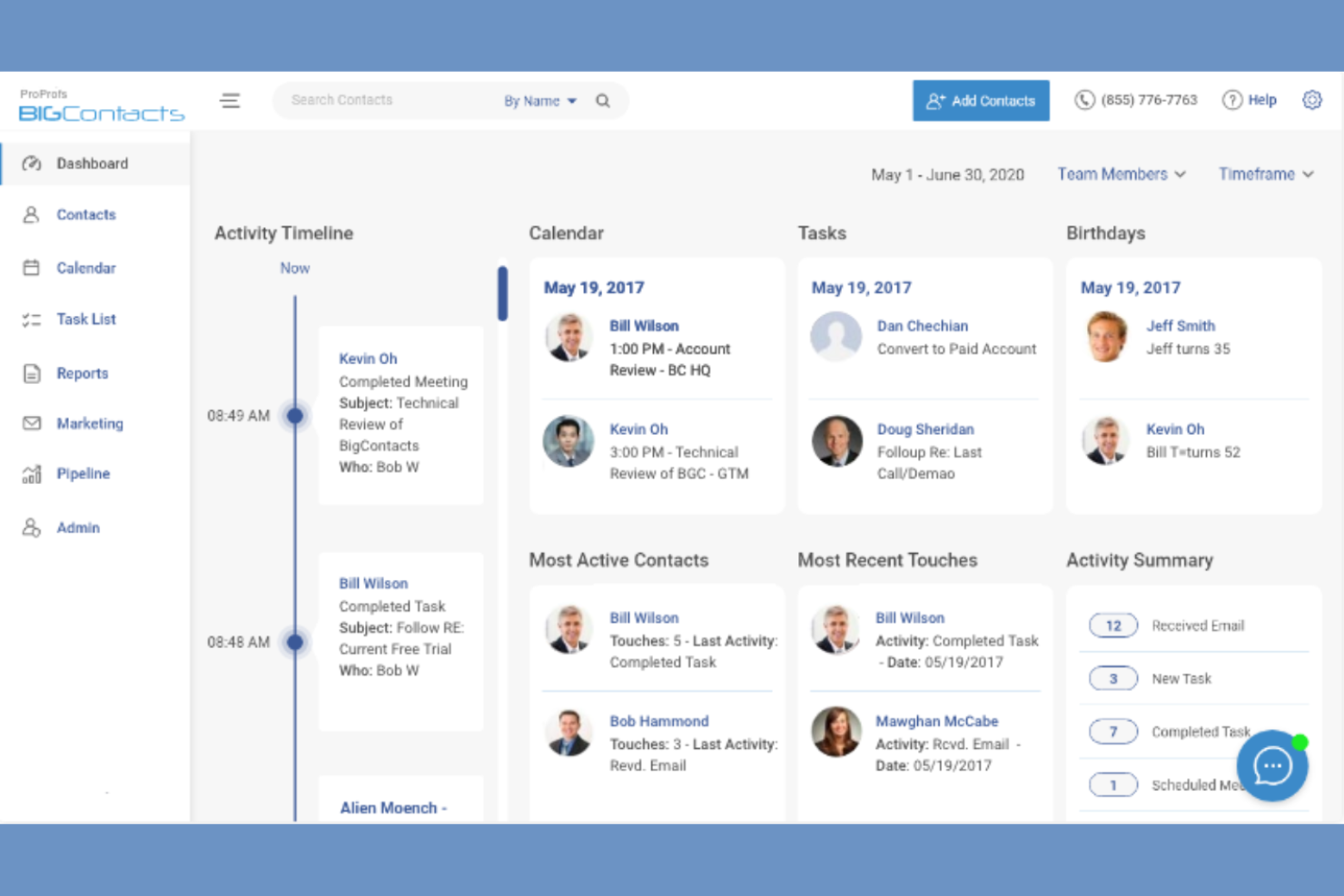
Si buscas un CRM enfocado en la gestión sencilla de contactos, vale la pena echarle un vistazo a BIGContacts. Esta plataforma está diseñada para pequeñas empresas y equipos que necesitan una forma fácil de organizar contactos, hacer un seguimiento de las interacciones y gestionar los seguimientos sin complejidad adicional. A diferencia de monday CRM, BIGContacts mantiene su conjunto de funciones sencillo, lo que facilita su uso para quienes no necesitan automatización avanzada ni herramientas de gestión de proyectos.
Por qué BIGContacts es una buena alternativa a monday CRM
Para los equipos que quieren un CRM centrado en la gestión de contactos sin capas adicionales, BIGContacts es una opción excelente. Elegí BIGContacts porque se centra en organizar los contactos, hacer un seguimiento de cada interacción y configurar recordatorios automáticos para los seguimientos. Los campos de contacto personalizables y las cronologías detalladas de actividades de la plataforma te ayudan a mantener todos los detalles de las relaciones en un solo lugar. Si tu objetivo principal es gestionar los contactos y el historial de comunicaciones, BIGContacts ofrece una alternativa más sencilla al enfoque más amplio y centrado en proyectos de monday CRM.
Características principales de BIGContacts
Otras características que hacen que BIGContacts resulte atractivo para necesidades sencillas de CRM incluyen:
- Herramientas de marketing por correo electrónico: Envía correos electrónicos masivos y realiza un seguimiento del rendimiento de las campañas directamente desde la plataforma.
- Gestión de tareas y calendarios: Programa tareas, citas y reuniones con herramientas de calendario integradas.
- Almacenamiento de documentos: Adjunta y organiza archivos dentro de cada registro de contacto para acceder a ellos fácilmente.
- Informes personalizados: Crea y exporta informes sobre contactos, actividades y embudos de ventas.
Integraciones de BIGContacts
Las integraciones incluyen ActiveCampaign, Skype, Mailchimp, HubSpot, QuickBooks, Outlook, Google Contacts, Shopify, Zendesk y FreshBooks.
Pros and Cons
Pros:
- La interfaz fácil de usar simplifica la gestión de contactos y tareas
- Los recordatorios automáticos ayudan a gestionar las listas de tareas pendientes y los seguimientos
- Los campos personalizados permiten organizar el seguimiento de contactos
Cons:
- Funciones limitadas para realizar un seguimiento de embudos de ventas complejos
- Los informes carecen de profundidad para obtener información sobre el rendimiento

La mejor compatibilidad con el ecosistema de Microsoft 365
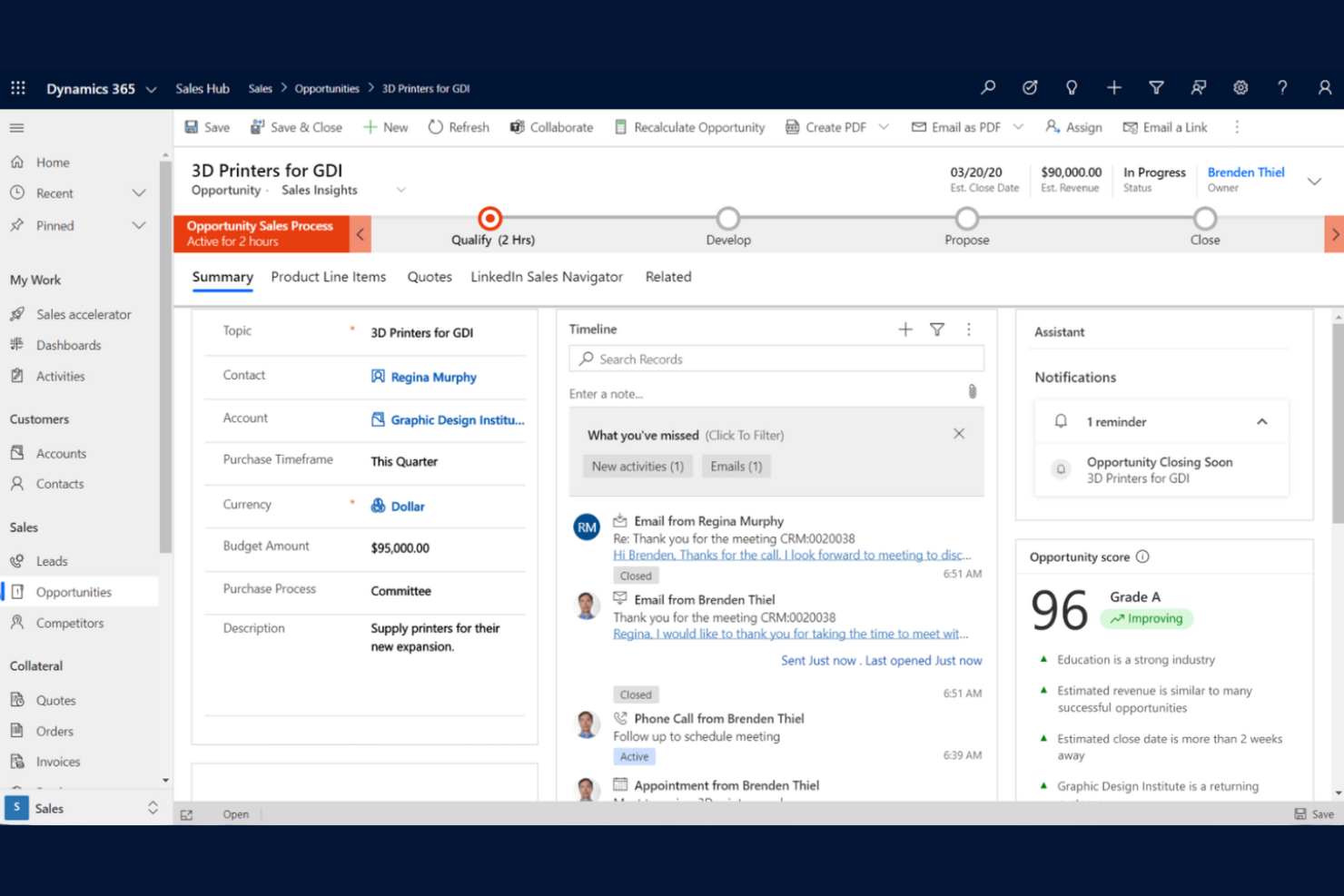
Para las organizaciones que ya utilizan Microsoft 365, Microsoft Dynamics 365 Sales ofrece un CRM que se integra perfectamente en sus flujos de trabajo existentes. Esta plataforma es especialmente útil para los equipos de ventas que dependen de Outlook, Teams y Excel para gestionar las relaciones con los clientes y las actividades de ventas. A diferencia de monday CRM, Dynamics 365 Sales proporciona una integración profunda con las herramientas de productividad de Microsoft, lo que facilita la sincronización de datos y la automatización de tareas en toda la empresa.
Por qué Microsoft Dynamics 365 Sales es una buena alternativa a monday CRM
Para los equipos que dependen de las herramientas de Microsoft 365, Dynamics 365 Sales destaca como un CRM que funciona de forma nativa dentro de ese ecosistema. Elegí Dynamics 365 Sales porque permite gestionar clientes potenciales, contactos y oportunidades directamente desde Outlook y Teams, de modo que los datos de ventas permanecen conectados con las herramientas de comunicación y colaboración que utilizas a diario. La plataforma también se sincroniza con Excel para ofrecer informes y previsiones avanzados, lo que resulta útil para los equipos que ya utilizan hojas de cálculo para analizar el rendimiento de las ventas. Si tu empresa ya ha invertido en Microsoft 365, Dynamics 365 Sales ofrece un nivel de integración y continuidad del flujo de trabajo que monday CRM no puede igualar.
Principales funciones de Microsoft Dynamics 365 Sales
Otras funciones de Dynamics 365 Sales ayudan a los equipos a gestionar las relaciones con los clientes y los procesos de ventas de forma más exhaustiva:
- Información de ventas basada en IA: Obtén una puntuación predictiva de clientes potenciales y análisis de oportunidades para priorizar las actividades de ventas.
- Paneles personalizables: Crea paneles visuales para realizar un seguimiento de los KPI y supervisar el rendimiento de las ventas en tiempo real.
- Acceso a la aplicación móvil: Gestiona contactos, acuerdos y actividades desde cualquier lugar mediante la aplicación móvil específica.
- Diseñador de flujos de trabajo automatizados: Configura automatizaciones personalizadas de los procesos de ventas con las herramientas de flujo de trabajo integradas.
Integraciones de Microsoft Dynamics 365 Sales
Entre las integraciones se incluyen Microsoft Teams, Outlook, Excel, Power BI, SharePoint, LinkedIn Sales Navigator, OneDrive, Power Automate, Azure y Microsoft 365.
Pros and Cons
Pros:
- La estrecha integración con Microsoft 365 permite una gestión integral del trabajo
- La información basada en IA ayuda a realizar un seguimiento del progreso y priorizar las oportunidades
- Los paneles personalizados admiten flujos de trabajo e informes complejos
Cons:
- Curva de aprendizaje pronunciada para los nuevos usuarios
- Requiere configuración técnica para las configuraciones avanzadas

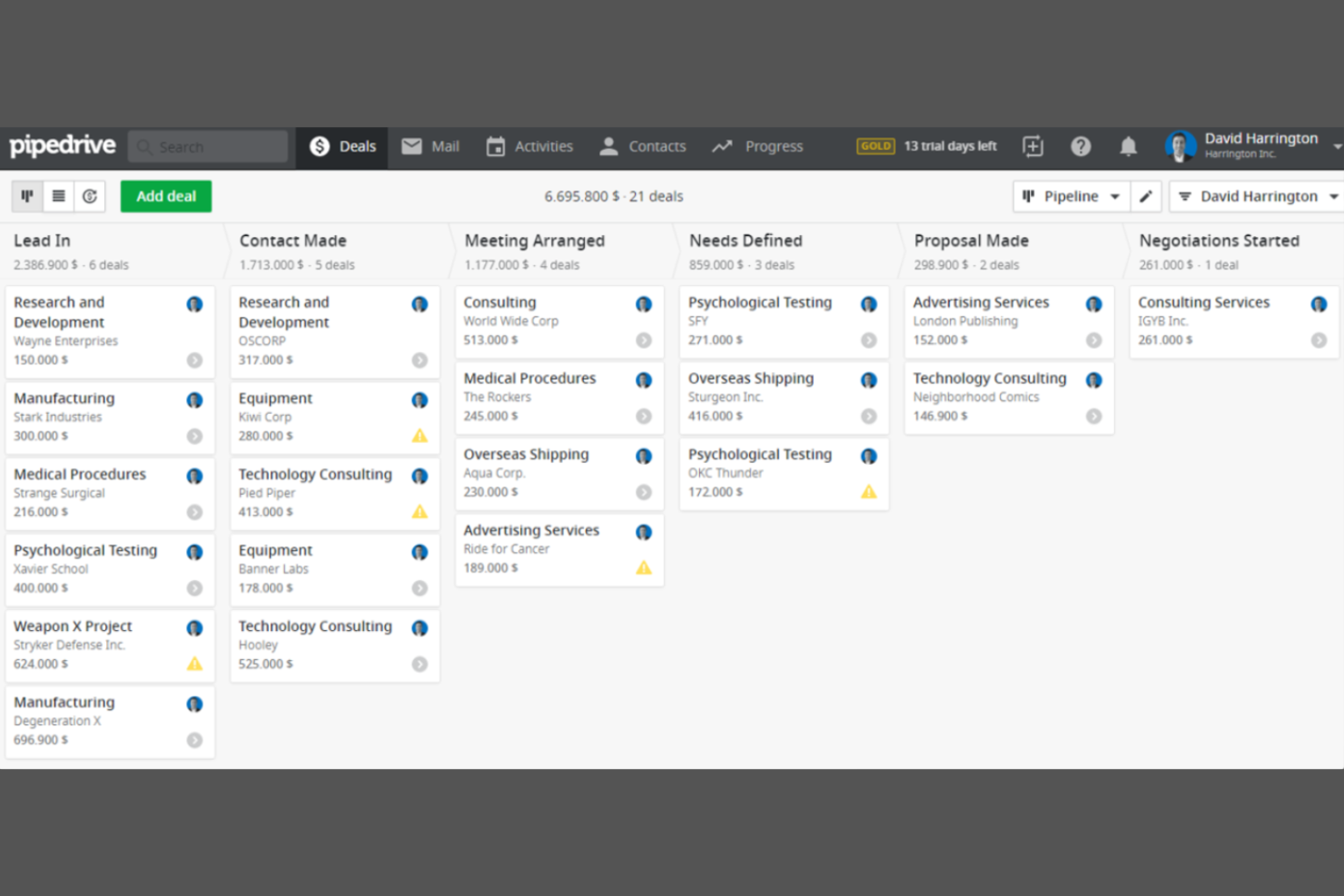
Los equipos de ventas que buscan una forma clara y visual de hacer seguimiento de las oportunidades suelen recurrir a Pipedrive. Este CRM está diseñado para empresas que quieren gestionar su embudo de ventas mediante paneles de arrastrar y soltar y etapas personalizables. A diferencia de monday CRM, Pipedrive sitúa la gestión visual del embudo en el centro de su flujo de trabajo, lo que facilita detectar cuellos de botella y priorizar oportunidades.
Por qué Pipedrive es una buena alternativa a monday CRM
Si tu equipo necesita un CRM que sitúe la gestión visual del embudo de ventas en primer plano, vale la pena considerar Pipedrive. Elegí Pipedrive porque sus paneles del embudo de arrastrar y soltar permiten organizar las oportunidades por etapa y actualizar rápidamente el progreso. La plataforma también ofrece etapas del embudo personalizables e indicadores de oportunidades codificados por colores, lo que facilita detectar oportunidades estancadas o de alta prioridad. Para los equipos centrados en las ventas que quieren una visión general clara y visual de su embudo, Pipedrive ofrece un enfoque más especializado que monday CRM.
Características principales de Pipedrive
Otras características de Pipedrive ayudan a los equipos a gestionar de forma más completa las actividades de ventas y los datos de los clientes:
- Integración del correo electrónico: Conecta tu cuenta de correo electrónico para enviar, recibir y hacer seguimiento de mensajes directamente desde Pipedrive.
- Programador de actividades: Programa llamadas, reuniones y tareas con recordatorios integrados para mantener las actividades de ventas bajo control.
- Bandeja de entrada de clientes potenciales: Recopila y organiza los clientes potenciales entrantes en un espacio específico antes de añadirlos a tu embudo.
- Informes de ventas: Genera informes detallados sobre el rendimiento de las ventas, las actividades y el estado del embudo.
Integraciones de Pipedrive
Las integraciones incluyen PandaDoc, Leadfeeder, JustCall, LinkPort, Outfunnel, Slack, QuickBooks, Trello, Zoom y Gmail.
Pros and Cons
Pros:
- El embudo visual permite una interfaz intuitiva para hacer seguimiento de las oportunidades
- El programador de actividades ayuda a hacer un seguimiento claro de las tareas y los seguimientos
- Los informes personalizados ofrecen visibilidad sobre el rendimiento del embudo
Cons:
- No incluye funciones integradas de software de gestión de proyectos
- La aplicación móvil carece de algunas funciones de la versión de escritorio

Ideal para la integración con la planificación de recursos empresariales
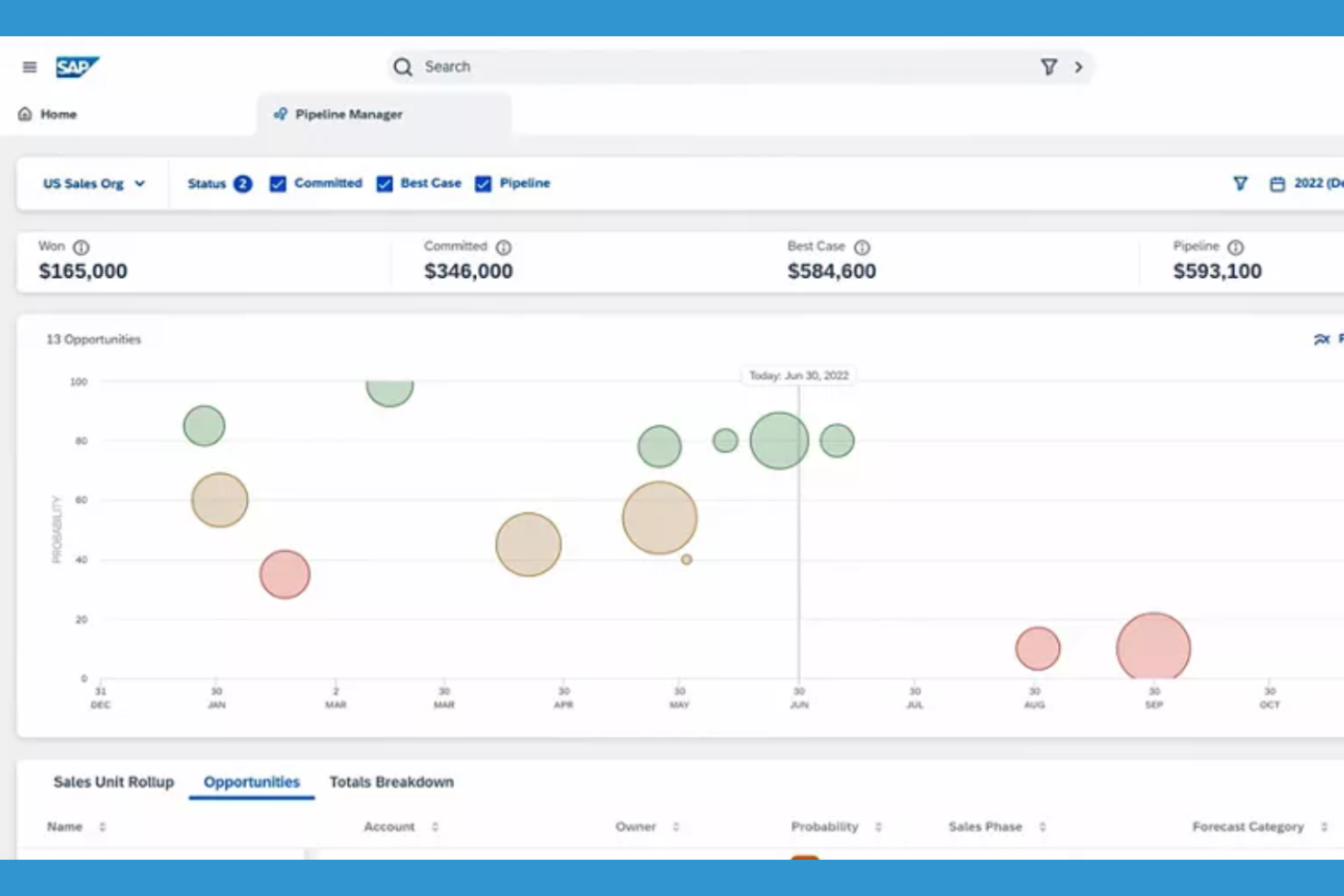
Para las organizaciones que necesitan una integración profunda entre el CRM y la planificación de recursos empresariales, SAP Sales Cloud ofrece un enfoque unificado. Esta plataforma está diseñada para grandes empresas y fabricantes que desean conectar los datos de ventas, inventario y cadena de suministro en tiempo real. A diferencia de monday CRM, SAP Sales Cloud destaca por su capacidad para sincronizar las interacciones con los clientes con las operaciones empresariales principales de los equipos globales.
Por qué SAP Sales Cloud es una buena alternativa a monday CRM
Si buscas un CRM que se conecte directamente con sistemas de planificación de recursos empresariales, SAP Sales Cloud es una opción sólida. Elegí SAP Sales Cloud porque permite gestionar los procesos de ventas junto con los datos de inventario, gestión de pedidos y cadena de suministro en una sola plataforma. La sincronización de datos en tiempo real y las funciones avanzadas de previsión de la herramienta ayudan a las grandes organizaciones a mantener la información de los clientes alineada con las operaciones empresariales. Para los equipos que necesitan algo más que un simple seguimiento de las ventas, SAP Sales Cloud ofrece un nivel de integración operativa que monday CRM no proporciona.
Características principales de SAP Sales Cloud
Otras características que hacen atractivo SAP Sales Cloud para los equipos empresariales incluyen:
- Aplicación móvil de ventas: Accede a los datos de los clientes, actualiza las oportunidades y gestiona las tareas desde cualquier dispositivo.
- Herramientas de CPQ (configuración, fijación de precios y cotización): Genera cotizaciones y propuestas complejas directamente dentro de la plataforma.
- Gestión de territorios y cuotas: Asigna territorios de ventas y establece cuotas para alinearlos con los objetivos empresariales.
- Puntuación de oportunidades basada en IA: Utiliza análisis predictivos para priorizar las operaciones con mayor probabilidad de cerrarse.
Integraciones de SAP Sales Cloud
Las integraciones incluyen SAP S/4HANA, SAP ERP Central Component, SAP CPQ, SAP Commerce Cloud, SAP Service Cloud, Microsoft Outlook, Microsoft Teams, Google Workspace, Docusign y Adobe Sign.
Pros and Cons
Pros:
- Excelente opción para proyectos complejos vinculados a las operaciones empresariales
- La CPQ integrada facilita flujos de trabajo de ventas detallados
- La previsión avanzada ayuda a realizar un seguimiento del progreso en equipos grandes
Cons:
- Curva de aprendizaje pronunciada para usuarios que no pertenecen al ámbito empresarial
- La interfaz puede parecer anticuada

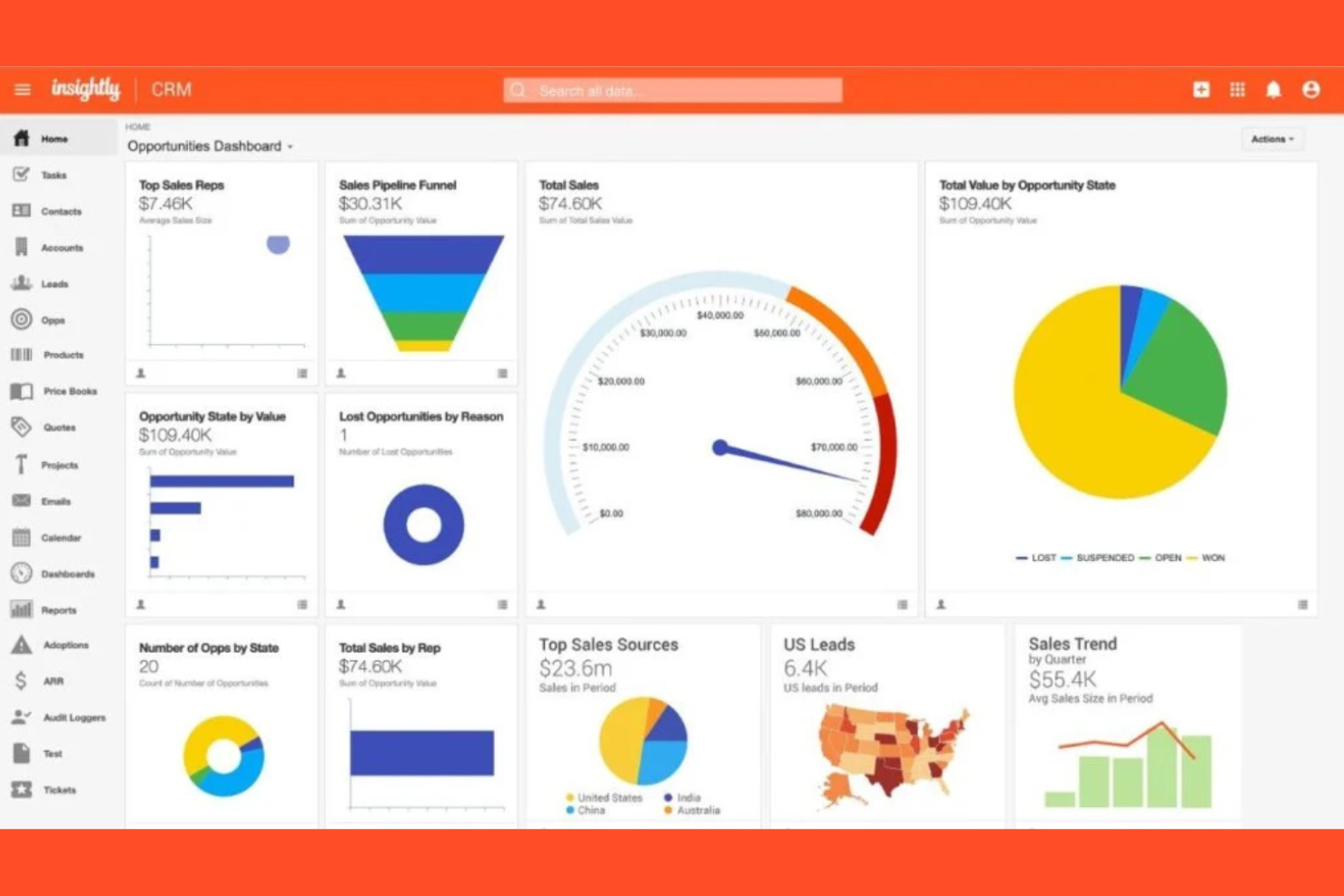
Si necesitas un CRM que también ayude a gestionar proyectos de principio a fin, vale la pena considerar Insightly CRM. Esta plataforma está diseñada para equipos que quieren realizar un seguimiento de las ventas, los proyectos y la entrega posterior a la venta en un solo lugar, especialmente útil para empresas de servicios y agencias. A diferencia de monday CRM, Insightly CRM combina la gestión de clientes con herramientas integradas de gestión de proyectos, para que puedas pasar sin problemas de cerrar un acuerdo a entregar el trabajo.
Por qué Insightly CRM es una buena alternativa a monday CRM
Insightly CRM destaca para los equipos que necesitan funciones de gestión de proyectos integradas directamente en su CRM. Elegí Insightly CRM porque permite convertir las oportunidades ganadas en proyectos, de modo que puedes hacer un seguimiento de la entrega y la ejecución sin cambiar de plataforma. La herramienta incluye gestión de tareas, seguimiento de hitos y flujos de proyectos, lo que facilita la gestión tanto de las relaciones con los clientes como del trabajo en curso en un solo lugar. Si tu empresa necesita conectar las ventas con la entrega de proyectos, Insightly CRM ofrece un enfoque unificado que monday CRM no iguala.
Funciones principales de Insightly CRM
Además de sus capacidades de gestión de proyectos, Insightly CRM ofrece varias funciones adicionales que respaldan la gestión de las relaciones con los clientes:
- Campos personalizados y diseños de página: Adapta los registros y las vistas para que coincidan con los procesos y las necesidades de datos exclusivos de tu equipo.
- Seguimiento y plantillas de correo electrónico: Supervisa las aperturas y los clics de los correos electrónicos, y utiliza plantillas prediseñadas para mantener una comunicación coherente.
- Asignación de clientes potenciales: Asigna automáticamente los clientes potenciales a los miembros adecuados del equipo según las reglas que establezcas.
- Vinculación de relaciones: Conecta contactos, organizaciones y oportunidades para visualizar redes complejas de clientes.
Integraciones de Insightly CRM
Las integraciones incluyen Gmail, Outlook, QuickBooks Online, Xero, Mailchimp, Slack, Dropbox, Docusign, Microsoft Teams y Unbounce.
Pros and Cons
Pros:
- Combina las capacidades del CRM con las del software de gestión de proyectos
- Los flujos de proyectos ayudan a realizar un seguimiento de las tareas, los hitos y las fechas de entrega
- Los objetos personalizados admiten proyectos y flujos de trabajo complejos
Cons:
- Informes avanzados limitados para realizar un seguimiento de los datos de los proyectos
- La aplicación móvil no ofrece acceso a todas las funciones

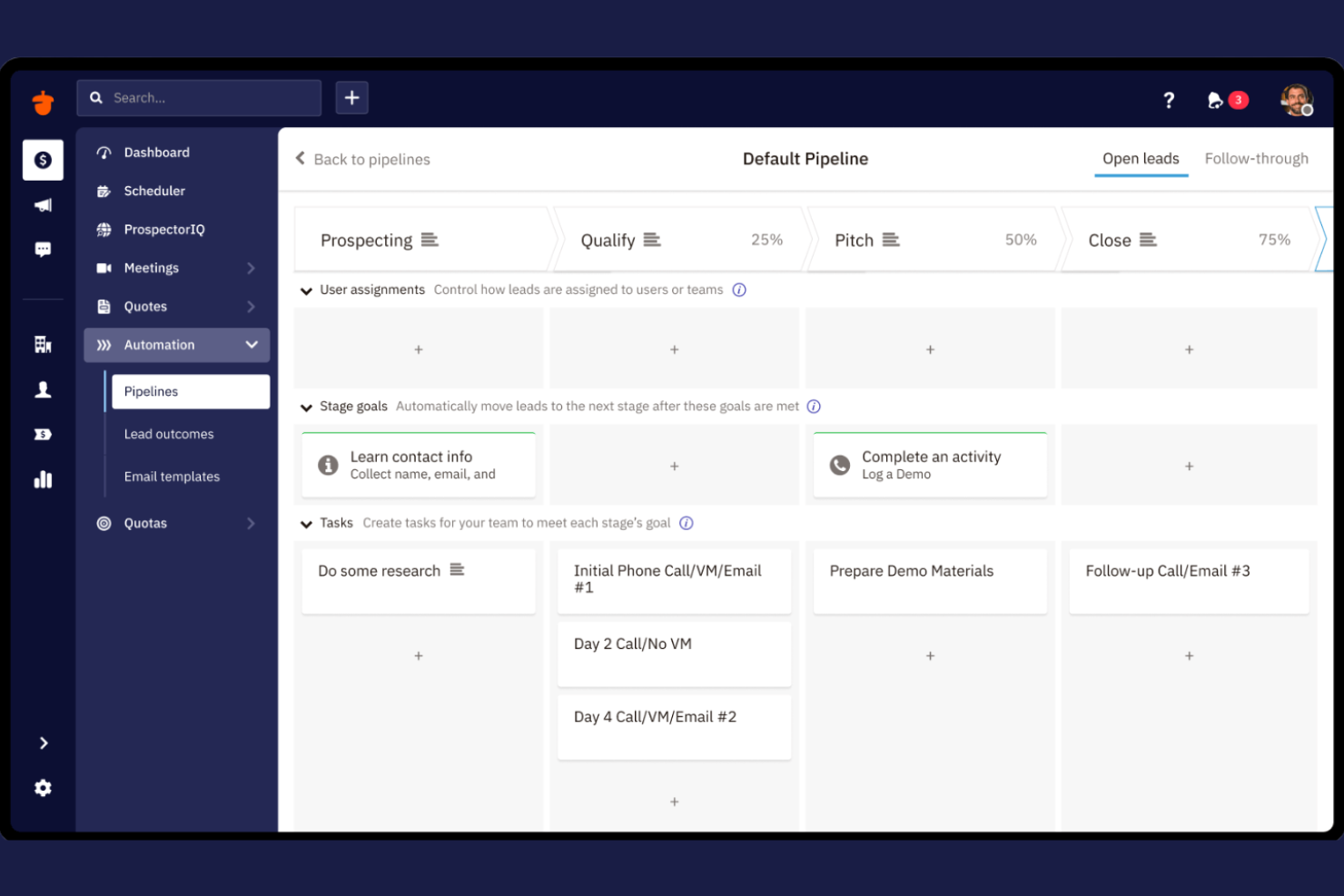
Si tu equipo necesita un CRM que haga hincapié en la colaboración, Nutshell CRM está diseñado pensando en el trabajo compartido. Es una opción ideal para equipos de ventas y grupos de servicio que quieren gestionar canales de ventas, compartir notas y coordinar tareas en un solo lugar. A diferencia de monday CRM, Nutshell CRM sitúa la comunicación del equipo y el seguimiento de la actividad grupal en el centro de su plataforma.
Por qué Nutshell CRM es una buena alternativa a monday CRM
Nutshell CRM destaca para los equipos que quieren herramientas de colaboración integradas como parte de su flujo de trabajo del CRM. Elegí Nutshell CRM porque permite a los usuarios asignar tareas, compartir notas y comentar directamente en negocios o contactos, lo que hace que el trabajo en equipo sea más visible y práctico. Los feeds de actividad del equipo y los canales de ventas compartidos de la plataforma ayudan a que todos estén alineados respecto al progreso de los clientes y los siguientes pasos. Si tu prioridad es mantener a tu equipo conectado y coordinado, Nutshell CRM ofrece funciones de colaboración que van más allá de lo que proporciona monday CRM.
Funciones principales de Nutshell CRM
Otras funciones que hacen que Nutshell CRM resulte atractivo para los equipos incluyen:
- Flujos de trabajo de automatización de ventas: Automatiza las tareas de ventas y los seguimientos repetitivos para mantener los negocios en marcha.
- Paneles de informes personalizables: Crea y comparte informes visuales sobre el rendimiento de ventas y la actividad del equipo.
- Secuencias de correo electrónico: Configura secuencias automatizadas de correos electrónicos para contactar y cultivar relaciones con posibles clientes.
- Formularios de captación de clientes potenciales: Crea e integra formularios web para recopilar clientes potenciales directamente en tu CRM.
Integraciones de Nutshell CRM
Entre las integraciones se incluyen Gmail y Google Calendar, Outlook, Google Sheets, Facebook Messenger, Dropbox Sign, Calendly, Dialpad, DocSend, Google Meet y RevenueCloudFX.
Pros and Cons
Pros:
- Las herramientas de colaboración ayudan a los equipos a realizar un seguimiento de las tareas y las actividades compartidas
- La secuenciación de correos electrónicos integrada facilita las campañas de marketing
- Los paneles de informes ofrecen visibilidad sobre la carga de trabajo del equipo
Cons:
- No admite flujos de trabajo complejos de gestión de proyectos
- Funciones avanzadas limitadas de automatización de marketing


Zoho Bigin está diseñado para pequeñas empresas que quieren un CRM sencillo y centrado en las canalizaciones, sin complejidad adicional. Es especialmente útil para equipos que necesitan realizar un seguimiento visual de las oportunidades y gestionar las interacciones con los clientes de forma directa. A diferencia de monday CRM, Zoho Bigin mantiene el enfoque en la gestión de canalizaciones y una configuración rápida, lo que facilita que los equipos pequeños comiencen a trabajar rápidamente.
Por qué Zoho Bigin es una buena alternativa a monday CRM
Para las pequeñas empresas que quieren un CRM centrado en la gestión de canalizaciones, Zoho Bigin ofrece un enfoque simplificado difícil de igualar. Elegí Zoho Bigin porque permite a los usuarios crear varias canalizaciones, personalizar las etapas y mover las oportunidades con una sencilla interfaz de arrastrar y soltar. La herramienta también incluye funciones integradas de telefonía y correo electrónico, por lo que los equipos pueden gestionar las comunicaciones junto con su proceso de ventas. Si buscas un CRM que mantenga las cosas sencillas y centradas en las canalizaciones, Zoho Bigin es una buena alternativa a monday CRM.
Características principales de Zoho Bigin
Otras características que hacen atractivo a Zoho Bigin para los equipos de pequeñas empresas incluyen:
- Automatización de flujos de trabajo: Configura acciones automatizadas para tareas repetitivas y seguimientos.
- Campos y módulos personalizados: Adapta el CRM para ajustarlo a procesos empresariales y necesidades de datos específicos.
- Aplicación móvil: Accede a canalizaciones, contactos y actividades desde dispositivos iOS y Android.
- Analítica integrada: Genera informes visuales y paneles para realizar un seguimiento del rendimiento de las ventas.
Integraciones de Zoho Bigin
Las integraciones incluyen Zoho Books, Zoho CRM, Zoho Desk, Google Workspace, Microsoft 365, Microsoft Teams, WhatsApp, Mailchimp, Shopify y QuickBooks Online.
Pros and Cons
Pros:
- El diseño sencillo de las canalizaciones ofrece una gran facilidad de uso para las empresas emergentes
- Las herramientas de comunicación integradas facilitan el seguimiento de las tareas diarias
- Varias canalizaciones ayudan a organizar los flujos de trabajo y las etapas de las oportunidades
Cons:
- Escalabilidad limitada para procesos de ventas complejos
- Informes básicos para realizar un seguimiento del rendimiento

Copper
La mejor integración con Google Workspace
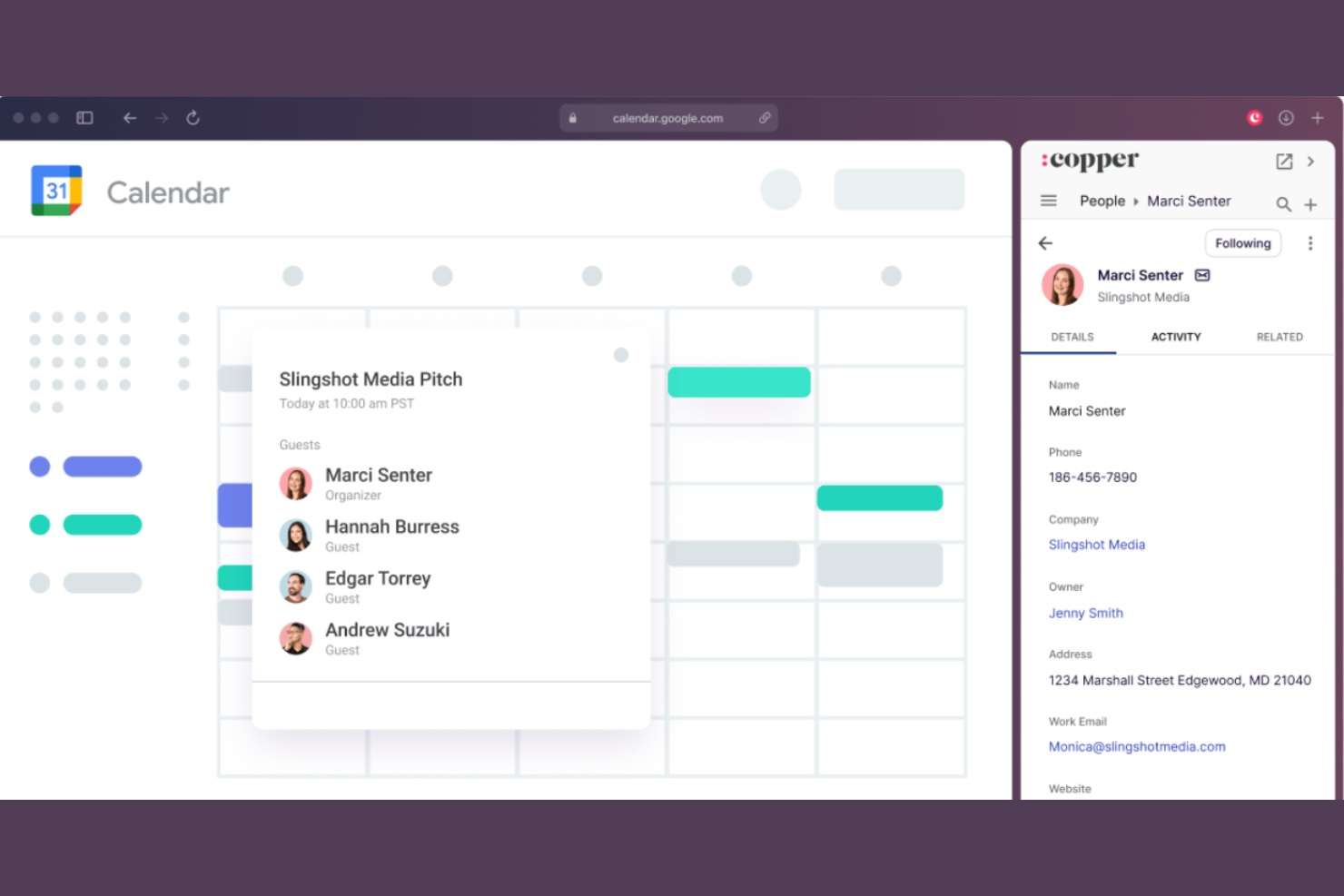
Copper está diseñado para equipos que dependen de Google Workspace y quieren un CRM que se integre perfectamente en sus flujos de trabajo actuales. Es especialmente útil para empresas que gestionan las relaciones con los clientes mediante Gmail, Google Calendar y Google Drive. A diferencia de monday CRM, Copper ofrece una integración nativa y profunda con las aplicaciones de Google, por lo que puedes gestionar contactos, acuerdos y tareas sin salir de tu bandeja de entrada.
Por qué Copper es una buena alternativa a monday CRM
Si tu equipo depende de Google Workspace, Copper ofrece un nivel de integración que monday CRM no iguala. Elegí Copper porque sincroniza automáticamente los correos electrónicos, los eventos del calendario y los archivos de Gmail, Google Calendar y Google Drive directamente con los registros de tu CRM. La extensión de Chrome te permite gestionar clientes potenciales y oportunidades directamente desde tu bandeja de entrada, para que no tengas que cambiar de pestaña. Para las empresas que quieren que su CRM se sienta como una extensión natural de Google Workspace, Copper es una alternativa sólida.
Características principales de Copper
Otras características que hacen atractivo a Copper para la gestión de relaciones con los clientes incluyen:
- Gestión del embudo de ventas: Visualiza y organiza los acuerdos en etapas de ventas personalizables.
- Automatización de tareas: Configura recordatorios automáticos y tareas de seguimiento para clientes potenciales y oportunidades.
- Enriquecimiento de contactos: Incorpora automáticamente perfiles sociales y datos de empresas de los contactos.
- Paneles de informes: Accede a informes de ventas y actividad en tiempo real mediante paneles personalizables.
Integraciones de Copper
Las integraciones incluyen Gmail, Google Calendar, Google Drive, Google Sheets, Mailchimp, LinkedIn, RingCentral, Docusign, QuickBooks y JustCall.
Pros and Cons
Pros:
- La profunda integración con Google Workspace permite flujos de trabajo integrales
- La captura automática de datos ayuda a agilizar la gestión de contactos
- La interfaz intuitiva facilita el seguimiento de tareas y acuerdos
Cons:
- Personalización limitada para flujos de trabajo complejos
- Las herramientas de informes carecen de profundidad avanzada
Otras alternativas a monday CRM
Estas son algunas opciones adicionales de alternativas a monday CRM que no llegaron a mi lista de favoritas, pero que aun así merece la pena conocer:
- Salesforce CRM
Ideal para opciones avanzadas de personalización
- Zoho CRM
Ideal para herramientas de comunicación multicanal
- Creatio CRM
Mejor con automatización de procesos sin código
- ClickUp
Ideal para las funciones de alineación de tareas y objetivos


Cómo evalúo las alternativas a Monday CRM
Considero cada herramienta en dos niveles: las capacidades fundamentales que todo equipo de CX necesita para gestionar contactos y manejar embudos, y los factores diferenciadores que determinan cuál herramienta encaja mejor.
Funcionalidad principal (Requisitos básicos para esta lista)
Cuando selecciono herramientas para mi lista, califico cada una en una escala del 0 (no ofrece la funcionalidad) al 5 (destaca en esta área) para cada funcionalidad principal que detallo abajo. Luego, calculo el puntaje total de la herramienta y lo convierto en un porcentaje. Cada herramienta debe alcanzar un puntaje mínimo total del 65% para ser considerada.
- Gestión de contactos y cuentas: Busco una base de datos centralizada donde los equipos de CX puedan almacenar registros de clientes, mapear jerarquías de cuentas y ver el historial completo de interacciones sin cambiar de pestaña.
- Embudos y flujos de trabajo personalizables: Cada herramienta debe permitirte crear embudos para procesos como renovaciones, etapas de incorporación o rutas de escalación, con etapas configurables y campos personalizados.
- Automatización de flujos de trabajo: Evalúo si puedes automatizar tareas recurrentes de CX como enviar seguimientos cuando una operación cambia de etapa o asignar cuentas según el segmento de cliente.
- Seguimiento de comunicaciones e interacciones: Cada punto de contacto cuenta, así que reviso la sincronización de emails, registro de llamadas y seguimiento de reuniones vinculados directamente a los registros de contacto o cuenta.
- Informes y paneles analíticos: La herramienta debe ofrecer paneles personalizables donde puedas monitorear el estado de los embudos, tiempos de respuesta o tasas de renovación con visualizaciones que tu equipo pueda aprovechar.
- Integraciones con terceros: Compruebo si tiene conexiones nativas con herramientas de helpdesk, plataformas de email y apps de comunicación, además de acceso API para crear flujos de trabajo CX a medida.
Una vez tengo una lista de herramientas que cumplen con estos criterios, considero qué distingue a cada plataforma.
Factores diferenciadores (Qué distingue a los proveedores)
Así comparo y contrasto los diferentes proveedores:
Características destacadas
La puntuación de salud del cliente es un gran diferenciador. Busco herramientas que asignen niveles de riesgo según patrones de compromiso y alerten sobre cuentas en riesgo antes de que ocurra la pérdida. Las funciones impulsadas por IA aportan otra capa, especialmente cuando una plataforma puede resumir interacciones previas o sugerir próximos pasos durante conversaciones de renovación. También valoro si una herramienta ofrece una bandeja de entrada omnicanal que reúna email, chat y mensajes sociales en una sola vista. Así, tu equipo no tiene que saltar entre plataformas para reconstruir el historial de un cliente.
Más allá de las características
La rapidez con la que un equipo puede migrar desde Monday CRM importa, así que verifico plantillas predefinidas, herramientas de importación y onboarding guiado que acorten el tiempo para obtener valor. La compatibilidad con la pila tecnológica de CX es otra prioridad. Tu CRM necesita sincronizarse con herramientas de helpdesk, encuestas y comunicación que tu equipo ya utiliza. También evalúo la transparencia de precios, en especial si funciones clave como la automatización o los informes están restringidas por planes superiores, lo que podría forzar una actualización a medida que crece tu equipo de CX.
¿Por qué buscar una alternativa a monday CRM?
Aunque monday CRM es una buena opción como plataforma de gestión de relaciones con los clientes, hay varios motivos por los que algunos usuarios buscan soluciones alternativas. Puede que estés buscando una alternativa a monday CRM porque…
- Necesitas una integración más profunda con Google Workspace
- Quieres funciones integradas de llamadas o mensajes de texto
- Necesitas herramientas de automatización de ventas más avanzadas
- Necesitas informes y análisis personalizables
- Trabajas en una región donde la asistencia de monday CRM es limitada
Si alguna de estas situaciones te resulta familiar, has llegado al lugar adecuado. Mi lista contiene varias opciones de plataformas de gestión de relaciones con los clientes que se adaptan mejor a los equipos que afrontan estos desafíos con monday CRM y buscan soluciones alternativas.
Funciones principales de monday CRM
Estas son algunas de las funciones principales de monday CRM, que te ayudarán a contrastar y comparar lo que ofrecen las soluciones alternativas:
- Paneles visuales del embudo de ventas
- Campos personalizables de acuerdos y contactos
- Asignaciones automatizadas de flujos de trabajo y tareas
- Integración y seguimiento del correo electrónico
- Registros de actividad y comunicación
- Gestión de documentos integrada
- Paneles y generación de informes personalizables
- Herramientas de colaboración y mención para equipos
- Formularios de captación de clientes potenciales y automatización de web a cliente potencial
- Aplicación móvil para iOS y Android