

Reseña de Customer.io: ventajas, desventajas, características y precios
Customer.io destaca por su interfaz fácil de usar y su sólida automatización, lo que lo convierte en una de las mejores opciones para los equipos que buscan mejorar sus estrategias de mensajería para clientes y automatización del correo electrónico.

Revisamos las herramientas de manera independiente, y las comisiones ayudan a financiar nuestras pruebas. Consulta nuestra política de transparencia, nuestra metodología o sugiere una herramienta.
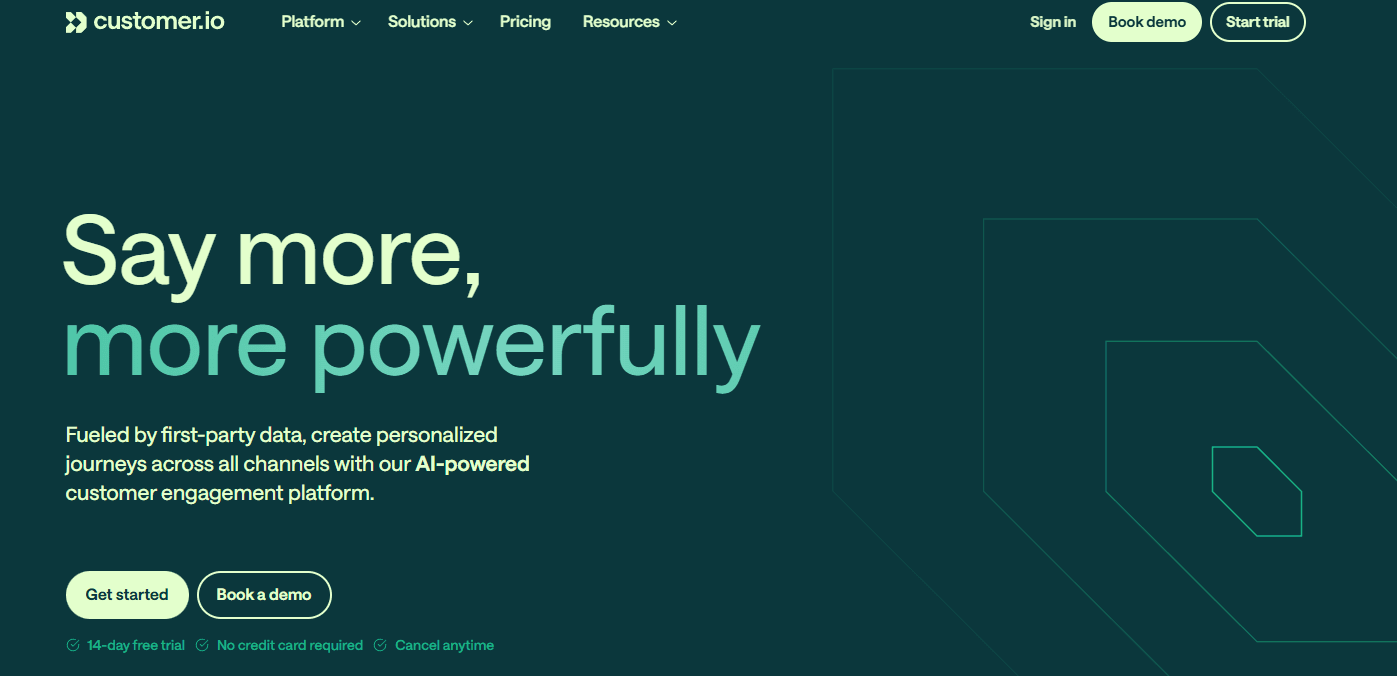
Customer.io is a customer data platform for teams that need to trigger personalized emails, SMS, and push notifications from real-time behavioral data. I'd mainly consider it over Braze if you want that same level of event-driven messaging flexibility. It's a better fit for mid-market teams that don't need Braze's enterprise-scale complexity or pricing.
Customer.io Evaluation Summary
4.2/5
- From $100/month
- 14-day free trial + free demo available
Por qué confiar en nuestras recomendaciones de software
6,700+
Reviews
20
Industry experts
16+
Evaluation factors
14
Years
Nuestro equipo lleva probando y evaluando software desde 2012. Como líderes de CX, sabemos lo difícil —y lo importante— que es elegir el software adecuado.
Para esta guía, evaluamos las herramientas mediante pruebas prácticas e investigación independiente, puntuando las herramientas según nuestros criterios de selección.
Nuestras reseñas reflejan nuestro criterio editorial humano, no un discurso de ventas.
 Gui DrusinaCreative Director
 Tim FisherVP of AI
Customer.io Overview
In my opinion, Customer.io is a solid choice for teams looking for a Customer Data Platform with robust automation capabilities. While it offers a set of comprehensive features, the interface could be more intuitive, which might be a hurdle for new users. However, the platform shines with its detailed customer journey mapping and segmentation tools. Compared to competitors, it provides a good balance between functionality and price, making it ideal for medium-sized businesses. Customer support is reliable, though it could be more responsive. If your team values customization and has the technical know-how, Customer.io is worth considering.
Pros
- You can easily create personalized messages with its user-friendly interface and thoughtfully designed templates.
- Your team can automate workflows without needing technical skills via a visual builder and a centralized dashboard.
- It offers real-time analytics and deliverability insights to improve your email marketing strategies.
Cons
- You might find the learning curve steep if you're new to marketing automation.
- Your team could experience occasional lags with larger data sets.
- It lacks some advanced segmentation features compared to its competitors, like Braze, Mailchimp, and ActiveCampaign.
Is Customer.io Right For Your Needs?
Who Would be a Good Fit for Customer.io?
Customer.io is ideal for marketing teams in small to medium-sized businesses. Its strength lies in its robust automation capabilities, allowing you to send targeted messages based on user behavior throughout the lifecycle. For companies focused on personalized customer engagement, Customer.io offers features like email automation, in-app messages, landing pages, and A/B testing, ensuring your campaigns are both effective and efficient. If your company's goal is to improve customer retention through personalized communication, Customer.io's dynamic segmentation and workflow automation tools can significantly aid your efforts.
- E-commerceCustomer.io helps you automate personalized email marketing campaigns and transactional messages based on customer shopping behavior, boosting sales and customer loyalty.
- SaaS CompaniesWith Customer.io, you can nurture leads and engage users through automated onboarding and retention emails, tailored to user interactions, or send targeted customer messaging via push, in-app, or email automation.
- Marketing AgenciesIts automation features allow you to manage multiple client campaigns efficiently, delivering personalized communication at scale and collaborating via Slack updates or Zapier actions..
- StartupsActing as a flexible email marketing tool within a broader marketing automation platform, Customer.io provides tools to engage and retain users for startups looking to grow, without needing a large marketing team.
- RetailCustomer.io's real-time messaging based on customer actions can drive in-store visits and improve customer satisfaction. Teams can quickly publish updates using templates and review deliverability metrics.
- NonprofitsCustomer.io helps communicate effectively with donors and volunteers, sending timely updates and calls to action (CTAs) and organizing user reviews or testimonials collected via forms.
Who Would be a Bad Fit for Customer.io?
If your business relies heavily on real-time data processing or requires extensive integration with diverse platforms, Customer.io might not be the best choice. Its integration stack is broad but may still require other programs like Zapier or webhooks to bridge highly customized systems, which can hinder workflows that are dependent on seamless data exchange across multiple systems. Additionally, organizations that need advanced financial features or budget management may find Customer.io lacking, as it doesn't support cater to financial operations.
- Large EnterprisesIf your company needs complex, scalable solutions with robust integration capabilities, Customer.io may not meet your needs without additional service providers or custom engineering work, thereby increasing costs and complexity..
- Financial ServicesFor businesses that require detailed financial analytics and budget management, Customer.io doesn’t offer relevant features.
- Manufacturing IndustryIf your operations depend on real-time data and extensive system integrations, Customer.io's limitations might impede efficiency.
- Healthcare SectorHealthcare organizations that require strict HIPAA workflows will prefer platforms purpose-built for clinical data that can validate compliance and deliverability needs carefully.
- Small Non-ProfitsIf your team needs a straightforward, cost-effective communication tool, Customer.io's feature set might be more than you need compared to simpler email marketing options.
- Event Planning TeamsFor teams focused on real-time updates and dynamic scheduling, Customer.io's integration limitations could be a drawback and require teams to deploy apps from Zapier and Slack.
Cómo Probamos y Evaluamos Herramientas
Hemos pasado años construyendo, refinando y perfeccionando nuestro sistema de evaluación y puntuación de software. La rúbrica está diseñada para capturar los matices de la selección de software y lo que hace que una herramienta sea eficaz, centrándose en los aspectos críticos del proceso de toma de decisiones. A continuación, puedes ver exactamente cómo funcionan nuestras pruebas y puntuaciones en siete criterios. Esto nos permite ofrecer una evaluación imparcial del software basada en funcionalidad principal, características destacadas, facilidad de uso, incorporación, soporte al cliente, integraciones, opiniones de clientes y la relación calidad-precio.
Funcionalidad Principal (25% de la puntuación final)
El punto de partida de nuestra evaluación siempre es la funcionalidad principal de la herramienta. ¿Tiene las funciones básicas que un usuario esperaría? ¿Alguna de esas funciones principales está bloqueada en planes de precios más altos? Consideramos que una herramienta debe estar a la par de las capacidades básicas de sus competidores.
Características Destacadas (25% de la puntuación final)
A continuación, evaluamos aquellas características poco comunes y destacadas que superan la funcionalidad principal típica de herramientas de ese tipo. Una puntuación alta refleja funciones especializadas o únicas que hacen que el producto sea más rápido, eficiente o que aporte un valor adicional al usuario. También evaluamos lo fácil que es integrar la herramienta con otras que típicamente se utilizan en el ecosistema tecnológico para ampliar la funcionalidad y utilidad del software. Las herramientas que ofrecen abundantes integraciones nativas, conexiones de terceros y acceso a API para integraciones personalizadas obtienen la mejor puntuación.
Facilidad de Uso (10% de la puntuación final)
Consideramos lo rápido y sencillo que es ejecutar las tareas definidas en la funcionalidad principal usando la herramienta. El software que puntúa alto está bien diseñado, es intuitivo, ofrece aplicaciones móviles, proporciona plantillas y hace que tareas relativamente complejas parezcan sencillas.
Incorporación (10% de la puntuación final)
Sabemos lo importante que es la rápida adopción del equipo en una nueva plataforma, así que evaluamos lo fácil que es aprender y usar una herramienta con poca formación. Evaluamos cuán rápido un miembro del equipo puede configurarse y comenzar a usar la herramienta sin experiencia. Las soluciones mejor puntuadas requieren poco o ningún soporte.
Soporte al Cliente (10% de la puntuación final)
Revisamos lo rápido y sencillo que es salir de un atasco y encontrar ayuda por teléfono, chat en vivo o una base de conocimientos. Las herramientas y empresas que brindan soporte en tiempo real obtienen la mejor puntuación, mientras que los chatbots obtienen la peor.
Opiniones de Clientes (10% de la puntuación final)
Más allá de nuestras propias pruebas, consideramos el puntaje neto del promotor de los clientes actuales y anteriores. Revisamos la probabilidad de que elijan la herramienta nuevamente para la funcionalidad principal. Un software con alta puntuación refleja un alto puntaje neto del promotor por parte de clientes actuales o anteriores.
Relación Calidad-Precio (10% de la puntuación final)
Por último, considerando todos los demás criterios, analizamos el precio promedio de los planes de nivel inicial frente a las funciones principales y valoramos el resto de los criterios de evaluación. El software que ofrece más por menos obtiene una mayor puntuación.
Core Features
Data Segmentation: With Customer.io, you can segment your audience based on real-time user behavior and attributes, helping you target your marketing efforts precisely. This means your messages reach the right people, enhancing engagement and conversion rates.
Automation Workflows: You can automate repetitive tasks with ease, allowing your team to focus on strategic activities. This feature helps in sending timely, personalized messages without manual intervention, improving efficiency across customer journeys in your marketing automation platform.
Behavioral Tracking: By tracking user interactions across various channels, Customer.io provides insights into customer behavior. This data helps you understand user preferences, tailor your strategies accordingly, and execute by employing reusable templates.
A/B Testing: Test different versions of your campaigns to see which performs best. This feature allows you to optimize your messaging based on user reviews and performance metrics, enhancing your marketing effectiveness.
Dynamic Content: Personalize content in real-time based on user data, ensuring relevance and increasing engagement across email marketing and in-app experiences.
API Access: Seamlessly integrate Customer.io with your existing systems to ensure a seamless data flow. This connectivity facilitates comprehensive data management using APIs, webhooks, and connections triggered via Zapier or Slack notifications.

Ease of Use
Customer.io is generally user-friendly, but beginners may find its learning curve a bit steep. The platform's visual workflow builder and detailed documentation can help your team get up to speed. However, the complexity of some features might require a bit of trial and error. Users appreciate the ability to create personalized campaigns, including landing pages, in-app messages, and email automation, but navigating the interface could take some getting used to. Once familiar, however, you can efficiently manage customer messaging and communications across channels, making it a powerful tool for your team.

Integrations
Customer.io integrates with Amazon S3, Amplitude, Branch, Salesforce, Facebook Lead Ads, Google Ads, Mixpanel, Snowflake, Twilio, and Typeform.
Customer.io also has APIs, including the Pipelines API, Track API, and App API, which allow integration with third-party tools. The platform supports mobile SDKs for iOS, Android, and more, enhancing its integration capabilities.

Customer.io Specs
- A/B Testing: Yes
- Analytics: Yes
- API: Yes
- Audience Targeting: Yes
- Automated Conversion: No
- Batch Permissions & Access: No
- Behavioral Tracking: No
- Brand Management: No
- Campaign Management: Yes
- Contact Management: Yes
- Contact Sharing: No
- Conversion Tracking: No
- CRM Integration: Yes
- Customer Management: Yes
- Dashboards: No
- Data Export: Yes
- Data Import: Yes
- Email Integration: Yes
- External Integrations: Yes
- Keyword Tracking: No
- Landing Pages: No
- Lead Management: No
- Lead Scoring: No
- Link Tracking: No
- Marketing Automation: Yes
- Multi-User: Yes
- Notifications: Yes
- Password & Access Management: No
- Social-Media Integration: Yes


