
Reseña de OmniGraffle: ventajas, desventajas, características y precios
OmniGraffle destaca en la creación de diagramas detallados y esquemas de estructura, y ofrece una interfaz fácil de usar que lo distingue de otras herramientas de mapeo del recorrido del cliente.

Revisamos las herramientas de manera independiente, y las comisiones ayudan a financiar nuestras pruebas. Consulta nuestra política de transparencia, nuestra metodología o sugiere una herramienta.
OmniGraffle is a customer journey mapping tool built for Mac and iPad. It's designed for creating precise, detailed diagrams of customer touchpoints, flows, and service blueprints. I'd consider it if you're working in the Apple ecosystem and want more design control than a web-based tool like Miro provides. Where Miro focuses on real-time collaboration, OmniGraffle gives you tighter control over structure and visual fidelity. That makes it a better fit for teams producing polished, presentation-ready maps.
OmniGraffle Evaluation Summary
4.2/5
- From $129.99/year
- 14-day free trial available
Por qué confiar en nuestras recomendaciones de software
6,700+
Reviews
20
Industry experts
16+
Evaluation factors
14
Years
Nuestro equipo lleva probando y evaluando software desde 2012. Como líderes de CX, sabemos lo difícil —y lo importante— que es elegir el software adecuado.
Para esta guía, evaluamos las herramientas mediante pruebas prácticas e investigación independiente, puntuando las herramientas según nuestros criterios de selección.
Nuestras reseñas reflejan nuestro criterio editorial humano, no un discurso de ventas.
 Gui DrusinaCreative Director
 Tim FisherVP of AI
OmniGraffle Overview
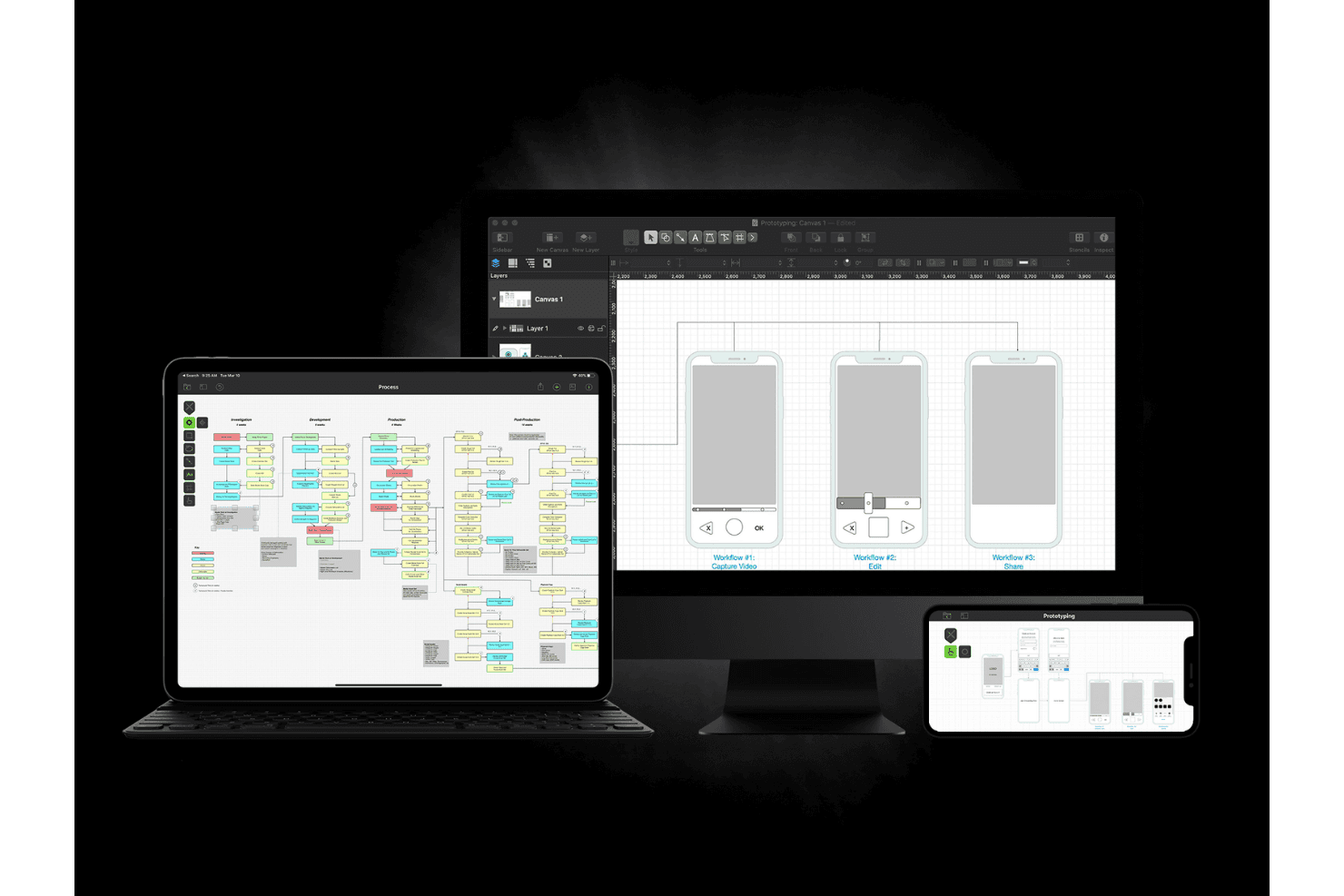
I believe OmniGraffle is a solid choice for teams that need precise diagramming and visualization capabilities. Its robust feature set makes it ideal for detailed customer journey mapping. However, it may not be the easiest tool to pick up for newcomers, requiring some time to get familiar with its interface. While its pricing may seem steep, the value it provides in terms of functionality justifies the expense for teams heavily involved in design and diagramming.
OmniGraffle stands out in its ability to handle complex diagrams with ease, but it might not be the best fit for those looking for a simple or quick-to-learn tool.
Is OmniGraffle Right For Your Needs?
Who Would be a Good Fit for OmniGraffle?
OmniGraffle is perfect for design professionals and teams in industries like architecture, engineering, and graphic design. If your work involves creating detailed diagrams, organizational charts, or visual presentations, you'll appreciate OmniGraffle's extensive set of tools, including vector drawing capabilities and advanced export options. It supports precision with features like Apple Pencil and Touch Bar integration, making it an excellent choice for those who need to create intricate visual content efficiently.
- Graphic DesignOmniGraffle excels with its vector drawing tools and customizable templates, making it ideal for graphic designers crafting detailed illustrations, mockups, and diagram layouts.
- ArchitectureWith support for various canvas sizes and precise alignment tools, architects can create detailed building plans and layouts.
- EngineeringEngineers benefit from OmniGraffle's ability to handle complex diagrams and its advanced features like layers, prototyping, and subgraphs.
- EducationTeachers can use OmniGraffle for creating visual aids and diagrams, utilizing its intuitive interface and educational templates.
- MarketingMarketing teams can leverage OmniGraffle for visual presentations and flowcharts, aided by its drag-and-drop functionality and style tools.
- IT and NetworkingIT professionals can create network diagrams and system architecture layouts thanks to OmniGraffle's extensive canvas and connection tools.
Who Would be a Bad Fit for OmniGraffle?
OmniGraffle might not suit large enterprises needing more advanced collaboration features. This is because OmniGraffle’s strength lies in its individual diagramming features, not collaborative editing, which could limit team-based project workflows.
Additionally, if your team works primarily on Windows, OmniGraffle may not be the best fit since it’s built for Mac. And if your workflow depends on deeper integrations or handling large amounts of data, you may find yourself wanting more than what OmniGraffle offers.
- Large EnterprisesOmniGraffle doesn't support the extensive collaboration features that large teams often need.
- Windows-Based CompaniesSince OmniGraffle is Mac-centric, it's not suitable for Windows environments.
- Cloud-Dependent TeamsOmniGraffle lacks robust cloud-based collaboration features needed for remote teams.
- Data-Heavy IndustriesOmniGraffle doesn't handle complex data visualizations well, which can limit its use in data-driven fields.
- Software Development TeamsOmniGraffle falls short in integration with other development tools crucial for software projects.
- Marketing DepartmentsTeams needing advanced design capabilities might find OmniGraffle's features too basic.
Cómo Probamos y Evaluamos Herramientas
Hemos pasado años construyendo, refinando y perfeccionando nuestro sistema de evaluación y puntuación de software. La rúbrica está diseñada para capturar los matices de la selección de software y lo que hace que una herramienta sea eficaz, centrándose en los aspectos críticos del proceso de toma de decisiones. A continuación, puedes ver exactamente cómo funcionan nuestras pruebas y puntuaciones en siete criterios. Esto nos permite ofrecer una evaluación imparcial del software basada en funcionalidad principal, características destacadas, facilidad de uso, incorporación, soporte al cliente, integraciones, opiniones de clientes y la relación calidad-precio.
Funcionalidad Principal (25% de la puntuación final)
El punto de partida de nuestra evaluación siempre es la funcionalidad principal de la herramienta. ¿Tiene las funciones básicas que un usuario esperaría? ¿Alguna de esas funciones principales está bloqueada en planes de precios más altos? Consideramos que una herramienta debe estar a la par de las capacidades básicas de sus competidores.
Características Destacadas (25% de la puntuación final)
A continuación, evaluamos aquellas características poco comunes y destacadas que superan la funcionalidad principal típica de herramientas de ese tipo. Una puntuación alta refleja funciones especializadas o únicas que hacen que el producto sea más rápido, eficiente o que aporte un valor adicional al usuario. También evaluamos lo fácil que es integrar la herramienta con otras que típicamente se utilizan en el ecosistema tecnológico para ampliar la funcionalidad y utilidad del software. Las herramientas que ofrecen abundantes integraciones nativas, conexiones de terceros y acceso a API para integraciones personalizadas obtienen la mejor puntuación.
Facilidad de Uso (10% de la puntuación final)
Consideramos lo rápido y sencillo que es ejecutar las tareas definidas en la funcionalidad principal usando la herramienta. El software que puntúa alto está bien diseñado, es intuitivo, ofrece aplicaciones móviles, proporciona plantillas y hace que tareas relativamente complejas parezcan sencillas.
Incorporación (10% de la puntuación final)
Sabemos lo importante que es la rápida adopción del equipo en una nueva plataforma, así que evaluamos lo fácil que es aprender y usar una herramienta con poca formación. Evaluamos cuán rápido un miembro del equipo puede configurarse y comenzar a usar la herramienta sin experiencia. Las soluciones mejor puntuadas requieren poco o ningún soporte.
Soporte al Cliente (10% de la puntuación final)
Revisamos lo rápido y sencillo que es salir de un atasco y encontrar ayuda por teléfono, chat en vivo o una base de conocimientos. Las herramientas y empresas que brindan soporte en tiempo real obtienen la mejor puntuación, mientras que los chatbots obtienen la peor.
Opiniones de Clientes (10% de la puntuación final)
Más allá de nuestras propias pruebas, consideramos el puntaje neto del promotor de los clientes actuales y anteriores. Revisamos la probabilidad de que elijan la herramienta nuevamente para la funcionalidad principal. Un software con alta puntuación refleja un alto puntaje neto del promotor por parte de clientes actuales o anteriores.
Relación Calidad-Precio (10% de la puntuación final)
Por último, considerando todos los demás criterios, analizamos el precio promedio de los planes de nivel inicial frente a las funciones principales y valoramos el resto de los criterios de evaluación. El software que ofrece más por menos obtiene una mayor puntuación.
Core Features
Diagramming Tools: OmniGraffle lets you create detailed diagrams that help you visualize customer journeys. You can use shapes, lines, and stencils to map out complex processes.
Customizable Templates: You have access to a variety of customizable templates that allow you to start your mapping with a predefined structure. This feature saves time and helps you maintain consistency in your designs.
Precision Alignment: The precision alignment tools make sure your diagrams are perfectly organized. This precision is crucial for maintaining a professional look in your customer journey maps.
Layer Management: OmniGraffle's layer management lets you separate different elements of your map. This feature helps you focus on specific areas without altering other parts of your diagram.
Export Options: You can export your diagrams in multiple formats, making it easy to share with your team or stakeholders who use other tools like Photoshop or Canva. This helps you make sure everyone has access to the information in the format they need.
Ease of Use
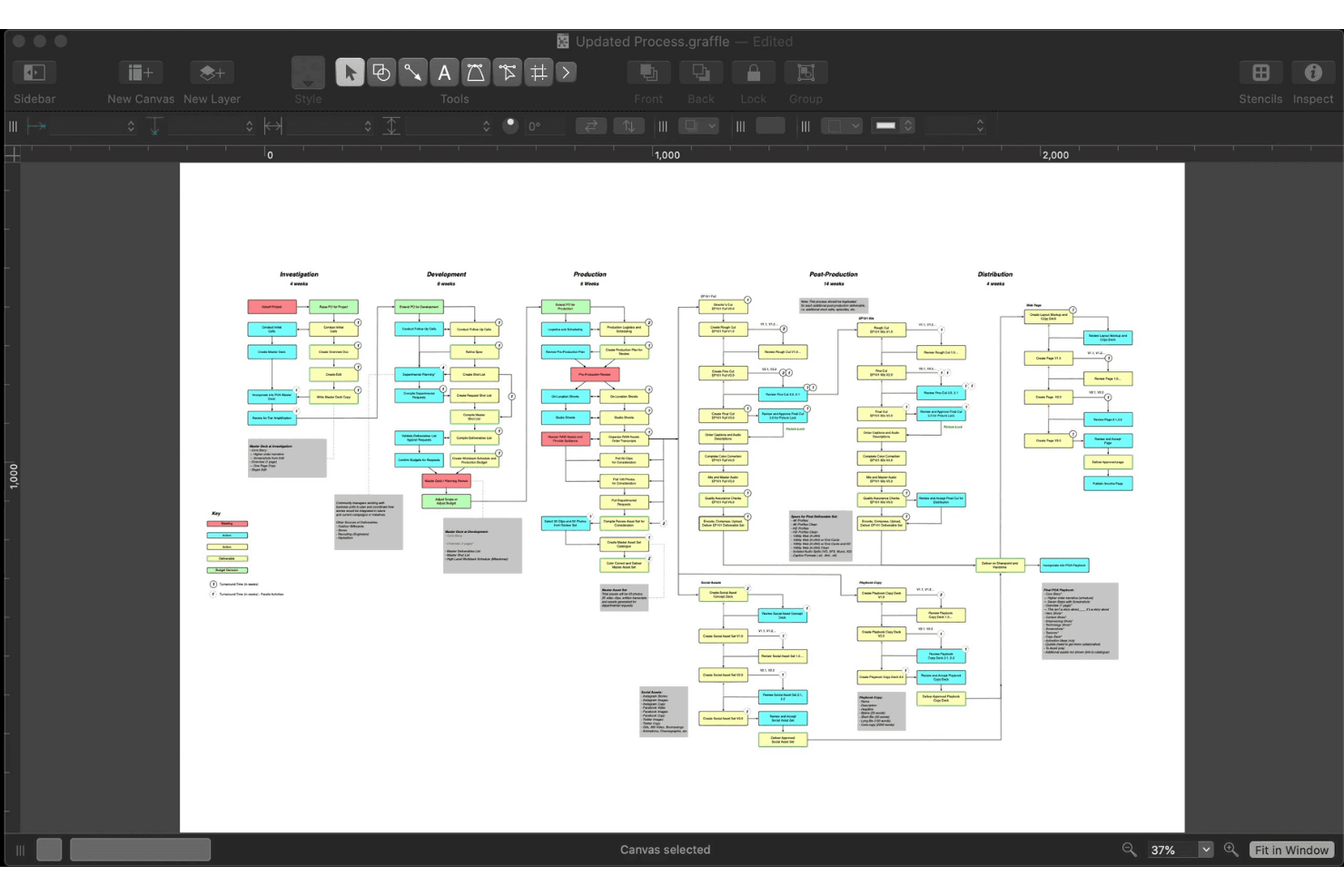
OmniGraffle is praised for being user-friendly while offering a practical set of features. You’ll find it easy to create detailed customer journey maps, thanks to its intuitive interface and range of diagramming tools. Users appreciate the variety of file formats OmniGraffle supports, which simplifies sharing your work with your team. Compared to other advanced tools, it stands out for its balance of accessibility and capability, making it a preferred choice for both beginners and experienced users.
Integrations
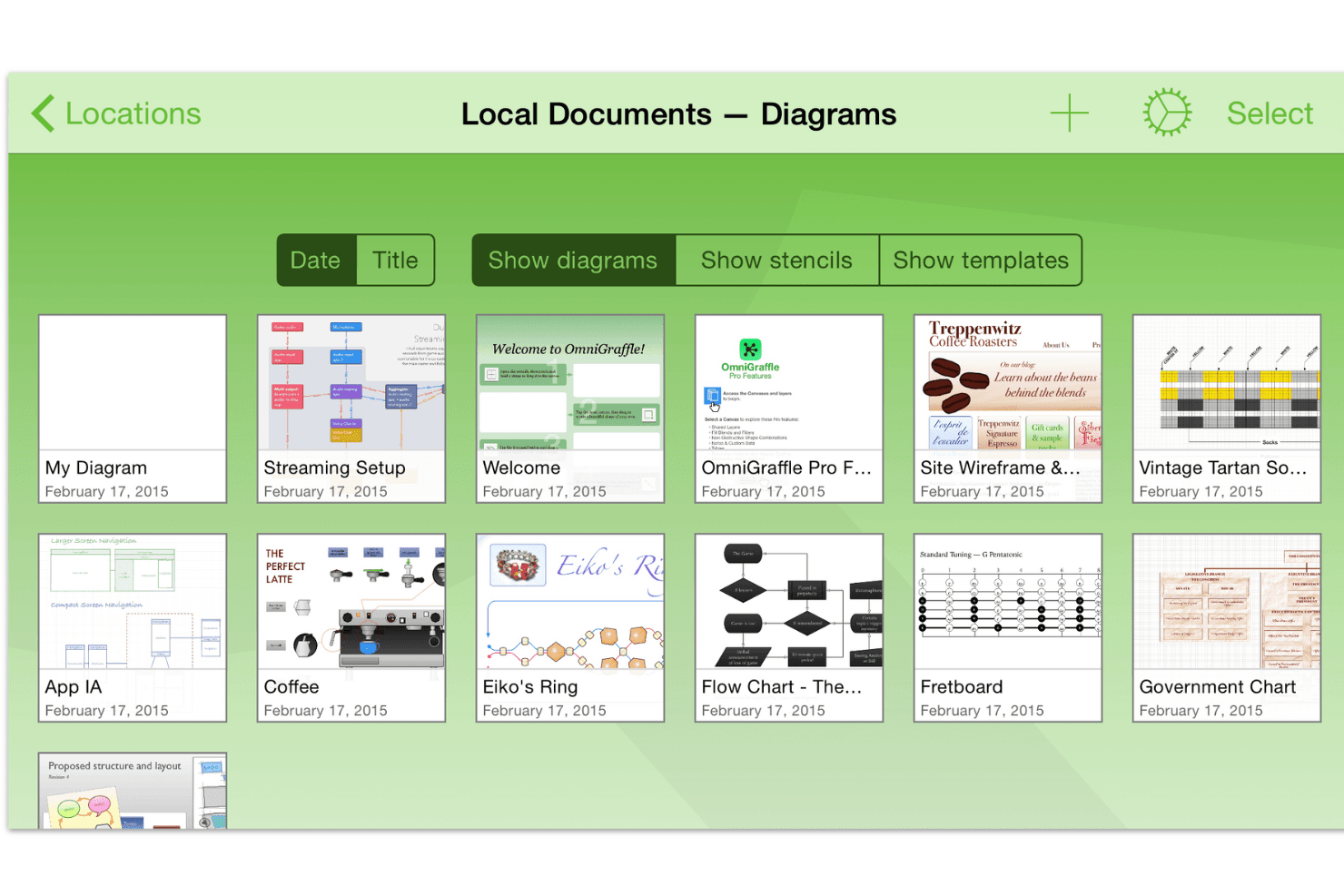
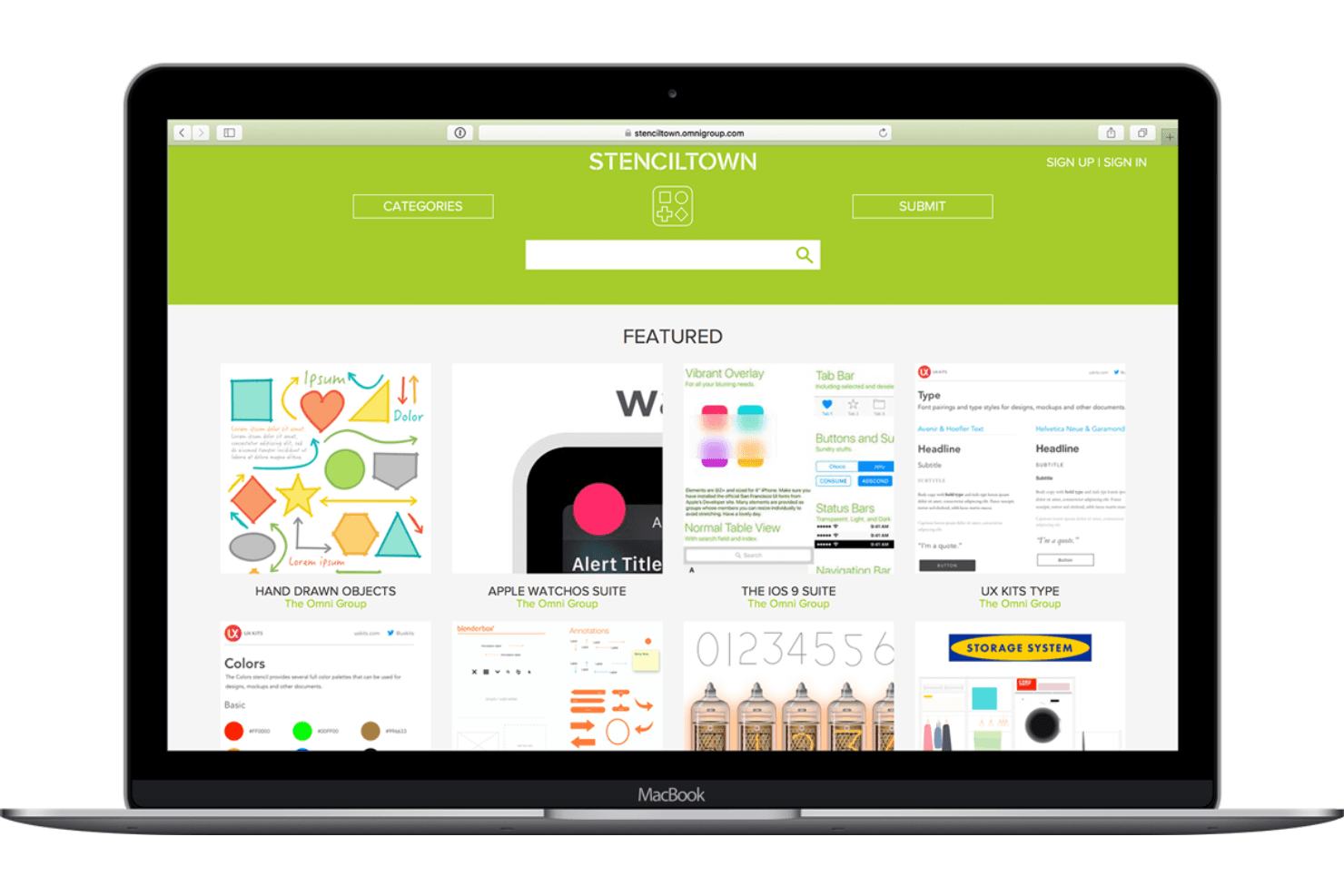
OmniGraffle is compatible with macOS, iOS, iPad, and iPhone, and supports importing and exporting formats like Microsoft Visio, SVG, and PDF. It also offers automation through AppleScript and JavaScript (Omni Automation), and allows users to work with stencils and templates from sources like Graffletopia.
OmniGraffle does not have a publicly available API, but it connects with third-party integration tools through AppleScript and JavaScript automation.
OmniGraffle Specs
- Analytics: Yes
- API: Yes
- Calendar Management: Yes
- Chat: Yes
- Click-to-Dial: Yes
- CRM Integration: Yes
- Customer Management: Yes
- Customer Service: Yes
- Dashboard: Yes
- Dashboards: Yes
- Data Export: Yes
- Data Import: Yes
- Data Visualization: Yes
- External Integrations: Yes
- Feedback Management: Yes
- Knowledge Base: Yes
- Lead Management: Yes
- Lead Scoring: Yes
- Multi-Source Feedback: Yes
- Multi-User: Yes
- Net Promoter Score: Yes
- Notifications: Yes
- Omnichannel Referrals: Yes
- Online Surveys: Yes
- Review Moderation: Yes
- Scheduling: Yes
- Sentiment Analysis: Yes
- Social Media Monitoring: Yes


