

Reseña de Zendesk: ventajas, desventajas, características y precios explicados
Zendesk combina automatización impulsada por IA, asistencia omnicanal y una amplia personalización en una plataforma diseñada para ayudar a los equipos en crecimiento a ofrecer un servicio al cliente más rápido y uniforme a gran escala.

Revisamos las herramientas de manera independiente, y las comisiones ayudan a financiar nuestras pruebas. Consulta nuestra política de transparencia, nuestra metodología o sugiere una herramienta.
Managing customer support gets harder as your business grows. More channels, higher ticket volumes, and rising customer expectations can quickly overwhelm teams that rely on disconnected tools and manual processes.
Zendesk is a customer support platform designed to help you bring those moving pieces together in one place. Whether you're supporting customers through email, chat, messaging, social media, or voice, the platform aims to streamline operations while helping your team resolve issues faster and more consistently.
In this review, I'll walk you through Zendesk's key features, strengths, limitations, pricing, and ideal use cases so you can determine whether it's the right fit for your customer service strategy.
Zendesk Evaluation Summary
4.3/5
- From $19/user/month (billed annually)
- 14-day free trial
Por qué confiar en nuestras recomendaciones de software
6,700+
Reviews
20
Industry experts
16+
Evaluation factors
14
Years
Nuestro equipo lleva probando y evaluando software desde 2012. Como líderes de CX, sabemos lo difícil —y lo importante— que es elegir el software adecuado.
Para esta guía, evaluamos las herramientas mediante pruebas prácticas e investigación independiente, puntuando las herramientas según nuestros criterios de selección.
Nuestras reseñas reflejan nuestro criterio editorial humano, no un discurso de ventas.
 Gui DrusinaCreative Director
 Tim FisherVP of AI
Zendesk Overview
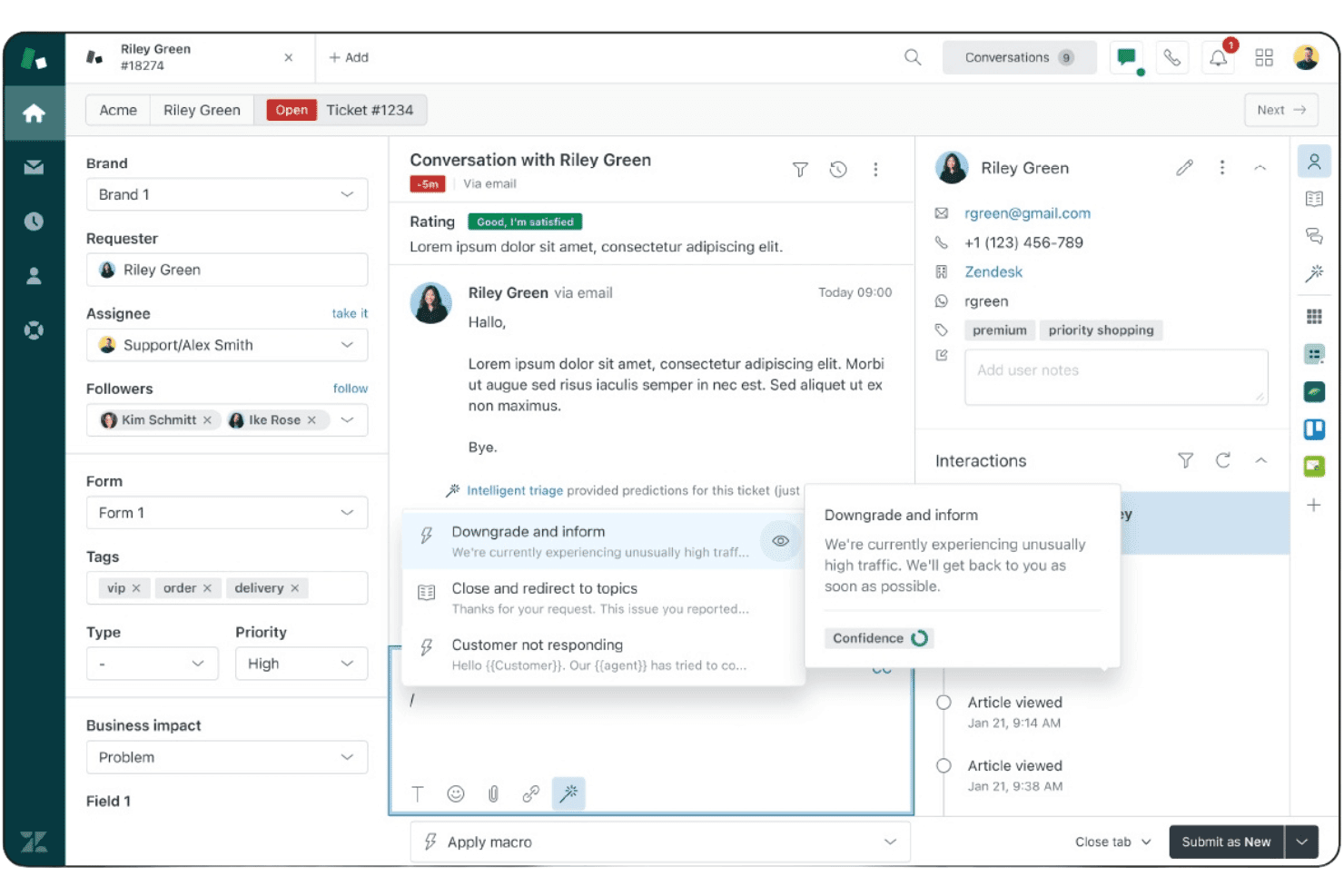
What stands out most to me about Zendesk is how effectively it combines AI, automation, and omnichannel service management in a single system. Agents can manage conversations across email, chat, voice, social messaging, and SMS from one unified workspace, while automation and AI tools help reduce repetitive work and improve response times.
I also like Zendesk's flexibility. The platform offers extensive integrations, customizable workflows, advanced routing options, and a large marketplace of apps, making it easier to adapt the system to your existing processes rather than forcing you into a rigid structure. Its reporting and analytics capabilities are equally strong, giving service leaders the visibility needed to optimize team performance and customer experience.
Pros
- AI-powered automation helps reduce ticket volume and agent workload.
- Unified workspace for email, chat, voice, social, and messaging.
- Fast deployment with strong out-of-the-box workflows and automation.
Cons
- Administration becomes more complex as environments scale.
- Advanced customization may require apps or API development.
- Compliance requirements can require additional configuration effort.
Is Zendesk Right For Your Needs?
Who Would be a Good Fit for Zendesk?
Zendesk is a strong choice for organizations that need to manage customer conversations across multiple channels while maintaining efficiency and consistency at scale. Its combination of AI-powered automation, omnichannel support, self-service tools, and flexible integrations makes it well-suited for teams handling growing support volumes or complex service operations.
Whether you're supporting customers globally, streamlining internal service requests, or improving customer experience through automation, Zendesk provides the tools needed to deliver faster, more personalized support.
- SaaS Customer SuccessOffers automation, self-service, and analytics to help growing teams improve customer retention and scale support efficiently.
- Retail & Ecommerce SupportDelivers omnichannel support across web, messaging, social, and voice to create seamless customer experiences.
- Enterprise Customer Service OperationsSupports complex routing, governance, security, and multibrand environments for large-scale customer service organizations.
- Global Support TeamsProvides scalable workflows for distributed agents and customers across regions, languages, and support channels.
- IT & Employee Service DesksAutomates internal requests and streamlines service delivery processes to improve efficiency and employee satisfaction.
- High-Volume Customer Support CentersUses AI and automation to improve resolution efficiency while reducing repetitive agent workloads and costs.
Who Would be a Bad Fit for Zendesk?
Zendesk is built for customer service, support, and customer engagement teams, but it won't be the best fit for every organization. Companies that require on-premises deployments, highly specialized compliance certifications, or extensive custom-built workflows may find more suitable options elsewhere. It's also less ideal for organizations seeking purpose-built solutions for operational functions such as manufacturing, engineering project management, or advanced IT service management.
- On-Premises Deployment RequirementsZendesk is cloud-based and not designed for self-hosted environments or organizations requiring complete infrastructure control.
- Specialized Compliance RequirementsCertain certification requirements may be better served by niche vendors built specifically for regulated industries.
- Extensive Custom Development NeedsUltra-specific workflows may exceed typical SaaS customization capabilities and require more bespoke development.
- Non-Customer Service Operational TeamsBuilt for customer service rather than manufacturing, engineering, or operational management workflows that require specialized planning and execution tools.
- Advanced ITSM OperationsMay lack the depth of purpose-built enterprise ITSM platforms for complex operational requirements.
- Very Low Support VolumeAutomation and routing features may exceed day-to-day operational needs.
Cómo Probamos y Evaluamos Herramientas
Hemos pasado años construyendo, refinando y perfeccionando nuestro sistema de evaluación y puntuación de software. La rúbrica está diseñada para capturar los matices de la selección de software y lo que hace que una herramienta sea eficaz, centrándose en los aspectos críticos del proceso de toma de decisiones. A continuación, puedes ver exactamente cómo funcionan nuestras pruebas y puntuaciones en siete criterios. Esto nos permite ofrecer una evaluación imparcial del software basada en funcionalidad principal, características destacadas, facilidad de uso, incorporación, soporte al cliente, integraciones, opiniones de clientes y la relación calidad-precio.
Funcionalidad Principal (25% de la puntuación final)
El punto de partida de nuestra evaluación siempre es la funcionalidad principal de la herramienta. ¿Tiene las funciones básicas que un usuario esperaría? ¿Alguna de esas funciones principales está bloqueada en planes de precios más altos? Consideramos que una herramienta debe estar a la par de las capacidades básicas de sus competidores.
Características Destacadas (25% de la puntuación final)
A continuación, evaluamos aquellas características poco comunes y destacadas que superan la funcionalidad principal típica de herramientas de ese tipo. Una puntuación alta refleja funciones especializadas o únicas que hacen que el producto sea más rápido, eficiente o que aporte un valor adicional al usuario. También evaluamos lo fácil que es integrar la herramienta con otras que típicamente se utilizan en el ecosistema tecnológico para ampliar la funcionalidad y utilidad del software. Las herramientas que ofrecen abundantes integraciones nativas, conexiones de terceros y acceso a API para integraciones personalizadas obtienen la mejor puntuación.
Facilidad de Uso (10% de la puntuación final)
Consideramos lo rápido y sencillo que es ejecutar las tareas definidas en la funcionalidad principal usando la herramienta. El software que puntúa alto está bien diseñado, es intuitivo, ofrece aplicaciones móviles, proporciona plantillas y hace que tareas relativamente complejas parezcan sencillas.
Incorporación (10% de la puntuación final)
Sabemos lo importante que es la rápida adopción del equipo en una nueva plataforma, así que evaluamos lo fácil que es aprender y usar una herramienta con poca formación. Evaluamos cuán rápido un miembro del equipo puede configurarse y comenzar a usar la herramienta sin experiencia. Las soluciones mejor puntuadas requieren poco o ningún soporte.
Soporte al Cliente (10% de la puntuación final)
Revisamos lo rápido y sencillo que es salir de un atasco y encontrar ayuda por teléfono, chat en vivo o una base de conocimientos. Las herramientas y empresas que brindan soporte en tiempo real obtienen la mejor puntuación, mientras que los chatbots obtienen la peor.
Opiniones de Clientes (10% de la puntuación final)
Más allá de nuestras propias pruebas, consideramos el puntaje neto del promotor de los clientes actuales y anteriores. Revisamos la probabilidad de que elijan la herramienta nuevamente para la funcionalidad principal. Un software con alta puntuación refleja un alto puntaje neto del promotor por parte de clientes actuales o anteriores.
Relación Calidad-Precio (10% de la puntuación final)
Por último, considerando todos los demás criterios, analizamos el precio promedio de los planes de nivel inicial frente a las funciones principales y valoramos el resto de los criterios de evaluación. El software que ofrece más por menos obtiene una mayor puntuación.
Core Features
Ticket Management
Centralizes customer inquiries from email, chat, phone, and social into a single dashboard. Users can assign, prioritize, and track tickets with custom workflows.
Automation and Triggers
Automates repetitive tasks like ticket routing, notifications, and escalations. Teams can set up rules to streamline responses and reduce manual work.
Omnichannel Support
Lets agents handle conversations across chat, email, voice, and messaging apps in one place. Customers get consistent support no matter how they reach out.
Knowledge Base
Provides a self-service portal where customers can find answers to common questions. Teams can update articles and track which resources reduce ticket volume.
Analytics and Reporting
Offers customizable dashboards and detailed reports on agent performance, ticket trends, and customer satisfaction. Managers can use these insights to improve service quality.
AI Copilot
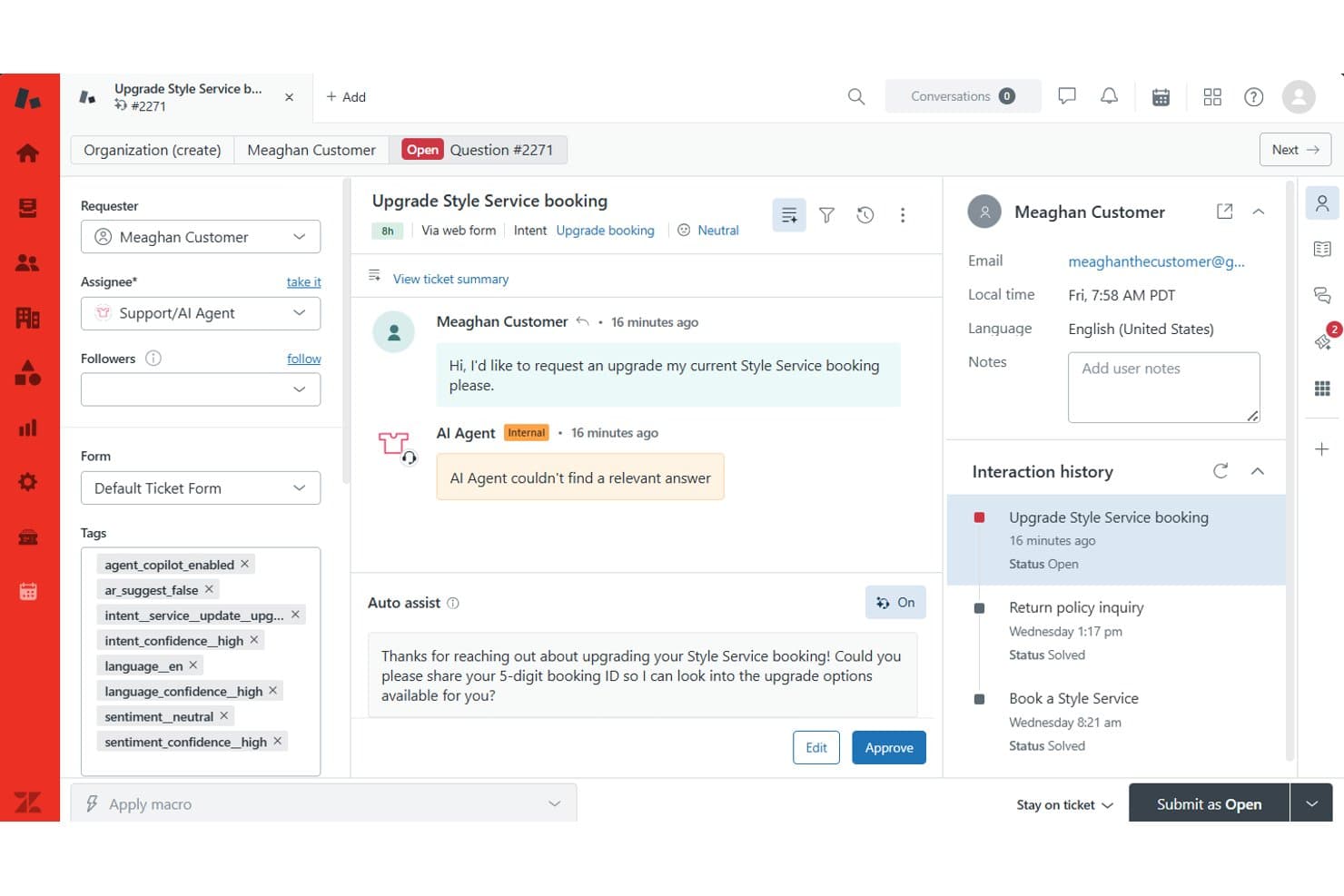
Assists agents with conversation summaries, suggested responses, and next-best actions. This helps teams resolve issues faster while maintaining service quality.
Intelligent Routing
Automatically routes customer requests to the most appropriate agent or team based on skills, availability, and predefined rules. This helps improve resolution times and support quality.
Standout Features
Unified Agent Workspace
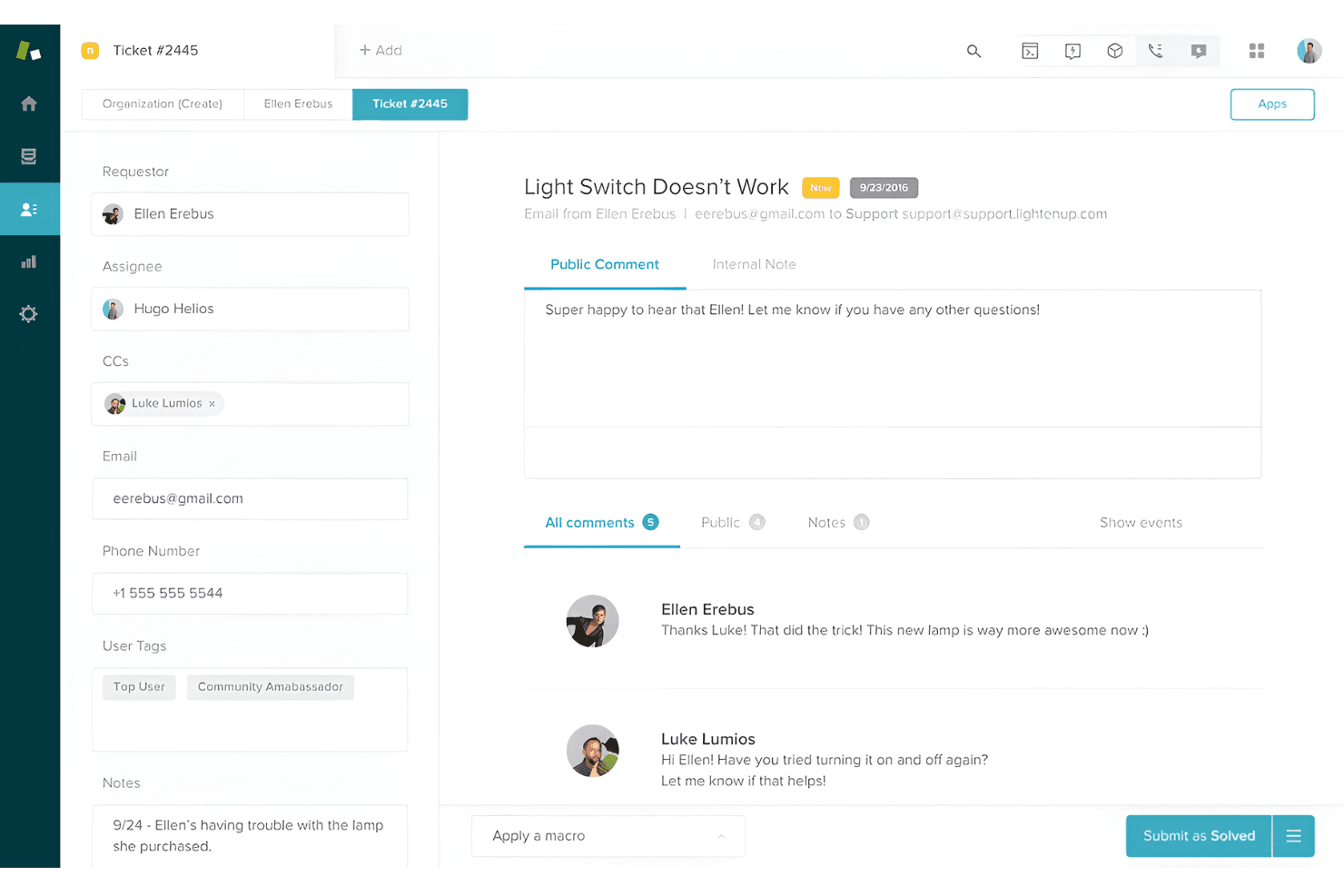
Unified Agent Workspace brings email, chat, voice, social messaging, and SMS conversations into a single interface. Agents can manage every customer interaction from one place, improving efficiency and consistency across channels.
Contextual Workspaces
Contextual Workspaces automatically display relevant macros, apps, and ticket fields based on the issue type. Agents see only what they need for each case, which speeds up resolution and reduces errors.
AI Agents
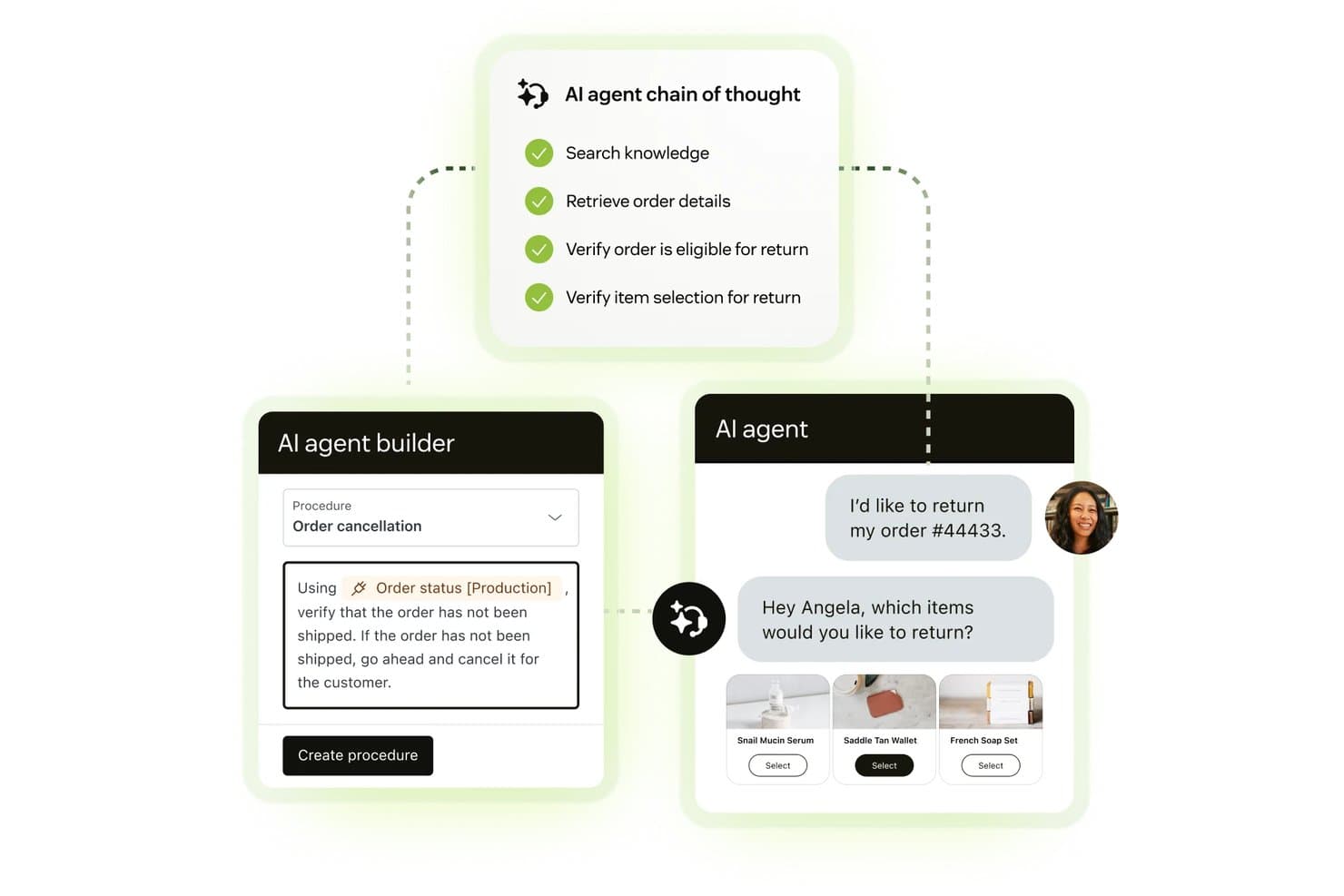
AI Agents can resolve customer requests across channels without agent involvement, handling multi-step workflows and taking actions across connected systems. Powered by Zendesk's Resolution Learning Loop, the AI continuously improves based on real customer interactions and outcomes.
Ease of Use
Zendesk is designed to help teams get up and running quickly with guided onboarding, out-of-the-box workflows, and a modern interface that centralizes customer conversations in one place. The platform is easy to navigate for day-to-day tasks such as managing tickets, responding to customers, and accessing support resources.
As your implementation grows, however, the learning curve can become steeper. Adding multiple support channels, automations, routing rules, integrations, and custom workflows introduces additional administrative complexity that may require more planning and governance. Overall, I think Zendesk strikes a strong balance between ease of adoption and advanced functionality, making it accessible for growing teams while still providing the flexibility larger organizations need.
Onboarding
Zendesk offers a structured onboarding experience that can be self-serve or guided, depending on your team's needs and implementation complexity. Most deployments follow a phased approach that includes initial planning, system configuration, workflow setup, channel rollout, integrations, training, and ongoing optimization. For simpler implementations, Zendesk provides documentation, templates, and in-product guidance to help teams get started quickly.
Organizations with more complex requirements can work with Zendesk or a certified partner for implementation support, data migration assistance, training, and solution design. While many teams can get up and running in a matter of days or weeks, larger deployments involving multiple channels, integrations, or custom workflows typically require a longer onboarding timeline. Overall, I think Zendesk makes it relatively easy to achieve value quickly while still providing the resources needed for more advanced rollouts.
Customer Support
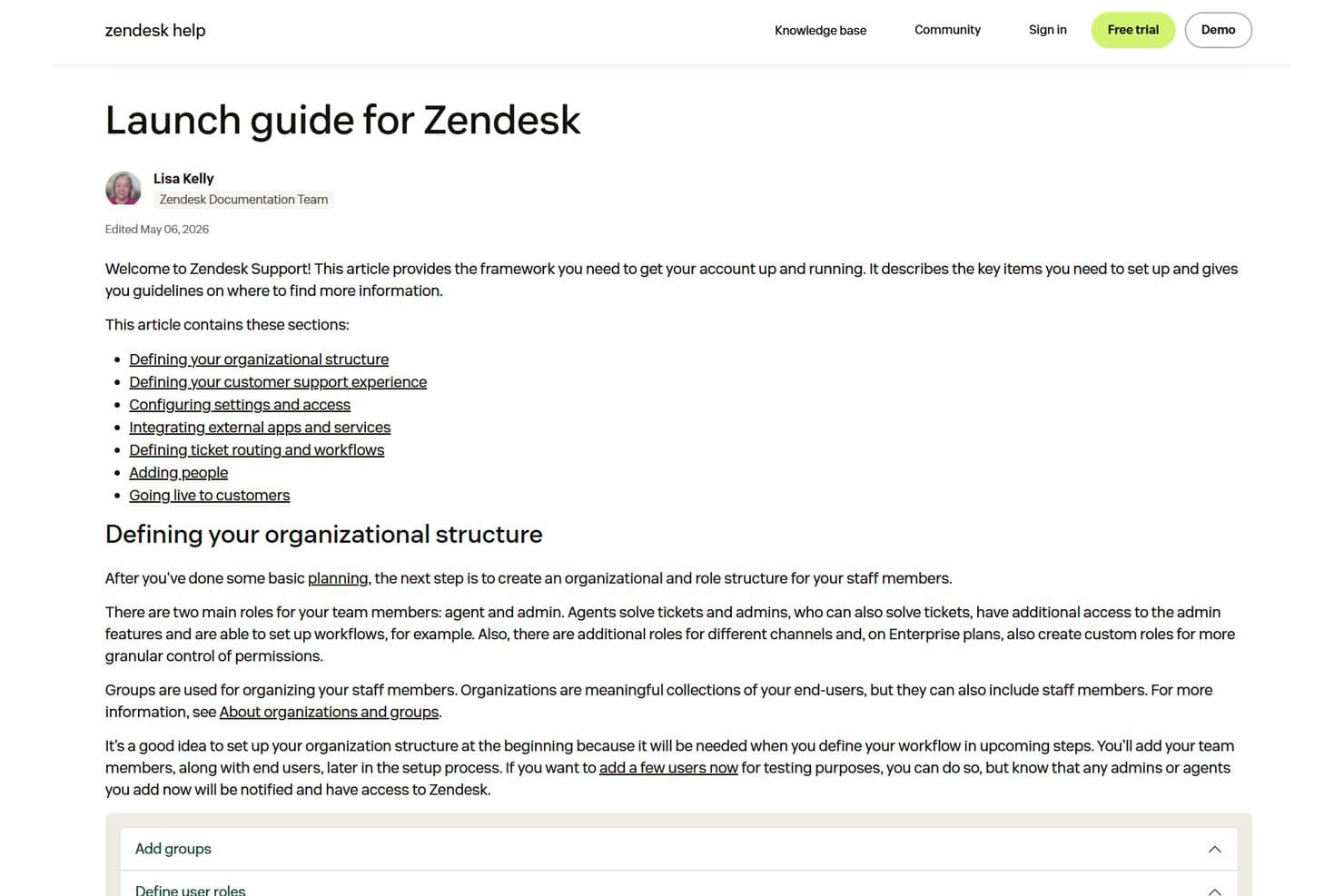
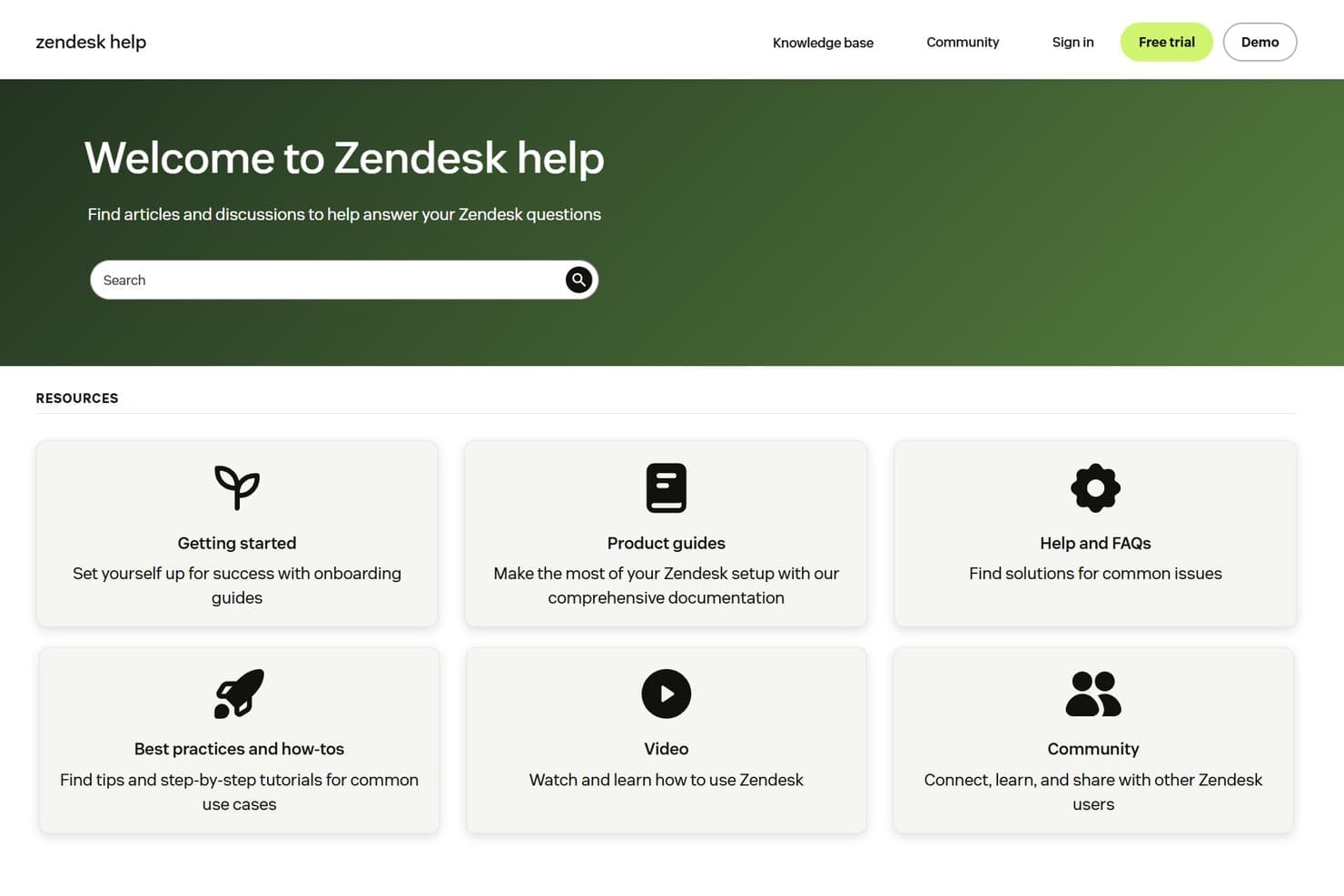
Zendesk provides support through its help center, support widget, web forms, documentation, training resources, and community content. I like that the platform emphasizes self-service, giving customers access to extensive guides, articles, and learning materials that can help resolve issues quickly without contacting support directly.
For organizations that need additional assistance, Zendesk also offers premium support options with enhanced technical expertise, priority routing, and service-level commitments. While most teams should find the available resources sufficient for day-to-day needs, businesses with complex deployments or mission-critical requirements may benefit from higher-tier support plans.
Integrations
Zendesk integrates with popular business tools such as Slack, Salesforce, Shopify, Jira, Microsoft Teams, and HubSpot, while also offering a large marketplace of apps and partner integrations (1,800+ options). Its open APIs and customization tools make it easy to connect Zendesk with existing systems and build workflows that fit your organization's needs.

Value for Money
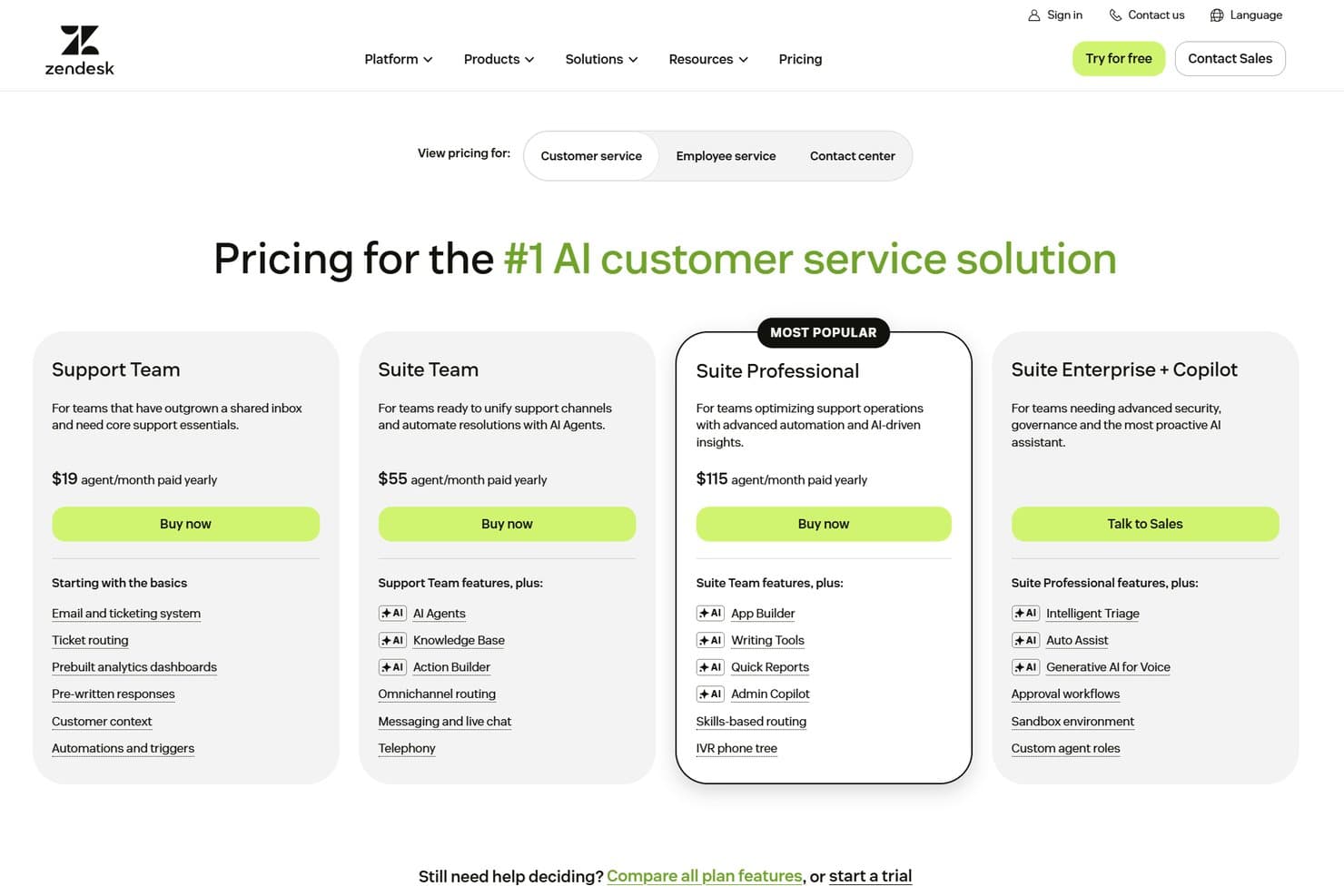
Zendesk delivers strong value for organizations that need scalable customer service tools, AI-powered automation, and omnichannel support. I think the platform's flexibility, integrations, and enterprise-ready capabilities justify the investment for growing businesses and larger organizations. Plans include:
- Support Team: Includes email and ticketing, ticket routing, customer context, automations, triggers, prebuilt analytics dashboards, and pre-written responses.
- Suite Team: Adds AI Agents, a knowledge base, Action Builder, omnichannel routing, messaging and live chat, and telephony.
- Suite Professional: Includes App Builder, AI writing tools, Quick Reports, Admin Copilot, skills-based routing, and IVR phone trees.
- Suite Enterprise + Copilot (Custom Pricing): Adds Intelligent Triage, Auto Assist, generative AI for voice, approval workflows, sandbox environments, and custom agent roles.
New Product Updates from Zendesk
Zendesk Adds Email AI Replies and Predictive Routing
Zendesk adds configurable Knowledge and Welcome replies to email AI agents with agentic AI, plus predictive routing for email tickets in omnichannel routing. These updates help teams shape email response flows and route eligible tickets to the agent predicted to resolve them fastest. Highlights include:
- Knowledge Reply: Customize how email AI agents answer questions using connected knowledge sources.
- Welcome Reply: Add pre-conversation logic for routing, actions, integrations, or escalation before the AI agent responds.
- Predictive Email Routing: Route eligible email tickets using agent availability, workload, and performance signals.
- Expanded Email Coverage: Apply predictive routing to email, web form, side conversation, and API-created tickets.
Visit Zendesk’s official site for more details.
Zendesk Adds Email AI Replies and Predictive Routing
Zendesk adds configurable Knowledge and Welcome replies to email AI agents with agentic AI, plus predictive routing for email tickets in omnichannel routing. These updates help teams shape email response flows and route eligible tickets to the agent predicted to resolve them fastest. Highlights include:
- Knowledge Reply: Customize how email AI agents answer questions using connected knowledge sources.
- Welcome Reply: Add pre-conversation logic for routing, actions, integrations, or escalation before the AI agent responds.
- Predictive Email Routing: Route eligible email tickets using agent availability, workload, and performance signals.
- Expanded Email Coverage: Apply predictive routing to email, web form, side conversation, and API-created tickets.
Visit Zendesk’s official site for more details.
Zendesk Makes Employee Service AI Agents Generally Available
Zendesk has made employee service AI agents generally available for eligible customers, helping teams deliver faster employee support across key channels with richer knowledge coverage and automation. The update improves self-service resolution while providing clearer controls for how many issues AI can resolve each month. Highlights include:
- Multi-Channel Support: Deliver AI-powered employee help through the help center, Slack, and Microsoft Teams.
- Knowledge Connectors: Connect more than 20 sources, including Google Drive, SharePoint, Confluence, Notion, Slack, Teams, and Box.
- Permission-Aware Access: Respect resource-level permissions across connected knowledge sources.
- Advanced Action Flows: Let AI agents run multi-system workflows and resolve requests end to end.
- Human Escalation: Create tickets automatically when a request needs human support.
Visit Zendesk’s official site for more details.
Zendesk Updates AutoQA Tone Scoring
Zendesk has updated the way AutoQA calculates tone scores for QA users, making the evaluation more specific to observable, professional conduct. This helps teams rely on clearer, more consistent tone assessments without needing to change their current setup. Highlights include:
- Professional Conduct: Focuses tone scoring on observable behaviors in agent responses.
- Emotion Exclusion: Removes assessments of emotions such as frustration.
- Automatic Rollout: Applies to all Zendesk QA accounts without manual setup.
- Updated Scoring: Uses a revised calculation method that may change average tone scores.
- Compliance Focus: Aligns AutoQA tone evaluation with stricter privacy and regulatory expectations.
Visit Zendesk’s official site for more details.
Zendesk Adds Smartsheet Connector for Action Flows
Zendesk Action Flows can now connect with Smartsheet to manage sheet and row data without duplicating work across systems. Workflows can create rows, retrieve details, and update records as support tasks progress. Highlights include:
- Smartsheet Connector: Connects Zendesk Action Flows with Smartsheet.
- Add Rows: Creates new rows from support workflows.
- Read and Search: Finds and retrieves existing Smartsheet data.
- Update Rows: Updates Smartsheet records as work progresses.
- Workflow Integration: Links customer support activity with project and process tracking.
Visit Zendesk’s official site for more details.
Zendesk Contact Center Adds Outbound User Search
Zendesk Contact Center now includes outbound user search, helping agents initiate calls faster without switching tools. This streamlines outreach workflows and reduces time spent manually finding contact details. Highlights include:
- User Search: Finds Zendesk users by name or phone number.
- Saved Phone Numbers: Shows available numbers when a user has more than one.
- Direct Outbound Calling: Lets agents place calls from the dialer after selecting a user.
- Permission-Based Results: Only shows users the agent is allowed to access.
- Manual Dialing: Keeps keypad dialing available alongside user search.
Visit Zendesk’s official site for more details.
Zendesk Connects Salesforce as an External Knowledge Source
Zendesk connects Salesforce content to AI agents, Copilot, search, and generative search as an external knowledge source. This makes existing Salesforce knowledge easier to reuse across support workflows. Highlights include:
- Salesforce Knowledge Source: Lets teams connect Salesforce content directly to Zendesk.
- AI Agent Access: Makes Salesforce knowledge available to Zendesk AI agents.
- Copilot Support: Gives Copilot access to connected Salesforce content.
- Search Integration: Extends Salesforce content to standard and generative search experiences.
Visit Zendesk’s official site for more details.
Zendesk Updates Ticket Merging and Multi-Recipient Email Handling
Zendesk introduces a redesigned ticket merge sidebar and multi-recipient email tickets that create linked tickets for each support address. These updates make it easier to review merged tickets and coordinate requests across teams. Highlights include:
- Ticket Merge Sidebar: Replaces the popup modal with a sidebar that improves ticket visibility and merge context.
- Rich Text Support: Preserves HTML and formatting when tickets are merged.
- Merge Visibility: Adds status indicators, hover details, and clearer warnings during bulk merges.
- Multi-Recipient Email Tickets: Creates a separate ticket for each support address included on an inbound email.
- Linked Ticket IDs: Connects related tickets with a multi-recipient email ID for easier tracking.
Visit Zendesk’s official site for more details.
 Opens new window
Zendesk Voice AI Agents Reach General Availability
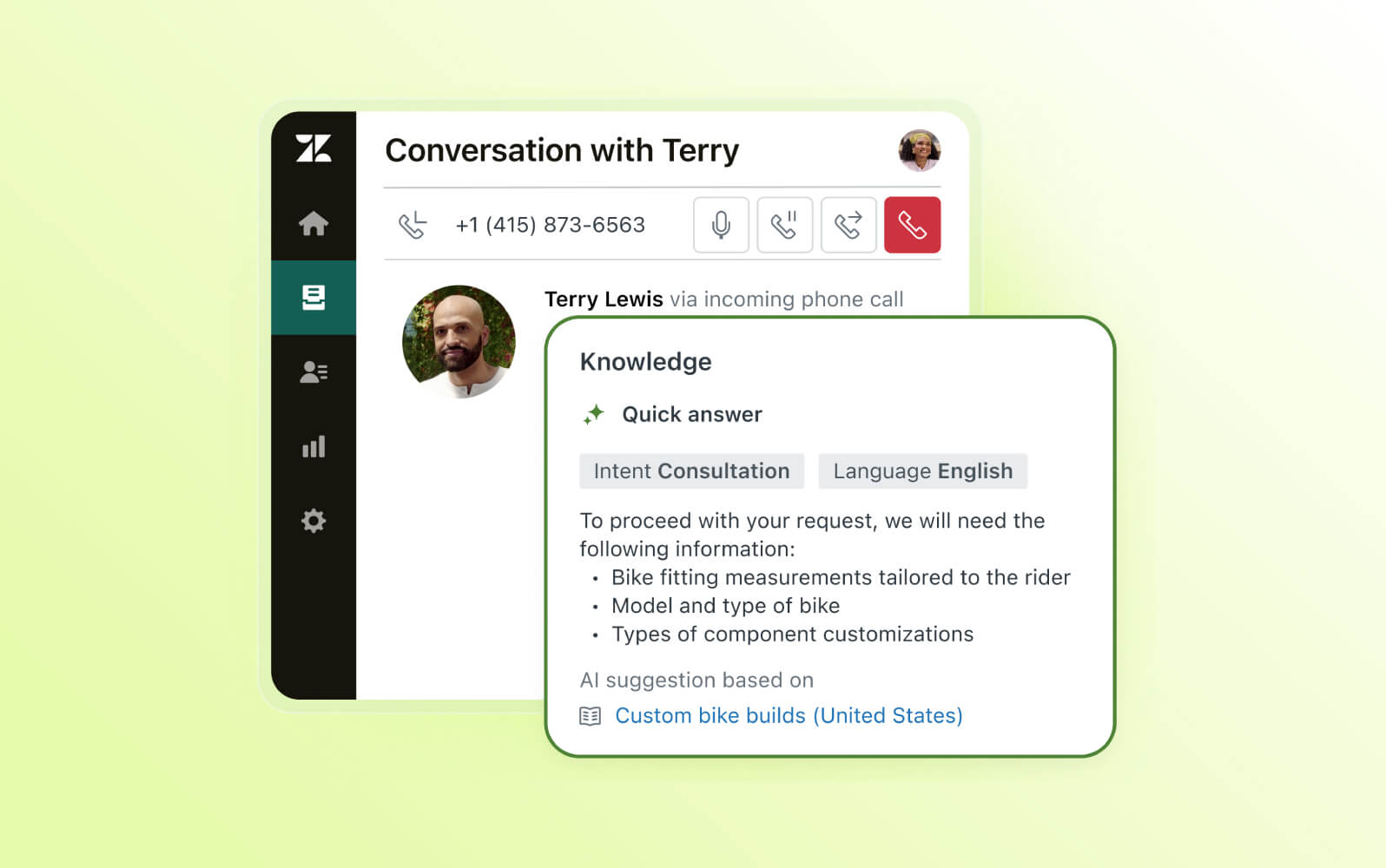
Zendesk makes Voice AI Agents generally available with generative procedures, native voice routing, contextual handoffs, testing tools, and multilingual support. These capabilities help automate more phone conversations while giving agents the context needed to continue escalated calls. Highlights include:
- End-to-End Voice Automation: Handles calls from greeting and intent capture through resolution and wrap-up.
- Contextual Handoffs: Transfers calls with transcripts, summaries, and detected intent for human agents.
- Generative Actions: Supports API calls, database lookups, ticket updates, SMS messages, and email replies.
- Testing Widget: Lets teams test Voice AI Agents in the browser before assigning them to live phone lines.
- Multilingual Support: Supports conversations in 53 languages with language-specific voices and locales.
Visit Zendesk’s official site for more details.
 Opens new window
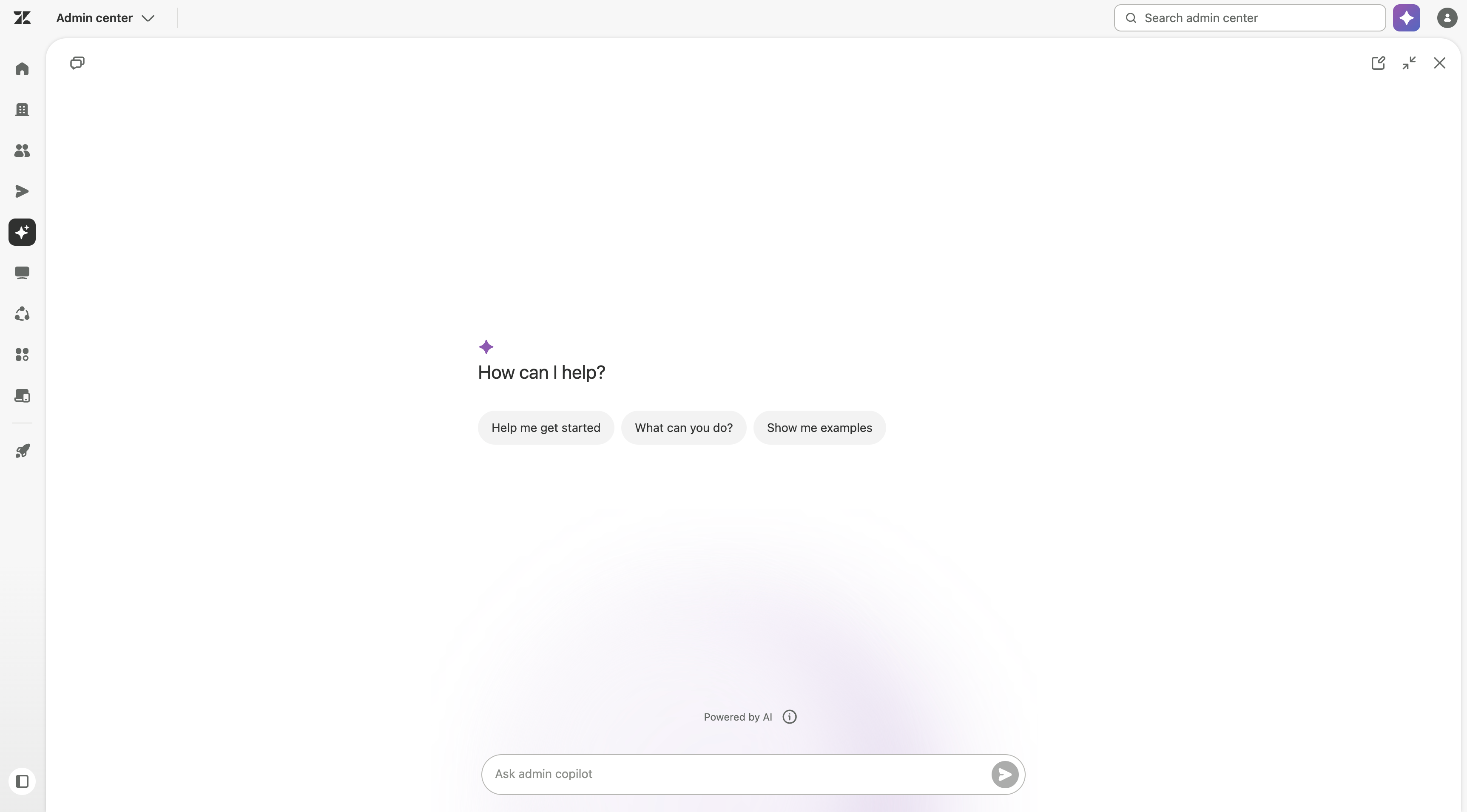
Zendesk Adds HubSpot Knowledge and Admin Copilot Controls
Zendesk adds HubSpot content across AI agents, Copilot, search, and generative search, plus role-based Admin Copilot access, expanded view, and QA recommendations. These updates improve knowledge access and admin control. Highlights include:
- HubSpot Knowledge Source: Makes HubSpot content available across AI agents, Copilot, search, and generative search.
- Role-Based Access: Lets admins control which custom roles can use Admin Copilot.
- Expanded View: Gives admins more space to review detailed Copilot responses.
- QA Recommendations: Adds Zendesk QA guidance to the recommendations feed.
Visit Zendesk’s official site for more details.
Zendesk Specs
- Analytics: Yes
- API: Yes
- Batch Permissions & Access: No
- Call Integration: Yes
- Chat: Yes
- Contact Management: Yes
- Contact Sharing: Yes
- CRM Integration: Yes
- Customer Management: Yes
- Customer Service: Yes
- Dashboard: Yes
- Data Export: Yes
- Data Import: Yes
- Data Visualization: Yes
- Email Integration: Yes
- Escalation Management: Yes
- External Integrations: Yes
- Instant Chat Integration: Yes
- Knowledge Base: Yes
- Lead Management: No
- Lead Scoring: No
- Multi-User: Yes
- Notifications: Yes
- Real-time Alerts: Yes
- Scheduling: Yes
- Self-service Portal: Yes
- Social Media Integration: Yes
- Support Forum: Yes
- Third-Party Plugins/Add-Ons: Yes
- Ticket Management: Yes
- Workflow Management: Yes
Zendesk FAQs
Zendesk Company Overview & History
Zendesk is a global customer service software company headquartered in San Francisco, California. Zendesk powers customer and employee experiences for over 100,000 organizations worldwide, including notable clients like Conservice, Rain, HeliosX, and NEXT. The company is known for its modern approach to customer service, focus on agent productivity, and commitment to security and sustainability. Zendesk offers a suite of products beyond service, including solutions for sales and AI-powered automation.
Zendesk Major Milestones
- 2007: Zendesk founded in Copenhagen, Denmark.
- 2009: Headquarters moved to San Francisco, California.
- 2014: Zendesk goes public on the New York Stock Exchange.
- 2022: Zendesk acquired by a consortium led by Hellman & Friedman and Permira.
- 2025: Zendesk powers over 100,000 customer and employee experiences globally.