

Avis sur Miro : avantages, inconvénients, fonctionnalités et tarifs
Miro excelle dans la collaboration en équipe grâce à son interface intuitive et à ses fonctionnalités variées, ce qui en fait un choix remarquable pour la visualisation de données.

Nous évaluons les outils indépendamment ; les commissions aident à financer nos tests. Consultez notre politique de transparence et notre méthodologie.
Miro is a service design tool built around an infinite canvas where teams can map customer journeys, run collaborative workshops, and build service blueprints in real time. It's worth considering if your team does a lot of visual work across discovery, planning, and iteration. I'd choose it over Mural if template depth and diagramming flexibility matter to you—Miro's library is broader, and its integration ecosystem gives it more reach across the tools your team is likely already using.
Miro Evaluation Summary
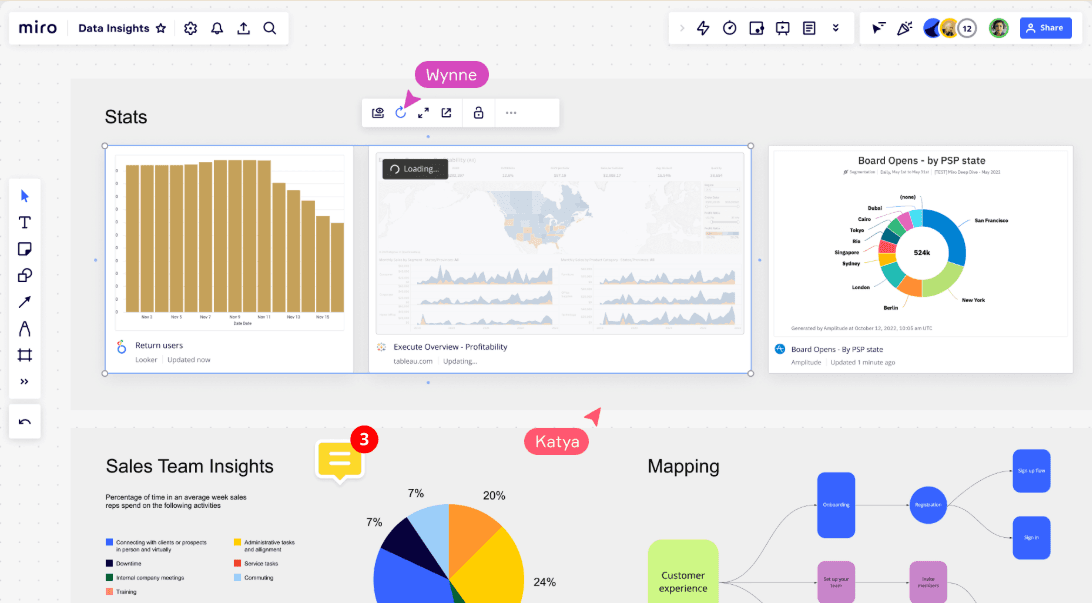
4.8/5
- From $8/user/month (billed annually)
- Free plan + 14-day free trial available
Pourquoi faire confiance à nos recommandations de logiciels
6,700+
Reviews
20
Industry experts
16+
Evaluation factors
14
Years
Notre équipe teste et évalue des logiciels depuis 2012. En tant que leaders CX nous-mêmes, nous savons à quel point il est difficile — et important — de choisir le bon logiciel.
Pour ce guide, nous avons évalué les outils grâce à des tests pratiques et une recherche indépendante, en notant les outils selon nos critères de sélection.
Nos avis reflètent notre jugement éditorial humain, et non un argumentaire de vente.
 Gui DrusinaCreative Director
 Tim FisherVP of AI
Miro Overview
In my opinion, Miro is a strong choice for teams seeking a service design tool with real-time collaboration as its core strength. Its intuitive interface, vast template library, and extensive integrations make it a flexible option for diverse workflows. However, it can lag with large boards and requires a stable internet connection. Miro excels in environments prioritizing visual project management and interactive planning, particularly for remote teams.
If you're in a dynamic team focused on idea generation and project visualization, Miro's offerings are compelling. While it might not be the best for long-term data storage, its collaboration capabilities are top-notch compared to others in the market like Figma.
Pros
- Miro’s intuitive interface makes it easy for anyone on your team to use.
- You can collaborate in real-time, no matter where your team is located.
- The vast library of templates helps you quickly get started on your projects.
Cons
- You might experience lagging on large boards, which can slow down your work.
- Miro requires an internet connection, which can be limiting if you're offline.
- Some users find it challenging to track changes and progress on detailed boards.
Is Miro Right For Your Needs?
Who Would be a Good Fit for Miro?
Miro is ideal for dynamic teams that thrive on visual project management and interaction. If your team values real-time collaboration and needs to streamline and integrate with various workflows, Miro's extensive integrations and interactive advanced features will support your work. Its vast library of templates and infinite canvas make it a great tool for visual thinkers and planners, enabling seamless idea generation and strategic planning.
- Creative TeamsMiro's templates and infinite canvas support brainstorming sessions and idea mapping, making it perfect for creative teams.
- Remote WorkforcesIts real-time collaboration tools help remote team members stay connected and productive, despite geographical distances.
- Agile OrganizationsMiro's flexibility and integration options align well with agile methodologies, supporting iterative planning and execution.
- Product ManagersThe platform's visual tools aid in roadmapping and strategic planning, making it a valuable asset for product management.
- UX DesignersDesigners benefit from Miro's ability to facilitate user journey mapping and collaborative design processes.
- EducationMiro's interactive features and ease of use make it an excellent tool for educational environments, promoting collaborative learning.
Who Would be a Bad Fit for Miro?
If you're looking for a simple, straightforward task management tool, Miro might not be for you. Its extensive visual planning features can be overwhelming for those who don't need them. Companies with limited internet access or needing extensive offline capabilities will also struggle, as Miro relies heavily on online connectivity.
- Small BusinessesMiro's complexity and cost may not be justifiable for small businesses with limited budgets and simple task management needs.
- Rural TeamsIf your team struggles with consistent internet access, you'll find Miro's reliance on online connectivity a major hurdle.
- Traditional Project ManagersFor those focused on linear task progression, Miro's visual and collaborative features may feel excessive and unnecessary.
- Offline OperationsIf your work requires offline functionality, Miro's online dependency will be a significant disadvantage.
- Simple Task ManagementTeams needing basic task management might find Miro's extensive features overwhelming and unnecessary.
- Data-Intensive RolesIf your role requires heavy data processing and visualization, Miro's capabilities might not meet your needs.
Comment nous testons et évaluons les outils
Nous avons passé des années à bâtir, affiner et améliorer notre système de test et de notation des logiciels. Notre grille d’évaluation est conçue pour saisir les subtilités des sélections logicielles et ce qui fait qu’un outil est efficace, en se concentrant sur les éléments essentiels du processus de décision. Vous trouverez ci-dessous le détail de notre méthodologie d’évaluation et de notation selon sept critères. Cela nous permet de fournir une évaluation impartiale des logiciels basée sur les fonctionnalités principales, les options uniques, la facilité d’utilisation, l’intégration, la prise en main, l’assistance, les avis clients et le rapport qualité/prix.
Fonctionnalité principale (25% de la note totale)
Le point de départ de notre évaluation concerne toujours la fonctionnalité principale de l’outil. Possède-t-il les fonctions que l’on attend normalement, et ces fonctions sont-elles accessibles pour toutes les offres ? Nous attendons qu’un outil soit au niveau des capacités minimales de ses concurrents.
Fonctionnalités différenciantes (25% de la note totale)
Nous évaluons ici les fonctionnalités qui se distinguent de la fonction de base habituellement présente dans ce type de logiciel. Un score élevé récompense des fonctions spécialisées qui rendent le produit plus efficace ou unique et offrent une valeur ajoutée à l’utilisateur. Nous évaluons également la capacité à s’intégrer facilement avec d’autres solutions courantes, ce qui accroît l’intérêt et l’utilité de l’outil. Les logiciels qui proposent de nombreuses intégrations natives, des connexions tierces ou une API pour les intégrations personnalisées obtiennent une meilleure note.
Facilité d’utilisation (10% de la note totale)
Nous mesurons la rapidité et la simplicité pour effectuer les tâches clés avec l’outil. On valorise le design intuitif, les applications mobiles, les templates préconçus et la capacité à simplifier les tâches complexes.
Accompagnement à la prise en main (10% de la note totale)
L’adoption rapide est essentielle. Nous examinons donc la facilité pour un nouvel utilisateur à prendre l’outil en main avec peu de formation. Nous vérifions la rapidité d’installation et d’utilisation sans expérience préalable. Les meilleurs logiciels exigent peu ou pas de support pour démarrer.
Assistance (10% de la note totale)
Nous évaluons la réactivité et la facilité d’obtenir de l’aide par téléphone, chat ou base de connaissances. Les outils offrant un support humain en temps réel ont le meilleur score ; les chatbots sont moins bien valorisés.
Avis clients (10% de la note totale)
En plus de notre expertises, nous prenons en compte le score NPS (Net Promoter Score) accordé par les utilisateurs actuels et passés. Nous analysons la probabilité qu’ils réutilisent l’outil. Les outils à score élevé possèdent un excellent NPS utilisateur.
Rapport qualité/prix (10% de la note totale)
Après examen des autres critères, nous considérons le prix moyen des offres principales par rapport aux fonctionnalités essentielles évaluées. Les solutions offrant plus pour un prix inférieur obtiennent un meilleur score.
Core Features
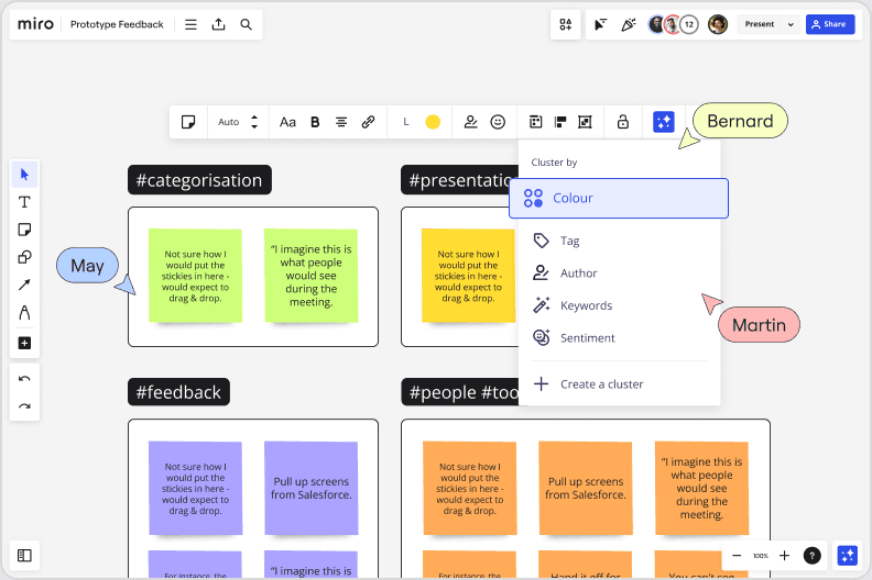
Real-Time Collaboration: You and your team can work on the same Miro board simultaneously, making sessions dynamic and productive. This feature ensures everyone stays on the same page, literally, enhancing teamwork.
Interactive Whiteboard: Miro's flexible whiteboard space lets you create complex diagrams and mind maps. It's ideal for visual thinkers who need to map out extensive ideas.
Template Library: Kickstart your projects with Miro's extensive collection of templates. These predefined frameworks save you time and help you get started quickly.
Customizable Workspace: Tailor your workspace to fit your project needs. This customization enhances your personal and team experience, making work more efficient.
Presentation Tools: Transform any board into a slide deck with Miro's presentation mode. It helps you deliver professional updates to stakeholders with ease.
Analytics and Reporting: Track engagement and progress with Miro's insights into workspace activity. This feature allows you to monitor how your team interacts with boards.
Standout Features
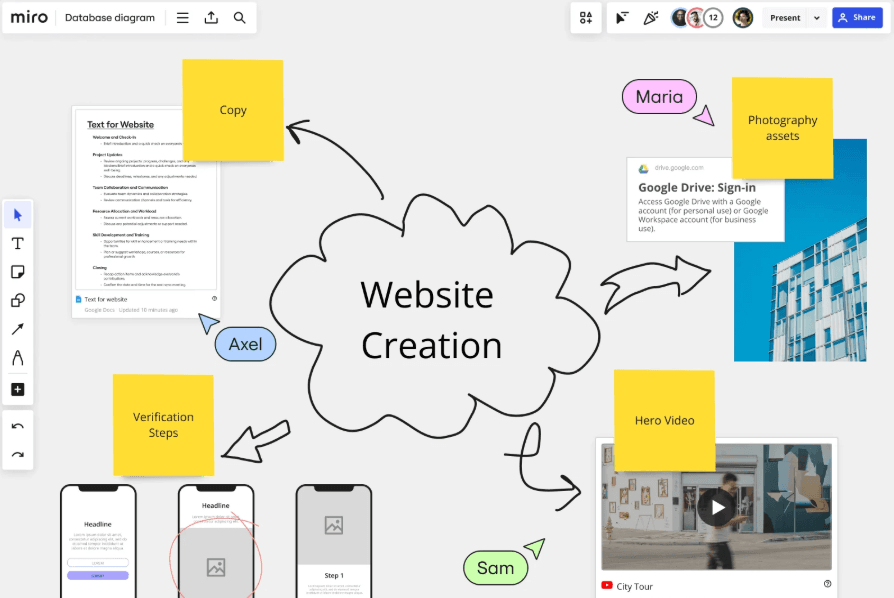
Infinite Canvas: Miro's boundless digital canvas accommodates complex projects and idea ecosystems better than many alternatives. This expansiveness is unmatched, allowing for endless brainstorming possibilities.
Talktrack: Walk through a board and preface a project in advance with this feature. It's a unique way to guide your team through ideas and strategies.
Ease of Use
Miro is intuitive and user-friendly, making it accessible for anyone with internet access. Its drag-and-drop interface and extensive template library simplify visual collaboration. Although new users might face a slight learning curve, the app's community support and learning resources help bridge this gap and improve the user experience. Miro excels as a real-time collaboration platform, though it may lag with complex boards. Its strong integration options make it adaptable for dynamic teams, but reliable internet is crucial for optimal performance.
Onboarding
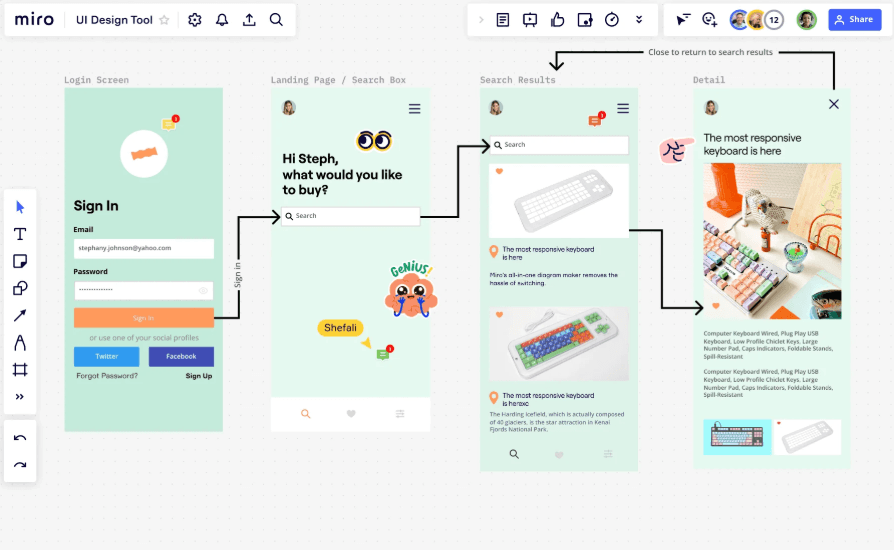
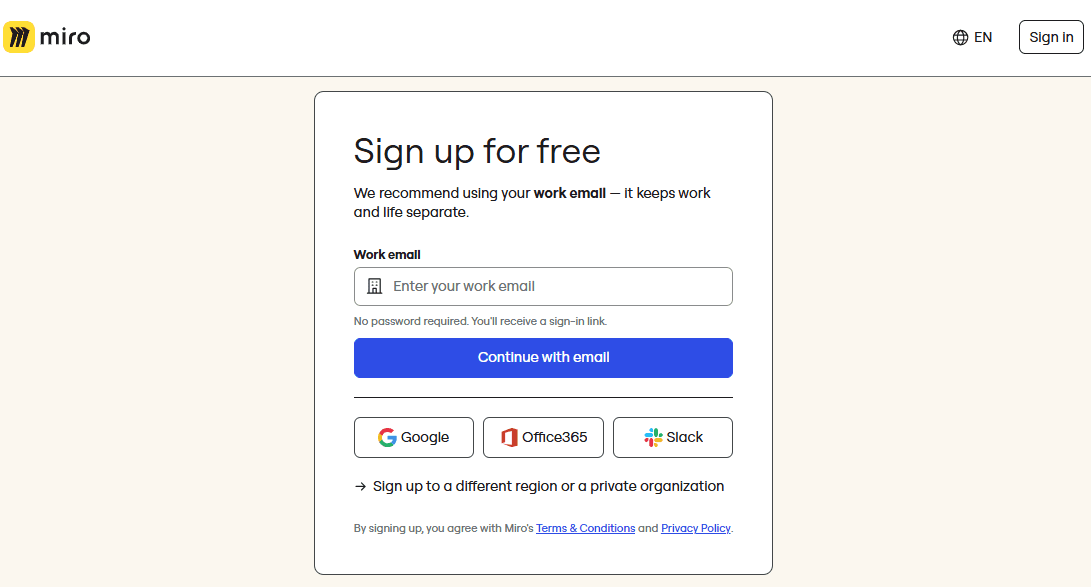
Miro's onboarding is straightforward and gets you using the tool quickly. The platform skips the usual tailored questions and focuses on engaging you with its features immediately. It offers a robust learning centre and community support right within the app. While there's a learning curve, especially as regards the advanced features, the interface is less daunting than others, making your transition smoother. The initial setup is intuitive, helping you and your team dive into collaborative projects without unnecessary delays.
Customer Support
Miro's customer support includes a knowledge base and email, with generally prompt response times. However, users often wish for direct phone support and quicker solutions to complex issues. The availability of webinars and tutorials adds value, but the absence of phone support can be a drawback if you need immediate assistance. Miro’s support channels are robust, yet they might not match the expectations of users accustomed to more direct and diverse support options.

Integrations
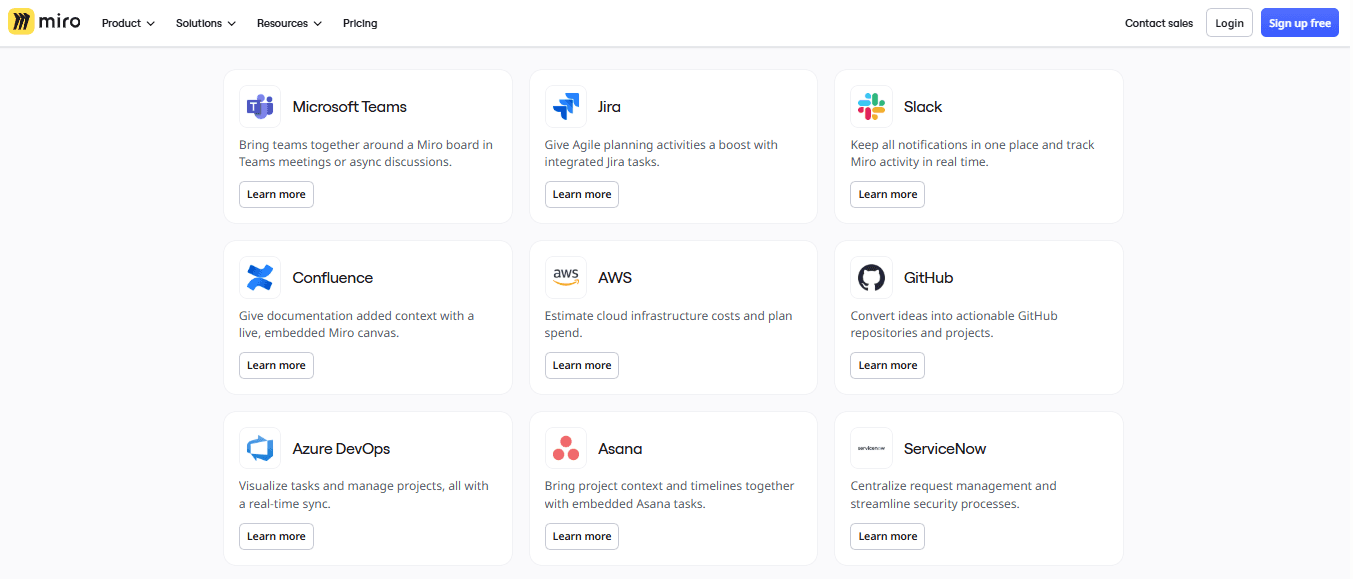
Miro integrates with Asana, Jira, Slack, Google Drive, Microsoft Teams, Zoom, Confluence, Trello, Airtable, and Webex.
Miro offers an API for custom integration and connects with third-party integration tools.
Value for Money
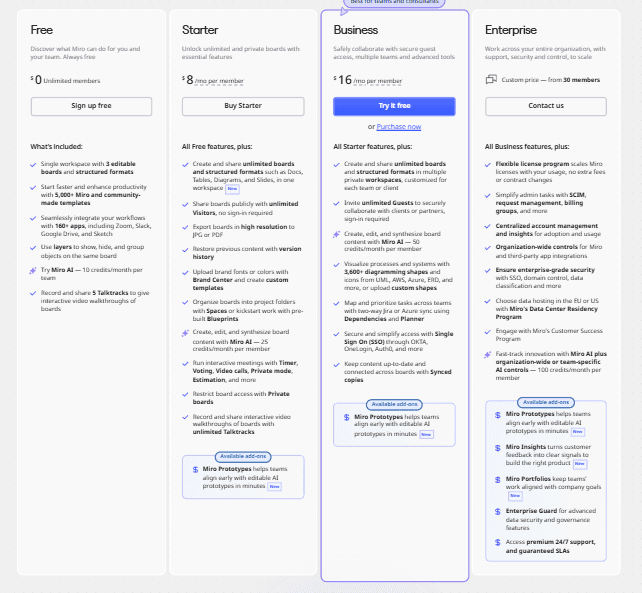
Miro offers significant user value for its cost, particularly for teams prioritizing visual project management and real-time collaboration. The freemium model allows users to explore core features, while paid tiers provide enhanced capabilities like private board sharing and advanced integrations. The pricing is competitive, making it an attractive option for both small teams and larger organizations. A free plan is available for those who want to evaluate the software before committing.
- Free Plan: Core whiteboarding features with limited board access.
- Starter Plan: $8/user/month (billed annually) – For small teams needing more advanced collaboration.
- Business Plan: $16/user/month (billed annually) – For larger organizations with full collaboration and added integrations.
- Enterprise Plan: Pricing upon request – Advanced security and dedicated support for enterprise needs.
New Product Updates from Miro
Miro Adds Japan Data Residency for Enterprise Customers
Miro has launched Japan data residency for enterprise customers, enabling organizations to keep eligible Miro data and processing within Japan. This helps teams meet local data residency expectations while continuing to collaborate on Miro with enterprise-grade controls. Highlights include:
- In-Region Data Storage: Store production data, backup data, and metadata in Japanese data centers.
- In-Region Compute Infrastructure: Process workloads within Japan to reduce cross-region data transfers and improve performance.
- Enterprise Data Residency: Support organizations with data residency, governance, and compliance requirements.
Visit Miro's official site for more details.
 Opens new window
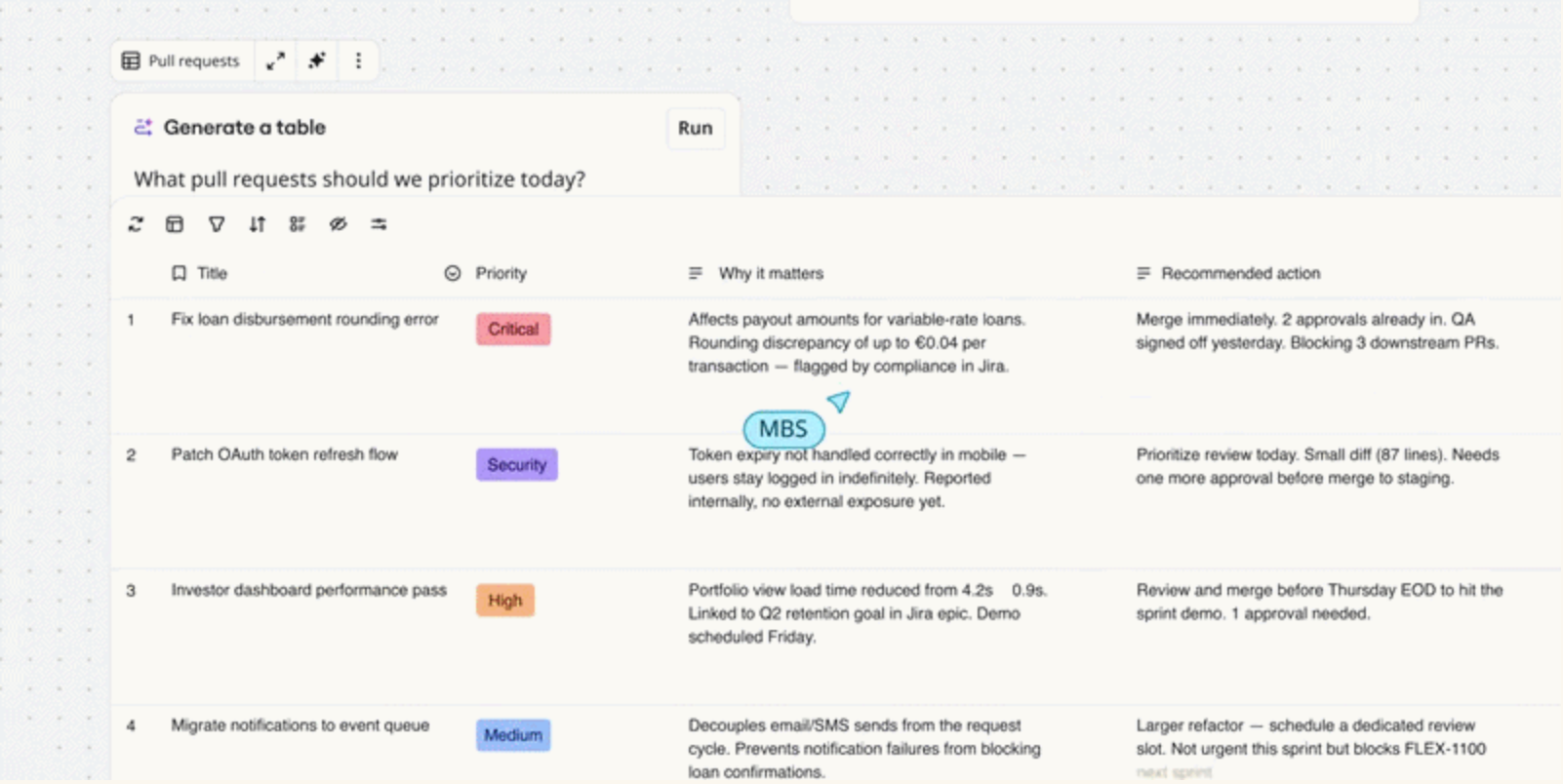
Miro Adds Copilot and GitHub AI Agent Integrations
Miro has introduced AI agent integrations for Microsoft Copilot, Work IQ, and GitHub to connect AI-generated information with visual workspaces. These updates help teams create boards, access project context, and turn complex information into collaborative visuals. Highlights include:
- Miro Agent for Microsoft Copilot: Creates boards, finds Miro content, and summarizes discussions from Microsoft Copilot workflows.
- Work IQ Support: Connects Microsoft 365 context with Miro Sidekicks and Flows for AI-powered collaboration.
- Miro Agent App for GitHub: Turns codebase information, architecture decisions, and development context into visual diagrams and documentation.
Visit Miro’s official site for more details.
 Opens new window
Miro Canvas 26 Adds AI Sidekicks, Flows, and Prototypes
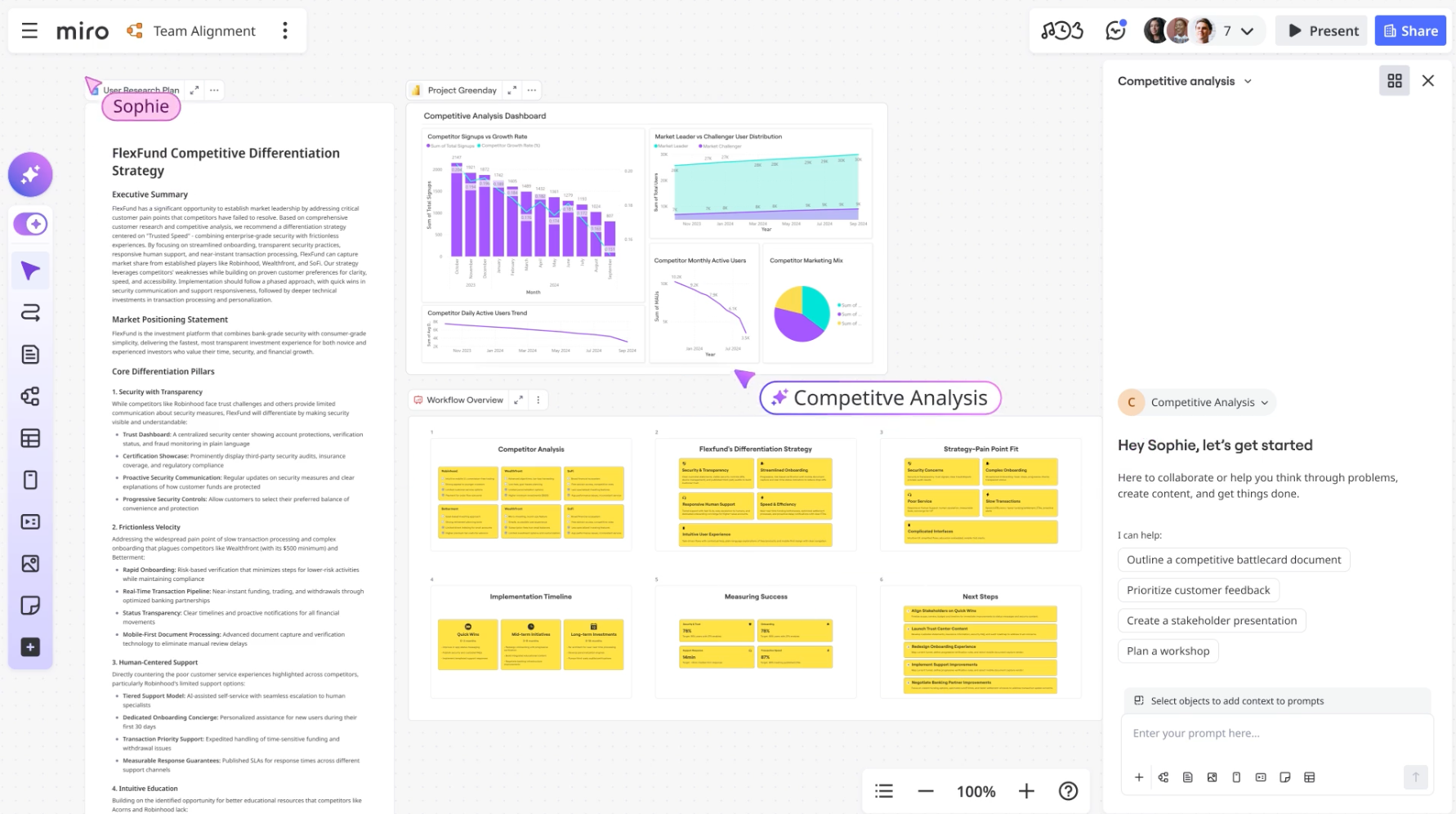
Miro introduces new AI collaboration, workflow automation, prototyping, and engagement capabilities as part of Canvas 26. The updates help teams centralize work, improve cross-tool collaboration, and speed up project execution. Highlights include:
- AI Sidekicks: Sidekicks can now handle more complex tasks, generate board content, and pull context from connected tools.
- Connectors and Miro Flows: Teams can automate workflows across tools like Slack, Atlassian, GitHub, and Notion directly from the Miro canvas.
- Miro Prototypes: Teams can bring prototype content from coding and AI tools into Miro for review and iteration workflows.
- Enhanced Talktrack: Multiple users can now record and edit Talktrack videos directly inside Miro projects.
- Miro Engage Improvements: New engagement activities help teams participate and collaborate more actively during workshops and meetings.
Visit Miro’s official site for more details.
 Opens new window
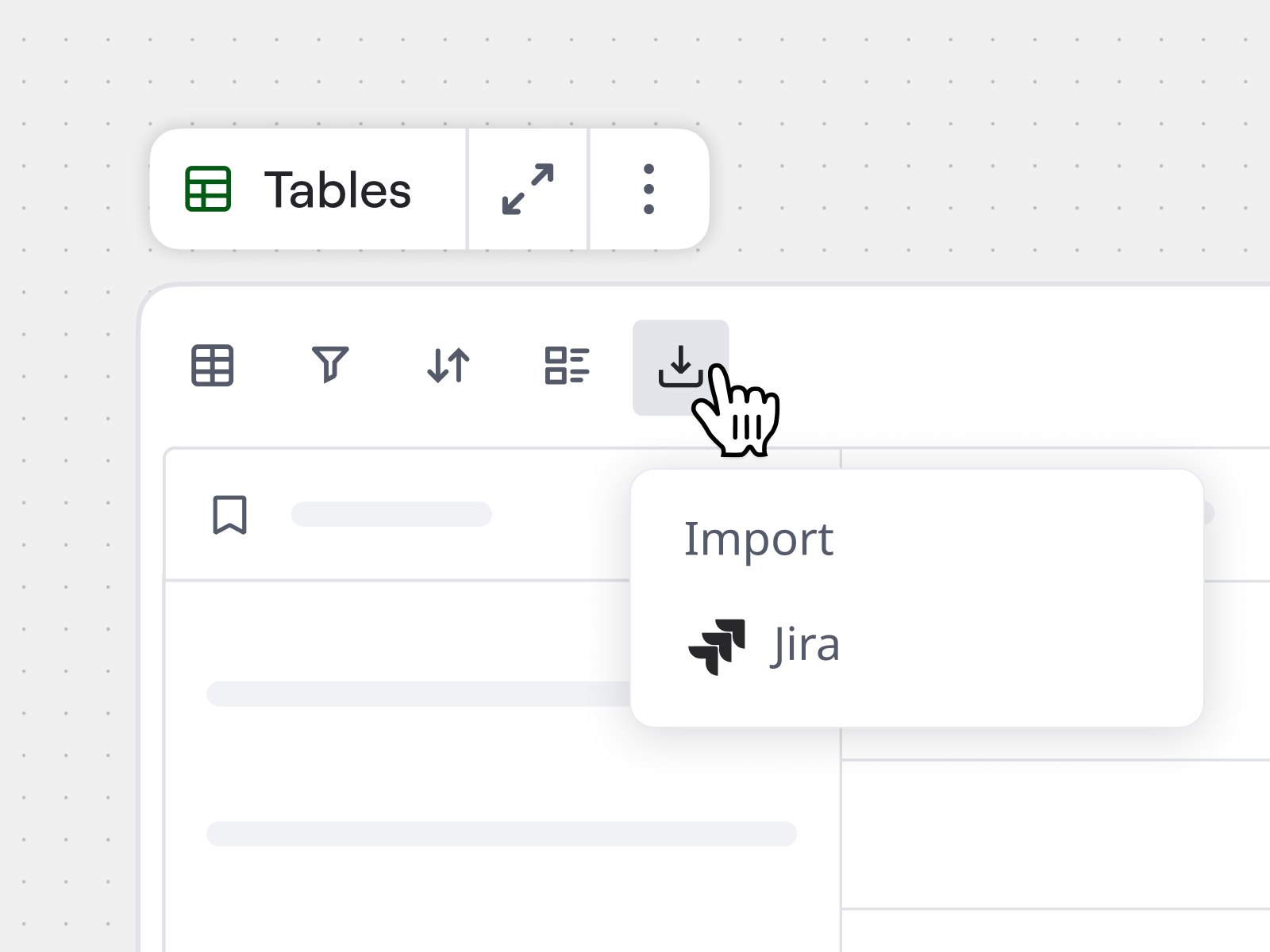
Miro Launches AI Inputs, Jira Sync, Copilot, and Engage Features
Miro introduces PDF input for AI Flows, markdown file conversion into Miro Docs, Jira issue imports with two-way sync, Microsoft Copilot board creation, and Miro Engage Ranking and Scales activities. These updates improve workflow efficiency, reduce manual work, and help teams stay aligned with better inputs and integrations. Highlights include:
- PDF Input for AI Flows: Turn PDFs into structured inputs for AI workflows to extract insights and generate outputs faster.
- Markdown to Miro Docs: Convert markdown files into editable docs instantly for easier collaboration and reuse.
- Jira Integration with Tables: Import and sync Jira issues directly in Miro Tables to centralize planning and updates.
- Microsoft Copilot Integration: Create boards, diagrams, and timelines directly from Copilot conversations without switching tools.
- Miro Engage Ranking and Scales: Collect and visualize team input in real time to support faster, data-driven decisions.
Visit Miro’s official site for more details.
Miro Specs
- API: Yes
- Campaign Management: No
- Collaboration Support: No
- Custom Reports: No
- Data Export: Yes
- Data Import: Yes
- Document Management: No
- Email Integration: Yes
- External Integrations: Yes
- Feedback Management: No
- Multi-User: Yes
- Notifications: Yes
- Project Management: Yes
- Review Moderation: No
- Workflow Management: No
Miro FAQs
Miro Company Overview & History
Miro, headquartered in San Francisco, California, is known for its online whiteboard platform that enhances team collaboration. The company, previously called RealtimeBoard, empowers teams to innovate and create. It remains privately owned, with a strong presence in tech, design, and management consulting sectors. Miro's significant funding rounds reflect its growing popularity, and notable clients include agile organizations and creative professionals.
Miro Major Milestones
- 2011: Miro was founded as RealtimeBoard.
- 2019: Rebranded from Realtime Board to Miro.
- 2020: Raised $50 million in Series B funding.
- 2022: Secured $400 million in Series C funding.