

Avis sur SparrowDesk : avantages, inconvénients, fonctionnalités et aperçu des tarifs
Is SparrowDesk the secret weapon for streamlined support—or just another ticketing tool? I dive deep to reveal where it shines, stumbles, and if it’s worth your switch this 2026.

Nous évaluons les outils indépendamment ; les commissions aident à financer nos tests. Consultez notre politique de transparence et notre méthodologie.
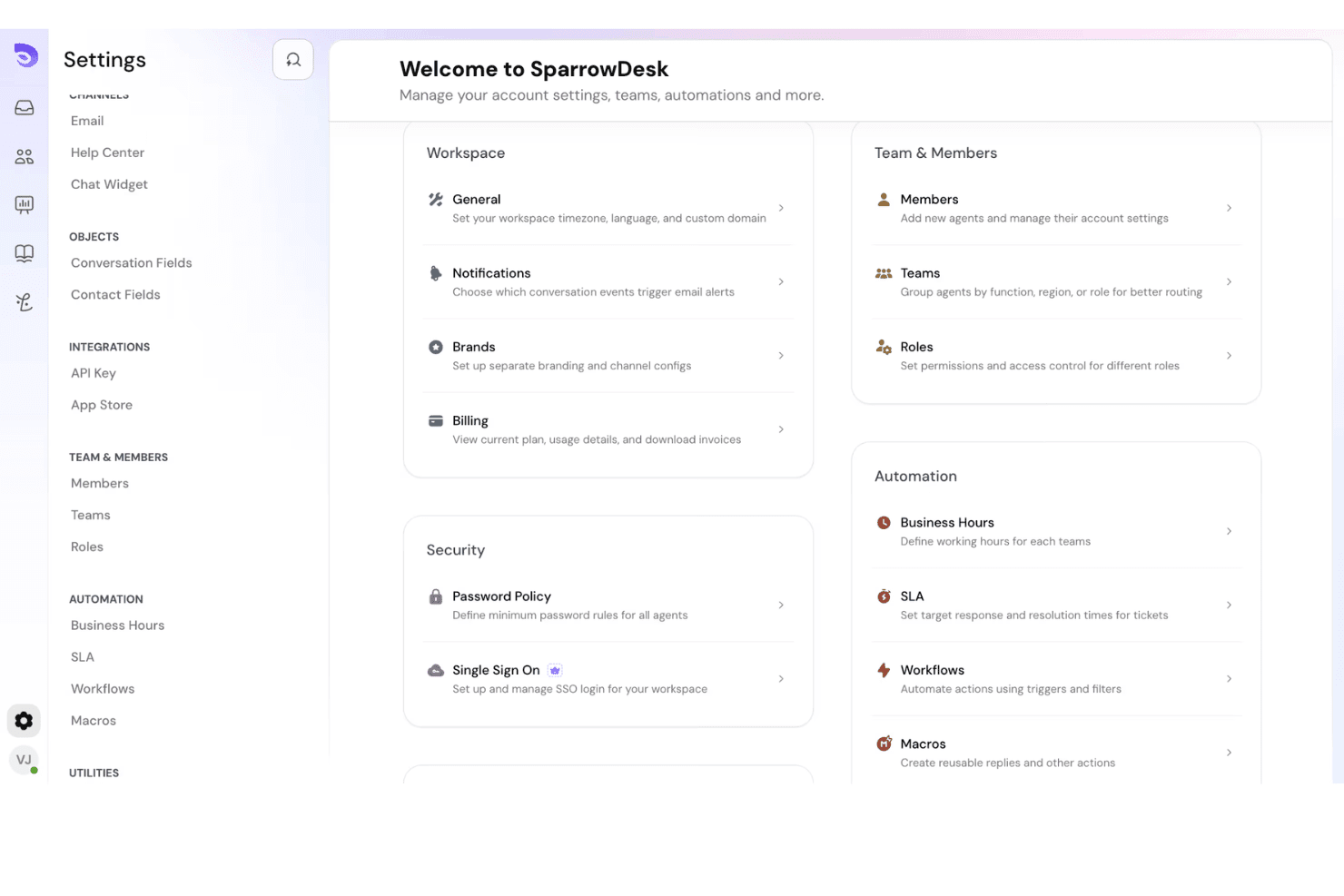
SparrowDesk is a customer service software for support teams that want a shared ticketing workspace with built-in automation, SLA tracking, and multi-channel inboxes across email, chat, and social. I'd point you toward it if you want something more structured than a plain shared inbox, but less heavy to configure and maintain than Zendesk. You get the routing rules, reporting, and knowledge base features your team needs to scale, without the long implementation cycle that comes with enterprise-grade help desks. That middle ground is where most SMBs actually live.
SparrowDesk Evaluation Summary
4.6/5
- From $16/user/month
- Free plan available; 14-day free trial
Pourquoi faire confiance à nos recommandations de logiciels
6,700+
Reviews
20
Industry experts
16+
Evaluation factors
14
Years
Notre équipe teste et évalue des logiciels depuis 2012. En tant que leaders CX nous-mêmes, nous savons à quel point il est difficile — et important — de choisir le bon logiciel.
Pour ce guide, nous avons évalué les outils grâce à des tests pratiques et une recherche indépendante, en notant les outils selon nos critères de sélection.
Nos avis reflètent notre jugement éditorial humain, et non un argumentaire de vente.
 Gui DrusinaCreative Director
 Tim FisherVP of AI
SparrowDesk Overview
If you’re judging SparrowDesk against others, I think it stands out for its fast setup, clear interface, and automation that’s easy for most teams to use right away. I like that you get useful reporting, multi-channel support, and knowledge base features without a long learning curve or complex configuration. Pricing feels fair for what’s included, especially if you want more control than a shared inbox but don’t need deep customization. What you won’t find is an AI-first helpdesk pitch—the automation here is rules-based rather than predictive. I’d suggest SparrowDesk is best if you want structure, solid ticketing, and automation—without the bloat. It’s strongest for growing support teams who want to scale smoothly.
Pros
- Automation features work well for routing and SLAs.
- Native multi-channel inbox covers email, chat, and social.
- Reporting tools give actionable support team insights.
Cons
- Limited advanced workflow configuration for complex needs.
- No built-in community or forum support module.
- Knowledge base editor lacks advanced formatting options.
Is SparrowDesk Right For Your Needs?
Who Would be a Good Fit for SparrowDesk?
SparrowDesk is a strong match for smaller teams, fast-moving startups, and service departments that want minimal IT involvement and quick onboarding. Teams in industries with multichannel support needs and moderate customization demands will appreciate its intuitive automation, responsive customer support, and broad integrations. You’re likely to get the most value if you need straightforward helpdesk software that covers ticketing, inbox management, and core workflows without an overwhelming learning curve.
- SaaS StartupsQuick onboarding and easy automation setup let growing SaaS teams support customers across chat, email, and integrations without IT bottlenecks.
- SMB Customer ServiceSmall and midsize businesses can use SparrowDesk’s core ticketing, tagging, and inbox tools right out of the box and scale up as they grow.
- Nonprofit HelpdesksNonprofit teams can set up ticket routing and respond via multiple channels without advanced technical resources or high ongoing costs.
- Internal IT SupportInternal teams needing to track, assign, and escalate support tickets benefit from simple automation rules and easy-to-use inboxes.
- Agencies With Diverse ClientsMarketing or support agencies handling multiple brands can organize tickets, tag them, and route everything through team chat and other channels in one interface.
- Sales Operations TeamsSales support teams can connect with Salesforce and HubSpot for smooth ticket resolution and customer communication without advanced setup requirements.
Who Would be a Bad Fit for SparrowDesk?
SparrowDesk likely won’t meet the needs of large, complex operations or businesses demanding specialized workflows and heavy customization. Enterprises with layered security, regulated environments, or global teams needing highly tailored interfaces and advanced analytics may face limitations. If your roadmap runs through agentic AI or workforce management, this isn’t the platform that gets you there. It’s not ideal for organizations where deep configuration, custom development, or niche industry compliance are non-negotiable.
- Large Global EnterprisesOrganizations with thousands of users, complex divisions, and strict IT controls will find SparrowDesk’s customization and security options too limited.
- Regulated Financial ServicesBanks and finance firms with demanding compliance and data handling requirements may require more rigorous security features and audit trails than SparrowDesk offers.
- High-Volume E-commerceLarge-scale e-commerce brands with very high ticket loads and specialized order management workflows may hit process and reporting limitations.
- Call Center OperationsTraditional call centers needing telephony integration or real-time queue management will find SparrowDesk’s focus on chat, email, and messaging integrations insufficient.
- Healthcare Support TeamsHealthcare organizations often need HIPAA-ready features and tighter privacy controls, which SparrowDesk does not provide out of the box.
- Enterprise ITSM DepartmentsIT service management teams in big companies needing advanced workflow automation, ITIL alignment, and asset management will outgrow SparrowDesk’s core feature set.
Comment nous testons et évaluons les outils
Nous avons passé des années à bâtir, affiner et améliorer notre système de test et de notation des logiciels. Notre grille d’évaluation est conçue pour saisir les subtilités des sélections logicielles et ce qui fait qu’un outil est efficace, en se concentrant sur les éléments essentiels du processus de décision. Vous trouverez ci-dessous le détail de notre méthodologie d’évaluation et de notation selon sept critères. Cela nous permet de fournir une évaluation impartiale des logiciels basée sur les fonctionnalités principales, les options uniques, la facilité d’utilisation, l’intégration, la prise en main, l’assistance, les avis clients et le rapport qualité/prix.
Fonctionnalité principale (25% de la note totale)
Le point de départ de notre évaluation concerne toujours la fonctionnalité principale de l’outil. Possède-t-il les fonctions que l’on attend normalement, et ces fonctions sont-elles accessibles pour toutes les offres ? Nous attendons qu’un outil soit au niveau des capacités minimales de ses concurrents.
Fonctionnalités différenciantes (25% de la note totale)
Nous évaluons ici les fonctionnalités qui se distinguent de la fonction de base habituellement présente dans ce type de logiciel. Un score élevé récompense des fonctions spécialisées qui rendent le produit plus efficace ou unique et offrent une valeur ajoutée à l’utilisateur. Nous évaluons également la capacité à s’intégrer facilement avec d’autres solutions courantes, ce qui accroît l’intérêt et l’utilité de l’outil. Les logiciels qui proposent de nombreuses intégrations natives, des connexions tierces ou une API pour les intégrations personnalisées obtiennent une meilleure note.
Facilité d’utilisation (10% de la note totale)
Nous mesurons la rapidité et la simplicité pour effectuer les tâches clés avec l’outil. On valorise le design intuitif, les applications mobiles, les templates préconçus et la capacité à simplifier les tâches complexes.
Accompagnement à la prise en main (10% de la note totale)
L’adoption rapide est essentielle. Nous examinons donc la facilité pour un nouvel utilisateur à prendre l’outil en main avec peu de formation. Nous vérifions la rapidité d’installation et d’utilisation sans expérience préalable. Les meilleurs logiciels exigent peu ou pas de support pour démarrer.
Assistance (10% de la note totale)
Nous évaluons la réactivité et la facilité d’obtenir de l’aide par téléphone, chat ou base de connaissances. Les outils offrant un support humain en temps réel ont le meilleur score ; les chatbots sont moins bien valorisés.
Avis clients (10% de la note totale)
En plus de notre expertises, nous prenons en compte le score NPS (Net Promoter Score) accordé par les utilisateurs actuels et passés. Nous analysons la probabilité qu’ils réutilisent l’outil. Les outils à score élevé possèdent un excellent NPS utilisateur.
Rapport qualité/prix (10% de la note totale)
Après examen des autres critères, nous considérons le prix moyen des offres principales par rapport aux fonctionnalités essentielles évaluées. Les solutions offrant plus pour un prix inférieur obtiennent un meilleur score.
Core Features
Shared Ticketing Inbox
A single omnichannel inbox for tickets from email, chat, and social. Assign and reply together, keeping every conversation organized and visible.
Automation and Ticket Routing
Route tickets by priority, keywords, or SLA need. Macros and rules send the right ticket to the right agent, so response times drop without extra headcount.
SLA Management
Track and enforce response times with customizable SLAs tied to your business hours. Get warned before a ticket breaches, so commitments hold.
Knowledge Base
Build a searchable, self-serve help center for customers and agents. Good articles drive auto-resolution; the editor covers basic formatting only.
Reporting and Analytics
Dashboards break down agent productivity, resolution times, ticket trends, and CSAT. Use them to spot issues, cut response times, and plan capacity.
Multi-Channel Support
Handle email, live chat, and social messages in one unified inbox. No tool-switching—every conversation sits in one place with full context.
Ease of Use
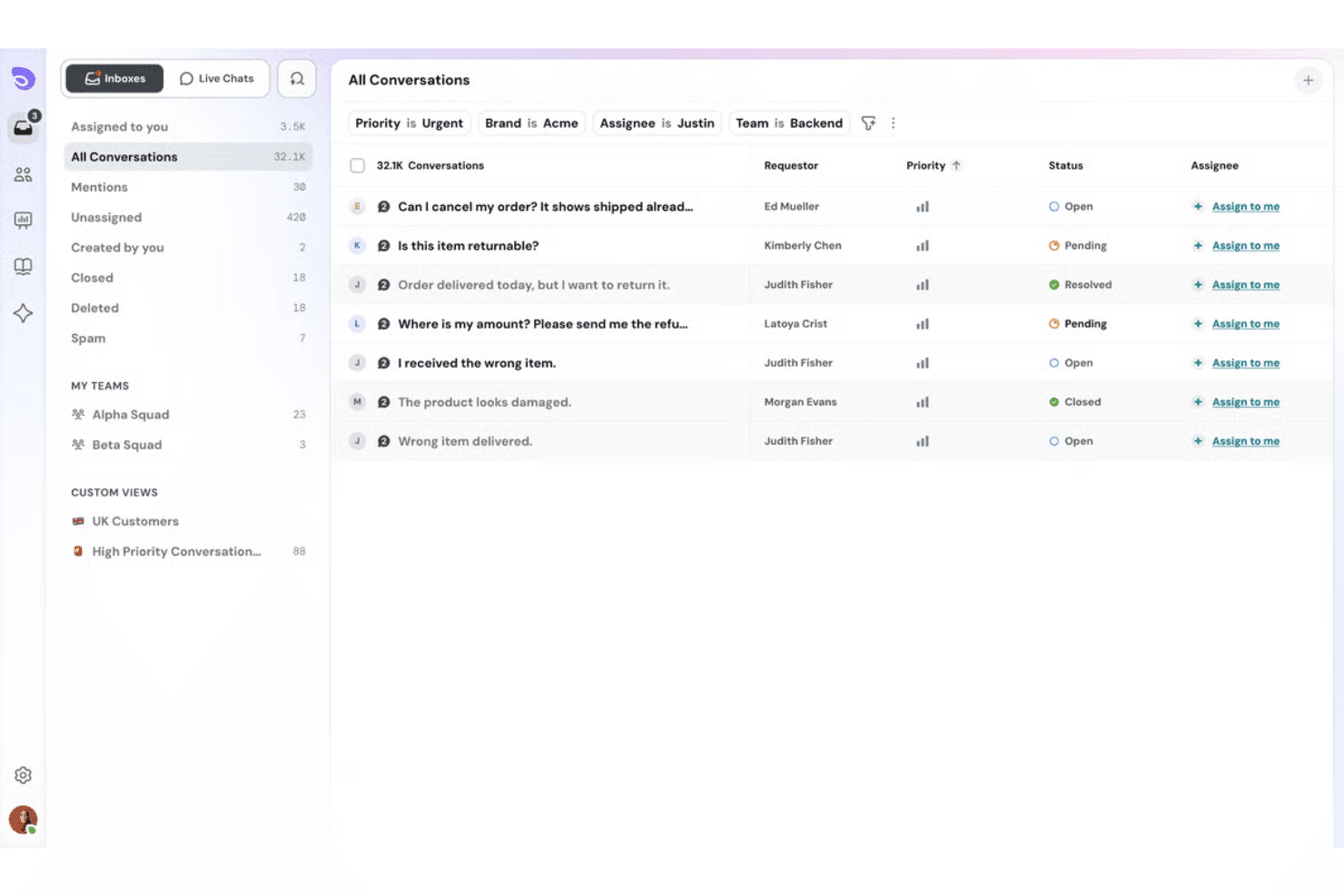
SparrowDesk is easy to pick up thanks to its clean interface and low setup requirements. Setting up automation and SLA rules feels intuitive, and most teams can get started without IT support. The multi-channel inbox keeps tickets organized, and common actions like assigning, tagging, or escalating tickets are simple. There’s no AI copilot drafting replies and no AI agent deflecting tickets before an agent sees them, so expect to do the work yourself—just with less friction. Some users wish for more customization, but overall, you’re not going to get bogged down in menus or confusing workflows.
Integrations
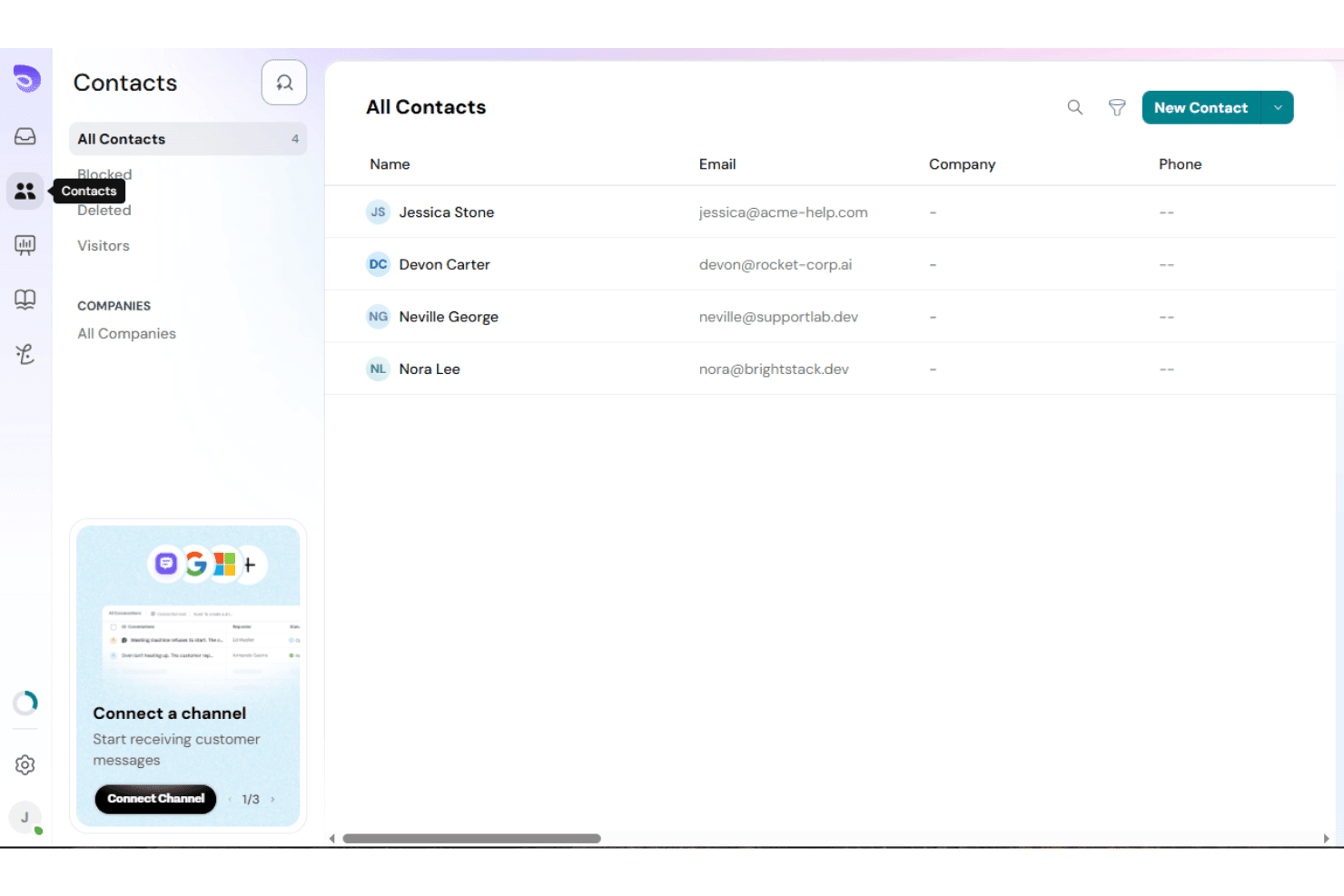
SparrowDesk integrates with email, Slack, Microsoft Teams, Google Workspace, Salesforce, HubSpot, Jira, Zendesk, Facebook Messenger, and WhatsApp, among others, so your CRM, chat, and issue tracker all feed the same queue. SparrowDesk also offers an API and supports connections with third-party integration tools.
SparrowDesk Specs
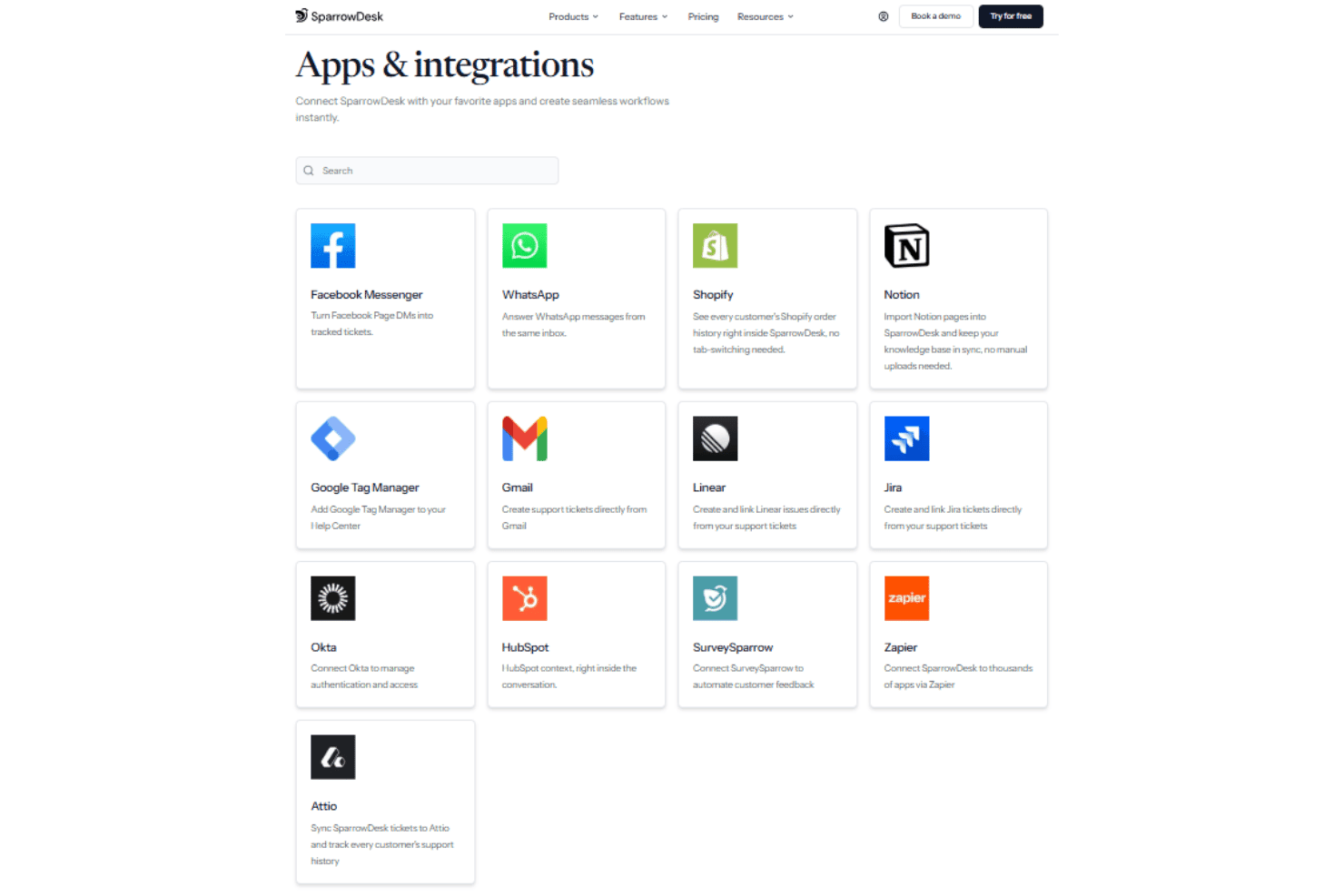
- Analytics: Yes
- API: Yes
- Call Integration: Yes
- Chat: Yes
- Contact Management: Yes
- CRM Integration: Yes
- Customer Management: Yes
- Dashboard: Yes
- Data Export: Yes
- Data Import: Yes
- Data Visualization: Yes
- Email Integration: Yes
- External Integrations: Yes
- Instant Chat Integration: Yes
- Knowledge Base: Yes
- Lead Management: Yes
- Lead Scoring: Yes
- Multi-User: Yes
- Notifications: Yes
- Real-time Alerts: Yes
- Scheduling: Yes
- Self-service Portal: Yes
- Social Media Integration: Yes
- Support Forum: Yes
- Ticket Management: Yes
- Workflow Management: Yes


