

Avis sur Statsig : avantages, inconvénients, fonctionnalités et tarifs
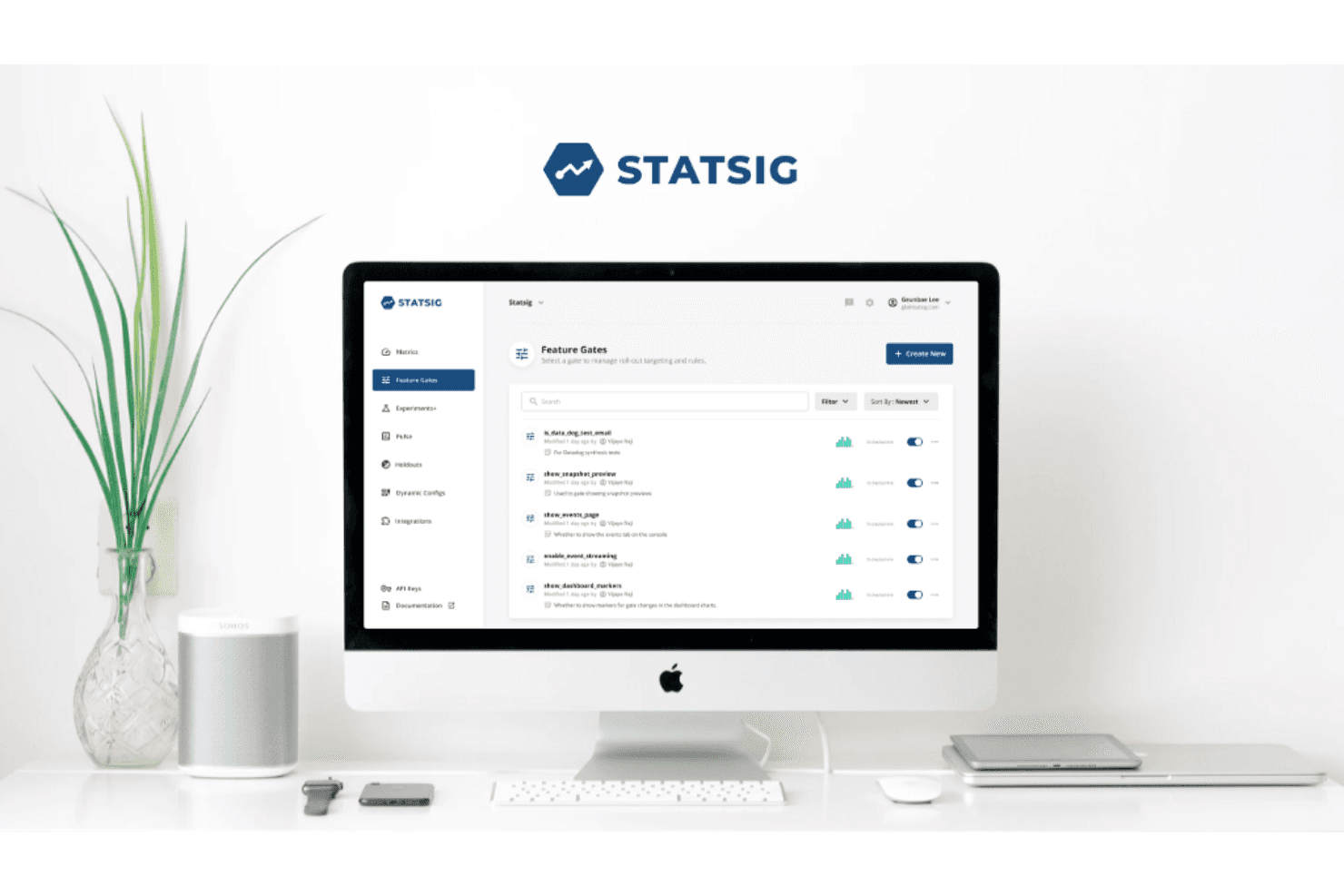
Statsig se distingue par son interface utilisateur intuitive et ses informations précieuses, ce qui en fait un choix de premier plan pour les équipes qui gèrent efficacement plusieurs ressources.

Nous évaluons les outils indépendamment ; les commissions aident à financer nos tests. Consultez notre politique de transparence et notre méthodologie.
Statsig is an A/B testing tool built for product and engineering teams that need to run experiments, manage feature flags, and analyze results in one place. I'd consider it if your team wants statistically rigorous experimentation without the implementation complexity of a tool like Optimizely—Statsig is more developer-native and connects directly to your data warehouse, which makes it a stronger fit for teams that already own their data pipeline and want experimentation to live closer to their infrastructure.
Statsig Evaluation Summary
0/5
- From $150/month
- Free plan available
Pourquoi faire confiance à nos recommandations de logiciels
6,700+
Reviews
20
Industry experts
16+
Evaluation factors
14
Years
Notre équipe teste et évalue des logiciels depuis 2012. En tant que leaders CX nous-mêmes, nous savons à quel point il est difficile — et important — de choisir le bon logiciel.
Pour ce guide, nous avons évalué les outils grâce à des tests pratiques et une recherche indépendante, en notant les outils selon nos critères de sélection.
Nos avis reflètent notre jugement éditorial humain, et non un argumentaire de vente.
 Gui DrusinaCreative Director
 Tim FisherVP of AI
Statsig Overview
In my opinion, Statsig is a strong option for teams seeking an A/B testing platform with powerful visualization features and straightforward usability. Its strengths in experimentation and feature flagging make it stand out from many competitors. The onboarding experience is generally smooth, although customer support responsiveness could be improved.
With intuitive integrations and a clean interface, Statsig is well suited for agile teams that want efficiency without added complexity. However, organizations that need extensive customization or depend heavily on hands-on support may find other platforms more fitting. Overall though, Statsig delivers solid value, particularly for teams that prioritize advanced experimentation capabilities.
Pros
- You can easily set up experiments with its intuitive interface.
- It offers powerful built-in analytics that are accessible and user-friendly.
- The platform is designed to be developer-friendly, making it a good choice for tech teams.
Cons
- It might require specific configurations to get the best results.
- Some users may find the initial setup process challenging without prior experience.
- There can be a learning curve for teams new to data-driven testing.
Is Statsig Right For Your Needs?
Who Would be a Good Fit for Statsig?
If your team thrives on data-driven decisions and rapid feature deployment, Statsig could be a perfect match. Its advanced targeting and real-time diagnostics are ideal for product and engineering teams that need to test and release features quickly. The platform’s easy integrations and comprehensive analytics make it a smart choice for businesses aiming to enhance product performance and collaborate more effectively across departments.
- Product ManagersYour product team can leverage Statsig's feature flags and experiments to roll out new features selectively and measure their success, helping you improve product iterations.
- Software EngineersStatsig’s real-time diagnostics and robust SDKs support rapid feature deployment, making it a valuable tool for engineering teams focused on performance and functionality optimization.
- Data AnalystsWith Statsig’s product analytics, your data team can track user behavior and core metrics, providing insights that drive business and product decisions.
- StartupsIf you're a startup launching a product or service for the first time, Statsig’s scalable pricing and ease of use allow you to test ideas and iterate quickly.
- E-commerce BusinessesFor e-commerce, Statsig’s advanced targeting capabilities enable personalized user experiences, boosting engagement, retention, and conversion rates.
- Gaming IndustryIn gaming, Statsig’s infrastructure supports smooth feature releases and experimentation, helping you maintain an engaging user experience.
Who Would be a Bad Fit for Statsig?
Statsig might not be the best choice for small businesses or startups that don't require advanced analytics. If your team doesn't rely on data-driven decision-making or doesn't have the resources to interpret complex data, Statsig's sophisticated features might be overwhelming. Businesses in industries like manufacturing or agriculture, where real-time data analytics isn't crucial, might find Statsig's capabilities excessive.
- Small BusinessesIf you're a small business with limited needs, Statsig's advanced product experimentation tools could be overkill.
- Budget-Conscious TeamsStatsig might strain your budget if you're looking for cost-effective solutions without heavy analytics.
- Non-Tech IndustriesIndustries like agriculture may not benefit from Statsig's data-centric approach.
- Individual UsersIf you're a solo user, Statsig's features might be too complex for simple task tracking.
- Basic Data NeedsFor teams needing only basic analytics, Statsig's comprehensive data tools could be unnecessary.
- Traditional WorkflowsConventional industries with static workflows may not need Statsig's advanced experimentation tools.
Comment nous testons et évaluons les outils
Nous avons passé des années à bâtir, affiner et améliorer notre système de test et de notation des logiciels. Notre grille d’évaluation est conçue pour saisir les subtilités des sélections logicielles et ce qui fait qu’un outil est efficace, en se concentrant sur les éléments essentiels du processus de décision. Vous trouverez ci-dessous le détail de notre méthodologie d’évaluation et de notation selon sept critères. Cela nous permet de fournir une évaluation impartiale des logiciels basée sur les fonctionnalités principales, les options uniques, la facilité d’utilisation, l’intégration, la prise en main, l’assistance, les avis clients et le rapport qualité/prix.
Fonctionnalité principale (25% de la note totale)
Le point de départ de notre évaluation concerne toujours la fonctionnalité principale de l’outil. Possède-t-il les fonctions que l’on attend normalement, et ces fonctions sont-elles accessibles pour toutes les offres ? Nous attendons qu’un outil soit au niveau des capacités minimales de ses concurrents.
Fonctionnalités différenciantes (25% de la note totale)
Nous évaluons ici les fonctionnalités qui se distinguent de la fonction de base habituellement présente dans ce type de logiciel. Un score élevé récompense des fonctions spécialisées qui rendent le produit plus efficace ou unique et offrent une valeur ajoutée à l’utilisateur. Nous évaluons également la capacité à s’intégrer facilement avec d’autres solutions courantes, ce qui accroît l’intérêt et l’utilité de l’outil. Les logiciels qui proposent de nombreuses intégrations natives, des connexions tierces ou une API pour les intégrations personnalisées obtiennent une meilleure note.
Facilité d’utilisation (10% de la note totale)
Nous mesurons la rapidité et la simplicité pour effectuer les tâches clés avec l’outil. On valorise le design intuitif, les applications mobiles, les templates préconçus et la capacité à simplifier les tâches complexes.
Accompagnement à la prise en main (10% de la note totale)
L’adoption rapide est essentielle. Nous examinons donc la facilité pour un nouvel utilisateur à prendre l’outil en main avec peu de formation. Nous vérifions la rapidité d’installation et d’utilisation sans expérience préalable. Les meilleurs logiciels exigent peu ou pas de support pour démarrer.
Assistance (10% de la note totale)
Nous évaluons la réactivité et la facilité d’obtenir de l’aide par téléphone, chat ou base de connaissances. Les outils offrant un support humain en temps réel ont le meilleur score ; les chatbots sont moins bien valorisés.
Avis clients (10% de la note totale)
En plus de notre expertises, nous prenons en compte le score NPS (Net Promoter Score) accordé par les utilisateurs actuels et passés. Nous analysons la probabilité qu’ils réutilisent l’outil. Les outils à score élevé possèdent un excellent NPS utilisateur.
Rapport qualité/prix (10% de la note totale)
Après examen des autres critères, nous considérons le prix moyen des offres principales par rapport aux fonctionnalités essentielles évaluées. Les solutions offrant plus pour un prix inférieur obtiennent un meilleur score.
Core Features
Experimentation
Statsig enables your team to run A/B and multivariate tests at scale, helping you validate product ideas with real user data. This ensures each release is backed by measurable results.
Gates & Rollouts
Control feature exposure with gradual rollouts, segmentation, and kill switches. This helps your team ship safely and adjust instantly without code redeployments.
Unified Product Analytics
Statsig centralizes metrics like conversions, engagement, and retention into a single dashboard. This gives your team a clearer view of product performance in real time.
Automated Monitoring
The platform automatically flags anomalies, experiment collisions, and unintended changes. This helps your team detect and resolve issues before they impact users.
Data Warehouse Integrations
Statsig connects with major data tools to keep experiment and analytics data clean and reliable. This ensures your team works with accurate, real-time insights.
Collaboration Workspace
Shared dashboards, experiment logs, and decision summaries help align product, engineering, and growth teams. This supports consistent decision-making across the organization.
Ease of Use
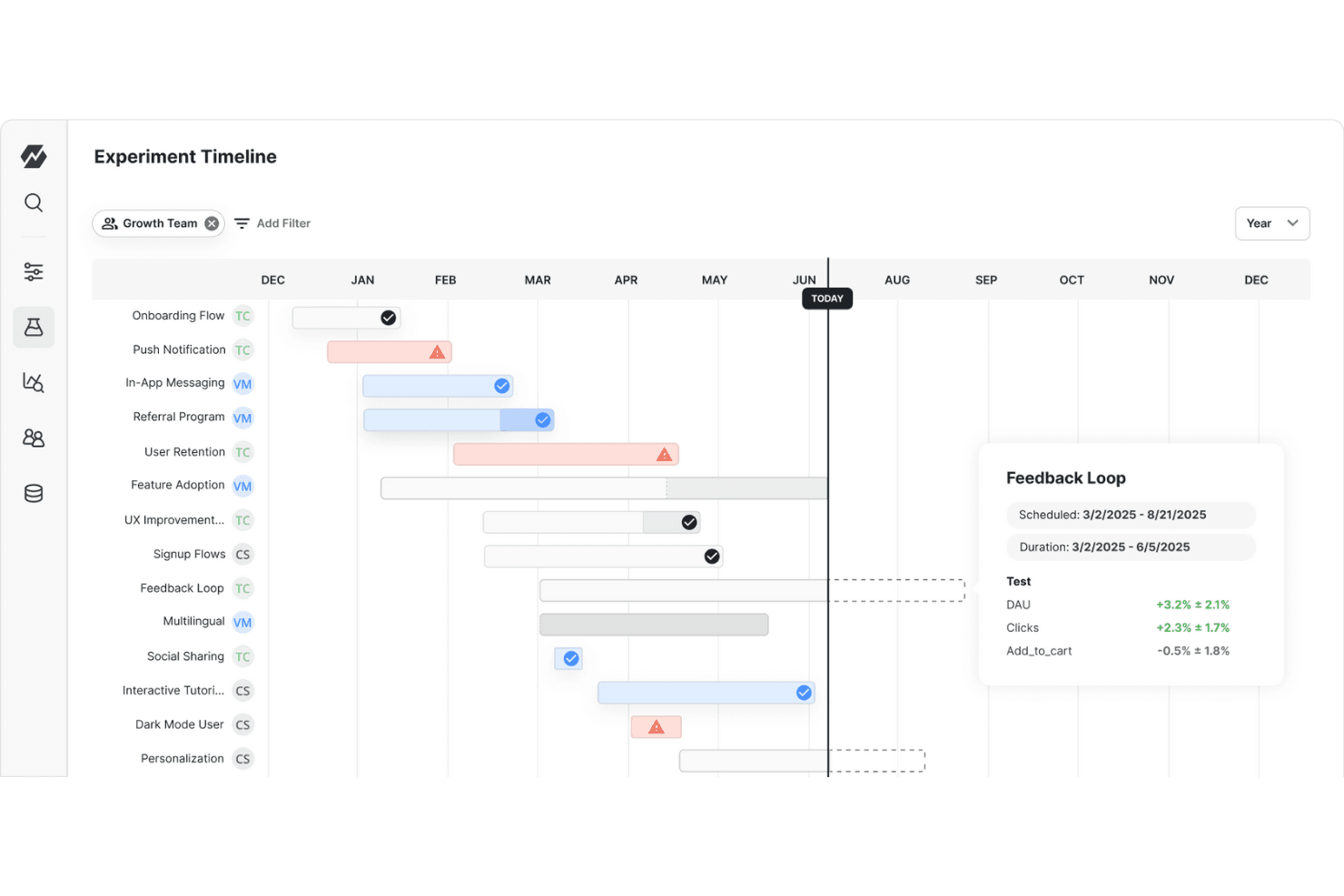
Statsig offers a straightforward interface that makes navigating its features intuitive for you and your team. While some users find the initial setup a bit complex, the platform's extensive documentation and support make it manageable. Its real-time data tracking and feature flagging capabilities are easy to implement, allowing you to focus on your work without getting bogged down by technical hurdles. It’s also relatively easy to learn, making it accessible even if you're not tech-savvy.
Integrations
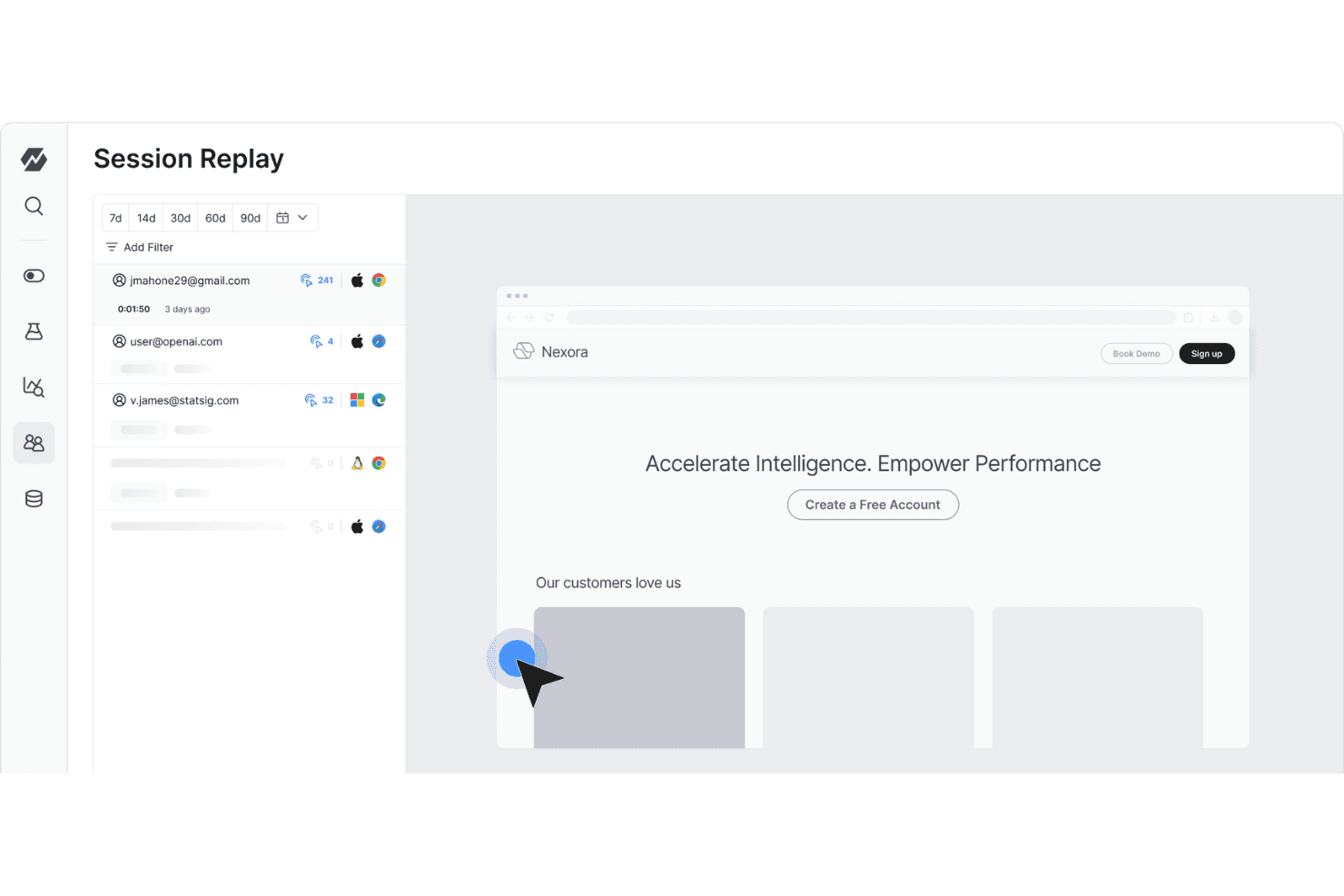
Statsig integrates with Vercel, Amplitude, Bugsnag, Census, Datadog, Discord, Fastly, Fivetran, GitHub, Google Analytics, Heap, Jira, LogDNA, Microsoft Teams, Mixpanel, mParticle, Pulumi, RevenueCat, Rudderstack, Segment, Slack, Stitch, Visual Studio Code, and Webhooks. Statsig also provides an API for additional connectivity with third-party tools.

Statsig Specs
- A/B Testing: Yes
- AI Integration: No
- Analytics: Yes
- API: Yes
- Automated Testing: No
- Bug Tracking: No
- Campaign Management: No
- Conversion Tracking: No
- Custom Reports: Yes
- Dashboards: Yes
- Data Export: Yes
- Data Import: Yes
- Data Visualization: Yes
- Design Templates: No
- External Integrations: Yes
- Feedback Management: No
- Form Builder: No
- History/Version Control: No
- Multi-Site: No
- Multi-User: Yes
- Notifications: Yes
- Performance Testing: No
- Referral Tracking: No
- Regression Testing: No
- Release Management: No
- Reports: Yes
- Scenario Planning: No
- SEO: No
- Test Management: Yes
- Visualization: Yes
- Workflow Management: No


