

Avis sur TeamSupport : avantages, inconvénients, fonctionnalités et tarifs expliqués
TeamSupport se distingue auprès des équipes d'assistance B2B qui ont besoin d'une gestion automatisée des tickets, mais peut être moins adapté aux petites entreprises à la recherche de solutions plus simples et moins coûteuses.

Nous évaluons les outils indépendamment ; les commissions aident à financer nos tests. Consultez notre politique de transparence et notre méthodologie.
Unanticipated issues in the B2B customer support lifecycle, like the lack of coherent customer insights, can negatively impact your customer support efforts and possibly spell the end of meaningful, long-standing client relationships or even deter future business. The right customer support software can potentially nip these issues right in the bud. TeamSupport supports critical B2B workflows throughout the entire customer support lifecycle via its centralized platform with AI-driven insights and ticket automation. In this review, cover TeamSupport's key features, best and worst use cases, pros and cons, and pricing to help you decide if it's right for your customer experience needs.
TeamSupport Evaluation Summary

4.5/5
- From $45/user/month (billed annually)
- 14-day free trial
Pourquoi faire confiance à nos recommandations de logiciels
6,700+
Reviews
20
Industry experts
16+
Evaluation factors
14
Years
Notre équipe teste et évalue des logiciels depuis 2012. En tant que leaders CX nous-mêmes, nous savons à quel point il est difficile — et important — de choisir le bon logiciel.
Pour ce guide, nous avons évalué les outils grâce à des tests pratiques et une recherche indépendante, en notant les outils selon nos critères de sélection.
Nos avis reflètent notre jugement éditorial humain, et non un argumentaire de vente.
 Gui DrusinaCreative Director
 Tim FisherVP of AI
TeamSupport Overview
When comparing TeamSupport against other customer support software, its centralized ticket hub, AI insights, and reporting tools stand out for B2B environments seeking to consolidate customer support with revenue growth. The interface is straightforward, and the tiered pricing is flexible for teams of different sizes, though some users have expressed frustration with the initial setup and configuration. Integrations cover most essentials, but more extensive and flexible integration functionalities lag behind competitors. If you’re selecting a solution for a mid-sized or enterprise B2B team that values shared context and detailed reporting, TeamSupport is a strong contender.
Pros
- Reporting and analytics offer detailed team performance insights.
- Customer database tracks multi-contact account histories.
- Ticket collaboration tools support complex B2B workflows.
Cons
- Some users report slow response times from support.
- Integrations aren't as extensive as other platforms.
- Some users have expressed frustration with the lengthy setup.
Is TeamSupport Right For Your Needs?
Who Would be a Good Fit for TeamSupport?
TeamSupport is best suited for B2B organizations that manage complex client relationships and require detailed ticket tracking across multiple contacts. Its customer database, collaboration tools, and reporting features make it a strong choice for industries and teams that need to coordinate support across departments or accounts. If your business relies on tracking long-term customer histories and sharing context between agents, or even departments, TeamSupport’s feature set aligns well with these needs.
- Customer Success DepartmentsCentralized customer data helps teams proactively manage client outcomes.
- Enterprise Support TeamsAdvanced reporting and account management suit large-scale operations.
- Healthcare TechnologyHIPAA-compliant features and audit trails support regulated environments.
- IT Service DesksCollaboration tools support multi-agent troubleshooting for technical issues.
- Manufacturing CompaniesDetailed ticket histories help manage product support and warranty claims.
- SaaS ProvidersTeamSupport tracks multi-contact accounts and recurring issues common in SaaS.
Who Would be a Bad Fit for TeamSupport?
TeamSupport may not be the best choice for small businesses, high-volume B2C support, or teams seeking lightweight, low-cost solutions. Its pricing, feature set, and focus on B2B workflows can be excessive or unnecessary for organizations with simpler needs or limited budgets. Teams that prioritize advanced automation or omnichannel support may also find gaps compared to other options.
- Social Media TeamsOmnichannel and social support capabilities are less developed than alternatives.
- Ecommerce Customer ServiceLacks specialized ecommerce integrations and order management features.
- Startups on BudgetsSubscription costs may not align with early-stage resources.
- High-Volume B2CLimited automation and channel support hinder fast-paced consumer support.
- Solo Support AgentsTeamSupport’s collaboration tools are unnecessary for single users.
- Small Retail StoresPricing and features exceed the needs of basic retail support.
Comment nous testons et évaluons les outils
Nous avons passé des années à bâtir, affiner et améliorer notre système de test et de notation des logiciels. Notre grille d’évaluation est conçue pour saisir les subtilités des sélections logicielles et ce qui fait qu’un outil est efficace, en se concentrant sur les éléments essentiels du processus de décision. Vous trouverez ci-dessous le détail de notre méthodologie d’évaluation et de notation selon sept critères. Cela nous permet de fournir une évaluation impartiale des logiciels basée sur les fonctionnalités principales, les options uniques, la facilité d’utilisation, l’intégration, la prise en main, l’assistance, les avis clients et le rapport qualité/prix.
Fonctionnalité principale (25% de la note totale)
Le point de départ de notre évaluation concerne toujours la fonctionnalité principale de l’outil. Possède-t-il les fonctions que l’on attend normalement, et ces fonctions sont-elles accessibles pour toutes les offres ? Nous attendons qu’un outil soit au niveau des capacités minimales de ses concurrents.
Fonctionnalités différenciantes (25% de la note totale)
Nous évaluons ici les fonctionnalités qui se distinguent de la fonction de base habituellement présente dans ce type de logiciel. Un score élevé récompense des fonctions spécialisées qui rendent le produit plus efficace ou unique et offrent une valeur ajoutée à l’utilisateur. Nous évaluons également la capacité à s’intégrer facilement avec d’autres solutions courantes, ce qui accroît l’intérêt et l’utilité de l’outil. Les logiciels qui proposent de nombreuses intégrations natives, des connexions tierces ou une API pour les intégrations personnalisées obtiennent une meilleure note.
Facilité d’utilisation (10% de la note totale)
Nous mesurons la rapidité et la simplicité pour effectuer les tâches clés avec l’outil. On valorise le design intuitif, les applications mobiles, les templates préconçus et la capacité à simplifier les tâches complexes.
Accompagnement à la prise en main (10% de la note totale)
L’adoption rapide est essentielle. Nous examinons donc la facilité pour un nouvel utilisateur à prendre l’outil en main avec peu de formation. Nous vérifions la rapidité d’installation et d’utilisation sans expérience préalable. Les meilleurs logiciels exigent peu ou pas de support pour démarrer.
Assistance (10% de la note totale)
Nous évaluons la réactivité et la facilité d’obtenir de l’aide par téléphone, chat ou base de connaissances. Les outils offrant un support humain en temps réel ont le meilleur score ; les chatbots sont moins bien valorisés.
Avis clients (10% de la note totale)
En plus de notre expertises, nous prenons en compte le score NPS (Net Promoter Score) accordé par les utilisateurs actuels et passés. Nous analysons la probabilité qu’ils réutilisent l’outil. Les outils à score élevé possèdent un excellent NPS utilisateur.
Rapport qualité/prix (10% de la note totale)
Après examen des autres critères, nous considérons le prix moyen des offres principales par rapport aux fonctionnalités essentielles évaluées. Les solutions offrant plus pour un prix inférieur obtiennent un meilleur score.
Core Features
Centralized Ticket Hub
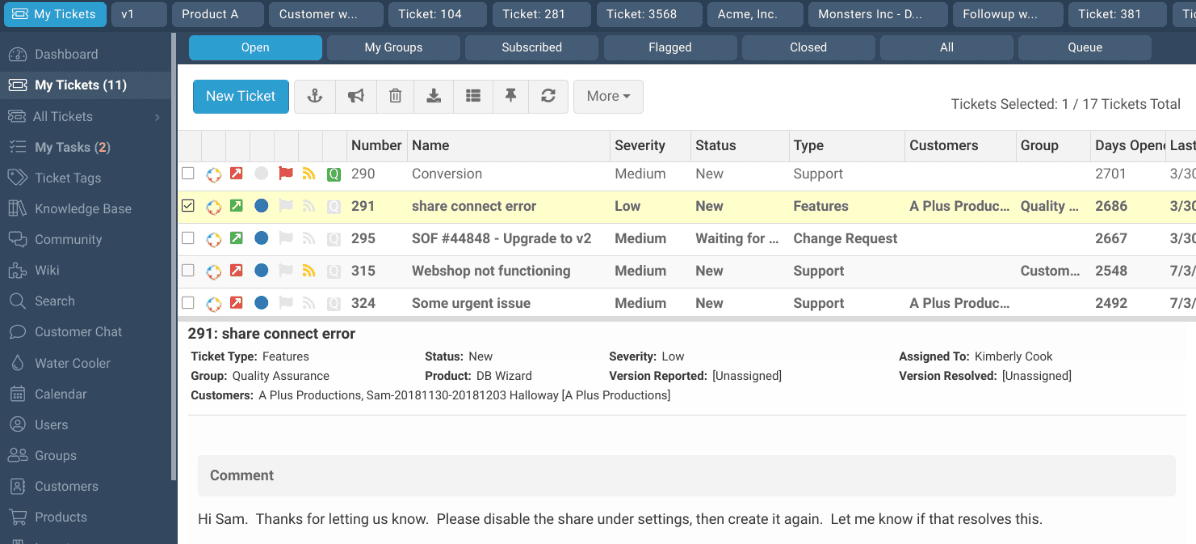
Organize, assign, and track support tickets with custom statuses through a centralized ticketing system. Agents can view ticket histories and automate escalations for faster resolution.
Customer Database
Store detailed profiles for each customer, including contacts, products, and ticket history. This helps agents access full context during every interaction.
Collaboration Tools
Share internal notes, tag team members, and use group ticket ownership to coordinate responses. Teams can resolve complex issues without losing information.
Reporting and Analytics
Generate real-time dashboards and AI-insights on key metrics like ticket volume, response times, and agent performance. Managers can identify trends and optimize workflows.
Customer Self-Service Portal
Allow customers to submit tickets, check status, and access knowledge base articles or internal wiki resources. This reduces repetitive inquiries and empowers users to find answers.
SLA Management
Set, monitor, and enforce service level agreements for different customers or ticket types. Automated notifications inform agents before deadlines are missed.
Standout Features
Customer Distress Index
This feature automatically scores customer health based on ticket activity, sentiment, and response times. Teams can proactively identify at-risk accounts and prioritize outreach before issues escalate.
Configurable Workflow Automation
Automate ticket assignments, escalations, and parent-child ticket relationships to streamline complex B2B support workflows and ensure the right cases reach the right teams every time.

Ease of Use
TeamSupport offers a clean, intuitive, and user-friendly interface that most users find easy to navigate, especially when managing complex tickets and customer data. Onboarding is relatively straightforward, with guided setup and in-app tips that help new agents get up to speed. Some users mention that advanced features require extra training, but day-to-day tasks like ticket assignment and note sharing are simple. Overall, TeamSupport balances depth and usability well for B2B support teams.

Onboarding
TeamSupport's onboarding process is well-supported with step-by-step guides, video tutorials, and a dedicated knowledge base, but some users report that the initial setup can be lengthy. While live training sessions and responsive customer support are available to help teams get started, new agents should still expect a learning curve before reaching full productivity.

Customer Support
TeamSupport offers multiple support channels, including email, phone, and a customer portal, which most users find accessible and helpful. The support team is knowledgeable about the platform, but some users mention occasional delays in response times during peak periods. The extensive online knowledge base and community forums provide additional self-service options. Overall, TeamSupport’s customer support is reliable, especially for resolving technical questions and onboarding issues.

Integrations
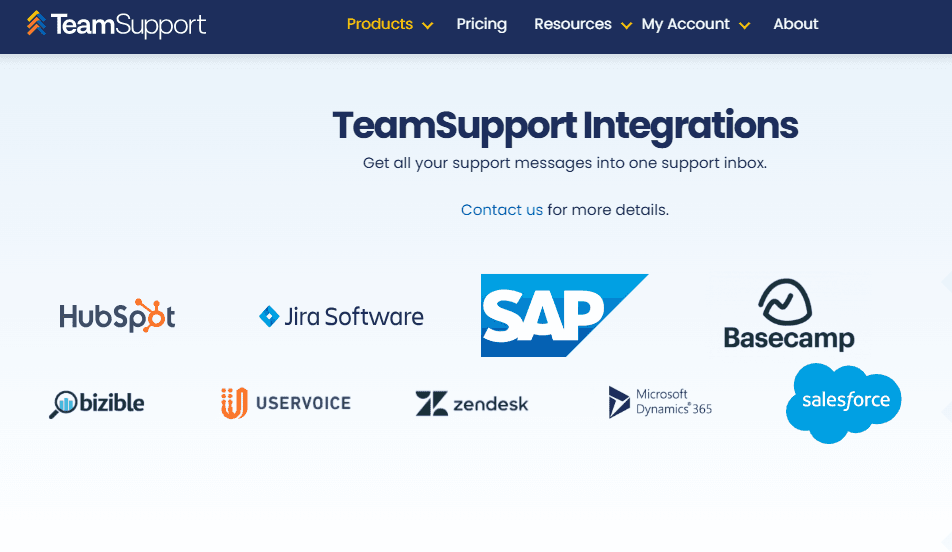
TeamSupport integrates with Slack, Microsoft Teams, Salesforce, Salesforce Desk, Zendesk, Help Scout, Microsoft Dynamics 365, HubSpot, Jira, Azure, SAP, and ServiceNow.
TeamSupport also offers a RESTful style API and connects with third-party integration tools for custom workflows.
Value for Money
TeamSupport's pricing is structured around tiered plans, with optional add-ons like AI packages, chatbots, and HIPAA compliance, giving teams the flexibility to pay for what they actually need. While the base plans are competitively priced, smaller businesses may find that costs add up quickly once add-ons are factored in.
- Starter: Core live chat, essential integrations, and basic security features.
- Professional: Adds Salesforce and MS Dynamics integrations, advanced security, and team management tools like priority tiers and capacity reporting.
- Scale: Adds single sign-on, a dedicated client success manager, routing by tag, and a full service level agreement.

TeamSupport Specs
- Analytics: Yes
- API: Yes
- Batch Permissions & Access: No
- Call Integration: Yes
- Chat: Yes
- Contact Management: Yes
- Contact Sharing: Yes
- CRM Integration: Yes
- Customer Management: Yes
- Customer Service: Yes
- Dashboard: Yes
- Data Export: Yes
- Data Import: Yes
- Data Visualization: Yes
- Email Integration: Yes
- Escalation Management: Yes
- External Integrations: Yes
- Instant Chat Integration: Yes
- Knowledge Base: Yes
- Lead Management: No
- Lead Scoring: No
- Multi-User: Yes
- Notifications: Yes
- Real-time Alerts: Yes
- Scheduling: Yes
- Self-service Portal: Yes
- Social Media Integration: No
- Support Forum: Yes
- Third-Party Plugins/Add-Ons: Yes
- Ticket Management: Yes
- Workflow Management: Yes
TeamSupport FAQs
TeamSupport Company Overview & History
TeamSupport was founded in 2008 and is headquartered in Dallas, Texas. The company focuses on cloud-based B2B customer support software, serving technology, hardware, and telecom sectors. TeamSupport has additional offices in Denver and Cape Town, South Africa, and is known for its collaborative approach to customer support. Notable clients include ProfitSword, and the company is led by CEO Grant Stanis.
TeamSupport Major Milestones
- 2008: Company founded in Dallas, Texas.
- 2008: TeamSupport product launched, targeting B2B customer support needs.
- 2020: Expanded with additional offices in Denver and Cape Town, South Africa.
- 2021: Featured in industry news for its role in enhancing B2B customer support collaboration.
- 2023: Recognized for serving notable clients like ProfitSword and expanding its global reach.