

Recensione del Software di Assistenza Clienti Hiver per 2026

Recensiamo gli strumenti in modo indipendente e le commissioni aiutano a finanziare i nostri test. Consulta la nostra politica di trasparenza, la nostra metodologia o suggerisci uno strumento.
Hiver is an AI customer service platform that helps CX teams manage complex support operations across email, live chat, voice, WhatsApp, and self-service from one workspace. It supports both dedicated omnichannel service operations and Gmail-based support workflows, giving customer experience leaders a way to improve responsiveness, collaboration, and consistency without adding unnecessary complexity.
It works best for CX leaders in logistics, e-commerce, finance, and tech who need support quality to hold up at scale. You get clear value by helping agents respond with consistent quality, reducing busywork with AI, and making support feel easier for both teams and customers.
In this article, you’ll get a full breakdown of Hiver’s features, pros and cons, use cases, and more, so you can decide if it’s right for your team.
Hiver Evaluation Summary
4.7/5
- From $35/user/month
- Free plan available
Perché fidarsi dei nostri consigli sui software
6,700+
Reviews
20
Industry experts
16+
Evaluation factors
14
Years
Il nostro team testa e recensisce software dal 2012. In quanto leader CX noi stessi, sappiamo quanto sia difficile — e importante — scegliere il software giusto.
Per questa guida, abbiamo valutato gli strumenti attraverso test pratici e ricerche indipendenti, assegnando un punteggio agli strumenti in base ai nostri criteri di selezione.
Le nostre recensioni riflettono il nostro giudizio editoriale umano, non un discorso di vendita.
 Gui DrusinaCreative Director
 Tim FisherVP of AI
Hiver Overview
Hiver is a solid choice if you want customer service software that offers quick adoption speed, cross-team collaboration, and strong workflow automation via AI capabilities. The platform has two variants of its product: Hiver Omni, which serves teams running high-stakes omnichannel support with cross-team coordination, and Hiver in Gmail for teams that want AI-powered shared inbox management without switching tools.
Its modern design, omnichannel coverage, and Hiver AI give it an advantage over tools that feel heavier or more rigid. What I find compelling is how the AI is built into the workflow. Before an agent opens a conversation, it's already classified and prioritized. Then, while they're responding, an AI QA Coach flags tone issues and gaps before anything gets sent. Finally, AI Insights gives managers a continuous quality picture across every conversation, surfacing coaching needs and recurring problem areas across the team.
Pros
- You deliver human-like, personalized responses without switching tabs or sounding robotic.
- Your team stays aligned with shared drafts, notes, collision alerts, and clear ownership.
- Hiver AI reduces manual effort by drafting responses, auto-tagging conversations, and summarizing threads in seconds.
Cons
- Complex enterprise workflows may require more customization than Hiver currently offers.
- No advanced help desk forecasting, capacity planning, or predictive SLA breach modeling.
- Teams with support channels outside of chat, email, and call (like social channels), may find the platform lacks features.
Is Hiver Right For Your Needs?
Who Would be a Good Fit for Hiver?
Hiver is a strong fit if your team wants an AI-powered customer service platform that still feels simple and familiar. If you manage high email volumes, need better collaboration across agents, or want to deliver personalized support at scale, Hiver gives you the structure and clarity you need.
- E-commerce TeamsYou can pull order context, draft responses faster, and handle customer issues without switching tools.
- IT & Internal SupportWorkflows, SLAs, and collision alerts help your team respond quickly and stay aligned.
- AI-Forward Support TeamsHiver AI handles repetitive tasks so your team focuses on high-value problems.
- Travel & HospitalityPersonalized responses and fast collaboration help you improve customer experience.
- Logistics & OperationsShared inboxes, tags, and workflows give you visibility and control over high-volume communication.
- Small Support TeamsHiver is easy to learn and helps your team start resolving issues within hours.
Who Would be a Bad Fit for Hiver?
Teams that need deep custom objects, complex enterprise routing, or highly specialized workflows may feel limited by Hiver’s structure. Organizations that need advanced field service or mobile-first workflows may also find Hiver too narrowly focused.
- Large CorporationsHiver’s limited scalability and customization may not meet your complex needs.
- Custom-Heavy Data TeamsIf your work depends on deeply modeled custom objects, Hiver may be too light.
- Healthcare ProvidersThe lack of robust analytics and reporting tools could hinder your compliance requirements.
- Field Service TeamsOn-site, mobile-dependent workflows may not align with Hiver’s multichannel approach.
- Manufacturing CompaniesYour need for intricate supply chain communication may not align with Hiver’s more basic abilities.
- Highly Regulated IndustriesTeams needing extensive compliance workflows beyond HIPAA may find gaps.
Come Testiamo e Valutiamo gli Strumenti
Abbiamo passato anni a costruire, perfezionare e migliorare il nostro sistema di valutazione e testing dei software. Il nostro schema è progettato per cogliere tutte le sfumature nella selezione del software e per valutare ciò che rende uno strumento efficace, concentrandosi sugli aspetti critici nel processo decisionale. Qui sotto puoi vedere esattamente come funziona il nostro processo di testing e valutazione su sette criteri. Ci permette di offrire una valutazione imparziale del software basata su funzionalità principali, caratteristiche distintive, facilità d’uso, onboarding, supporto clienti, integrazioni, recensioni clienti e rapporto qualità/prezzo.
Funzionalità Principali (25% del punteggio finale)
Il punto di partenza della nostra valutazione sono sempre le funzionalità fondamentali dello strumento. Possiede le funzioni di base che un utente si aspetta? Alcune di queste funzionalità sono disponibili solo con piani più costosi? In sostanza, ci aspettiamo che uno strumento sia competitivo rispetto ai suoi concorrenti principali.
Caratteristiche Distintive (25% del punteggio finale)
Successivamente, valutiamo le funzionalità particolari e distintive che vanno oltre le funzionalità standard solitamente presenti in strumenti simili. Un punteggio elevato riflette funzionalità specializzate o uniche che rendono il prodotto più veloce, efficiente o che offrono valore aggiunto all’utente. Valutiamo anche quanto sia facile integrare lo strumento con altri strumenti tipicamente presenti nel tech stack, per ampliare le funzionalità e l’utilità del software. Ottengono il punteggio migliore gli strumenti che offrono numerose integrazioni native, connessioni di terze parti e accesso API per creare integrazioni personalizzate.
Facilità d’Uso (10% del punteggio finale)
Consideriamo quanto sia rapido e intuitivo eseguire le attività core usando lo strumento. Un software con un alto punteggio è ben progettato, intuitivo all’uso, offre app mobili, mette a disposizione modelli e semplifica attività relativamente complesse.
Onboarding (10% del punteggio finale)
Sappiamo quanto sia importante l’adozione rapida da parte del team per una nuova piattaforma, quindi valutiamo la facilità di apprendimento e utilizzo dello strumento con una formazione minima. Valutiamo quanto velocemente un membro del team può iniziare a usare lo strumento senza esperienza. Le soluzioni con punteggio elevato richiedono poco o nessun supporto.
Supporto Clienti (10% del punteggio finale)
Valutiamo quanto sia semplice ricevere assistenza via telefono, chat dal vivo o knowledge base. Gli strumenti e le aziende che offrono supporto in tempo reale ottengono il punteggio migliore, mentre i chatbot hanno il punteggio più basso.
Recensioni Clienti (10% del punteggio finale)
Oltre alla nostra valutazione interna, prendiamo in considerazione il net promoter score dei clienti attuali e passati. Analizziamo la probabilità che, potendo scegliere, selezionino di nuovo lo strumento per le sue funzionalità core. Un software con punteggio elevato riflette un alto net promoter score dai clienti attuali o passati.
Rapporto Qualità/Prezzo (10% del punteggio finale)
Infine, tenendo conto di tutti gli altri criteri, analizziamo il prezzo medio dei piani entry level rispetto alle funzionalità principali e consideriamo il valore delle altre metriche di valutazione. Il software che offre di più, a meno, otterrà un punteggio maggiore.
Core Features
Omnichannel Inbox
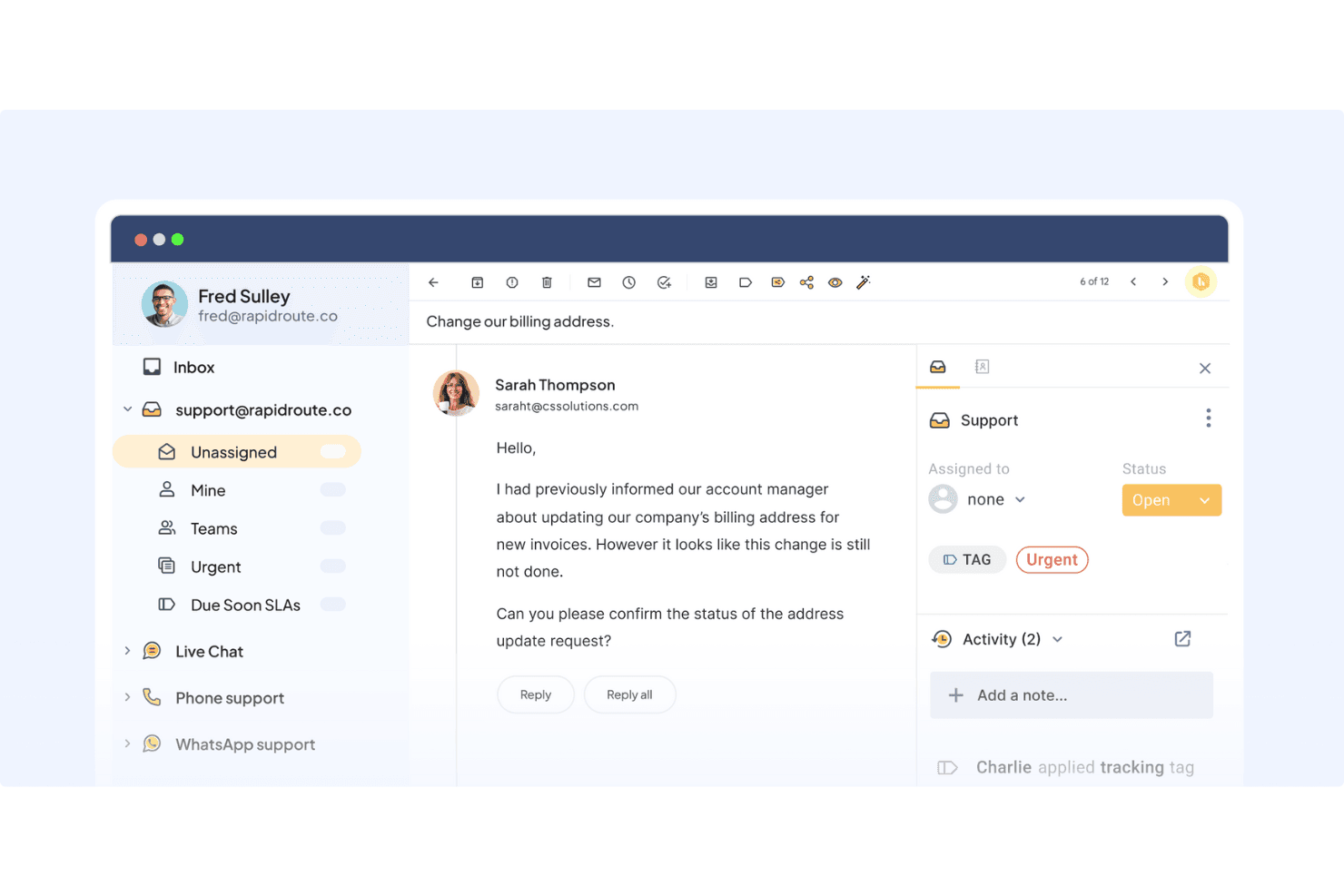
You manage email, chat, voice, WhatsApp, and portal requests from one simple view. It keeps your team organized without requiring them to learn a complex new interface.
Ticketing
You assign, track, and respond to customer conversations with clarity and structure. It helps your team avoid confusion and resolve issues faster.
Live Chat
You help customers in real time with simple routing and AI-backed support. It gives your team a fast way to resolve issues and keep customers engaged.
Workflow Automation
You automate routing, tagging, and categorizing tasks based on rules. This reduces manual work so your team focuses on customer conversations instead of admin tasks.
Knowledge Base & Self-Service Tools:
You create help center articles and deploy an AI-powered chat widget to let customers solve problems on their own. This reduces inbound questions and improves customer experience.
Analytics & Dashboards
You track response time, resolution time, CSAT, and agent performance. It gives you the data you need to improve operations and plan staffing.
Standout Features
Personalized, Human-Like Conversations
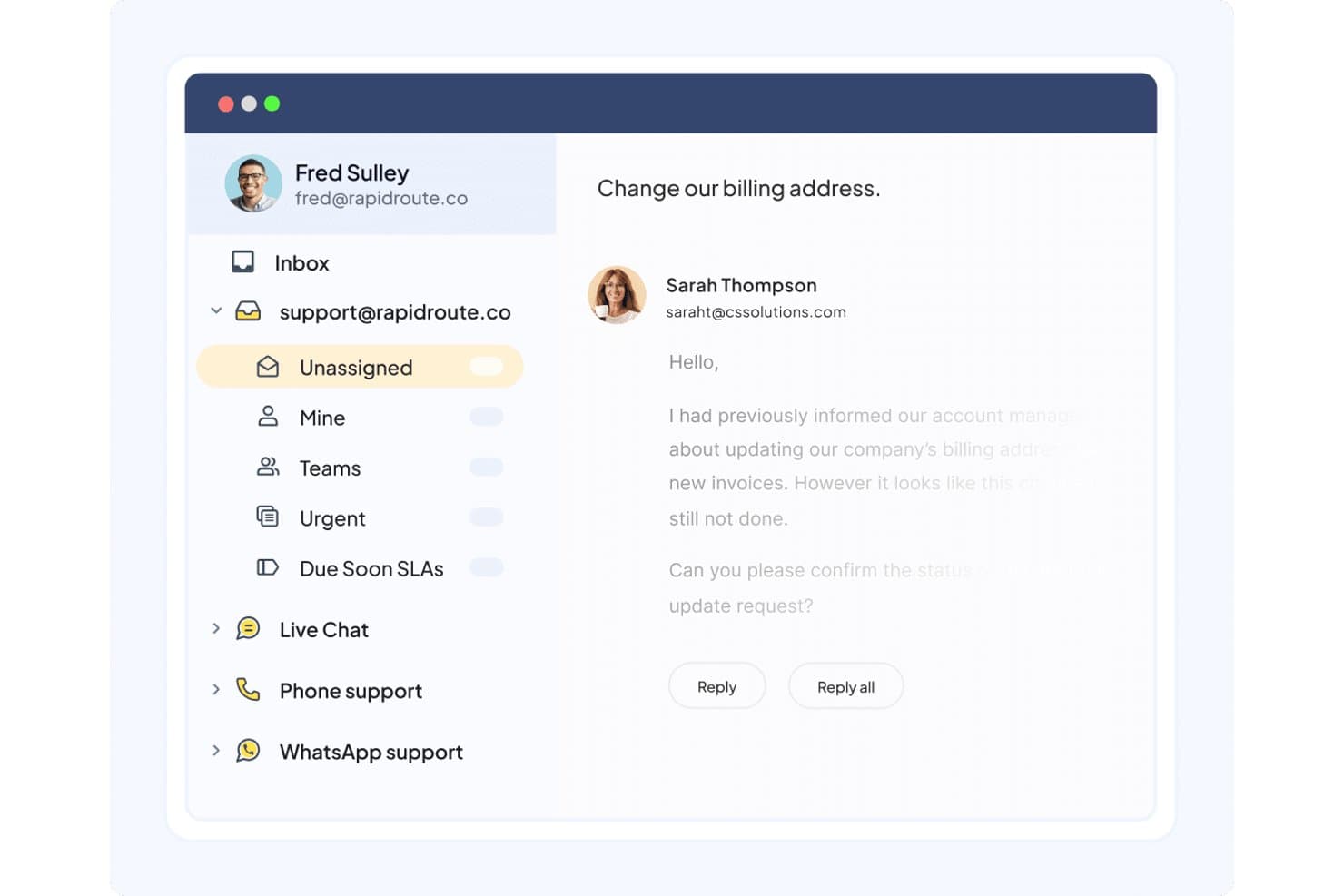
Hiver helps your team respond naturally by keeping all customer context in front of you and drafting replies that feel human—not robotic. It makes every interaction smoother and more personal for customers.
Hiver AI
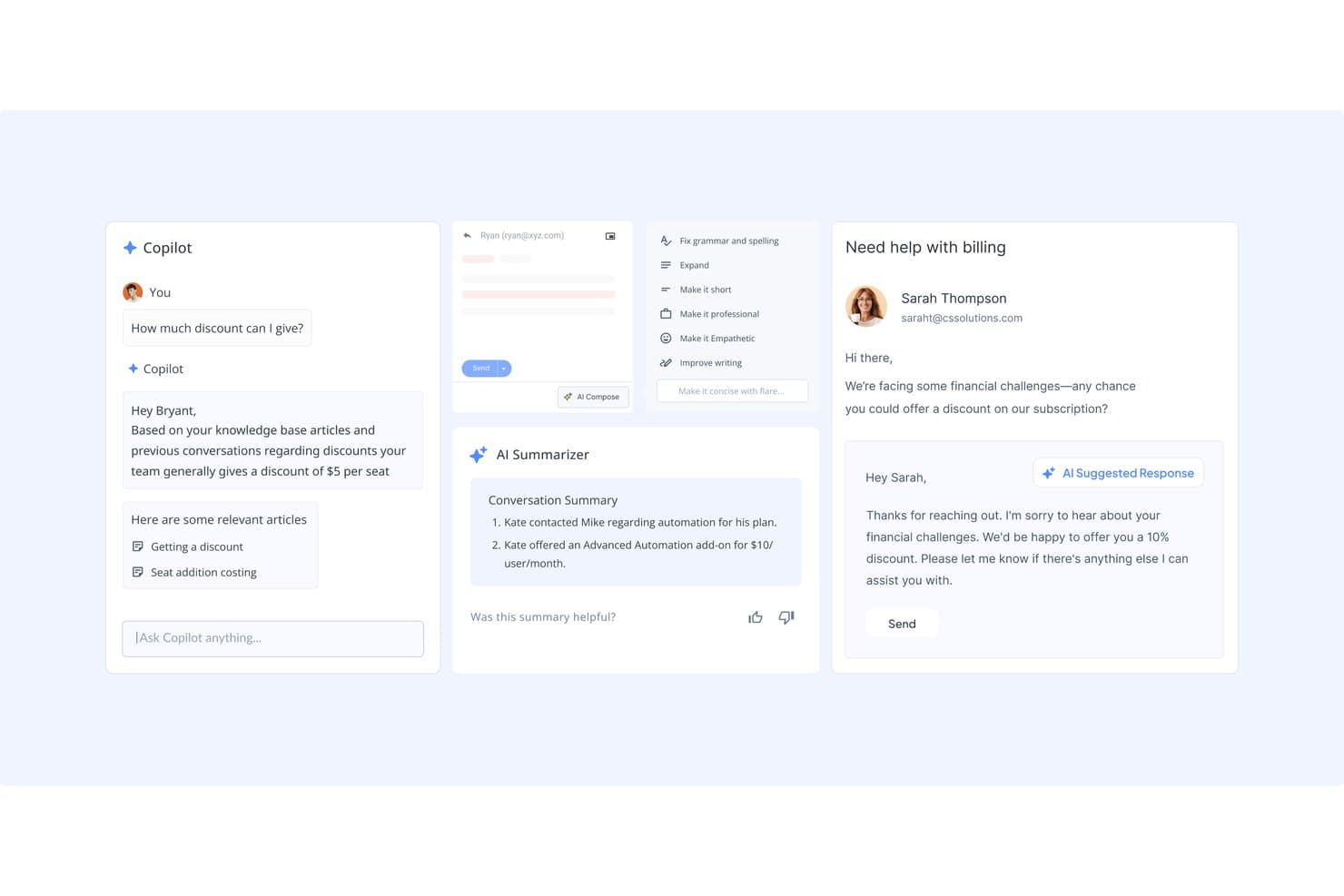
You get AI-generated drafts, summaries, and sentiment detection to speed up responses. It helps your team deliver personalized answers without starting from scratch.
Ease of Use
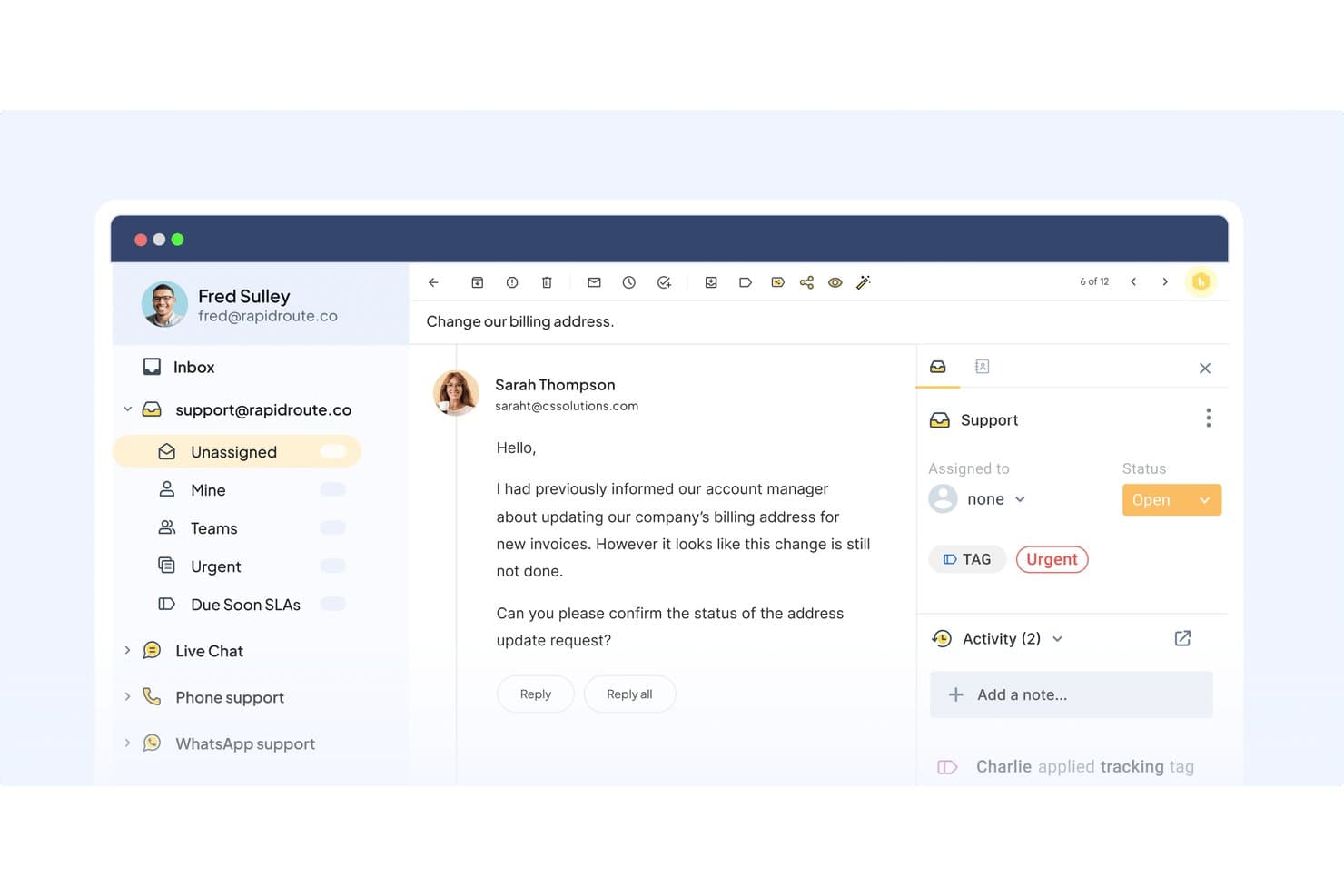
Hiver is easy to use because its modern and intuitive design centralizes multi-channel communications. Even during busy periods, the interface stays clean and helps you assign work without confusion. AI speeds up common actions like drafting, tagging, and summarizing, which reduces the number of clicks needed to handle each conversation. It’s a practical choice if you want your team to pick up the tool quickly and stay productive.
Onboarding
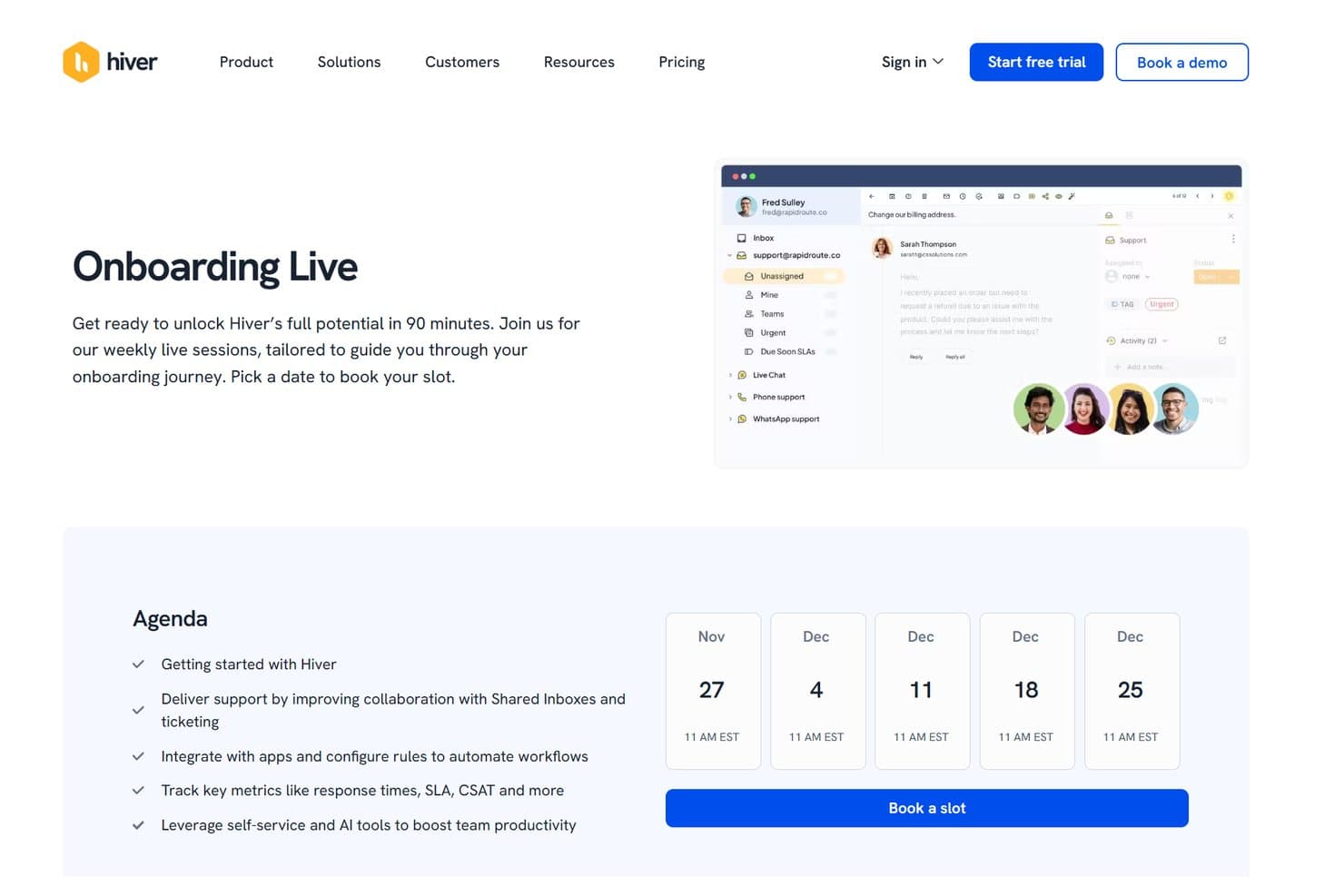
Hiver’s onboarding is quick because you connect channels, create workflows, and assign roles in minutes. The help center, product tours, and 24/7 support help you reach full productivity within a few days. I also like that Hiver offers live onboarding sessions weekly, helping you get started in just 90 minutes.
Customer Support
Hiver offers 24/7 email and live chat support, so your team always has help when needed. Their guidance is clear and practical, making it easy to resolve issues or get through setup steps. You also get access to a detailed help center and onboarding guides for self-service support. Overall, the support experience is dependable and helpful for busy teams.
Integrations
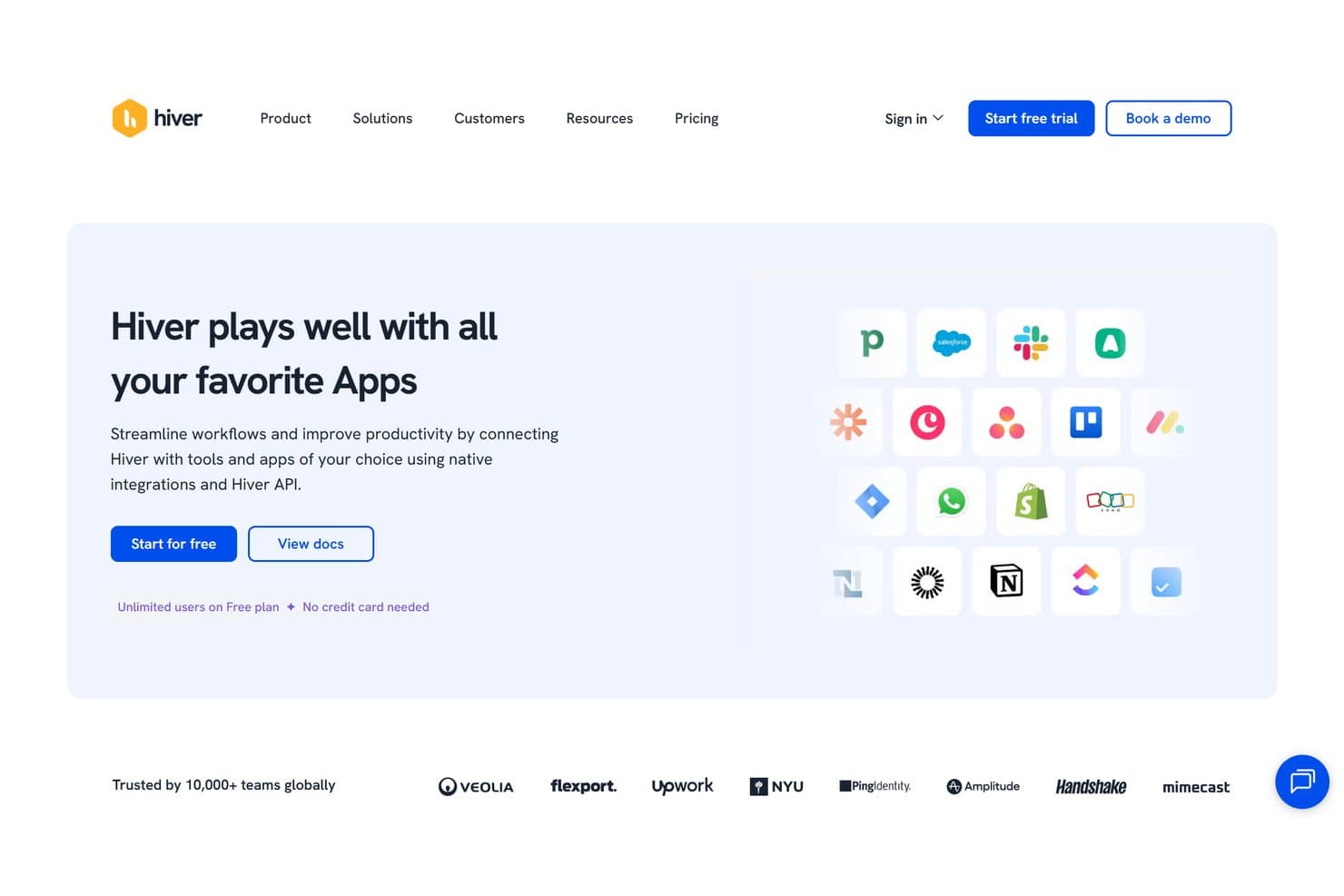
Hiver integrates natively with Salesforce, HubSpot, Shopify, Netsuite, Shopify, ClickUp, Asana, Jira, Pipedrive, Aircall, and Slack. It also offers an API and connects with third-party integration tools like Zapier.
Value for Money
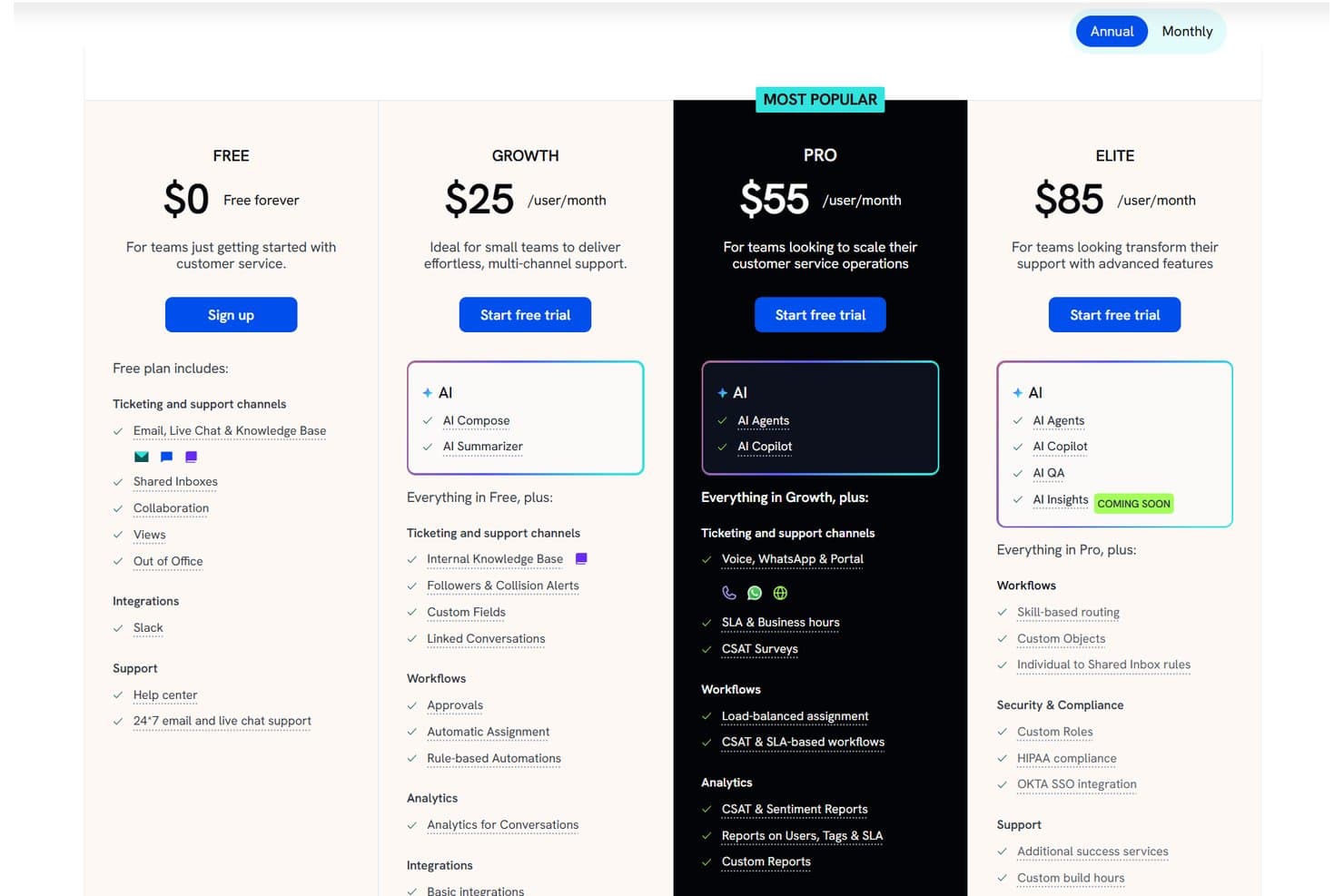
Hiver delivers strong value by giving you advanced AI tools, omnichannel support, and fast, human-like responses without overwhelming your team. Hiver Omni and Hiver in Gmail share the same pricing tiers, which keeps the plans easy to compare whether your team wants a dedicated customer service platform or a Gmail-based support workflow. The value of each plan depends on your setup, especially if you need broader channel coverage, automation, or advanced reporting.
- Free: Basic ticketing, shared inboxes, team collaboration, and core channels.
- Growth: Provides AI Agents, AI Copilot, rule-based automations, round-robin assignment, and pre-built analytics.
- Pro: Adds CSAT, chatbots, business hours, dashboards, and deeper reporting. For teams using Hiver Omni, this tier also includes Slack support, so agents can manage customer conversations from public and private Slack channels directly in Hiver.
- Elite: Adds skill-based routing, custom objects, custom roles, and compliance features.
Hiver Specs
- Analytics: Yes
- API: Yes
- Batch Permissions & Access: Yes
- Call Integration: Yes
- Chat: Yes
- Contact Management: Yes
- Contact Sharing: Yes
- CRM Integration: Yes
- Customer Management: Yes
- Customer Service: Yes
- Dashboard: Yes
- Data Export: Yes
- Data Import: Yes
- Data Visualization: Yes
- Email Integration: Yes
- Escalation Management: Yes
- External Integrations: Yes
- Instant Chat Integration: Yes
- Knowledge Base: Yes
- Lead Management: No
- Lead Scoring: No
- Multi-User: Yes
- Notifications: Yes
- Real-time Alerts: Yes
- Scheduling: Yes
- Self-service Portal: Yes
- Social Media Integration: Yes
- Support Forum: No
- Third-Party Plugins/Add-Ons: Yes
- Ticket Management: Yes
- Workflow Management: Yes
Hiver FAQs
Hiver Company Overview & History
Hiver is a customer service software company serving more than 10,000 teams worldwide. The company focuses on making customer service easy, personal, and fast through an intuitive interface powered by AI. Hiver is known for its strong collaboration features, fast onboarding, and Hive tools that simplify daily support work. Customers include Flexport, Upwork, NYU, Ping Identity, and Visiting Angels.
Hiver Major Milestones
- 2011: Hiver is founded.
- 2015: Launches shared inbox and collaboration features inside Gmail.
- 2018: Expands into full multi-channel customer service.
- 2023: Introduces advanced automation and analytics tools.
- 2024: Launches Hiver AI and the standalone Hiver Omni platform.
- 2025: Expands AI features for personalization, self-service, and smart routing.