
Recensione di Mouseflow: pro, contro, funzionalità e prezzi
Mouseflow eccelle nel fornire informazioni dettagliate sul comportamento degli utenti grazie alle sue intuitive mappe di calore e alle funzionalità di riproduzione delle sessioni, distinguendosi come piattaforma di analisi del percorso del cliente.

Recensiamo gli strumenti in modo indipendente e le commissioni aiutano a finanziare i nostri test. Consulta la nostra politica di trasparenza, la nostra metodologia o suggerisci uno strumento.
Mouseflow is a customer journey analytics software for teams that need to understand where and why users abandon their journeys. It combines session recordings, heatmaps, funnel tracking, and form analytics in one place. I'd pick it over Hotjar if funnel-level behavioral data and friction point analysis matter more to you than a simpler, lighter-weight tool.
Mouseflow Evaluation Summary
4.7/5
- From $25/month
- Free plan available
Perché fidarsi dei nostri consigli sui software
6,700+
Reviews
20
Industry experts
16+
Evaluation factors
14
Years
Il nostro team testa e recensisce software dal 2012. In quanto leader CX noi stessi, sappiamo quanto sia difficile — e importante — scegliere il software giusto.
Per questa guida, abbiamo valutato gli strumenti attraverso test pratici e ricerche indipendenti, assegnando un punteggio agli strumenti in base ai nostri criteri di selezione.
Le nostre recensioni riflettono il nostro giudizio editoriale umano, non un discorso di vendita.
 Gui DrusinaCreative Director
 Tim FisherVP of AI
Mouseflow Overview
In my opinion, Mouseflow is a solid option as a customer journey analytics platform, especially for teams focused on user behavior tracking. It excels with its heatmap tools and session replay features, which provide valuable insights into user interactions on websites and in sales funnels. Mouseflow’s pricing is also competitive, making it a reasonable choice for mid-sized businesses. I do think the onboarding process could be smoother, but once you're familiar with the interface, it's quite intuitive. Customer support is decent, though not exceptional.
Ultimately, if your team values visual data for optimizing user experience, mouseflow is worth considering. That said, it might not be the best fit if you need extensive data analysis capabilities or robust integration options.
Pros
- You gain insights into user behavior with heatmaps and session recordings.
- The interface is user-friendly, making data analysis easy.
- It helps improve your website's conversion rates and user experience.
Cons
- Customer support might be slow to respond.
- Pricing can be high for smaller businesses.
- Some features can be confusing and may have a learning curve.
Is Mouseflow Right For Your Needs?
Who Would be a Good Fit for Mouseflow?
If you're in marketing, UX design, or web development, Mouseflow can provide invaluable insights for your team. It helps you understand user behavior through session replays and heatmaps, allowing you to optimize your site's conversion rates. For businesses trying to refine their user experience and increase conversions, its analytics and feedback tools make it much easier to make informed, confident decisions.
- E-commerceMouseflow is great for tracking user paths and drop-off points, helping you refine the shopping experience and boost sales.
- Marketing TeamsUse Mouseflow to analyze user interactions and optimize landing pages for better conversion rates.
- Web DevelopersIdentify and fix issues quickly with session replays and error detection tools.
- UX DesignersGain insights into user behavior to improve site design and user satisfaction.
- Content CreatorsOptimize content placement using heatmap data to improve engagement.
- Product ManagersLeverage funnel analysis to understand user journeys and prioritize development efforts.
Who Would be a Bad Fit for Mouseflow?
If you're running a small business or managing a tight budget, Mouseflow might not be the best choice for you. The pricing structure can be steep, and the complex user interface could be overwhelming, especially if you're not tech-savvy. Additionally, if your work depends heavily on integration with other software, Mouseflow's limited compatibility may pose some challenges.
- Small BusinessesMouseflow's pricing and complex interface can be too much for smaller teams with limited budgets.
- Non-Tech TeamsIf your team isn't tech-savvy, the steep learning curve could slow down your workflow.
- FreelancersThe tool's extensive set of features might be overkill for individual freelancers needing basic analytics.
- New StartupsStartups needing quick and easy setup might find the interface too complex.
- Legacy SystemsLimited integration options may cause issues with older systems that require seamless data flow.
Come Testiamo e Valutiamo gli Strumenti
Abbiamo passato anni a costruire, perfezionare e migliorare il nostro sistema di valutazione e testing dei software. Il nostro schema è progettato per cogliere tutte le sfumature nella selezione del software e per valutare ciò che rende uno strumento efficace, concentrandosi sugli aspetti critici nel processo decisionale. Qui sotto puoi vedere esattamente come funziona il nostro processo di testing e valutazione su sette criteri. Ci permette di offrire una valutazione imparziale del software basata su funzionalità principali, caratteristiche distintive, facilità d’uso, onboarding, supporto clienti, integrazioni, recensioni clienti e rapporto qualità/prezzo.
Funzionalità Principali (25% del punteggio finale)
Il punto di partenza della nostra valutazione sono sempre le funzionalità fondamentali dello strumento. Possiede le funzioni di base che un utente si aspetta? Alcune di queste funzionalità sono disponibili solo con piani più costosi? In sostanza, ci aspettiamo che uno strumento sia competitivo rispetto ai suoi concorrenti principali.
Caratteristiche Distintive (25% del punteggio finale)
Successivamente, valutiamo le funzionalità particolari e distintive che vanno oltre le funzionalità standard solitamente presenti in strumenti simili. Un punteggio elevato riflette funzionalità specializzate o uniche che rendono il prodotto più veloce, efficiente o che offrono valore aggiunto all’utente. Valutiamo anche quanto sia facile integrare lo strumento con altri strumenti tipicamente presenti nel tech stack, per ampliare le funzionalità e l’utilità del software. Ottengono il punteggio migliore gli strumenti che offrono numerose integrazioni native, connessioni di terze parti e accesso API per creare integrazioni personalizzate.
Facilità d’Uso (10% del punteggio finale)
Consideriamo quanto sia rapido e intuitivo eseguire le attività core usando lo strumento. Un software con un alto punteggio è ben progettato, intuitivo all’uso, offre app mobili, mette a disposizione modelli e semplifica attività relativamente complesse.
Onboarding (10% del punteggio finale)
Sappiamo quanto sia importante l’adozione rapida da parte del team per una nuova piattaforma, quindi valutiamo la facilità di apprendimento e utilizzo dello strumento con una formazione minima. Valutiamo quanto velocemente un membro del team può iniziare a usare lo strumento senza esperienza. Le soluzioni con punteggio elevato richiedono poco o nessun supporto.
Supporto Clienti (10% del punteggio finale)
Valutiamo quanto sia semplice ricevere assistenza via telefono, chat dal vivo o knowledge base. Gli strumenti e le aziende che offrono supporto in tempo reale ottengono il punteggio migliore, mentre i chatbot hanno il punteggio più basso.
Recensioni Clienti (10% del punteggio finale)
Oltre alla nostra valutazione interna, prendiamo in considerazione il net promoter score dei clienti attuali e passati. Analizziamo la probabilità che, potendo scegliere, selezionino di nuovo lo strumento per le sue funzionalità core. Un software con punteggio elevato riflette un alto net promoter score dai clienti attuali o passati.
Rapporto Qualità/Prezzo (10% del punteggio finale)
Infine, tenendo conto di tutti gli altri criteri, analizziamo il prezzo medio dei piani entry level rispetto alle funzionalità principali e consideriamo il valore delle altre metriche di valutazione. Il software che offre di più, a meno, otterrà un punteggio maggiore.
Core Features
Detailed Session Replay Capabilities
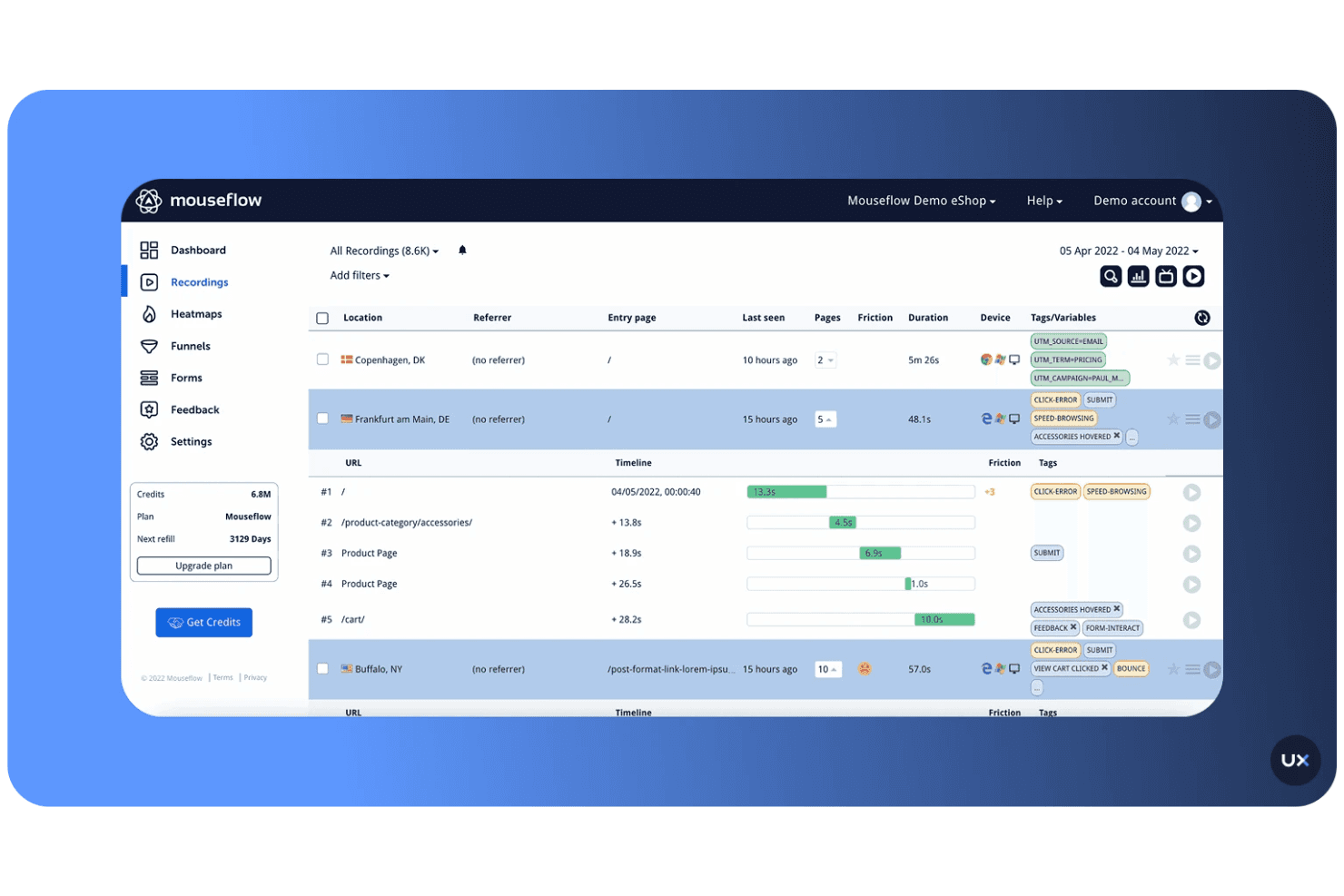
Mouseflow records real user sessions so you can see exactly how visitors interact with your site. This helps your team identify friction points and understand user behavior with precision.
Comprehensive Heatmap Tracking
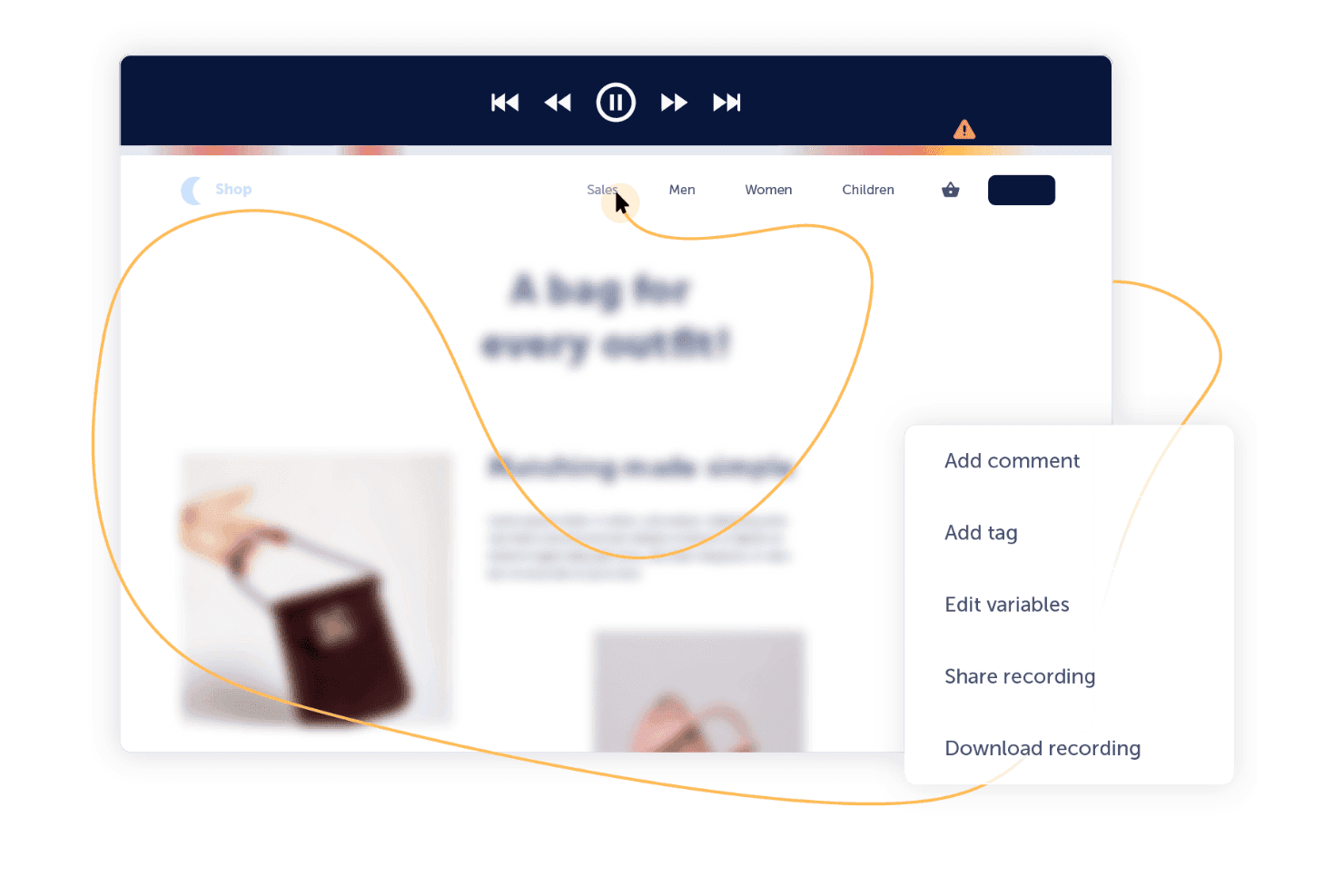
It automatically generates click, scroll, movement, and attention heatmaps. These visuals make it easier to spot engagement patterns and optimize key pages for better performance.
In-Depth Form Performance Analytics
Mouseflow tracks form interactions, field drop-offs, and user hesitations. This insight helps your team improve conversions by refining forms and removing unnecessary barriers.
User Journey Funnel Visualization
You can build funnels to pinpoint where users abandon the journey. This allows your team to focus improvements on the exact steps causing the highest drop-off.
Built-In Feedback and Survey Tools
Mouseflow includes on-page surveys and feedback widgets that capture real user opinions. This feature gives your team direct insight into customer sentiment and expectations.
Cross-Device Behavioral Tracking
It works across desktop, tablet, and mobile sessions to provide a full picture of user behavior. Your team can ensure consistent, optimized experiences on every device.
Ease of Use
Mouseflow's intuitive design makes it accessible for users at all experience levels. Its straightforward dashboard and clear navigation structure allow you to quickly access key features with minimal training. Users appreciate its real-time session replay and heatmaps, which provide valuable insights into user behavior. While some find the initial setup a bit complex, the overall user experience is positive, with many highlighting the tool's efficiency in capturing customer data and improving user engagement.
Integrations
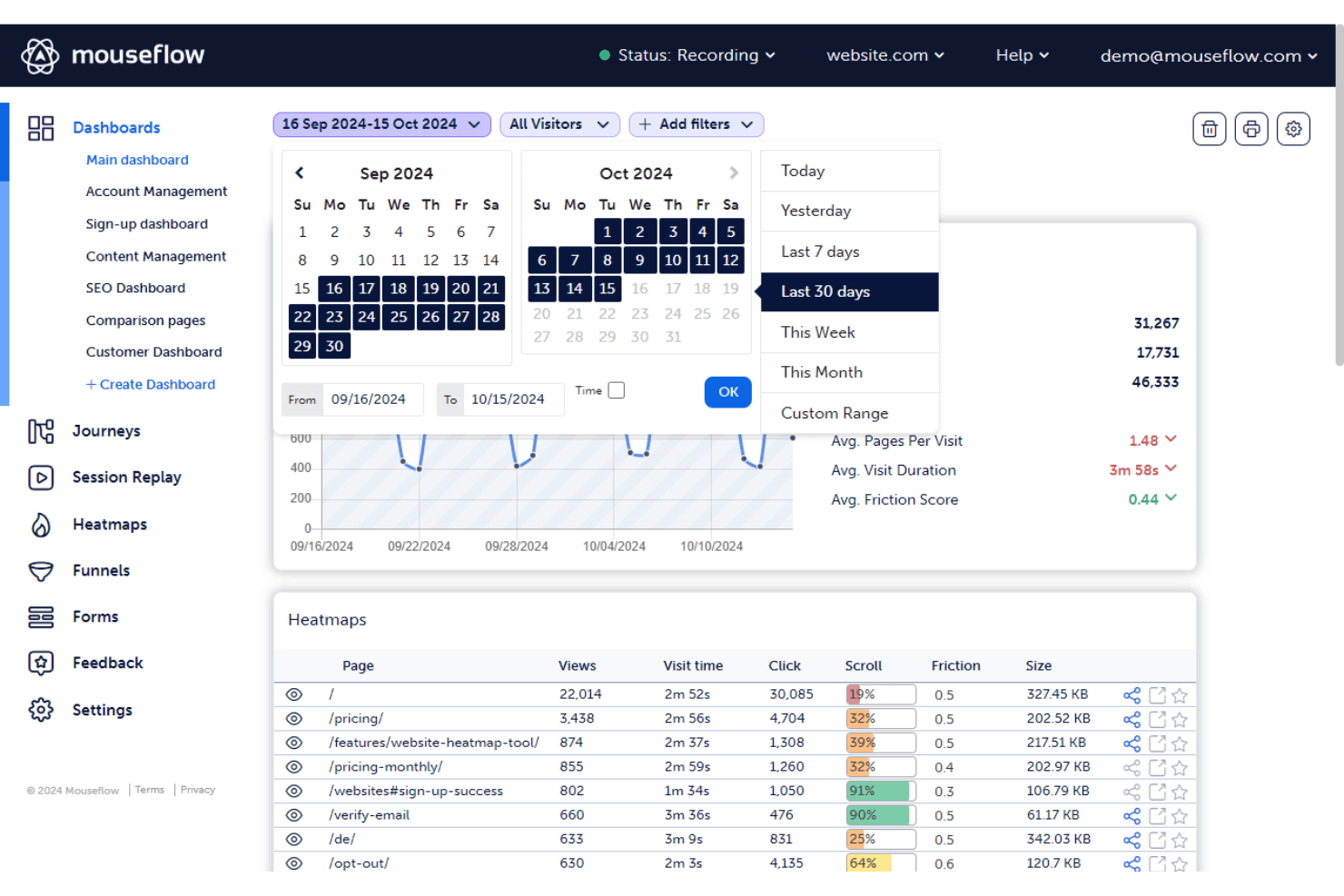
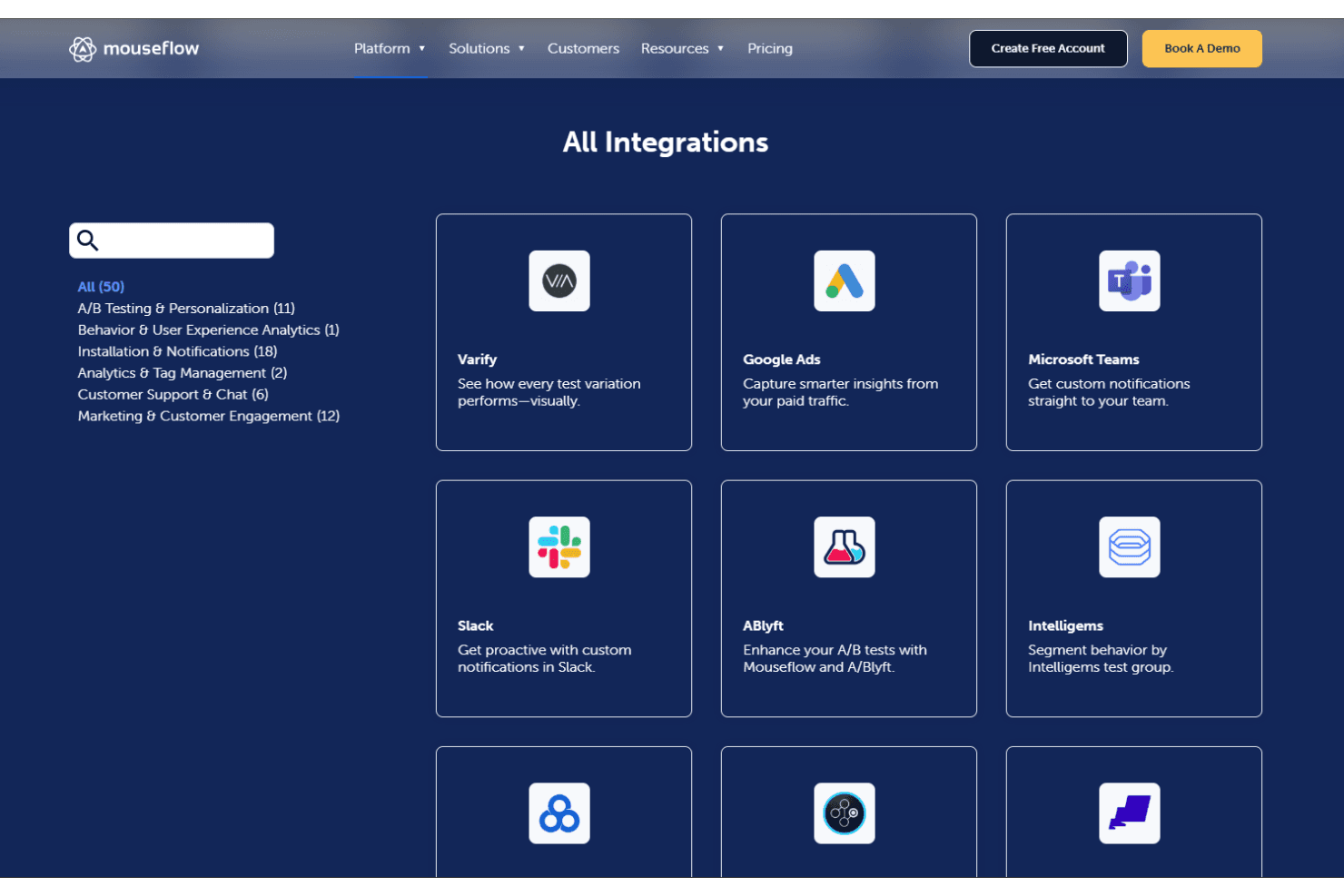
Mouseflow integrates with HubSpot, Shopify, Adobe Analytics, Google Analytics, Google Tag Manager, AB Tasty, Google Ads, Wordpress, Microsoft Teams, and more. Mouseflow also offers an API and connects with third-party integration tools.
Mouseflow Specs
- A/B Testing: No
- AI Integration: No
- Analytics: Yes
- API: Yes
- Big Data: No
- Campaign Management: No
- Conversion Tracking: Yes
- Custom Reports: No
- Dashboard: Yes
- Data Export: Yes
- Data Import: No
- Data Visualization: Yes
- External Integrations: Yes
- Feedback Management: No
- Keyword Tracking: Yes
- Landing Pages: No
- Link Tracking: Yes
- Multi-User: Yes
- Notifications: Yes
- Process Reporting: No
- Referral Tracking: Yes
- Sentiment Analysis: No
- SEO: No
- Workflow Management: No


