

Recensione di OneDesk: vantaggi, svantaggi, funzionalità e prezzi
OneDesk eccelle grazie alla sua combinazione unica di strumenti per la gestione dei progetti e del servizio clienti, offrendoti una soluzione flessibile per un'assistenza clienti integrata e la collaborazione tra i team.

Recensiamo gli strumenti in modo indipendente e le commissioni aiutano a finanziare i nostri test. Consulta la nostra politica di trasparenza, la nostra metodologia o suggerisci uno strumento.
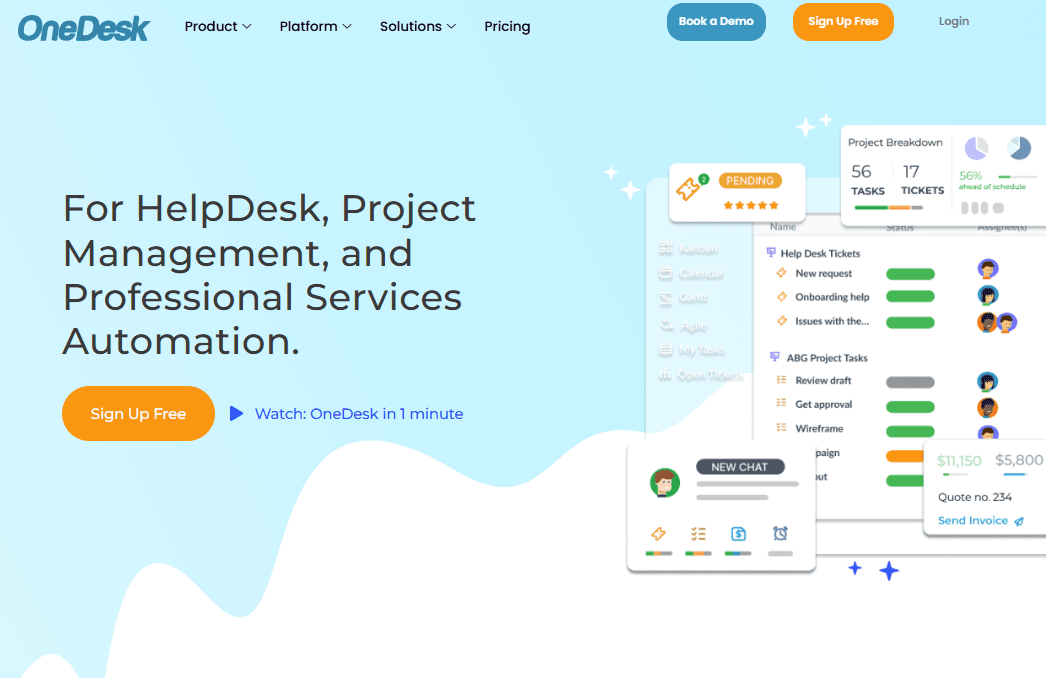
OneDesk is customer support software that doubles as a project management platform, built for teams that handle customer tickets and internal work tracking in the same tool. I'd mainly consider it if your team needs to manage support requests alongside project delivery without bouncing between separate apps. If you've evaluated Freshdesk but need native project management built in rather than pieced together through integrations, OneDesk gives you that in a single workspace.
OneDesk Evaluation Summary
4.3/5
- From $10.99/user/month (billed annually)
- Fee trial + free demo available
Perché fidarsi dei nostri consigli sui software
6,700+
Reviews
20
Industry experts
16+
Evaluation factors
14
Years
Il nostro team testa e recensisce software dal 2012. In quanto leader CX noi stessi, sappiamo quanto sia difficile — e importante — scegliere il software giusto.
Per questa guida, abbiamo valutato gli strumenti attraverso test pratici e ricerche indipendenti, assegnando un punteggio agli strumenti in base ai nostri criteri di selezione.
Le nostre recensioni riflettono il nostro giudizio editoriale umano, non un discorso di vendita.
 Gui DrusinaCreative Director
 Tim FisherVP of AI
OneDesk Overview
In my opinion, OneDesk stands out as a versatile tool for customer service operations, offering a solid array of features that make it a strong contender for teams needing integrated project management and helpdesk capabilities. It excels in customer support, providing quick and helpful responses; an advantage that can strongly influence decision-making.
However, OneDesk isn’t without its challenges. Its relatively high per-user cost may deter smaller businesses, especially when compared to similar platforms. Additionally, it may lack some integration flexibility, which could be a drawback for organizations that depend on a diverse tech stack.
Overall, OneDesk is best suited for enterprises or agencies that can fully leverage its comprehensive feature set and justify the investment.
Pros
- You can easily manage both projects and customer support in one place.
- The user interface is intuitive, making it simple for your team to navigate.
- Customer support is responsive and helpful, providing timely assistance when needed.
Cons
- The software may feel slow at times, impacting your team's efficiency.
- Some users find the setup process to be more complicated than expected.
- The reporting features may not be as comprehensive as you might need for detailed analytics.
Is OneDesk Right For Your Needs?
Who Would be a Good Fit for OneDesk?
OneDesk suits teams needing advanced customer support and project management tools. For example, if your team juggles support tickets, project tasks, and client communication, OneDesk's integrated platform can help simplify your work. Its features, like help desk support and project management client portals, also provide a unified space to manage tasks and customer interactions efficiently.
- Small BusinessesOneDesk's affordable pricing and comprehensive features make it ideal for small businesses needing customer support and project management tools.
- IT DepartmentsThe software's ticketing and task management capabilities are perfect for IT departments handling internal requests and project tasks.
- Remote TeamsWith web and mobile access, OneDesk supports remote work, allowing teams to collaborate and manage tasks from anywhere.
- Customer Support TeamsLive chat and knowledge base features empower support teams to assist customers efficiently, improving response times and satisfaction.
- Project Planning and Resource Management TeamsThe project management functionalities and gantt charts help project managers track tasks, deadlines, and client interactions in one place. Its support for agile workflows also helps teams stay organized, adaptable, and on budget.
- FreelancersFreelancers benefit from OneDesk's ability to manage client projects and support tickets easily, enhancing client communication and project tracking.
Who Would be a Bad Fit for OneDesk?
OneDesk may not be the best fit for businesses that require extensive financial management capabilities or deep integrations with other tools. If your team relies heavily on financial analytics or depends on a wide range of third-party integrations, these limitations could create operational roadblocks. Additionally, organizations that need a highly customizable platform may find OneDesk’s customization options too limited to meet their specific requirements.
- Financial DepartmentsIf your work involves detailed budget tracking and financial analytics, OneDesk may fall short.
- Large EnterprisesYou might find OneDesk’s integration options too limited for a complex tech ecosystem.
- Highly Customizable NeedsFor teams needing extensive customization, OneDesk's limited flexibility could be a huge barrier.
- Integration-Heavy WorkflowsIf your operations rely on numerous third-party tools, OneDesk’s integration capabilities might not be enough.
- Advanced Reporting NeedsTeams requiring in-depth analytics will likely find OneDesk’s reporting features to be insufficient.
Core Features
Ticket Management: Handle customer inquiries efficiently by organizing and prioritizing requests. You can easily track the status of each ticket, making sure nothing falls through the cracks.
Knowledge Base: Provide your team and customers with quick access to information through a searchable database. This self-service tool helps reduce the number of repetitive questions and boosts efficiency.
Customer Feedback Collection: Gather valuable insights directly from your customers to improve your service. This feature helps you stay in full alignment with customer needs and expectations.
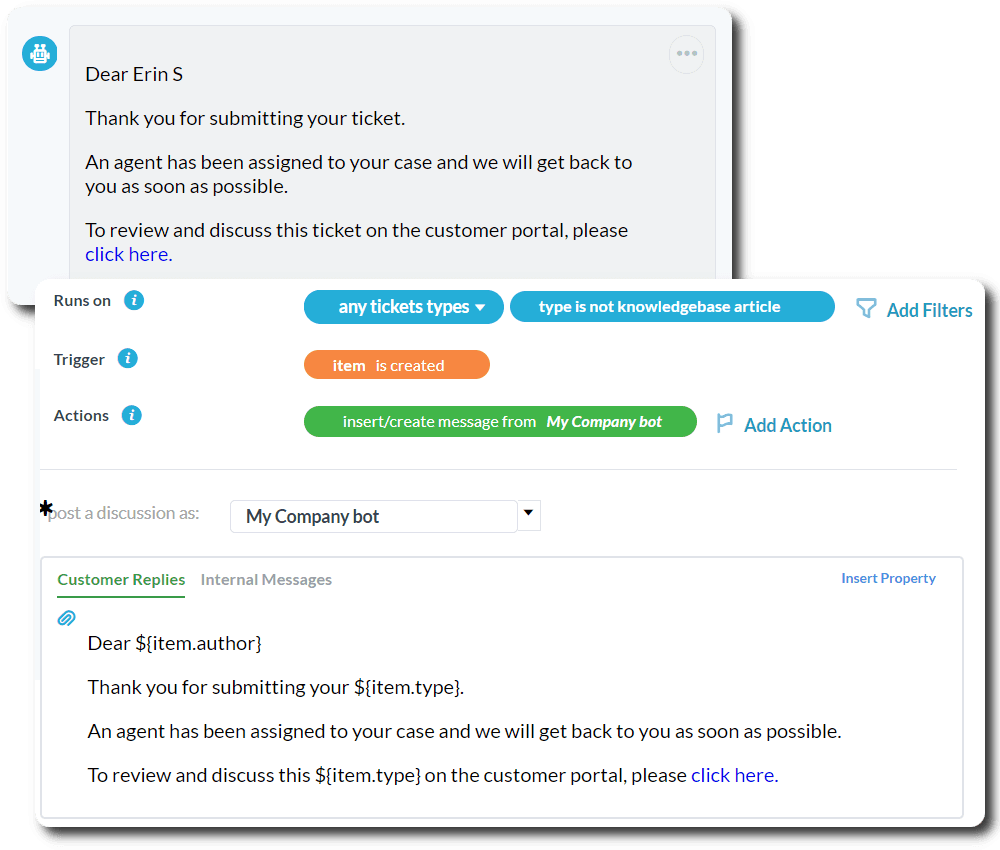
Customizable Workflows: Streamline your operations with automation that assigns tasks and sends notifications exactly when you need them. This minimizes manual work and keeps your team focused on what matters most.
Collaboration Tools: Enhance teamwork with shared workspaces where ideas and feedback can flow freely. This fosters a collaborative environment, leading to better problem-solving and innovation.
Analytics and Reporting: Make informed decisions with data-driven insights into your service performance. Use these reports to identify trends and areas for improvement, helping you stay ahead of potential issues.
Ease of Use
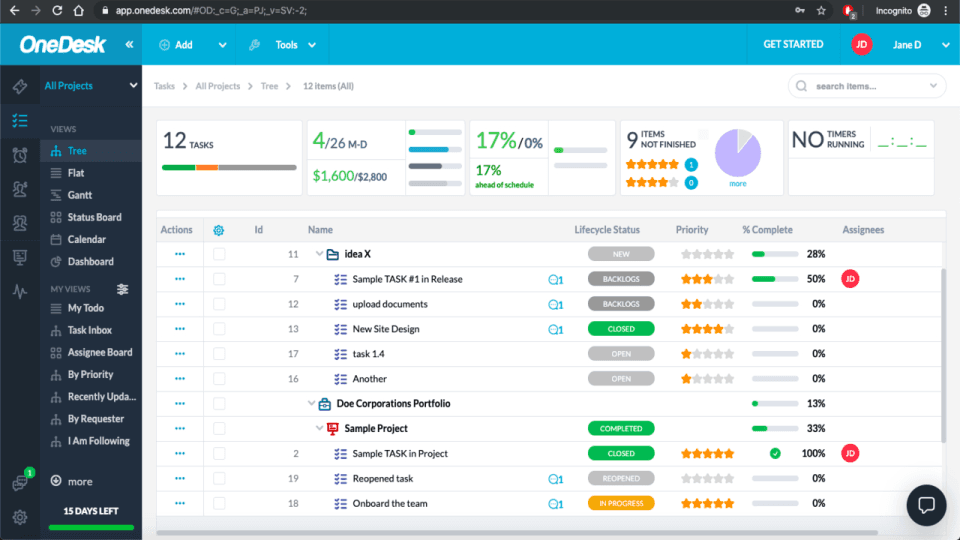
OneDesk's interface is straightforward and user-friendly, making it accessible even for those new to customer service software. Users appreciate its intuitive design, which simplifies navigation and reduces the learning curve. The software's ability to integrate various customer service functions into one platform means you won't waste time switching between tools.
However, some user reviews note that while the setup is easy, mastering all features may require some time. Overall though, OneDesk's design supports efficient workflows for your team.
Integrations
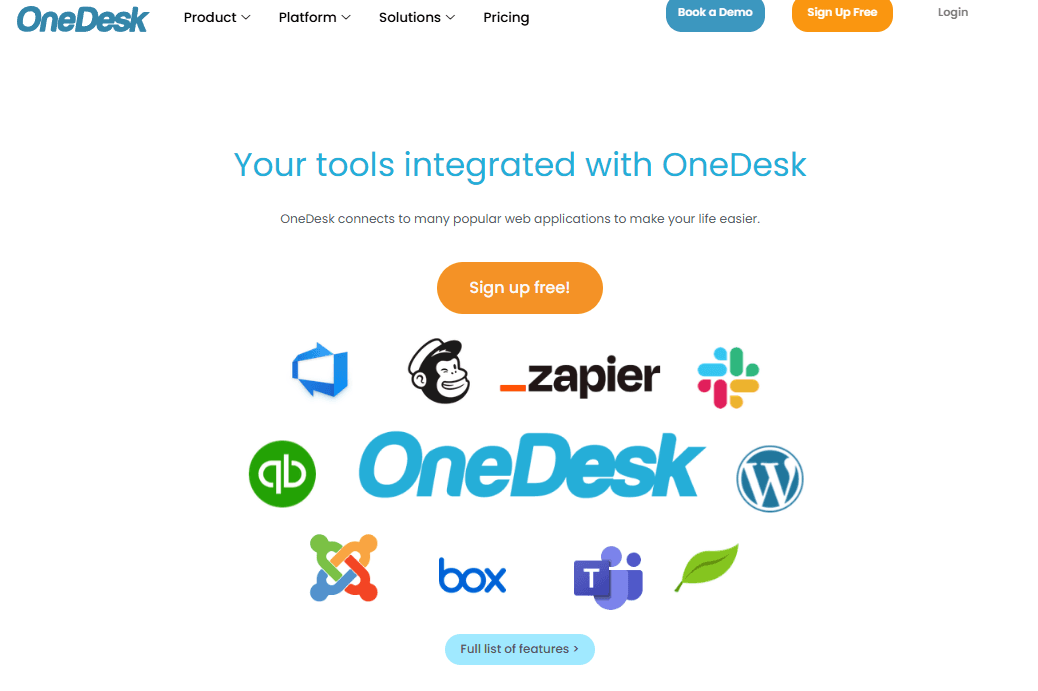
OneDesk integrates with Slack, Microsoft Teams, Google Workspace, Dropbox, FreshBooks, QuickBooks, Zapier, and Mailchimp.
OneDesk also offers a public API, allowing for integration with third-party tools, providing flexibility and automation in product development.
OneDesk Specs
- Analytics: Yes
- API: Yes
- Batch Permissions & Access: No
- Call Integration: No
- Chat: Yes
- Contact Management: Yes
- Contact Sharing: No
- CRM Integration: Yes
- Customer Management: Yes
- Customer Service: No
- Dashboard: Yes
- Data Export: Yes
- Data Import: Yes
- Data Visualization: Yes
- Email Integration: Yes
- Escalation Management: No
- External Integrations: Yes
- Instant Chat Integration: Yes
- Knowledge Base: Yes
- Lead Management: No
- Lead Scoring: No
- Multi-User: Yes
- Notifications: Yes
- Real-time Alerts: Yes
- Scheduling: Yes
- Self-service Portal: Yes
- Social Media Integration: No
- Support Forum: Yes
- Third-Party Plugins/Add-Ons: Yes
- Ticket Management: Yes
- Workflow Management: Yes


