

Recensione di QuestionPro: vantaggi, svantaggi, funzionalità e prezzi
QuestionPro si distingue per la sua solida personalizzazione dei sondaggi e le potenti funzionalità di analisi, rappresentando una scelta eccellente per le aziende alla ricerca di dati dettagliati.

Recensiamo gli strumenti in modo indipendente e le commissioni aiutano a finanziare i nostri test. Consulta la nostra politica di trasparenza, la nostra metodologia o suggerisci uno strumento.
QuestionPro is a customer survey tool built for teams that need to collect, analyze, and act on customer feedback across multiple touchpoints. It covers everything from basic satisfaction surveys to more advanced research workflows, including conjoint analysis, sentiment analysis, and panel management. I'd consider it if you want more analytical depth and research flexibility than SurveyMonkey provides, but don't need the full complexity of an enterprise research platform. It's a strong middle ground for CX teams who've outgrown simple survey tools.
QuestionPro Evaluation Summary
4.7/5
- Pricing upon request
- Free demo available
Perché fidarsi dei nostri consigli sui software
6,700+
Reviews
20
Industry experts
16+
Evaluation factors
14
Years
Il nostro team testa e recensisce software dal 2012. In quanto leader CX noi stessi, sappiamo quanto sia difficile — e importante — scegliere il software giusto.
Per questa guida, abbiamo valutato gli strumenti attraverso test pratici e ricerche indipendenti, assegnando un punteggio agli strumenti in base ai nostri criteri di selezione.
Le nostre recensioni riflettono il nostro giudizio editoriale umano, non un discorso di vendita.
 Gui DrusinaCreative Director
 Tim FisherVP of AI
QuestionPro Overview
In my opinion, QuestionPro stands out as a solid choice for customer surveys. It offers a comprehensive set of features that cater to diverse survey needs, from simple questionnaires to advanced analytics. Its user interface is intuitive, making it accessible for teams of all sizes. Compared to other survey tools like Qualtrics, its pricing is competitive, offering good value, especially for organizations that require robust data collection and complex survey analysis tools.
However, while its onboarding process is straightforward, some users might find the depth of features overwhelming initially. QuestionPro excels in providing excellent customer support, which can be a decisive factor for teams that value responsive assistance. It's particularly well-suited for businesses seeking a reliable tool for detailed customer insights.
Pros
- You can easily create surveys with its user-friendly interface.
- It offers a wide range of question types to fit your survey needs.
- You can access insightful analytics to understand your data better.
Cons
- You might find the reporting features less advanced than other tools.
- Some users experience a steep learning curve when starting with the platform.
- You could encounter limitations in customization for specific survey needs.
Is QuestionPro Right For Your Needs?
Who Would be a Good Fit for QuestionPro?
QuestionPro is an online survey software that is ideal for small to medium-sized businesses and research teams who need an intuitive platform for collecting and analyzing survey data. Its extensive feature set, including over 40 question types and customizable logic, makes it versatile for various industries. With user-friendly design, data visualization, and robust real-time reporting capabilities, it supports efficient data collection and insight generation, making it a valuable tool for your team's research needs.
- Market ResearchQuestionPro's robust reporting and data analysis tools make it perfect for market research, enabling your team to gather and interpret consumer insights effectively.
- Customer FeedbackFor customer service teams, QuestionPro offers customizable surveys and real-time analytics, helping you understand and improve customer satisfaction.
- Academic ResearchAcademic institutions benefit from QuestionPro's multilingual support and comprehensive survey formats and features, facilitating detailed and diverse data collection.
- Healthcare SurveysHealthcare providers can use QuestionPro's HIPAA-compliant tools to securely collect patient feedback and insights, ensuring privacy and data protection.
- Event ManagementEvent planners can leverage QuestionPro's integration capabilities to gather attendee feedback and improve future events through actionable insights.
- Product DevelopmentProduct teams can use QuestionPro to gather user feedback, helping your team prioritize features and improve product offerings based on customer needs.
Who Would be a Bad Fit for QuestionPro?
QuestionPro might not be ideal for small businesses or startups with limited resources and basic survey needs. Its extensive features can be overwhelming and unnecessary for simple feedback collection. Additionally, industries that require highly specialized data analysis tools, such as scientific research, might find QuestionPro's analytics lacking in depth and specificity. If your team prioritizes rapid deployment and simplified interfaces, the robust capabilities of QuestionPro may prove cumbersome for your work.
- Small StartupsIf you're a small startup with basic survey needs, QuestionPro's extensive features might be too complex and costly for your requirements.
- Scientific ResearchFor scientific research teams, the need for highly specific data analysis tools means QuestionPro's general capabilities might not suffice.
- Budget-Conscious TeamsTeams with tight budgets may find QuestionPro's pricing unfeasible, especially if only basic survey functionalities are needed.
- Quick Deployment NeedsIf your team needs rapid deployment and simplified tools, QuestionPro's comprehensive features might slow down your process.
- Non-Technical TeamsNon-technical teams may struggle with the complexity of QuestionPro's advanced features and methodology, which can hinder effective use.
Come Testiamo e Valutiamo gli Strumenti
Abbiamo passato anni a costruire, perfezionare e migliorare il nostro sistema di valutazione e testing dei software. Il nostro schema è progettato per cogliere tutte le sfumature nella selezione del software e per valutare ciò che rende uno strumento efficace, concentrandosi sugli aspetti critici nel processo decisionale. Qui sotto puoi vedere esattamente come funziona il nostro processo di testing e valutazione su sette criteri. Ci permette di offrire una valutazione imparziale del software basata su funzionalità principali, caratteristiche distintive, facilità d’uso, onboarding, supporto clienti, integrazioni, recensioni clienti e rapporto qualità/prezzo.
Funzionalità Principali (25% del punteggio finale)
Il punto di partenza della nostra valutazione sono sempre le funzionalità fondamentali dello strumento. Possiede le funzioni di base che un utente si aspetta? Alcune di queste funzionalità sono disponibili solo con piani più costosi? In sostanza, ci aspettiamo che uno strumento sia competitivo rispetto ai suoi concorrenti principali.
Caratteristiche Distintive (25% del punteggio finale)
Successivamente, valutiamo le funzionalità particolari e distintive che vanno oltre le funzionalità standard solitamente presenti in strumenti simili. Un punteggio elevato riflette funzionalità specializzate o uniche che rendono il prodotto più veloce, efficiente o che offrono valore aggiunto all’utente. Valutiamo anche quanto sia facile integrare lo strumento con altri strumenti tipicamente presenti nel tech stack, per ampliare le funzionalità e l’utilità del software. Ottengono il punteggio migliore gli strumenti che offrono numerose integrazioni native, connessioni di terze parti e accesso API per creare integrazioni personalizzate.
Facilità d’Uso (10% del punteggio finale)
Consideriamo quanto sia rapido e intuitivo eseguire le attività core usando lo strumento. Un software con un alto punteggio è ben progettato, intuitivo all’uso, offre app mobili, mette a disposizione modelli e semplifica attività relativamente complesse.
Onboarding (10% del punteggio finale)
Sappiamo quanto sia importante l’adozione rapida da parte del team per una nuova piattaforma, quindi valutiamo la facilità di apprendimento e utilizzo dello strumento con una formazione minima. Valutiamo quanto velocemente un membro del team può iniziare a usare lo strumento senza esperienza. Le soluzioni con punteggio elevato richiedono poco o nessun supporto.
Supporto Clienti (10% del punteggio finale)
Valutiamo quanto sia semplice ricevere assistenza via telefono, chat dal vivo o knowledge base. Gli strumenti e le aziende che offrono supporto in tempo reale ottengono il punteggio migliore, mentre i chatbot hanno il punteggio più basso.
Recensioni Clienti (10% del punteggio finale)
Oltre alla nostra valutazione interna, prendiamo in considerazione il net promoter score dei clienti attuali e passati. Analizziamo la probabilità che, potendo scegliere, selezionino di nuovo lo strumento per le sue funzionalità core. Un software con punteggio elevato riflette un alto net promoter score dai clienti attuali o passati.
Rapporto Qualità/Prezzo (10% del punteggio finale)
Infine, tenendo conto di tutti gli altri criteri, analizziamo il prezzo medio dei piani entry level rispetto alle funzionalità principali e consideriamo il valore delle altre metriche di valutazione. Il software che offre di più, a meno, otterrà un punteggio maggiore.
Core Features
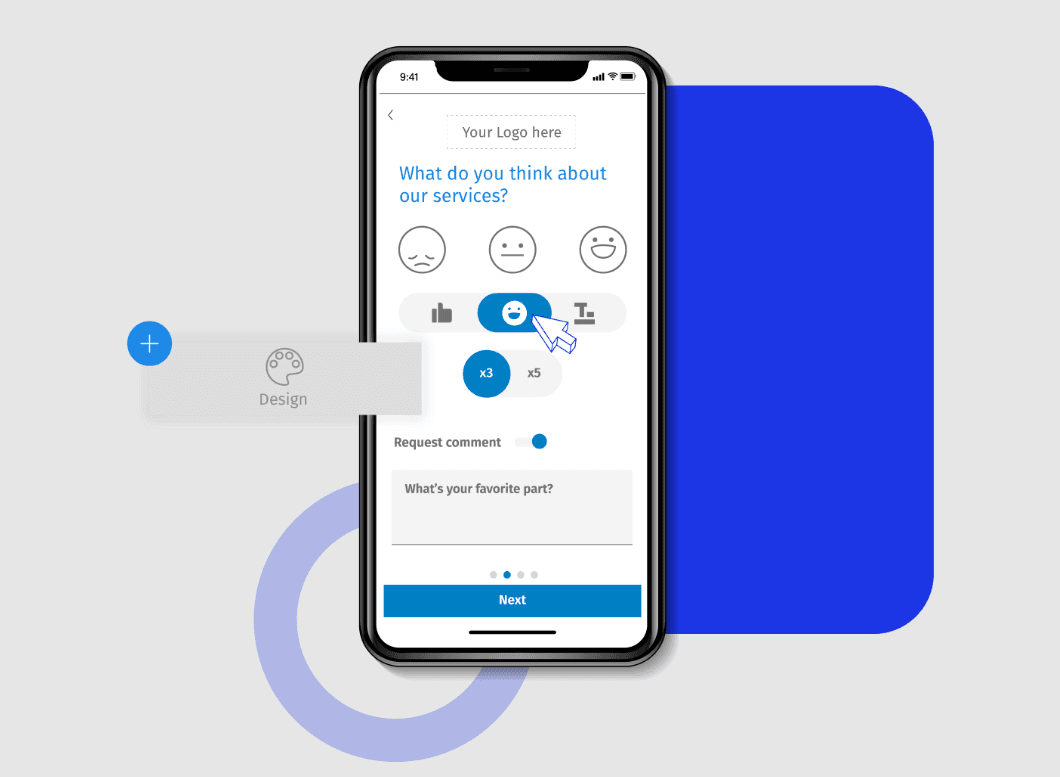
Survey Design: You can create surveys with over 20 professional themes and customizable logos, making it easy to tailor the look and feel to your brand. The visual layout is intuitive, allowing you to set up surveys quickly without technical know-how.
Logic and Branching: Use skip logic and advanced branching to personalize surveys based on responses. This feature helps you gather more relevant data by guiding respondents through a tailored path.
Data Integration: Export data to Google Sheets or SPSS for further analysis, streamlining your data workflow. This integration ensures your data is ready for in-depth analysis without manual entry.
Mobile Access: Conduct surveys on-the-go with a dedicated mobile app. This means you can reach respondents wherever they are, increasing response rates.
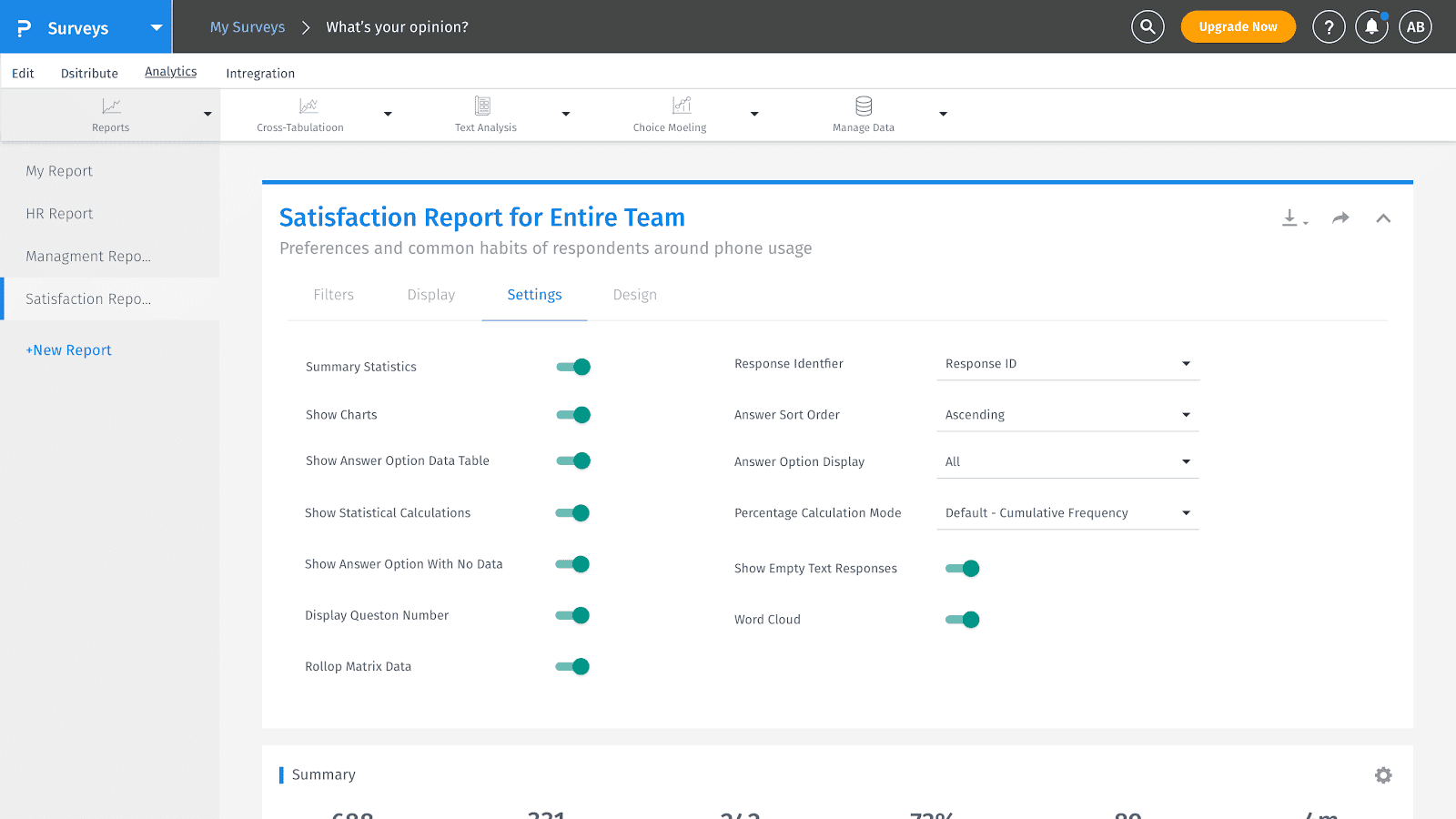
Analytics Tools: Access heatmap and sentiment analysis tools to gain insights into respondent behavior and feedback trends. The Net Promoter Score (NPS) tracking helps you measure customer loyalty effectively.
Multilingual Support: Use Questionpro’s survey builder to create surveys in multiple languages to reach a diverse audience. This feature is crucial for businesses operating in global markets, ensuring inclusivity and comprehensive data collection.
Ease of Use
QuestionPro stands out for its user-friendly design and intuitive navigation, making it accessible for both new and experienced users. Users appreciate its straightforward survey creation process, robust analytics, and seamless integration with various platforms. Many find the tool intuitive, with a well-organized dashboard and layout that simplifies data collection and analysis. While some mention a learning curve with advanced features, the overall consensus is positive, highlighting its efficiency in capturing and analyzing customer feedback effectively.
Integrations
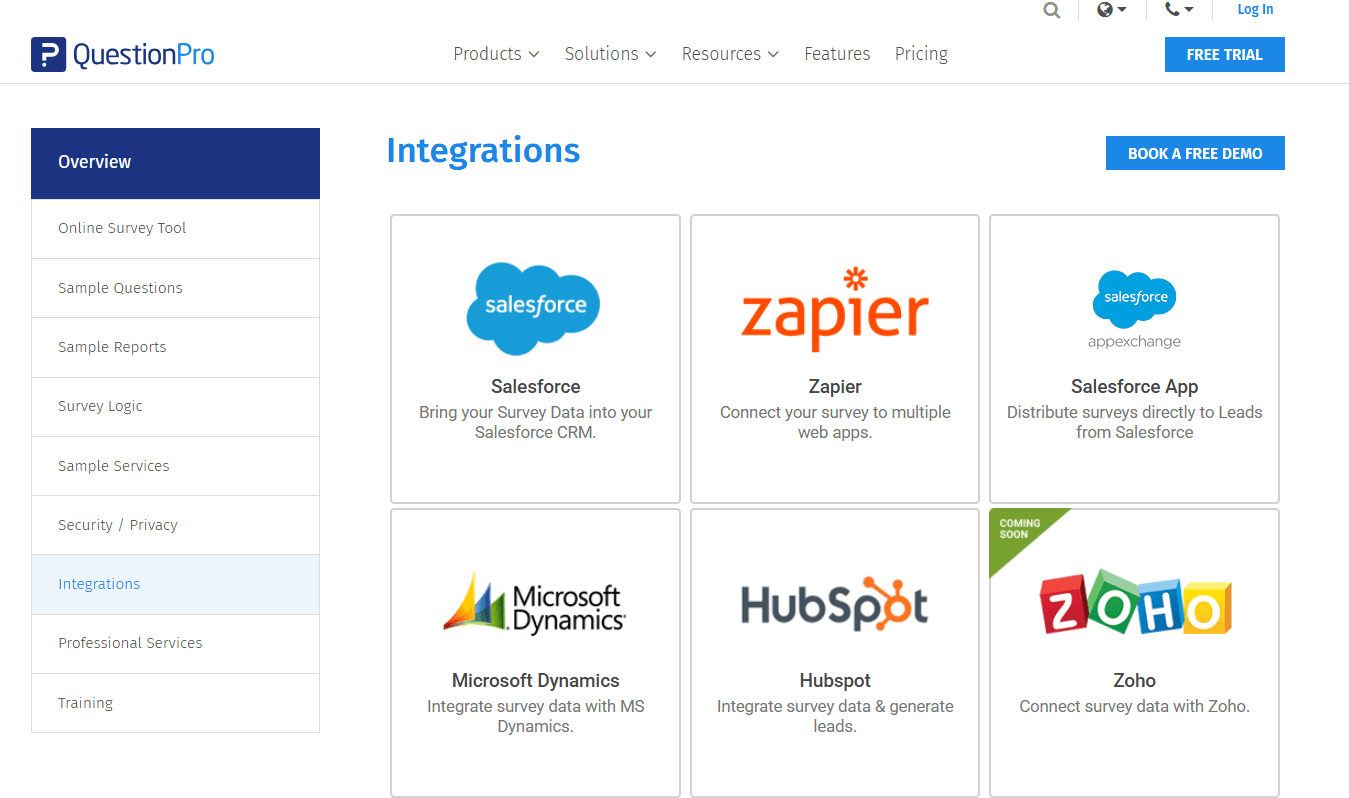
QuestionPro integrates with Salesforce, Zapier, Microsoft Dynamics, Hubspot, Zoho, SugarCRM, Google Sheets, Google Analytics, and Slack.
QuestionPro also provides an API, allowing for custom integrations and connections with third-party integration tools.
QuestionPro Specs
- Analytics: Yes
- API: Yes
- Batch Permissions & Access: Yes
- Calendar Management: Yes
- Contact Management: Yes
- Custom Reports: No
- Dashboard: Yes
- Data Export: Yes
- Data Import: Yes
- Data Visualization: Yes
- Email Integration: Yes
- External Integrations: Yes
- Feedback Management: Yes
- Google Apps Integration: Yes
- Marketing Automation: Yes
- Multi-Source Feedback: Yes
- Multi-User: Yes
- Net Promoter Score: Yes
- Notifications: Yes
- Online Surveys: Yes
- Paper Surveys: Yes
- Scheduling: Yes
- Sentiment Analysis: No
- Template Designer: Yes
- Workflow Management: No


