

Recensione di Userback: pro, contro, funzionalità e prezzi
Userback eccelle nel feedback visivo in tempo reale e nelle capacità di integrazione, rendendolo uno strumento prezioso per i team che si concentrano sugli insight dei clienti e sulla collaborazione.

Recensiamo gli strumenti in modo indipendente e le commissioni aiutano a finanziare i nostri test. Consulta la nostra politica di trasparenza, la nostra metodologia o suggerisci uno strumento.
Userback is a customer data platform built around in-product feedback collection, letting users annotate screenshots, record their screen, and submit bug reports directly from your app or website. It's worth considering if your team needs structured, visual feedback that's easy to triage and act on. I'd look at it specifically if you want more actionable user input than Hotjar gives you, without adding a full-scale analytics suite to your stack.
Userback Evaluation Summary
4.8/5
- From $29/month (billed annually)
- Free plan available
Perché fidarsi dei nostri consigli sui software
6,700+
Reviews
20
Industry experts
16+
Evaluation factors
14
Years
Il nostro team testa e recensisce software dal 2012. In quanto leader CX noi stessi, sappiamo quanto sia difficile — e importante — scegliere il software giusto.
Per questa guida, abbiamo valutato gli strumenti attraverso test pratici e ricerche indipendenti, assegnando un punteggio agli strumenti in base ai nostri criteri di selezione.
Le nostre recensioni riflettono il nostro giudizio editoriale umano, non un discorso di vendita.
 Gui DrusinaCreative Director
 Tim FisherVP of AI
Userback Overview
In my opinion, Userback offers a solid set of customer data features, making it a viable option for teams looking for an efficient way to gather user feedback. Its standout features and ease of use are commendable, although onboarding and customer support could benefit from some enhancements. The platform is well suited for small and medium-sized teams that need user feedback integration functions that don't break the bank. However, it may lack advanced customization and detailed analytics. If your team values simplicity and cost-effectiveness, Userback is worth considering.
Pros
- Gather visual feedback efficiently with Userback's intuitive interface.
- Real-time collaboration features mean faster issue resolution.
- Userback's screenshot and annotation tools make it easy to communicate specific feedback.
Cons
- Your team might face a learning curve with its wide range of features.
- Some users find the customization options limited for niche use cases.
- Userback has limited customer support channels.
Is Userback Right For Your Needs?
Who Would be a Good Fit for Userback?
Userback suits any team that needs visual feedback on digital projects. If your work involves web development or design, Userback helps by collecting annotated screenshots directly from users. It's perfect for quality assurance (QA) teams, product managers, and developers who want to streamline feedback processes. Its integration with tools such as Jira and Slack makes it an efficient choice for teams already using those platforms.
- Web Development TeamsUserback excels in gathering detailed visual website feedback, which helps developers identify and fix issues quickly.
- Design AgenciesDesigners can benefit from Userback's ability to collect client feedback directly on design projects, strengthening collaboration.
- Product ManagersWith Userback, product managers can gather user insights efficiently and integrate feedback into development cycles.
- QA TeamsQA teams can leverage Userback for bug tracking and capture, making the debugging process faster.
- Marketing TeamsMarketers can use Userback to gather user impressions on digital campaigns and refine strategies based on real user feedback.
- Small and Medium-Sized EnterprisesSmall and medium-sized enterprises benefit from Userback's cost-effective feedback tools that integrate with existing workflows to improve product quality.
Who Would be a Bad Fit for Userback?
Userback may not suit businesses with limited technical resources. If your team doesn't have a dedicated IT department or technical staff, Userback's setup and integration might be challenging. It's designed for environments where feedback can be actively managed and acted upon, so if your operations are more straightforward and don't require detailed feedback loops, it might not be the best fit.
- Non-Technical TeamsTeams lacking technical expertise might struggle with Userback's setup and customization options.
- Retail IndustryRetailers focusing on in-store customer experiences might not benefit from Userback's digital feedback tools.
- HR DepartmentsHR teams may not find Userback useful, as it primarily addresses user experience and product feedback rather than employee feedback.
- Health Care ProvidersHealth care providers with strict compliance requirements may face challenges integrating Userback due to data privacy concerns.
- Logistics CompaniesLogistics companies that have minimal customer interaction may not need Userback's extensive feedback capabilities.
Come Testiamo e Valutiamo gli Strumenti
Abbiamo passato anni a costruire, perfezionare e migliorare il nostro sistema di valutazione e testing dei software. Il nostro schema è progettato per cogliere tutte le sfumature nella selezione del software e per valutare ciò che rende uno strumento efficace, concentrandosi sugli aspetti critici nel processo decisionale. Qui sotto puoi vedere esattamente come funziona il nostro processo di testing e valutazione su sette criteri. Ci permette di offrire una valutazione imparziale del software basata su funzionalità principali, caratteristiche distintive, facilità d’uso, onboarding, supporto clienti, integrazioni, recensioni clienti e rapporto qualità/prezzo.
Funzionalità Principali (25% del punteggio finale)
Il punto di partenza della nostra valutazione sono sempre le funzionalità fondamentali dello strumento. Possiede le funzioni di base che un utente si aspetta? Alcune di queste funzionalità sono disponibili solo con piani più costosi? In sostanza, ci aspettiamo che uno strumento sia competitivo rispetto ai suoi concorrenti principali.
Caratteristiche Distintive (25% del punteggio finale)
Successivamente, valutiamo le funzionalità particolari e distintive che vanno oltre le funzionalità standard solitamente presenti in strumenti simili. Un punteggio elevato riflette funzionalità specializzate o uniche che rendono il prodotto più veloce, efficiente o che offrono valore aggiunto all’utente. Valutiamo anche quanto sia facile integrare lo strumento con altri strumenti tipicamente presenti nel tech stack, per ampliare le funzionalità e l’utilità del software. Ottengono il punteggio migliore gli strumenti che offrono numerose integrazioni native, connessioni di terze parti e accesso API per creare integrazioni personalizzate.
Facilità d’Uso (10% del punteggio finale)
Consideriamo quanto sia rapido e intuitivo eseguire le attività core usando lo strumento. Un software con un alto punteggio è ben progettato, intuitivo all’uso, offre app mobili, mette a disposizione modelli e semplifica attività relativamente complesse.
Onboarding (10% del punteggio finale)
Sappiamo quanto sia importante l’adozione rapida da parte del team per una nuova piattaforma, quindi valutiamo la facilità di apprendimento e utilizzo dello strumento con una formazione minima. Valutiamo quanto velocemente un membro del team può iniziare a usare lo strumento senza esperienza. Le soluzioni con punteggio elevato richiedono poco o nessun supporto.
Supporto Clienti (10% del punteggio finale)
Valutiamo quanto sia semplice ricevere assistenza via telefono, chat dal vivo o knowledge base. Gli strumenti e le aziende che offrono supporto in tempo reale ottengono il punteggio migliore, mentre i chatbot hanno il punteggio più basso.
Recensioni Clienti (10% del punteggio finale)
Oltre alla nostra valutazione interna, prendiamo in considerazione il net promoter score dei clienti attuali e passati. Analizziamo la probabilità che, potendo scegliere, selezionino di nuovo lo strumento per le sue funzionalità core. Un software con punteggio elevato riflette un alto net promoter score dai clienti attuali o passati.
Rapporto Qualità/Prezzo (10% del punteggio finale)
Infine, tenendo conto di tutti gli altri criteri, analizziamo il prezzo medio dei piani entry level rispetto alle funzionalità principali e consideriamo il valore delle altre metriche di valutazione. Il software che offre di più, a meno, otterrà un punteggio maggiore.
Core Features
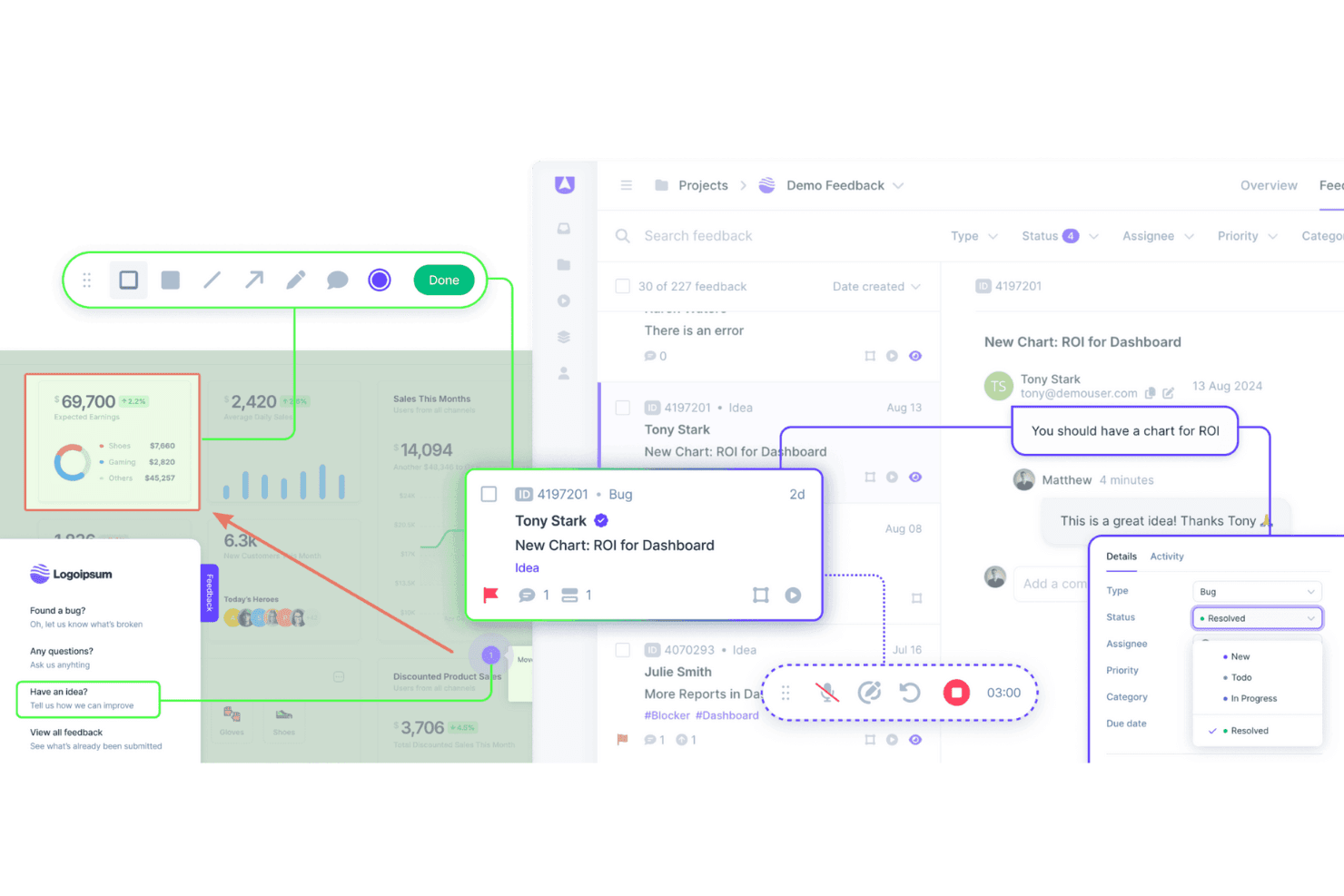
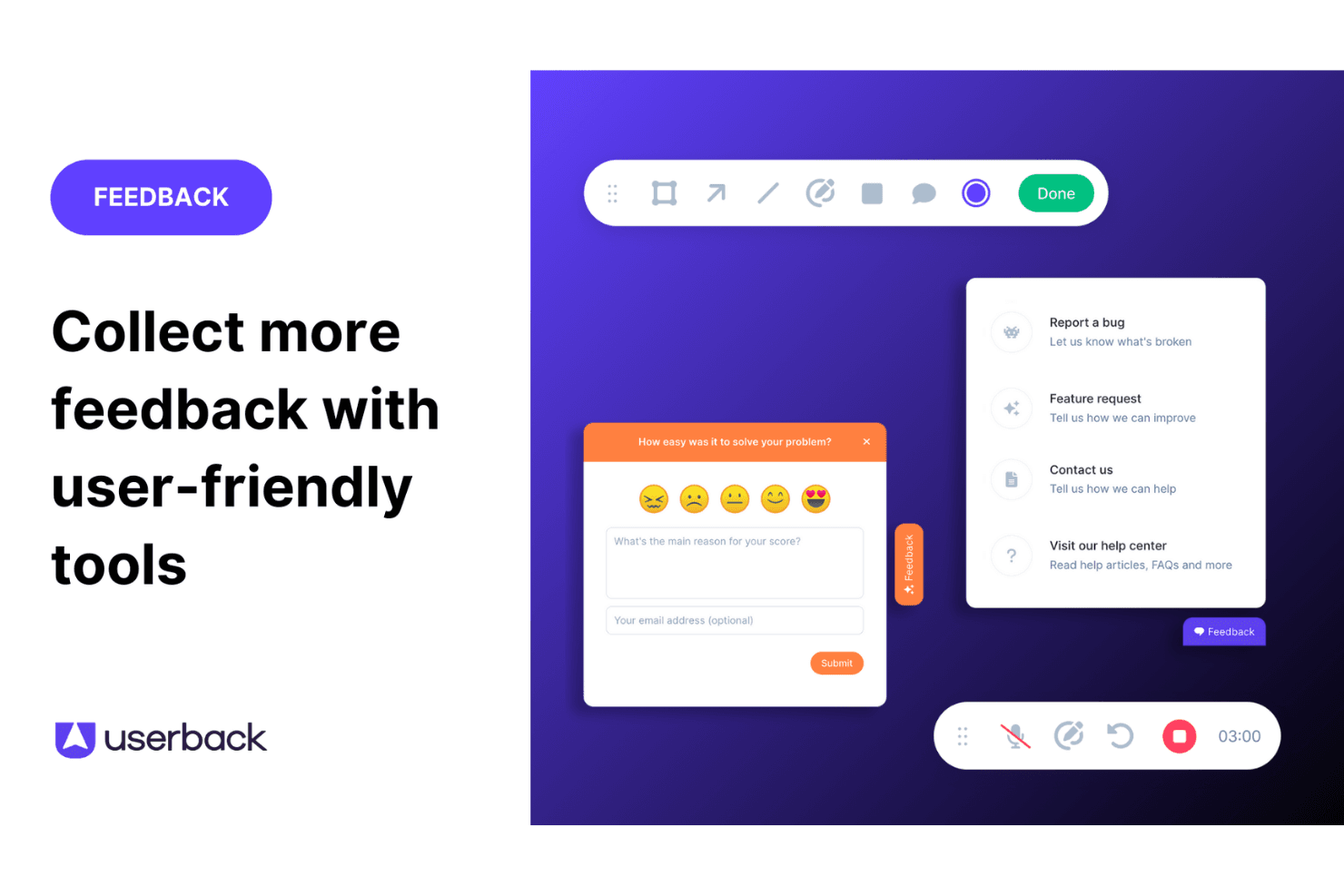
Feedback Widget: You can easily gather user feedback with a customizable button placed directly on your website or app. This in-app tool stands out because it simplifies the feedback process for users, encouraging more participation.
User Surveys: Create and deploy targeted surveys to collect specific insights from your end users. These feedback forms can be embedded in your app or shared externally, allowing you to get detailed information directly from your audience.
Feature Portal: Engage your users by allowing them to view, vote for, and comment on new features. This helps you make data-driven decisions based on real user input.
Browser Extension: This no-code feature lets you collect feedback from any web page quickly and efficiently. It's perfect for gathering insights without needing technical setup.
Visual Feedback Collection: Utilize screen annotation and video feedback to gain clear insights into user experiences. These tools help you understand exactly what users see and experience.
Session Replay: Record and review user sessions to analyze how they interact with your product. This feature gives you valuable insights to improve user experience.

Ease of Use
Userback is straightforward to use thanks to its intuitive interface and clear navigation. Setting up feedback collection is quick, which lets your team focus on responding to insights rather than struggling with complex tools. Reviews highlight that Userback's simplicity doesn't compromise its capabilities, making it accessible even for those unfamiliar with CDPs. Its ease of use ensures your workflow is efficient, allowing more time for decision-making based on valuable customer feedback.
Integrations
Userback integrates with Jira, Slack, ClickUp, Intercom, Asana, Notion, Trello, Basecamp, monday.com, and Teamwork.
Userback also provides a representational state transfer application programming interface, or REST API, and supports third-party integration tools such as Zapier, strengthening its functionality for user feedback management.

Userback Specs
- Analytics: Yes
- API: Yes
- Calendar Management: Yes
- Call Tracking: Yes
- Contact Management: Yes
- Dashboard: Yes
- Data Export: Yes
- Data Import: Yes
- Data Visualization: Yes
- Email Integration: Yes
- External Integrations: Yes
- Google Apps Integration: Yes
- Multi-User: Yes
- Net Promoter Score: Yes
- Notifications: Yes
- Review Monitoring: Yes
- Scheduling: Yes
- Softphone: Yes
- Third-Party Plugins/Add-Ons: Yes


