

Dock-beoordeling: voor- en nadelen, functies en prijzen
Dock blinkt uit in het bieden van een gebruiksvriendelijke interface die strategieën voor klantbetrokkenheid vereenvoudigt, waardoor het een favoriet is onder teams die efficiëntie zoeken.

We review tools independently, and commissions help fund our testing. See our transparency policy, our methodology, or suggest a tool.
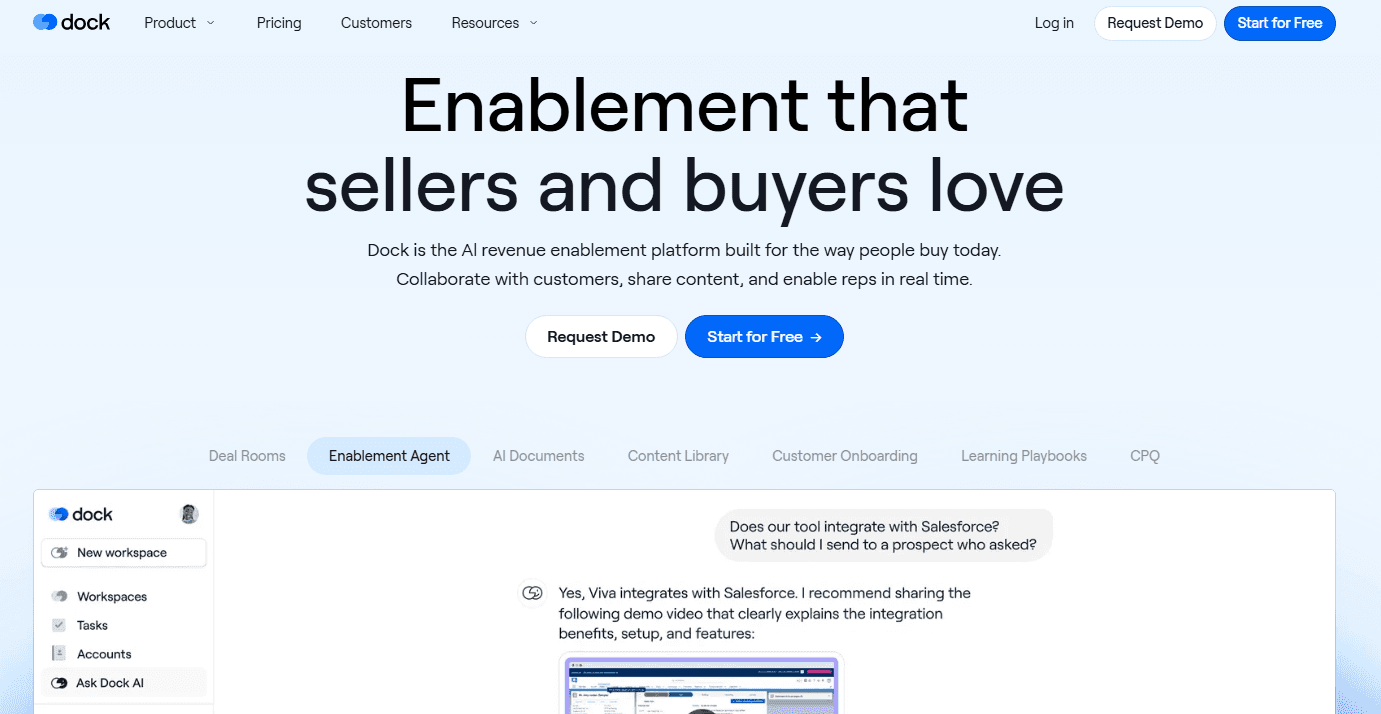
Dock is a customer engagement software for customer success and onboarding teams that need a structured, client-facing workspace for onboarding, renewals, and account management. I'd consider it if your team is cobbling together client deliverables from scattered docs and slide decks. Unlike Notion, Dock gives you purpose-built client portals with mutual action plans and engagement tracking—not a blank canvas you have to build from scratch.
Dock Evaluation Summary
4.9/5
- From $350/month (billed annually)
- Free plan + free demo available
Waarom u onze softwareaanbevelingen kunt vertrouwen
6,700+
Reviews
20
Industry experts
16+
Evaluation factors
14
Years
Ons team test en beoordeelt software sinds 2012. Als CX-leiders weten we zelf hoe moeilijk — en belangrijk — het is om de juiste software te kiezen.
Voor deze gids hebben we tools geëvalueerd met behulp van praktijktests en onafhankelijk onderzoek, waarbij we tools beoordeelden aan de hand van onze selectiecriteria.
Onze reviews weerspiegelen ons menselijke redactionele oordeel, geen verkooppraatje.
 Gui DrusinaCreative Director
 Tim FisherVP of AI
Dock Overview
In my opinion, Dock is a solid choice for customer engagement and retention needs. It offers a good balance of core and standout features, making it a versatile tool for many teams. The interface is intuitive, though onboarding could be smoother. Customer support is generally responsive, but there’s room for improvement.
Dock software offers good value, especially for teams looking to consolidate collaboration tools. While it may not have all the bells and whistles of premium competitors, its practicality and functionality, and its integration with apps make it a reliable option for small to medium-sized businesses. If your team values ease of use and solid features without the steep learning curve, Dock is worth considering.
Pros
- You can easily customize Dock to fit your team's specific needs.
- The user interface is straightforward, making it simple for your team to use.
- Dock offers strong analytics that help you understand your customer data better through AI and machine learning insights.
Cons
- You might find the initial setup takes more time than expected.
- Some users report occasional slow performance with large datasets.
- There are limited templates available for quick setup.
Is Dock Right For Your Needs?
Who Would be a Good Fit for Dock?
Dock is ideal for small to medium-sized businesses that need a simple yet effective tool for customer engagement. If your team values ease of use and strong customer support, Dock provides a user-friendly interface and robust assistance. It's especially useful for teams that require seamless integration with existing CRM systems, allowing you to streamline your workflows without hassle. Dock's focus on customer engagement makes it a great choice for businesses wanting to improve their customer satisfaction and loyalty.
- Small BusinessesDock's user-friendly setup and cost-effective pricing are perfect for small businesses looking to enhance customer engagement without a steep learning curve.
- Customer Support TeamsIf your team handles customer queries, Dock's integrations and support tools help you manage interactions efficiently and keep customers satisfied.
- Sales DepartmentsSales teams benefit from Dock's CRM integration, which allows tracking customer interactions and improving follow-ups to influence purchase decisions and boost sales.
- Healthcare ProvidersHealthcare organizations can use Dock, which is HIPAA-compliant, to manage patient follow-ups and improve communication, ensuring better patient retention and satisfaction.
- Retail IndustryRetail businesses can leverage Dock's customer insight features to tailor their sales strategies, enhancing customer loyalty and repeat business.
- Educational InstitutionsSchools and universities can use Dock for managing student interactions and improving engagement, leading to better retention rates.
Who Would be a Bad Fit for Dock?
Dock might not be the best choice for small teams or startups with limited budgets. Its pricing structure can be higher compared to other tools, which may not be justified if you don't need all the advanced features. If you're a team that relies on extensive third-party integrations, Dock's limited integration capabilities might not meet your needs. Also, businesses that require robust analytics might find Dock lacking in comprehensive data insights. If your work heavily depends on these aspects, you might want to consider Dock alternatives.
- Small StartupsDock's pricing can be prohibitive for small startups that don't need its extensive feature set.
- FreelancersFreelancers might find Dock's capabilities excessive and costly for managing a single-person operation.
- Non-Tech IndustriesIndustries not focused on tech may not benefit from Dock's specialized features tailored for tech-savvy users.
- Data-Driven TeamsIf your team needs in-depth analytics, Dock's reporting features might not suffice.
- Budget-Conscious TeamsDock's costs can be a barrier for teams with strict budget constraints.
- Integration-Heavy WorkflowsIf your workflow depends on multiple integrations, Dock's limited integration options might not support your process.
Dock Specs
- API: No
- Approval Workflows: No
- Contact Management: Yes
- Conversion Tracking: No
- CRM Integration: Yes
- Custom Reports: No
- Dashboard: Yes
- Data Export: No
- Data Import: No
- Data Visualization: Yes
- Document Management: No
- Email Integration: No
- Employee Training: No
- External Integrations: Yes
- Forecasting: No
- Google Apps Integration: Yes
- Guided Selling: No
- Lead Management: No
- Lead Scoring: No
- Marketing Automation: No
- Multi-User: Yes
- Notifications: Yes
- Performance Reviews: No
- Pipeline Management: Yes
- Project Management: Yes
- Sales Automation: Yes
- Sales Motivator: No
- Sales Proposals: Yes
- Workflow Management: No