


HubSpot versus monday CRM: Vergelijking & deskundige beoordelingen voor 2026

We review tools independently, and commissions help fund our testing. See our transparency policy, our methodology, or suggest a tool.
HubSpot is een slim alles-in-één CRM-systeem dat is ontwikkeld om verkoop-, marketing- en serviceteams te helpen klantrelaties op schaal te laten groeien en beheren. monday CRM, onderdeel van het monday.com-ecosysteem, is een flexibele, visuele werkruimte waarmee je team verkooppijplijnen, projecten en opvolgacties op één plek kan organiseren.
In vergelijking met monday richt HubSpot zich sterker op marketing en automatisering, terwijl monday eenvoudiger aan te passen is voor taak- en workflowbeheer. In deze vergelijking van HubSpot versus monday CRM beoordeel ik deze opties voor software voor klantrelatiebeheer (CRM) naast elkaar. Daarbij behandel ik functies, voor- en nadelen, prijzen en meer, zodat je het beste CRM-platform voor jouw gebruikssituatie kunt kiezen.
HubSpot
4.4/5
- Free plan available
- From $20/user/month
monday CRM
4.6/5
- 14-day free trial; Free demo available
- From $18/user/month
Waarom u onze softwareaanbevelingen kunt vertrouwen
6,700+
Reviews
20
Industry experts
16+
Evaluation factors
14
Years
Ons team test en beoordeelt software sinds 2012. Als CX-leiders weten we zelf hoe moeilijk — en belangrijk — het is om de juiste software te kiezen.
Voor deze gids hebben we tools geëvalueerd met behulp van praktijktests en onafhankelijk onderzoek, waarbij we tools beoordeelden aan de hand van onze selectiecriteria.
Onze reviews weerspiegelen ons menselijke redactionele oordeel, geen verkooppraatje.
 Gui DrusinaCreative Director
 Tim FisherVP of AI
| HubSpot | monday CRM | |
|---|---|---|
| Free Trial | Free plan available | 14-day free trial; Free demo available |
| Pricing | From $20/user/month | From $18/user/month |
Prijzen en verborgen kosten van HubSpot versus monday CRM
De prijzen van HubSpot omvatten toegang tot Smart CRM bij elk betaald HubSpot-product, maar het toevoegen van teamleden of het ontgrendelen van geavanceerdere functionaliteit betekent vaak dat je extra licenties moet kopen of een abonnement moet upgraden.
monday CRM hanteert ook een aanpak per gebruiker met verschillende niveaus, maar veel kernfuncties zijn beschikbaar bij lagere abonnementen, met limieten voor automatiseringen en integraties die meegroeien met het gebruik.
Om de juiste keuze te maken, breng je in kaart hoeveel contacten je beheert, welke functies je daadwerkelijk nodig hebt en hoe snel je team mogelijk groeit—vooral als je zes maanden later onaangename verrassingen op je factuur wilt voorkomen.
Met de Smart CRM van HubSpot kun je contacten, deals en marketingcontactmomenten op één plek volgen. Dit is ideaal als je team een volledig overzicht van de klantreis nodig heeft in je service- en verkooppijplijn om deals effectief te sluiten.
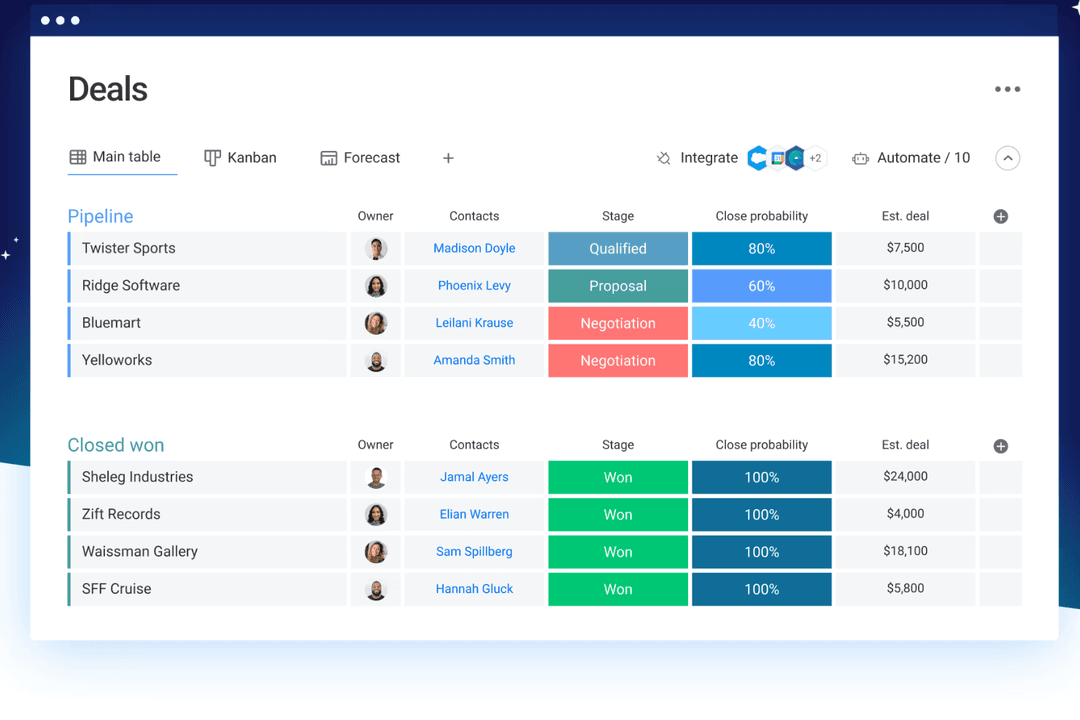
De aanpasbare borden van monday CRM zijn beter als je team functieoverschrijdend werkt en een flexibele manier nodig heeft om deals, taken en klantprojecten in één gedeeld overzicht te beheren.
HubSpot werkt goed als je je richt op het genereren van leads en het volgen van de klantlevenscyclus, terwijl monday CRM sterker is voor teams die CRM combineren met projectbeheertools en operationeel werk.
| HubSpot | monday CRM | |
|---|---|---|
| 2-Factor Authentication | Yes | No |
| API | Yes | Yes |
| Calendar Management | Yes | Yes |
| Call Tracking | Yes | No |
| Campaign Management | Yes | No |
| Click-to-Dial | Yes | No |
| Contact Management | Yes | Yes |
| Contact Sharing | Yes | No |
| Custom Data Forms | Yes | Yes |
| Customer Management | Yes | Yes |
| Dashboard | Yes | Yes |
| Data Export | Yes | Yes |
| Data Import | Yes | Yes |
| Data Visualization | Yes | Yes |
| Email Integration | Yes | Yes |
| External Integrations | Yes | Yes |
| File Sharing | Yes | Yes |
| File Transfer | Yes | Yes |
| Google Apps Integration | Yes | Yes |
| Lead Management | Yes | Yes |
| Lead Scoring | Yes | Yes |
| Marketing Automation | Yes | Yes |
| Mobile App | Yes | No |
| Multi-User | Yes | Yes |
| Notifications | Yes | Yes |
| Pipeline Management | Yes | Yes |
| Sales Automation | Yes | Yes |
| Scheduling | Yes | Yes |
| Social-Media Integration | Yes | Yes |
| Task Scheduling/Tracking | Yes | Yes |
| Third-Party Plugins/Add-Ons | Yes | Yes |
| Integratie | HubSpot | monday CRM |
| Salesforce | ✅ | ✅ |
| Slack | ✅ | ✅ |
| Google Drive | ✅ | ✅ |
| Mailchimp | ✅ | ❌ |
| ❌ | ✅ | |
| Miro | ❌ | ✅ |
| Zendesk | ✅ | ✅ |
| Zoom | ✅ | ✅ |
| Microsoft Teams | ✅ | ✅ |
| Meta Ads | ✅ | ✅ |
| API | ✅ | ✅ |
| Zapier | ✅ | ✅ |
Met de integratie van HubSpot met Salesforce kun je contacten en deals tussen platforms synchroniseren. Dit kan handig zijn als je team Salesforce op de ene afdeling gebruikt en elders HubSpot CRM. De Zoom-integratie van monday CRM is ideaal voor verkoop- of onboardingteams die rechtstreeks vanuit taakborden vergaderingen plannen en uitvoeren. HubSpot biedt meer integraties voor marketing en het genereren van leads, terwijl monday CRM zich meer richt op tools voor functieoverschrijdende teams.
Beide tools werken ook naadloos samen met andere producten binnen hun respectieve suite. Zo werkt HubSpot Smart CRM samen met de HubSpot Service Hub, Marketing Hub (voor digitale marketing en e-mailmarketingcampagnes), Sales Hub (voor leadscoring, verkoopprognoses en leadbeheer) en Content Hub, terwijl monday CRM samenwerkt met monday work management (voor projectbeheer en teamwork), monday service en monday dev.
| Factor | HubSpot | monday CRM |
| Gegevensversleuteling | Gebruikt TLS voor gegevens tijdens overdracht en AES-256-versleuteling voor opgeslagen gegevens. | Gebruikt TLS/SSL-versleuteling tijdens overdracht en AES-256 voor opgeslagen gegevens. |
| Naleving van regelgeving | Voldoet aan de AVG, CCPA, HIPAA (Enterprise) en SOC 2 Type II. | Voldoet aan de AVG en HIPAA (Enterprise) en beschikt over SOC 2 Type II. |
| Gegevenslocatie | Biedt datacenters in de EU en de VS met regiogebonden hostingopties. | Biedt datacenters in de EU en de VS met flexibele gegevenslocatie op verzoek. |
| Toegangsbeheer | Biedt rolgebaseerde machtigingen, SSO, 2FA en auditregistratie. | Biedt uitgebreide machtigingsinstellingen, SSO, 2FA en activiteitenlogboeken. |
| Beschikbaarheid en monitoring | Een beschikbaarheids-SLA van 99,99% met realtime statusbewaking en een incidentgeschiedenis. | Een beschikbaarheidsgarantie van 99,9% met een live statuspagina en proactieve waarschuwingen. |
HubSpot biedt standaard iets meer ingebouwde ondersteuning voor naleving, terwijl monday CRM sterke controles en flexibiliteit biedt op het gebied van toegang en zichtbaarheid. Om de juiste leverancier te kiezen, moet je je behoeften op het gebied van gegevenslocatie, vereiste certificeringen en de mate van controle die je team nodig heeft over toegangs- en auditinstellingen beoordelen.
| Factor | HubSpot | monday CRM |
| Gebruikersinterface | Overzichtelijk en professioneel, met veel opties in elke weergave. | Eenvoudig en visueel, met eenvoudig te navigeren borden waarop je kunt slepen en neerzetten. |
| Onboardingervaring | Biedt rondleidingen, checklists en een uitgebreide kennisbank voor zelfbediening. | Snel in te stellen met sjablonen en stapsgewijze uitleg in de app. |
| Aanpasbaarheid | Uitgebreide instellingen en modules, maar het kost tijd om alles onder de knie te krijgen. | Zeer aanpasbaar zonder technische vaardigheden. |
| Klantenondersteuning | Omvat chat, forums en helpdocumentatie; live ondersteuning is afhankelijk van het abonnement. | Biedt livechat en snelle reacties bij de meeste abonnementen. |
| Eenvoud van workflows | Krachtige automatiseringstools, maar complexer om te configureren. | Eenvoudig op te bouwen automatiseringen met codevrije blokken op basis van logica. |
HubSpot biedt meer diepgang, maar het duurt langer om het systeem te leren gebruiken en te configureren, vooral als je team niet gewend is aan CRM-software. Met monday CRM kun je gemakkelijker beginnen en is de kans op snelle resultaten groter zonder een steile leercurve.
HubSpot
- Its user-friendly interface helps your team get up to speed quickly.
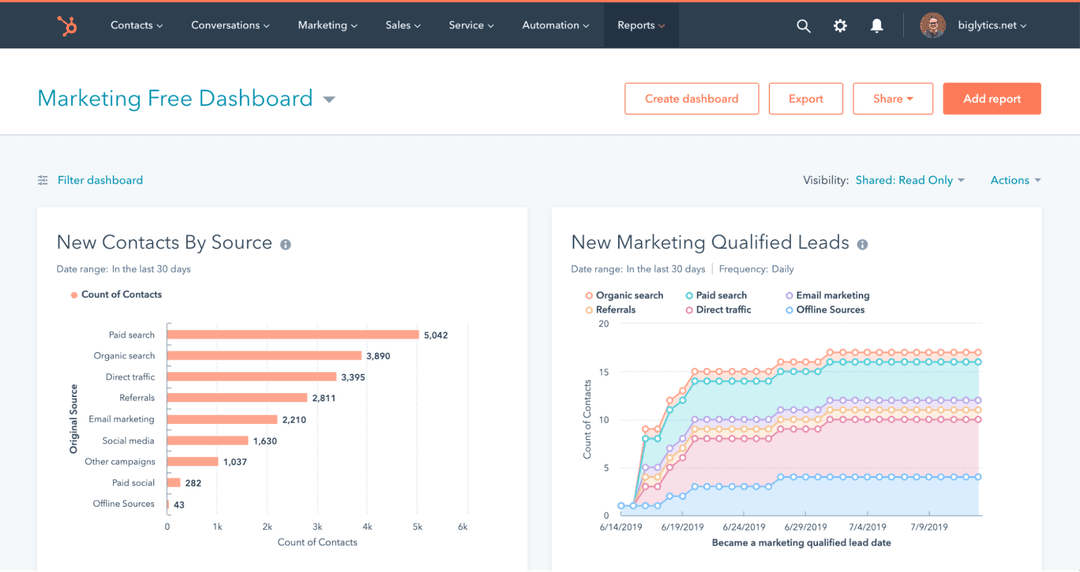
- Robust reporting tools provide clear insights into your customer interactions.
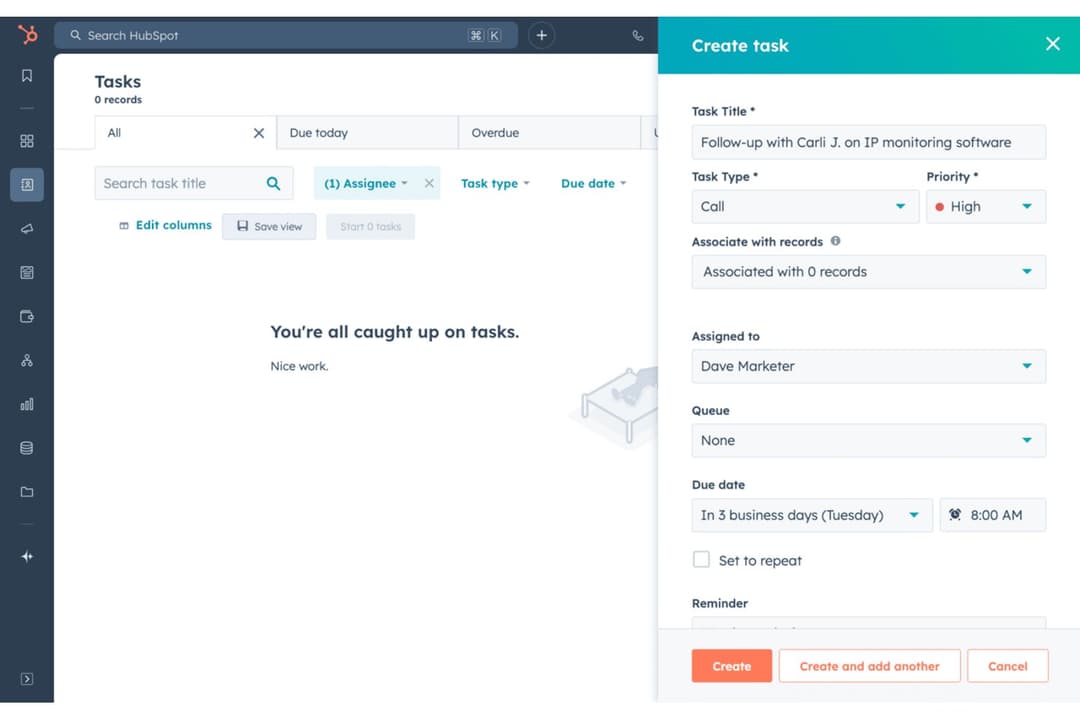
- HubSpot's automation features streamline your marketing and sales efforts.
- The customization options could feel limited for complex workflows.
- HubSpot's advanced features might be overwhelming for small teams.
- You might find the email templates lacking in design flexibility.
monday CRM
- You can build and adjust pipelines without needing technical help.
- It’s easy to track tasks, emails, and contact history in one place.
- Automation features save your team time on repetitive tasks and streamline daily work.
- It can feel overwhelming with too many features for new users.
- Reporting feels limited if your team needs deeper performance or trend analysis.
- You can't manage complex sales territories or multi-layered account hierarchies.
HubSpot
- Tech StartupsHubSpot's automation and easy onboarding help your team focus on innovation rather than process.
- E-commerceThe platform's robust reporting tools let you track customer behavior and optimize your sales funnel.
- Marketing TeamsHubSpot Marketing Hub’s email marketing, lead scoring, lead nurturing features, and custom landing pages help you A/B test, track, and optimize campaigns.
- Sales DepartmentsThe Sales Hub and CRM system offer tracking and reporting tools to help your team with lead management, segmentation, and follow-ups, so they can close deals faster.
- Customer ServiceHubSpot's support tools enable your team to respond quickly and efficiently to customer inquiries.
- NonprofitsThe platform's ability to manage contacts and campaigns aids in donor engagement and outreach.
monday CRM
- Customer Support TeamsYou can track tickets, manage handoffs, and log follow-ups all in one easy-to-navigate board.
- Sales Operations TeamsYou can build lightweight sales pipelines and reporting without relying on complex CRM tools.
- Small BusinessesSetup is quick, and you won’t need IT to change your workflows or customize fields.
- Account ManagementIt helps your team stay on top of renewals, upsells, and check-ins without switching tools.
- SaaS CompaniesYou can manage leads, onboard customers, and monitor ongoing relationships without bloated features.
- Marketing AgenciesIt’s easy to track client requests, campaign status, and deliverables across multiple accounts.
Wie moet HubSpot gebruiken en wie monday CRM?
Naar mijn mening is HubSpot een goede keuze als je team een volwaardig CRM-systeem nodig heeft met uitgebreide ingebouwde mogelijkheden voor marketing, verkoop en klantenservice. Het is ontwikkeld voor bedrijven die afhankelijk zijn van inboundmarketing, automatisering en het volgen van meerdere kanalen om groei te stimuleren. monday CRM blinkt uit als je iets lichtgewichts, visueels en eenvoudig aanpasbaars wilt dat aansluit op de workflows van je team. Ik zou monday CRM kiezen als snelheid, flexibiliteit en gebruik door verschillende teams belangrijker zijn dan uitgebreide alles-in-éénfunctionaliteit.
| HubSpot | monday CRM | |
|---|---|---|
| Automation Capabilities | HubSpot Powerful but more technical, with advanced logic and branching workflows. | monday CRM No-code builder that’s simple to use but more limited in logic depth. |
| Feature Depth | HubSpot Built as a full-scale platform with advanced sales, marketing, and service tools. | monday CRM Flexible CRM system with task and project management built in. |
| Learning Curve | HubSpot Offers more complexity and takes longer to configure and master. | monday CRM Easier to set up and learn, even for non-technical teams. |
| Marketing Integration | HubSpot Fully integrated with its own marketing hub for campaigns and tracking. | monday CRM Integrates with LinkedIn, but needs third-party tools for advanced marketing capabilities. |
| Pricing | HubSpot Free entry point but gets expensive fast as you scale users and contacts. | monday CRM More predictable per-user pricing with lower-cost tiers. |
| Cloud-Based Access | Both are fully cloud-based, so your team can work from anywhere and access live data in real time. |
|---|---|
| CRM Features | Both let you manage contacts, pipelines, deals, and follow-ups—HubSpot CRM adds marketing depth, while monday CRM layers in task management. |
| Customization | Each lets you tailor views, fields, dashboards, and workflows—HubSpot through modules and settings, monday CRM through boards and columns. |
| Integrations | Both connect with tools like Gmail, Slack, and Zoom to keep your team’s workflows in sync. Moreover, both use APIs and apps like Zapier for third-party platform integration. |
| User-Friendly Design | HubSpot and monday CRM offer intuitive interfaces and workflow automation builders to streamline repetitive tasks. |