


monday CRM tegenover Zoho CRM: Vergelijking en deskundige beoordelingen voor 2026

We review tools independently, and commissions help fund our testing. See our transparency policy, our methodology, or suggest a tool.
monday CRM is een visuele, flexibele werkruimte die teams helpt relaties, deals en interne processen allemaal op één plek te beheren. Zoho CRM is een al lang bestaand platform dat zich richt op het stroomlijnen van verkoop-, marketing- en servicecontacten gedurende de hele klantlevenscyclus.
In vergelijking met monday CRM biedt Zoho CRM uitgebreidere functies voor grote ondernemingen, terwijl monday uitblinkt in gebruiksgemak en een snelle installatie. In dit artikel vergelijk ik de tools rechtstreeks met elkaar: hun functies, voor- en nadelen, prijzen en hoe ze zich verhouden als software voor klantrelatiebeheer (CRM) voor jouw team.
monday CRM
4.6/5
- 14-day free trial; Free demo available
- From $18/user/month
Zoho CRM

4.2/5
- Free plan available
- Pricing upon request
Waarom u onze softwareaanbevelingen kunt vertrouwen
6,700+
Reviews
20
Industry experts
16+
Evaluation factors
14
Years
Ons team test en beoordeelt software sinds 2012. Als CX-leiders weten we zelf hoe moeilijk — en belangrijk — het is om de juiste software te kiezen.
Voor deze gids hebben we tools geëvalueerd met behulp van praktijktests en onafhankelijk onderzoek, waarbij we tools beoordeelden aan de hand van onze selectiecriteria.
Onze reviews weerspiegelen ons menselijke redactionele oordeel, geen verkooppraatje.
 Gui DrusinaCreative Director
 Tim FisherVP of AI
| monday CRM | Zoho CRM | |
|---|---|---|
| Free Trial | 14-day free trial; Free demo available | Free plan available |
| Pricing | From $18/user/month | Pricing upon request |
Prijzen en verborgen kosten van monday CRM versus Zoho CRM
De prijsstelling van monday CRM is gebaseerd op een model per gebruiker met verschillende niveaus, waarbij essentiële functies achter hogere abonnementen verborgen zijn en extra kosten kunnen gelden voor automatiseringslimieten, gebruikersplaatsen of premiumondersteuning. De prijsstelling van Zoho CRM werkt ook met een model per gebruiker, maar bevat in de lagere niveaus meer ingebouwde functies. Geavanceerde analyses, integraties en uitbreidingen kunnen de totale kosten echter nog steeds verhogen.
Om de juiste keuze te maken, breng je in kaart hoeveel gebruikers toegang nodig hebben, welke functies je daadwerkelijk dagelijks zult gebruiken en waar je waarschijnlijk zult opschalen—vooral als je workflows opbouwt of naar meerdere teams uitbreidt.
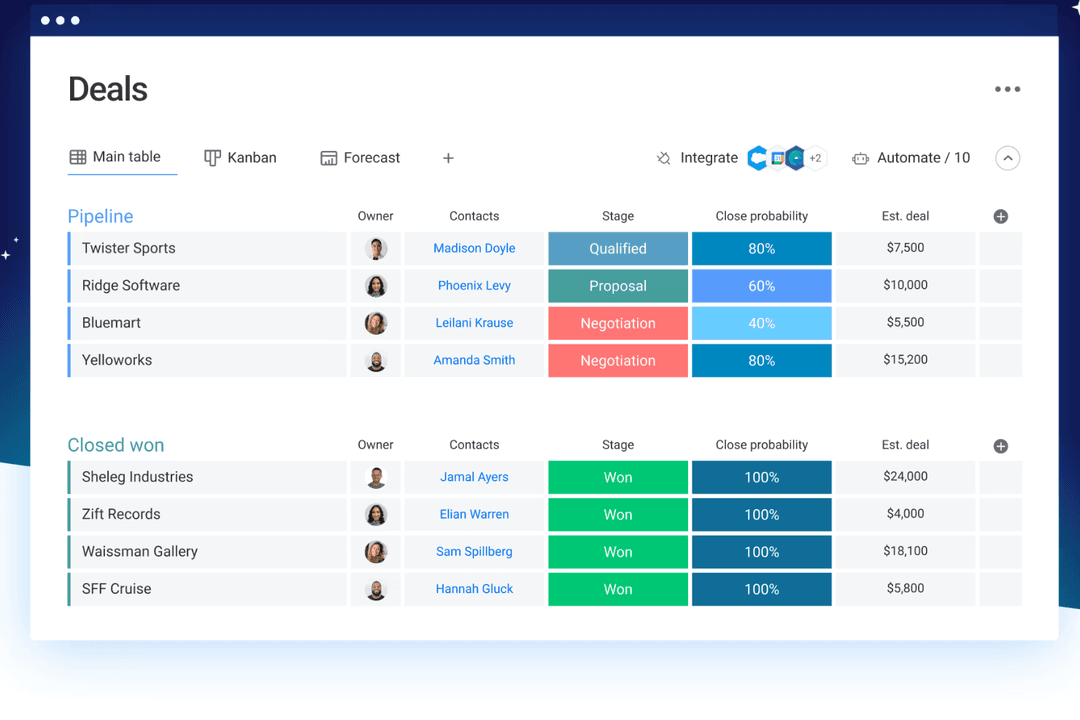
Met de aanpasbare borden van monday CRM kun je deals, taken en opvolgingen in één visueel overzicht beheren—handig als je team klantwerk en interne activiteiten in dezelfde ruimte moet combineren.
De ingebouwde AI-assistent van Zoho CRM, Zia, is ideaal voor het naar voren halen van inzichten over leads of het voorstellen van vervolgstappen, vooral als je een groot volume aan binnenkomende leads beheert. monday CRM houdt het eenvoudig en flexibel; Zoho richt zich meer op slimme automatisering en verkoopinformatie.
| monday CRM | Zoho CRM | |
|---|---|---|
| 2-Factor Authentication | No | Yes |
| API | Yes | Yes |
| Calendar Management | Yes | Yes |
| Call Tracking | No | Yes |
| Campaign Management | No | Yes |
| Click-to-Dial | No | Yes |
| Contact Management | Yes | Yes |
| Contact Sharing | No | Yes |
| Custom Data Forms | Yes | Yes |
| Customer Management | Yes | Yes |
| Dashboard | Yes | Yes |
| Data Export | Yes | Yes |
| Data Import | Yes | Yes |
| Data Visualization | Yes | Yes |
| Email Integration | Yes | Yes |
| External Integrations | Yes | Yes |
| File Sharing | Yes | Yes |
| File Transfer | Yes | Yes |
| Google Apps Integration | Yes | Yes |
| Lead Management | Yes | Yes |
| Lead Scoring | Yes | Yes |
| Marketing Automation | Yes | Yes |
| Mobile App | No | Yes |
| Multi-User | Yes | Yes |
| Notifications | Yes | Yes |
| Pipeline Management | Yes | Yes |
| Sales Automation | Yes | Yes |
| Scheduling | Yes | Yes |
| Social-Media Integration | Yes | Yes |
| Task Scheduling/Tracking | Yes | Yes |
| Third-Party Plugins/Add-Ons | Yes | Yes |
| Integratie | monday CRM | Zoho CRM |
|---|---|---|
| IntegratieLinkedIn | monday CRM✅ | Zoho CRM❌ |
| IntegratieHubSpot | monday CRM✅ | Zoho CRM✅ |
| IntegratieSlack | monday CRM✅ | Zoho CRM✅ |
| IntegratieMicrosoft Teams | monday CRM✅ | Zoho CRM✅ |
| IntegratieGoogle Workspace | monday CRM✅ | Zoho CRM✅ |
| IntegratieSalesforce | monday CRM❌ | Zoho CRM✅ |
| IntegratieMailchimp | monday CRM✅ | Zoho CRM✅ |
| IntegratieQuickBooks | monday CRM❌ | Zoho CRM✅ |
| IntegratieAPI | monday CRM✅ | Zoho CRM✅ |
| IntegratieZapier | monday CRM✅ | Zoho CRM✅ |
Dankzij de integratie van monday CRM met LinkedIn kun je berichten automatiseren en interacties rechtstreeks vanuit je CRM volgen, ideaal voor teams die zich richten op betrokkenheid op sociale media. Het integreert ook standaard met het monday.com-ecosysteem, waaronder hun hulpmiddel voor projectbeheer en monday service. De Salesforce-integratie van Zoho CRM is ideaal voor teams die hun verkoopgegevens willen synchroniseren of naadloos willen overstappen naar nieuwe CRM-software, zodat alle klantinteracties up-to-date blijven.
Hoewel monday CRM het beheer van sociale media verbetert, blinkt Zoho CRM uit in uitgebreide synchronisatie van verkoopgegevens.
| Factor | monday CRM | Zoho CRM |
|---|---|---|
| FactorGegevensversleuteling | monday CRMmonday CRM gebruikt AES-256-versleuteling om gegevens zowel tijdens de overdracht als in rust te beschermen. | Zoho CRMZoho CRM beveiligt gegevens met AES-256-versleuteling en waarborgt daarmee privacy en bescherming. |
| FactorNaleving van regelgeving | monday CRMmonday CRM voldoet aan de AVG en andere internationale normen. | Zoho CRMZoho CRM voldoet aan de AVG, CCPA en andere belangrijke nalevingsvereisten. |
| FactorBetrouwbaarheid | monday CRMmonday CRM garandeert 99.9% uptime, zodat je voortdurend toegang hebt tot de tools. | Zoho CRMZoho CRM biedt een SLA met 99.9% uptime, wat een betrouwbare beschikbaarheid van de service oplevert. |
monday CRM en Zoho CRM bieden beide robuuste beveiliging en naleving, maar Zoho CRM dekt een breder scala aan wettelijke normen. Om de juiste leverancier te kiezen, beoordeel je welke specifieke nalevingsnormen je team moet volgen en geef je prioriteit aan functies die de gegevensbescherming verbeteren, zoals versleuteling en uptimegaranties.
| Factor | monday CRM | Zoho CRM |
|---|---|---|
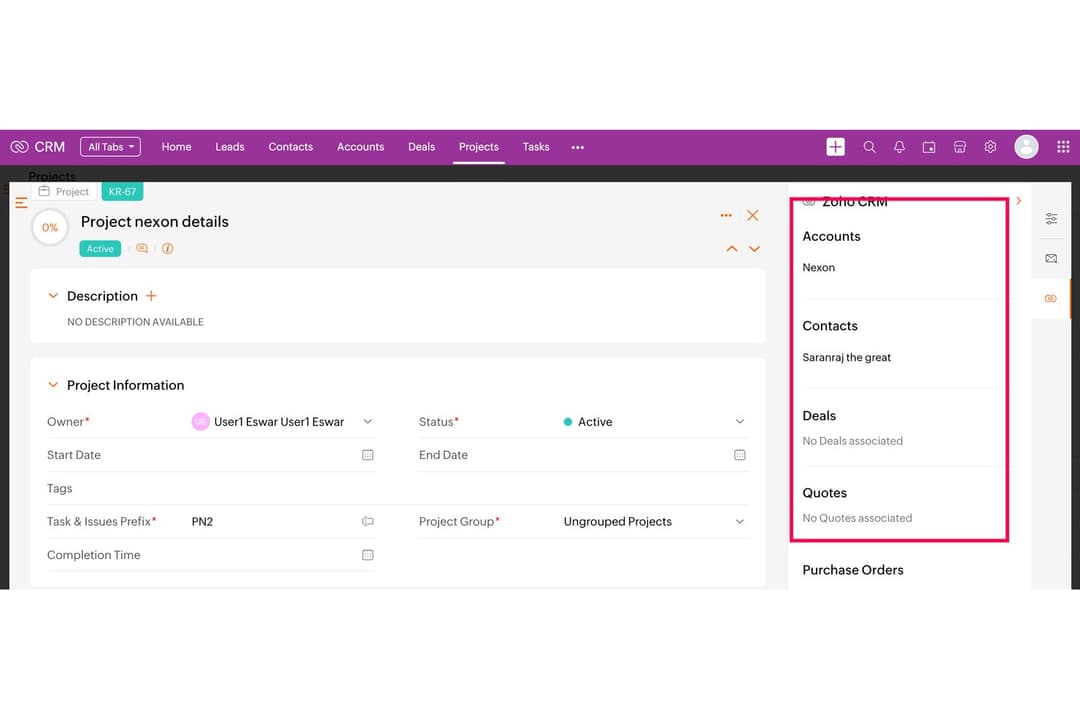
| FactorGebruikersinterface | monday CRMmonday CRM biedt een visueel aantrekkelijke en intuïtieve interface met slepen en neerzetten. | Zoho CRMRijk aan functies, maar drukker, met een steilere leercurve. |
| FactorErvaring tijdens de ingebruikname | monday CRMInteractieve tutorials, kant-en-klare sjablonen en een gebruiksvriendelijk instelproces met begeleide rondleidingen. | Zoho CRMBiedt tutorials, gedetailleerde handleidingen en persoonlijke hulp bij het instellen, maar de configuratie duurt langer door de uitgebreide mogelijkheden en opties. |
| FactorKlantenondersteuning | monday CRMChat in de app, ondersteuning per e-mail, een kennisbank en een helpcentrum maken het eenvoudig om snel antwoorden te vinden. | Zoho CRMOndersteuning verloopt via tickets, tenzij je een premiumabonnement hebt. |
| FactorAanpasbaarheid | monday CRMZeer aanpasbare borden en velden met eenvoudige bedieningselementen in de interface. | Zoho CRMUitgebreide aanpassingsmogelijkheden, maar het kost meer tijd om opties te vinden en te configureren. |
| FactorEenvoud van workflows | monday CRMAutomatiseringen zijn eenvoudig in te stellen met logische blokken waarvoor geen code nodig is. | Zoho CRMBiedt krachtige automatisering, maar het instellen voelt technischer aan. |
monday CRM wordt geprezen om zijn overzichtelijke, intuïtieve interface en eenvoudige ingebruikname, waardoor het ideaal is voor mensen die waarde hechten aan duidelijke navigatie en een moeiteloze gebruikerservaring. Zoho CRM biedt weliswaar uitgebreide aanpassingsmogelijkheden, maar kan overweldigend zijn voor nieuwe gebruikers.
monday CRM
- You can build and adjust pipelines without needing technical help.
- It’s easy to track tasks, emails, and contact history in one place.
- Automation features save your team time on repetitive tasks and streamline daily work.
- It can feel overwhelming with too many features for new users.
- Reporting feels limited if your team needs deeper performance or trend analysis.
- You can't manage complex sales territories or multi-layered account hierarchies.
Zoho CRM
- You can customize workflows to fit your team's specific needs.
- Robust automation tools that save you time on repetitive tasks.
- Integration with other Zoho apps enhances your team's productivity.
- The user interface can feel cluttered and overwhelming for new users.
- Some users find the advanced features difficult to navigate without support.
- Customer support response times can be slower compared to competitors.
monday CRM
- Customer Support TeamsYou can track tickets, manage handoffs, and log follow-ups all in one easy-to-navigate board.
- Sales Operations TeamsYou can build lightweight sales pipelines and reporting without relying on complex CRM tools.
- Small BusinessesSetup is quick, and you won’t need IT to change your workflows or customize fields.
- Account ManagementIt helps your team stay on top of renewals, upsells, and check-ins without switching tools.
- SaaS CompaniesYou can manage leads, onboard customers, and monitor ongoing relationships without bloated features.
- Marketing AgenciesIt’s easy to track client requests, campaign status, and deliverables across multiple accounts.
Zoho CRM
- Small BusinessesZoho CRM offers scalability and customization, making it a great fit for growing small businesses.
- Retail Sales TeamsThe CRM's automation tools simplify sales processes, perfect for retail environments.
- Tech StartupsIts integration with other Zoho products makes it an all-in-one tool for dynamic and tech-focused teams.
- Marketing DepartmentsZoho CRM's workflow enhances marketing automation and lead generation.
- Customer Support TeamsWith its robust ticketing and support features, customer service teams can streamline responses.
- Consulting FirmsZoho CRM's customization and reporting features help consultants manage client interactions effectively.
Wie zou monday CRM moeten gebruiken en wie Zoho CRM?
Naar mijn mening is monday CRM het meest geschikt voor service- en verkoopteams die iets snels, visueels en eenvoudig aanpasbaars willen—vooral als je verkoop combineert met projecten of klantwerk. Zoho CRM is logischer als je uitgebreide functies, verregaande aanpassingsmogelijkheden en een nauwere integratie met financiële of marketingtools nodig hebt.
monday CRM past bij startups, kleine bedrijven en groeiende teams die eenvoud en visuele duidelijkheid belangrijk vinden. Zoho past beter bij complexe organisaties waar controle en schaalbaarheid zwaarder wegen dan gebruiksgemak.
| monday CRM | Zoho CRM | |
|---|---|---|
| Automation | monday CRM Drag-and-drop automation for tasks and updates. | Zoho CRM Rule-based automation of repetitive tasks that supports advanced logic and AI-powered triggers. |
| Integrations | monday CRM Seamless integration with project tools like Slack, Zoom, and DocuSign. | Zoho CRM Strong for back-office tools like Xero, Google Ads, and finance apps. |
| Pricing Model | monday CRM Per-user pricing with limits based on plan tier and seats. | Zoho CRM Tiered structure with multiple plans for varied functionality. |
| Setup Time | monday CRM Quick to launch with templates and guided flows. | Zoho CRM Takes longer to configure due to deep feature sets and custom rules. |
| User Interface | monday CRM Visual and clean, with boards that are easy to customize and navigate. | Zoho CRM Dense and traditional, with more menus and a higher learning curve. |
| CRM Features | Both let you track leads, manage pipelines, and automate tasks—monday CRM focuses on visual workflows, Zoho on data depth. |
|---|---|
| Customizable Dashboards | Each CRM solution offers strong customization options—monday through flexible boards and fields, Zoho through modules and rule-based logic. |
| Multi-Channel Support | Both provide multi-channel support, allowing your team to engage with customers via email, chat, and more, though Zoho CRM includes phone support. |
| Reporting | Each provides dashboards to track deal flow and team performance—monday CRM with visual widgets, Zoho with advanced filters. |
| Third-Party Integrations | Both connect with major tools like Gmail, Slack, and HubSpot, helping your team sync data across platforms. Plus, both use APIs and Zapier to connect with third-party apps. |