


Comm100 vs. LiveAgent: In-Depth Comparison and Expert Reviews for 2026

We review tools independently, and commissions help fund our testing. See our transparency policy, our methodology, or suggest a tool.
Choosing between Comm100 and LiveAgent means weighing two very different approaches to customer service software: Comm100 focuses on AI-powered chat and omnichannel automation, while LiveAgent stands out for its ticketing flexibility and deep help desk features. If you’re trying to decide which platform will help your team handle high volumes, deliver fast resolutions, and keep customers happy, you’re not alone; many CX professionals face the same dilemma. This article breaks down how each tool handles core support workflows, where they shine, and what to watch out for, so you can confidently pick the right fit for your service goals. The introduction text goes here.
Comm100

4.4/5
- 30-day free trial
- From $31/agent/month (billed annually)
LiveAgent


4.6/5
- Free trial available
- From $15/user/month (billed annually)
Why Trust Our Software Recommendations
6,700+
Reviews
20
Industry experts
16+
Evaluation factors
14
Years
Our team has been testing and reviewing software since 2012. As CX leaders ourselves, we know how difficult—and important—it is to choose the right software.
For this guide, we evaluated tools using hands-on testing and independent research, scoring tools using our selection criteria.
Our reviews reflect our human editorial judgment, not a sales pitch.
 Gui DrusinaCreative Director
 Tim FisherVP of AI
| Comm100 | LiveAgent | |
|---|---|---|
| Free Trial | 30-day free trial | Free trial available |
| Pricing | From $31/agent/month (billed annually) | From $15/user/month (billed annually) |
Comm100 vs. LiveAgent Pricing & Hidden Costs
Comm100 uses a tiered pricing model based on the number of agents and channels you need, with separate add-ons for features like AI chatbots and advanced analytics. LiveAgent also offers tiered plans, but its pricing is structured around core help desk features, with extra charges for certain integrations, storage, or advanced automation. Both platforms may require additional fees for onboarding, premium support, or exceeding usage limits, so it’s important to review contract details closely.
To choose the right pricing model, start by mapping out your team’s must-have features and estimating your expected ticket volume and channel usage. Ask each vendor for a detailed breakdown of what’s included in each plan, and request sample invoices based on your real-world usage scenarios. This approach helps you spot any hidden costs and ensures you’re comparing true total costs, and not just headline prices.
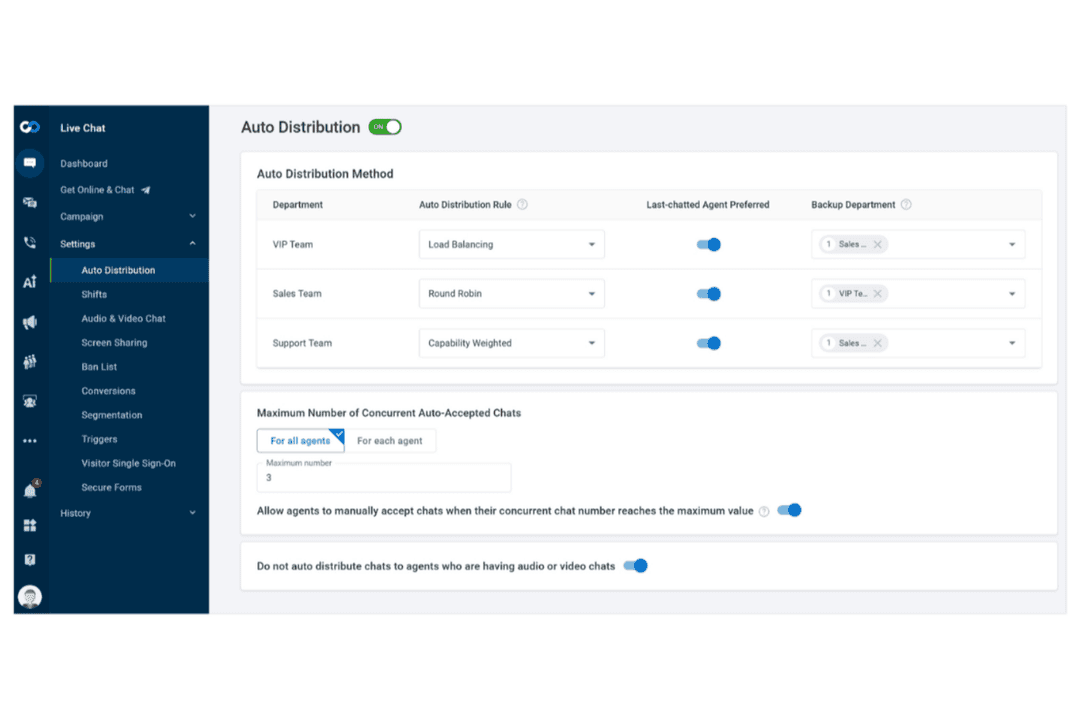
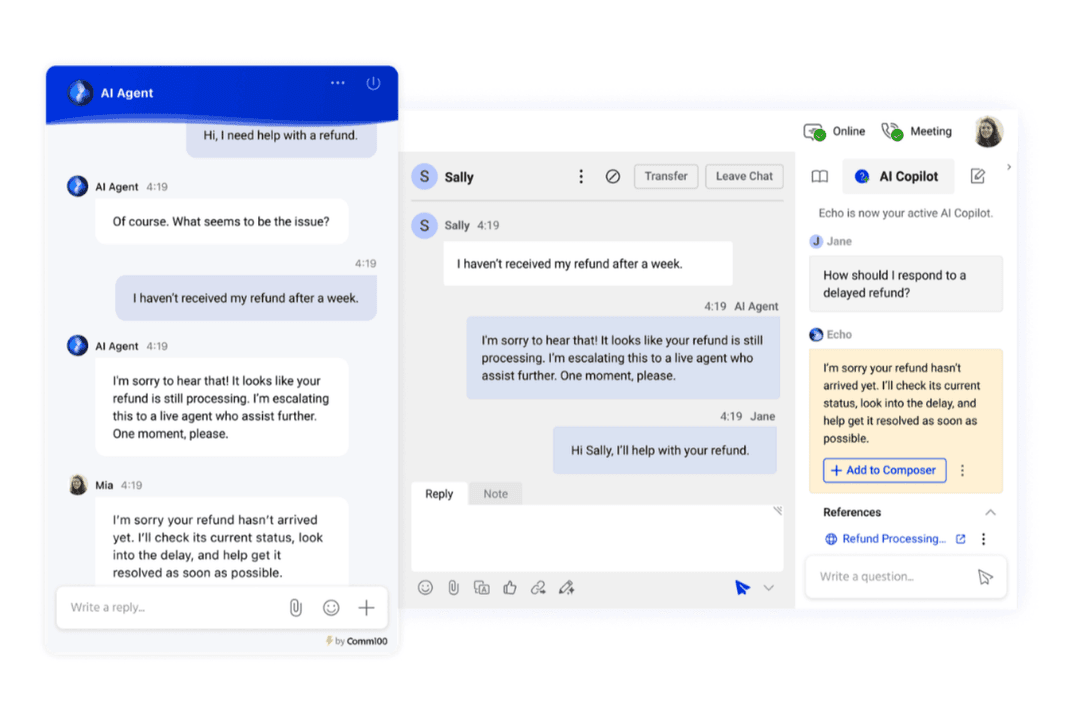
Comm100’s AI-powered chat and omnichannel messaging help your team manage live conversations across chat, email, and social channels from a single dashboard. In contrast, LiveAgent’s ticketing system and built-in knowledge base make it easy to organize, prioritize, and resolve customer requests, especially for teams handling high ticket volumes.
| Comm100 | LiveAgent | |
|---|---|---|
| API | Yes | Yes |
| Batch Permissions & Access | Yes | Yes |
| Chat | Yes | Yes |
| Contact Management | Yes | Yes |
| Customer Management | Yes | Yes |
| Customer Service | Yes | Yes |
| Dashboard | Yes | Yes |
| Data Export | Yes | Yes |
| Data Import | Yes | Yes |
| Email Integration | Yes | Yes |
| Escalation Management | Yes | No |
| External Integrations | Yes | Yes |
| Instant Chat Integration | Yes | Yes |
| Knowledge Base | Yes | Yes |
| Lead Management | Yes | No |
| Lead Scoring | No | No |
| Multi-User | Yes | Yes |
| Notifications | Yes | Yes |
| Self-service Portal | Yes | Yes |
| Workflow Management | Yes | Yes |
| Integration | Comm100 | LiveAgent |
|---|---|---|
| IntegrationSalesforce | Comm100✅ | LiveAgent ✅ |
| IntegrationHubSpot | Comm100✅ | LiveAgent ✅ |
| IntegrationSlack | Comm100❌ | LiveAgent ✅ |
| IntegrationShopify | Comm100✅ | LiveAgent ✅ |
| IntegrationWordPress | Comm100✅ | LiveAgent ✅ |
| IntegrationMagento | Comm100❌ | LiveAgent ✅ |
| IntegrationFacebook Messenger | Comm100✅ | LiveAgent ✅ |
| IntegrationTwilio | Comm100✅ | LiveAgent ✅ |
| IntegrationAPI | Comm100✅ | LiveAgent ✅ |
| IntegrationZapier | Comm100✅ | LiveAgent ✅ |
Both Comm100 and LiveAgent cover many of the most popular CRM and ecommerce integrations, and both integrate with Zapier for automation. However, LiveAgent stands out with direct integrations for Slack and Magento, giving it an edge for teams that rely on those tools. If Slack or Magento connectivity is important to your workflow, LiveAgent is the stronger option
| Factor | Comm100 | LiveAgent |
|---|---|---|
| FactorData Encryption | Comm100Uses TLS and AES-256 encryption for data in transit and at rest. | LiveAgent Secures data with HTTPS encryption, TLS 1.2, and regular security audits. |
| FactorRegulatory Compliance | Comm100Offers GDPR, SOC 2, ISO 27001, and HIPAA compliance options. | LiveAgent Supports GDPR compliance and provides data residency in the EU. |
| FactorUptime Guarantee | Comm10099.95% uptime SLA with real-time status monitoring. | LiveAgent 99.9% uptime SLA with transparent incident reporting. |
| FactorAccess Controls | Comm100Role-based permissions and SSO integration for secure access. | LiveAgent Customizable agent roles and two-factor authentication. |
| FactorData Backups | Comm100Automated daily backups with disaster recovery protocols. | LiveAgent Regular backups and restore options for account data. |
Comm100 edges ahead with broader compliance certifications and more granular access controls, while LiveAgent covers the essentials for most support teams, but is neither SOC nor ISO compliant. Comm100 is a strong choice for organizations with strict regulatory needs, and LiveAgent offers reliable security for teams focused on GDPR and operational uptime.
| Factor | Comm100 | LiveAgent |
|---|---|---|
| FactorUser Interface | Comm100Modern dashboard with customizable widgets and clear navigation. | LiveAgent Classic interface with tabbed navigation and quick-access panels. |
| FactorOnboarding | Comm100Guided setup with live support and detailed documentation. | LiveAgent Step-by-step onboarding wizard and extensive knowledge base. |
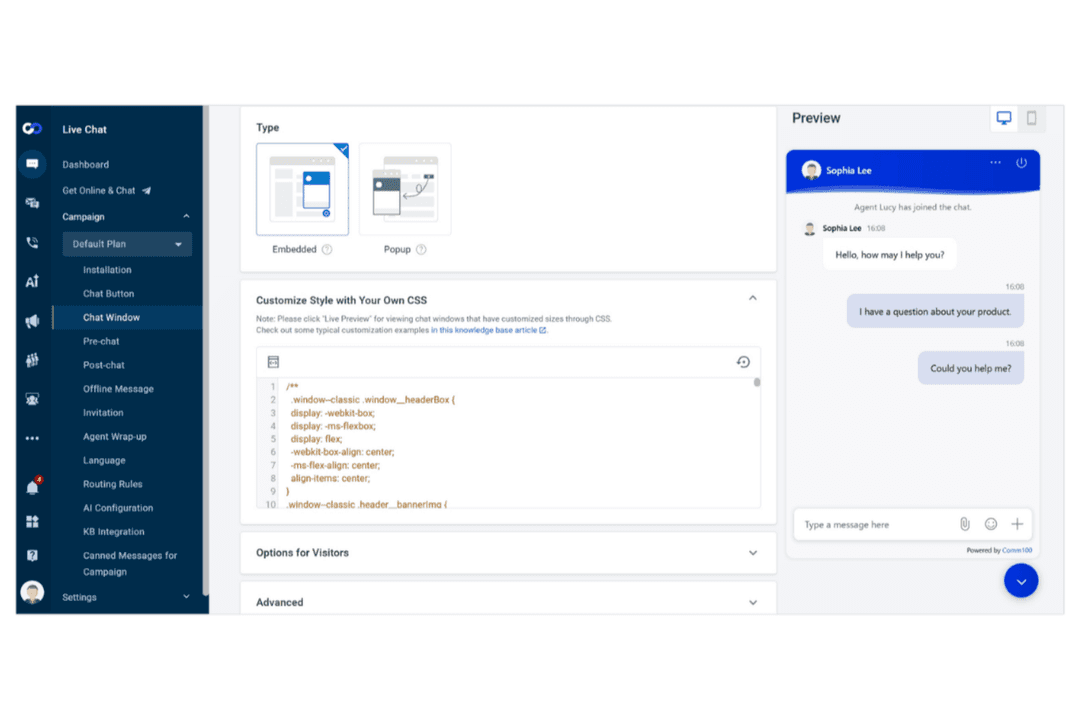
| FactorWorkflow Setup | Comm100Drag-and-drop workflow builder for routing and automation. | LiveAgent Prebuilt templates for ticketing and easy rule configuration. |
| FactorMultichannel Management | Comm100Unified inbox for chat, email, and social channels. | LiveAgent Centralized ticketing for all channels with color-coded priorities. |
| FactorOngoing Support | Comm10024/7 live chat and email support with fast response times. | LiveAgent Email, chat, and phone support with fast response times. |
LiveAgent is easier for new users to pick up quickly, while Comm100 offers more customization for teams that want to tailor their workspace. Comm100 shines for teams that need flexible workflows and multichannel management, while LiveAgent is great for its straightforward ticketing and fast onboarding.
Comm100
- Effective live chat that boosts customer engagement.
- User-friendly interface and easy integration with existing systems.
- Strong customer support and resources for your team.
- Chat interface could have better rich media support.
- Higher pricing may deter smaller businesses from choosing it.
- Most AI capabilities are billed separately per feature.
LiveAgent
- Affordable pricing for small and midsize support teams.
- AI tools help automate replies and improve agent responses.
- Multichannel ticketing covers email, chat, social, and phone.
- Reporting options are limited for advanced analytics needs.
- Mobile app lacks some desktop features and speed.
- Interface feels outdated compared to newer platforms.
Comm100
- iGamingComm100 helps your team manage high volumes of customer queries efficiently with automated live chat tools.
- FinanceIts secure communication channels, and commitment to compliance, make Comm100 a reliable choice for handling sensitive customer information.
- Customer Support TeamsThe platform’s omnichannel capabilities let your team streamline support across multiple channels.
- RetailComm100’s AI-driven features enhance personalized customer interactions, improving your quality of customer service and sales.
- HealthcareSecure messaging options in Comm100 are vital for maintaining patient confidentiality and communication.
- Higher EducationComm100 supports complex student and faculty interactions, helping your team manage everything from admission streamlining to technical support with ease.
LiveAgent
- Small Contact CentersProvides call center tools without enterprise-level complexity.
- Hospitality BusinessesManages guest inquiries from multiple channels in one dashboard.
- Education InstitutionsSupports students and staff across email, chat, and phone.
- Managed IT ServicesHandles high ticket volumes with multichannel routing and SLAs.
- SaaS StartupsOffers affordable plans and automation for scaling customer support.
- Ecommerce StoresCentralizes chat, email, and social messages for quick order support.
Who Should Use Comm100, and Who Should Use LiveAgent?
Comm100 is best for CX teams in regulated industries, larger organizations, or those who need advanced automation, AI chat, and granular compliance controls. LiveAgent is a great fit for small to midsize businesses, fast-moving support teams, or anyone who values quick onboarding and classic ticketing workflows. If your team needs customizable layouts and omnichannel support, Comm100 would be the stronger pick. For straightforward help desk operations and a familiar interface, LiveAgent might be the way to go.
| Comm100 | LiveAgent | |
|---|---|---|
| AI & Automation | Comm100 Advanced AI chatbots and workflow automation tools. | LiveAgent Basic automation with rules and macros. |
| Compliance | Comm100 Supports HIPAA, SOC 2, ISO, and GDPR compliance. | LiveAgent Focuses on GDPR compliance and EU data residency. |
| Integrations | Comm100 Fewer native integrations, strong API support. | LiveAgent Broader native integrations, including Slack and Magento. |
| Ticketing Approach | Comm100 Omnichannel inbox with real-time chat focus. | LiveAgent Classic ticketing system with threaded conversations. |
| User Interface | Comm100 Modern, customizable dashboard with widget options. | LiveAgent Traditional, tab-based interface with quick-access panels. |
| Customer Portal | Both offer customer-facing portals for ticket submission and status tracking, improving transparency. |
|---|---|
| Knowledge Base | Each offers a built-in knowledge base for self-service and agent reference, with customizable templates. |
| Multichannel Support | Both let you manage chat, email, and social messages from a single platform, streamlining agent workflows. |
| Reporting & Analytics | Each platform includes real-time dashboards and exportable reports to track team performance and SLAs. |
| Role-Based Access | Both provide customizable user roles and permissions to control agent access and data security. |