
Sogolytics Review 2026: Pros, Cons, Features and Pricing
I see Sogolytics less as a help desk and more as a way to listen at scale—here’s whether its free customer-service offering can turn feedback into better support.

We review tools independently, and commissions help fund our testing. See our transparency policy, our methodology, or suggest a tool.
Sogolytics is a customer feedback and experience platform in the free customer service software category. It uses surveys to track CSAT, Customer Effort Score, and NPS after support cases close. If you need service-quality feedback and recurring issue analysis more than ticket management, I’d choose Sogolytics over Zendesk for its case-linked surveys and feedback analysis.
Sogolytics Evaluation Summary
4.5/5
- Pricing upon request
- Free demo available
Why Trust Our Software Recommendations
6,700+
Reviews
20
Industry experts
16+
Evaluation factors
14
Years
Our team has been testing and reviewing software since 2012. As CX leaders ourselves, we know how difficult—and important—it is to choose the right software.
For this guide, we evaluated tools using hands-on testing and independent research, scoring tools using our selection criteria.
Our reviews reflect our human editorial judgment, not a sales pitch.
 Gui DrusinaCreative Director
 Tim FisherVP of AI
Sogolytics Overview
I’d choose Sogolytics when you need to measure service quality, not run a help desk. Its free plan has project and response limits, making it suitable for small feedback pilots rather than high-volume support. Drag-and-drop surveys and templates make setup approachable; for example, you can send a survey after case closure to track CSAT, customer effort, or NPS and identify recurring issues. Compared with ticket-focused tools, it offers deeper feedback analysis but limited ticket management, with integrations and ticket workflows available in enterprise plans. I’d recommend it for CX teams testing and expanding their feedback programs.
Pros
- Free plan includes branching, multilingual surveys, and real-time dashboards.
- Reviewers praise templates and drag-and-drop survey creation for quick launches.
- Cross-tabs and reports help teams examine customer feedback patterns.
Cons
- The free plan caps total responses at 200 annually.
- Ticketing, case management, and workflow automation require enterprise plans.
- Recent reviewers report rigid report filters and occasional lost edits.


How We Test & Score Tools
We’ve spent years building, refining, and improving our software testing and scoring system. The rubric is designed to capture the nuances of software selection and what makes a tool effective, focusing on critical aspects of the decision-making process.
Below, you can see exactly how our testing and scoring works across seven criteria. It allows us to provide an unbiased evaluation of the software based on core functionality, standout features, ease of use, onboarding, customer support, integrations, customer reviews, and value for money.
Core Functionality (25% of final scoring)
The starting point of our evaluation is always the core functionality of the tool. Does it have the basic features and functions that a user would expect to see? Are any of those core features locked to higher-tiered pricing plans? At its core, we expect a tool to stand up against the baseline capabilities of its competitors.
Standout Features (25% of final scoring)
Next, we evaluate uncommon standout features that go above and beyond the core functionality typically found in tools of its kind. A high score reflects specialized or unique features that make the product faster, more efficient, or offer additional value to the user.
We also evaluate how easy it is to integrate with other tools typically found in the tech stack to expand the functionality and utility of the software. Tools offering plentiful native integrations, 3rd party connections, and API access to build custom integrations score best.
Ease of Use (10% of final scoring)
We consider how quick and easy it is to execute the tasks defined in the core functionality using the tool. High scoring software is well designed, intuitive to use, offers mobile apps, provides templates, and makes relatively complex tasks seem simple.
Onboarding (10% of final scoring)
We know how important rapid team adoption is for a new platform, so we evaluate how easy it is to learn and use a tool with minimal training. We evaluate how quickly a team member can get set up and start using the tool with no experience. High scoring solutions indicate little or no support is required.
Customer Support (10% of final scoring)
We review how quick and easy it is to get unstuck and find help by phone, live chat, or knowledge base. Tools and companies that provide real-time support score best, while chatbots score worst.
Customer Reviews (10% of final scoring)
Beyond our own testing and evaluation, we consider the net promoter score from current and past customers. We review their likelihood, given the option, to choose the tool again for the core functionality. A high scoring software reflects a high net promoter score from current or past customers.
Value for Money (10% of final scoring)
Lastly, in consideration of all the other criteria, we review the average price of entry level plans against the core features and consider the value of the other evaluation criteria. Software that delivers more, for less, will score higher.
Core Features
Drag-And-Drop Survey Builder
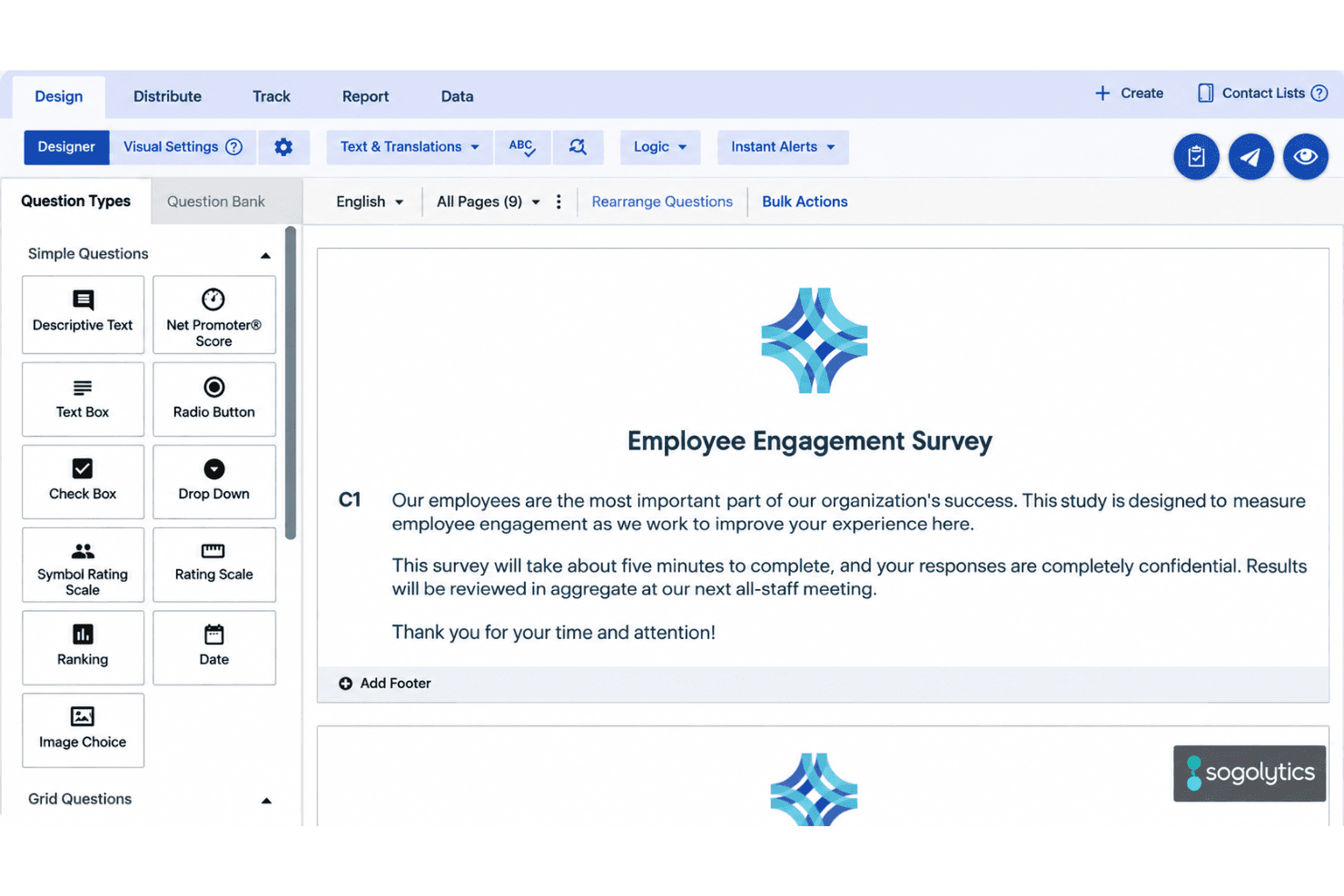
Use the drag-and-drop editor and templates to build feedback surveys without coding. You can start with a CSAT survey template, then adjust questions to match your support process.
CSAT, NPS, And Rating Questions
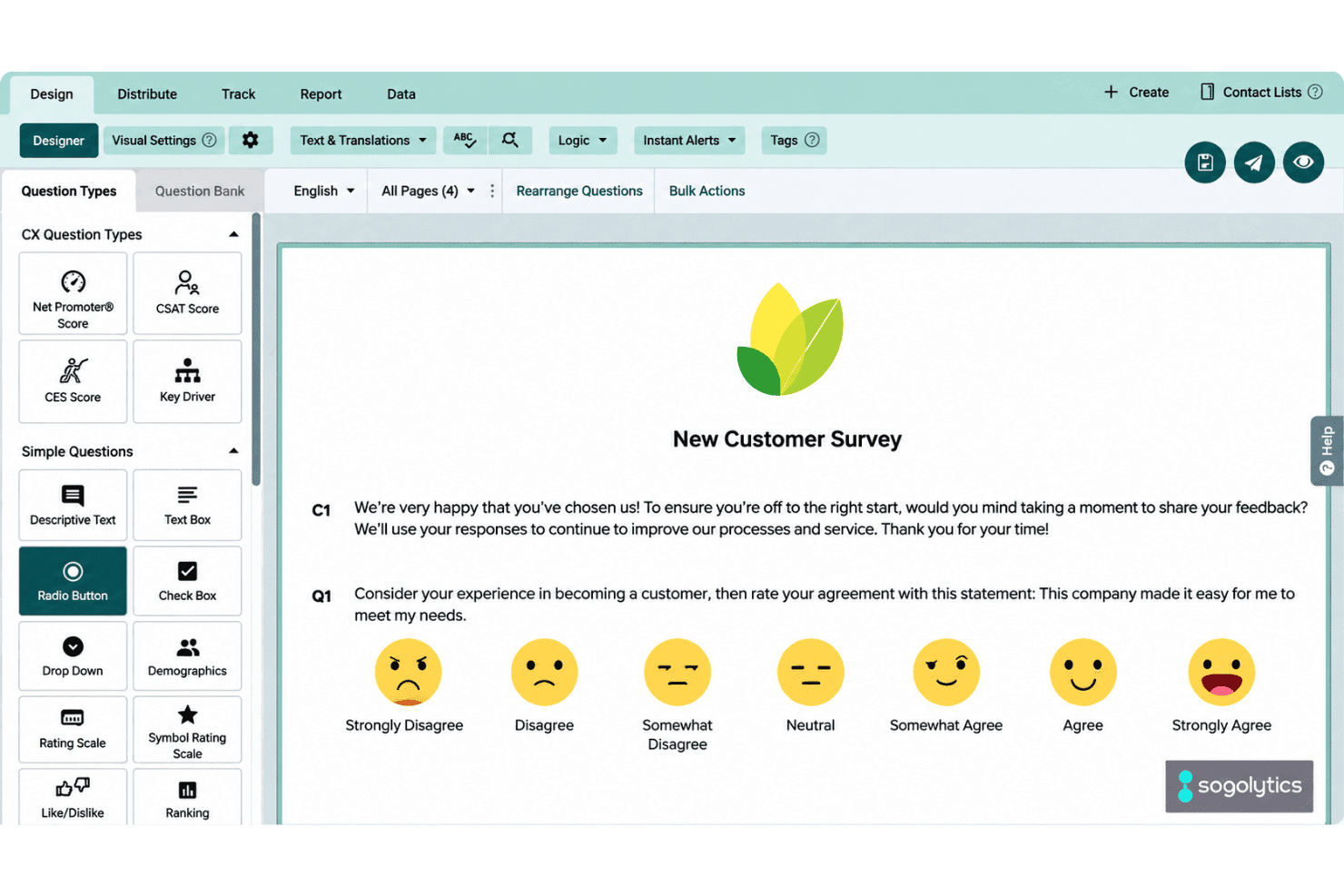
Choose from question types such as NPS, rating scales, multiple choice, and open text. For example, pair a satisfaction rating with a comment box to capture both a score and the reason behind it.
Branching and Skip Logic
Set rules that send respondents to different pages or end the survey based on their answers. You can show a follow-up question only to customers who report a low rating, keeping the survey focused on their experience.
Multilingual Surveys
Offer a survey in multiple languages, with participants selecting their preferred option before they begin. This helps you collect feedback from customers in their preferred language; the free plan allows two languages per project.
Email Invitations and Reminders
Send survey invitations and reminders by email, then review participant responses in Sogolytics. The free plan includes 200 emails per year, making it suitable for a small post-support feedback pilot.
Real-Time Reports and Dashboards
View survey results in real-time reports and dashboards, with cross-tabs and trend analysis to examine response patterns. For example, compare satisfaction scores across survey questions to see which service issues recur; the free plan caps responses at 200 per year.
Ease of Use
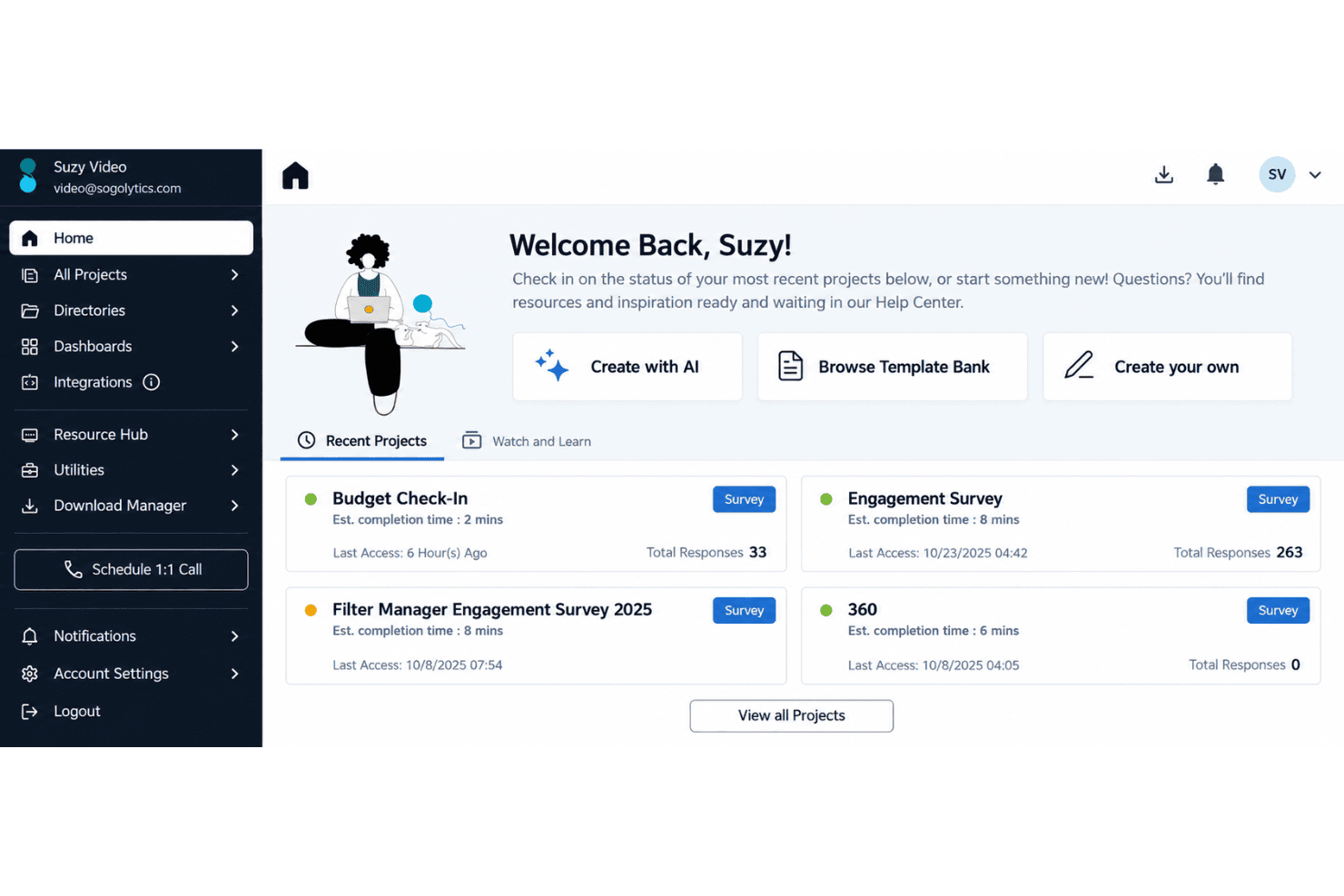
Sogolytics is easy to use for a small feedback pilot, but it isn’t a free help desk. Reviewers praise its templates and drag-and-drop survey builder, and branching, multilingual surveys, and real-time dashboards give you useful options without complex setup. The trade-off is a 200-response annual cap and no free ticket management. Some reviewers also report rigid report filters and lost edits, so usability can dip once you’re analyzing results.
Integrations
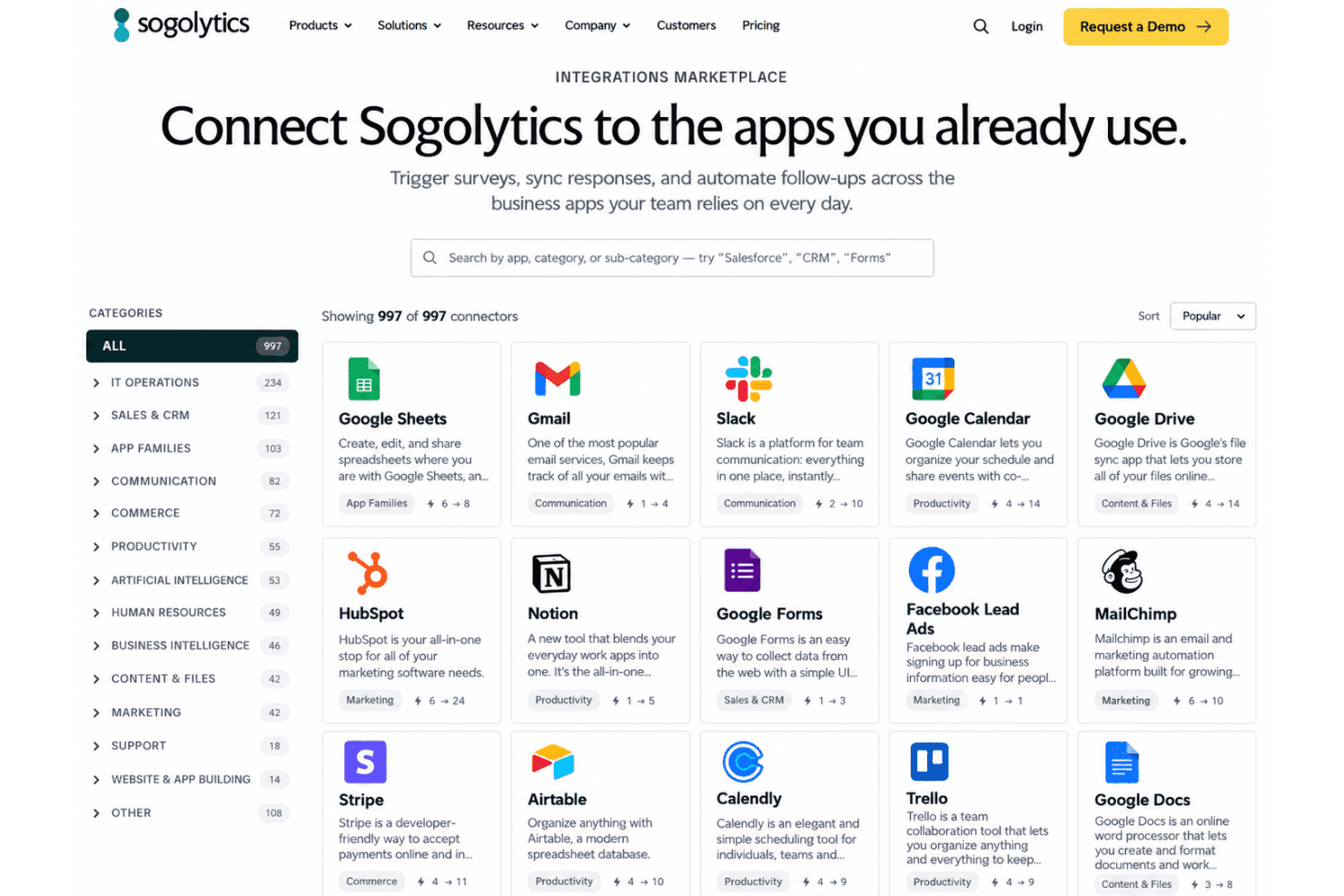
Sogolytics integrates with Salesforce, Microsoft Dynamics, Google Drive, Google Analytics, and OneDrive, among others.
Sogolytics also offers an API for custom integrations and connects with third-party applications through Zapier.
New Product Updates from Sogolytics
Sogolytics Adds Shareable Track, Automated Imports, and Folder Permissions
Sogolytics now lets users share Track pages and widgets with configurable access controls, automate imports from SFTP, Google Drive, OneDrive, and other projects, and assign permissions at the folder level. The release also expands Custom Dashboard controls for formatting, sorting, labels, and shared widget downloads. Highlights include:
- Shareable Track: Share Track pages or individual widgets with stakeholders.
- Access Controls: Set permissions for filtering, exports, drill-downs, passwords, and expiration dates.
- Scheduled Sharing: Send Track access immediately, on a schedule, or as a recurring share.
- Expanded Import Automation: Automate imports from SFTP, Google Drive, OneDrive, and other Sogolytics projects.
- Folder-Level Permissions: Apply access rules across projects within a folder.
- Dashboard Enhancements: Add conditional formatting, labels, sorting, column resizing, and download controls to Custom Dashboards.
Visit Sogolytics’ official site for more details.
Sogolytics Adds Teams and Slack Surveys and Custom Automations
Sogolytics adds Microsoft Teams and Slack survey distribution, a low-code Custom Automations Builder, Derived Fields, PointClickCare integration, and authenticator-based MFA. The updates help teams collect feedback through collaboration tools, automate workflows and calculations, connect healthcare data, and strengthen account security. Highlights include:
- Teams and Slack Distribution: Lets organizations send surveys directly to individuals or channels in Microsoft Teams and Slack.
- Custom Automations Builder: Provides a low-code drag-and-drop builder with expanded triggers and actions for automating workflows.
- Derived Fields: Creates calculated Directory fields from contact and activity data with automatic recalculation.
- PointClickCare Integration: Uses admission, discharge, and transfer events to automate resident and patient experience surveys.
- Authenticator-Based MFA: Adds support for authenticator apps and lets primary users require MFA for sub-users.
Visit Sogolytics’ official site for more details.
Sogolytics Specs
- Analytics: Yes
- API: Yes
- Calendar Management: No
- Call Tracking: No
- Contact Management: Yes
- Dashboard: Yes
- Data Export: Yes
- Data Import: Yes
- Data Visualization: Yes
- Email Integration: Yes
- External Integrations: Yes
- Google Apps Integration: Yes
- Multi-User: Yes
- Net Promoter Score: Yes
- Notifications: Yes
- Review Monitoring: No
- Scheduling: Yes
- Softphone: No
- Third-Party Plugins/Add-Ons: Yes


