

Uma plataforma de experiência do cliente com IA é um software que utiliza inteligência artificial para automatizar, personalizar e otimizar as interações com os clientes através de canais digitais. Se está à procura da melhor plataforma de experiência do cliente com IA, é provável que pretenda melhorar a qualidade do apoio, reduzir as cargas de trabalho manuais e prestar um serviço mais rápido e consistente.
Com tantas opções disponíveis, é difícil saber quais as ferramentas que se adequam realmente às necessidades da sua equipa e que se integram nos seus fluxos de trabalho existentes.
Este guia analisa as principais plataformas, destacando as suas características e vantagens únicas, para que possa escolher com confiança a solução certa para elevar a experiência do cliente.
Why Trust Our Software Recommendations
6,700+
Reviews
20
Industry experts
16+
Evaluation factors
14
Years
Our team has been testing and reviewing software since 2012. As CX leaders ourselves, we know how difficult—and important—it is to choose the right software.
For this guide, we evaluated tools using hands-on testing and independent research, scoring tools using our selection criteria.
Our reviews reflect our human editorial judgment, not a sales pitch.
 Gui DrusinaCreative Director
 Tim FisherVP of AI
Tabela comparativa de plataformas de experiência do cliente com IA
Esta tabela comparativa resume os detalhes de preços das minhas principais escolhas de plataformas de experiência do cliente com IA:
| Tool | Best For | Trial Info | Price | ||
|---|---|---|---|---|---|
| 1 | Best for forecasting churn and escalations | Free demo available | Pricing upon request | Website | |
| 2 | Best for fast AI-powered appointment booking | Free trial available | From $15/user/month (billed annually) | Website | |
| 3 | Best for AI-powered feedback categorization | Free demo available | Pricing upon request | Website | |
| 4 | Best with prebuilt feedback-to-action workflows | 7-day free trial | From $55/user/month | Website | |
| 5 | Best for live agent coaching with AI insights | Free demo available | Pricing upon request | Website | |
| 6 | Best for marketplace app integrations | Free trial available | From $19/user/month (billed annually) | Website | |
| 7 | Best for whitelabel chatbot deployment | 7-day free trial + free plan + free demo available | From $32/month (billed annually) | Website | |
| 8 | Best with role-based AI dashboards | 14-day free trial available | Pricing upon request | Website | |
| 9 | Best with proactive support messaging tools | 14-day free trial | From $29/user/month (billed annually) | Website | |
| 10 | Best with omnichannel engagement capabilities | Free demo available | From $110/agent/month (proactive AI extra) | Website |


Avaliações de plataformas de experiência do cliente com IA
Abaixo encontrará os meus resumos detalhados das melhores plataformas de experiência do cliente com IA que entraram na minha lista restrita. As minhas avaliações apresentam uma análise detalhada das características, capacidades e integrações de cada plataforma, para ajudar a encontrar a melhor opção para a sua equipa.
 Best for forecasting churn and escalations
- Free demo available
- Pricing upon request
Visit WebsiteCustomer Rating:3.7/5
Verint tracks service level vs. forecasted capacity across queues and campaigns. Verint is an enterprise AI customer experience platform that combines AI-driven virtual agents, omnichannel engagement, sentiment analysis, workforce automation, and predictive analytics across contact center workflows.
Who Is Verint Best For?
Verint is a strong fit for enterprise contact center operations teams that need AI-driven automation, predictive churn and escalation forecasting, and omnichannel engagement built into a single platform.
Why I Picked Verint
I picked Verint as one of the best because of how deeply its predictive modeling is woven into live contact center workflows. Its predictive support tools draw on interaction history, behavioral data, and sentiment scores to flag churn risk and escalation likelihood before they happen, surfacing those signals as alerts or automated interventions in real time. Paired with the CX Data Hub, which unifies interaction, experience, and workforce data in one place, those predictions are grounded in genuinely connected customer data rather than siloed snapshots.
Verint Key Features
- Verint Agent Factory: Orchestrates prebuilt and custom AI agents alongside human agents, passing shared interaction history and context across each workflow step.
- Interaction Wrap-Up Bot: Uses generative AI to draft interaction summaries across voice and digital channels in more than 80 languages, delivered to the system of record within seconds.
- Sentiment analysis across channels: Scores voice and digital interactions for sentiment and posts those scores to the CX Data Hub for use in Data Insights dashboards.
- Verint Integration Studio: Provides more than 500 application connectors across 300 vendors, plus a visual environment for building and modifying integrations with CRM, HR, and back-office systems.
Verint Integrations
Verint offers more than 500 application connectors across 300 vendors, including Salesforce, Microsoft, Workday, and ServiceNow. It also provides APIs for custom integrations, including interaction enrichment, user provisioning, transcription, and workforce data.
Pros and Cons
Pros:
- Bots automate support and quality work
- Analytics surface conversation topics and trends
- Wrap-up summaries cut manual after-call notes
Cons:
- Reporting filters and exports frustrate teams
- AI responses can lag or miss context
Learn more about Verint: Best for fast AI-powered appointment booking
- Free trial available
- From $15/user/month (billed annually)
Visit WebsiteCustomer Rating:4.5/5
Nextiva offers AI-powered customer sentiment insights, call transcription, and unified communication history within its customer experience platform. Nextiva is an AI-powered customer experience platform that unifies voice, chat, SMS, email, and social interactions while deploying autonomous AI agents to handle customer conversations, book appointments, and assist live agents across every channel.
Who Is Nextiva Best For?
Nextiva is a strong fit for small to mid-sized businesses in appointment-driven industries like healthcare, real estate, and retail that need 24/7 AI-powered customer engagement without a large support team.
Why I Picked Nextiva
I picked Nextiva as one of the best because XBert books appointments autonomously inside live voice and SMS conversations, pulling real-time availability from connected calendars like Google Calendar, Calendly, and Outlook. I also like that it confirms bookings and follows up via text without a human agent involved. An inbound call can end with a confirmed slot on the customer's calendar before they hang up.
Nextiva Key Features
- Unified omnichannel inbox: Manage voice, SMS, chat, email, and social conversations from a single centralized interface.
- AI-powered agent assist: Get AI-suggested responses, knowledge surfacing, and real-time sentiment flagging during live interactions.
- Journey orchestration tools: Build and automate personalized customer journeys triggered by behavior and interaction data.
- Native CRM and helpdesk integrations: Connect directly to Salesforce, HubSpot, Zendesk, and more to unify customer data for AI workflows.
Nextiva Integrations
Nextiva offers 30+ native integrations, including Salesforce, HubSpot, Zoho CRM, Zendesk, ServiceNow, Microsoft 365, Google Workspace, NetSuite, Pipedrive, and Calendly. An API is available for custom integrations.
Pros and Cons
Pros:
- AI agent assist works across all channels
- Unified inbox spans voice, SMS, chat, email
- XBert autonomously books appointments during live calls
Cons:
- Setup complexity increases for large enterprise deployments
- Advanced analytics lag behind dedicated VoC platforms
 Best for AI-powered feedback categorization
- Free demo available
- Pricing upon request
Visit WebsiteCustomer Rating:4.4/5
Chattermill's AI functionality clusters customer feedback into meaningful themes Chattermill brings AI-driven analysis to customer experience teams that need to make sense of feedback from multiple channels. The platform is designed for organizations that want to unify, categorize, and act on large volumes of customer input. If you’re looking to connect feedback to business outcomes and drive smarter decisions, Chattermill offers a focused solution.
Who Is Chattermill Best For?
Chattermill is a good fit for customer experience and insights teams at mid-sized to large organizations that need to analyze and act on feedback from multiple channels.
Why I Picked Chattermill
For teams that need to make sense of large volumes of customer feedback, Chattermill’s AI-powered feedback categorization stands out. I picked this platform because it uses machine learning to automatically group and tag feedback from surveys, reviews, and support tickets, making it much easier to spot trends and recurring issues. The platform’s natural language processing capabilities help surface themes and sentiment without manual sorting. This approach saves time and ensures that insights are both accurate and actionable for customer experience teams.
Chattermill Key Features
Some other features that make Chattermill useful for customer experience teams include:
- Customizable dashboards: Build dashboards tailored to your team’s specific metrics and reporting needs.
- Unified feedback collection: Collect and unify feedback from surveys, reviews, support tickets, and social media in one place.
- Collaboration tools: Share insights, tag team members, and add comments directly within the platform to keep everyone aligned.
- Automated alerts: Set up notifications for emerging trends or sudden changes in customer sentiment so you can respond quickly.
Chattermill Integrations
Integrations include Zendesk, Salesforce, Intercom, Qualtrics, SurveyMonkey, Trustpilot, Medallia, Dixa, Alchemer, and Slack.
Pros and Cons
Pros:
- Custom taxonomy builder for tailored analysis
- Links customer insights directly to business metrics
- Unifies support ticket and review insights
Cons:
- Lacks built-in survey creation tools
- Advanced analytics may require onboarding support
Learn more about Chattermill: Best with prebuilt feedback-to-action workflows
- 7-day free trial
- From $55/user/month
Visit WebsiteCustomer Rating:4.4/5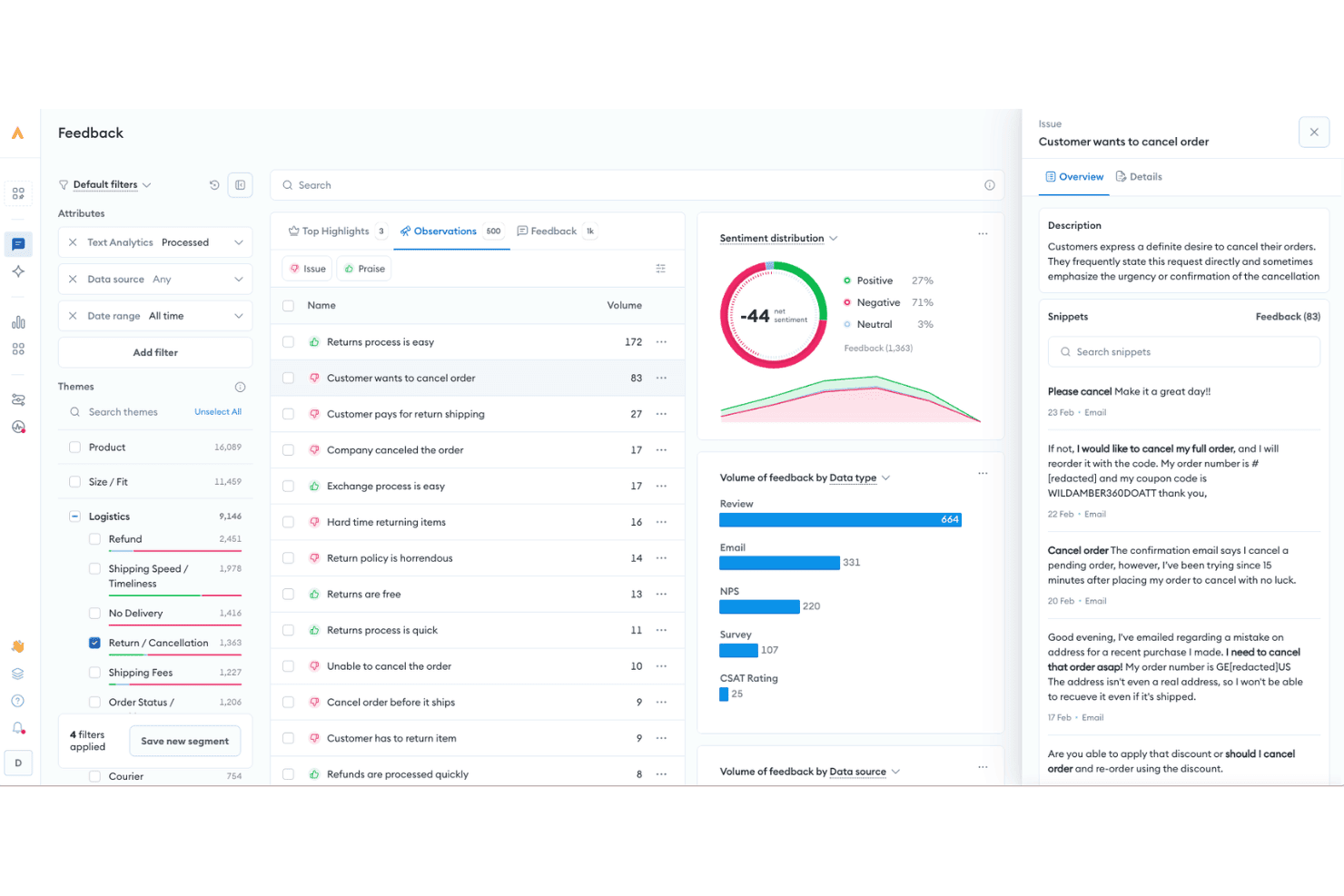
Alchemer uses AI to analyze customer feedback, identify recurring issues, and track sentiment across reviews, emails, surveys, and other sources. Alchemer is a voice-of-customer platform that combines omnichannel feedback collection, AI-powered sentiment and theme analysis, and automated feedback-to-action workflows across survey, in-app, digital, and review channels.
Who Is Alchemer Best For?
Alchemer is a strong fit for CX insights and analytics teams at mid-market to enterprise organizations that need to turn multi-source customer feedback into automated business actions.
Why I Picked Alchemer
I picked Alchemer as one of the best because of how tightly its workflow automation connects feedback signals to business actions. Alchemer Workflow triggers real-time surveys from key events, like a ticket close or a product return, then immediately pushes results into Salesforce, Zendesk, or another downstream tool. Alchemer Pulse then layers in AI sentiment and theme classification across that same data, surfacing what's actually driving dissatisfaction before it becomes a pattern.
Alchemer Key Features
- AI-powered text analysis: Automatically classifies open-ended feedback by themes, sentiment, and customer pain points across channels.
- 400+ prebuilt integrations: Connects with Salesforce, Zendesk, Braze, BigQuery, and more to enrich customer profiles and feedback data.
- Custom survey logic: Supports advanced skip logic, validation, and branching to target the right audience with tailored questions.
- Multilanguage & multi-brand support: Enables feedback programs across multiple brands and languages from a single platform.
Alchemer Integrations
Alchemer offers native integrations with Salesforce, Zendesk, Braze, Bloomreach, BigQuery, HubSpot, and Microsoft Teams, and connects with Zapier. An API is available for custom integrations.
Pros and Cons
Pros:
- Highly configurable survey logic and targeting
- AI theme detection across open-ended responses
- Strong automation from feedback to action
Cons:
- Reporting setup can be time-consuming
- Weaker conversational AI than dedicated platforms
Learn more about Alchemer: Best for live agent coaching with AI insights
- Free demo available
- Pricing upon request
Visit WebsiteCustomer Rating:5/5
Cresta’s AI-powered platform for managing customer interactions with human and AI agents. Cresta unifies real-time agent coaching, AI-driven quality management, conversation intelligence, and autonomous virtual agents in one AI platform for contact centers.
Who is Cresta Best For?
Cresta works well for enterprise contact centers in industries such as financial services, insurance, and telecom that run large agent teams across voice and digital channels.
Why I Picked Cresta
I've included Cresta in my top picks because its live agent coaching goes well beyond surfacing scripts. During active calls, Cresta's behavioral guidance engine pushes real-time hints, reminders, and conversation-specific workflows directly to agents. I also like the Knowledge Agent, which monitors both what's being said and on-screen context to surface source-backed answers instantly, so agents don't have to pause a live call to search a knowledge base. Together, these features make live coaching feel less like oversight and more like a skilled co-pilot sitting next to every agent.
Cresta Key Features
- AI Agent: Deploy autonomous virtual agents that handle full customer conversations across voice, chat, and SMS without live agent involvement.
- Automated conversation summaries: Generate post-call summaries so agents spend less time on after-call wrap-up documentation.
- AI Analyst: Query conversation data using natural language to surface trends, topic patterns, and performance insights across your entire contact center.
- Opera AI orchestration engine: Build, configure, and fine-tune AI workflows and models using a no-code interface without relying on engineering resources.
Cresta Integrations
Cresta integrates with telephony and chat platforms like Five9, Amazon Connect, and Genesys; CRM and customer engagement systems including Salesforce and Zendesk; Twilio; marketing tools such as HubSpot and Marketo; and data platforms like Databricks. Cresta also connects with NICE and Talkdesk. An API allows for custom integrations, while Zapier support remains undocumented.
Pros and Cons
Pros:
- AI Analyst lets users query data in plain language
- Provides coaching prompts during live calls
- Scores all conversations without manual input
Cons:
- Transcription struggles with accented speech
- Knowledge assist misreads caller intent at times
Learn more about Cresta: Best for marketplace app integrations
- Free trial available
- From $19/user/month (billed annually)
Visit WebsiteCustomer Rating:4.4/5
Freshdesk admin dashboard showing a list of configured event notifications, with status indicators, notification types, and a side panel. Freshdesk is an AI-powered customer support platform that combines omnichannel ticketing, Freddy AI automation, self-service portals, and a built-in knowledge base to help support teams manage customer interactions at scale.
Who Is Freshdesk Best For?
Freshdesk is a good fit for mid-size to enterprise support teams that handle high volumes of customer interactions across multiple channels.
Why I Picked Freshdesk
I've included Freshdesk in my top picks because its marketplace is one of the most developed I've seen in the customer support space. With 1,200+ apps available, you can connect tools like Jira, Slack, Shopify, and Salesforce directly into your support workspace. I especially like the Atlassian Jira Plus integration, which syncs Freshdesk tickets with Jira issues so engineering and support teams can track bugs without switching platforms.
Freshdesk Key Features
- Freddy AI agent: An AI agent that auto-resolves incoming customer queries across email and live chat without agent involvement.
- Omnichannel inbox: A unified workspace that pulls tickets from email, chat, WhatsApp, Instagram, and phone into one queue.
- SLA management: Configurable service level agreements with automatic escalation rules and deadline-based ticket prioritization.
- CSAT surveys: Built-in customer satisfaction surveys sent automatically after ticket resolution to collect feedback.
Freshdesk Integrations
Freshdesk offers 1,200+ marketplace integrations through the Freshworks Marketplace, including Slack, Microsoft Teams, Google Calendar, Salesforce, Atlassian Jira Plus, Shopify, and Google Analytics. It's available on Zapier and provides an API for custom integrations.
Pros and Cons
Pros:
- Prebuilt agentic workflows for vertical AI agents
- No automated merging of similar tickets
- Covers email, chat, phone, social, and web
Cons:
- Mobile app lacks advanced desktop features
- Custom reports require technical expertise or upgrades
Learn more about Freshdesk: Best for whitelabel chatbot deployment
- 7-day free trial + free plan + free demo available
- From $32/month (billed annually)
Visit WebsiteCustomer Rating:4.4/5
Chatbase helps businesses automate customer support with AI chatbots trained on their own content and systems. Chatbase is a conversational automation platform that helps businesses handle customer interactions without relying entirely on live agents. It enables teams to deploy chatbots trained on their own content and connect them to business systems so automated responses reflect current information. For companies looking to automate parts of the customer journey, Chatbase provides a flexible starting point.
Who Is Chatbase Best For?
Chatbase is well suited for CX and support teams at growing companies that want to automate repetitive customer inquiries while keeping responses connected to internal systems.
Why I Picked Chatbase
I picked Chatbase for its ability to connect chatbot conversations directly to business data through APIs and webhooks. This allows teams to automate answers that depend on changing information, such as order updates or account details. Instead of managing static scripts, teams can tie automated conversations to live data sources. That makes it easier to scale customer interactions without sacrificing accuracy.
Chatbase Key Features
- AI chatbot builder: Build and deploy chatbots trained on your own documents, URLs, and data.
- Live data connections: Sync responses with connected systems through APIs and webhooks.
- Cross-channel deployment: Publish chatbots on websites and supported messaging platforms.
- Interaction reporting: Review conversation logs and analyze chatbot usage trends.
Chatbase Integrations
Integrations include Slack, WhatsApp, Facebook Messenger, and automation platforms such as Make. API and webhook access allow connections to additional systems.
Pros and Cons
Pros:
- Enables branded deployments for agencies and partners
- Supports deployment across web and messaging apps
- Connects chatbot responses to live business data
Cons:
- Advanced integrations may require higher-tier plans
- Does not include built-in voice or telephony support
Learn more about Chatbase: Best with role-based AI dashboards
- 14-day free trial available
- Pricing upon request
Visit WebsiteCustomer Rating:4.7/5
Zonka Feedback offers a Reputation Hub dashboard that displays customer reviews, key stats, average ratings, and review distribution across multiple locations. Zonka Feedback is an AI-powered feedback intelligence platform that unifies surveys, helpdesk tickets, live chat, and reviews into a single hub for thematic analysis, sentiment scoring, and generative AI-driven CX insights.
Who Is Zonka Feedback Best For?
Zonka Feedback suits CX analytics managers and insights teams at mid-market to enterprise companies that need to analyze large volumes of multi-source feedback across locations or business units.
Why I Picked Zonka Feedback
Zonka Feedback earns its spot on my shortlist because its role-based AI dashboards deliver tailored views to CXOs, department heads, and frontline agents without overlap or noise. I particularly like how Impact Analysis links specific feedback themes directly to NPS and CSAT scores, so my team can see which issues are actually moving the metrics. The Ask AI feature lets us query the entire feedback dataset in plain language, which cuts hours off root-cause investigations.
Zonka Feedback Key Features
- Omnichannel survey collection: Gather feedback through email, SMS, WhatsApp, web, in-app, kiosks, and offline surveys.
- Multilingual survey support: Design and launch surveys in multiple languages for diverse customer bases.
- Advanced survey targeting: Target feedback requests based on user segments, events, or behaviour triggers.
- Online reputation management: Monitor, request, and respond to reviews across Google, App Store, and Play Store.
Zonka Feedback Integrations
Zonka Feedback offers native integrations with Salesforce, HubSpot, Zendesk, Intercom, Freshdesk, HelpScout, Jira, Slack, Google Sheets, and Mailchimp. It also connects with Zapier and provides an API for custom integrations.
Pros and Cons
Pros:
- Collects feedback across 10+ channel types
- Detailed sentiment tied to feedback themes
- AI summaries surface patterns automatically
Cons:
- Predictive churn scoring is limited
- No native chatbot or voicebot capability
Learn more about Zonka Feedback: Best with proactive support messaging tools
- 14-day free trial
- From $29/user/month (billed annually)
Visit WebsiteCustomer Rating:4.4/5
Intercom unifies support, engagement, and AI automation in one platform. Intercom is an AI-powered customer experience platform designed for teams that want to unify support, engagement, and automation in one place. It’s a strong fit for SaaS companies, ecommerce brands, and digital businesses looking to manage customer conversations across web and mobile. Intercom helps teams handle high volumes of inquiries, automate repetitive tasks, and deliver more personalized support at scale.
Who Is Intercom Best For?
Intercom is a strong choice for SaaS and digital businesses that need to manage customer conversations and automate support at scale.
Why I Picked Intercom
I picked Intercom because it offers some of the most advanced proactive support messaging tools available in the AI customer experience platform space. The platform lets you set up targeted outbound messages, in-app notifications, and automated chat prompts based on user behavior and lifecycle stage. I also like that Intercom’s AI can trigger personalized messages to guide users, answer questions, or prevent churn before customers even reach out. These proactive capabilities help teams move beyond reactive support and create more engaging, timely customer experiences.
Intercom Key Features
Some other features that make Intercom valuable for AI customer experience teams include:
- AI-powered conversation routing: Automatically directs customer inquiries to the right team or agent based on topic and urgency.
- Help center builder: Lets you create and manage a self-serve knowledge base for customers to find answers on their own.
- Customizable bots: Allows you to design and deploy chatbots that handle common questions and tasks without human intervention.
- Conversation history and context: Gives agents full visibility into past interactions and customer data within every conversation.
Intercom Integrations
Integrations include HubSpot, Salesforce, Slack, Zendesk, Shopify, Mailchimp, Stripe, Pipedrive, Aircall, and Jira.
Pros and Cons
Pros:
- Fast time to value
- Easy AI agent handover
- Great proactive messaging
Cons:
- Ticketing is too basic
- Gets pricey very fast
 Best with omnichannel engagement capabilities
- Free demo available
- From $110/agent/month (proactive AI extra)
Visit WebsiteCustomer Rating:4.3/5
NICE CXone unifies voice and digital support for high-volume service teams. NICE CXone is a cloud-based customer experience platform designed for organizations that need to manage complex, high-volume customer interactions. It appeals to CX leaders and support teams in industries like retail, finance, and healthcare who want to unify digital and voice channels.
The platform helps businesses coordinate customer journeys, automate routine tasks, and maintain service quality across multiple touchpoints.
Who Is NICE CXone Best For?
NICE CXone is a strong fit for large enterprises and contact centers that need to manage customer engagement across multiple digital and voice channels.
Why I Picked NICE CXone
I picked NICE CXone because it brings together digital, voice, and social channels into a single platform, making it easier for teams to deliver consistent customer experiences. Its omnichannel routing ensures that customer inquiries are directed to the right agent, regardless of the channel they use.
I also appreciate the platform’s AI-powered analytics, which help teams monitor interactions and identify trends across all touchpoints. These capabilities make NICE CXone a strong choice for organizations that need to coordinate complex customer journeys and maintain high service standards.
NICE CXone Key Features
Some other features that make NICE CXone valuable for customer experience teams include:
- Workforce management tools: Schedule, forecast, and monitor agent performance to optimize staffing and productivity.
- Quality management suite: Evaluate agent interactions and provide targeted coaching with built-in quality assurance tools.
- Self-service automation: Deploy AI-powered virtual agents and chatbots to handle routine customer inquiries.
- Knowledge management system: Centralize and deliver up-to-date information to agents and customers through an integrated knowledge base.
NICE CXone Integrations
Integrations include Salesforce, Zendesk, Microsoft Dynamics, Oracle, ServiceNow, and HubSpot.
Pros and Cons
Pros:
- Robust compliance features
- Excellent AI workforce ops
- Huge enterprise scale
Cons:
- Needs heavy dev support
- UI feels overwhelming
Learn more about NiCE CXone:
Outra plataforma de experiência do cliente com IA
Eis algumas opções adicionais de plataformas de experiência do cliente com IA que não entraram na minha lista restrita, mas que vale a pena conhecer:
- 11SierraBest for generative AI-driven support agents
- 12ZendeskBest for integrated ticketing and help desk
- 13AdaBest for automating personalized customer interactions
- 14Yellow.aiBest for multilingual conversational automation
- 15QuidgetBest for AI-assisted chat response suggestions
- 16ForethoughtBest for AI-powered case resolution workflows
- 17Boost.aiBest for scalable virtual agent deployment
- 18DecagonBest with real-time customer journey insights
- 19Ultimate CXBest for workflow automation in support teams
- 20Crescendo.aiBest with AI-powered call analysis
- 21Salesforce Service Cloud EinsteinBest for native CRM AI integration
- 22HiverBest for teams managing shared email inboxes
- 23SprinklrBest with unified customer profiles
- 24DialpadBest with enterprise-grade integrations
- 25KustomerBest for customizable agentic AI workflows
- 26AssembledBest with AI-driven workforce management
- 27PylonBest for B2B support automation
- 28Konnect InsightsBest for 360° omnichannel analytics
- 29CSGBest for customer journey orchestration
How I Evaluate AI Customer Experience Platforms
Every tool here needs to deliver real AI value—like resolving tickets autonomously or surfacing churn risk before a renewal call, not just slapping a chatbot on a help page. I split my evaluation into core functionality a platform must have to make the list, and the differentiating factors that separate a good fit from a great one.
Core Functionality (Table Stakes For This List)
When I'm selecting tools for my list, I rank each one on a scale from 0 (does not offer the functionality) to 5 (excels in this area) for each core functionality listed below. Then, I calculate the tool's total score into a percentage. Each tool needs to achieve a minimum total score of 75% to be considered for inclusion.
- AI Conversational Automation: I check whether the platform's bots can handle multi-turn queries—like processing a return and suggesting a replacement—without handing off to a human.
- Omnichannel Engagement: Each tool should unify conversations across chat, email, voice, social, and SMS so agents see full context regardless of where a customer starts.
- AI-Driven Customer Insights: I look for AI that goes beyond basic dashboards to surface sentiment shifts, recurring complaint themes, or emerging friction points from interaction data.
- Agent Assist & Augmentation: Real-time AI suggestions matter here—things like surfacing relevant knowledge articles mid-conversation or auto-generating post-call summaries for agents.
- Personalization & Predictive Intelligence: The platform should use ML to anticipate customer needs, whether that's flagging churn risk ahead of a renewal or recommending next-best actions.
- Unified Customer Data & Integrations: I evaluate how well the platform pulls in data from CRMs, helpdesks, and other tools to build a single customer profile that powers its AI features.
Once I have a list of tools that meet this criteria, I consider what sets each platform apart.
Differentiating Factors (What Sets Vendors Apart)
Here's how I compare and contrast different vendors:
Standout Features
Generative AI copilots are a major differentiator—I look for platforms where agents get real-time draft replies and conversation summaries that cut wrap-up time after each interaction. Low-code AI builders also matter because they let CX teams spin up new bot workflows without waiting on engineering. I pay close attention to automated quality management too, since scoring 100% of interactions with AI is a leap beyond manually sampling a handful of calls each week.
Beyond Features
AI trust and governance is something I weigh heavily—I check whether platforms offer guardrails against hallucinations and let you control how customer data is used for model training. The integration ecosystem also shapes my evaluation, since a platform that connects natively to your CRM and CCaaS stack will deliver value far faster than one requiring custom builds. I also consider time-to-value, looking for prebuilt industry templates and pretrained models that shorten the path from deployment to measurable impact.
Como escolher uma plataforma de experiência do cliente com IA
É fácil ficar atolado em longas listas de características e estruturas de preços complexas. Para o ajudar a manter o foco enquanto analisa o seu processo específico de seleção de software, eis uma lista de fatores a ter em conta:
| Fator | O que considerar |
|---|---|
| FatorEscalabilidade | O que considerarA plataforma conseguirá gerir os volumes de apoio atuais e previstos à medida que a sua empresa cresce? Avalie os limites relativos a utilizadores, canais e dados. |
| FatorIntegrações | O que considerarA ferramenta liga-se de forma nativa ao seu CRM, serviço de assistência, plataformas de análise e comunicação? Verifique a compatibilidade com o seu conjunto de ferramentas existente. |
| FatorPersonalização | O que considerarPode adaptar os fluxos de trabalho, as automatizações e os modelos de IA aos seus processos e à sua terminologia específicos? Evite sistemas rígidos que o obriguem a adaptar-se. |
| FatorFacilidade de utilização | O que considerarA sua equipa adotará rapidamente a plataforma? Procure uma navegação intuitiva, uma identificação clara e requisitos mínimos de formação. |
| FatorImplementação e integração inicial | O que considerarQuanto tempo será necessário para começar a utilizar a plataforma? Tenha em conta o apoio à migração, os recursos de integração inicial e a necessidade de envolvimento da equipa de TI. |
| FatorCusto | O que considerarOs escalões de preços são transparentes e previsíveis à medida que a utilização aumenta? Esteja atento a taxas ocultas, custos por interação ou suplementos dispendiosos. |
| FatorMedidas de segurança | O que considerarA plataforma cumpre as suas normas de privacidade e segurança dos dados? Confirme a encriptação, os controlos de acesso e as certificações de conformidade. |
| FatorDisponibilidade do apoio | O que considerarQue canais e horários de apoio são disponibilizados? Certifique-se de que terá acesso a ajuda quando precisar, especialmente durante incidentes críticos. |
O que são as plataformas de experiência do cliente com IA?
Uma plataforma de experiência do cliente com IA é uma solução de software que utiliza inteligência artificial para automatizar, analisar e melhorar as interações com os clientes através dos canais digitais. Estas plataformas ajudam as equipas a gerir pedidos de apoio, personalizar as comunicações e obter informações a partir dos dados dos clientes.
Ao tirarem partido da IA, as empresas podem fornecer respostas mais rápidas, prever as necessidades dos clientes e melhorar a satisfação geral para promover a fidelização dos clientes, funcionando como um copiloto fiável e reduzindo simultaneamente a carga de trabalho manual das equipas de experiência do cliente.
Funcionalidades
Ao selecionar uma plataforma de experiência do cliente com IA, esteja atento às seguintes funcionalidades principais:
- Encaminhamento de pedidos com IA: Utiliza aprendizagem automática para atribuir os pedidos recebidos ao agente ou à equipa mais adequada, com base nas competências, na carga de trabalho e nos dados históricos.
- Assistentes de conversação automatizados: Fornecem respostas imediatas a perguntas frequentes dos clientes e podem realizar tarefas de rotina, como o acompanhamento de encomendas ou a reposição de palavras-passe, sem intervenção humana.
- Análise de sentimentos: Analisa as mensagens dos clientes em tempo real para detetar o tom, a urgência e o nível de satisfação, ajudando as equipas a dar prioridade às respostas e a personalizá-las.
- Recomendações da base de conhecimentos: Sugere artigos de ajuda ou recursos relevantes tanto aos agentes como aos clientes durante as interações, reduzindo os tempos de resolução.
- Suporte omnicanal: Centraliza as conversas provenientes de correio eletrónico, chat, redes sociais e aplicações de mensagens numa única interface, para uma gestão unificada.
- Análise preditiva: Identifica tendências, prevê as necessidades dos clientes e destaca potenciais problemas antes de estes se agravarem, apoiando um serviço proativo.
- Automatização de fluxos de trabalho: Automatiza tarefas repetitivas, como acompanhamentos, escalamentos e distribuição de inquéritos, para aumentar a eficiência e a consistência.
- Painéis personalizáveis: Permitem aos utilizadores visualizar métricas importantes, monitorizar o desempenho da equipa e acompanhar a satisfação dos clientes em tempo real.
- Capacidades de integração: Ligam-se ao CRM, a ferramentas de apoio e a outras ferramentas empresariais para garantir um fluxo de dados contínuo e uma visão completa da jornada do cliente.
Benefícios
A implementação de uma plataforma de experiência do cliente com IA proporciona vários benefícios à sua equipa e à sua empresa. Eis alguns dos benefícios que pode esperar:
- Tempos de resposta mais rápidos: O encaminhamento automatizado de pedidos e os assistentes de conversação garantem que os clientes obtêm respostas e apoio imediatos, mesmo durante períodos de maior procura.
- Interações personalizadas com os clientes: A IA analisa os dados e os sentimentos para adaptar as respostas e as recomendações a cada cliente.
- Prestação de serviços proativa: A análise preditiva ajuda a sua equipa a identificar e resolver problemas antes de estes se agravarem, melhorando a satisfação dos clientes.
- Comunicação centralizada: O suporte omnicanal reúne todas as conversas com os clientes num único local, facilitando a gestão e o acompanhamento das interações.
- Redução da carga de trabalho manual: A automatização de fluxos de trabalho e as recomendações da base de conhecimentos minimizam as tarefas repetitivas da sua equipa, libertando tempo para questões complexas.
- Tomada de decisões baseada em dados: Os painéis personalizáveis e a análise de dados fornecem informações úteis sobre as tendências dos clientes e o desempenho da equipa.
- Operações de suporte escaláveis: As ferramentas baseadas em IA permitem à sua empresa gerir volumes maiores de interações sem sacrificar a qualidade ou a consistência.
Custos e preços
A seleção de uma plataforma de experiência do cliente com IA exige uma compreensão dos vários modelos e planos de preços disponíveis. Os custos variam consoante as funcionalidades, o tamanho da equipa, os complementos, entre outros fatores. A tabela abaixo resume os planos comuns, os respetivos preços médios e as funcionalidades normalmente incluídas nas soluções de plataformas de experiência do cliente com IA:
Tabela de comparação de planos para plataformas de experiência do cliente com IA
| Tipo de plano | Preço médio | Funcionalidades comuns |
|---|---|---|
| Tipo de planoPlano gratuito | Preço médio$0 | Funcionalidades comunsSistema básico de gestão de pedidos de suporte, funcionalidade limitada de chatbot, suporte de canal único e análises básicas. |
| Tipo de planoPlano pessoal | Preço médio$25-$55/utilizador/mês | Funcionalidades comunsSuporte multicanal, encaminhamento com tecnologia de IA, automatização básica e relatórios padrão. |
| Tipo de planoPlano empresarial | Preço médio$75-$120/utilizador/mês | Funcionalidades comunsChatbots avançados, análise de sentimentos, automatização de fluxos de trabalho, integrações e painéis personalizáveis. |
| Tipo de planoPlano empresarial de grande escala | Preço médio$150+/utilizador/mês | Funcionalidades comunsAnálises preditivas, gestão omnicanal, segurança avançada, suporte dedicado e ferramentas de conformidade. |
Perguntas frequentes sobre plataformas de experiência do cliente com IA
Eis algumas respostas a perguntas comuns sobre plataformas de experiência do cliente com IA:
Como é que uma plataforma de experiência do cliente com IA melhora a produtividade da equipa de suporte?
As plataformas de experiência do cliente com IA automatizam tarefas repetitivas, como o encaminhamento de pedidos de suporte, as respostas a perguntas comuns e as sugestões da base de conhecimento. Isto permite que as equipas de suporte se concentrem em questões complexas e reduz o tempo despendido em processos manuais, ajudando as equipas a lidar com volumes maiores sem sacrificar a qualidade.
As plataformas de experiência do cliente com IA podem integrar-se com ferramentas de CRM ou de assistência técnica existentes?
Sim, a maioria das plataformas de experiência do cliente com IA oferece integrações com ferramentas populares de CRM, assistência técnica e comunicação. Isto garante que os dados dos clientes permanecem ligados entre sistemas e permite que as equipas gerem as interações a partir de uma única interface.
Que tipos de empresas beneficiam mais das plataformas de experiência do cliente com IA?
As empresas com grandes volumes de interações com clientes, vários canais de suporte ou necessidade de serviço 24 horas por dia, 7 dias por semana são as que mais beneficiam. Estas plataformas são especialmente úteis para equipas de comércio eletrónico, SaaS, telecomunicações e serviços financeiros que procuram expandir o suporte e personalizar as experiências.
Existem preocupações relacionadas com a privacidade dos dados ao utilizar plataformas de experiência do cliente com IA?
Sim, a privacidade dos dados é importante ao utilizar plataformas de IA. Verifique sempre a existência de encriptação, controlos de acesso e conformidade com regulamentos como o RGPD ou a CCPA. Escolha fornecedores que sejam transparentes relativamente ao tratamento dos dados e às práticas de segurança.
Quanto tempo demora a implementar uma plataforma de experiência do cliente com IA?
O tempo de implementação varia consoante a plataforma e a dimensão da empresa. As equipas pequenas podem estar operacionais em poucos dias, enquanto as organizações maiores, com fluxos de trabalho ou integrações complexos, podem precisar de várias semanas. Procure recursos de integração e suporte à migração para acelerar o processo.