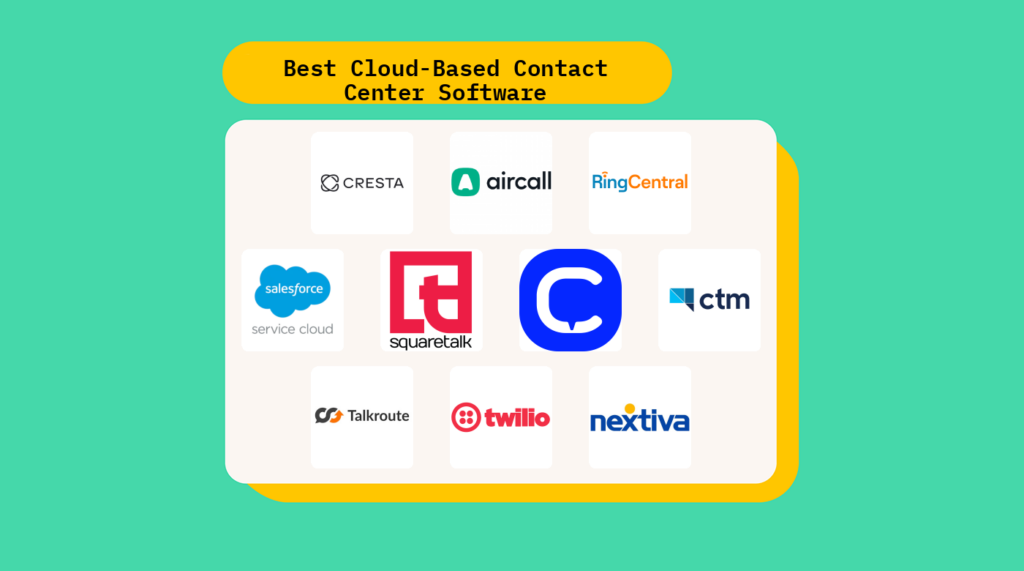

No atual mundo empresarial acelerado, gerir as interações com os clientes pode ser um verdadeiro desafio. Você e a sua equipa precisam de ferramentas que ajudem a tratar os pedidos de forma eficiente, sem ficarem condicionados por sistemas desatualizados. É aí que entra o software de centro de contacto baseado na nuvem.
Dediquei algum tempo a testar e analisar estas soluções para lhe apresentar uma lista imparcial e bem fundamentada das melhores opções disponíveis. Na minha experiência, encontrar o software certo pode fazer uma diferença significativa na produtividade da sua equipa e na satisfação dos clientes.
Neste artigo, encontrará as minhas principais escolhas, cada uma com funcionalidades únicas para responder às suas necessidades específicas. Quer esteja à procura de escalabilidade, conformidade ou capacidades especializadas, há aqui algo para todas as equipas.
Porque pode confiar nas nossas recomendações de software
6,700+
Reviews
20
Industry experts
16+
Evaluation factors
14
Years reviewing software
A nossa equipa testa e analisa software desde 2012. Como líderes de experiência do cliente (CX), sabemos o quão difícil — e importante — é escolher o software certo.
Para este guia, avaliámos as ferramentas através de testes práticos e pesquisa independente, pontuando-as de acordo com os nossos critérios de seleção.
As nossas análises refletem o juízo da nossa equipa editorial, e não um discurso de vendas.
 Gui DrusinaCreative Director
 Tim FisherVP of AI
Tabela comparativa de software de centro de contacto baseado na nuvem
Sorted by: Default
| Tool | Starting Price | Website | |
|---|---|---|---|
Best for real-time agent coaching | 5.0 out of 5 | Pricing upon request Free demo available | Website |
Best for easy integration with CRM & helpdesk apps | 4.3 out of 5 | $30/user/month Free trial available | Book Demo |
Best for omnichannel contact center support | 5.0 out of 5 | $30/user/month Free demo available | Website |
Best AI-powered call center tools | 4.4 out of 5 | $75/user/month Free trial available | Website |
Best for a simple, scalable call center solution | 4.8 out of 5 | $25/user/month Free demo available | Website |
Best with AI-powered conversation intelligence | 4.2 out of 5 | €25/user/month 14-day free trial + demo available | Website |
Best call tracking and analysis tools | 4.5 out of 5 | $79/month Free demo available | Website |
Best for remote call management | 4.4 out of 5 | $19/month 7-day free trial | Website |
Best for flexibility | 4.4 out of 5 | $15/month Free plan + 60-day free trial available | Website |
Best for integrated business telephony | 4.2 out of 5 | $39/user/month 15-day free trial available | Website |


Análises do melhor software de centro de contacto baseado na nuvem
Pode utilizar as sínteses simples de cada ferramenta abaixo para compreender como cada uma se destaca de outros softwares de centro de contacto baseado na nuvem.
 Best for real-time agent coaching
- Free demo available
- Pricing upon request
Visit WebsiteCustomer Rating:5/5
Cresta’s AI-powered platform for managing customer interactions with human and AI agents. Built for enterprise contact centers, Cresta is an AI platform offering real-time agent assistance, autonomous AI agents, conversation intelligence, and automated post-interaction workflows across voice and digital channels.
Who is Cresta Best For?
Cresta is a good fit for enterprise contact center teams in industries like financial services, insurance, retail, and telecom that handle high-volume, complex customer interactions.
Why I Picked Cresta
Cresta is one of my top picks because I love how its Agent Assist delivers behavioral coaching in the moment, not after the call. During live interactions, agents get real-time hints, compliance reminders, and context-specific guidance tailored to what's actually happening in the conversation. I especially like the Knowledge Agent, which continuously listens to the call and surfaces source-backed answers without agents needing to manually search. That's a meaningful edge for enterprise teams handling complex, high-stakes calls at scale.
Cresta Key Features
- AI Agent: Handles inbound voice and digital interactions without human involvement, including resolution, transfers, and escalations.
- Automated quality management: Scores all agent interactions against customizable rubrics, replacing manual call sampling.
- AI Analyst: Identifies trends, topic drivers, and outcome patterns across your entire conversation dataset without manual querying.
- Auto-summary: Generates structured post-call notes and populates them into connected CRM or ticketing systems.
Cresta Integrations
Cresta integrates with major CCaaS platforms, including Five9, NICE CXone, Genesys Cloud CX, Talkdesk, and Dialpad, along with Salesforce, Amazon Connect, Twilio, and Zoom Contact Center. Cresta additionally works within enterprise platforms like Salesforce Service Cloud for real-time CRM data access. Zapier support is not clearly documented, and an API is available for custom integrations.
Pros and Cons
Pros:
- Rolls out in four to six weeks
- Real-time coaching receives positive user feedback
- Auto-scores all calls on custom rubrics
Cons:
- Transcription varies with accented callers
- Knowledge assist misreads caller intent at times
Learn more about Cresta: Best for easy integration with CRM & helpdesk apps
- Free trial available
- From $30/user/month (billed annually)
Customer Rating:4.3/5
Use the analytics dashboard to track the agent’s real-time call performance. Aircall is a cloud-based call center system that easily integrates with the top CRM and helpdesk tools to help make the phone experience accessible, transparent, and collaborative.
Why I picked Aircall: If you’re looking for a system that integrates with your CRM or helpdesk tools, you might want to consider Aircall. Integrating these systems will help your sales and support teams have clear and efficient customer interactions. By automatically syncing call details with your CRM and helpdesk, Aircall will help save your agent’s time by avoiding switching back and forth between tools. Everyone can see call recordings, check account history, and get a full overview of every conversation.
Aircall is an excellent choice for small or medium businesses that need a cloud-based call center solution that is easily adaptable, scalable, and can be used in remote work environments. It helps you and your agents provide clear and efficient customer interactions via deep insights and real-time analytics. With Aircall, you can also receive advanced call center productivity analytics and the ability to monitor team activity.
Aircall Standout Features and Integrations
Features include toll-free and international numbers, call conference tools, voicemail, call routing, interactive voice response, phone extensions, blocklist numbers, virtual call centers, SMS business text messaging, and call queuing.
Integrations include ActiveCampaign, Odoo CRM, Hiver, Zendesk Sell, Zapier, Copper, Freshdesk, Microsoft Dynamics, Microsoft Teams, Pipedrive, Slack, Sugar CRM, Salesforce, Outreach, and monday.com.
Aircall costs from $40/user/month when paying monthly for a minimum of three users or $30/user/month when paid annually. Aircall offers a free 7-day trial for new subscribers.
Pros and Cons
Pros:
- It provides deep communication insights.
- Accessible through desktop and mobile.
- Users get a centralized collaboration platform.
Cons:
- It can occasionally be buggy.
- The system can log users out.
 Best for omnichannel contact center support
- Free demo available
- From $30/user/month (billed annually)
Visit WebsiteCustomer Rating:5/5
RingCentral provides a centralized dashboard to view contact center analytics. RingCentral is a comprehensive cloud-based contact center software that provides businesses with a suite of solutions, including cloud communication and business phone systems.
Why I picked RingCentral: The platform offers AI-first solutions tailored for omnichannel contact center support. These automation features are for businesses of all sizes, designed to be both user-friendly and quick to implement, catering to the needs of organizations seeking advanced features and scalability. RingCentral also integrates with other communication services, which can streamline operations and improve customer experiences.
RingCentral's automation capabilities include AI-powered virtual agents, real-time coaching, and actionable insights to enhance customer experiences and agent performance. Additionally, the software offers quality and workforce management to help monitor performance and make informed decisions about productivity.
RingCentral Standout Features and Integrations
Features include omnichannel functionalities, intelligent routing, proactive outreach, compliance risk mitigation, encryption, workforce engagement and management, agent skill profiles, screen recording, dual listening, prebuilt reports, and detailed analytics.
Integrations include Microsoft Teams, Salesforce, Google Workspace, Beetexting, HubSpot, Asana, Zendesk, Appointment Reminder, Aha!, Trello, Zapier, Automator, and over 300 more.
Pros and Cons
Pros:
- Integrations with hundreds of apps and systems
- Automation across multiple channels
- Adaptable to businesses of all sizes and industries
Cons:
- Limitations with specific deskphones
- Limited customization and storage on lower-tier plans
Learn more about RingCentral Contact Center: Best AI-powered call center tools
- Free trial available
- From $75/user/month
Visit WebsiteCustomer Rating:4.4/5
Use the platform’s automation and contextual recommendation capabilities to close cases and keep customers happy. Salesforce Service Cloud uses automation and AI to help businesses engage with customers across various interaction channels.
Why I picked Salesforce Service Cloud: The platform will provide your business with AI-powered cloud-based call center software that can give your agents contextual recommendations on the best actions to take. Salesforce Service Cloud’s AI-powered Einstein Next-Best Action starter, combined with the platform’s Chatter app, will provide what your agents should do after tracking deal stages, managing tasks, and displaying activity feeds. It will help your agents find useful upsells and cross-sells to offer customers and provide personalized interactions.
Salesforce Service Cloud is a better fit for larger enterprise organizations that need cloud-based call center software that will enable them to provide high-level interactions. It can give your managers and agents the ability to set and measure crucial KPIs. The customer relationship management data that Salesforce Service Cloud provides will automatically populate the software along with predictive analytics insights to identify issues and churn risks.
Salesforce Service Cloud Standout Features and Integrations
Features include automation and workflows, case management, omnichannel routing, knowledge management, reporting and analytics, customer service incident management, task management, call logging, call recording, and interactive voice response.
Integrations include Freshdesk, CloudTalk, Twilio, Mailchimp, HubSpot CRM, Smartsheet, Aircall, RingCentral Contact Center, Talkative, FullStory, and Vidyard.
Salesforce Service Cloud contact center service costs from $150/user/month billed annually. Salesforce Service Cloud offers a free 30-day trial for new subscribers.
Pros and Cons
Pros:
- Easy and innovative platform.
- Very low downtime.
- Connects with customers on multiple devices.
Cons:
- Challenging to set up.
- Expensive pricing.
Learn more about Agentforce Service (formerly Service Cloud): Best for a simple, scalable call center solution
- Free demo available
- From $25/user/month
Visit WebsiteCustomer Rating:4.8/5
Squaretalk allows full visibility of your team, automatic call distribution, and workforce management. Squaretalk is a cloud-based contact center software that provides tools to support business communication needs. Its simple interface and budget-friendly plans make it ideal for any business, from startups to large enterprises.
Why I picked Squaretalk: The platform offers Squaretalk robust automation and user-friendly design. For example, the smart predictive dialer optimizes call operations by automatically managing call assignments based on agent availability and skill set, which helps enhance operational efficiency. It also has workflow management features, like task assignments, progress monitoring, and collaboration.
Additionally, Squaretalk's platform is designed for scalability, accommodating the evolving needs of a growing business. The platform's cloud-based infrastructure allows for easy scaling of services, adding more users, and expanding functionality through additional modules and integrations as the business's needs increase.
Squaretalk Standout Features and Integrations
Features include multichannel messaging, custom workflow builder, full compliance, data insights, reports, call monitoring, API access, flexible role configuration, secure remote agents, and more.
Integrations include Salesforce, HubSpot, Freshdesk, Dropbox, Zoho, Zendesk, Mailchimp, WhatsApp, Gmail, Teams, Slack, Discord, WordPress, monday.com, and more.
Pros and Cons
Pros:
- Scale-friendly
- User-friendly interface
- Quick setup
Cons:
- Slight learning curve for more advanced features
- Integrations with some tools may be complex
Learn more about Squaretalk: Best with AI-powered conversation intelligence
- 14-day free trial + demo available
- From €25/user/month (billed annually)
Visit WebsiteCustomer Rating:4.2/5
Keep an eye on overall performance and individual agent performance with the system's reporting dashboard. CloudTalk is a cloud-based call center software that alleviates the need for extensive call center equipment. Its code-free setup makes it friendly to all types of businesses, regardless of your technical capabilities.
Why I chose CloudTalk: Sales and support teams alike can use this software with both inbound and outbound calling capabilities. You can route calls to the best-suited agent based on their skills, set up VIP queues, and use the interactive voice recognition (IVR) to let customers navigate your system.
What makes this product unique is how it uses AI to improve your call center operations. It can provide your agents with timely suggestions based on customer need predictions, and also streamline various aspects of your operations through automation.
CloudTalk Standout Features and Integrations
Features include power dialer, smart dialer, custom extensions, 3-way calling, call transfers, click-to-call, campaigns, call notes, call tagging, call flow designer, VIP queues, preferred agents, and workflow automation.
Integrations include HubSpot, Zendesk, Intercom, Gong, Pipedrive, Salesforce, Copper CRM, ActiveCampaign, LiveAgent, and Outreach, among others. Additional integrations can be configured with a paid Zapier account.
Paid plans start from $25 per user, per month. A 14-day free trial is available.
Pros and Cons
Pros:
- Call recording facilitates training
- Call tagging and notes to provide internal context
- Easy setup and short time to value
Cons:
- Lacks omnichannel support
- Starter plan lacks advanced analytics
 Best call tracking and analysis tools
- Free demo available
- From $79/month
Visit WebsiteCustomer Rating:4.5/5
The dashboard will provide everything your agents need at a glance. CallTrackingMetrics is a tracking and analytics tool that helps businesses monitor which interactions and campaigns generate responses.
Why I picked CallTrackingMetrics: Just as the name suggests, CallTrackingMetrics tracks vital analytics in your call center. CallTrackingMetrics uses a feature it calls Keyword Spotting that allows you to set rules that inform the platform to detect specific keywords in call transcriptions. You can then tell the software to take specified actions according to its identified keywords. For example, if you ask CallTrackingMetrics to spot the keyword “wrong number,” you can then tell it to not log the call and delete it from your records.
CallTrackingMetrics is suitable for medium-sized businesses, such as agencies, consultancies, and performance marketers, that need call tracking and conversion intelligence to deliver personalized customer experiences. It can find conversation trends and automate actions based on what it finds to provide faster service. You can use CallTrackingMetrics to identify outbound campaigns that are generating the most leads and conversions, and then use the information to automate call flows.
CallTrackingMetrics Standout Features and Integrations
Features include dynamic number insertion, call tracking, tracking numbers, call recordings, call transcriptions, call scoring, keyword spotting, intelligent call routing, call management, geo routing, and automated triggers.
Integrations include Pipedrive, Salesforce, SendGrid, Mailchimp, Kissmetrics, InstaPage, Zendesk, Zoho CRM, Zapier, Whatagraph, AgencyAnalytics, HubSpot CRM, Looker Studio, Magento, and Google Analytics.
CallTrackingMetrics costs from $39/month plus usage fees when paying monthly or $36/month plus usage fees when paid annually. CallTrackingMetrics offers a free month’s trial for new subscribers.
Pros and Cons
Pros:
- It provides in-depth sorting options.
- Easily monitors calls.
- It’s very reliable.
Cons:
- Setting up the tool is tedious.
- It’s difficult to navigate.
Learn more about CTM (formerly CallTrackingMetrics):

TalkRoute’s remote call management keeps teams connected from anywhere with seamless multi-device access and call tracking. TalkRoute is a virtual phone system that caters to business owners and their teams, offering communication tools like calls, text messages, and video meetings through a single app. It includes features such as call forwarding, voicemail, call recording, and customizable greetings, accessible on desktop, mobile, and web platforms. Users can manage communications using various phone numbers, including toll-free, vanity, and local numbers, from any device.
Why I picked TalkRoute: One of the features of TalkRoute for outbound call centers is its multi-device accessibility. Your team can make and receive calls from desktop, web, or mobile apps. This flexibility means your team isn't tied to one location and can work from anywhere, ensuring they can always connect with clients or customers without being physically present at a specific place. This is especially beneficial if your team is remote or needs to switch between devices throughout the day. The ability to transition between devices can enhance productivity and ensure no calls are missed, which is helpful in maintaining customer satisfaction and efficiency.
TalkRoute Standout Features and Integrations
Features include integrated calls, messages, and meetings as well as call forwarding and routing, ensuring calls reach the intended recipients across multiple devices. It offers text messaging capabilities that support SMS and MMS, complete with user permissions and email notifications. Video conferencing supports up to 100 participants, providing screen and file sharing for improved collaboration. Custom menus and extensions aid in effective call routing, while voicemail services offer transcription and email notifications. TalkRoute also provides options for toll-free and vanity numbers, live call transfer, call stacking, custom greetings, and call recording with unlimited storage.
Integrations include Google Sheets, HubSpot, Slack, LeadConnector, Asana, Discord, Google Chat, Gmail, and LeadSimple CRM. Its integration with third-party apps via Zapier and compliance readiness, such as HIPAA, make it versatile for various industries.
Learn more about TalkRoute: Best for flexibility
- Free plan + 60-day free trial available
- From $15/month
Visit WebsiteCustomer Rating:4.4/5
Add your CRM to the Twilio dashboard for an overview of customer interactions across multiple channels. Twilio is a cloud-based contact center platform flexible enough to scale with businesses and fit unique requirements.
Why I picked Twilio: The platform uses a contact provider as a service software approach to their contact center software. Twilio provides you with a voice SDK and open API that you or your developer team can use to make a call center solution that fits your organization’s needs. You can connect multiple communication channels to Twilio’s centralized module, which makes it incredibly flexible.
Twilio fits any sized business that needs a contact center solution that will allow them to create their own platform. It can enable your company to use voice, VoIP, and messaging interactions embedded into your own custom web, desktop, or mobile software. As your usage scales up or down, Twilio will scale with your business automatically.
Twilio Standout Features and Integrations
Features include call recording, analytics, churn management, call routing, audio and video conferencing, feedback collection, communication management, live chat, messenger autoresponder, and contact management.
Integrations include monday sales CRM, Freshdesk, HoneyBook, Zendesk, Salesforce, Mailchimp, Slack, HubSpot CRM, Zoho CRM, Quickbooks, Airtable, Zapier, Microsoft Dynamics 365, and AgencyAnalytics.
Twilio costs from $1/user/hour or $150/user regardless of activity. Twilio offers a free trial for up to 5,000 active user hours.
Pros and Cons
Pros:
- One of the best API providers.
- It can handle international communications.
- It’s well-priced compared to the competition.
Cons:
- It needs more analytics capabilities.
- The toolset can be overwhelming.
Learn more about Twilio: Best for integrated business telephony
- 15-day free trial available
- From $39/user/month
Visit WebsiteCustomer Rating:4.2/5
Zoho Voice is a cloud-based telephony platform offering scalable communication solutions. Zoho Voice is a rovust cloud-based contact center solution designed to streamline communication for businesses of all sizes. With an emphasis on simplicity and efficiency, Zoho Voice provides a robust set of tools to enhance customer interaction and team collaboration.
Why I Picked Zoho Voice: As a cloud based contact center software, Zoho Voice excels in providing seamless integration with various communication channels, superior call quality, and advanced call management features. Its user-friendly interface and flexibility make it an invaluable asset for businesses seeking to improve their customer service operations.
Zoho Voice Standout Features and Integrations
Features include cloud-based telephony, multi-channel support, ai-powered voice analysis, customizable ivr systems, real-time call analytics, seamless integration with zoho suite, advanced call routing, voicemail transcription, on-hold music customization, and call recording.
Integrations include Zoho CRM, Zoho Desk, Zoho Mail, Zoho Campaigns, Zoho Analytics, Zoho Books, Zoho Recruit, Zoho SalesIQ, Slack, and Google Workspace, facilitating a cohesive workflow across business operations.
Pros and Cons
Pros:
- Intuitive user interface ensures ease of use for new users
- Affordable pricing models for businesses of all sizes
- Comprehensive integration with Zoho ecosystem enhances productivity
Cons:
- May require additional training for complete feature utilization
- Limited customization options for advanced users
Learn more about Zoho Voice:
Outros softwares de centro de contacto baseado na nuvem
Eis mais algumas opções que não entraram na lista dos melhores softwares de centro de contacto baseado na nuvem:
- 11Five9Best for long-distance calls
- 12Bitrix24Best for built-in CRM features
- 13Zendesk SuiteBest for adding a ticketing system to a call center
- 14GoTo ConnectBest for call filtering
- 15Kixie PowercallBest for adding call center capabilities to CRM
- 16DialfireBest for turning a web browser into a call center
- 17CallToolsBest predictive and preview dialer
- 18NextivaBest for personalized journey orchestration
- 193CXBest for omnichannel interactions
- 20LiveVoxBest for powerful call analytics.
How I Evaluate Cloud-Based Contact Center Software
I split my evaluation into two layers: must-have capabilities—omnichannel routing, IVR, cloud delivery—for handling customer interactions at scale, and differentiators that set the best platforms apart.
Core Functionality (Table Stakes For This List)
When I'm selecting tools for my list, I rank each one on a scale from 0 (does not offer the functionality) to 5 (excels in this area) for each core functionality listed below. Then, I calculate the tool's total score into a percentage. Each tool needs to achieve a minimum total score of 75% to be considered for inclusion.
- Omnichannel Interaction Management: I check whether agents can handle voice, email, chat, SMS, and social messages from a single workspace—and whether customer context carries over when a conversation moves between channels.
- Cloud-Native Architecture: Every platform on this list should be fully browser-based with no on-prem dependencies, so distributed teams can log in and start taking interactions from anywhere.
- ACD & IVR Capabilities: I evaluate how the platform routes contacts—whether it supports skills-based routing, priority queues, and configurable IVR trees that let callers self-serve or reach the right agent.
- Real-Time & Historical Reporting: Supervisors need live queue visibility and historical data on handle times, SLAs, and abandonment rates, so I look at dashboard depth and report customization options.
- Workforce & Quality Management: I look for native scheduling, call recording, and QM scoring tools—or at minimum, tight integrations with dedicated WFM platforms like Verint or Calabrio.
- CRM & Business System Integrations: The platform should connect to CRMs like Salesforce, HubSpot, or ServiceNow, plus offer open APIs for building custom workflows into your existing tech stack.
Once I have a list of tools that meet this criteria, I consider what sets each platform apart.
Differentiating Factors (What Sets Vendors Apart)
Here's how I compare and contrast different vendors:
Standout Features
AI-powered agent assist is a major differentiator—I look for platforms that surface relevant knowledge articles and suggest responses in real time, which helps agents navigate complex troubleshooting faster. Conversational AI and bots matter too, especially for teams fielding high volumes of repetitive questions outside business hours. I also evaluate whether a platform includes a low-code flow builder, since CX leaders often need to adjust IVR menus or routing logic on the fly without waiting on a developer.
Beyond Features
Compliance certifications like HIPAA, PCI-DSS, and GDPR readiness are top of mind—especially if your agents handle payment details or health records. I also evaluate pricing transparency, since some vendors bundle WFM and analytics into base plans while others charge per add-on, which can shift total cost significantly. Implementation timelines matter just as much. I check whether a platform offers guided onboarding and pre-built templates that help teams go live in weeks rather than months.
Como escolher software de centro de contacto baseado na nuvem
É fácil ficar preso a longas listas de funcionalidades e estruturas de preços complexas. Para o ajudar a manter o foco enquanto analisa o seu processo específico de seleção de software, eis uma lista de fatores a ter em conta:
| Fator | O que considerar |
|---|---|
| FatorEscalabilidade | O que considerarO software consegue acompanhar o crescimento da sua empresa? Verifique se suporta um aumento do volume de chamadas e utilizadores adicionais sem custos extra ou problemas de desempenho. |
| FatorIntegrações | O que considerarFunciona com as suas ferramentas existentes, como CRM ou e-mail? Certifique-se de que se liga facilmente para evitar silos de dados e interrupções nos fluxos de trabalho. |
| FatorPersonalização | O que considerarPode adaptar o software às suas necessidades? Procure opções para ajustar definições, fluxos de trabalho e interfaces de utilizador de modo a corresponderem aos processos da sua equipa. |
| FatorFacilidade de utilização | O que considerarA interface é intuitiva? Certifique-se de que a sua equipa consegue aprender rapidamente a utilizar e navegar no sistema sem formação ou apoio extensivos. |
| FatorImplementação e integração inicial | O que considerarQuanto tempo demorará a configurar? Considere o tempo e os recursos necessários para a implementação e a formação. Procure soluções com guias claros e apoio. |
| FatorCusto | O que considerarQual é o custo total de propriedade? Considere as taxas de subscrição, os complementos e quaisquer encargos ocultos. Compare-os com o seu orçamento e o potencial retorno do investimento. |
| FatorMedidas de segurança | O que considerarComo protege os seus dados? Verifique a existência de encriptação, controlos de acesso e conformidade com regulamentos de proteção de dados, como o RGPD ou a CCPA. |
| FatorDisponibilidade do apoio | O que considerarQue opções de apoio são disponibilizadas? Certifique-se de que existe apoio 24 horas por dia, 7 dias por semana, através de vários canais, como chat e telefone, para resolver rapidamente os problemas quando surgem. |
O que é um software de centro de contacto baseado na nuvem?
O software de centro de contacto baseado na nuvem é uma ferramenta que gere as interações com os clientes através de vários canais, como telefone, e-mail e chat, todos alojados na nuvem. Os representantes do serviço de apoio ao cliente e as equipas de suporte utilizam principalmente estas ferramentas para melhorar a experiência do cliente e a eficiência da comunicação.
Funcionalidades como o encaminhamento de chamadas, o suporte multicanal e a análise em tempo real ajudam a gerir pedidos, a integrar sistemas existentes e a fornecer informações para uma melhor tomada de decisões. No geral, estas ferramentas oferecem às empresas uma forma escalável e flexível de gerir eficazmente as interações com os clientes.
Funcionalidades
Ao selecionar software de centro de contacto baseado na nuvem, procure as seguintes funcionalidades essenciais:
- Encaminhamento de chamadas: Direciona as chamadas recebidas para o agente ou departamento certo, melhorando os tempos de resposta e a satisfação do cliente.
- Suporte multicanal: Gere as interações através de telefone, e-mail e chat, proporcionando uma experiência unificada de serviço ao cliente.
- Análise em tempo real: Fornece informações sobre as métricas de desempenho, ajudando as equipas a tomar decisões baseadas em dados e a otimizar as operações.
- Sistemas IVR: Automatizam o tratamento de chamadas com resposta de voz interativa, reduzindo os tempos de espera e libertando os agentes para pedidos complexos.
- Integração com CRM: Liga-se às ferramentas existentes de gestão do relacionamento com os clientes, garantindo um fluxo de dados contínuo e o contexto de cada interação.
- Informações baseadas em IA: Analisam as interações com os clientes para fornecer informações úteis, melhorando a tomada de decisões e a eficiência.
- Painéis personalizáveis: Permitem às equipas adaptar a interface para se concentrarem nas métricas e nos fluxos de trabalho relevantes, aumentando a produtividade.
- Transcrição automática de chamadas: Converte as chamadas em texto, ajudando na manutenção de registos e no cumprimento dos regulamentos do setor.
- Comunicação omnicanal: Garante uma qualidade de serviço consistente em todos os canais, melhorando a experiência do cliente e a fidelidade à marca.
Benefícios
A implementação de software de centro de contacto baseado na nuvem proporciona vários benefícios à sua equipa e à sua empresa. Eis alguns dos benefícios que pode esperar:
- Maior eficiência: O encaminhamento automático de chamadas e os sistemas IVR ajudam os agentes a gerir mais interações com menos períodos de inatividade.
- Experiência do cliente melhorada: O suporte multicanal garante que os clientes podem contactá-lo através da plataforma que preferem, melhorando a satisfação.
- Escalabilidade: As soluções na nuvem acompanham o crescimento da sua empresa, permitindo-lhe adicionar utilizadores e funcionalidades sem grandes investimentos.
- Decisões baseadas em dados: A análise em tempo real fornece informações sobre o desempenho, ajudando-o a otimizar os processos e a distribuição de recursos.
- Melhor colaboração: A integração com CRM liga as equipas aos dados relevantes dos clientes, promovendo o trabalho em equipa e um serviço informado.
- Redução de custos: A menor necessidade de infraestrutura física e manutenção reduz os custos operacionais, libertando orçamento para outras prioridades.
- Flexibilidade e trabalho remoto: O acesso à nuvem permite à sua equipa trabalhar a partir de qualquer lugar, garantindo um serviço contínuo e capacidade de adaptação.
Custos e preços
A seleção de software de centro de contacto baseado na nuvem exige uma compreensão dos vários modelos de preços e planos disponíveis. Os custos variam consoante as funcionalidades, o tamanho da equipa, os complementos e outros fatores. A tabela abaixo resume os planos comuns, os seus preços médios e as funcionalidades habitualmente incluídas nas soluções de software de centro de contacto baseado na nuvem:
Tabela de comparação de planos para software de centro de contacto baseado na nuvem
| Tipo de plano | Preço médio | Funcionalidades comuns |
|---|---|---|
| Tipo de planoPlano gratuito | Preço médio$0 | Funcionalidades comunsEncaminhamento básico de chamadas, suporte multicanal limitado e análise básica. |
| Tipo de planoPlano pessoal | Preço médio$10-$30/utilizador/mês | Funcionalidades comunsEncaminhamento de chamadas, suporte multicanal, integração com CRM e análise básica. |
| Tipo de planoPlano empresarial | Preço médio$40-$70/utilizador/mês | Funcionalidades comunsEncaminhamento avançado de chamadas, suporte multicanal completo, integração com CRM e análise. |
| Tipo de planoPlano empresarial avançado | Preço médio$80-$150/utilizador/mês | Funcionalidades comunsFuncionalidades personalizáveis, informações baseadas em IA, análise completa e suporte dedicado. |
Perguntas frequentes sobre software de centros de contacto baseado na nuvem
Eis algumas respostas a perguntas comuns sobre software de centros de contacto baseado na nuvem:
Quão seguro é o software de centros de contacto baseado na nuvem?
O software de centros de contacto baseado na nuvem é geralmente seguro, com os fornecedores a implementarem medidas como encriptação de dados, auditorias de segurança regulares e conformidade com regulamentos como o RGPD. No entanto, é fundamental avaliar os protocolos de segurança de cada fornecedor e garantir que estão alinhados com os requisitos da sua empresa. Informe-se sobre as políticas de proteção de dados e quaisquer certificações de terceiros que possuam.
A minha equipa pode trabalhar remotamente com software de centros de contacto baseado na nuvem?
Sim, o software de centros de contacto baseado na nuvem permite que a sua equipa trabalhe a partir de qualquer lugar com ligação à Internet. Esta flexibilidade apoia regimes de trabalho remoto e assegura um serviço contínuo, mesmo que a sua equipa esteja distribuída por diferentes locais. Certifique-se de que o software escolhido oferece uma interface intuitiva e acesso móvel para facilitar esta capacidade de trabalho remoto.
O software de centros de contacto baseado na nuvem pode integrar-se com as ferramentas existentes?
Sim, a maioria dos softwares de centros de contacto baseados na nuvem pode integrar-se com ferramentas existentes, como CRMs, plataformas de e-mail e aplicações de chat. Estas integrações ajudam a simplificar os fluxos de trabalho e garantem que a sua equipa tem acesso a todas as informações necessárias num só lugar. Antes de efetuar a compra, verifique se o software é compatível com as ferramentas que utiliza atualmente ou se são possíveis integrações personalizadas.
Como lidam as plataformas de centros de contacto na nuvem com volumes elevados de chamadas?
Estas plataformas são normalmente concebidas para aumentar ou reduzir a capacidade de forma dinâmica, consoante a procura. O encaminhamento de chamadas, as filas de espera e as estratégias de transbordo são geridos através de definições automatizadas ou de regras definidas pelo administrador. Alguns sistemas permitem ajustes em tempo real à distribuição das chamadas com base na disponibilidade atual dos agentes.
Como lidam estes sistemas com falhas ou interrupções do serviço?
As plataformas fiáveis utilizam infraestruturas de nuvem redundantes para minimizar o tempo de inatividade. Algumas incluem sistemas integrados de comutação automática ou planos de encaminhamento de recurso que são ativados automaticamente. Normalmente, os utilizadores são informados sobre o estado do serviço através de uma página de estado ou de alertas da plataforma.