

Talkroute Review: Pros, Cons, Features, and Pricing
Talkroute offers a flexible and cost-effective virtual phone system that excels in simplicity and scalability for small businesses.

We review tools independently, and commissions help fund our testing. See our transparency policy, our methodology, or suggest a tool.
TalkRoute is a virtual call center software built for small businesses and teams that need to route inbound calls, manage extensions, and handle voicemail without a full-scale phone system. I'd mainly consider it if you want more flexible call routing than Grasshopper offers, but don't need the added complexity that comes with a platform like RingCentral.
TalkRoute Evaluation Summary
4.4/5
- From $19/month
- 7-day free trial
Why Trust Our Software Recommendations
6,700+
Reviews
20
Industry experts
16+
Evaluation factors
14
Years
Our team has been testing and reviewing software since 2012. As CX leaders ourselves, we know how difficult—and important—it is to choose the right software.
For this guide, we evaluated tools using hands-on testing and independent research, scoring tools using our selection criteria.
Our reviews reflect our human editorial judgment, not a sales pitch.
 Gui DrusinaCreative Director
 Tim FisherVP of AI
TalkRoute Overview
In my opinion, Talkroute is a solid choice for businesses looking for a virtual phone system. Its core features, such as call routing, caller ID, call recording, and voicemail transcription, are reliable and efficient. The platform is intuitive, with strong account management, making it easy for teams to adapt quickly. Pricing is competitive, but it may lack some advanced integrations seen in other service providers, which could be a drawback for teams with more complex needs. Talkroute is best suited for small and medium-sized businesses that prioritize ease of use, strong customer support, and dependable call quality. If your team values straightforward functionality over complex customization, Talkroute is a good choice.
Pros
- You can easily manage calls with its intuitive interface.
- Your team benefits from reliable customer support.
- It offers flexibility for remote work.
Cons
- You might find limited advanced features compared to competitors.
- There can be occasional call quality issues.
- You may experience difficulties with scalability for larger operations.
Is TalkRoute Right For Your Needs?
Who Would be a Good Fit for TalkRoute?
Talkroute is ideal for small and medium-sized businesses that need an easy-to-use virtual phone system. If your team handles multiple phone calls, messages, and meetings, Talkroute provides integrated tools for seamless communication. Its call management features, such as call forwarding, call menu setup, call history, and voicemail, along with easy meeting scheduling, make it a valuable asset for businesses aiming to streamline customer interactions and internal communications.
- Small BusinessesTalkroute's pricing and features make it accessible for small business owners who need efficient call management, business numbers, and communication tools.
- Customer Support TeamsWith features such as live call transfer, call routing, caller ID, and custom greetings, it enhances customer service by ensuring calls are handled professionally.
- Remote TeamsTalkroute's virtual phone system supports remote work with desktop apps, a mobile app, and cross-device notifications, which allow teams to stay connected from anywhere.
- Sales DepartmentsThe ability to manage outgoing calls, texts, and meetings from one platform helps sales teams maintain effective communication with clients.
- Healthcare ProvidersHIPAA-compliant features and secure communication tools make Talkroute suitable for healthcare providers managing patient interactions.
- EntrepreneursFor entrepreneurs needing a professional phone presence, Talkroute offers vanity numbers, toll-free numbers, and voicemail management to handle business communications effectively.
Who Would be a Bad Fit for TalkRoute?
Talkroute may not suit large enterprises needing advanced call management features. If your team relies on detailed analytics, advanced permissions, or complex integrations, Talkroute's simpler feature set might fall short. It's designed for basic call handling and lacks the depth required for intricate customer service operations. For example, if your business requires multi-level IVR systems, advanced all routing, or comprehensive CRM integrations, Talkroute might not meet your needs.
- Large EnterprisesTalkroute lacks the advanced call management and integration capabilities needed for large-scale operations.
- Tech-Savvy DepartmentsIf your department requires complex integrations, advanced analytics, or extensive account management, Talkroute may not meet your expectations.
- Customer Support TeamsFor teams handling high call volumes with multi-level IVR and call menu needs, Talkroute might not provide the necessary depth.
- Global OperationsTalkroute's primary focus is on the United States and Canada, which may not support global reach effectively.
- Sales DepartmentsIf your sales team requires CRM integration for tracking and managing leads, Talkroute might not offer enough flexibility.
- High-Volume Call CentersTalkroute is not designed for extensive call routing, detailed reporting, and advanced call recording, which are essential for high-volume environments.
How We Test & Score Tools
We’ve spent years building, refining, and improving our software testing and scoring system. The rubric is designed to capture the nuances of software selection and what makes a tool effective, focusing on critical aspects of the decision-making process.
Below, you can see exactly how our testing and scoring works across seven criteria. It allows us to provide an unbiased evaluation of the software based on core functionality, standout features, ease of use, onboarding, customer support, integrations, customer reviews, and value for money.
Core Functionality (25% of final scoring)
The starting point of our evaluation is always the core functionality of the tool. Does it have the basic features and functions that a user would expect to see? Are any of those core features locked to higher-tiered pricing plans? At its core, we expect a tool to stand up against the baseline capabilities of its competitors.
Standout Features (25% of final scoring)
Next, we evaluate uncommon standout features that go above and beyond the core functionality typically found in tools of its kind. A high score reflects specialized or unique features that make the product faster, more efficient, or offer additional value to the user.
We also evaluate how easy it is to integrate with other tools typically found in the tech stack to expand the functionality and utility of the software. Tools offering plentiful native integrations, 3rd party connections, and API access to build custom integrations score best.
Ease of Use (10% of final scoring)
We consider how quick and easy it is to execute the tasks defined in the core functionality using the tool. High scoring software is well designed, intuitive to use, offers mobile apps, provides templates, and makes relatively complex tasks seem simple.
Onboarding (10% of final scoring)
We know how important rapid team adoption is for a new platform, so we evaluate how easy it is to learn and use a tool with minimal training. We evaluate how quickly a team member can get set up and start using the tool with no experience. High scoring solutions indicate little or no support is required.
Customer Support (10% of final scoring)
We review how quick and easy it is to get unstuck and find help by phone, live chat, or knowledge base. Tools and companies that provide real-time support score best, while chatbots score worst.
Customer Reviews (10% of final scoring)
Beyond our own testing and evaluation, we consider the net promoter score from current and past customers. We review their likelihood, given the option, to choose the tool again for the core functionality. A high scoring software reflects a high net promoter score from current or past customers.
Value for Money (10% of final scoring)
Lastly, in consideration of all the other criteria, we review the average price of entry level plans against the core features and consider the value of the other evaluation criteria. Software that delivers more, for less, will score higher.
Core Features
Call Management: You can forward, route, and record calls effortlessly. The system supports live call transfers, call stacking, and detailed call recording, allowing your team to handle multiple calls simultaneously.
Text Messaging: Engage with your customers using SMS text messaging and MMS across all platforms. You can set permissions, manage messages from Android, iOS, desktop apps, or the web, and receive notifications for new messages.
Meeting Capabilities: Host video conferences for up to 100 participants. Features such as meeting chat, screen sharing, and a whiteboard enhance collaboration within your team.
Customizable Options: You can set up custom greetings, manage operation hours, and use a virtual receptionist with a configurable call menu. This allows your business to maintain a professional image and operate smoothly.
Voicemail Management: Access voicemails online, organize your voicemail box, and receive messages via email with voicemail transcription services. This ensures you never miss important messages from your clients.
Reporting and Analytics: Gain valuable insights into call and messaging activities. This element helps you track performance and call quality and make informed decisions for your business.

Ease of Use
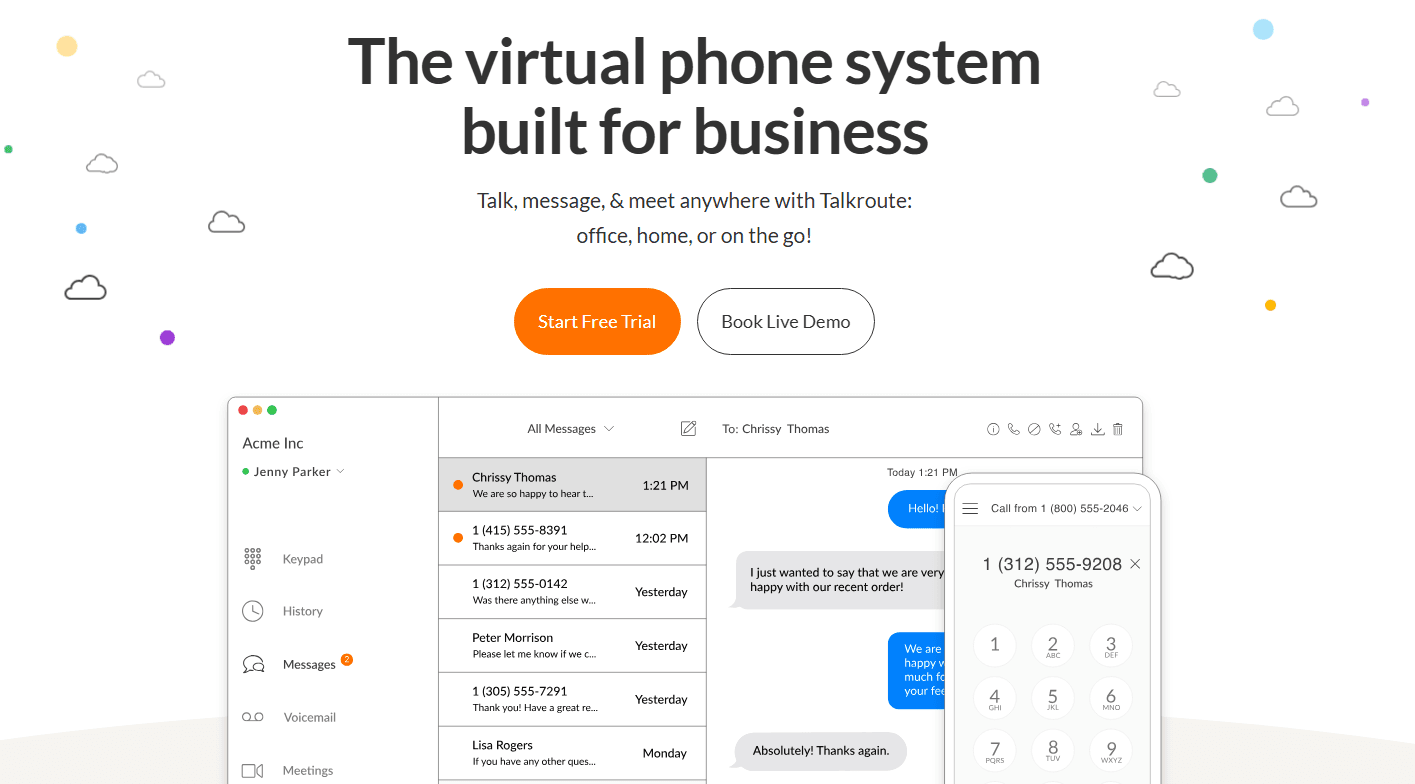
You'll find Talkroute user-friendly, thanks to its intuitive navigation system and strong overall functionality. The left navigation menu simplifies moving between features, making it easy for your team to manage business calls efficiently. Unlike other software with complex layers, Talkroute’s layout is straightforward, with demo calls to guide new users. The option to navigate through sub-menus using a hamburger icon further enhances usability.

Integrations
Talkroute integrates with Zapier and allows connection with thousands of apps through this platform.

TalkRoute Specs
- 2-Factor Authentication: Yes
- API: Yes
- Audio Recording: Yes
- Auto Dialer: Yes
- Automatic Call Distribution: Yes
- Call Disposition: No
- Call Logging: Yes
- Call Monitoring: Yes
- Call Recording: Yes
- Call Scripting: Yes
- Call Tracking: Yes
- Chat: Yes
- Click-to-Dial: Yes
- Contact Management: Yes
- Contact Sharing: No
- CRM Integration: Yes
- Dashboard: Yes
- Data Export: Yes
- Data Import: Yes
- Data Visualization: Yes
- External Integrations: Yes
- File Transfer: No
- Hardware Integration: No
- Interactive Voice Response: Yes
- Mobile App: Yes
- Multi-User: Yes
- Notifications: Yes
- Report & Compliance: Yes
- Scheduling: Yes
- SMS: Yes
- Softphone: Yes
- Video: Yes


