

Clearbit Review: Pros, Cons, Features and Pricing
Clearbit excels in providing detailed data enrichment and seamless CRM integration, making it a standout choice for businesses focused on lead generation and data accuracy.

We review tools independently, and commissions help fund our testing. See our transparency policy, our methodology, or suggest a tool.
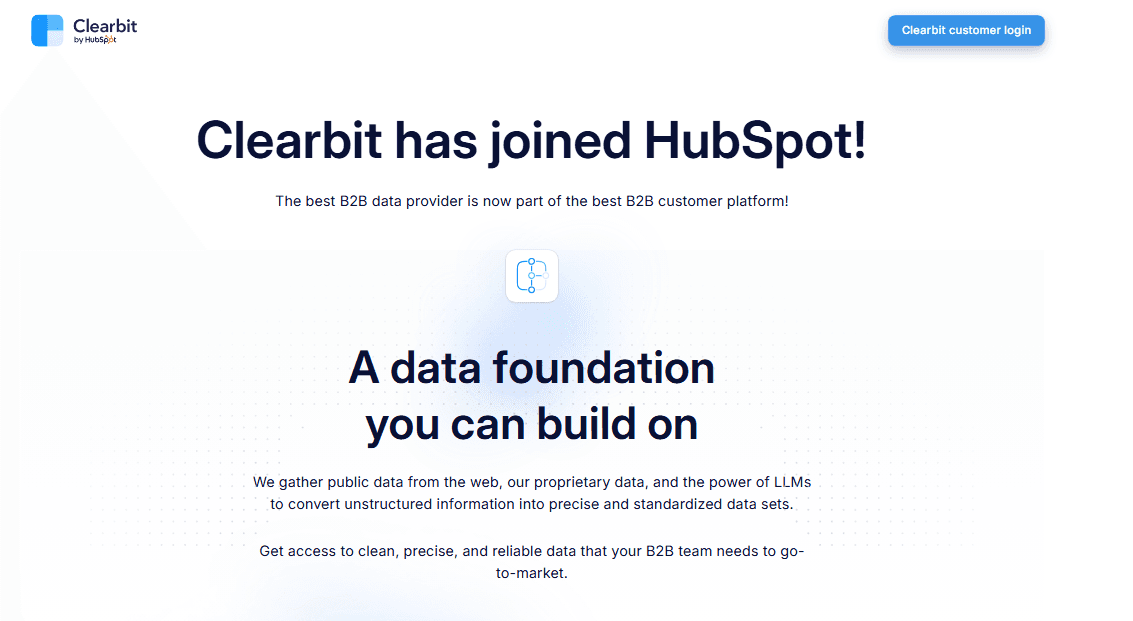
Clearbit is a customer intelligence platform built for B2B teams that need to enrich contact and company data in real time across their CRM, marketing automation, and sales tools. If your team wants enrichment that lives inside your existing stack rather than a separate database you log into, Clearbit is worth a close look. Compared to ZoomInfo, it's a better fit when your priority is API-first data enrichment that works within your workflows, not a standalone prospecting tool your reps have to toggle between.
Clearbit Evaluation Summary
4.4/5
- Pricing upon request
- Not available
Why Trust Our Software Recommendations
6,700+
Reviews
20
Industry experts
16+
Evaluation factors
14
Years
Our team has been testing and reviewing software since 2012. As CX leaders ourselves, we know how difficult—and important—it is to choose the right software.
For this guide, we evaluated tools using hands-on testing and independent research, scoring tools using our selection criteria.
Our reviews reflect our human editorial judgment, not a sales pitch.
 Gui DrusinaCreative Director
 Tim FisherVP of AI
Clearbit Overview
In my opinion, Clearbit is a solid choice for teams focused on data enrichment and lead generation. It excels with its detailed data insights and CRM integrations, making it ideal for SaaS marketing and sales departments. However, its pricing might be steep for small businesses. Compared to competitors, Clearbit offers superior integration capabilities, but its interface could be more intuitive. If your team values precise data and seamless CRM connections, Clearbit is worth considering.
Pros
- It provides detailed data enrichment for your team's lead generation efforts.
- The platform offers seamless CRM integrations to boost your work efficiency.
- Clearbit's onboarding process is straightforward, saving your team time.
Cons
- The user interface could be more intuitive for your team.
- Some users find the learning curve a bit steep at first.
- It may lack certain customization options your team might need.
Is Clearbit Right For Your Needs?
Who Would be a Good Fit for Clearbit?
Clearbit is a great fit for marketing and sales teams in tech startups and medium-sized businesses. If your team needs precise data enrichment to improve lead generation, Clearbit's capabilities can be invaluable. Its seamless CRM integration makes it easy for your team to access enriched data directly within your existing systems. This can significantly enhance your team's productivity and decision-making process, especially in industries where data accuracy is crucial.
- Tech StartupsClearbit helps your team quickly identify and target potential leads with its detailed data enrichment features and improves data quality for outreach, including sales intelligence that highlights decision-makers.
- Medium-Sized BusinessesIt provides your marketing and sales teams with accurate data to improve targeting and optimize conversion rates.
- Sales DepartmentsClearbit’s CRM integration allows your sales team to access enriched lead data effortlessly, boosting their efficiency and supporting automation of routine tasks like follow-ups.
- Marketing TeamsIt enhances your team’s ability to create targeted campaigns with precise customer data insights, including insights about website visitors to refine segmentation and leverage intent data.
- Lead Generation RolesClearbit's data enrichment tools are perfect for those focused on finding and converting quality leads.
- Data-Driven IndustriesIf your industry relies on accurate data, Clearbit’s detailed insights can greatly support your team’s efforts and strengthen your company data foundation, with customizable dashboards for visibility.
Who Would be a Bad Fit for Clearbit?
Clearbit might not be suitable for small businesses or non-profit organizations with limited budgets. Its pricing can be a barrier for teams that don't need extensive data enrichment or have simple data requirements. If your team doesn't require detailed insights or CRM integration, Clearbit's advanced features may be unnecessary and costly for your needs.
- Small BusinessesClearbit's pricing might not align with your budget if you have limited financial resources.
- Non-Profit OrganizationsYou may find Clearbit's features excessive if your data needs are straightforward and budget is tight.
- FreelancersIf you're working solo, you might not need Clearbit's extensive data capabilities for your projects.
- Basic Data NeedsTeams with simple data requirements may find Clearbit's advanced features unnecessary.
- Cost-Conscious TeamsIf your team prioritizes cost over advanced data features, Clearbit might not be the best choice.
- Industries with Minimal Data UseIndustries that don't rely heavily on data insights may not benefit from Clearbit's detailed enrichment.
How We Test & Score Tools
We’ve spent years building, refining, and improving our software testing and scoring system. The rubric is designed to capture the nuances of software selection and what makes a tool effective, focusing on critical aspects of the decision-making process.
Below, you can see exactly how our testing and scoring works across seven criteria. It allows us to provide an unbiased evaluation of the software based on core functionality, standout features, ease of use, onboarding, customer support, integrations, customer reviews, and value for money.
Core Functionality (25% of final scoring)
The starting point of our evaluation is always the core functionality of the tool. Does it have the basic features and functions that a user would expect to see? Are any of those core features locked to higher-tiered pricing plans? At its core, we expect a tool to stand up against the baseline capabilities of its competitors.
Standout Features (25% of final scoring)
Next, we evaluate uncommon standout features that go above and beyond the core functionality typically found in tools of its kind. A high score reflects specialized or unique features that make the product faster, more efficient, or offer additional value to the user.
We also evaluate how easy it is to integrate with other tools typically found in the tech stack to expand the functionality and utility of the software. Tools offering plentiful native integrations, 3rd party connections, and API access to build custom integrations score best.
Ease of Use (10% of final scoring)
We consider how quick and easy it is to execute the tasks defined in the core functionality using the tool. High scoring software is well designed, intuitive to use, offers mobile apps, provides templates, and makes relatively complex tasks seem simple.
Onboarding (10% of final scoring)
We know how important rapid team adoption is for a new platform, so we evaluate how easy it is to learn and use a tool with minimal training. We evaluate how quickly a team member can get set up and start using the tool with no experience. High scoring solutions indicate little or no support is required.
Customer Support (10% of final scoring)
We review how quick and easy it is to get unstuck and find help by phone, live chat, or knowledge base. Tools and companies that provide real-time support score best, while chatbots score worst.
Customer Reviews (10% of final scoring)
Beyond our own testing and evaluation, we consider the net promoter score from current and past customers. We review their likelihood, given the option, to choose the tool again for the core functionality. A high scoring software reflects a high net promoter score from current or past customers.
Value for Money (10% of final scoring)
Lastly, in consideration of all the other criteria, we review the average price of entry level plans against the core features and consider the value of the other evaluation criteria. Software that delivers more, for less, will score higher.
Core Features
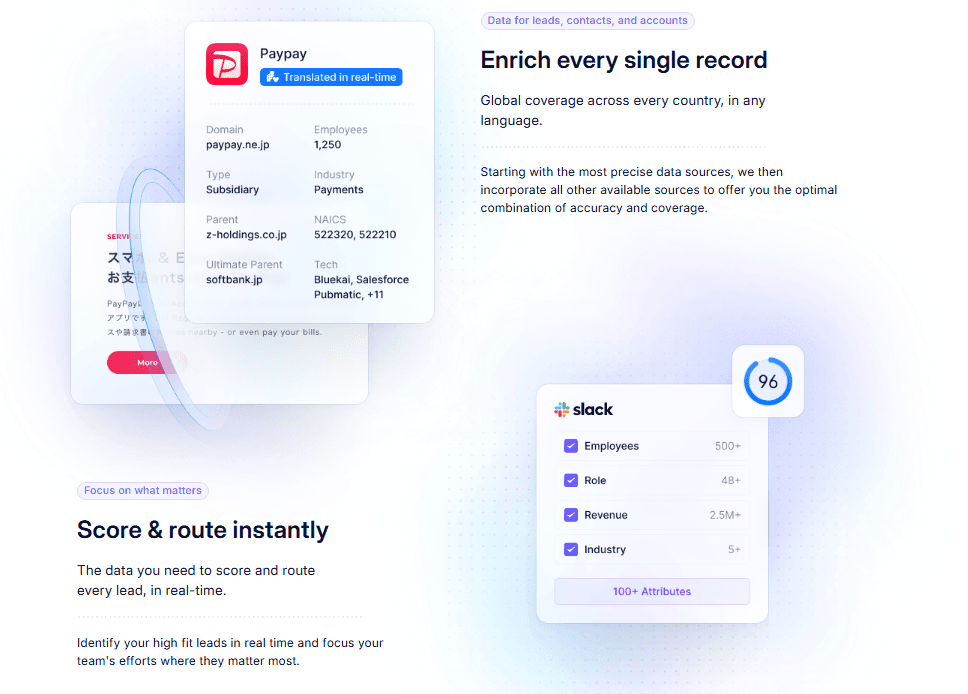
Data Enrichment: Clearbit enriches your data by adding detailed information to your existing customer profiles, improving lead accuracy. This helps your team target the right prospects efficiently by consolidating contact data and mapping critical data points.
Lead Scoring: It automatically ranks leads based on potential value, allowing your team to prioritize efforts. This feature saves time and boosts conversion rates.
Data Segmentation: You can segment your audience using sales intelligence based on various criteria, tailoring your marketing and sales strategies. This means more personalized and effective campaigns for your team that streamline nurturing paths.
Real-Time Updates: Clearbit provides real-time data updates, ensuring your information is always current. Your team can rely on accurate and up-to-date insights to track website visitors and trigger timely actions.
Contact Discovery and Lead Enrichment: It helps your team find new contacts within target companies with details like company size and phone numbers, thereby expanding your reach. This feature is crucial for growing your customer base and enriching company data for account-based efforts.
Email Verification: Clearbit verifies email addresses to ensure deliverability, reducing bounce rates. This keeps your communication channels open and effective.

Ease of Use
Clearbit is fairly easy to use, though some users find the interface could be more intuitive. Your team might need time to adapt to its layout and features. Once you get the hang of it, the platform's capabilities, like real-time updates and data enrichment, become valuable assets. The onboarding process is smooth, helping your team get started quickly. Overall, Clearbit's usability is solid, but a more user-friendly interface could enhance your team's experience.
Integrations
Integrations remain broad (Salesforce, HubSpot, Marketo, Mailchimp, APIs/Zapier), but the HubSpot deal has brought deeper native enrichment, scoring, and workflow functionality inside HubSpot, with some features consolidated under HubSpot branding.

Clearbit Specs
- A/B Testing: No
- Access Management: No
- Analytics: Yes
- API: Yes
- Conversion Tracking: Yes
- Custom Reports: No
- Customer Management: Yes
- Dashboards: No
- Data Export: Yes
- Data Import: Yes
- Data Mining: No
- Data Visualization: Yes
- External Integrations: Yes
- Forecasting: Yes
- Inventory Tracking: No
- Keyword Tracking: No
- Link Tracking: No
- Multi-User: No
- Notifications: Yes
- Project Management: No
- Reports: No
- Scenario Planning: No
- SEO: No
- Supplier Management: No
- Visualization: No


