

Qualtrics Review: Pros, Cons, Features and Pricing
Qualtrics excels in delivering versatile survey solutions that adapt to your team's unique needs, setting it apart from its competitors.

We review tools independently, and commissions help fund our testing. See our transparency policy, our methodology, or suggest a tool.
Qualtrics is a customer survey tool built for teams that need to design, distribute, and analyze feedback across the entire customer journey. I'd consider it if your team has outgrown tools like SurveyMonkey and needs deeper survey logic, cross-tab analysis, and the ability to connect feedback data across multiple business functions. Where SurveyMonkey works well for simple, one-off surveys, Qualtrics is better suited to teams running ongoing research programs that feed directly into product, CX, and operational decisions.
Qualtrics Evaluation Summary

4.3/5
- Pricing upon request
- Free demo available
Why Trust Our Software Recommendations
6,700+
Reviews
20
Industry experts
16+
Evaluation factors
14
Years
Our team has been testing and reviewing software since 2012. As CX leaders ourselves, we know how difficult—and important—it is to choose the right software.
For this guide, we evaluated tools using hands-on testing and independent research, scoring tools using our selection criteria.
Our reviews reflect our human editorial judgment, not a sales pitch.
 Gui DrusinaCreative Director
 Tim FisherVP of AI
Qualtrics Overview
In my opinion, Qualtrics is a strong contender in customer survey tools, especially for large enterprises needing detailed insights from customer feedback. Its advanced features and strong support make it a top choice for those willing to invest in quality. However, the price can be a hurdle for smaller teams. Compared to others, this survey software excels in customization and data analysis but might be less intuitive for new users. It's best for organizations ready to leverage its full potential in complex survey scenarios.
Pros
- You can customize surveys with advanced features for detailed data collection.
- It offers strong data analysis tools to make sense of complex feedback.
- Customer support is responsive and helpful when you need assistance.
Cons
- The interface can feel overwhelming for new users.
- Your team might find it less intuitive compared to simpler tools.
- It may require a learning curve to fully utilize its features.
Is Qualtrics Right For Your Needs?
Who Would be a Good Fit for Qualtrics?
Qualtrics is a great survey platform for large enterprises and research teams that need detailed insights. If your team handles complex surveys, its advanced customization and data analysis tools are a strong match. It’s also ideal for customer support departments that require in-depth feedback and sentiment analysis to improve services. With its responsive customer support, you’ll find help when needed, making it a solid choice for teams ready to leverage its full potential.
- Large EnterprisesYour company can benefit from Qualtrics’s customization and data analysis tools for detailed feedback insights.
- Research TeamsYou’ll find its advanced survey features perfect for conducting complex market research studies.
- Customer SupportYour department can use Qualtrics to gather in-depth feedback to improve customer service.
- Healthcare ProvidersYou can utilize its detailed and high-quality survey capabilities to gather patient feedback and improve care.
- Educational InstitutionsYour institution can use Qualtrics to collect data for academic research and student feedback.
- Marketing DepartmentsYour team can leverage its data analysis to understand customer preferences and drive campaigns.
Who Would be a Bad Fit for Qualtrics?
Qualtrics might not suit small businesses or startups with limited budgets and straightforward survey needs. If your team requires a basic survey tool with a simple interface, Qualtrics’s complexity and learning curve could be frustrating. It's also less ideal for teams that need quick setup and deployment, as the onboarding process can be lengthy for those not needing advanced features.
- Small StartupsYour startup might find Qualtrics too complex and costly for basic survey needs.
- FreelancersYou may not need its advanced features for simple and quick survey tasks.
- Non-Technical TeamsYour team could struggle with its interface, which isn't as user-friendly and intuitive as simpler tools.
- Short-term ProjectsYou’ll find the setup and onboarding process too lengthy for brief engagements.
- Budget-Conscious SchoolsYour institution might find its cost prohibitive for basic educational surveys.
- Local NonprofitsYou might not need its high-level features for simple community feedback.
How We Test & Score Tools
We’ve spent years building, refining, and improving our software testing and scoring system. The rubric is designed to capture the nuances of software selection and what makes a tool effective, focusing on critical aspects of the decision-making process.
Below, you can see exactly how our testing and scoring works across seven criteria. It allows us to provide an unbiased evaluation of the software based on core functionality, standout features, ease of use, onboarding, customer support, integrations, customer reviews, and value for money.
Core Functionality (25% of final scoring)
The starting point of our evaluation is always the core functionality of the tool. Does it have the basic features and functions that a user would expect to see? Are any of those core features locked to higher-tiered pricing plans? At its core, we expect a tool to stand up against the baseline capabilities of its competitors.
Standout Features (25% of final scoring)
Next, we evaluate uncommon standout features that go above and beyond the core functionality typically found in tools of its kind. A high score reflects specialized or unique features that make the product faster, more efficient, or offer additional value to the user.
We also evaluate how easy it is to integrate with other tools typically found in the tech stack to expand the functionality and utility of the software. Tools offering plentiful native integrations, 3rd party connections, and API access to build custom integrations score best.
Ease of Use (10% of final scoring)
We consider how quick and easy it is to execute the tasks defined in the core functionality using the tool. High scoring software is well designed, intuitive to use, offers mobile apps, provides templates, and makes relatively complex tasks seem simple.
Onboarding (10% of final scoring)
We know how important rapid team adoption is for a new platform, so we evaluate how easy it is to learn and use a tool with minimal training. We evaluate how quickly a team member can get set up and start using the tool with no experience. High scoring solutions indicate little or no support is required.
Customer Support (10% of final scoring)
We review how quick and easy it is to get unstuck and find help by phone, live chat, or knowledge base. Tools and companies that provide real-time support score best, while chatbots score worst.
Customer Reviews (10% of final scoring)
Beyond our own testing and evaluation, we consider the net promoter score from current and past customers. We review their likelihood, given the option, to choose the tool again for the core functionality. A high scoring software reflects a high net promoter score from current or past customers.
Value for Money (10% of final scoring)
Lastly, in consideration of all the other criteria, we review the average price of entry level plans against the core features and consider the value of the other evaluation criteria. Software that delivers more, for less, will score higher.
Core Features
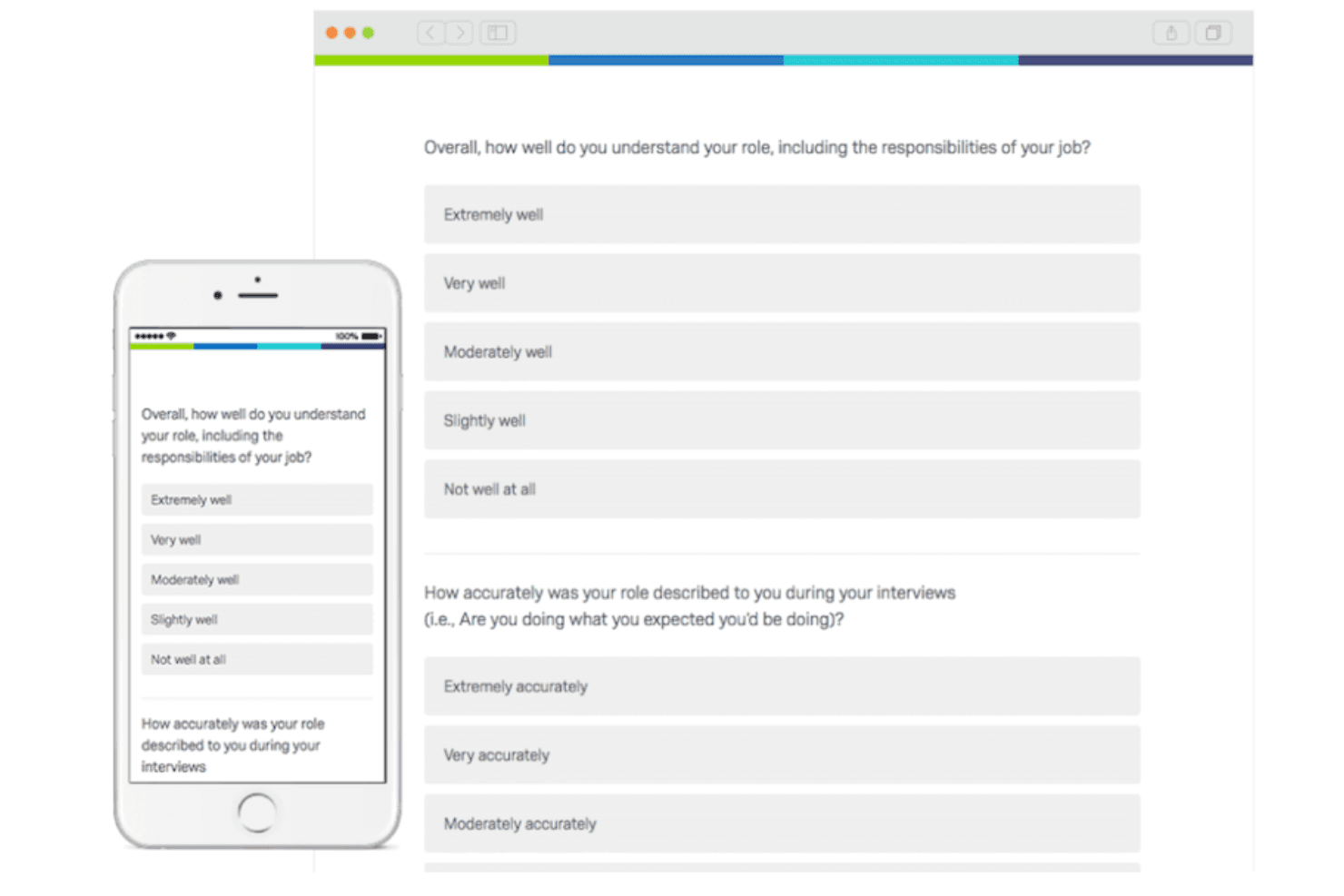
Survey Design: You can create customized surveys with an intuitive drag-and-drop interface. This helps your team tailor questions to gather specific insights from the survey responses.
Data Analysis: Use advanced tools to analyze responses and uncover patterns. This feature allows you to make informed decisions based on real datasets.
Reporting: Generate detailed reports to visualize your survey results. Your team can easily share insights with stakeholders using these professional reports.
Feedback Collection: Collect feedback in real-time from various channels. This ensures you get timely responses and can act on them quickly.
Question Types: Choose from a wide range of question types to suit your survey needs. This flexibility helps you capture the exact data you're after.
Mobile Compatibility: Your Qualtrics surveys can be accessed and completed on any device. This ensures participants can respond at their convenience.
Standout Features
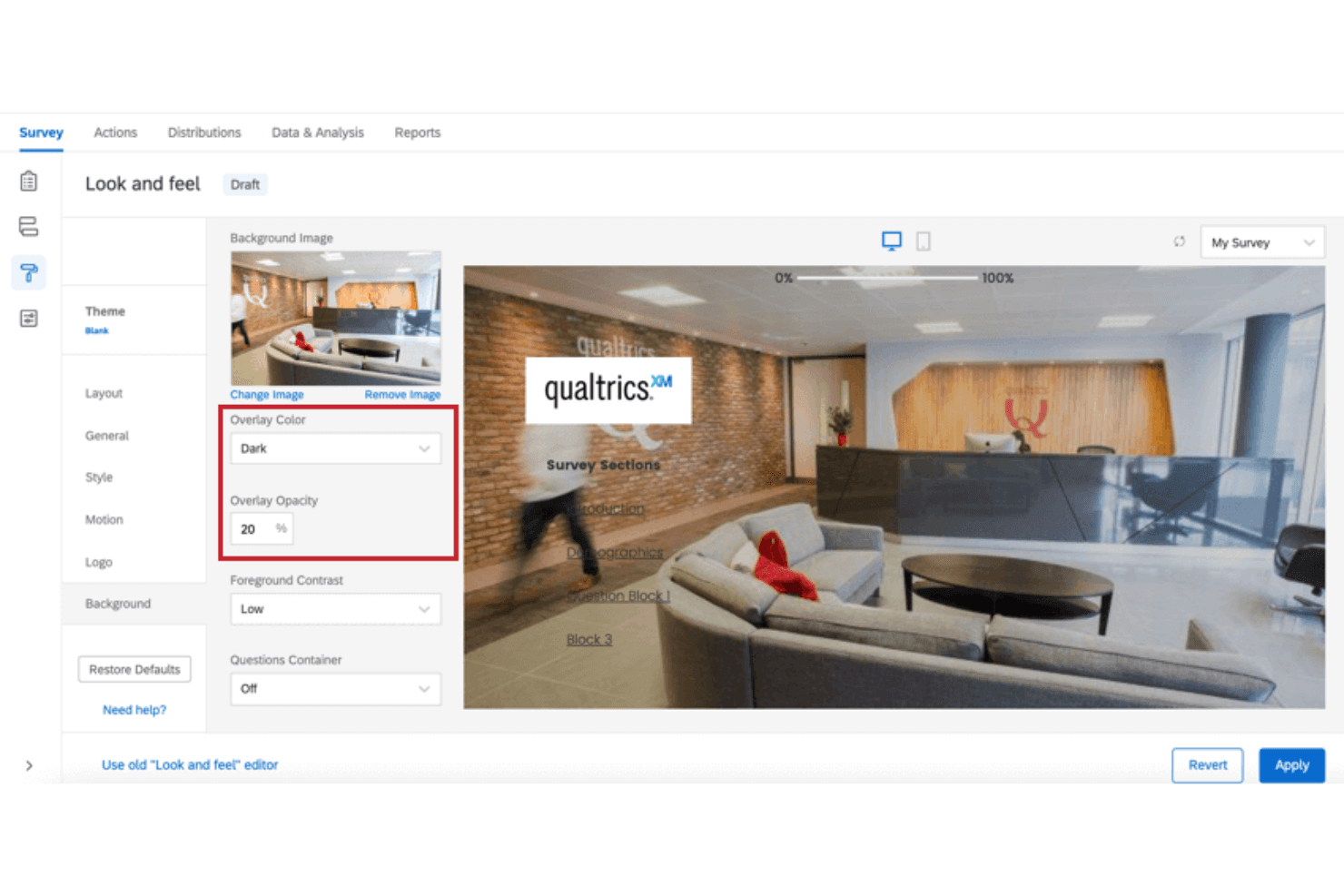
Advanced Customization: Customize everything from survey logic and dashboards to design elements. This lets your team create surveys that truly reflect your brand's identity.
Predictive Intelligence: Leverage AI and automation to predict trends and outcomes from your data. This powerful feature gives your team foresight into potential future trends.
Ease of Use
Qualtrics can feel overwhelming at first, especially for teams new to advanced survey tools. Its interface, while powerful, isn’t as intuitive as simpler options. You might find the learning curve steep, but once you get the hang of it, the customization and data analysis capabilities are worth it. If your team is ready to invest time in learning, you’ll unlock its full potential and appreciate the depth it offers.

Onboarding
Qualtrics offers a thorough onboarding process with extensive resources and support to help your team get started. While it may take some time to fully grasp its features, the detailed tutorials and responsive customer support make the transition smoother. Your team will find the initial investment in learning worthwhile as they gain deep insights from the tool. If you’re committed to exploring its capabilities, Qualtrics provides the guidance you need to succeed.
Customer Support
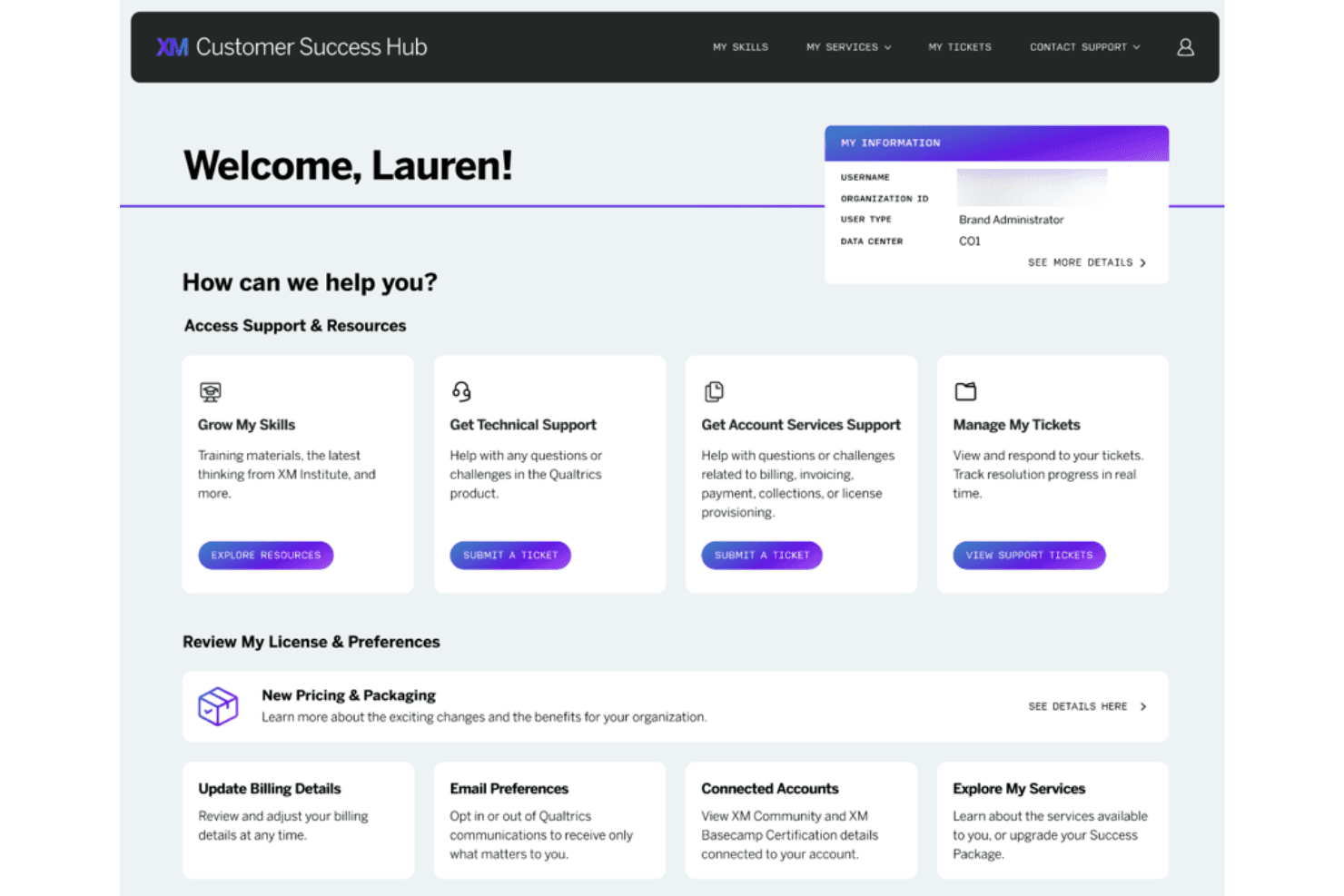
Qualtrics provides excellent customer support, which helps your team navigate any challenges quickly. Users’ online reviews often praise the responsive and knowledgeable assistance available through various channels, including chat and email. The support team is well-equipped to handle your queries, making the overall experience smoother. If your team values reliable help when issues arise, you'll appreciate the dedication and efficiency of Qualtrics's support services.
Integrations
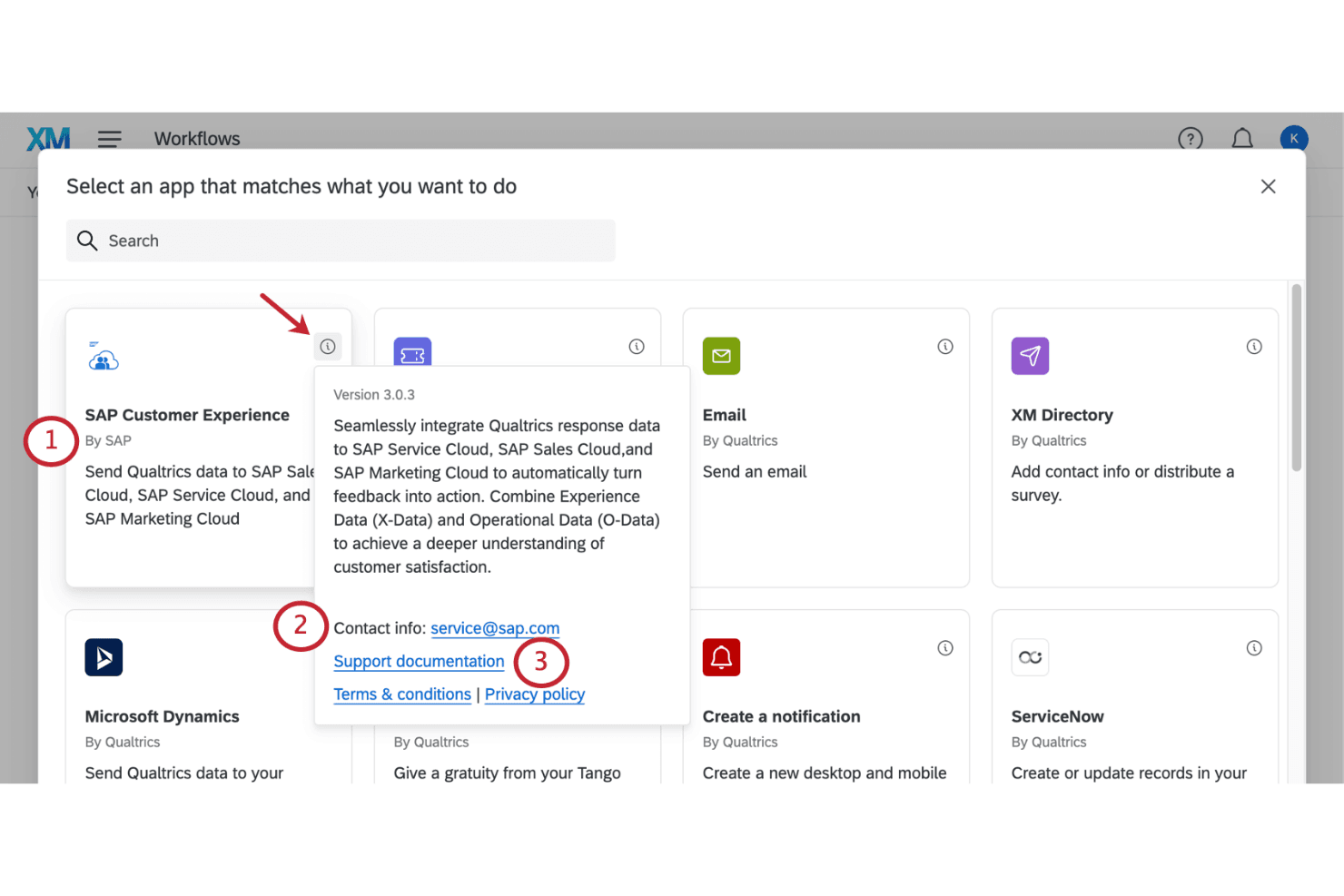
Qualtrics integrates with Salesforce, Tableau, Power BI, Marketo, SAP, Slack, Microsoft Teams and Adobe Analytics.
Qualtrics also has an API, allowing for custom integrations and connections with third-party integration tools.
Value for Money
Qualtrics pricing is based on usage, which means you pay for what your team needs. While it might seem costly upfront, the advanced features and insights can justify the investment for larger teams seeking in-depth analysis. The pricing is available on request. A free trial and a demo are available, which lets you evaluate the software before making a purchase decision.
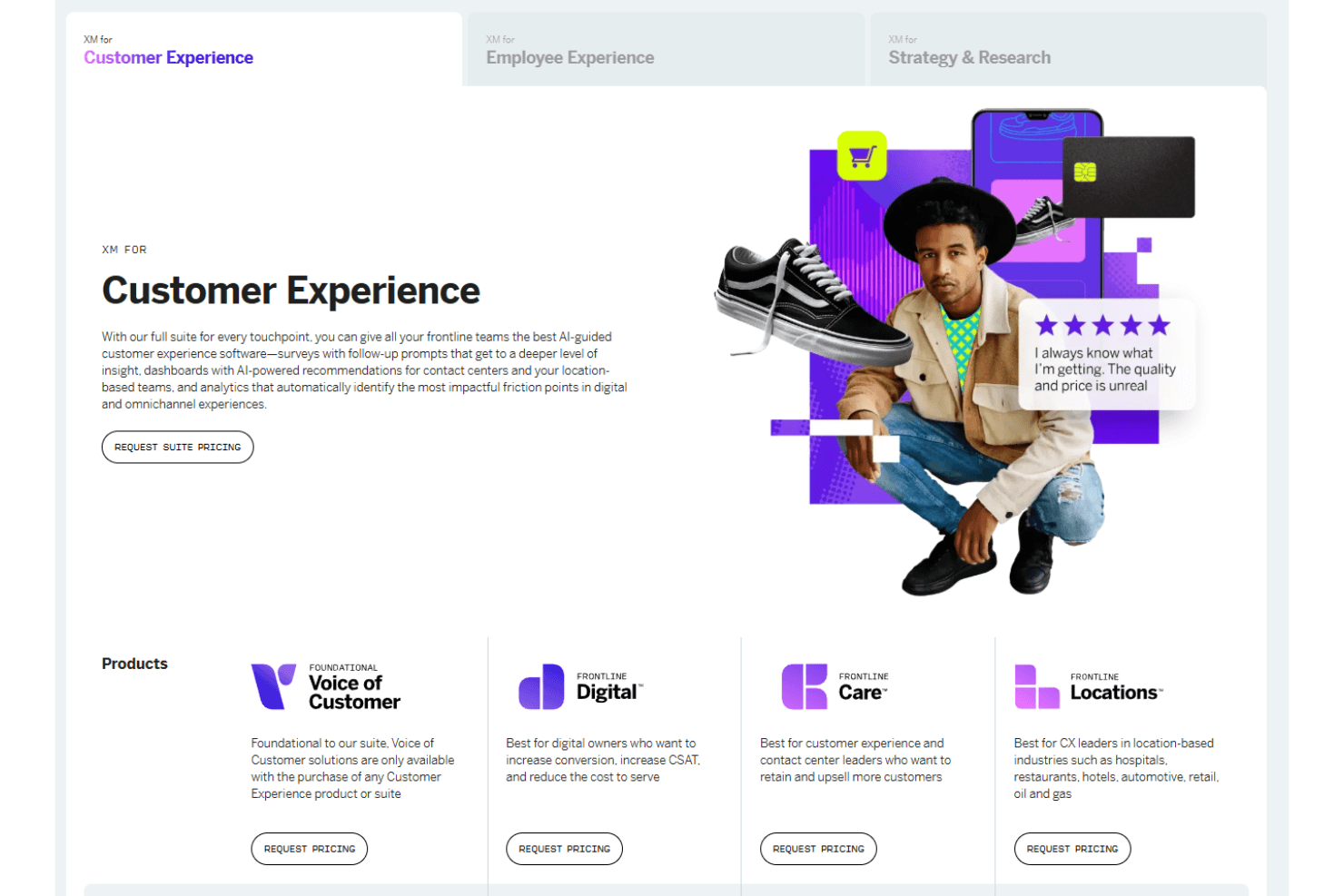
- Customer Experience: Offers tools for gathering insights and AI-driven recommendations.
- Employee Experience: Focuses on enhancing productivity and employee engagement.
- Strategy & Research: Provides analytics and feedback tools tailored for various needs.
Qualtrics Specs
- 2-Factor Authentication: Yes
- A/B Testing: Yes
- Analytics: Yes
- API: Yes
- BitCoin: Yes
- Conversion Tracking: Yes
- Dashboard: Yes
- Data Export: Yes
- Data Import: Yes
- Data Visualization: Yes
- Design Templates: Yes
- External Integrations: Yes
- Inventory Tracking: Yes
- Keyword Tracking: Yes
- Marketing Automation: Yes
- Multi-User: Yes
- Notifications: Yes
- Order Management: Yes
- Payment Gateway Integration: Yes
- Payment Processor: Yes
- PayPal: Yes
- Product Catalog: Yes
- Review Monitoring: Yes
- SAP Integration: Yes
- Scheduling: Yes
- Stripe: Yes
- Third-Party Plugins/Add-Ons: Yes
Qualtrics FAQs
Qualtrics Company Overview & History
Qualtrics, founded in 2002 by Scott M. Smith, Ryan Smith, Jared Smith, and Stuart Orgill, is an experience management company headquartered in Provo, Utah, and Seattle, Washington. In 2023, Silver Lake led a group to take it private for $12.5 billion. As of 2022, Qualtrics reported $1.46 billion in revenue and employed around 5,600 people, serving over 20,000 brands globally.
Qualtrics Major Milestones
- 2002: Founded by Scott M. Smith, Ryan Smith, Jared Smith, and Stuart Orgill.
- 2012: Shifted focus from academic surveys to enterprise clients.
- 2018: Acquired by SAP for $8 billion.
- 2021: Went public in January.
- 2023: Taken private by Silver Lake for $12.5 billion.