
Sling Scheduling Software Review: Pros, Cons, Features, and Pricing
Sling Scheduling Software excels in call center scheduling with its intuitive interface and affordable plans, making it ideal for small teams seeking efficient management.

We review tools independently, and commissions help fund our testing. See our transparency policy, our methodology, or suggest a tool.
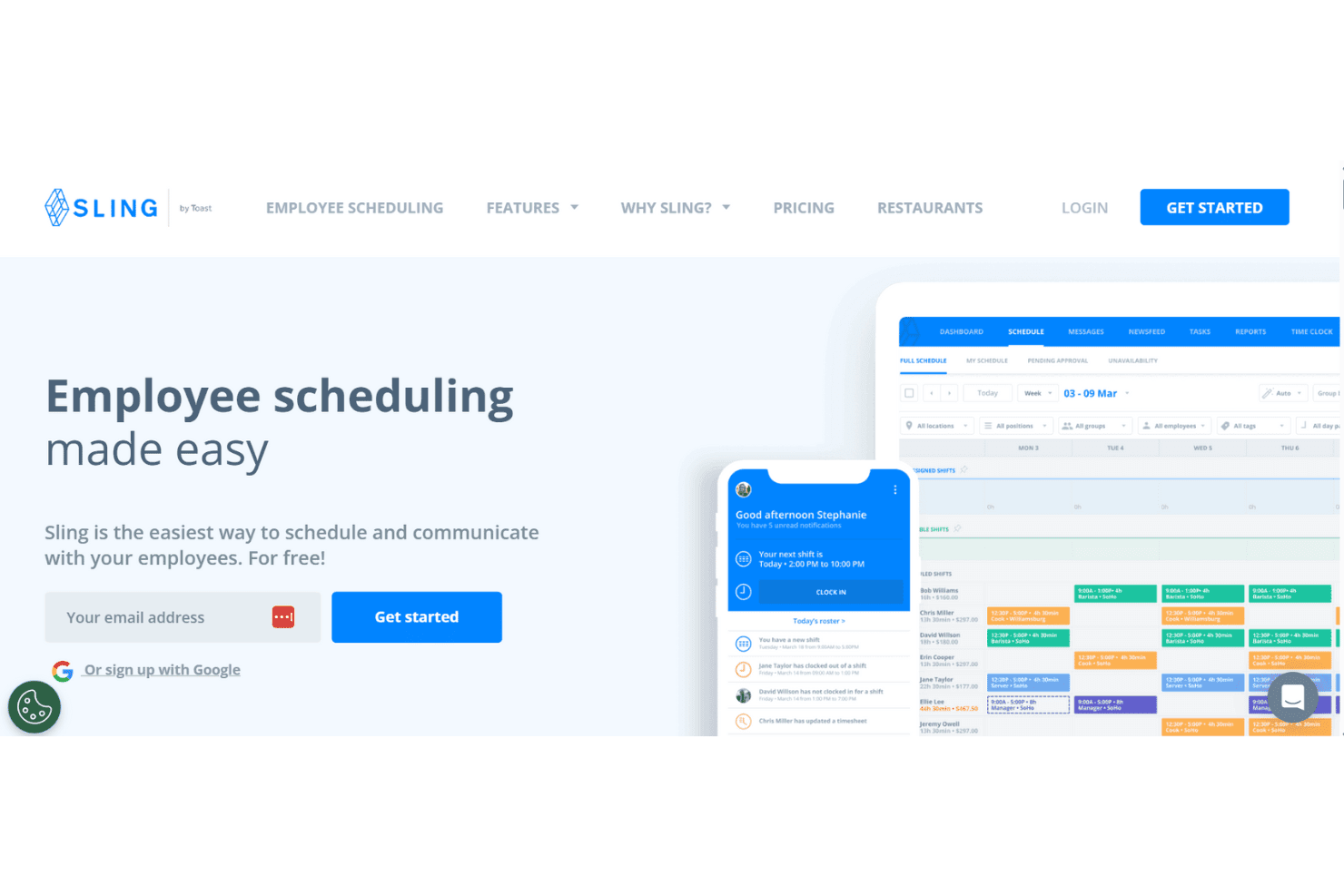
Sling is a call center scheduling software designed for shift-based teams that need scheduling, time tracking, and team messaging in one place. It's worth a look if you're managing a small to mid-sized call center and want visibility into labor costs without investing in a heavy enterprise platform. If you want a free starting tier and built-in communications, it's better than When I Work, as Sling includes both without requiring a paid upgrade to unlock the basics.
Sling Evaluation Summary
0/5
- From $1.70/user/month (billed annually)
- Free trial + free plan available
Why Trust Our Software Recommendations
6,700+
Reviews
20
Industry experts
16+
Evaluation factors
14
Years
Our team has been testing and reviewing software since 2012. As CX leaders ourselves, we know how difficult—and important—it is to choose the right software.
For this guide, we evaluated tools using hands-on testing and independent research, scoring tools using our selection criteria.
Our reviews reflect our human editorial judgment, not a sales pitch.
Sling Overview
In my opinion, Sling Scheduling Software is a solid choice for small- to medium-sized call centers looking for an efficient, automated scheduling app. Its user-friendly interface makes it easy for your team to adapt quickly. Though not as feature-rich as some higher-end solutions, it offers a good balance of functionality and cost. Sling Scheduling Software excels in providing basic and easy-to-use employee scheduling needs, but if you're looking for more advanced features, such as extensive reporting or integrations, you might find it lacking compared with competitors like Deputy or When I Work. It's best suited for teams that don't want a hefty price tag and that prioritize straightforward scheduling and communication.
Pros
- Your team will find the interface intuitive and easy to navigate.
- Scheduling shifts is quick and efficient, saving you time.
- Communication tools help your team stay connected and informed.
Cons
- Reporting features are limited for detailed analysis.
- Advanced customization options might not meet your specific needs.
- Larger teams may find the functionality lacking compared to other options.
Is Sling Right For Your Needs?
Who Would be a Good Fit for Sling?
Sling Scheduling Software is ideal for small- to medium-sized businesses, especially in retail and hospitality, where scheduling shifts is a daily task. Your team will appreciate its easy-to-use interface, which streamlines communication and shift management. If you manage a customer support team that needs efficient employee scheduling software without complex features, Sling Scheduling Software's straightforward tools will meet your needs. Its communication features ensure everyone stays informed, making it perfect for environments where quick updates are crucial.
- Retail TeamsSling Scheduling Software simplifies shift scheduling and communication, allowing employees to see available shifts and shift trade, making it great for retail environments where staff changes are frequent.
- Hospitality BusinessesWith its key features and intuitive scheduling, Sling Scheduling Software helps track employee shifts efficiently in dynamic hospitality settings.
- Small Call CentersSling Scheduling Software's ease of use is perfect for small call centers needing basic scheduling tools, such as tracking PTO requests, without overwhelming features.
- Customer Support DepartmentsSling's integrated platform offers all-in-one software that keeps your support team connected and informed, ideal for maintaining appropriate staffing and service quality.
- Non-Profit OrganizationsIts cost-effective plans and simple tracking time tools make Sling Scheduling Software a good fit for budget-conscious non-profits.
- Healthcare ClinicsFor clinics needing straightforward and streamlined scheduling, Sling Scheduling Software's features help manage staff shifts where complete coverage of all work hours is important.
Who Would be a Bad Fit for Sling?
Sling Scheduling Software might not suit large enterprises or industries needing advanced scheduling features and integrations. If your team requires detailed reporting, extensive customization, or integration with other software, Sling Scheduling Software's limited capabilities may frustrate you. For tech-heavy environments or large-scale operations, its straightforward tools may feel too basic. You'll likely need a more robust solution to handle complex scheduling and data analysis.
- Large CorporationsSling Scheduling Software's limited features won't meet the complex scheduling needs of large corporate environments.
- Tech CompaniesFor tech firms needing advanced integrations, Sling Scheduling Software's basic tools aren't sufficient.
- Manufacturing PlantsSling Scheduling Software lacks the detailed reporting necessary for managing large-scale manufacturing operations.
- Finance DepartmentsDepartments needing precise scheduling and reporting won't find Sling Scheduling Software's tools adequate.
- Educational InstitutionsSling Scheduling Software's basic scheduling doesn't cater to the complex timetabling needs of schools or universities.
- Healthcare NetworksFor large healthcare networks requiring advanced scheduling, Sling Scheduling Software's simplicity is a drawback.
How We Test & Score Tools
We’ve spent years building, refining, and improving our software testing and scoring system. The rubric is designed to capture the nuances of software selection and what makes a tool effective, focusing on critical aspects of the decision-making process.
Below, you can see exactly how our testing and scoring works across seven criteria. It allows us to provide an unbiased evaluation of the software based on core functionality, standout features, ease of use, onboarding, customer support, integrations, customer reviews, and value for money.
Core Functionality (25% of final scoring)
The starting point of our evaluation is always the core functionality of the tool. Does it have the basic features and functions that a user would expect to see? Are any of those core features locked to higher-tiered pricing plans? At its core, we expect a tool to stand up against the baseline capabilities of its competitors.
Standout Features (25% of final scoring)
Next, we evaluate uncommon standout features that go above and beyond the core functionality typically found in tools of its kind. A high score reflects specialized or unique features that make the product faster, more efficient, or offer additional value to the user.
We also evaluate how easy it is to integrate with other tools typically found in the tech stack to expand the functionality and utility of the software. Tools offering plentiful native integrations, 3rd party connections, and API access to build custom integrations score best.
Ease of Use (10% of final scoring)
We consider how quick and easy it is to execute the tasks defined in the core functionality using the tool. High scoring software is well designed, intuitive to use, offers mobile apps, provides templates, and makes relatively complex tasks seem simple.
Onboarding (10% of final scoring)
We know how important rapid team adoption is for a new platform, so we evaluate how easy it is to learn and use a tool with minimal training. We evaluate how quickly a team member can get set up and start using the tool with no experience. High scoring solutions indicate little or no support is required.
Customer Support (10% of final scoring)
We review how quick and easy it is to get unstuck and find help by phone, live chat, or knowledge base. Tools and companies that provide real-time support score best, while chatbots score worst.
Customer Reviews (10% of final scoring)
Beyond our own testing and evaluation, we consider the net promoter score from current and past customers. We review their likelihood, given the option, to choose the tool again for the core functionality. A high scoring software reflects a high net promoter score from current or past customers.
Value for Money (10% of final scoring)
Lastly, in consideration of all the other criteria, we review the average price of entry level plans against the core features and consider the value of the other evaluation criteria. Software that delivers more, for less, will score higher.
Core Features
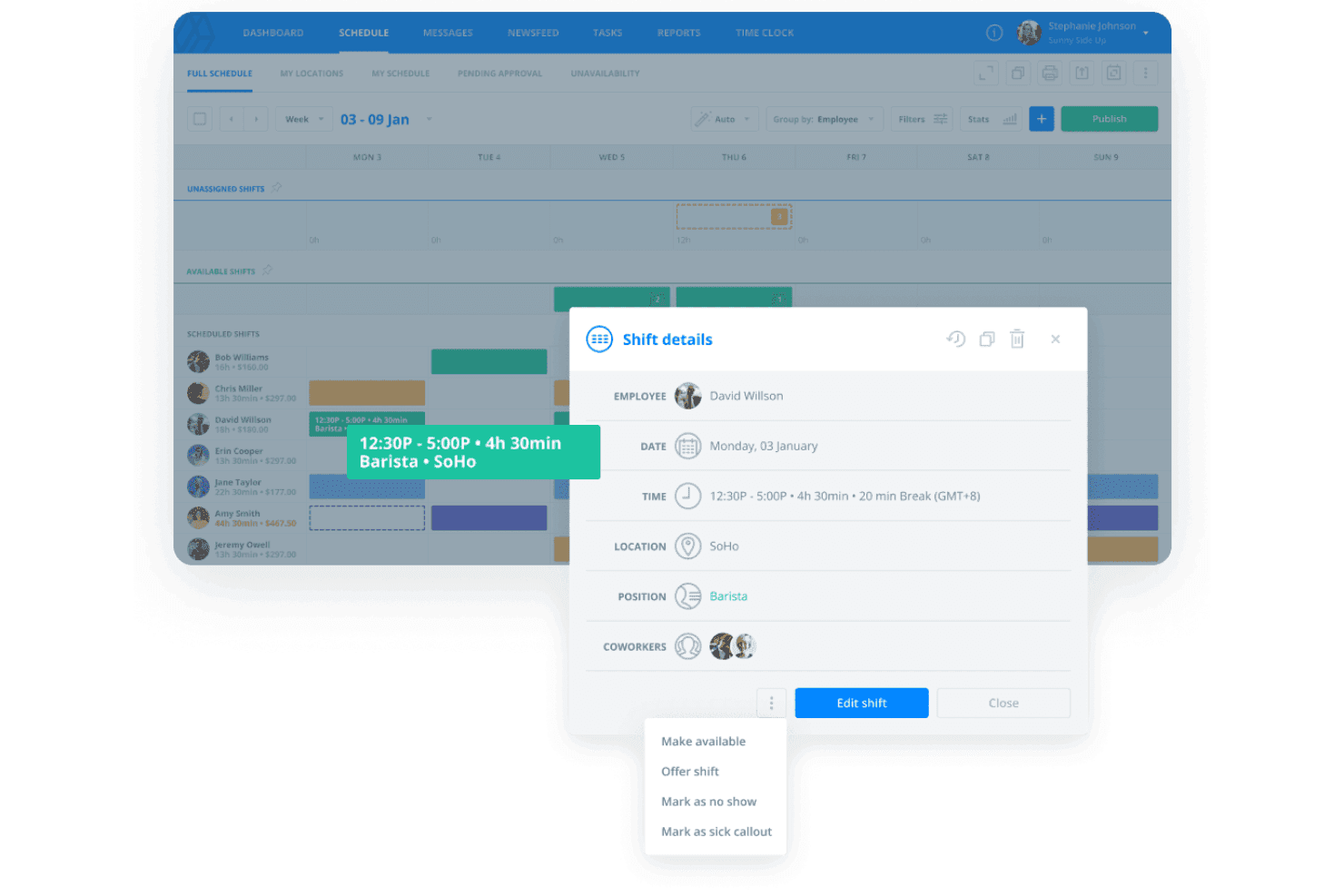
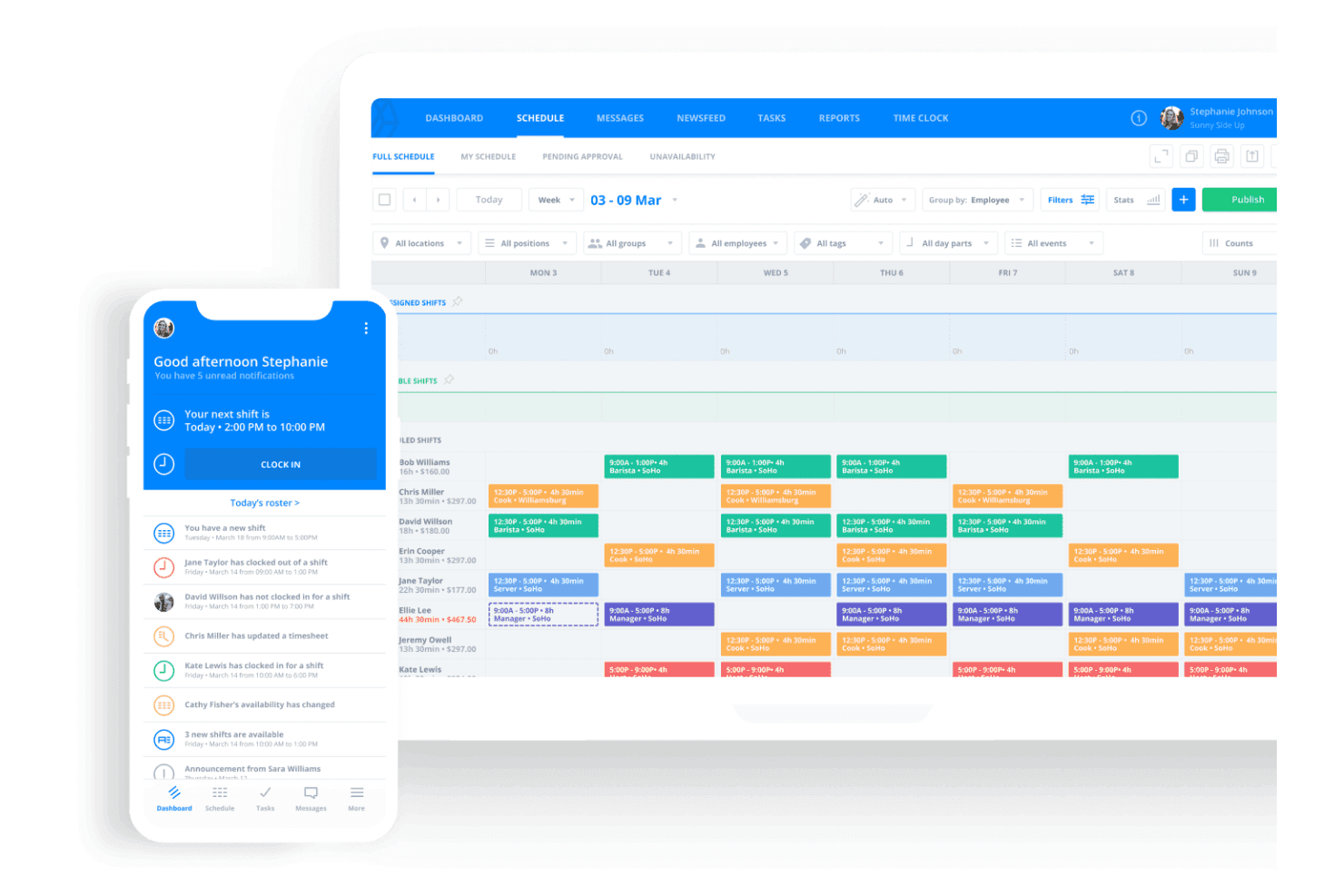
Shift Scheduling: Sling Scheduling Software lets you easily create and manage timesheets, ensuring your team knows their schedule at all times. Key features allow your employees to see overlapping shifts, upcoming shifts, and approved PTO requests, making it easy to handle last-minute changes.
Time Tracking: Track your team's hours accurately with Sling Scheduling Software's built-in time tracking. This feature saves time, helps reduce errors in payroll, and keeps everyone accountable.
Task Management: Assign tasks directly within the app and message the appropriate team members, so your team knows what needs to be done and when. It keeps everyone on the same page and improves productivity.
Communication Tools: Use Sling Scheduling Software's messaging feature to keep your team informed and connected. It reduces miscommunication, allows employees to request time off, and ensures everyone gets important updates.
Availability Management: Your team can input their availability, helping you schedule shifts more efficiently. It minimizes conflicts and keeps everyone happy with their schedules.
Notifications: Sling Scheduling Software sends reminders and updates directly to your team, so no one misses a shift or important message. It helps keep operations running smoothly.
Standout Features
Employee Dashboard: Sling Scheduling Software provides a personalized dashboard where each team member can see their schedule, tasks, and messages in one place. It simplifies the user experience and keeps everyone organized.
Shift Alarms: With shift alarms, Sling Scheduling Software ensures your team never forgets a shift. These alerts help reduce no-shows and keep your call center operating efficiently.

Ease of Use
Sling Scheduling Software is incredibly user-friendly, making it simple for your team to navigate and use daily. Its intuitive interface and templates mean you won't waste time on training, and your team can start scheduling right away. Its straightforward features, like drag-and-drop scheduling and instant notifications, enhance usability. Compared to more complex systems, Sling Scheduling Software's simplicity is a huge advantage, allowing your team to focus on their work without technical hurdles.
Onboarding
Sling Scheduling Software's onboarding process is straightforward and efficient, enabling your team to get up and running quickly. The platform offers clear guides and tutorials, making it easy to understand its features. You'll find helpful resources available, reducing the learning curve significantly. Compared to more convoluted systems, Sling Scheduling Software's onboarding ensures your team reaches productivity faster without unnecessary delays.

Customer Support
Sling Scheduling Software offers reliable customer support that helps resolve your team's issues efficiently. With accessible support channels like live chat and email, you get timely assistance when needed. The support team is known for being responsive and helpful, which is crucial for maintaining smooth operations. Compared to more cumbersome support systems, Sling Scheduling Software ensures your team gets the help they need without unnecessary delays.

Integrations
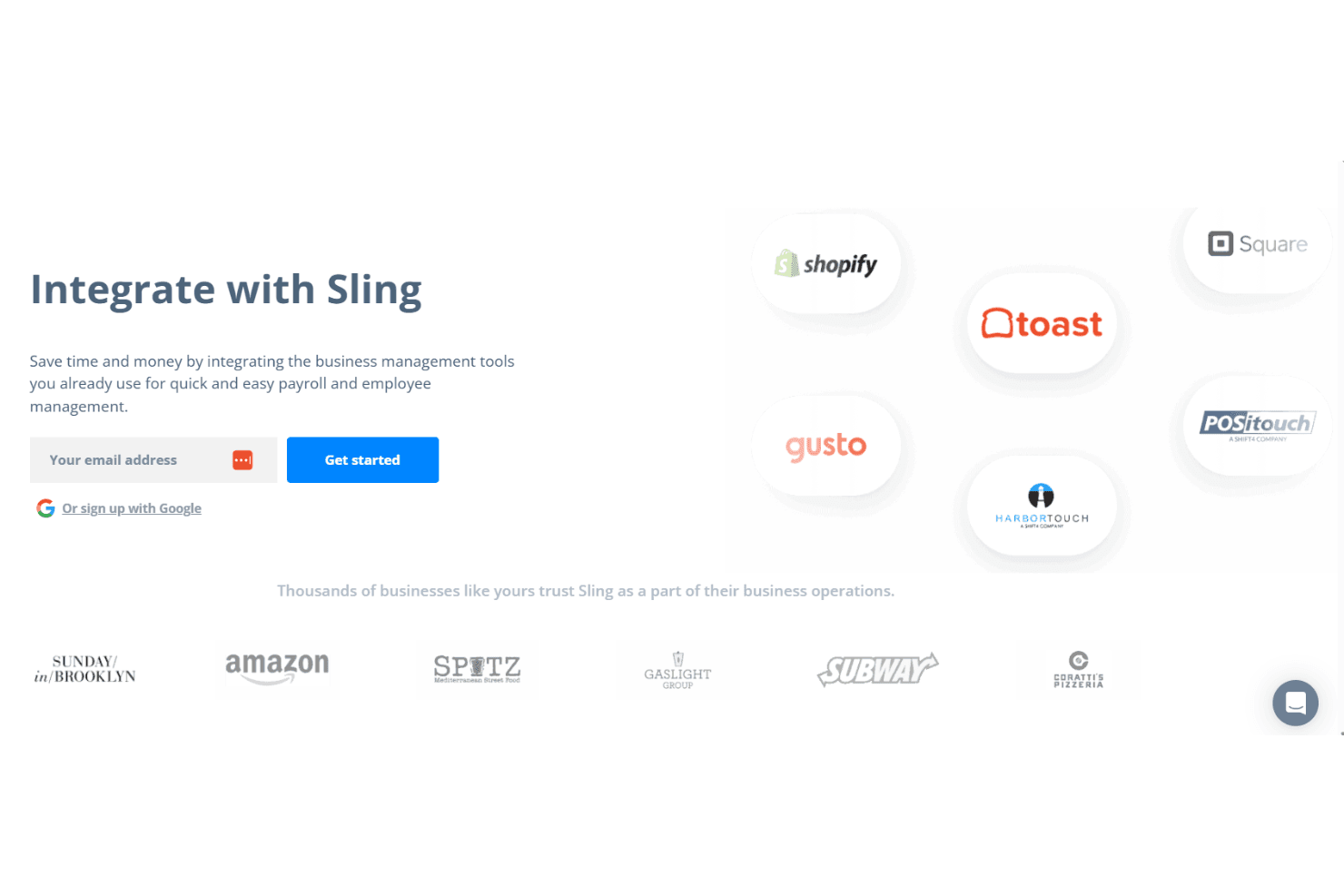
Sling Scheduling Software integrates with Square, Gusto, Harbortouch, Restaurant Manager, POSiTouch, Shopify, and Toast. These integrations help streamline scheduling, payroll, and labor cost management by allowing you to track employee hours, shifts, and PTO requests.
Sling Scheduling Software also offers an API for further customization, connecting with third-party integration tools to expand its capabilities.
Value for Money
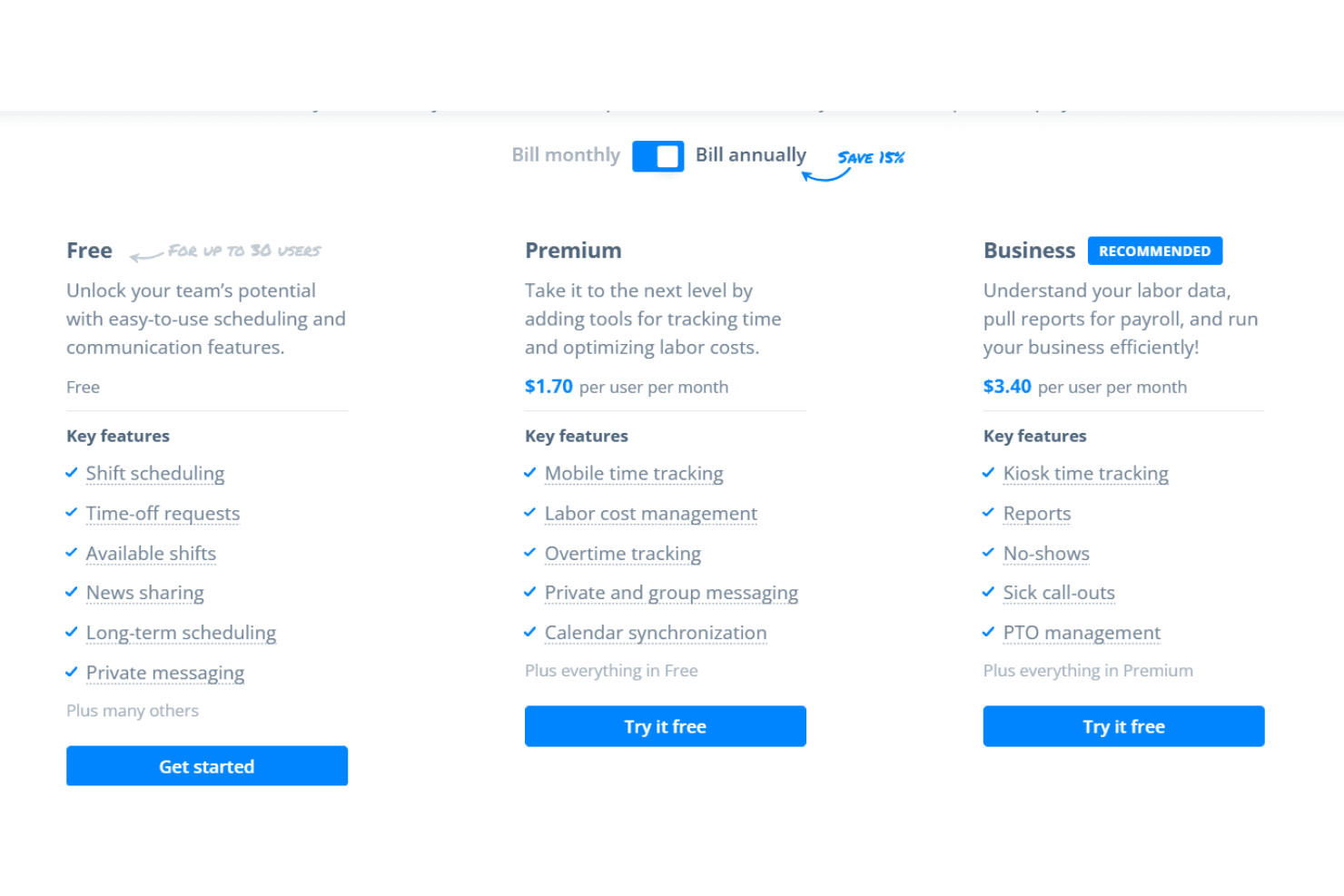
Sling Scheduling Software offers excellent value for money with its tiered pricing plans, including a free version, catering to different needs and budgets. Its affordable Premium and Business plans provide valuable features like mobile time tracking and advanced reporting, making it a strong option compared to pricier alternatives. A 15-day free trial is available, allowing your team to evaluate its usefulness before committing.
- Free: Up to 30 users with basic scheduling features.
- Premium: $1.70 per user, per month. It offers everything in the free plan, plus mobile time tracking, labor cost management, overtime tracking, private and group messaging, and calendar synchronization.
- Business: $3.40 per user, per month. In addition to everything offered in the premium and free plans, this plan offers kiosk time tracking, reports, no-shows, sick call-outs, and PTO management.
Sling Specs
- 2-Factor Authentication: No
- 360 Degree Feedback: No
- API: Yes
- Application Tracking: No
- Attendance Tracking: Yes
- Batch Permissions & Access: No
- Compliance Tracking: No
- Dashboard: Yes
- Data Export: Yes
- Data Import: Yes
- Data Visualization: No
- Employee Database: No
- Employee Engagement: No
- Employee Incentive Management: No
- Employee Onboarding: No
- Employee Training: No
- Expense Tracking: No
- External Integrations: Yes
- Feedback Management: No
- Multi-User: Yes
- Notifications: Yes
- Payroll: Yes
- Performance Appraisal: No
- Scheduling: Yes
- Time Management: Yes
- Timesheets: Yes
- Travel Management: No
- Vacation & Absence Calendar: Yes
Sling FAQs
Sling Company Overview & History
Sling, by Toast, used to be known as Sling Scheduling Software and was founded in 2015 by Helgi Hermannsson in Reykjavik, Iceland, with the aim of simplifying employee management. With an office in New York City, Sling has grown to serve tens of thousands of businesses from over 30 industries, including restaurants, retail, and healthcare. The platform focuses on efficient workforce management through scheduling, labor cost optimization, and communication tools. Sling values customer feedback for continuous improvement and has a diverse team from 14 countries.
Sling Scheduling Software Major Milestones
- 2015: Founded by Helgi Hermannsson in Reykjavik, Iceland.
- 2015: Opened an office in New York City to focus on the US market.
- 2015: Launched the platform, which now serves businesses in 150 countries.