
Statsig Review: Pros, Cons, Features and Pricing
Statsig stands out for its intuitive UI and valuable insights, making it a top choice for teams managing multiple resources efficiently.

We review tools independently, and commissions help fund our testing. See our transparency policy, our methodology, or suggest a tool.
Statsig is an A/B testing tool built for product and engineering teams that need to run experiments, manage feature flags, and analyze results in one place. I'd consider it if your team wants statistically rigorous experimentation without the implementation complexity of a tool like Optimizely—Statsig is more developer-native and connects directly to your data warehouse, which makes it a stronger fit for teams that already own their data pipeline and want experimentation to live closer to their infrastructure.
Statsig Evaluation Summary
0/5
- From $150/month
- Free plan available
Why Trust Our Software Recommendations
6,700+
Reviews
20
Industry experts
16+
Evaluation factors
14
Years
Our team has been testing and reviewing software since 2012. As CX leaders ourselves, we know how difficult—and important—it is to choose the right software.
For this guide, we evaluated tools using hands-on testing and independent research, scoring tools using our selection criteria.
Our reviews reflect our human editorial judgment, not a sales pitch.
 Gui DrusinaCreative Director
 Tim FisherVP of AI
Statsig Overview
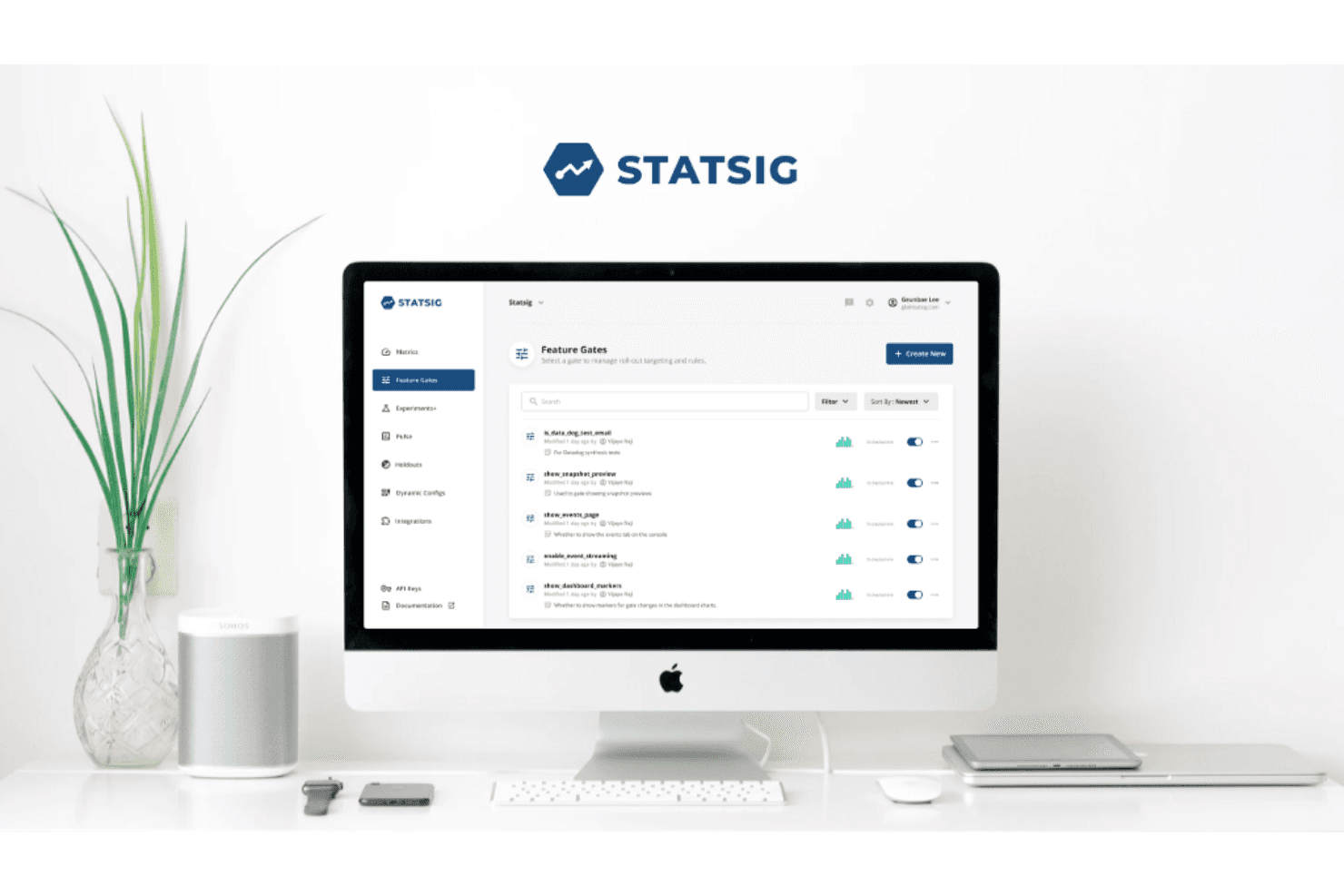
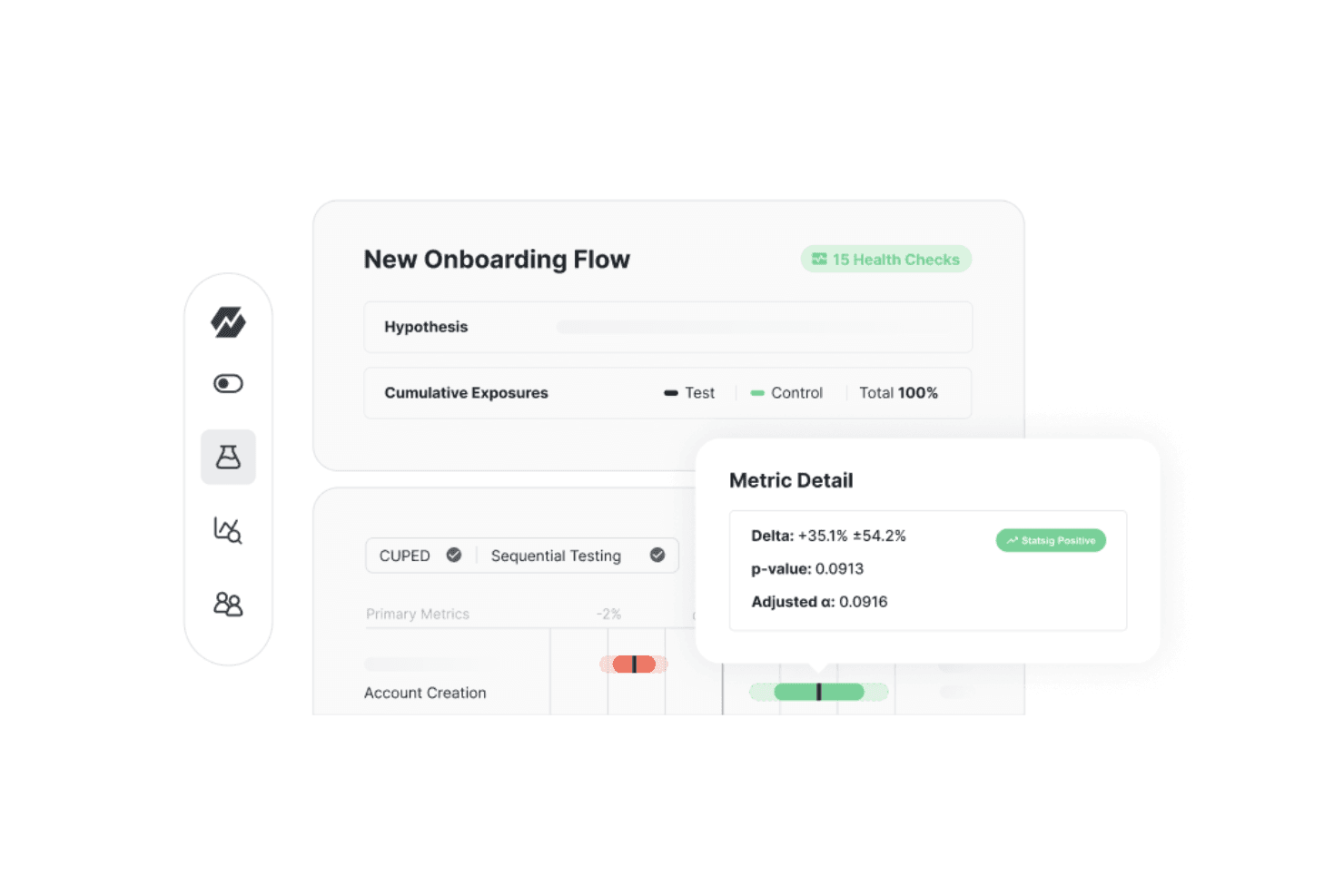
In my opinion, Statsig is a strong option for teams seeking an A/B testing platform with powerful visualization features and straightforward usability. Its strengths in experimentation and feature flagging make it stand out from many competitors. The onboarding experience is generally smooth, although customer support responsiveness could be improved.
With intuitive integrations and a clean interface, Statsig is well suited for agile teams that want efficiency without added complexity. However, organizations that need extensive customization or depend heavily on hands-on support may find other platforms more fitting. Overall though, Statsig delivers solid value, particularly for teams that prioritize advanced experimentation capabilities.
Pros
- You can easily set up experiments with its intuitive interface.
- It offers powerful built-in analytics that are accessible and user-friendly.
- The platform is designed to be developer-friendly, making it a good choice for tech teams.
Cons
- It might require specific configurations to get the best results.
- Some users may find the initial setup process challenging without prior experience.
- There can be a learning curve for teams new to data-driven testing.
Is Statsig Right For Your Needs?
Who Would be a Good Fit for Statsig?
If your team thrives on data-driven decisions and rapid feature deployment, Statsig could be a perfect match. Its advanced targeting and real-time diagnostics are ideal for product and engineering teams that need to test and release features quickly. The platform’s easy integrations and comprehensive analytics make it a smart choice for businesses aiming to enhance product performance and collaborate more effectively across departments.
- Product ManagersYour product team can leverage Statsig's feature flags and experiments to roll out new features selectively and measure their success, helping you improve product iterations.
- Software EngineersStatsig’s real-time diagnostics and robust SDKs support rapid feature deployment, making it a valuable tool for engineering teams focused on performance and functionality optimization.
- Data AnalystsWith Statsig’s product analytics, your data team can track user behavior and core metrics, providing insights that drive business and product decisions.
- StartupsIf you're a startup launching a product or service for the first time, Statsig’s scalable pricing and ease of use allow you to test ideas and iterate quickly.
- E-commerce BusinessesFor e-commerce, Statsig’s advanced targeting capabilities enable personalized user experiences, boosting engagement, retention, and conversion rates.
- Gaming IndustryIn gaming, Statsig’s infrastructure supports smooth feature releases and experimentation, helping you maintain an engaging user experience.
Who Would be a Bad Fit for Statsig?
Statsig might not be the best choice for small businesses or startups that don't require advanced analytics. If your team doesn't rely on data-driven decision-making or doesn't have the resources to interpret complex data, Statsig's sophisticated features might be overwhelming. Businesses in industries like manufacturing or agriculture, where real-time data analytics isn't crucial, might find Statsig's capabilities excessive.
- Small BusinessesIf you're a small business with limited needs, Statsig's advanced product experimentation tools could be overkill.
- Budget-Conscious TeamsStatsig might strain your budget if you're looking for cost-effective solutions without heavy analytics.
- Non-Tech IndustriesIndustries like agriculture may not benefit from Statsig's data-centric approach.
- Individual UsersIf you're a solo user, Statsig's features might be too complex for simple task tracking.
- Basic Data NeedsFor teams needing only basic analytics, Statsig's comprehensive data tools could be unnecessary.
- Traditional WorkflowsConventional industries with static workflows may not need Statsig's advanced experimentation tools.
How We Test & Score Tools
We’ve spent years building, refining, and improving our software testing and scoring system. The rubric is designed to capture the nuances of software selection and what makes a tool effective, focusing on critical aspects of the decision-making process.
Below, you can see exactly how our testing and scoring works across seven criteria. It allows us to provide an unbiased evaluation of the software based on core functionality, standout features, ease of use, onboarding, customer support, integrations, customer reviews, and value for money.
Core Functionality (25% of final scoring)
The starting point of our evaluation is always the core functionality of the tool. Does it have the basic features and functions that a user would expect to see? Are any of those core features locked to higher-tiered pricing plans? At its core, we expect a tool to stand up against the baseline capabilities of its competitors.
Standout Features (25% of final scoring)
Next, we evaluate uncommon standout features that go above and beyond the core functionality typically found in tools of its kind. A high score reflects specialized or unique features that make the product faster, more efficient, or offer additional value to the user.
We also evaluate how easy it is to integrate with other tools typically found in the tech stack to expand the functionality and utility of the software. Tools offering plentiful native integrations, 3rd party connections, and API access to build custom integrations score best.
Ease of Use (10% of final scoring)
We consider how quick and easy it is to execute the tasks defined in the core functionality using the tool. High scoring software is well designed, intuitive to use, offers mobile apps, provides templates, and makes relatively complex tasks seem simple.
Onboarding (10% of final scoring)
We know how important rapid team adoption is for a new platform, so we evaluate how easy it is to learn and use a tool with minimal training. We evaluate how quickly a team member can get set up and start using the tool with no experience. High scoring solutions indicate little or no support is required.
Customer Support (10% of final scoring)
We review how quick and easy it is to get unstuck and find help by phone, live chat, or knowledge base. Tools and companies that provide real-time support score best, while chatbots score worst.
Customer Reviews (10% of final scoring)
Beyond our own testing and evaluation, we consider the net promoter score from current and past customers. We review their likelihood, given the option, to choose the tool again for the core functionality. A high scoring software reflects a high net promoter score from current or past customers.
Value for Money (10% of final scoring)
Lastly, in consideration of all the other criteria, we review the average price of entry level plans against the core features and consider the value of the other evaluation criteria. Software that delivers more, for less, will score higher.
Core Features
Experimentation
Statsig enables your team to run A/B and multivariate tests at scale, helping you validate product ideas with real user data. This ensures each release is backed by measurable results.
Gates & Rollouts
Control feature exposure with gradual rollouts, segmentation, and kill switches. This helps your team ship safely and adjust instantly without code redeployments.
Unified Product Analytics
Statsig centralizes metrics like conversions, engagement, and retention into a single dashboard. This gives your team a clearer view of product performance in real time.
Automated Monitoring
The platform automatically flags anomalies, experiment collisions, and unintended changes. This helps your team detect and resolve issues before they impact users.
Data Warehouse Integrations
Statsig connects with major data tools to keep experiment and analytics data clean and reliable. This ensures your team works with accurate, real-time insights.
Collaboration Workspace
Shared dashboards, experiment logs, and decision summaries help align product, engineering, and growth teams. This supports consistent decision-making across the organization.
Standout Features
Automated Causal Impact Analysis
Statsig evaluates the real-world impact of product changes even without running full A/B tests, giving your team faster insights with less statistical overhead.
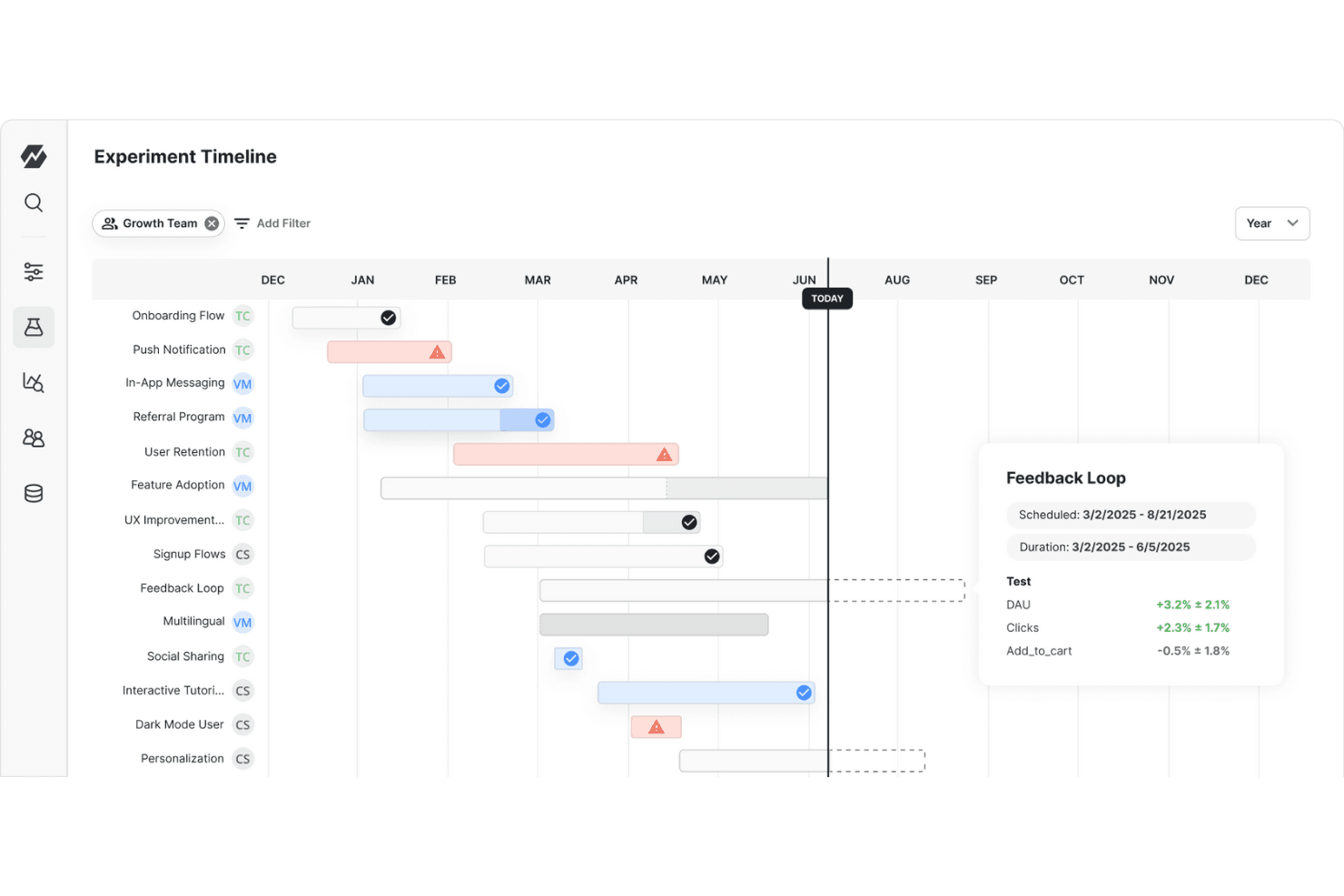
Lifecycle Management
The platform tracks every feature from creation to rollout to deprecation, helping your team stay organized and maintain a streamlined, high-performing product stack.

Ease of Use
Statsig offers a straightforward interface that makes navigating its features intuitive for you and your team. While some users find the initial setup a bit complex, the platform's extensive documentation and support make it manageable. Its real-time data tracking and feature flagging capabilities are easy to implement, allowing you to focus on your work without getting bogged down by technical hurdles. It’s also relatively easy to learn, making it accessible even if you're not tech-savvy.
Onboarding
Statsig’s onboarding is straightforward and efficient, helping you get you up and running quickly. Users appreciate the clear setup guides and helpful resources, including video tutorials and interactive tours. The support team is responsive, though some users note occasional delays. Compared to other platforms, Statsig ensures a faster time to value, helping your team start leveraging insights without unnecessary hurdles.
Customer Support
Statsig's customer support receives average ratings, reflecting a balanced experience for users. While support is generally accessible, some users feel that response times could be faster. The available resources, like a knowledge base and standard support channels, are comparable to other platforms, but they don't stand out significantly. Users appreciate the helpfulness of support staff, but the overall system could benefit from enhancements to improve efficiency and user satisfaction.

Integrations
Statsig integrates with Vercel, Amplitude, Bugsnag, Census, Datadog, Discord, Fastly, Fivetran, GitHub, Google Analytics, Heap, Jira, LogDNA, Microsoft Teams, Mixpanel, mParticle, Pulumi, RevenueCat, Rudderstack, Segment, Slack, Stitch, Visual Studio Code, and Webhooks. Statsig also provides an API for additional connectivity with third-party tools.

Value for Money
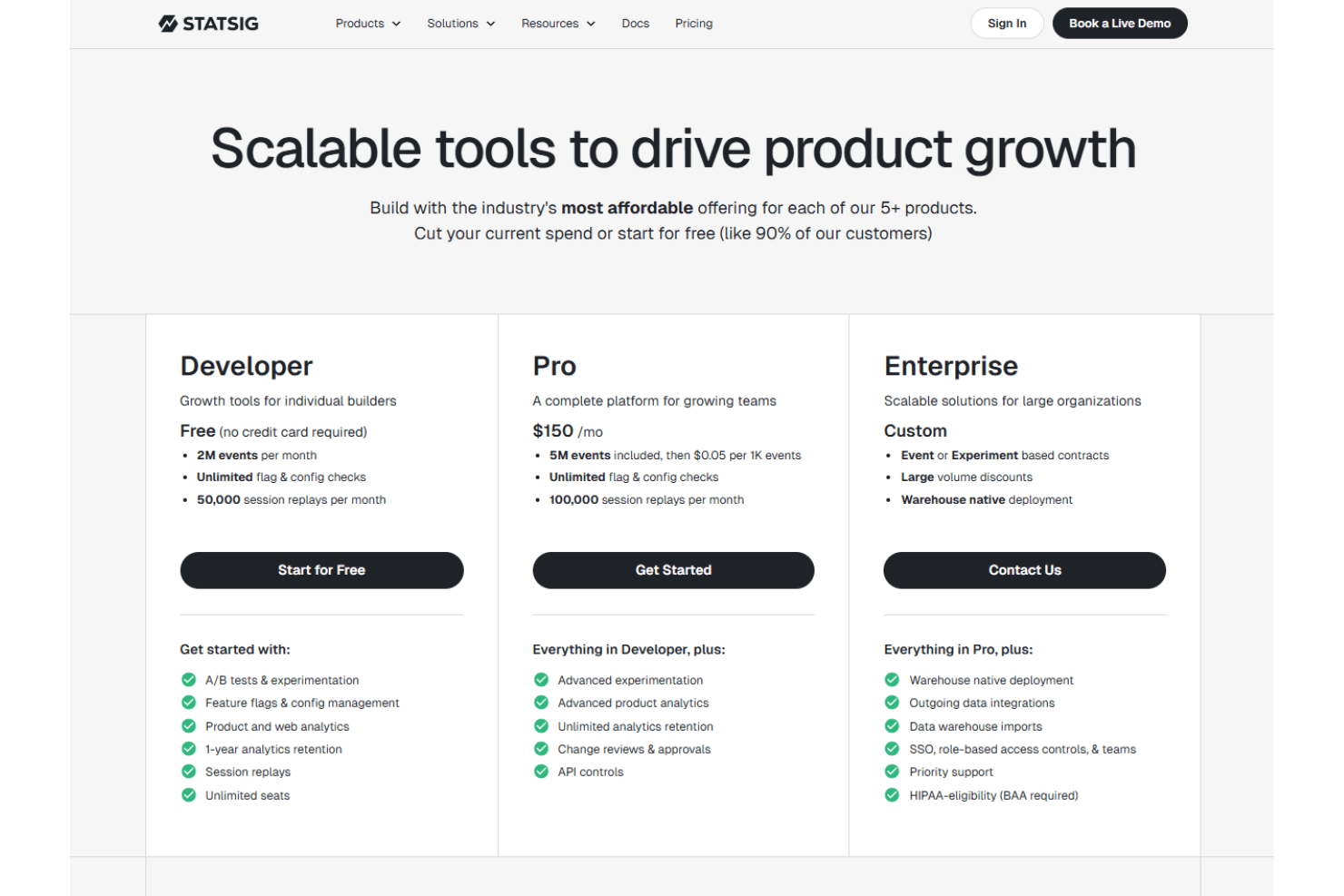
Statsig's pricing is seen as fair, offering a range of features that meet diverse team needs without unnecessary extras. Users appreciate the flexibility in pricing options that cater to both small teams and larger organizations. The availability of a free trial allows teams to explore the platform's capabilities before committing financially.
- Developer Tier (Free): Includes up to 2 million metered events per month at no charge.
- Pro Tier: Charged at a baseline of $150/month; supports 5 million metered events per month.
- Enterprise Tier: Custom pricing designed for high-volume usage and large-scale deployments, with volume discounts available.
Statsig Specs
- A/B Testing: Yes
- AI Integration: No
- Analytics: Yes
- API: Yes
- Automated Testing: No
- Bug Tracking: No
- Campaign Management: No
- Conversion Tracking: No
- Custom Reports: Yes
- Dashboards: Yes
- Data Export: Yes
- Data Import: Yes
- Data Visualization: Yes
- Design Templates: No
- External Integrations: Yes
- Feedback Management: No
- Form Builder: No
- History/Version Control: No
- Multi-Site: No
- Multi-User: Yes
- Notifications: Yes
- Performance Testing: No
- Referral Tracking: No
- Regression Testing: No
- Release Management: No
- Reports: Yes
- Scenario Planning: No
- SEO: No
- Test Management: Yes
- Visualization: Yes
- Workflow Management: No
Statsig FAQs
Statsig Company Overview & History
Statsig, founded in 2021 by Vijaye Raji, is headquartered in Bellevue, Washington. The company focuses on providing a modern product development platform with tools for landing page experimentation, feature management, and product analytics. Statsig serves a diverse client base, including notable companies like SoundCloud and Netflix, across industries such as gaming and B2B SaaS.
Statsig Major Milestones
- 2021: Founded by Vijaye Raji, offering tools to enhance software development through data-driven practices.