
TalentLMS Review: Pros, Cons, Features, and Pricing Explained
TalentLMS stands out for its user-friendly design and flexible pricing, making it ideal for businesses seeking a straightforward, scalable customer onboarding solution.

We review tools independently, and commissions help fund our testing. See our transparency policy, our methodology, or suggest a tool.
TalentLMS is a customer onboarding software built around structured course delivery, making it a solid fit for teams that need to train customers on complex products at scale. I'd consider it especially if you want something more approachable than an enterprise LMS like Docebo, but more capable than a basic knowledge base. You get course building, learner tracking, and progress reporting without the setup complexity that larger platforms tend to require.
TalentLMS Evaluation Summary
4.6/5
- From $119/month (billed annually)
- Free plan + free demo available
Why Trust Our Software Recommendations
6,700+
Reviews
20
Industry experts
16+
Evaluation factors
14
Years
Our team has been testing and reviewing software since 2012. As CX leaders ourselves, we know how difficult—and important—it is to choose the right software.
For this guide, we evaluated tools using hands-on testing and independent research, scoring tools using our selection criteria.
Our reviews reflect our human editorial judgment, not a sales pitch.
 Gui DrusinaCreative Director
 Tim FisherVP of AI
TalentLMS Overview
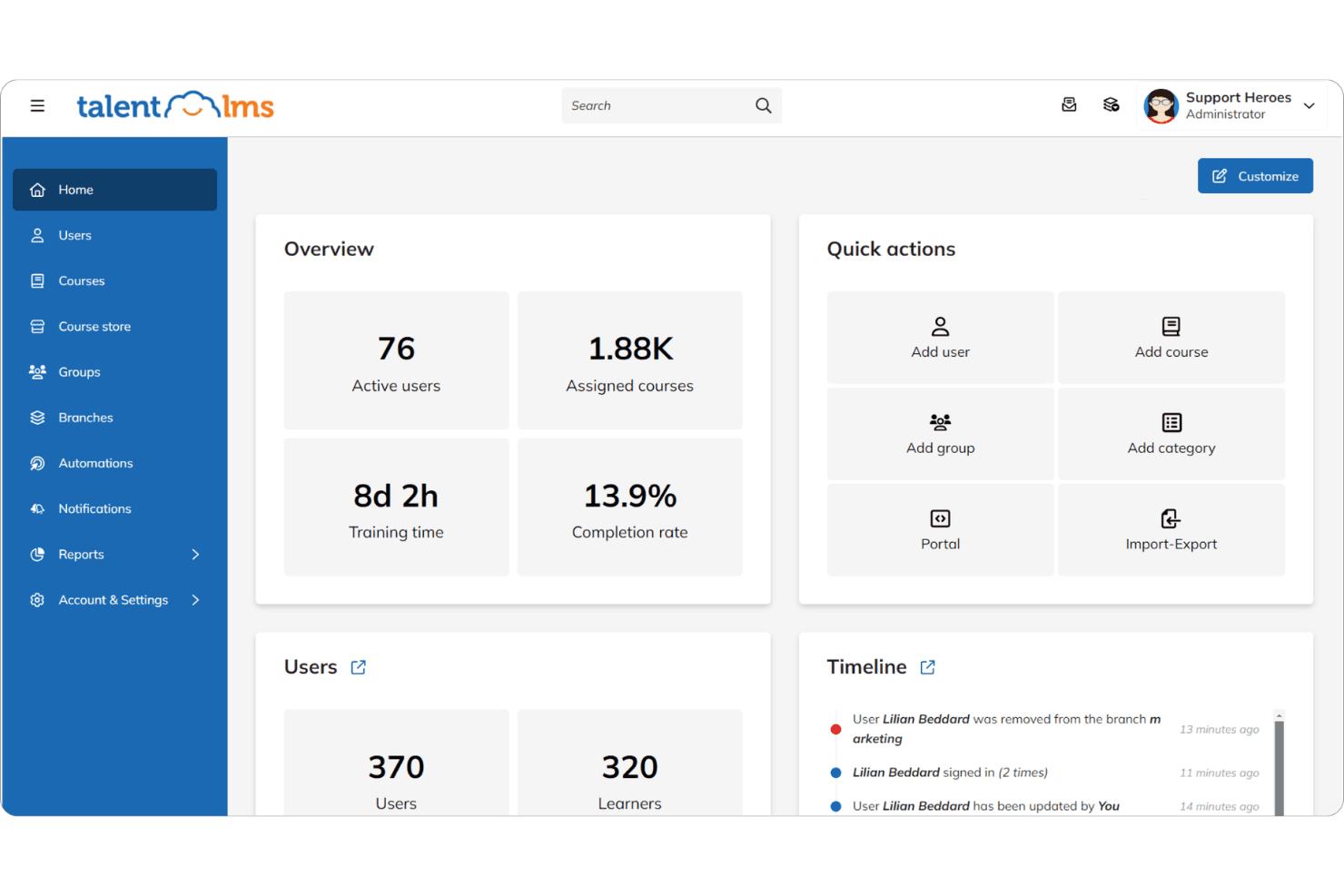
When evaluating a learning management system software, TalentLMS positions itself as a practical, user-friendly LMS platform for delivering scalable online training and customer onboarding. It stands out for its fast setup, intuitive interface, and flexible pricing making it a go-to choice for teams that want to launch training programs without a steep learning curve.
With built-in AI features, SCORM 1.2 support, and a wide range of integrations, TalentLMS simplifies content creation, course delivery, and learner management. While it may not compete with enterprise platforms in advanced analytics or deep customization, it delivers strong value for small business, SaaS onboarding, and growing teams focused on efficient online learning experiences.
Pros
- Branches features enables separate portals for different audiences.
- Built-in course library accelerates training materials setup.
- Supports SCORM and multiple course formats.
- Al-powered authoring tool improves content creation speed.
- Automated workflows help enroll users and manage learning paths.
Cons
- Limited advanced analytics for deep insights.
- Mobile app lacks some admin controls.
- Basic course import compared to competitors.
- Customization options are limited vs platforms like Moodle
Is TalentLMS Right For Your Needs?
Who Would be a Good Fit for TalentLMS?
TalentLMS is a strong choice for organizations that need to deliver repeatable, scalable onboarding experiences without heavy IT involvement. Its intuitive course builder, branching for different audiences, and built-in content library make it ideal for teams that want to launch onboarding quickly and track progress with minimal setup. Companies with distributed teams, frequent onboarding cycles, or standardized training requirements will find TalentLMS especially useful.
- SaaS StartupsTalentLMS supports rapid onboarding for new customers with reusable course templates.
- FranchisesBranches feature enables separate onboarding portals for each franchise location.
- Customer SuccessTeams Progress tracking and automated reminders help manage large onboarding cohorts.
- HR DepartmentsPrebuilt compliance and policy courses simplify employee onboarding.
- SMBsAffordable pricing and easy setup suit small and midsize businesses.
- Remote TeamsCloud-based access and mobile support enable onboarding from anywhere.
Who Would be a Bad Fit for TalentLMS?
TalentLMS may not suit organizations with highly complex onboarding needs, deep customization requirements, or those needing advanced analytics. If your onboarding process relies on heavy workflow automation, deep integrations, or custom reporting, you may find TalentLMS limiting compared to more specialized platforms.
- Large EnterprisesLimited advanced analytics and reporting may not meet enterprise needs.
- Regulated IndustriesLacks granular compliance tracking for strict regulatory environments.
- Product Training TeamsCourse content import and assessment tools are basic for technical products.
- Learning & DevelopmentLimited support for blended learning and instructor-led sessions.
- Custom Development FirmsFew options for deep UI customization or white-labeling.
- Field Service TeamsMobile app lacks robust admin controls for managing field onboarding.
How We Test & Score Tools
We’ve spent years building, refining, and improving our software testing and scoring system. The rubric is designed to capture the nuances of software selection and what makes a tool effective, focusing on critical aspects of the decision-making process.
Below, you can see exactly how our testing and scoring works across seven criteria. It allows us to provide an unbiased evaluation of the software based on core functionality, standout features, ease of use, onboarding, customer support, integrations, customer reviews, and value for money.
Core Functionality (25% of final scoring)
The starting point of our evaluation is always the core functionality of the tool. Does it have the basic features and functions that a user would expect to see? Are any of those core features locked to higher-tiered pricing plans? At its core, we expect a tool to stand up against the baseline capabilities of its competitors.
Standout Features (25% of final scoring)
Next, we evaluate uncommon standout features that go above and beyond the core functionality typically found in tools of its kind. A high score reflects specialized or unique features that make the product faster, more efficient, or offer additional value to the user.
We also evaluate how easy it is to integrate with other tools typically found in the tech stack to expand the functionality and utility of the software. Tools offering plentiful native integrations, 3rd party connections, and API access to build custom integrations score best.
Ease of Use (10% of final scoring)
We consider how quick and easy it is to execute the tasks defined in the core functionality using the tool. High scoring software is well designed, intuitive to use, offers mobile apps, provides templates, and makes relatively complex tasks seem simple.
Onboarding (10% of final scoring)
We know how important rapid team adoption is for a new platform, so we evaluate how easy it is to learn and use a tool with minimal training. We evaluate how quickly a team member can get set up and start using the tool with no experience. High scoring solutions indicate little or no support is required.
Customer Support (10% of final scoring)
We review how quick and easy it is to get unstuck and find help by phone, live chat, or knowledge base. Tools and companies that provide real-time support score best, while chatbots score worst.
Customer Reviews (10% of final scoring)
Beyond our own testing and evaluation, we consider the net promoter score from current and past customers. We review their likelihood, given the option, to choose the tool again for the core functionality. A high scoring software reflects a high net promoter score from current or past customers.
Value for Money (10% of final scoring)
Lastly, in consideration of all the other criteria, we review the average price of entry level plans against the core features and consider the value of the other evaluation criteria. Software that delivers more, for less, will score higher.
Core Features
Branching and Portals
Create separate onboarding portals for different customer groups or audiences. This helps you deliver tailored onboarding experiences from a single platform.
AI-Assisted Course Creation
Build onboarding courses quickly with AI-powered tools that suggest content and structure. This reduces setup time and helps teams launch training faster.
Progress Tracking and Reporting
Monitor customer onboarding progress with built-in dashboards and completion reports. Easily identify who has finished training and who needs follow-up.
TalentLibrary™ Course Library
Access 1,000+ ready-made online courses on compliance, soft skills, and more. Instantly add relevant content to your onboarding program without building from scratch.
Mobile-Friendly Access
Customers can complete onboarding from any device, including smartphones and tablets. The responsive design ensures a consistent experience everywhere.
Automated Reminders and Notifications
Set up automated emails and alerts to keep customers on track with their onboarding. This helps reduce drop-off and ensures timely course completion.

Standout Features
Multilingual Support
TalentLMS allows you to deliver onboarding in over 30 languages, making it easy to serve global customer bases. Customers can select their preferred language for a personalized experience.
Gamification
Built-in gamification tools let you add badges, points, and leaderboards to onboarding courses. This motivates customers to complete training and increases engagement.
Ease of Use
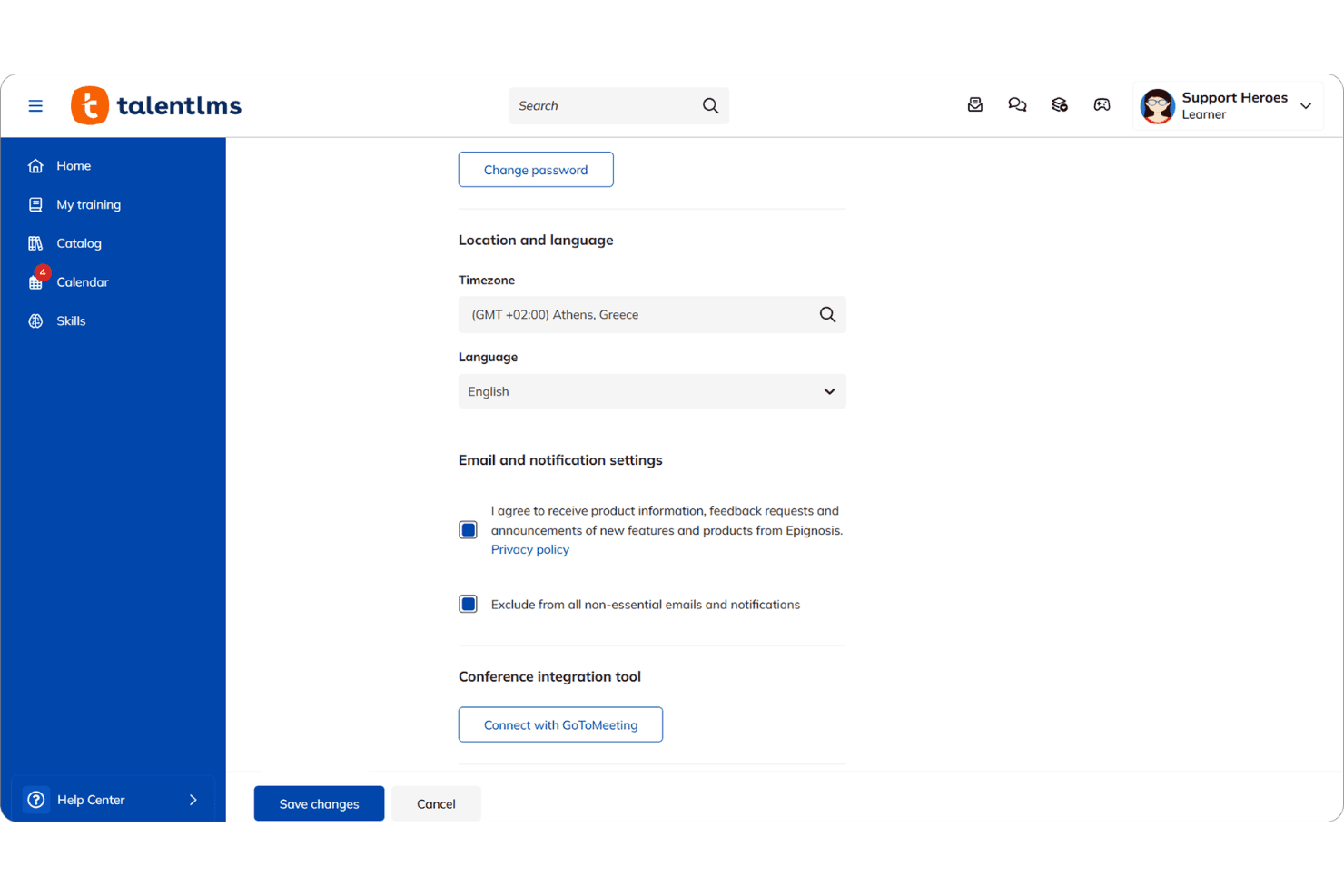
TalentLMS is built for teams that want results fast. The interface is clean, intuitive, and genuinely user-friendly, reducing the typical LMS learning curve. Admins can create training courses, assignusers, and manage permissions without relying in IT.
Compared to more complex platforms like Moodle, TalentLMS focuses on simplicity and speed, making it easier to launch online learning without friction.

Onboarding
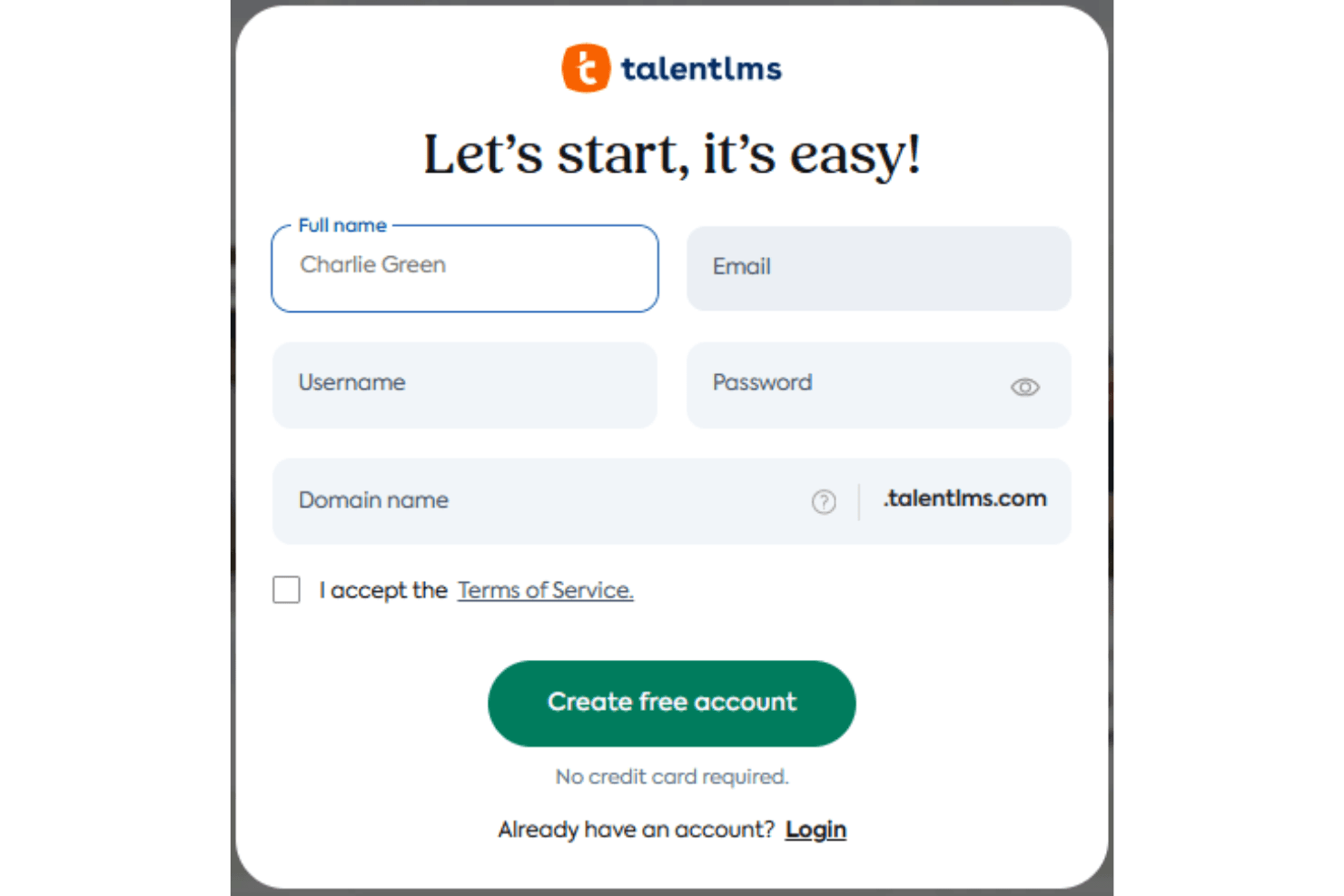
TalentLMS offers a smooth onboarding experience for new users, with guided setup wizards, in-app tips, and a comprehensive knowledge base. Many users highlight the clear step-by-step instructions and responsive customer support, which help teams get started quickly. The platform’s onboarding flow is designed to minimize setup time and confusion, so admins can launch their first courses within hours. This rapid time to value is a frequent point of praise in user feedback.
Customer Support
TalentLMS earns positive feedback for its responsive and knowledgeable customer support team, with users noting quick turnaround times on tickets and helpful guidance. Support is available through email, live chat, and an extensive online help center, making it easy to find answers or get direct assistance. Many users appreciate the proactive follow-up and clear documentation, which help resolve issues and keep onboarding programs running smoothly.
Integrations
TalentLMS integrates with BambooHR, Salesforce, Linkedin, TalentHR, Sage People, Intercom, ADP Workforce Now, Hubspot, and Zoom, among others.
Developers have access to its API to extend functionality across their tech stack.

Value for Money
TalentLMS offers a robust feature set with pricing that reflects its breadth of functionality, but it can feel expensive for smaller businesses. While plans are structured to support different organizational needs, there isn’t a true pay-as-you-grow model or ongoing free tier, which may limit accessibility for budget-conscious teams. That said, many users still find value in the platform’s comprehensive capabilities across its tiers.
- Core: Includes unlimited courses, one branch, custom homepage, API access, and single sign on (SSO).
- Grow: Adds three branches, custom reports, analytics, and AI test creation.
- Pro: Adds automations, AI course translation, AI coach, and live chat support.
- Enterprise: Includes custom branding, phone support, and a dedicated account manager.

TalentLMS Specs
- API: Yes
- Class Management: Yes
- Comparative Reporting: No
- Corporate/Business: Yes
- Dashboards: Yes
- Data Export: Yes
- Data Import: Yes
- Data Visualization: Yes
- Document Comparison: No
- Employee Training: Yes
- External Integrations: Yes
- Feedback Management: Yes
- Gamification: Yes
- Gradebook: No
- Mobile App: Yes
- Multi-User: Yes
- Notifications: Yes
- Personal Learning: Yes
- Report & Compliance: Yes
- Report Cards: No
- Scheduling: Yes
- SCORM: Yes
- Student Registration: Yes
- Video Courses: Yes
TalentLMS FAQs
TalentLMS Company Overview & History
TalentLMS is a cloud-based learning management system designed to deliver training for employees, partners, and customers. The company is part of Epignosis, a global learning technology provider headquartered in San Francisco, California, with additional offices in Europe. TalentLMS is used by major organizations such as Google, Amazon, Meta, PepsiCo, PwC, Roland, Isuzu, and Oracle. The platform is recognized for its intuitive design, rapid deployment, and strong customer support.
TalentLMS Major Milestones
- 2012: TalentLMS product launched by Epignosis.
- 2020: Recognized by independent software review sites as an eLearning industry leader.
- 2023: Expanded client base to include global brands like Google, Amazon, Meta, and PepsiCo.
- 2025: Continued platform enhancements and customer success stories featured on the company website.