

Typeform Review: Pros, Cons, Features, and Pricing



Typeform is a form builder built around a conversational, one-question-at-a-time format that's designed to improve completion rates on surveys, feedback forms, and lead capture pages. It's worth considering when your team needs forms that feel more engaging than a standard list of fields. Compared to SurveyMonkey, Typeform gives you more design control and a more polished respondent experience—making it the stronger pick when brand presentation and response quality matter.
Typeform Evaluation Summary

- From $28/month (billed annually)
- Free plan available
Why Trust Our Software Recommendations
Our team has been testing and reviewing software since 2012. As CX leaders ourselves, we know how difficult—and important—it is to choose the right software.
For this guide, we evaluated tools using hands-on testing and independent research, scoring tools using our selection criteria.
Our reviews reflect our human editorial judgment, not a sales pitch.
Typeform Overview
In my opinion, Typeform is a solid choice for teams that prioritize user engagement and design, standing out from competitors such as SurveyMonkey and Google Forms. While its interactive approach makes it appealing, the pricing options may not fit every budget. Compared to others, it excels in creating visually appealing forms but may fall short in offering advanced analytics. Typeform is best suited for marketing teams and customer service departments that value ease of use and use forms for follow-up and feedback gathering.
pros
-
Typeform's design makes forms interactive and engaging.
-
It's easy to use, so your team can create forms quickly.
-
Typeform offers a wide variety of customizable templates.
cons
-
Typeform's advanced analytics are less comprehensive than some competitors.
-
Customization options can be limited for complex forms.
-
Some users find the learning curve for advanced features a bit steep.
Is Typeform Right For Your Needs?
Who Would be a Good Fit for Typeform?
Typeform is great for teams and departments focused on marketing, customer service, and user experience. If your work involves collecting feedback, market research, or lead generation through forms, Typeform's interactive, user-friendly interface allows you to quickly create forms that look professional and inviting. For example, marketing teams can use Typeform to create engaging surveys that boost completion rates, while customer service departments can follow up on feedback effectively.
-
Marketing Teams
Typeform's interactive approach and unlimited forms help your team create engaging surveys that boost response rates, improve customer feedback, and support email marketing campaigns.
-
Customer Service
Typeform's user-friendly design and easy form generation allow you to effortlessly gather feedback from respondents.
-
Startups
Typeform's intuitive design lets your startup quickly build professional forms without needing technical expertise.
-
Event Planners
You can create appealing registration forms and embed them on your site to capture attendee information efficiently, thanks to Typeform's wide variety of templates.
-
Education
Typeform's engaging forms are perfect for creating quizzes and feedback forms that keep students interested.
-
Human Resources
You can efficiently collect employee feedback or conduct internal surveys with Typeform's straightforward and appealing design.
Who Would be a Bad Fit for Typeform?
Typeform may not be ideal for teams that require advanced analytics or intricate form customizations. If your work involves complex data analysis or highly tailored forms, Typeform's limitations in these areas could be a hindrance. For example, finance departments needing detailed reporting may find its analytics insufficient while tech companies requiring highly specialized forms may struggle with Typeform's customization capabilities.
-
Finance Departments
Typeform's analytics may not meet your needs if your work involves detailed data analysis.
-
Large Enterprises
If your company needs highly customized forms, Typeform's options may feel too limited.
-
Technical Teams
You may find Typeform's customization lacking for intricate form configurations.
-
Data Analysts
Typeform's reporting features might not provide the depth of analysis your team requires.
-
Legal Departments
If your work involves complex data gathering, Typeform's form options may not be sufficient.
-
Healthcare Providers
Typeform's lack of advanced customization could be a drawback if you need specialized patient forms.
How We Test & Score Tools
We’ve spent years building, refining, and improving our software testing and scoring system. The rubric is designed to capture the nuances of software selection and what makes a tool effective, focusing on critical aspects of the decision-making process.
Below, you can see exactly how our testing and scoring works across seven criteria. It allows us to provide an unbiased evaluation of the software based on core functionality, standout features, ease of use, onboarding, customer support, integrations, customer reviews, and value for money.
Core Functionality (25% of final scoring)
The starting point of our evaluation is always the core functionality of the tool. Does it have the basic features and functions that a user would expect to see? Are any of those core features locked to higher-tiered pricing plans? At its core, we expect a tool to stand up against the baseline capabilities of its competitors.
Standout Features (25% of final scoring)
Next, we evaluate uncommon standout features that go above and beyond the core functionality typically found in tools of its kind. A high score reflects specialized or unique features that make the product faster, more efficient, or offer additional value to the user.
We also evaluate how easy it is to integrate with other tools typically found in the tech stack to expand the functionality and utility of the software. Tools offering plentiful native integrations, 3rd party connections, and API access to build custom integrations score best.
Ease of Use (10% of final scoring)
We consider how quick and easy it is to execute the tasks defined in the core functionality using the tool. High scoring software is well designed, intuitive to use, offers mobile apps, provides templates, and makes relatively complex tasks seem simple.
Onboarding (10% of final scoring)
We know how important rapid team adoption is for a new platform, so we evaluate how easy it is to learn and use a tool with minimal training. We evaluate how quickly a team member can get set up and start using the tool with no experience. High scoring solutions indicate little or no support is required.
Customer Support (10% of final scoring)
We review how quick and easy it is to get unstuck and find help by phone, live chat, or knowledge base. Tools and companies that provide real-time support score best, while chatbots score worst.
Customer Reviews (10% of final scoring)
Beyond our own testing and evaluation, we consider the net promoter score from current and past customers. We review their likelihood, given the option, to choose the tool again for the core functionality. A high scoring software reflects a high net promoter score from current or past customers.
Value for Money (10% of final scoring)
Lastly, in consideration of all the other criteria, we review the average price of entry level plans against the core features and consider the value of the other evaluation criteria. Software that delivers more, for less, will score higher.
Core Features
Form Templates
Typeform offers a wide range of customizable templates that let you quickly create professional forms. You can save time by customizing these templates to fit your specific needs.
Interactive Design
Your forms become engaging with Typeform's interactive design, encouraging users to complete them. This boosts response rates and keeps users interested.
Conditional Logic
With conditional logic, you can make your forms dynamic, suggesting questions based on previous answers. This helps you gather more relevant data from your audience.
Customizable Themes
You can personalize your forms with customizable themes, ensuring they are visually appealing and align with your brand.
Data Export
Typeform lets you easily export data to Google Sheets so you can analyze responses in your preferred format, useful for integrating insights into your existing workflows.
Real-time Analytics
You get instant insights with real-time analytics, helping your team make quick, informed decisions. This keeps you updated on your form's performance.

Standout Features
Conversational Interface
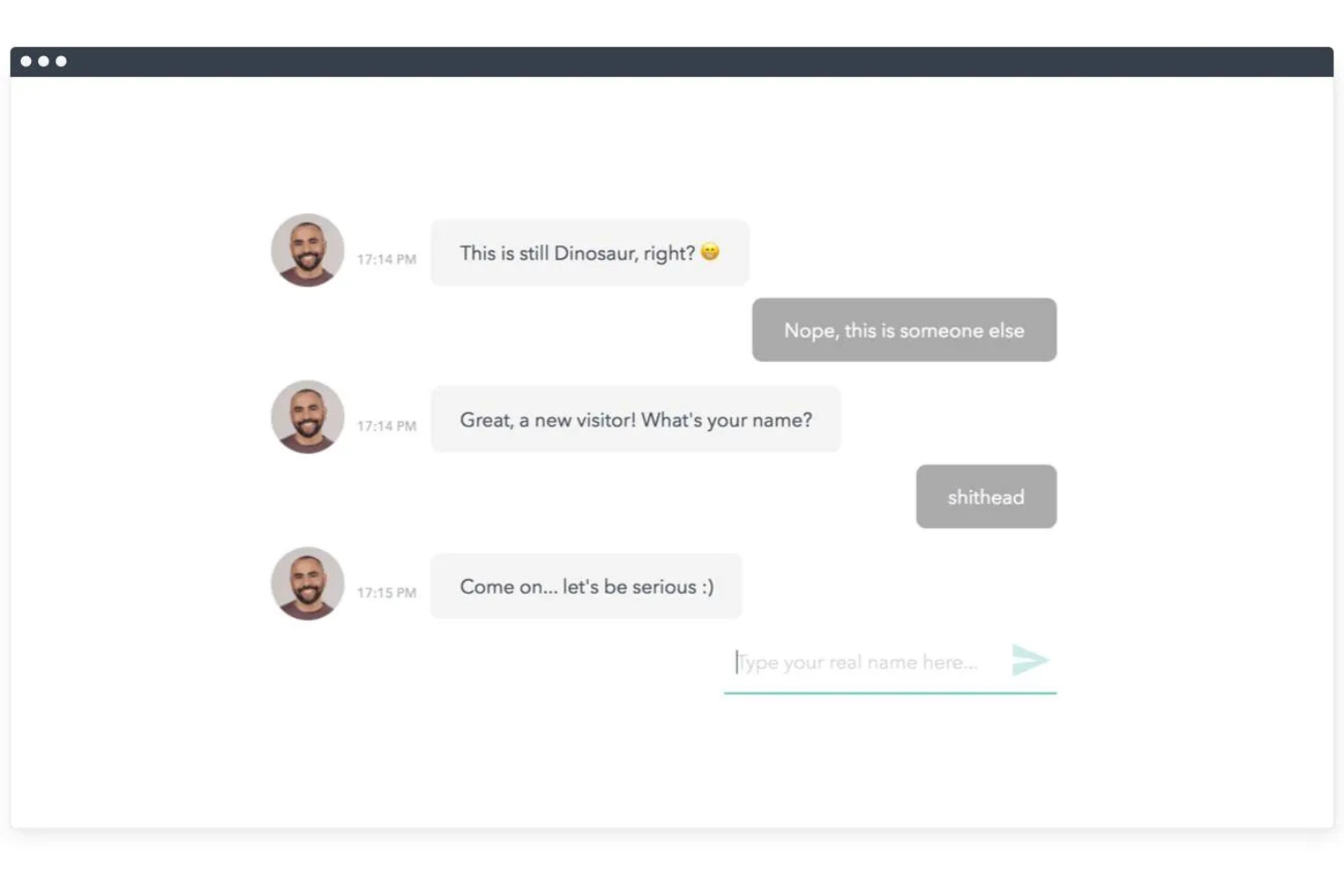
Typeform's conversational forms imitate human conversation, enhancing the user experience and setting it apart from traditional form builders.
Image and Video Integration
You can add images and videos to your forms, making them more engaging and informative. This is perfect for capturing attention and providing context.
Ease of Use
Typeform's user-friendly, intuitive drag-and-drop interface lets you create forms without technical skills, making it accessible for everyone. Compared to other form builders, such as Jotform, SurveyMonkey, and Google Forms, Typeform stands out for its clean design and straightforward navigation. Setting up forms is quick and easy, allowing you to focus on collecting data rather than figuring out how to use the tool.

Onboarding
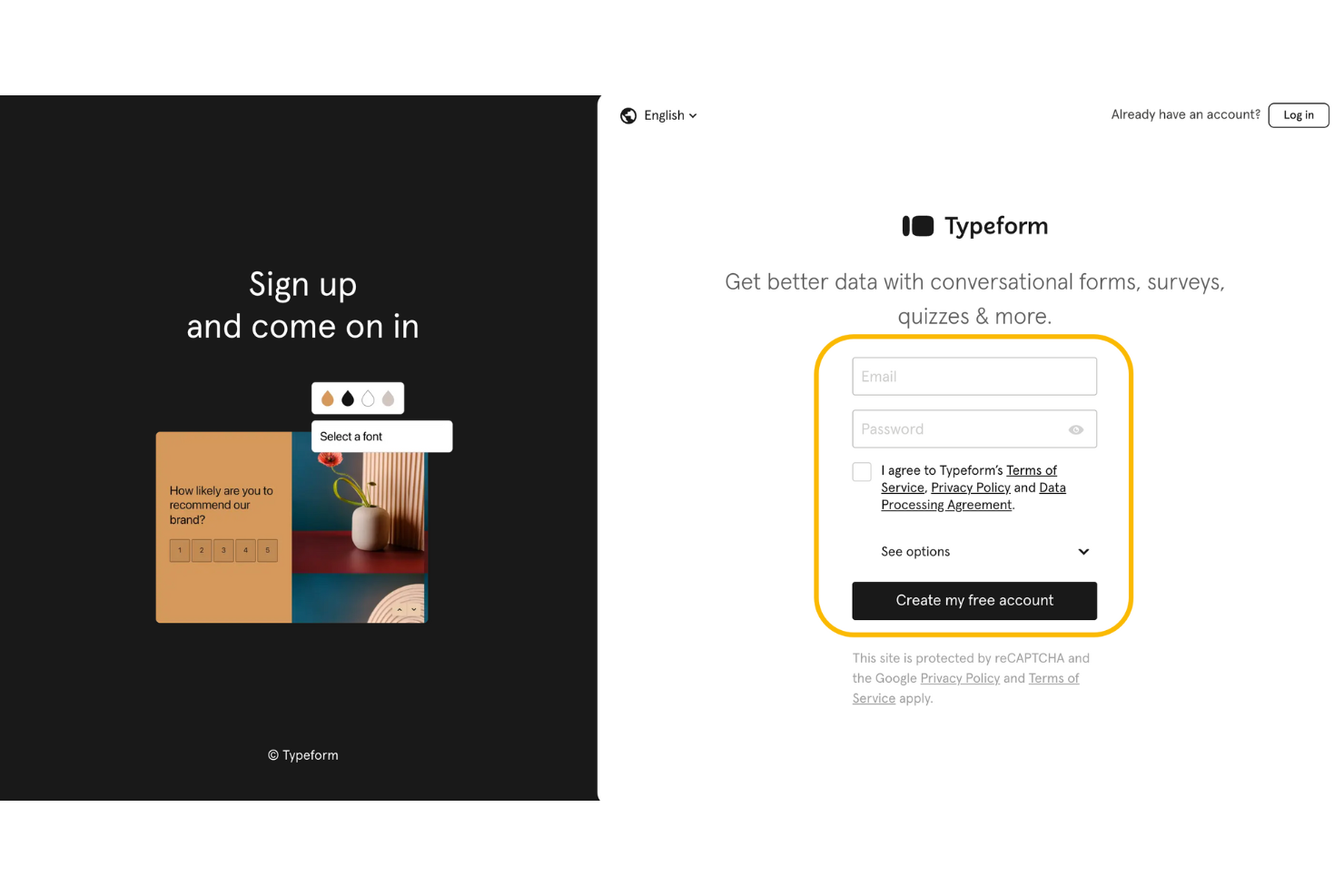
Typeform's onboarding is straightforward, offering new users helpful tutorials and resources to learn about basic functionalities, such as automation and logic jumps. Users often mention that it's easy to get started, though some feel that learning advanced features requires additional time. Typeform provides responsive support, helping you resolve initial queries efficiently.
Customer Support
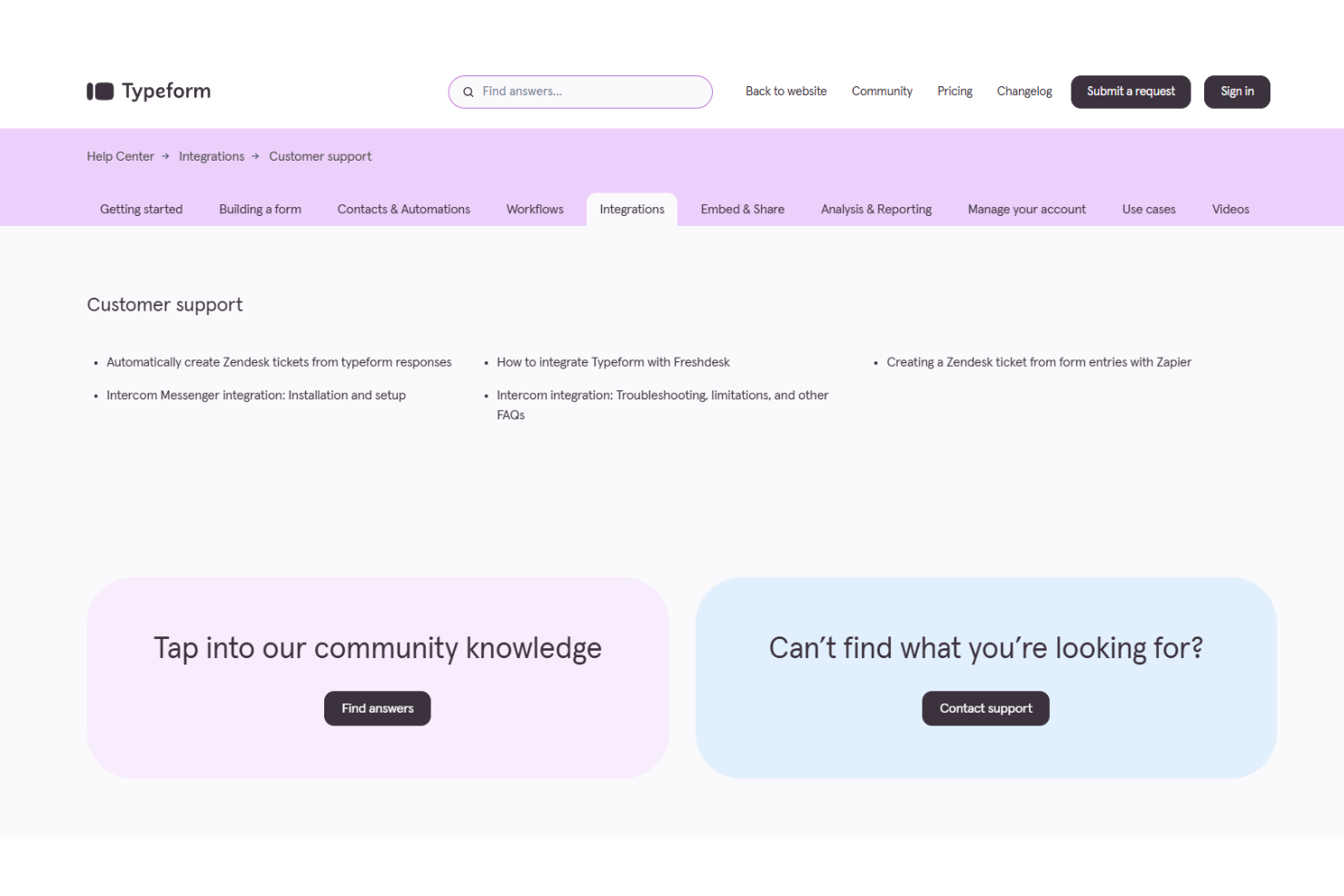
Typeform offers reliable customer support, providing multiple channels for assistance. Although user reviews highlight the responsive help center and detailed guides available for troubleshooting, some feel that the response time could be improved. Typeform's community forum can provide you with answers from both staff and experienced users to help you resolve issues quickly.
Integrations
Typeform integrates with Slack, Mailchimp, Klaviyo, WordPress, Pipedrive, Calendly, HubSpot, Excel Online, Google Analytics, and Intercom. It also has an API and connects with third-party integration tools, such as Zapier, for expanded functionality.

Value for Money
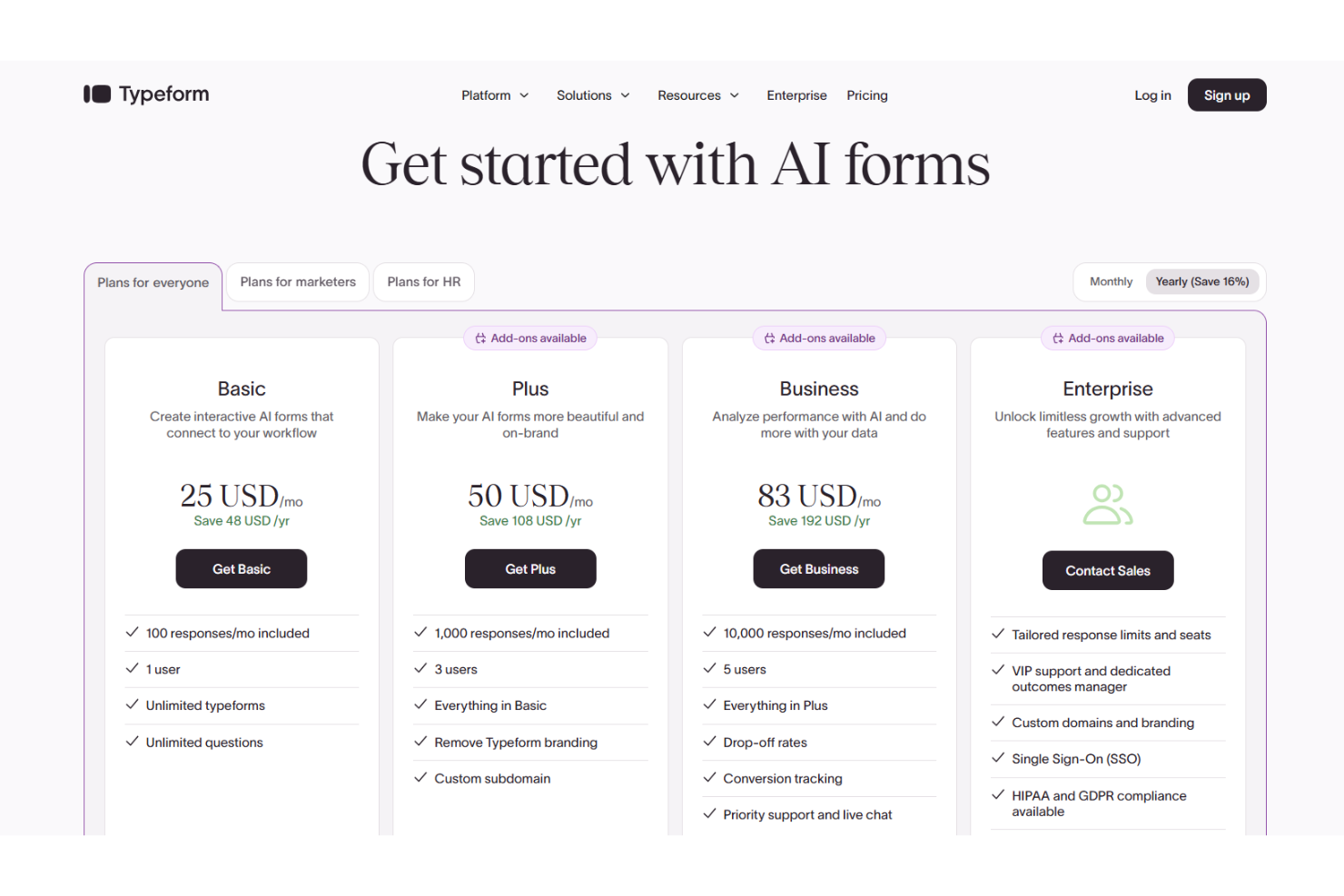
Typeform pricing offers a fair balance of features for its cost, making it suitable for teams focused on user engagement. Users find prices reasonable for the intuitive design and interactive capabilities provided. Typeform also offers a free version, allowing your team to explore its features before committing to a paid plan.
- Basic: $25/month; includes essential features for small teams and simple forms.
- Plus: $50/month; offers additional customization options and increased response limits.
- Business: $83/month; provides advanced features like priority support and enhanced security.
- Enterprise: Contact Typeform's sales department for pricing; custom solutions for large organizations with specific needs.
Typeform Specs
- Analytics
- API
- Batch Permissions & Access
- Calendar Management
- Contact Management
- Custom Reports
- Dashboard
- Data Export
- Data Import
- Data Visualization
- Email Integration
- External Integrations
- Feedback Management
- Google Apps Integration
- Marketing Automation
- Multi-Source Feedback
- Multi-User
- Net Promoter Score
- Notifications
- Online Surveys
- Paper Surveys
- Scheduling
- Sentiment Analysis
- Template Designer
- Workflow Management
Typeform FAQs
How does Typeform handle data security and compliance?
Can I customize the appearance of my forms?
Is there a limit to the number of responses my forms can receive?
What support is available if I encounter issues?
Can Typeform handle complex forms with conditional logic?
How can I export the data collected through Typeform?
Does Typeform offer multilingual support for forms?
How reliable is Typeform's uptime and performance?
Typeform Company Overview & History
Typeform, founded in 2012 by Robert Muñoz and David Okuniev, is a SaaS company headquartered in Barcelona, Spain. It specializes in online surveys and form-building, attracting major clients such as Apple, Airbnb, and Nike. The company has grown to employ over 250 people. Known for its user-friendly and engaging platform, Typeform continues to expand, raising $135 million in Series C funding in 2022.
Typeform Major Milestones
- 2012: Founded by Robert Muñoz and David Okuniev in Barcelona, Spain.
- 2013: Launched the software in Beta after initial Alpha phase testing.
- 2022: Raised $135 million in Series C funding.