


Unwrap vs. Enterpret: Comparison and Expert Reviews for 2026
Curious which customer intelligence platform really delivers? I break down Unwrap vs. Enterpret—revealing where each excels and what sets them apart.

We review tools independently, and commissions help fund our testing. See our transparency policy, our methodology, or suggest a tool.
Unwrap

4.8/5
- 30-day free trial
- From $2,000/month (billed annually)
Enterpret
4.8/5
- Free demo available
- Pricing upon request
Why Trust Our Software Recommendations
6,700+
Reviews
20
Industry experts
16+
Evaluation factors
14
Years
Our team has been testing and reviewing software since 2012. As CX leaders ourselves, we know how difficult—and important—it is to choose the right software.
For this guide, we evaluated tools using hands-on testing and independent research, scoring tools using our selection criteria.
Our reviews reflect our human editorial judgment, not a sales pitch.
 Gui DrusinaCreative Director
 Tim FisherVP of AI
| Unwrap | Enterpret | |
|---|---|---|
| Free Trial | 30-day free trial | Free demo available |
| Pricing | From $2,000/month (billed annually) | Pricing upon request |
Unwrap vs. Enterpret Pricing & Hidden Costs
Unwrap offers custom pricing based primarily on feedback volume and integrations, rather than charging per seat, so costs don’t automatically scale as more users or departments adopt the platform – which can potentially be a significant advantage for larger teams planning a broader rollout. Enterpret’s pricing is also often customized based on data volume and specific needs, which can make both options less predictable if usage grows or custom integrations are required. With both vendors, look out for implementation fees, data storage charges, or additional costs for premium support and API access.
To find the right fit, map each platform’s offering to your current and future needs. Check not just headline features, but what’s included at each price tier and how usage limits might impact you as your team or data scale. Speak with sales early to clarify exactly what’s included, ask for total cost of ownership scenarios, and make sure hidden costs won’t surprise you down the road.
Both Unwrap and Enterpret cover the basics: automated customer feedback analysis, dashboard visualizations, and integrations with common workplace tools. They make it easy to track sentiment, surface trends, and share insights across your team without manual effort.
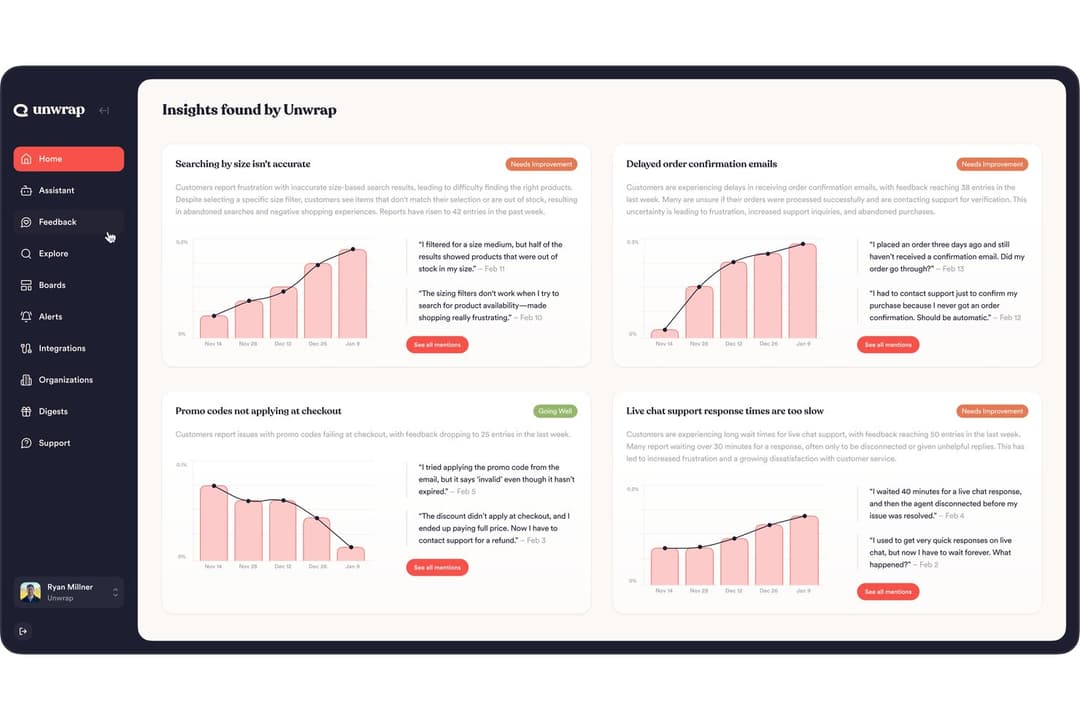
Unwrap stands out for proactive alerts, deeper analysis, usability, and a flexible self-service taxonomy. It sends real-time alerts and personalized digests automatically, helping teams surface trends across feedback channels before they know what to search for. Its analysis goes beyond basic tagging, supporting multiple layers of insight with traceable, verified data, and it ties every theme back to the accounts, segments, and revenue behind it, so teams see which customers are affected and what an issue is worth rather than just a volume count. Its taxonomy auto-detects new categories and lets teams stay in control as feedback patterns evolve
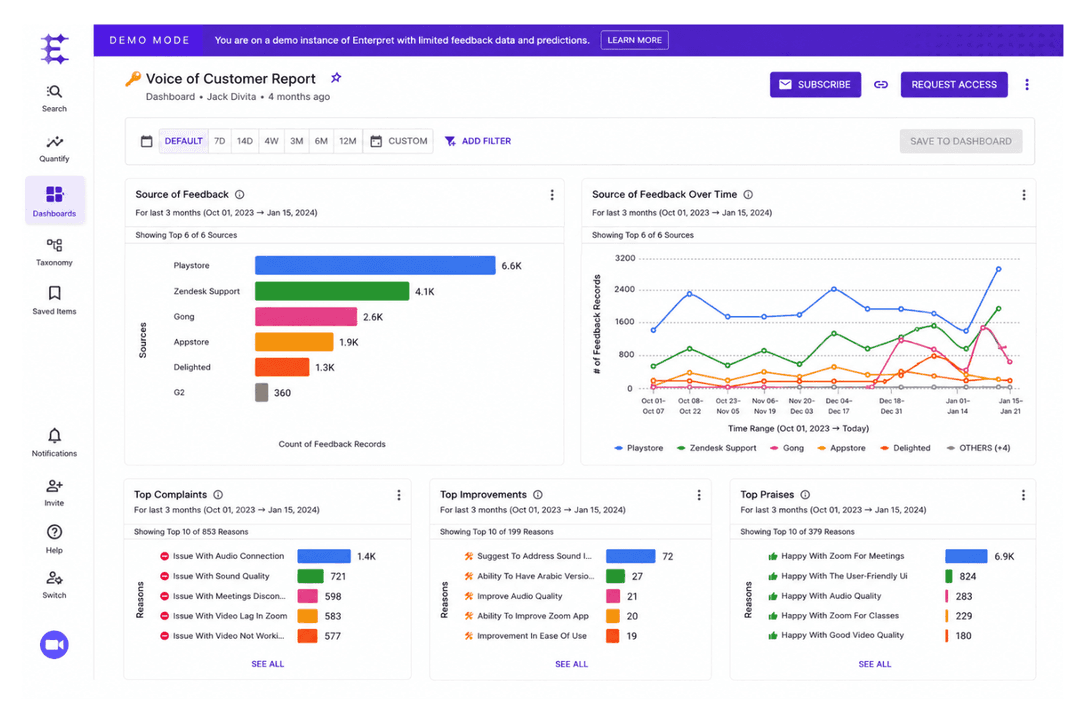
Enterpret stands out for its advanced AI-powered intent detection and out-of-the-box support for multiple feedback languages, which is a big plus for larger, globally distributed teams. Its ability to analyze feedback across regions, products, and customer segments makes it useful for organizations managing high volumes of multilingual customer input. This gives teams a clearer way to understand not just what customers are saying, but the intent behind their feedback.
| Unwrap | Enterpret | |
|---|---|---|
| API | Yes | Yes |
| Contact Management | Yes | Yes |
| Data Export | Yes | Yes |
| Data Import | Yes | Yes |
| Data Visualization | Yes | Yes |
| Google Apps Integration | Yes | Yes |
| Multi-User | Yes | Yes |
| Third-Party Plugins/Add-Ons | Yes | Yes |
| Integration | Unwrap | Enterpret |
|---|---|---|
| IntegrationZendesk | Unwrap✅ | Enterpret✅ |
| IntegrationSalesforce | Unwrap✅ | Enterpret✅ |
| IntegrationSlack | Unwrap✅ | Enterpret✅ |
| IntegrationIntercom | Unwrap✅ | Enterpret✅ |
| IntegrationHubSpot | Unwrap✅ | Enterpret✅ |
| IntegrationJira | Unwrap✅ | Enterpret✅ |
| IntegrationFreshdesk | Unwrap✅ | Enterpret✅ |
| IntegrationGoogle Play Store | Unwrap✅ | Enterpret✅ |
| IntegrationAPI | Unwrap✅ | Enterpret✅ |
| IntegrationZapier | Unwrap✅ | Enterpret✅ |
Both Unwrap and Enterpret offer a solid range of integrations with the core tools most teams rely on, making them equally capable of fitting into existing workflows. Both platforms also provide API access and Zapier integrations for added flexibility and custom automation. Ultimately, there's little separating them on integrations, so the better choice comes down to your team's preferred workflow and the specific tools already in your tech stack.
| Factor | Unwrap | Enterpret |
|---|---|---|
| FactorData Encryption | UnwrapUses AES-256 encryption at rest and in transit with automatic PII redaction. | EnterpretEncrypts all data with AES-256 and bcrypt in transit and at rest with industry standards. |
| FactorRegulatory Compliance | UnwrapSOC 2 Type II and GDPR-compliant, with data residency options in major regions. | EnterpretISO 27001, ISO 42001, SOC 2 and GDPR compliant, with flexible hosting options. |
| FactorAccess Controls | UnwrapOffers granular role-based access and audit logging. | EnterpretProvides SSO, advanced permissions, and access monitoring. |
Both vendors provide strong, enterprise-grade security and compliance coverage. Enterpret carries additional ISO certifications that help in heavily regulated industries, while Unwrap pairs SOC 2 Type II certification with AES-256 encryption in transit and at rest, SSO, a dedicated multi-tenant AWS VPC, and optional PII redaction through AWS Comprehend. For most teams, the
practical security posture is equivalent.
| Factor | Unwrap | Enterpret |
|---|---|---|
| FactorUser Interface | UnwrapClean, intuitive layout with drag-and-drop dashboards and clear navigation. | EnterpretModern interface with rich visualizations, though menus can feel complex at first. |
| FactorOnboarding | UnwrapGuided first-time setup with in-app tips and fast sample project creation. | EnterpretPersonalized onboarding from support plus extensive learning resources. |
| FactorSetup Time | UnwrapGets up and running in minutes, even for non-technical users. | EnterpretRequires more initial configuration, especially for integrating multiple data sources. |
| FactorCustomer Support | UnwrapResponsive chat support and a searchable help center. | EnterpretDedicated account managers and expert-led onboarding sessions. |
| FactorCustomization | UnwrapOffers flexible templates and custom taxonomy for feedback themes. | EnterpretDeep customization for reporting and advanced segmentation. |
Unwrap wins for sheer simplicity and speed, while Enterpret rewards teams that want advanced configuration and onboarding support. I’d pick Unwrap for plug-and-play usability, but Enterpret feels designed for teams who need tailored analytics and don’t mind a bit of setup.
Unwrap
- Proactive insight discovery without manual tagging
- Early issue detection through alerts and trend monitoring
- Verifiable, traceable insights that link each theme back to the original feedback.
- Limited value for low feedback volume teams
- Takes longer to get started than instant sign-up alternatives
- Customization depth is intentionally limited
Enterpret
- AI accurately tags and categorizes open-text feedback
- Dashboards highlight customer themes with ready-to-share reports
- Searchable insights span product, support, and NPS sources
- Pricing is high for early-stage teams
- Setup requires careful onboarding and data mapping
- Mobile interface lacks parity with desktop features
Unwrap
- Product ManagersUnwrap helps product managers identify recurring customer pain points and feature requests at scale, making roadmap prioritization easier and more evidence-based.
- Customer Experience (CX) TeamsCX teams use Unwrap to automatically surface trends and sentiment shifts across customer feedback, helping them address issues before they escalate.
- Support LeadershipSupport leaders rely on Unwrap to detect systemic issues from support tickets and reviews, allowing them to reduce repeat problems and improve service quality.
- Survey & Research TeamsUnwrap’s AI-powered surveys help research teams collect richer, more actionable qualitative feedback without increasing survey fatigue.
- Executives & Strategic LeadersExecutives use Unwrap to stay informed on customer sentiment and emerging issues through clear summaries instead of raw data dashboards.
- Enterprise OrganizationsLarge organizations benefit from Unwrap’s ability to analyze massive volumes of multi-channel feedback while supporting cross-team visibility and governance.
Enterpret
- Product Management TeamsProduct teams benefit from AI-driven, granular feedback categorization and automated dashboards for prioritizing features and roadmaps.
- SaaS CompaniesFast-growing SaaS organizations gain a unified view of feedback from multiple channels for quick roadmap decisions.
- B2B Customer SuccessCustomer success professionals at B2B companies can track NPS, support, and product sentiment in a single platform to inform playbooks.
- Enterprise RetailLarge retailers use it to surface trends across support, reviews, and surveys, revealing actionable QoS and CX improvements.
- Operations DepartmentsOps teams can trigger alerts on changing customer sentiment and incident trends for fast process updates.
- Voice of Customer ProgramsDedicated VoC leaders get flexible taxonomy controls, stakeholder Q&A collaboration, and transparent reporting power.
Who Should Use Unwrap, and Who Should Use Enterpret?
Unwrap is a strong fit for product, CX, and support teams that need enterprise-ready customer insights without slowing teams down. Its intuitive experience, proactive real-time alerts, AI-powered feedback analysis that ties themes to the accounts and revenue behind them, and seat-independent pricing make it easier to get verifiable insights into the hands of more stakeholders across the business. Enterpret is also built for complex feedback analysis, particularly for teams that prioritize advanced segmentation and highly customized workflows. But if your priority is broad adoption, faster time to value, and trusted insights that can scale across teams, Unwrap stands out as the stronger choice.
| Unwrap | Enterpret | |
|---|---|---|
| AI Capabilities | Unwrap AI-powered Auto Tagger automatically categorizes feedback, while proactive alerts surface emerging customer trends. | Enterpret AI intent detection and support for multiple languages. |
| Custom Taxonomies | Unwrap Lets users build and refine taxonomies without code. | Enterpret Offers advanced taxonomy management but may need expert help. |
| Onboarding Speed | Unwrap Quick, guided onboarding with sample projects. | Enterpret Personalized onboarding with more setup steps required. |
| Dashboard Reporting | Each platform provides highly visual, customizable dashboards for tracking feedback and drilling into data. |
|---|---|
| Data Encryption | Both Unwrap and Enterpret encrypt customer data at rest and in transit to protect sensitive information. |
| Major Integrations | Both support integrations with popular tools like Zendesk, Salesforce, Slack, and Intercom for seamless workflow. |
| Sentiment Analysis | Both platforms use AI to analyze customer sentiment and surface trends from large volumes of feedback. |
| Team Collaboration | You can easily share dashboards and insights with colleagues in both tools, supporting real-time collaboration. |