

Zammad Review 2026: Pros, Cons, Features and Pricing
I look beyond Zammad’s free price tag to weigh its support features against the setup and trade-offs, so you can decide whether it’s the right fit for your team.

We review tools independently, and commissions help fund our testing. See our transparency policy, our methodology, or suggest a tool.
Zammad is a free customer service software with an open-source, self-hosted edition for teams that need a help desk they can manage on their own infrastructure. Compared with Zendesk, Zammad is a better fit if you want more control over hosting and the ability to adapt the software to your support workflows.
Zammad Evaluation Summary
4.5/5
- From €7/user/month
- 30-day free trial
Why Trust Our Software Recommendations
6,700+
Reviews
20
Industry experts
16+
Evaluation factors
14
Years
Our team has been testing and reviewing software since 2012. As CX leaders ourselves, we know how difficult—and important—it is to choose the right software.
For this guide, we evaluated tools using hands-on testing and independent research, scoring tools using our selection criteria.
Our reviews reflect our human editorial judgment, not a sales pitch.
 Gui DrusinaCreative Director
 Tim FisherVP of AI
Zammad Overview
Zammad is a strong free choice if you can manage self-hosting. Its open-source edition includes the full feature set, with control over data and customization. Compared with hosted help desks, it offers ticket automation, a customer portal, a knowledge base, a REST API, and integrations with Microsoft Teams and GitHub. However, self-hosting requires managing setup, updates, backups, and availability, while vendor support is available separately. I’d choose Zammad for technically capable teams that value control, but favor a hosted option when easy onboarding and included support matter more.
Pros
- The self-hosted edition includes Zammad’s full feature set without license fees.
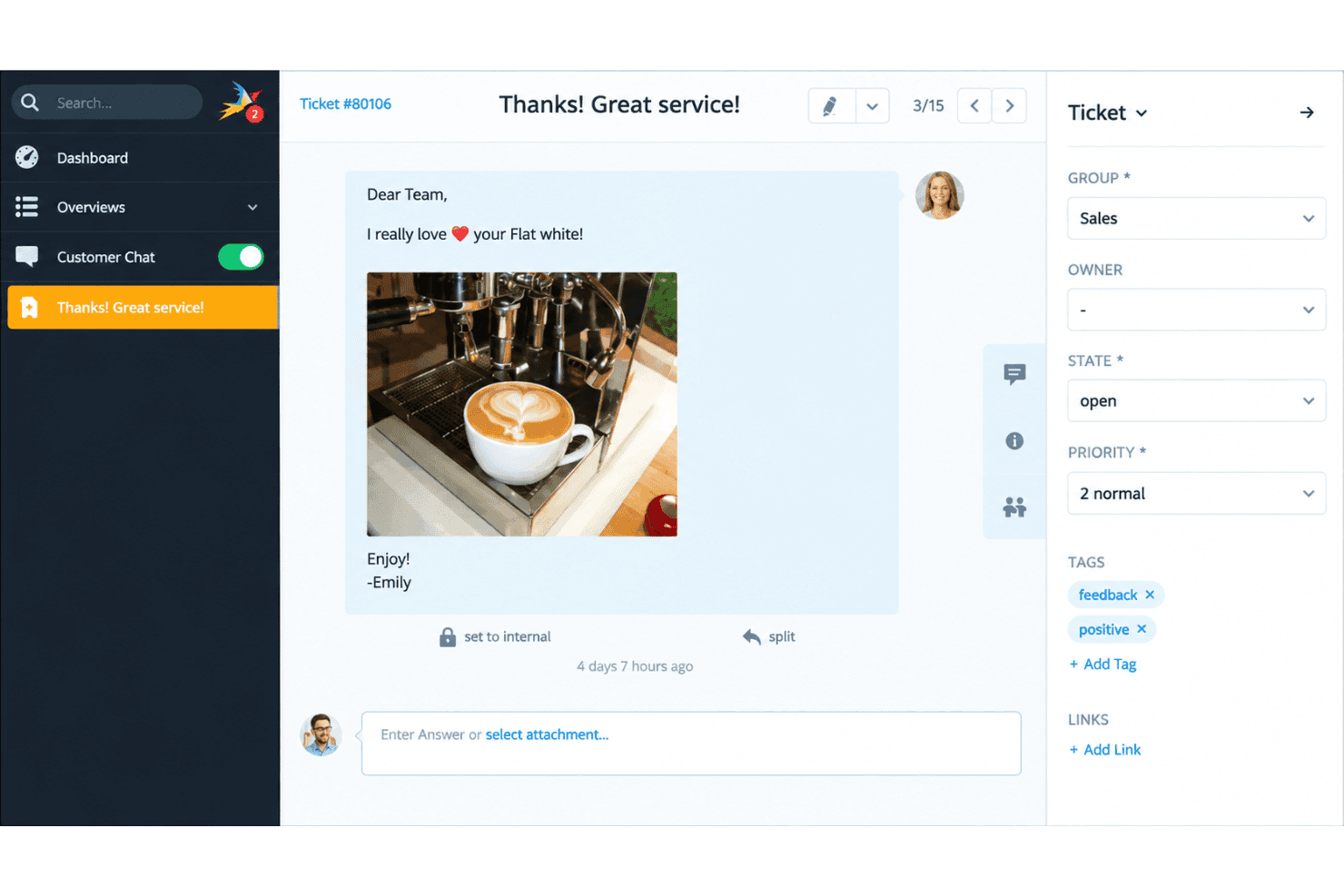
- Unified email and chat tickets pair with a customer portal.
- Reviewers praise its modern interface and keyboard-shortcut text macros.
Cons
- Self-hosting leaves your team responsible for updates, backups, and uptime.
- Custom reports and workflow setup can require extra effort.
- Reviewers report awkward time corrections and missing customer-level PDF reports.


How We Test & Score Tools
We’ve spent years building, refining, and improving our software testing and scoring system. The rubric is designed to capture the nuances of software selection and what makes a tool effective, focusing on critical aspects of the decision-making process.
Below, you can see exactly how our testing and scoring works across seven criteria. It allows us to provide an unbiased evaluation of the software based on core functionality, standout features, ease of use, onboarding, customer support, integrations, customer reviews, and value for money.
Core Functionality (25% of final scoring)
The starting point of our evaluation is always the core functionality of the tool. Does it have the basic features and functions that a user would expect to see? Are any of those core features locked to higher-tiered pricing plans? At its core, we expect a tool to stand up against the baseline capabilities of its competitors.
Standout Features (25% of final scoring)
Next, we evaluate uncommon standout features that go above and beyond the core functionality typically found in tools of its kind. A high score reflects specialized or unique features that make the product faster, more efficient, or offer additional value to the user.
We also evaluate how easy it is to integrate with other tools typically found in the tech stack to expand the functionality and utility of the software. Tools offering plentiful native integrations, 3rd party connections, and API access to build custom integrations score best.
Ease of Use (10% of final scoring)
We consider how quick and easy it is to execute the tasks defined in the core functionality using the tool. High scoring software is well designed, intuitive to use, offers mobile apps, provides templates, and makes relatively complex tasks seem simple.
Onboarding (10% of final scoring)
We know how important rapid team adoption is for a new platform, so we evaluate how easy it is to learn and use a tool with minimal training. We evaluate how quickly a team member can get set up and start using the tool with no experience. High scoring solutions indicate little or no support is required.
Customer Support (10% of final scoring)
We review how quick and easy it is to get unstuck and find help by phone, live chat, or knowledge base. Tools and companies that provide real-time support score best, while chatbots score worst.
Customer Reviews (10% of final scoring)
Beyond our own testing and evaluation, we consider the net promoter score from current and past customers. We review their likelihood, given the option, to choose the tool again for the core functionality. A high scoring software reflects a high net promoter score from current or past customers.
Value for Money (10% of final scoring)
Lastly, in consideration of all the other criteria, we review the average price of entry level plans against the core features and consider the value of the other evaluation criteria. Software that delivers more, for less, will score higher.
Core Features
Omnichannel Ticket Management
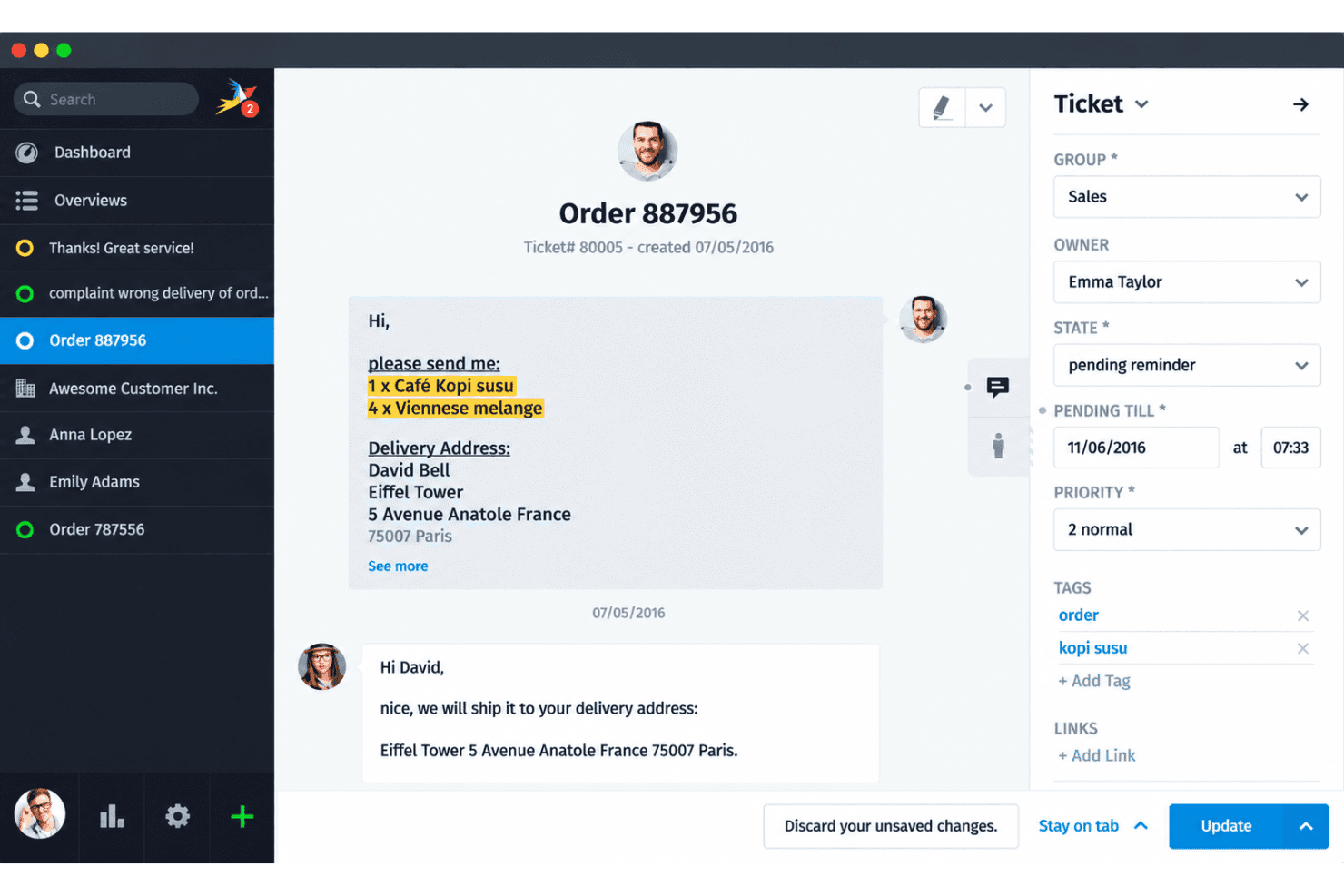
Zammad brings support requests from email, chat, social channels, and telephony into tickets with customer details and conversation history. Agents can assign tickets, set priorities, add internal notes, and keep each customer’s request in one place.
Workflow Automation and Macros
Automation rules and triggers can update or route tickets when they meet conditions your team defines. Agents can also use macros and text modules for repeatable actions and replies, such as applying a tag and sending a standard troubleshooting response.
Customer Portal
Customers can use the portal to view their tickets and follow their status. This gives them a direct way to check progress without asking an agent for an update.
Knowledge Base
Zammad’s knowledge base lets your team publish help articles customers can consult before opening a ticket. For example, a setup guide can answer common configuration questions while agents handle requests that need individual support.
SLA Tracking and Ticket Routing
You can set priorities, assign tickets to groups or agents, and track service-level agreements (SLAs) with escalation options. That helps your team spot requests nearing a deadline and direct them to the right queue.
Reporting and Dashboards
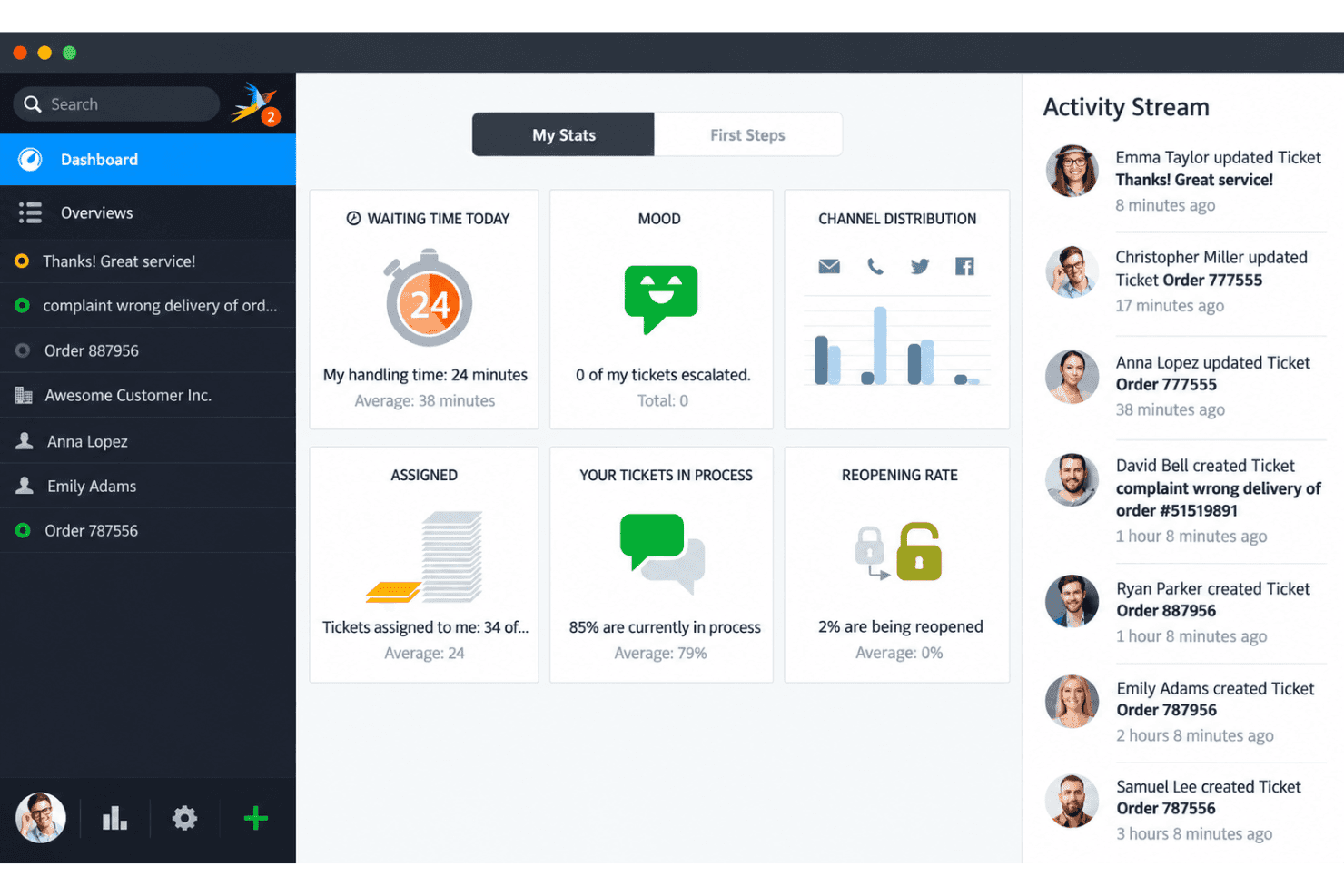
Dashboards and reports give your team views of ticket activity and support performance. Use them to review workload or response trends and identify where requests are building up.
Ease of Use
Zammad is easier to use than its self-hosted setup might suggest. Its clean interface, keyboard shortcuts, text modules, and combined email and chat tickets make daily work approachable. However, configuring custom workflows and reports can require additional effort, while its search syntax takes time to learn. Compared with free tools that limit features, Zammad offers a broad ticketing feature set without licensing costs, though self-hosting requires technical expertise.
Integrations
Zammad integrates with GitHub, GitLab, Microsoft Exchange, LDAP/Active Directory, Checkmk, i-doit, and Sipgate, among others. It also supports ticket notifications through predefined webhooks for Microsoft Teams, Slack, and Rocket.Chat.
Zammad provides a REST API for custom integrations and supports webhooks for exchanging ticket updates with third-party applications.
Zammad Specs
- 2-Factor Authentication: Yes
- Analytics: Yes
- Anti-Virus: No
- API: Yes
- Batch Permissions & Access: Yes
- Bug Tracking: No
- Call Integration: Yes
- Chat: Yes
- Contact Management: Yes
- CRM Integration: No
- Customer Management: Yes
- Data Export: Yes
- Data Import: Yes
- Email Integration: Yes
- Escalation Management: Yes
- External Integrations: Yes
- Incident Management: Yes
- Instant Chat Integration: Yes
- Knowledge Base: Yes
- Malware Protection: No
- Multi-User: Yes
- Notifications: Yes
- Organization Management: Yes
- Password & Access Management: Yes
- Project Management: No
- Real-time Alerts: Yes
- SAP Integration: No
- Self-service Portal: Yes
- Social Media Integration: Yes
- Support Forum: No
- Ticket Management: Yes
- Workflow Management: Yes


