

Amazon Connect Review: Pros, Cons, Features & Pricing
Amazon Connect is a scalable, cloud-based call center platform built on AWS. It’s ideal for mid to large teams looking to streamline customer interactions with reliable features, strong AWS integration, and flexible pricing—though onboarding may require technical know-how.

We review tools independently, and commissions help fund our testing. See our transparency policy, our methodology, or suggest a tool.
Amazon Connect is a cloud based contact center software built and hosted on AWS. It's a strong fit for CX and support teams that need a scalable, omnichannel contact center without committing to per-seat licensing costs. If your infrastructure already lives on AWS, you'll get more out of Connect than you would from something like Genesys Cloud CX—native integrations with AWS services like Lambda, Lex, and S3 eliminate a lot of the middleware that other platforms require you to manage separately.
Amazon Connect Evaluation Summary

4.5/5
- Pricing upon request
- Free plan available
Why Trust Our Software Recommendations
6,700+
Reviews
20
Industry experts
16+
Evaluation factors
14
Years
Our team has been testing and reviewing software since 2012. As CX leaders ourselves, we know how difficult—and important—it is to choose the right software.
For this guide, we evaluated tools using hands-on testing and independent research, scoring tools using our selection criteria.
Our reviews reflect our human editorial judgment, not a sales pitch.
 Gui DrusinaCreative Director
 Tim FisherVP of AI
Amazon Connect Overview
Pros
- Scales easily as your business grows
- User-friendly interface for daily operations
- Strong call management capabilities
Cons
- Onboarding can be time-intensive
- Customer support response times may be slow
- Some advanced features need technical know-how
Is Amazon Connect Right For Your Needs?
Who Would be a Good Fit for Amazon Connect?
- E-commerce CompaniesHandle high volumes of customer queries efficiently
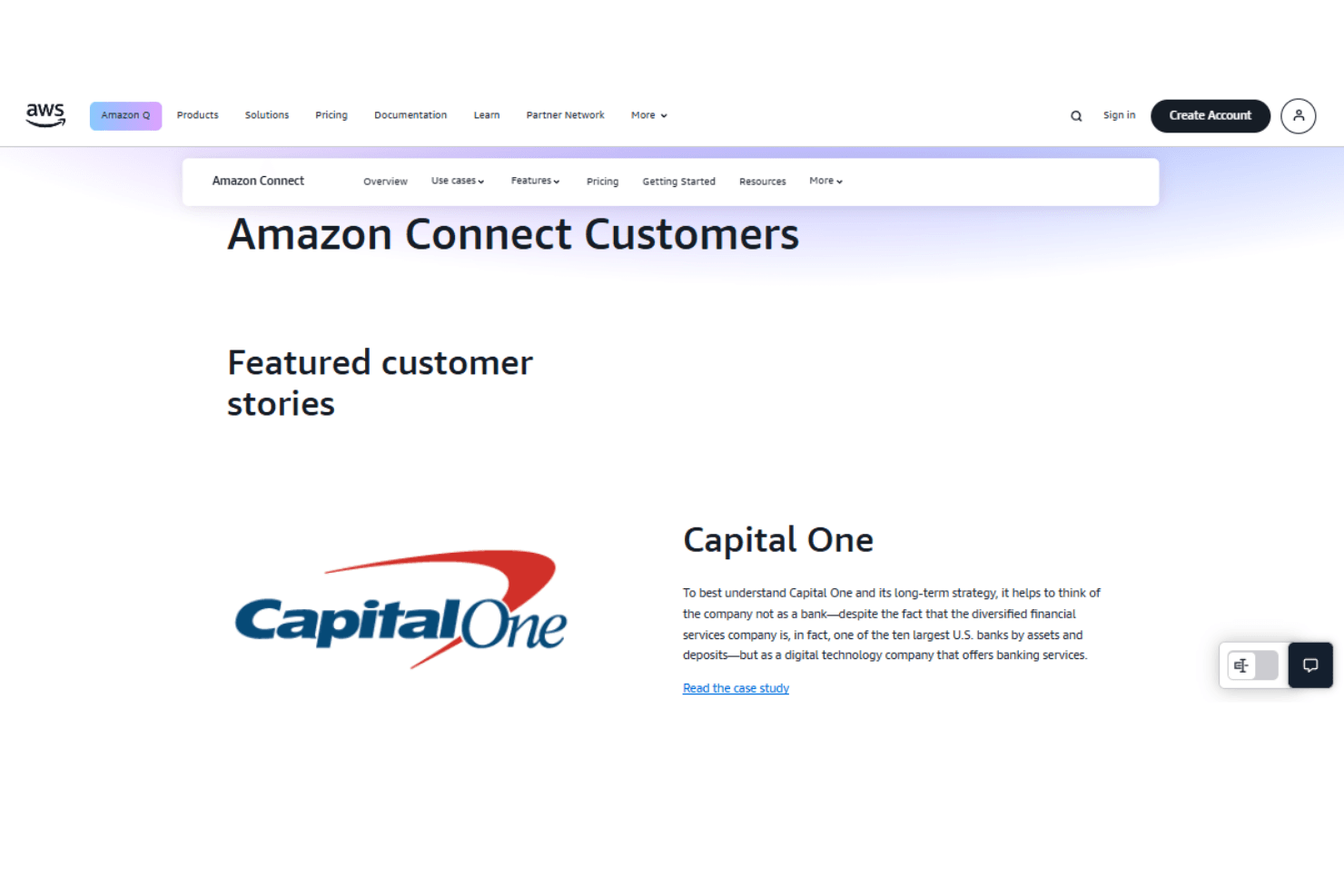
- Financial ServicesLeverage secure and dependable call handling
- Healthcare ProvidersImprove responsiveness in patient communications
- Customer Support TeamsNavigate calls with an intuitive dashboard
- IT DepartmentsManage infrastructure and scale operations flexibly
- Mid to Large EnterprisesMeet complex customer experience needs with advanced features
Who Would be a Bad Fit for Amazon Connect?
- Small StartupsLimited resources and expertise may hinder onboarding
- Non-tech IndustriesLess suited for teams unfamiliar with AWS
- High-Support Reliant TeamsSupport lags can delay resolution
- Budget-Constrained TeamsOnboarding time may strain limited budgets
- Rapid Deployment NeedsSetup may take longer than out-of-the-box tools
- Minimal AWS UsageLack of AWS infrastructure reduces integration value
How We Test & Score Tools
We’ve spent years building, refining, and improving our software testing and scoring system. The rubric is designed to capture the nuances of software selection and what makes a tool effective, focusing on critical aspects of the decision-making process.
Below, you can see exactly how our testing and scoring works across seven criteria. It allows us to provide an unbiased evaluation of the software based on core functionality, standout features, ease of use, onboarding, customer support, integrations, customer reviews, and value for money.
Core Functionality (25% of final scoring)
The starting point of our evaluation is always the core functionality of the tool. Does it have the basic features and functions that a user would expect to see? Are any of those core features locked to higher-tiered pricing plans? At its core, we expect a tool to stand up against the baseline capabilities of its competitors.
Standout Features (25% of final scoring)
Next, we evaluate uncommon standout features that go above and beyond the core functionality typically found in tools of its kind. A high score reflects specialized or unique features that make the product faster, more efficient, or offer additional value to the user.
We also evaluate how easy it is to integrate with other tools typically found in the tech stack to expand the functionality and utility of the software. Tools offering plentiful native integrations, 3rd party connections, and API access to build custom integrations score best.
Ease of Use (10% of final scoring)
We consider how quick and easy it is to execute the tasks defined in the core functionality using the tool. High scoring software is well designed, intuitive to use, offers mobile apps, provides templates, and makes relatively complex tasks seem simple.
Onboarding (10% of final scoring)
We know how important rapid team adoption is for a new platform, so we evaluate how easy it is to learn and use a tool with minimal training. We evaluate how quickly a team member can get set up and start using the tool with no experience. High scoring solutions indicate little or no support is required.
Customer Support (10% of final scoring)
We review how quick and easy it is to get unstuck and find help by phone, live chat, or knowledge base. Tools and companies that provide real-time support score best, while chatbots score worst.
Customer Reviews (10% of final scoring)
Beyond our own testing and evaluation, we consider the net promoter score from current and past customers. We review their likelihood, given the option, to choose the tool again for the core functionality. A high scoring software reflects a high net promoter score from current or past customers.
Value for Money (10% of final scoring)
Lastly, in consideration of all the other criteria, we review the average price of entry level plans against the core features and consider the value of the other evaluation criteria. Software that delivers more, for less, will score higher.
Core Features
Automatic Call Distribution (ACD): Routes inbound calls to the most qualified agent to reduce wait times.
Skill-based Routing: Matches callers with agents based on expertise, improving resolution quality and shortening call queues.
Call Recording: Archive conversations for training, compliance, and quality assurance.
Real-time and Historical Metrics: Access detailed performance analytics for better decision-making.
Interactive Voice Response (IVR): Create automated IVR call menus to guide customers efficiently.
Voicemail: Capture missed messages to ensure timely follow-up.
Omnichannel Experiences: Deliver efficient, personalized service across channels with Amazon Connect. AI-powered chatbots enable natural self-service in multiple languages, while proactive engagement tools help you scale reminders, recommendations, and promotions—boosting satisfaction and loyalty while reducing costs.

Standout Features
Contact Lens: Amazon Connect Contact Lens uses AI to analyze calls and chats, track sentiment, and auto-evaluate agent performance—helping boost quality, uncover insights, and streamline coaching.
Amazon Q: Amazon Q in Connect is an AI assistant that helps agents and customers solve issues faster. Built into Amazon Connect, it detects problems in real time and suggests personalized answers and actions using customer data and company resources.
Predictive Dialer: Auto-dials leads and connects agents only when a call is answered. This maximizes productivity and minimizes time spent dialing outbound calls.
Amazon Lex Integration: Integrates with AI chatbots to handle routine queries and reduce agent load.
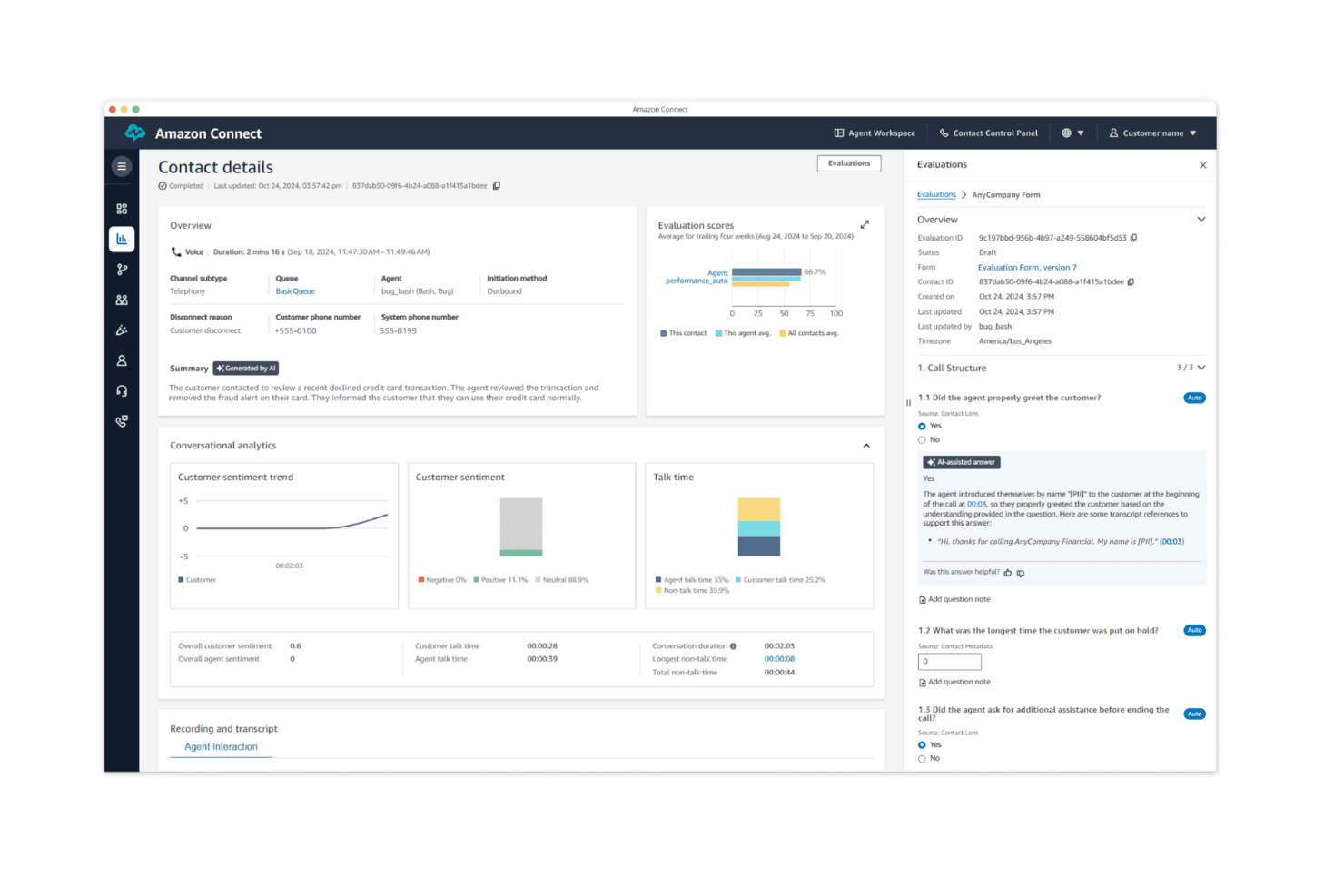
Ease of Use
Amazon Connect features a clean, intuitive interface that makes everyday operations easy. However, configuring the platform—especially the initial setup—can be complex without AWS experience. Once past the learning curve, teams find the system powerful and adaptable.

Onboarding
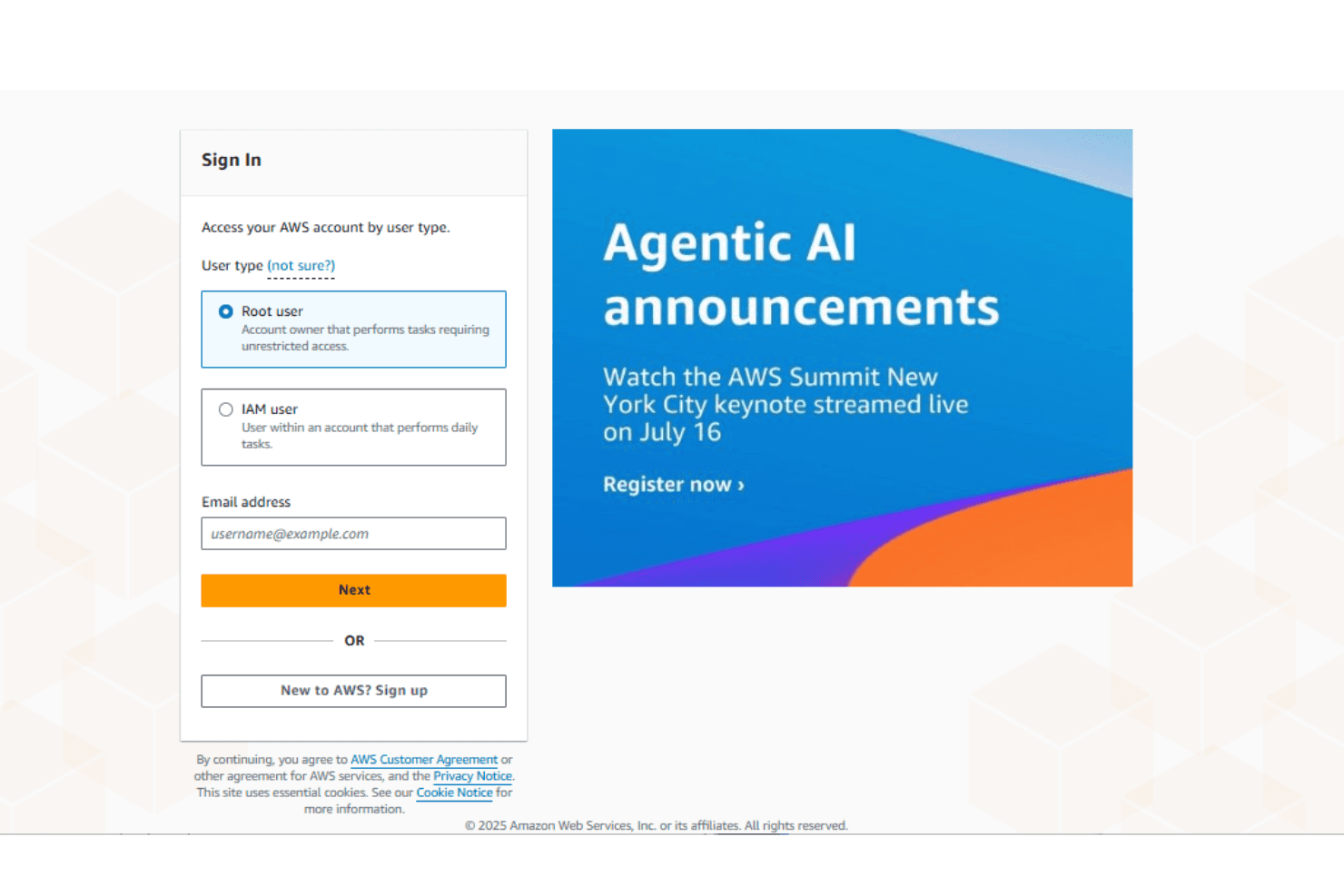
The onboarding experience requires technical involvement, particularly in configuring call flows and integrations. While documentation and tutorials are available, they may not fully offset the need for AWS-savvy team members. Expect a longer ramp-up period before reaching full ROI. However, once your team is trained, there’s immense potential for workflow customization and optimization, to align with your business needs.
Customer Support
Support resources exist but are not always fast or proactive. While documentation is comprehensive, teams needing hands-on help or rapid troubleshooting may find Amazon Connect's support lagging. It’s better suited for self-sufficient teams with some technical autonomy.
Value for Money
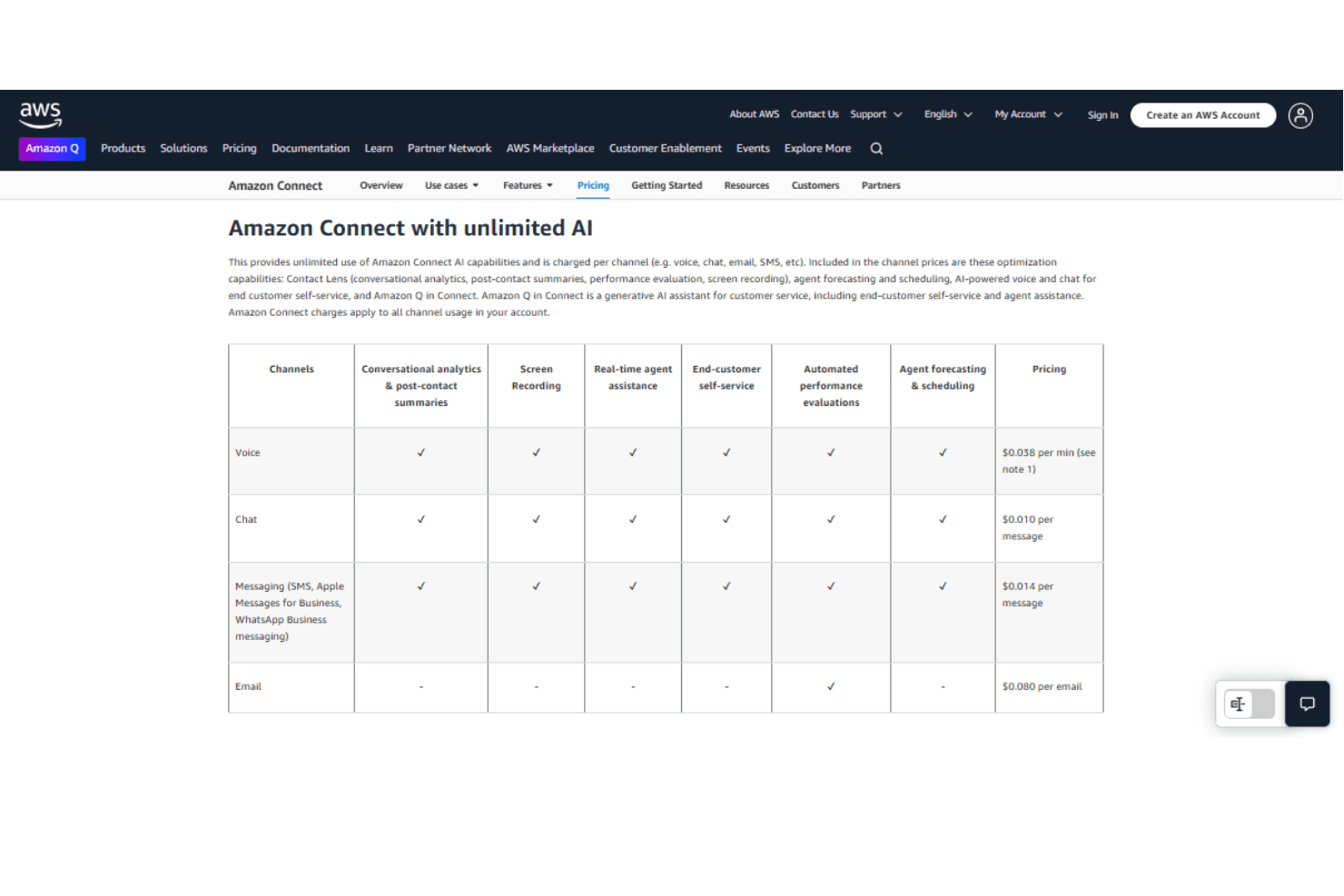
Amazon Connect pricing model is competitive and usage-based, which aligns well with AWS customers. The "pay only for what you use" model can significantly lower overhead for teams that manage call volumes dynamically and make the tool cost-effective.
Pricing Structure:
- Pay-as-you-go: Based on telephony minutes, number of chat, SMS, or WhatsApp messages sent, and number of agents
- Reserved Capacity: Discounted rates for longer-term usage commitments
Enterprise Support Plan: Premium support for mission-critical deployments
Amazon Connect Specs
- Analytics: No
- API: No
- Auto Dialer: No
- Automatic Call Distribution: No
- Batch Permissions & Access: No
- Calendar Management: No
- Call Disposition: No
- Call Logging: No
- Call Monitoring: No
- Call Recording: No
- Call Scripting: No
- Call Tracking: No
- Chat: No
- Click-to-Dial: No
- Comparative Reporting: No
- Contact Management: No
- Contact Sharing: No
- Custom Data Forms: No
- Customer Management: No
- Dashboard: No
- Data Export: No
- Data Import: No
- Data Visualization: No
- Email Integration: No
- Escalation Management: No
- External Integrations: No
- Interactive Voice Response: No
- Lead Management: No
- Lead Scoring: No
- Marketing Automation: No
- Multi-User: No
- Notifications: No
- Scheduling: No
- Softphone: No
- Supplier Management: No
Amazon Connect Frequently Asked Questions
How does Amazon Connect ensure data security and compliance?
Amazon Connect complies with major standards like GDPR and HIPAA. It encrypts data at rest and in transit, with role-based access controls to ensure only authorized users can access sensitive information.
Can my team customize the call flow in Amazon Connect?
Yes. The Contact Flow Editor offers a visual, drag-and-drop interface for customizing call flows. You can design complex routing logic without writing code.
What kind of reporting capabilities does Amazon Connect offer?
It provides both real-time and historical analytics—covering metrics like call volume, wait times, and agent performance. These insights support data-driven improvements.
How does Amazon Connect handle call quality?
Built on AWS infrastructure, it ensures high call clarity and availability. The platform scales automatically to maintain performance during call spikes.
Is there a limit to the number of agents I can have on Amazon Connect?
No. The platform is highly scalable—you can add or remove agents as needed, making it ideal for seasonal or rapidly growing teams.
How does Amazon Connect support multi-channel interactions?
Amazon Connect supports omnichannel interactions, including voice, chat, and text channels within a unified interface. This helps your team provide consistent service across communication modes.
What training resources are available for Amazon Connect?
Amazon offers robust training materials, including guides, tutorials, and webinars to help your team onboard effectively and master the platform.
Can Amazon Connect integrate with other services and tools?
Amazon Connect integrates seamlessly with many AWS services such as AWS Lambda, Amazon S3, and Amazon Lex. This integration allows you to enhance functionality, such as building interactive voice response systems or storing call recordings efficiently.
Using APIs, it also works well with other tech stack components, such as common CRM and help desk platforms like Salesforce, Zendesk, etc.
How can I ensure a smooth transition to Amazon Connect from another system?
Start by mapping your current system’s capabilities to Amazon Connect’s features. Use the platform’s documentation, and involve your IT and support teams early to ensure minimal disruption.
Amazon Connect Company Overview & History
Amazon Connect launched in 2017 as part of Amazon Web Services, offering a cloud-native solution to simplify customer service infrastructure. Its core mission is to make enterprise-grade call center technology accessible and scalable for modern businesses.
Amazon Connect Major Milestones
- 2017: Amazon Connect officially launches as AWS’s call center service
- 2018: AI-driven chatbot (Amazon Lex) and analytics integration
- 2020: Enhanced reporting and automation capabilities added
What's Next?
Subscribe to our newsletter to get the latest expert reviews, in-depth software guides, and practical tips delivered straight to your inbox. Stay informed and make smarter decisions for your customer service strategy.