

10 beste Nextiva-Alternativen für Business-VoIP im Jahr 2026

Auswahlliste der besten Nextiva-Alternativen


Die Verwaltung von Kundenerlebnissen kann schwierig sein. Wenn Nextiva für Sie zunehmend problematisch wird, sind Sie nicht allein. Viele suchen nach Alternativen mit besseren Funktionen, etwa SMS-Nachrichten, flexiblen APIs, Skalierbarkeit oder einfach einer Lösung, die besser zu den Anforderungen ihres Teams passt.
Meiner Erfahrung nach kann die Wahl der richtigen Plattform die Art und Weise verändern, wie Ihr Team Kundeninteraktionen bearbeitet. Ich habe verschiedene Optionen geprüft und getestet, um Ihnen bei der besten Entscheidung zu helfen.
Dieser Listenartikel stellt die besten Nextiva-Alternativen vor und zeigt, was jede von ihnen einzigartig macht. Sie erhalten Einblicke in Funktionen sowie Vor- und Nachteile, die Sie bei Ihrer Entscheidung unterstützen. Finden wir die passende Lösung für Ihr Team.
Was ist Nextiva?
Nextiva ist eine einheitliche Plattform zur Verwaltung von Kundenerlebnissen, die Unternehmen bei der Verwaltung ihrer Kundenkommunikation unterstützt. Sie wird häufig von Kundendienstleitern, Vertriebsteams und IT-Fachkräften eingesetzt, die eine zuverlässige Möglichkeit zur Bearbeitung von Interaktionen benötigen. Funktionen wie Sprachanrufe, Videokonferenzen und Analysen unterstützen den Bedarf Ihres Teams an konsistenter und effizienter Kommunikation. Nextiva bietet einen Mehrwert, indem die Plattform Ihrem Team hilft, mit Kunden verbunden zu bleiben und auf deren Bedürfnisse zu reagieren.
Vergleichstabelle der Nextiva-Alternativen
Diese Vergleichstabelle fasst die Preisinformationen meiner wichtigsten Nextiva-Alternativen zusammen:
| Tool | Best For | Trial Info | Price | ||
|---|---|---|---|---|---|
| 1 | Am besten mit 24/7 Live-Agenten-Support | 14-tägige kostenlose Testphase + kostenlose Demo verfügbar | Ab $25/Monat (jährliche Abrechnung) | Website | |
| 2 | Am besten für Microsoft-Integration geeignet | 30-tägige kostenlose Testversion + Gratis-Tarif + kostenlose Demo verfügbar | Ab £3.10/Nutzer/Monat (jährliche Abrechnung) | Website | |
| 3 | Am besten geeignet für Echtzeit-KI-Tools | 14-tägige kostenlose Testphase verfügbar | Ab $80/Nutzer/Monat (jährliche Abrechnung) | Website | |
| 4 | Am besten für KI-gestützte virtuelle Zusammenarbeit | Kostenloser Tarif verfügbar | Ab $144/Nutzer/Monat (jährliche Abrechnung) | Website | |
| 5 | Am besten geeignet für Einzelanwender, die eine zweite Nummer benötigen | 7-tägige kostenlose Testphase verfügbar | Ab $14/Monat (jährliche Abrechnung) | Website | |
| 6 | Am besten geeignet für KI-basierte Integrationen | 21-tägige kostenlose Testversion + kostenlose Demo verfügbar | Ab £17.99/Nutzer/Monat (jährliche Abrechnung) | Website | |
| 7 | Am besten geeignet für Telefonielösungen kleiner Unternehmen | Kostenlose Testversion + kostenlose Demo verfügbar | Ab $20/Nutzer/Monat (jährliche Abrechnung) | Website | |
| 8 | Am besten geeignet für KI-gestützte, All-in-One-Telefonsysteme | Kostenlose Demo verfügbar | Preise auf Anfrage | Website | |
| 9 | Am besten für KI-generierte Anruf- und Nachrichtenanalysen | 7-tägige kostenlose Testversion | Ab $15/Nutzer/Monat (jährlich abgerechnet) | Website | |
| 10 | Am besten für KI-gestützte Contact Center | Kostenlose Testversion + kostenlose Demo verfügbar | Ab $19,99/Leitung/Monat (jährliche Abrechnung) | Website |
Warum Sie unseren Software-Empfehlungen vertrauen können
Unser Team testet und bewertet Software seit 2012. Als CX-Führungskräfte selbst wissen wir, wie schwierig – und wichtig – es ist, die richtige Software auszuwählen.
Für diesen Leitfaden haben wir Tools mithilfe von praktischen Tests und unabhängiger Recherche bewertet und dabei unsere Bewertungskriterien angewendet.
Unsere Bewertungen spiegeln unser menschliches redaktionelles Urteilsvermögen wider, keine Verkaufsstrategie.
Bewertungen der besten Nextiva-Alternativen
Nachfolgend finden Sie meine ausführlichen Zusammenfassungen der besten Nextiva-Alternativen, die es auf meine Auswahlliste geschafft haben. Meine Bewertungen bieten einen detaillierten Einblick in die wichtigsten Funktionen, Vor- und Nachteile, Integrationen und idealen Anwendungsfälle jedes Tools, damit Sie die beste Lösung für sich finden.

Am besten mit 24/7 Live-Agenten-Support
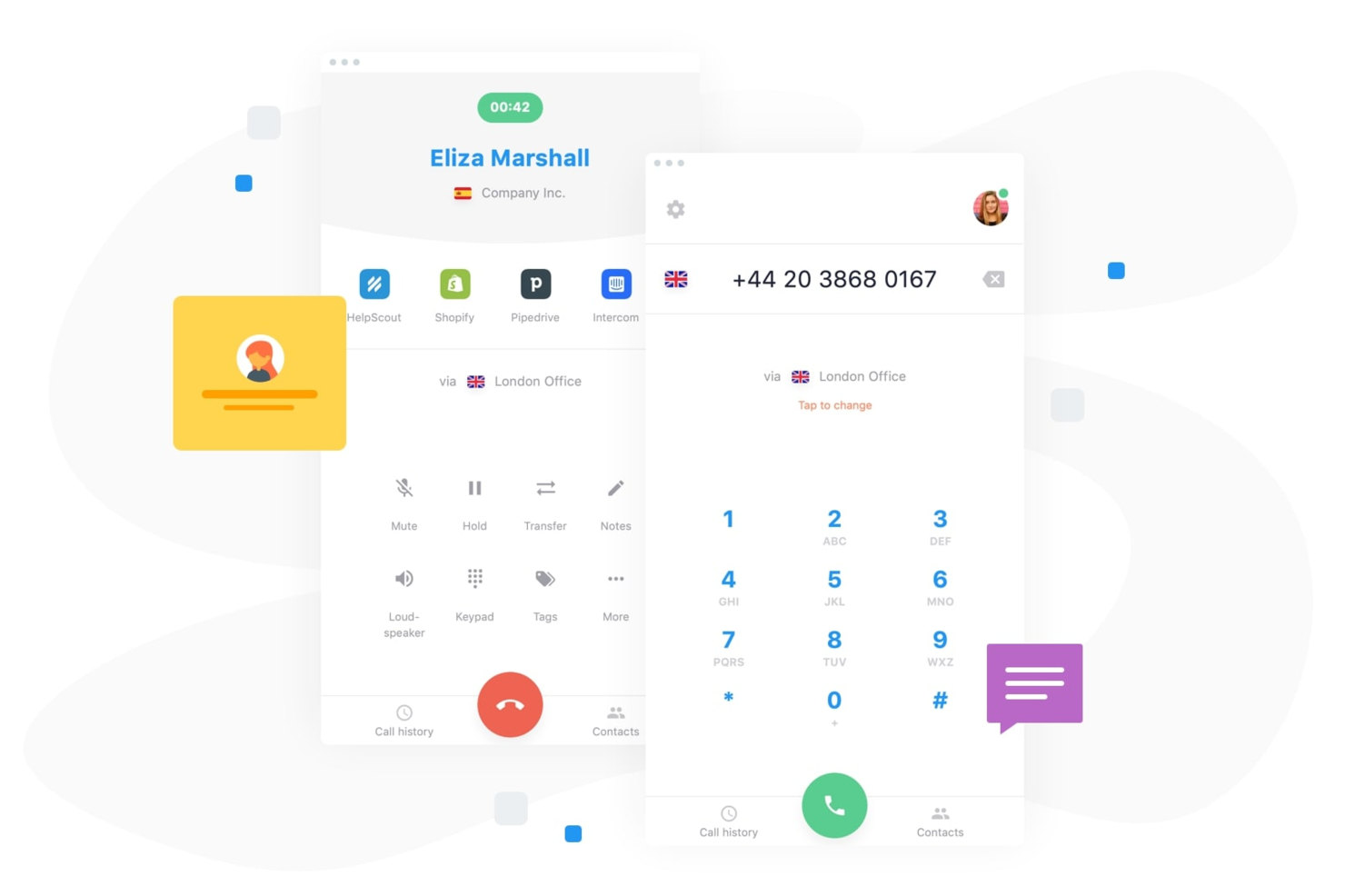
CloudTalk ist eine cloudbasierte Callcenter-Plattform, die für Teams entwickelt wurde, die flexible und skalierbare geschäftliche Telefonielösungen benötigen. Wenn Sie globale Kommunikation verwalten, Arbeitsabläufe optimieren und mit Kunden über verschiedene Kanäle hinweg in Kontakt treten möchten, bietet CloudTalk Ihnen die nötigen Werkzeuge.
Für wen ist CloudTalk am besten geeignet?
CloudTalk eignet sich gut für Kundensupport-Teams in internationalen Unternehmen, die zuverlässigen, rund um die Uhr verfügbaren Telefonsupport benötigen.
Warum CloudTalk eine gute Nextiva-Alternative ist
Ich habe CloudTalk als Alternative zu Nextiva ausgewählt, weil mein Team auf einen 24/7 Live-Agenten-Support angewiesen ist, um Kundenanrufe über verschiedene Zeitzonen hinweg zu betreuen. Ich schätze, dass das Support-Team von CloudTalk jederzeit verfügbar ist, sodass wir uns nie Sorgen über Ausfallzeiten oder ungelöste dringende Probleme machen müssen. Die Funktionen zur Echtzeit-Überwachung von Anrufen und die sofortige Eskalation helfen uns, jederzeit einen hohen Servicelevel zu bewahren. In der Praxis bedeutet das, dass unsere Kunden immer dann Hilfe erhalten, wenn sie diese benötigen, ganz gleich, wo sie sich befinden.
Wichtige Funktionen von CloudTalk
- Call-Tagging und Notizen: Tags und Notizen zu Anrufen hinzufügen, um eine bessere Nachverfolgung und Folgeaktionen zu ermöglichen.
- Interaktives Sprachmenü (IVR): Mehrstufige IVR-Menüs einrichten, um Anrufer effizient weiterzuleiten.
- Click-to-Call Browser-Erweiterung: Anrufe direkt aus Ihrem CRM oder Helpdesk mit nur einem Klick tätigen.
- Voicemail-Transkription: Voicemails automatisch transkribieren lassen, um sie schnell prüfen und beantworten zu können.
CloudTalk Integrationen
CloudTalk bietet native Integrationen mit Salesforce, HubSpot, Zoho CRM, Freshdesk, Help Scout, Intercom und WhatsApp. Zusätzlich besteht eine Verbindung zu Zapier und es steht eine API für individuelle Integrationen zur Verfügung.
Pros and Cons
Pros:
- Fortgeschrittene Anrufweiterleitung und Workflow-Automatisierung
- Echtzeit-Analysen und Tools zur Anrufüberwachung
- Native Integration mit führenden CRMs und Helpdesks
Cons:
- Die Anrufqualität kann je nach Region variieren
- Die Anpassungsmöglichkeiten bei Berichten sind etwas eingeschränkt

Am besten für Microsoft-Integration geeignet
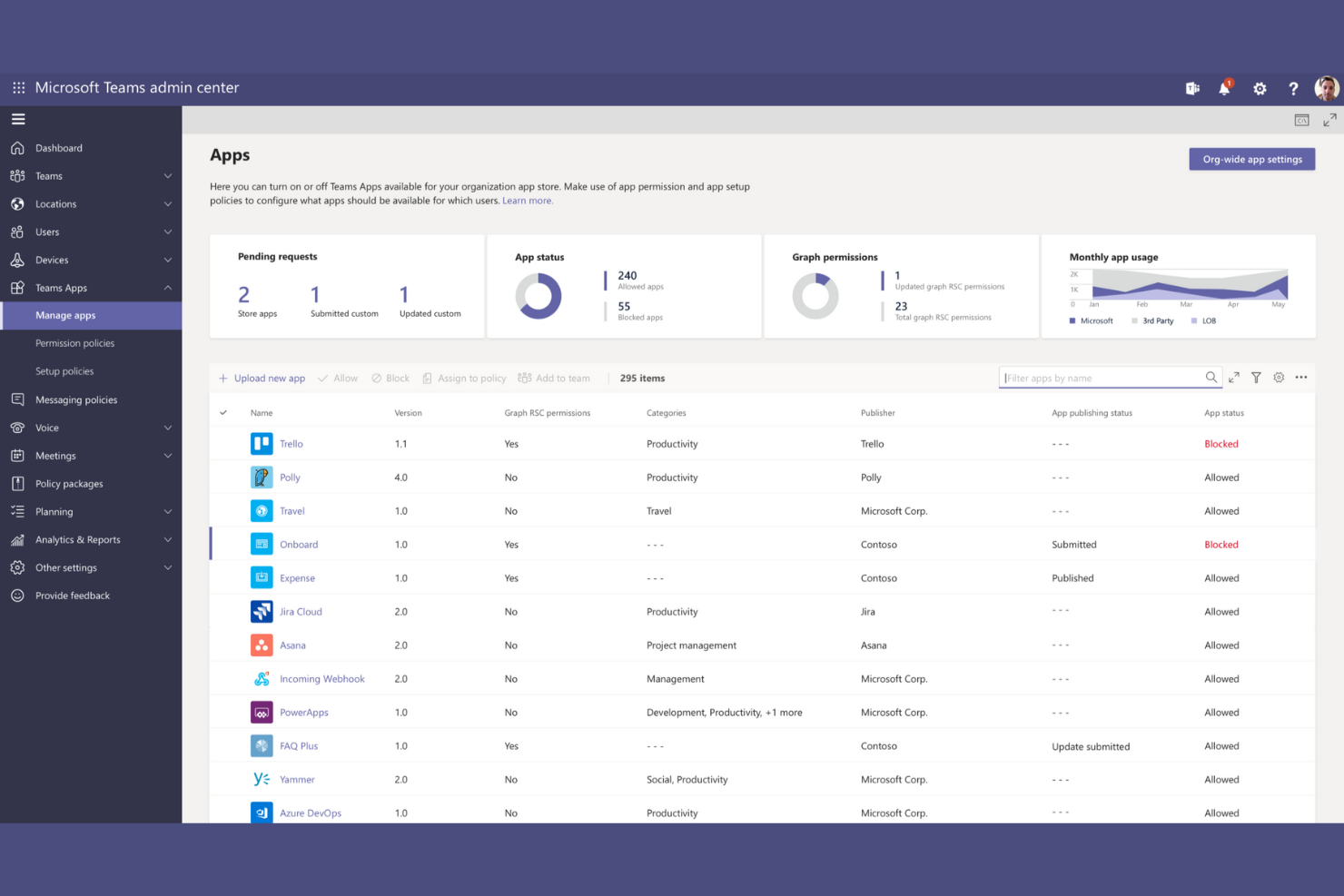
Microsoft Teams ist eine Kollaborationsplattform, die für Unternehmen entwickelt wurde, um die Teamkommunikation und Produktivität zu verbessern. Sie wird von Organisationen genutzt, die für ihre täglichen Abläufe auf Microsoft 365 setzen.
Warum es eine gute Nextiva-Alternative ist: Microsoft Teams integriert sich nahtlos in Microsoft 365-Anwendungen und bietet Funktionen wie Team-Chat, Videokonferenzen und Dateifreigabe. Diese Möglichkeiten unterstützen Ihr Team dabei, effizient in einer vertrauten Microsoft-Umgebung zusammenzuarbeiten. Die Integration mit Microsoft-Tools sorgt für eine einheitliche Verwaltung von Aufgaben und Kommunikation. Microsoft Teams eignet sich besonders, wenn Ihr Team bereits umfassend im Microsoft-Ökosystem arbeitet.
Herausragende Funktionen und Integrationen:
Funktionen umfassen anpassbare Kanäle, Terminplanung für Meetings und verschachtelte Konversationen. Die Plattform bietet zudem integriertes Aufgabenmanagement und Zusammenarbeit an Dokumenten. Diese Features helfen Ihrem Team, organisiert zu bleiben und den Fokus auf Projekte zu richten.
Integrationen sind unter anderem Microsoft 365, SharePoint, OneDrive, Power BI, Trello, GitHub und weitere.
Pros and Cons
Pros:
- Unterstützt Teamzusammenarbeit
- Integriertes Aufgabenmanagement
- Vertraute Microsoft-Umgebung
Cons:
- Microsoft-Konto erforderlich
- Gratis-Tarif bietet begrenzte Funktionen

Dialpad
Am besten geeignet für Echtzeit-KI-Tools
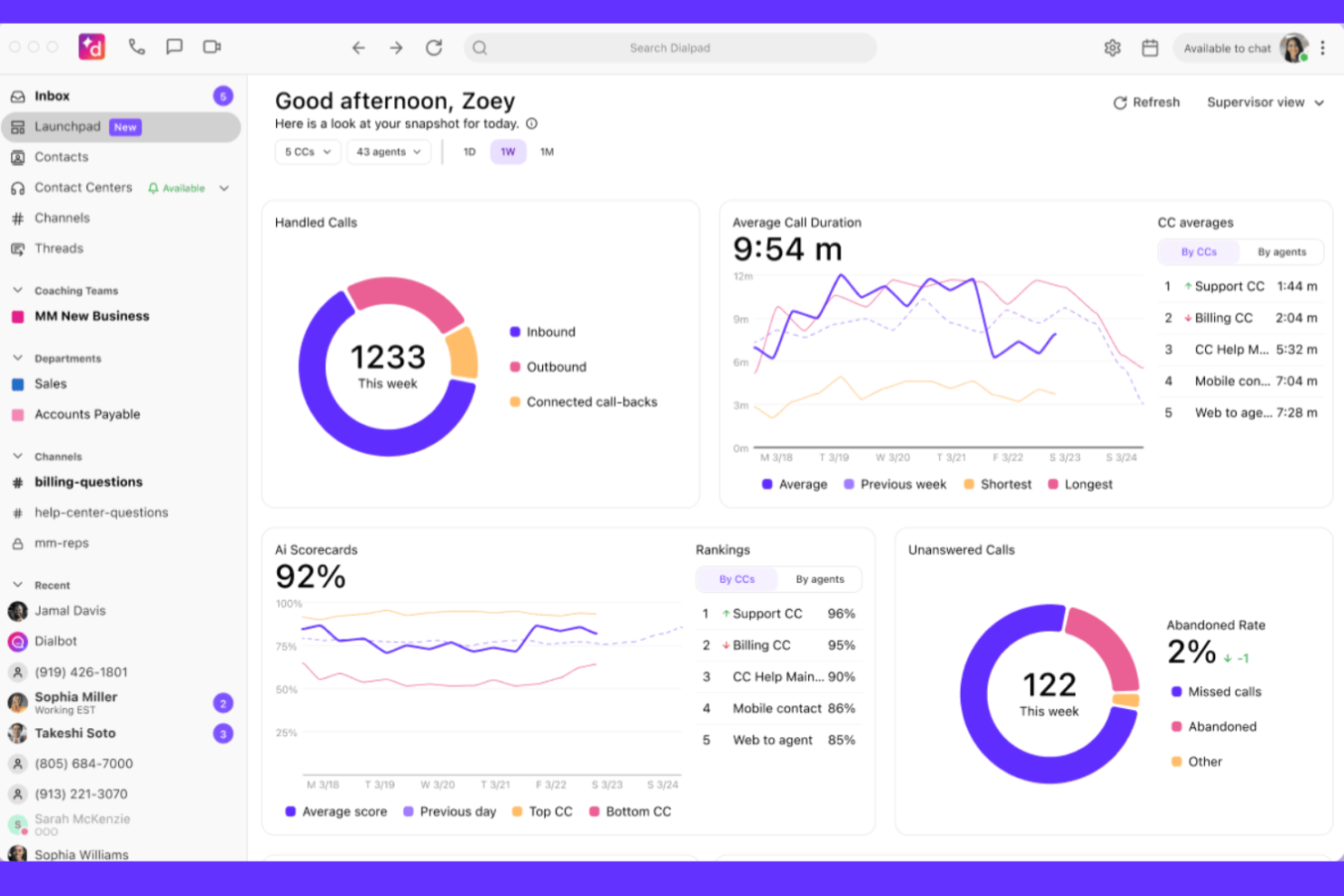
Dialpad ist eine cloudbasierte Kommunikationsplattform, die Unternehmen mit Bedarf an Sprach-, Video- und Messaging-Lösungen unterstützt. Sie wird häufig von Teams genutzt, die effiziente Kommunikationstools für Zusammenarbeit und Kundeninteraktionen suchen.
Warum es eine gute Nextiva-Alternative ist: Dialpad bietet KI-Tools in Echtzeit, die die Kommunikation durch Funktionen wie Sprachtranskription, Gesprächsanalysen, Gesprächszusammenfassungen und intelligente Gesprächsweiterleitung verbessern. Diese Möglichkeiten helfen Ihrem Team, Einblicke zu gewinnen und Anrufe effektiv zu verwalten. Der Fokus der Plattform auf KI-gesteuerte Funktionen bietet Unterstützung in Echtzeit und macht Dialpad zu einer starken Option. Besonderes Augenmerk auf Gesprächsqualität und Analysen hebt Dialpad hervor.
Hervorstechende Funktionen und Integrationen:
Funktionen umfassen erweiterte Gesprächssteuerung, Voicemail-Transkription und integrierte Analysen. Die Plattform bietet zudem eine benutzerfreundliche Oberfläche, die das Kommunikationsmanagement vereinfacht. Diese Merkmale helfen Ihrem Team, organisiert und effizient zu bleiben.
Integrationen beinhalten Salesforce, Microsoft 365, Google Workspace und mehr.
Pros and Cons
Pros:
- Echtzeit-KI-Einblicke
- Intelligente Gesprächsweiterleitung
- Bietet eine 100-prozentige Betriebszeitvereinbarung (SLA)
Cons:
- Mobile App kann fehlerhaft/langsam sein
- Strenge Mindestanzahl an Nutzern für die Top-Tarife
Webex
Am besten für KI-gestützte virtuelle Zusammenarbeit
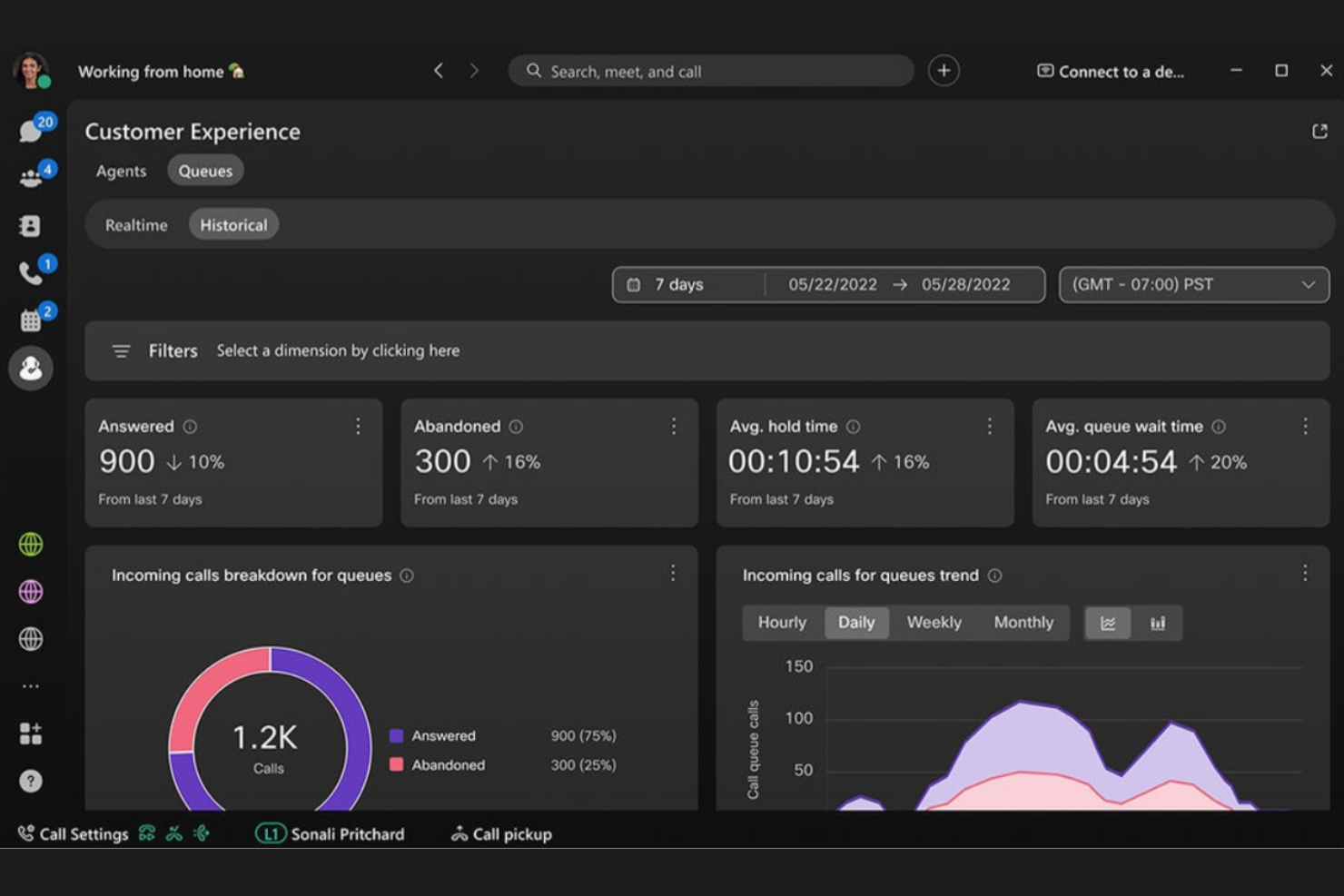
Webex ist ein Videokonferenz- und Kollaborationstool, das von Unternehmen genutzt wird, um virtuelle Meetings und die Teamkommunikation zu ermöglichen. Es richtet sich an Organisationen, die zuverlässige Videotelefonie, Webinare und Lösungen für die Zusammenarbeit im Team benötigen.
Warum es eine gute Nextiva-Alternative ist: Webex unterstützt hybride Arbeitsumgebungen mit Funktionen wie Geräuschunterdrückung, hochauflösendem Video und Meeting-Transkription. Diese Möglichkeiten helfen Ihrem Team, ob im Homeoffice oder im Büro, vernetzt und produktiv zu bleiben. Der Fokus der Plattform auf die Verbesserung der Meeting-Erfahrung durch KI-Funktionen macht sie zu einer starken Wahl. Die Fähigkeit, auch große Meetings und Veranstaltungen zu handhaben, hebt Webex von Nextiva ab.
Herausragende Funktionen und Integrationen:
Funktionen umfassen anpassbare Meeting-Layouts, Dateifreigabe während der Anrufe und virtuelle Hintergründe. Die Plattform bietet außerdem Breakout-Sitzungen für Gruppendiskussionen in kleinerem Rahmen. Diese Funktionen unterstützen Ihr Team dabei, effektiver in Besprechungen zusammenzuarbeiten.
Integrationen umfassen Microsoft Teams, Google Workspace, Salesforce, Slack, ServiceNow, Asana, Zendesk und mehr.
Pros and Cons
Pros:
- Unterstützt große Meetings und Events
- KI-gesteigerte Meeting-Verbesserungen
- Geräuschunterdrückungstechnologie
Cons:
- Stabile Internetverbindung für beste Leistung erforderlich
- Gelegentliche Videoverzögerungen

Am besten geeignet für Einzelanwender, die eine zweite Nummer benötigen
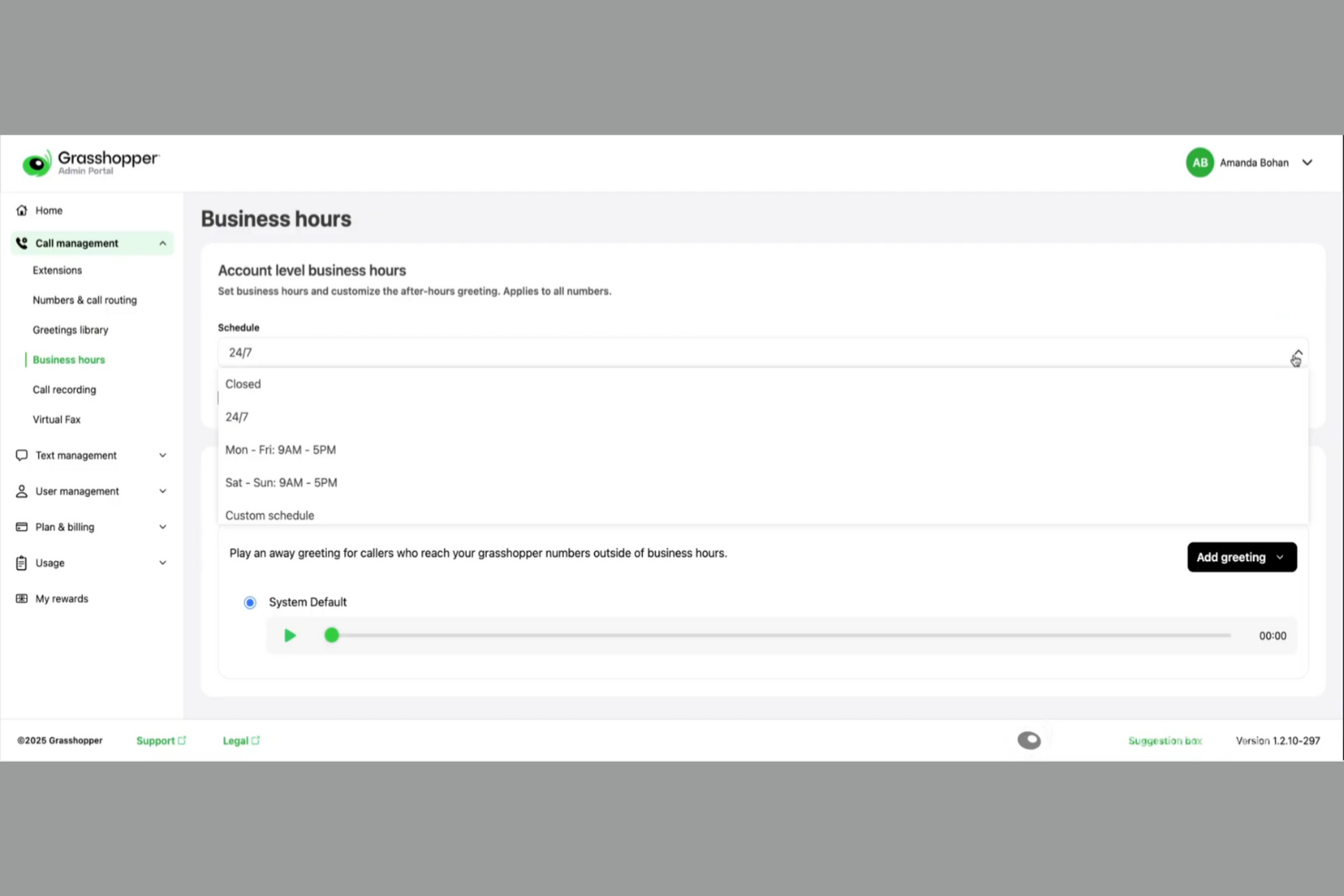
Grasshopper ist ein virtuelles Telefonsystem, das für kleine Unternehmen, Solo-Selbständige und Freiberufler entwickelt wurde, die eine professionelle telefonische Präsenz benötigen. Es bietet Funktionen zum Anrufmanagement wie Rufweiterleitung, Voicemail und Textnachrichten, damit Nutzer ein professionelles Erscheinungsbild wahren können.
Warum es eine gute Nextiva-Alternative ist: Grasshopper stellt eine einfache, benutzerfreundliche Oberfläche mit Funktionen wie Anrufweiterleitung, individuellen Begrüßungen und unbegrenztem Geschäftstexten bereit. Diese Möglichkeiten helfen Ihrem Team, die Kommunikation effizient zu steuern, ohne die Komplexität größerer Systeme. Der Fokus der Plattform auf Erschwinglichkeit und Benutzerfreundlichkeit macht sie ideal für kleinere Betriebe. Die unkomplizierte Einrichtung und die mobile App-Zugänglichkeit machen Grasshopper zur praktischen Wahl für alle, die eine unkomplizierte Lösung suchen.
Hervorzuhebende Funktionen und Integrationen:
Funktionen umfassen automatisierte Textantworten auf verpasste Anrufe, Online-Faxversand und Voicemail-Transkriptionen per E-Mail. Die Plattform bietet außerdem individuelle Zeitpläne für Weiterleitungen und Voicemail sowie unbegrenzte Anrufe. Diese Funktionen sorgen dafür, dass Ihr Team stets verbunden und reaktionsfähig bleibt.
Integrationen sind nicht öffentlich aufgeführt.
Pros and Cons
Pros:
- Preisgünstig ohne Nutzergebühren
- Benutzerfreundliche Mobile- und Desktop-Apps
- Erweiterte Funktionen sind in allen Tarifen enthalten
Cons:
- Fehlen von KI-Funktionen wie Zusammenfassungen
- Keine Unterstützung für Tischtelefone

Am besten geeignet für KI-basierte Integrationen
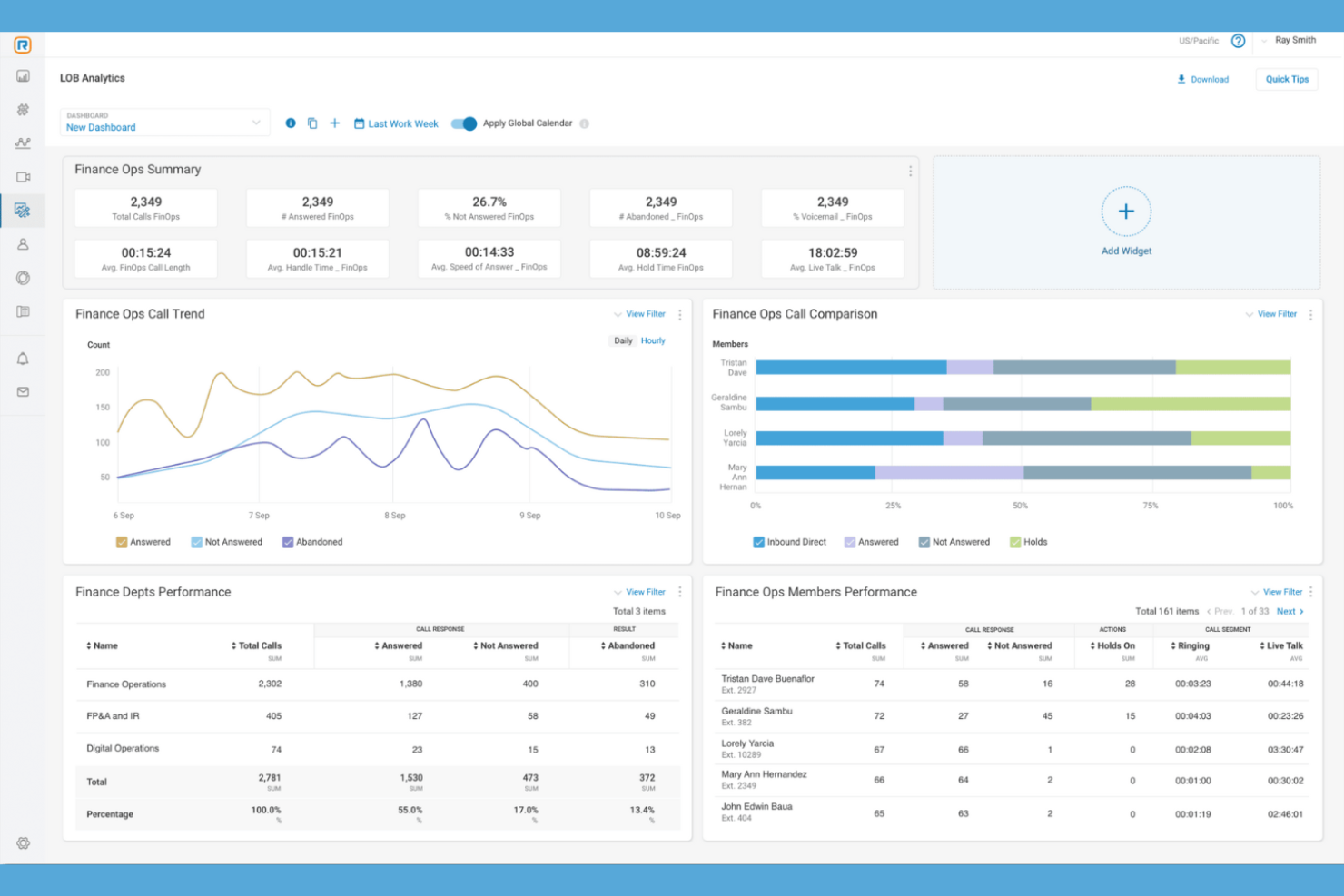
RingCentral ist eine Unified Communications as a Service (UCaaS)-Plattform, die von Unternehmen zur Abwicklung von Anrufen, Nachrichten und Videomeetings genutzt wird. Sie ist besonders beliebt bei Teams, die zuverlässige und vielseitige Kommunikationstools benötigen.
Warum es eine gute Nextiva-Alternative ist: RingCentral bietet KI-gestützte Integrationen, die die Kommunikation durch Funktionen wie automatischen Empfang, Anrufaufzeichnung und Team-Messaging verbessern. Diese Fähigkeiten helfen Ihrem Team, Interaktionen effizienter zu verwalten. Der Fokus der Plattform auf KI-Tools bietet intelligente Unterstützung und Erkenntnisse und macht sie zu einer herausragenden Wahl. Die Vielseitigkeit von RingCentral bei der Abwicklung verschiedenster Kommunikationsbedürfnisse macht es zu einer überzeugenden Option.
Herausragende Funktionen und Integrationen:
Funktionen umfassen individuelle Anrufsteuerung, Anrufweiterleitung, IVR-Lösungen und Team-Kollaborationstools. Die Plattform bietet außerdem Videokonferenzen mit Bildschirmfreigabe und Echtzeit-Analysen für bessere Entscheidungen. Diese Features ermöglichen es Ihrem Team, mühelos über verschiedene Kanäle zu kommunizieren.
Integrationen umfassen Salesforce, Microsoft 365, Google Workspace, Slack, Okta, Box, Zendesk, ServiceNow, HubSpot, Dropbox und mehr.
Pros and Cons
Pros:
- KI-gestützte Kommunikationstools
- Individuell anpassbare Anrufsteuerung
- Echtzeit-Analysen
Cons:
- Strikte monatliche SMS-Limits
- Geteilte Rufnummern unterstützen keine SMS

Am besten geeignet für Telefonielösungen kleiner Unternehmen
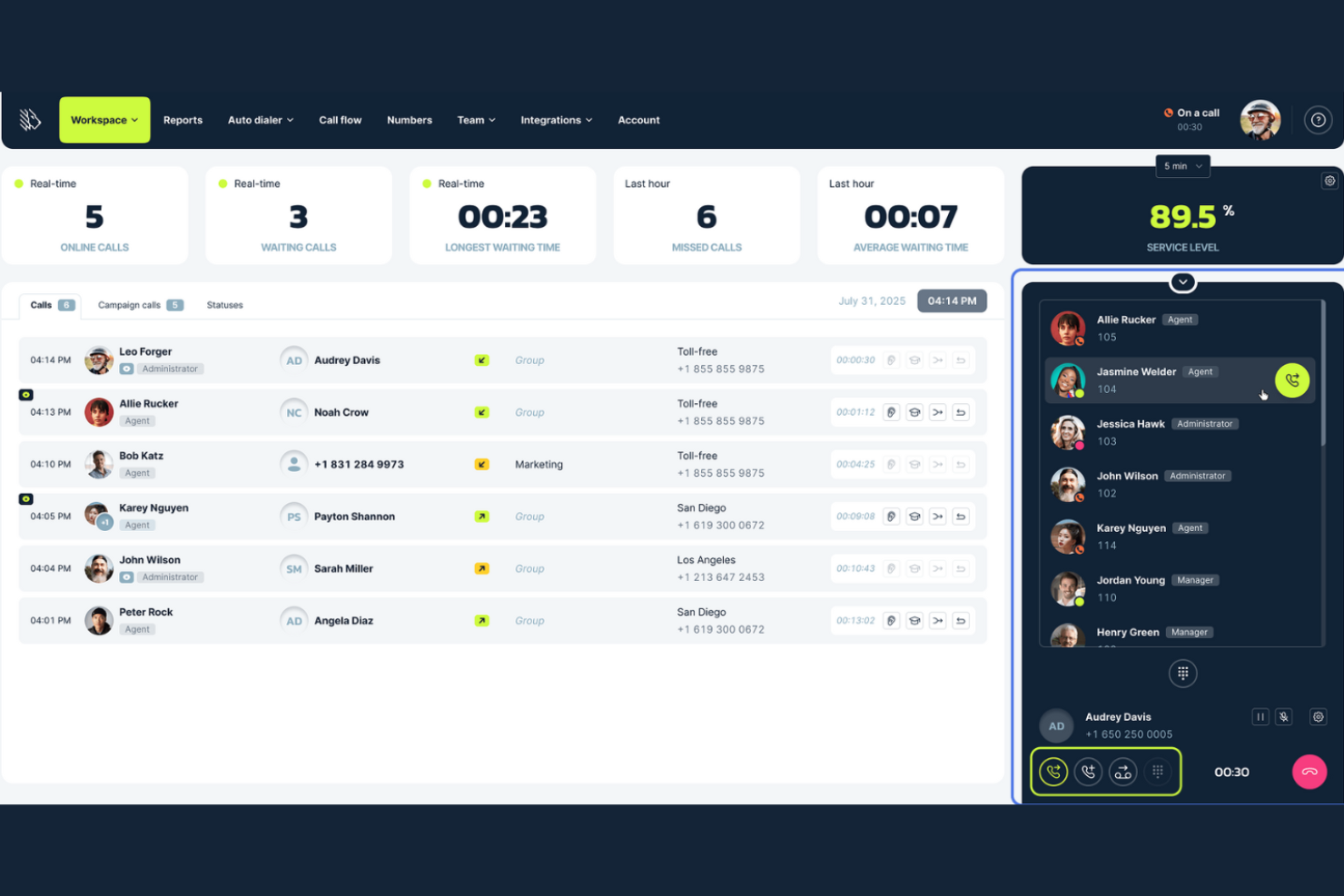
MightyCall ist ein cloudbasiertes Telefonsystem und eine Callcenter-Lösung für Unternehmen, die Teams dabei unterstützt, eingehende und ausgehende Anrufe zu bearbeiten, Nachrichten zu verwalten und Telefongespräche über internetfähige Systeme zu organisieren. Es wurde entwickelt, um kleine und mittlere Teams mit Funktionen wie Anrufweiterleitung, automatischem Wählen und Benutzerverwaltung zu unterstützen, sodass Ihre gesamte Unternehmenskommunikation an einem Ort bleibt.
Warum es eine gute Alternative zu Nextiva ist: Mit MightyCall können Sie Anrufe nach Ihren Wünschen mit anpassbaren Flows und interaktiver Sprachausgabe weiterleiten, sodass Sie nicht jeden Anruf einzeln kontrollieren müssen. Sie können Benutzer mit Rollen und Berechtigungen verwalten, damit die Teamstruktur Ihrer Arbeitsweise entspricht. Dank integrierter Analysen und Berichte sehen Sie stets, wie die Gespräche laufen, und können direkt reagieren. Diese Funktionen nutzen Sie ganz unkompliziert über eine Internetverbindung ohne physische Telefonleitungen.
Besondere Funktionen und Integrationen:
Funktionen beinhalten Auto-Dialer, mit denen Ihr Team Kontakte schneller erreichen kann, sowie Tools wie prädiktive und progressive Dialer, Live-Anrufüberwachung und Anrufaufzeichnung, damit Ihr Team bei Kundenanrufen stets den Überblick behält.
Integrationen umfassen HubSpot, Salesforce, Balto, Zapier und weitere.
Pros and Cons
Pros:
- Bietet verschiedene Anrufbearbeitungstypen an
- Funktioniert über Web- und mobile Apps
- Echtzeit-Call-Analytics verfügbar
Cons:
- Internationale Anrufe nicht vollständig enthalten
- Erweiterte CRM-Funktionen könnten Zusatzmodule erfordern

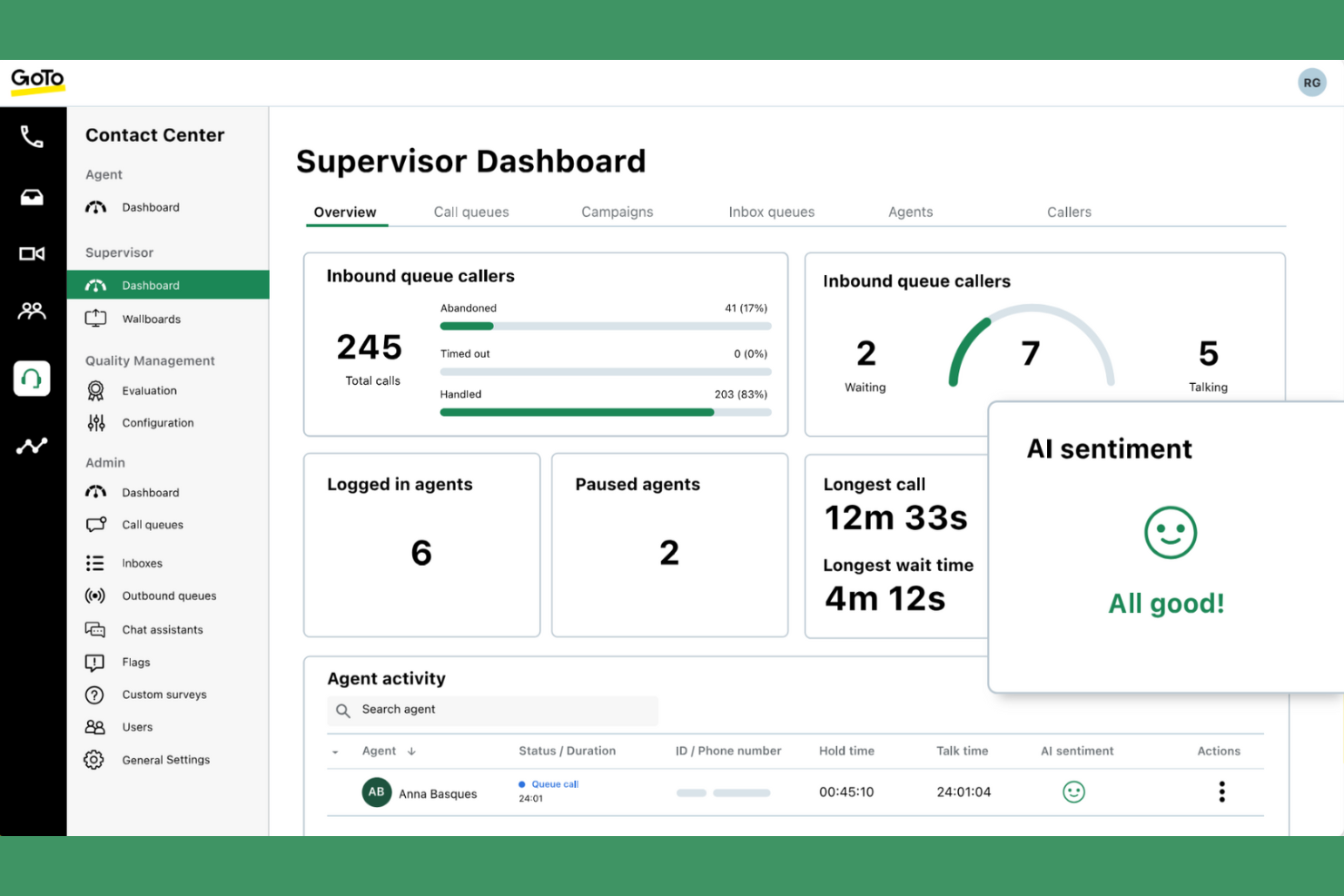
GoTo Connect ist ein cloudbasiertes Telefonsystem und Kollaborationstool, das für Unternehmen entwickelt wurde, um die Kommunikation und Zusammenarbeit im Team zu verbessern. Es wird von Organisationen genutzt, die zuverlässige Telefonie-, Video- und Messaging-Lösungen für Remote- und Büro-Teams benötigen.
Deshalb ist es eine gute Alternative zu Nextiva: GoTo Connect unterstützt hybride Arbeitsumgebungen mit Funktionen wie Videokonferenzen, virtueller Voicemail und Anrufweiterleitung. Diese Möglichkeiten helfen Ihrem Team, verbunden und produktiv zu bleiben – egal ob im Homeoffice oder im Büro. Der Fokus der Plattform auf Omnichannel-Kommunikationslösungen macht sie ideal für Unternehmen, die sich an hybride Arbeitsmodelle anpassen. GoTo Connect bietet ein umfassendes Toolset, um sämtliche Kommunikationsanforderungen effektiv zu verwalten.
Herausragende Funktionen und Integrationen:
Funktionen umfassen anpassbare Anrufwarteschlangen, Sprachmenüs (Auto-Attendant) und Anrufanalytik. Die Plattform bietet zudem mobile und Desktop-Apps für flexible Kommunikation. Diese Funktionen unterstützen Ihr Team dabei, Anrufe und Nachrichten effizient zu verwalten.
Integrationen beinhalten Salesforce, Microsoft Teams, Slack, Zoho CRM, Google Kalender und mehr.
Pros and Cons
Pros:
- Unterstützt hybride Arbeitsumgebungen
- Anpassbare Anrufwarteschlangen
- Erweitertes Anrufmanagement
Cons:
- Mobile App kann fehlerhaft und instabil sein
- Kündigung von Abonnements schwierig

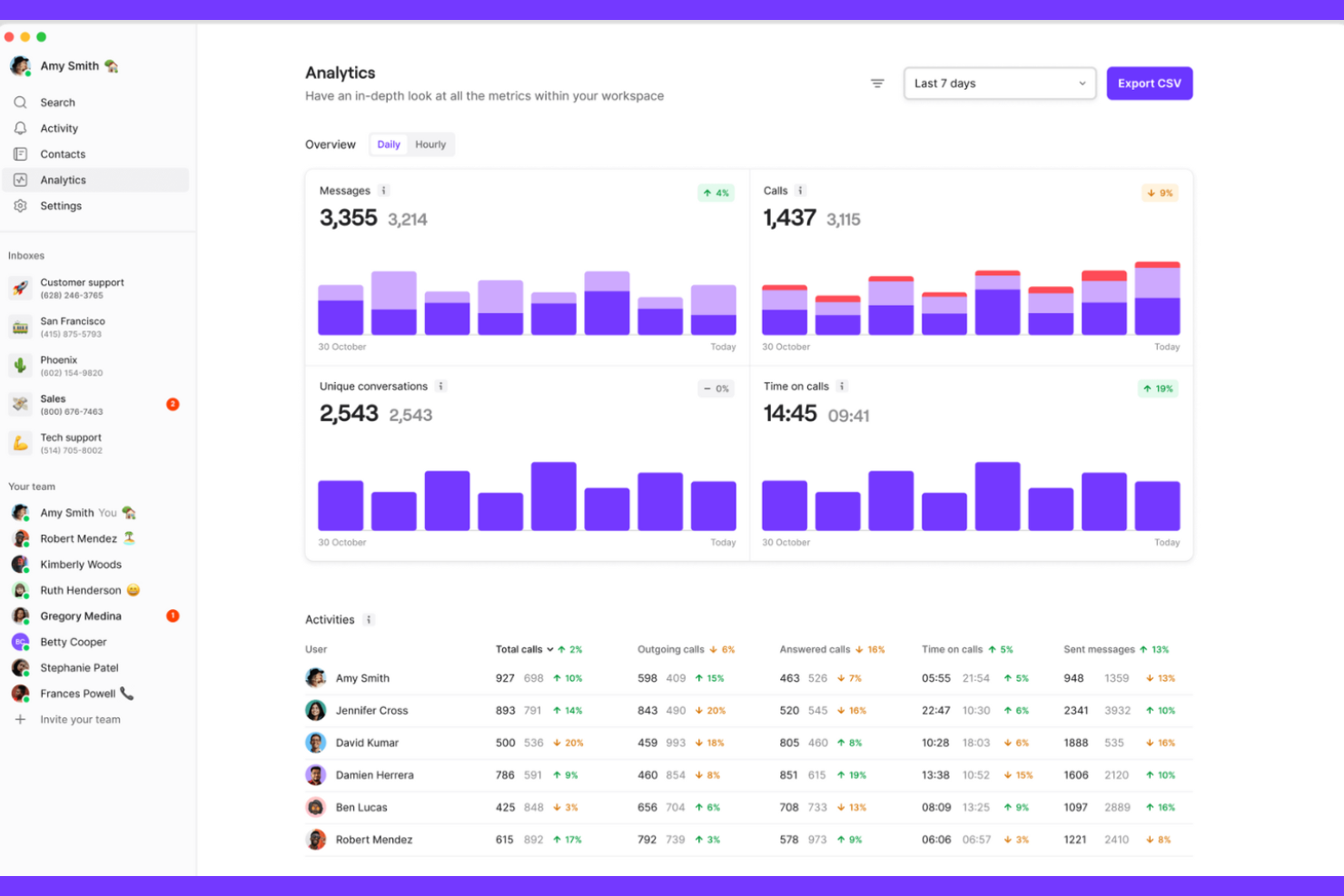
Quo (früher OpenPhone) ist eine Kommunikationsplattform, die für Start-ups und kleine Unternehmen entwickelt wurde, um Anrufe und Nachrichten effizient zu verwalten. Sie wird von Teams genutzt, die zuverlässige Kommunikations- und Kollaborationswerkzeuge benötigen, um die Interaktionen mit Kunden zu verbessern.
Warum es eine gute Nextiva-Alternative ist: Quo bietet KI-gestützte Kommunikationsfunktionen wie Sona AI für Automatisierung, geteilte Telefonnummern und benutzerdefinierte Anrufabläufe. Diese Möglichkeiten helfen Ihrem Team, Kundenkontakte effektiver zu organisieren. Der Fokus der Plattform auf KI und Automatisierung macht sie ideal für Unternehmen, die ihre Kommunikation verbessern möchten. Die Fähigkeit von Quo, Arbeitsabläufe zu modernisieren und rund um die Uhr KI-Unterstützung zu bieten, hebt es von Nextiva ab.
Herausragende Funktionen und Integrationen:
Funktionen umfassen Analysen zur Anrufleistung, Team-Kollaborationstools und Textnachrichten. Die Plattform bietet zudem 24/7 KI-Support für Kundenanfragen. Diese Funktionen helfen Ihrem Team, organisiert und reaktionsfähig zu bleiben.
Integrationen umfassen Salesforce, HubSpot, Zoho CRM, Slack, Zapier und mehr.
Pros and Cons
Pros:
- KI-gestützte Kommunikationstools
- Individuell anpassbare Anrufabläufe
- Bietet detaillierte Analysen
Cons:
- Keine internen Team-Chat-Kanäle
- Keine Unterstützung für Hardware-/Tischtelefone
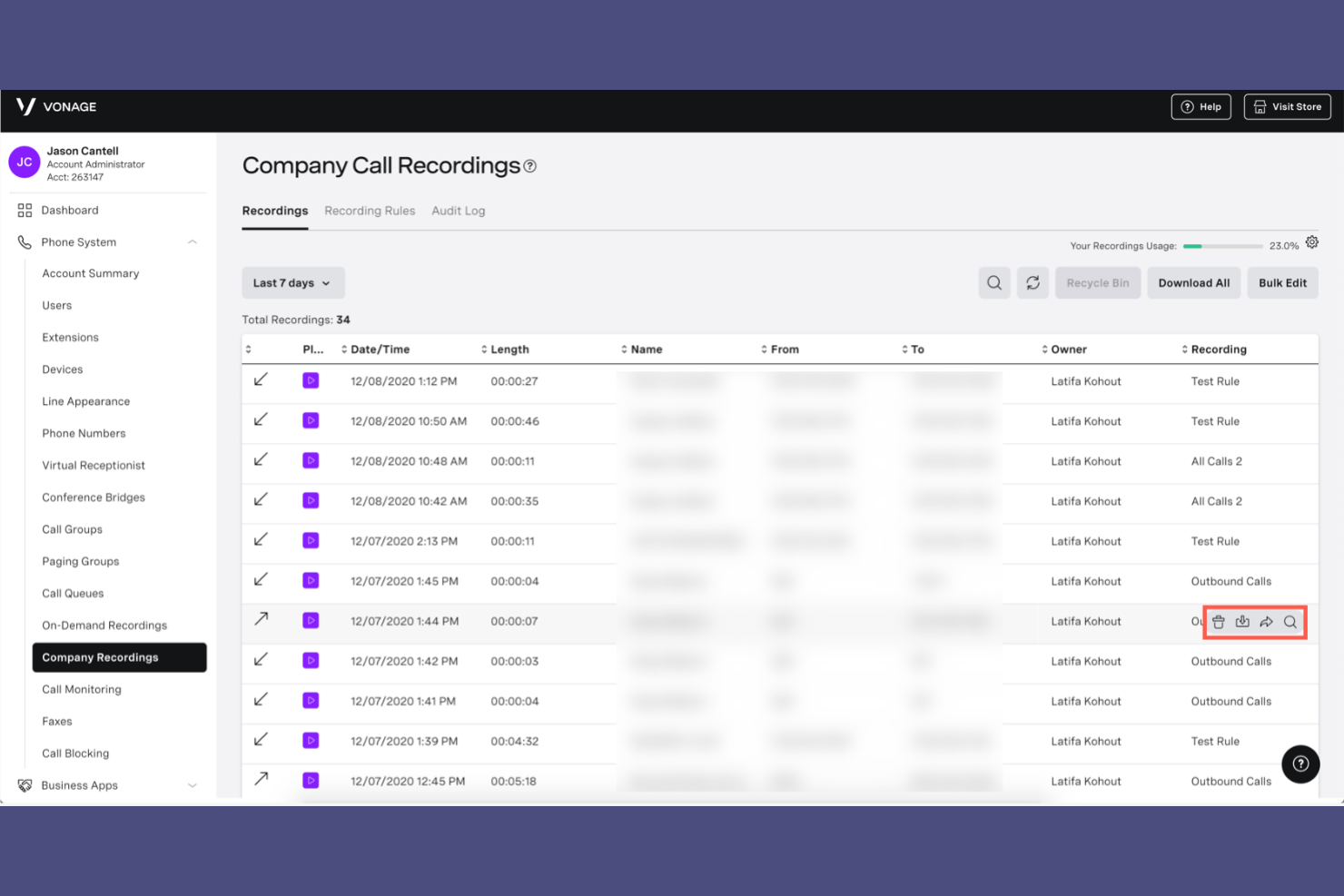
Vonage Business Communications ist eine cloudbasierte Kommunikationsplattform, die Sprach-, Messaging- und Videolösungen für Unternehmen bereitstellt. Sie wird von Organisationen genutzt, die zuverlässige Kommunikationstools für Kunden- und Teaminteraktionen benötigen.
Warum es eine gute Nextiva-Alternative ist: Vonage Business Communications bietet internationale Anruffunktionen, die es Ihrem Team erleichtern, mit Kunden weltweit in Kontakt zu treten. Zu diesen Möglichkeiten gehören virtuelle Nummern, mobiler Zugriff, Rufnummernmitnahme und Anrufweiterleitung, was die globale Kommunikation verbessert. Der internationale Fokus der Plattform macht sie zur herausragenden Wahl für Unternehmen mit globalen Aktivitäten. Die Fähigkeit von Vonage Business Communications, unterschiedliche Kommunikationsbedürfnisse zu unterstützen, unterscheidet es von Nextiva.
Herausragende Funktionen und Integrationen:
Funktionen umfassen Anrufaufzeichnung, Voicemail-Transkription und Contact Center-Lösungen. Die Plattform bietet außerdem Videokonferenzen, Team-Messaging und ein unternehmensweites VoIP-Telefonsystem für eine effiziente Zusammenarbeit. Diese Funktionen helfen Ihrem Team, alle Kommunikationskanäle effektiv zu verwalten.
Integrationen umfassen Salesforce, Zoho, HubSpot, Zendesk, Google Workspace, Microsoft Teams, Slack und mehr.
Pros and Cons
Pros:
- Unterstützt internationale Anrufe
- Anrufaufzeichnung verfügbar
- Contact Center-Lösungen
Cons:
- Begrenzte Analysen und Dashboards
- Gelegentliche Probleme mit der Gesprächsqualität
Weitere Nextiva-Alternativen
Hier sind einige weitere Nextiva-Alternativen, die es nicht auf meine Auswahlliste geschafft haben, aber dennoch einen Blick wert sind:
- Unitel Voice
Am besten geeignet für unbegrenzte Durchwahlen
- Aircall
Am besten geeignet für KI-gestützte Vertriebs- und Supportteams
- Zoom
Am besten geeignet für hybride Arbeitsumgebungen
- Ringly.io
Am besten zur Anrufverfolgung geeignet
- didlogic
Er VoIP-Anbieter


Comment j'évalue les alternatives à Nextiva
Lorsqu'une équipe d'assistance doit gérer des appels, des SMS et des discussions web depuis le bureau d'un seul agent, j'évalue les outils à deux niveaux : les fonctionnalités essentielles à la catégorie et les éléments différenciateurs qui distinguent les meilleurs.
Fonctionnalités clés (Exigences de base pour cette liste)
Lorsque je sélectionne des outils pour ma liste, j'attribue à chacun une note de 0 (ne propose pas la fonctionnalité) à 5 (excelle dans ce domaine) pour chaque fonctionnalité de base énumérée ci-dessous. Ensuite, je convertis le score total de l'outil en pourcentage. Chaque outil doit obtenir un score total minimum de 65 % pour être considéré dans la sélection.
- Système téléphonique d'entreprise basé sur le cloud : Je vérifie la présence de fonctionnalités PBX clés telles que les menus IVR, les règles de routage d'appels, la messagerie vocale et la gestion des numéros professionnels, qui permettent à une équipe CX de gérer les files d'attente sans matériel sur site.
- Engagement client omnicanal : Chaque outil doit permettre aux agents de gérer la voix, les SMS, l'e-mail, le chat en direct et la messagerie sociale à partir d'un espace de travail partagé, sans devoir jongler entre des applications déconnectées.
- Fonctionnalités de centre de contact : J'analyse l'ACD, la gestion des files d'attente, l'enregistrement des appels et les outils pour superviseurs comme le chuchotement et la barge—des fonctionnalités sur lesquelles un responsable d'assistance compte au quotidien pour maintenir le niveau de service.
- Intégrations CRM & Helpdesk : Les connecteurs natifs à des plateformes comme Salesforce, HubSpot et Zendesk sont essentiels, car les agents doivent accéder instantanément au profil client et à l'historique des interactions, sans devoir rechercher à la main dans un autre système.
- Outils de collaboration d'équipe : Les visioconférences, la messagerie d'équipe et le partage de fichiers doivent coexister avec la communication externe, afin que les agents puissent solliciter l'équipe produit ou l'ingénierie sans quitter la plateforme.
- Analytique et rapports CX : J'évalue si l'outil propose des tableaux de bord en temps réel et historiques couvrant des indicateurs comme le temps moyen de traitement, la résolution au premier appel et l'utilisation des agents sur tous les canaux.
Une fois que j'ai une liste d'outils répondant à ces critères, j'analyse ce qui distingue chaque plateforme.
Facteurs de différenciation (Ce qui distingue les fournisseurs)
Voici comment je compare différents fournisseurs :
Fonctionnalités remarquables
L'assistance agent pilotée par IA est un atout majeur—je recherche des outils qui suggèrent en temps réel des réponses et génèrent automatiquement des synthèses d'appels afin que les agents consacrent moins de temps au travail post-appel. Les analyses de sentiment et de la parole ajoutent une dimension supplémentaire, permettant aux superviseurs d'identifier les interactions à risque dans toutes les conversations, au lieu d'en échantillonner seulement quelques-unes. J'étudie également si la plateforme intègre nativement la gestion des effectifs avec prévisions et suivi de l'assiduité, car les équipes qui utilisent des outils WFM séparés rencontrent souvent des écarts de données entre les systèmes.
Au-delà des fonctionnalités
La transparence tarifaire pèse lourd lors de la comparaison des alternatives à Nextiva—je vérifie si le coût par utilisateur inclut les minutes d'appel et les canaux, ou si des suppléments pour SMS, enregistrements ou numéros verts font grimper la facture. La fiabilité est aussi un facteur clé : je m'assure que le fournisseur publie des SLA de disponibilité soutenus par une infrastructure géo-redondante, car même de courtes pannes lors des pics de support peuvent faire chuter le taux de satisfaction client. Les certifications de conformité telles que HIPAA, PCI-DSS et SOC 2 Type II sont également cruciales pour les équipes dans les secteurs réglementés où les enregistrements d'appel contiennent des données sensibles.
Warum nach einer Nextiva-Alternative suchen?
Nextiva ist zwar eine gute Wahl als Plattform zur einheitlichen Verwaltung von Kundenerlebnissen, doch es gibt mehrere Gründe, warum manche Nutzer nach alternativen Lösungen suchen. Sie könnten nach einer Nextiva-Alternative suchen, weil …
- Sie fortschrittlichere Analysetools benötigen
- Ihr Team bessere Integrationsmöglichkeiten benötigt
- Sie nach erschwinglicheren Preisplänen suchen
- Sie Unterstützung für internationale Geschäftsabläufe benötigen
- Ihr Unternehmen schneller wächst als erwartet
- Sie mehr Anpassungsmöglichkeiten bei den Funktionen wünschen
Wenn Sie sich in einem dieser Punkte wiedererkennen, sind Sie hier richtig. Meine Liste enthält mehrere Plattformen zur einheitlichen Verwaltung von Kundenerlebnissen, die besser für Teams geeignet sind, die mit diesen Herausforderungen bei Nextiva konfrontiert sind und nach alternativen Lösungen suchen.
Die wichtigsten Funktionen von Nextiva
Hier sind einige der wichtigsten Funktionen von Nextiva, damit Sie die Angebote alternativer Lösungen gegenüberstellen und vergleichen können:
- VoIP-Telefondienst: Ermöglicht hochwertige Sprachkommunikation über das Internet.
- Einheitliche Kommunikation: Vereint Sprache, Video und Nachrichten auf einer Plattform.
- CRM-Integration: Verbindet sich zur Steigerung der Effizienz mit Kundenbeziehungsmanagement-Tools.
- Anrufanalyse: Liefert Einblicke in die Anrufleistung und Kundeninteraktionen.
- Automatische Vermittlung: Leitet Anrufe effizient weiter, ohne dass ein Live-Mitarbeiter erforderlich ist.
- Voicemail an E-Mail: Sendet Voicemail-Nachrichten bequem direkt an Ihre E-Mail-Adresse.
- Mobile Anwendung: Ermöglicht die Kommunikation von jedem Gerät und überall.
- Anrufaufzeichnung: Zeichnet Anrufe zu Schulungs- und Qualitätssicherungszwecken auf.
- Videokonferenzen: Ermöglicht virtuelle Besprechungen mit Teammitgliedern oder Kunden.
- Teamnachrichten: Ermöglichen den Teammitgliedern den Echtzeit-Chat für eine schnelle Kommunikation.