

SurveyMonkey-Bewertung: Vorteile, Nachteile, Funktionen und Preise
SurveyMonkey überzeugt mit seiner benutzerfreundlichen Oberfläche und vielseitigen Funktionen zur Erstellung von Umfragen und eignet sich damit ideal für eine schnelle Datenerfassung.

Wir bewerten Tools unabhängig; Provisionen helfen, unsere Tests zu finanzieren. Siehe unsere Transparenzrichtlinie und unsere Methodik.
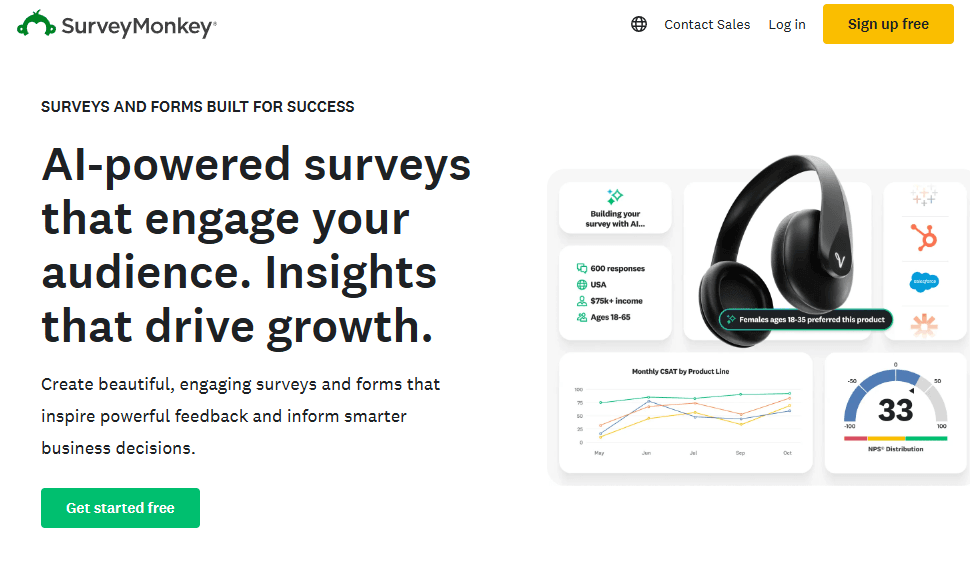
SurveyMonkey is a survey app for teams that need to collect structured feedback from customers, employees, or research audiences. I'd recommend it if you need branching logic, built-in templates, and response analysis that Google Forms simply doesn't offer, without the complexity of a full enterprise research platform.
SurveyMonkey Evaluation Summary
4.6/5
- From $30/user/month (billed annually)
- Free plan available
Warum Sie unseren Software-Empfehlungen vertrauen können
6,700+
Reviews
20
Industry experts
16+
Evaluation factors
14
Years
Unser Team testet und bewertet Software seit 2012. Als CX-Führungskräfte selbst wissen wir, wie schwierig – und wichtig – es ist, die richtige Software auszuwählen.
Für diesen Leitfaden haben wir Tools mithilfe von praktischen Tests und unabhängiger Recherche bewertet und dabei unsere Bewertungskriterien angewendet.
Unsere Bewertungen spiegeln unser menschliches redaktionelles Urteilsvermögen wider, keine Verkaufsstrategie.
 Gui DrusinaCreative Director
 Tim FisherVP of AI
SurveyMonkey Overview
In my opinion, SurveyMonkey is a solid choice for teams looking for straightforward survey tool capabilities. Its ease of use and robust core functionality make it ideal for small businesses and educational institutions seeking actionable insights from survey responses. The platform offers automation features, data visualization tools, and reporting tools that help teams streamline their feedback collection workflows. However, it may lack some advanced features found in more complex platforms like Google Forms.
It is best suited to environments prioritizing simplicity and quick deployment over intricate in-depth data analysis. While its customer support isn't top-tier, its value for money and user-friendly interface make it a worthwhile consideration for many. Integration with CRM platforms, social media, and tools like Zapier enhances its functionality. If your team needs a user-friendly solution for survey design, distribution, and data collection without the steep learning curve, SurveyMonkey is a contender worth judging against its competitors.
Pros
- Easy to use, even for beginners.
- Customizable templates for survey design and question types.
- Data collection in real-time.
Cons
- Lacks advanced features for in-depth data analysis and data visualization.
- Customer support may not meet all your expectations.
- Basic reporting tools compared to competitors.
Is SurveyMonkey Right For Your Needs?
Who Would be a Good Fit for SurveyMonkey?
SurveyMonkey suits small businesses, educational institutions, and marketing teams that need straightforward survey tool capabilities for market research and customer satisfaction measurement. It works well for those who value ease of use and quick feedback collection through real-time analysis. If your team wants to create and distribute surveys without a steep learning curve, SurveyMonkey's user-friendly interface and customizable templates make it a great option for survey creation. The platform includes automation features, various question types, and workflows that help streamline the process. Its simplicity, combined with integrations to CRM systems, social media platforms, and tools like Zapier, helps you gather actionable insights efficiently, particularly when intricate in-depth data analysis isn't a priority.
- Small BusinessesSurveyMonkey's simple setup and quick deployment help your team gather customer feedback easily. The basic plan provides essential market research features and customer satisfaction tracking, while paid plans offer advanced features like automation and enhanced reporting tools.
- Educational InstitutionsIt allows you to conduct surveys for student feedback with minimal hassle. The platform's templates and question types simplify survey design, and in-depth reporting tools available in paid plans help analyze survey results.
- Marketing TeamsYour team can use SurveyMonkey to quickly gauge customer satisfaction and preferences through real-time feedback. Integration with CRM platforms, social media, and Google Drive helps streamline workflows and generate actionable insights.
- Human ResourcesSurveyMonkey helps you collect employee feedback efficiently. Automation features and notifications keep HR teams informed of survey responses in real-time, supporting better employee engagement methodologies.
- NonprofitsIt's ideal for nonprofit organizations gathering donor and volunteer feedback with its accessible tools. SurveyMonkey offers special discounts for nonprofit entities, making paid plans more affordable.
- Event PlannersYour team can use SurveyMonkey to gather attendee feedback seamlessly through quizzes and surveys. The user experience is optimized for quick survey design and data collection via social media and email.
Who Would be a Bad Fit for SurveyMonkey?
SurveyMonkey isn't ideal for large enterprises or data-driven teams needing advanced features and in-depth analytics. Its basic reporting tools and lack of complex data integration compared to platforms like Google Forms can limit your team's capabilities. If your work involves intricate data transformation and manipulation or requires extensive customer insights through in-depth analysis, SurveyMonkey's simplicity might not meet your requirements. Teams relying on comprehensive data visualization, advanced methodologies, and detailed reporting tools might find its offerings insufficient for their organization’s objectives.
- Data-Driven EnterprisesYour team might find its basic analytics and reporting tools limiting for complex data needs, requiring in-depth analysis and data visualization.
- Financial ServicesSurveyMonkey lacks the advanced security features and detailed reporting tools required in the finance industry for comprehensive data analysis.
- Healthcare OrganizationsIts limited compliance features for the healthcare sector might not meet your regulatory requirements, though paid plans offer some healthcare-specific functionality.
- Large CorporationsSurveyMonkey's simplicity might not scale well with your extensive data requirements, complex workflows, and need for enterprise plan features.
- Research InstitutionsYour work could suffer from its lack of advanced data analysis tools, in-depth statistical methodologies, and sophisticated data visualization.
- Tech StartupsIf your team needs cutting-edge data integrations, automation, and advanced features, SurveyMonkey may fall short compared to specialized market research platforms.
SurveyMonkey Specs
- Analytics: Yes
- API: Yes
- Batch Permissions & Access: No
- Calendar Management: No
- Contact Management: No
- Custom Reports: No
- Dashboard: Yes
- Data Export: Yes
- Data Import: Yes
- Data Visualization: Yes
- Email Integration: Yes
- External Integrations: Yes
- Feedback Management: No
- Google Apps Integration: Yes
- Marketing Automation: No
- Multi-Source Feedback: No
- Multi-User: Yes
- Net Promoter Score: Yes
- Notifications: Yes
- Online Surveys: No
- Paper Surveys: No
- Scheduling: No
- Sentiment Analysis: No
- Template Designer: Yes
- Workflow Management: No


