

Avis sur Doodle : avantages, inconvénients, fonctionnalités et tarifs
Découvrez les avantages et les inconvénients de Doodle, ses tarifs, ses meilleurs et ses pires cas d’utilisation, ainsi que la comparaison avec d’autres solutions logicielles de planification.

Nous évaluons les outils indépendamment ; les commissions aident à financer nos tests. Consultez notre politique de transparence et notre méthodologie.
Doodle is a call center scheduling software built around poll-based availability coordination, letting teams and customers agree on meeting times without manual back-and-forth. It's worth considering if your call center needs to schedule outreach calls, callbacks, or internal team meetings across multiple participants at once. If you are also considering Calendly, Doodle has an edge when group consensus scheduling matters—where several people need to agree on a time—rather than simple one-on-one booking flows.
Doodle Evaluation Summary
4.6/5
- From $6.95/user/month (billed annually)
- Free plan available
Pourquoi faire confiance à nos recommandations de logiciels
6,700+
Reviews
20
Industry experts
16+
Evaluation factors
14
Years
Notre équipe teste et évalue des logiciels depuis 2012. En tant que leaders CX nous-mêmes, nous savons à quel point il est difficile — et important — de choisir le bon logiciel.
Pour ce guide, nous avons évalué les outils grâce à des tests pratiques et une recherche indépendante, en notant les outils selon nos critères de sélection.
Nos avis reflètent notre jugement éditorial humain, et non un argumentaire de vente.
 Gui DrusinaCreative Director
 Tim FisherVP of AI
Doodle Overview
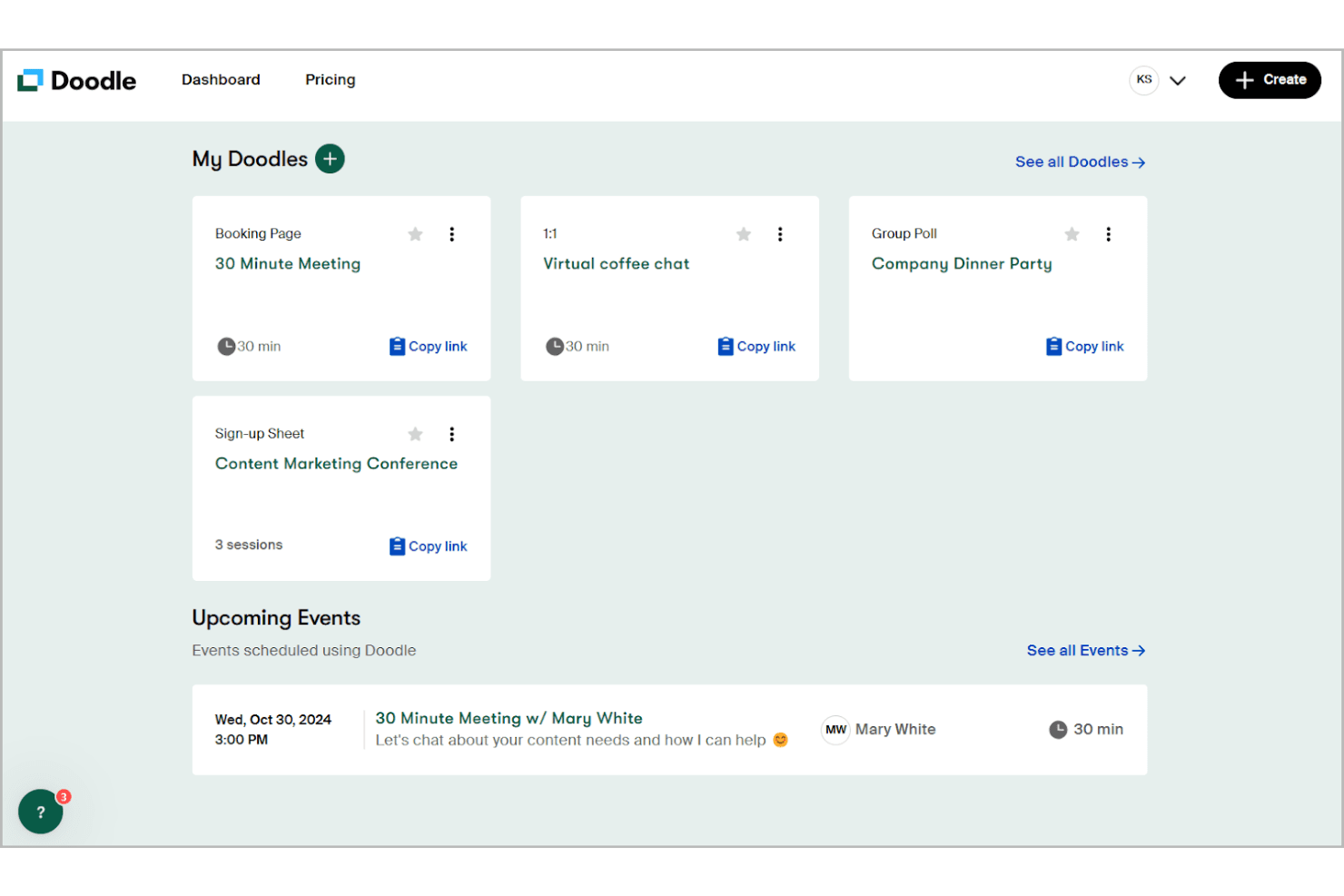
In my opinion, Doodle is an impressive scheduling tool that excels in ease of use and value for money. It stands out with its intuitive interface and efficient calendar integration, making it a reliable choice for small teams and remote workers coordinating meetings across time zones. While its core features are solid, I find the standout features slightly less innovative compared to some competitors. The onboarding process is straightforward, but the customer support could be more responsive. If you're looking for a tool that simplifies scheduling meetings without breaking the bank, Doodle is worth considering, especially for departments like sales and customer support. According to user reviews, Doodle offers excellent functionality for scheduling needs.
Pros
- User friendly interface that is easy to navigate.
- Integrates with calendars like Google Calendar and Outlook.
- Handles time zone differences for global teams scheduling meetings.
Cons
- Customer support response times can be slower than you'd like.
- Lacks some advanced options required for complex scheduling needs.
Is Doodle Right For Your Needs?
Who Would be a Good Fit for Doodle?
Doodle is a good fit for small businesses, remote teams, and departments like sales that need efficient scheduling. Its user-friendly interface and calendar integration with Google Calendar, Outlook, and other providers make it easy for your team to coordinate meetings without hassles. If you're in a field where scheduling across time zones is common, Doodle's ability to handle these differences smoothly is a plus. It’s ideal for teams that prioritize ease of use and simple scheduling over more advanced features. Using Doodle helps team members find the best time for group meetings efficiently.
- Remote TeamsDoodle helps your remote team coordinate across time zones with its intuitive scheduling features, making it easy to find time slots that work for large groups and schedule meetings with first-time participants.
- Small BusinessesIf you're a small business, Doodle offers an affordable and easy-to-use scheduling solution with a free version and a free plan that includes booking pages for client appointments.
- Sales DepartmentsSales teams benefit from Doodle's ability to quickly set up meetings with clients and prospects using Doodle polls to find the best times for everyone using doodle poll features.
- Customer SupportYour customer support team can use Doodle to efficiently schedule and manage support calls across different time slots, making coordinating meetings seamless.
- Educational InstitutionsSchools and colleges can use Doodle to organize meetings and events effortlessly with group polls to find the best time for large groups of faculty and students.
- FreelancersIf you're a freelancer, Doodle simplifies setting up meetings with clients and collaborators using booking pages and poll options to coordinate time slots efficiently.
Who Would be a Bad Fit for Doodle?
Doodle isn't ideal for large enterprises or industries requiring complex scheduling features. If your team needs advanced options like resource allocation or customized workflows, Doodle might fall short. Its simplicity, while a strength for some, can be a limitation for those needing detailed scheduling and reporting capabilities. Departments like project management, which often require intricate scheduling and resource management, might find Doodle's feature set too basic for their scheduling needs.
- Large EnterprisesLarge enterprises might find Doodle lacking the advanced scheduling features they require for complex scheduling needs.
- Healthcare ProvidersHealthcare often needs specialized scheduling capabilities and functionality for first-time patient appointments that Doodle doesn’t offer.
- Project ManagementProject management usually has complex scheduling needs, including resource management and advanced scheduling, both of which Doodle tends to fall short on.
- Manufacturing CompaniesManufacturing requires detailed shift scheduling, production timeline management, and equipment resource allocation, which are beyond Doodle's basic functionality.
- Event PlanningEvent planners need tools for managing vendors, venues, and complex timelines with large groups that exceed Doodle's capabilities.
- Legal FirmsLegal firms often require specialized client matter management, billing integration, and court calendar synchronization that Doodle doesn’t support.
Comment nous testons et évaluons les outils
Nous avons passé des années à bâtir, affiner et améliorer notre système de test et de notation des logiciels. Notre grille d’évaluation est conçue pour saisir les subtilités des sélections logicielles et ce qui fait qu’un outil est efficace, en se concentrant sur les éléments essentiels du processus de décision. Vous trouverez ci-dessous le détail de notre méthodologie d’évaluation et de notation selon sept critères. Cela nous permet de fournir une évaluation impartiale des logiciels basée sur les fonctionnalités principales, les options uniques, la facilité d’utilisation, l’intégration, la prise en main, l’assistance, les avis clients et le rapport qualité/prix.
Fonctionnalité principale (25% de la note totale)
Le point de départ de notre évaluation concerne toujours la fonctionnalité principale de l’outil. Possède-t-il les fonctions que l’on attend normalement, et ces fonctions sont-elles accessibles pour toutes les offres ? Nous attendons qu’un outil soit au niveau des capacités minimales de ses concurrents.
Fonctionnalités différenciantes (25% de la note totale)
Nous évaluons ici les fonctionnalités qui se distinguent de la fonction de base habituellement présente dans ce type de logiciel. Un score élevé récompense des fonctions spécialisées qui rendent le produit plus efficace ou unique et offrent une valeur ajoutée à l’utilisateur. Nous évaluons également la capacité à s’intégrer facilement avec d’autres solutions courantes, ce qui accroît l’intérêt et l’utilité de l’outil. Les logiciels qui proposent de nombreuses intégrations natives, des connexions tierces ou une API pour les intégrations personnalisées obtiennent une meilleure note.
Facilité d’utilisation (10% de la note totale)
Nous mesurons la rapidité et la simplicité pour effectuer les tâches clés avec l’outil. On valorise le design intuitif, les applications mobiles, les templates préconçus et la capacité à simplifier les tâches complexes.
Accompagnement à la prise en main (10% de la note totale)
L’adoption rapide est essentielle. Nous examinons donc la facilité pour un nouvel utilisateur à prendre l’outil en main avec peu de formation. Nous vérifions la rapidité d’installation et d’utilisation sans expérience préalable. Les meilleurs logiciels exigent peu ou pas de support pour démarrer.
Assistance (10% de la note totale)
Nous évaluons la réactivité et la facilité d’obtenir de l’aide par téléphone, chat ou base de connaissances. Les outils offrant un support humain en temps réel ont le meilleur score ; les chatbots sont moins bien valorisés.
Avis clients (10% de la note totale)
En plus de notre expertises, nous prenons en compte le score NPS (Net Promoter Score) accordé par les utilisateurs actuels et passés. Nous analysons la probabilité qu’ils réutilisent l’outil. Les outils à score élevé possèdent un excellent NPS utilisateur.
Rapport qualité/prix (10% de la note totale)
Après examen des autres critères, nous considérons le prix moyen des offres principales par rapport aux fonctionnalités essentielles évaluées. Les solutions offrant plus pour un prix inférieur obtiennent un meilleur score.
Core Features
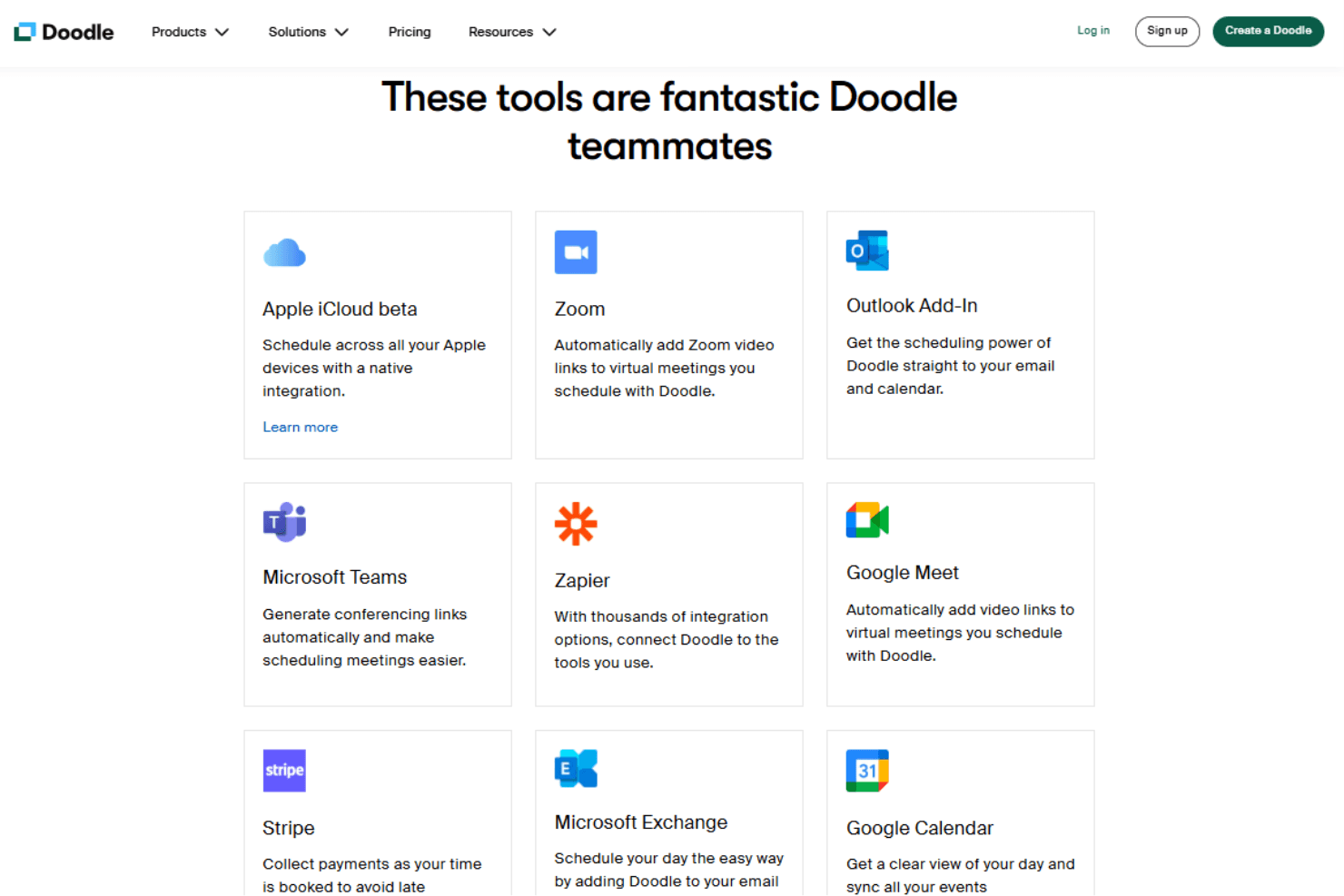
Calendar Integration: Doodle syncs with your existing calendars like Google Calendar and Outlook, ensuring all your schedules are in one place. This feature keeps your team's appointments up-to-date across time zones and avoids double bookings.
Time Zone Management: Doodle automatically adjusts meeting times based on participants' time zones. It's the ideal tool to find the best timer for remote teams coordinating meetings across different regions.
Poll Scheduling: You can create Doodle polls and group polls to find the best meeting time for everyone. It simplifies group scheduling by letting participants vote on their availability via poll options.
Customizable Meeting Links: Doodle lets you create personalized meeting links and booking pages for your events. This makes it easy for your team to share and schedule meetings with external contacts, offering multiple time slots for selection.
Reminders and Notifications: Set automatic notifications to remind participants of upcoming meetings. This feature helps reduce no-shows and keeps everyone informed about meeting times.
User-Friendly Interface: Doodle's clean and simple design makes it easy for everyone on your team to use. You don't need a manual to get started.
Ease of Use
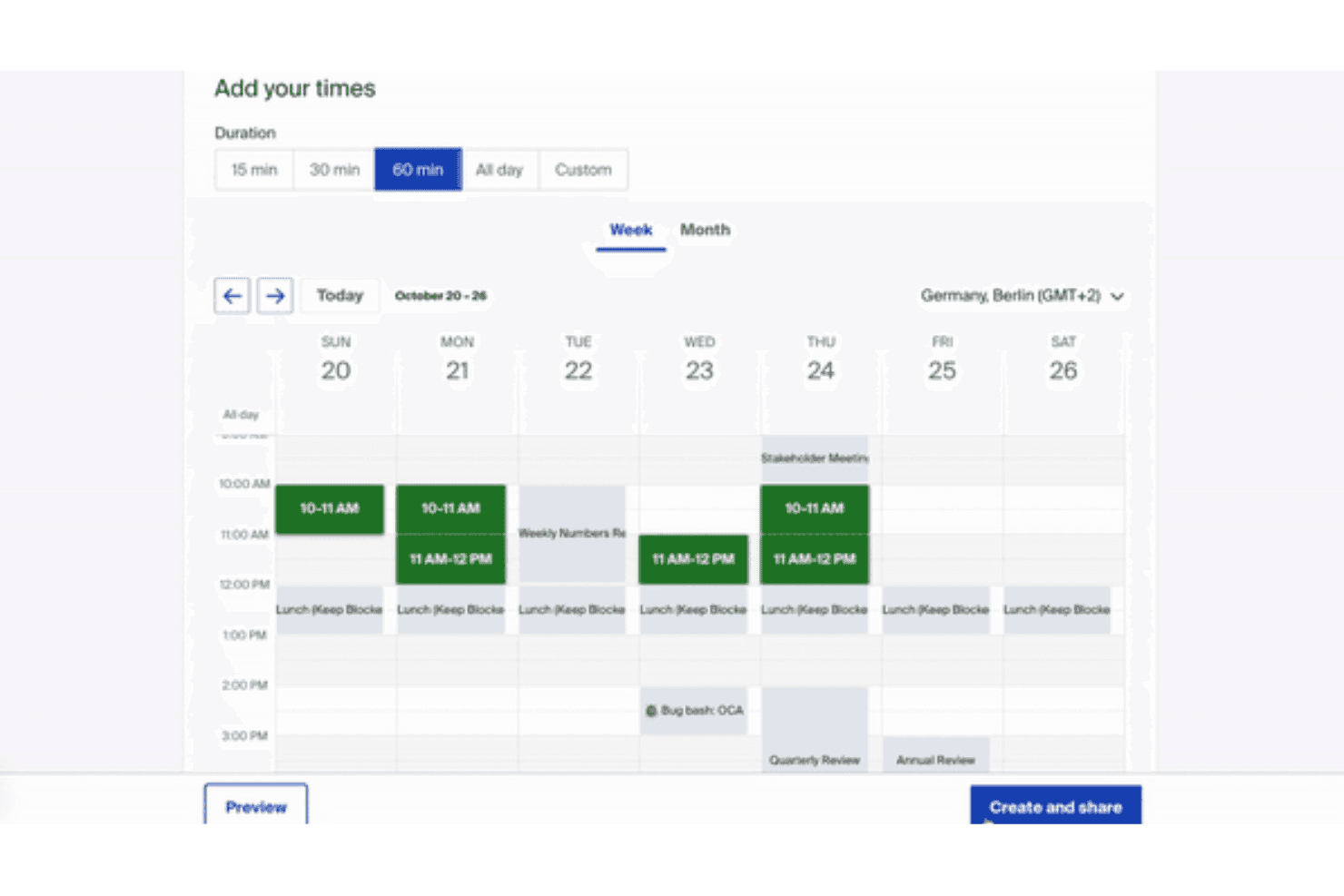
Doodle is incredibly user-friendly, making it a breeze for you and your team to schedule meetings. Its intuitive interface means it doesn’t have a steep learning curve. The simple drag-and-drop calendar integration ensures smooth scheduling with minimal effort. Verified reviews often appreciate how quickly they can set up polls and meetings, reducing time spent on coordination. Compared to other scheduling software, Doodle stands out for its straightforward design and ease of use. Verified reviews consistently praise Doodle's simplicity for everyday scheduling needs.
Integrations
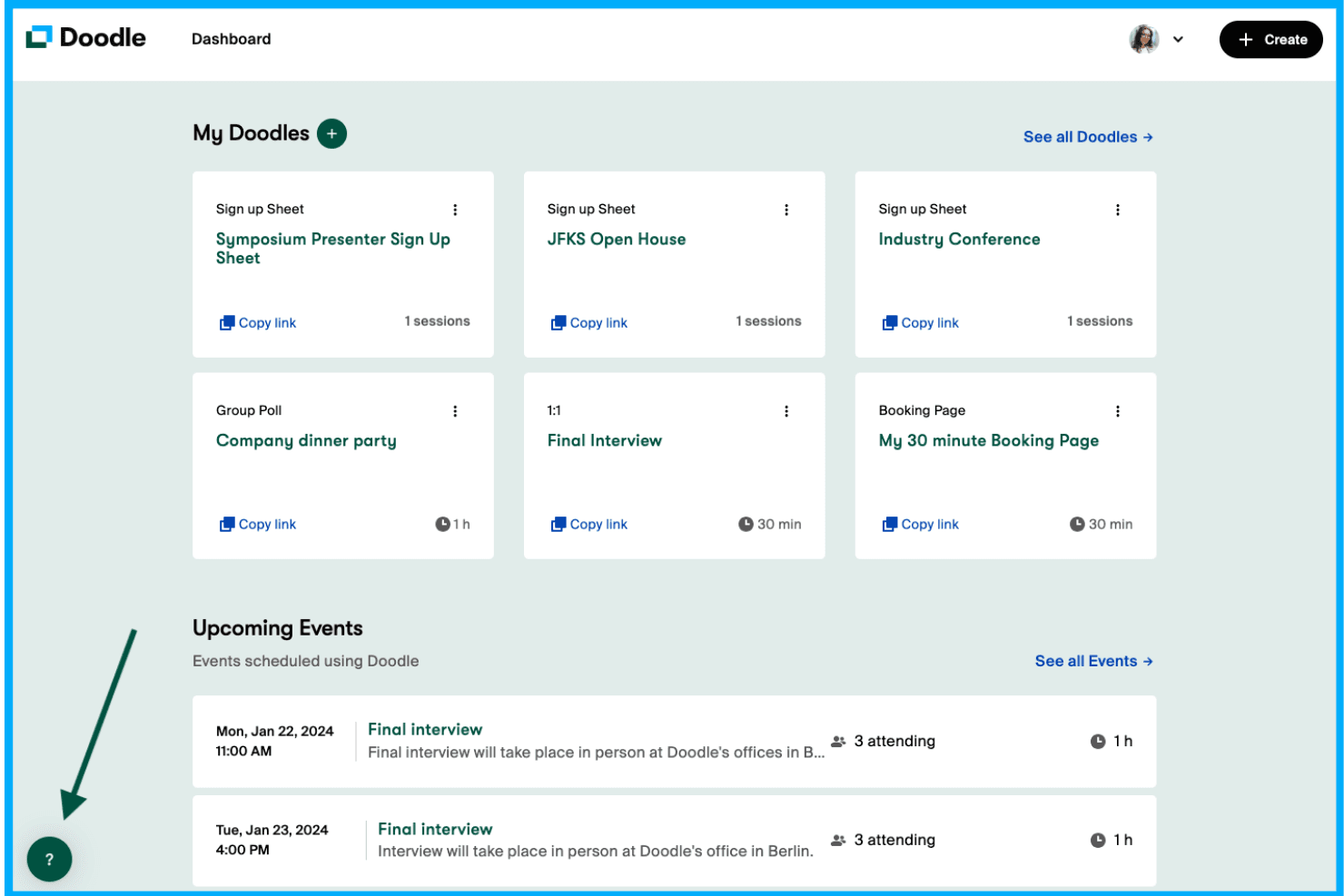
Doodle integrates with Zoom, Google Meet, Microsoft Teams, Stripe, Webex, Apple iCloud, Outlook, Microsoft Exchange, Google Calendar, Microsoft Office 365, and Slack for seamless video conferencing and communication.
Doodle also connects with over 3,000 third-party apps through Zapier and offers an API for additional customization and integration options, enabling enhanced functionality for scheduling needs.
Doodle Specs
- Analytics: Yes
- API: Yes
- Batch Permissions & Access: Yes
- Calendar Management: Yes
- Contact Management: Yes
- Custom Reports: Yes
- Dashboard: Yes
- Data Export: Yes
- Data Import: Yes
- Data Visualization: Yes
- Email Integration: Yes
- External Integrations: Yes
- Feedback Management: Yes
- Google Apps Integration: Yes
- Marketing Automation: Yes
- Multi-Source Feedback: Yes
- Multi-User: Yes
- Net Promoter Score: Yes
- Notifications: Yes
- Online Surveys: Yes
- Paper Surveys: Yes
- Scheduling: Yes
- Sentiment Analysis: Yes
- Template Designer: Yes
- Workflow Management: Yes


