

Doodle Review: Pros, Cons, Features, and Pricing
Discover Doodle's pros and cons, pricing, best and worst use cases, and how it compares to other scheduling software solutions.

We review tools independently, and commissions help fund our testing. See our transparency policy, our methodology, or suggest a tool.
Doodle is a call center scheduling software built around poll-based availability coordination, letting teams and customers agree on meeting times without manual back-and-forth. It's worth considering if your call center needs to schedule outreach calls, callbacks, or internal team meetings across multiple participants at once. If you are also considering Calendly, Doodle has an edge when group consensus scheduling matters—where several people need to agree on a time—rather than simple one-on-one booking flows.
Doodle Evaluation Summary
4.6/5
- From $6.95/user/month (billed annually)
- Free plan available
Why Trust Our Software Recommendations
6,700+
Reviews
20
Industry experts
16+
Evaluation factors
14
Years
Our team has been testing and reviewing software since 2012. As CX leaders ourselves, we know how difficult—and important—it is to choose the right software.
For this guide, we evaluated tools using hands-on testing and independent research, scoring tools using our selection criteria.
Our reviews reflect our human editorial judgment, not a sales pitch.
 Gui DrusinaCreative Director
 Tim FisherVP of AI
Doodle Overview
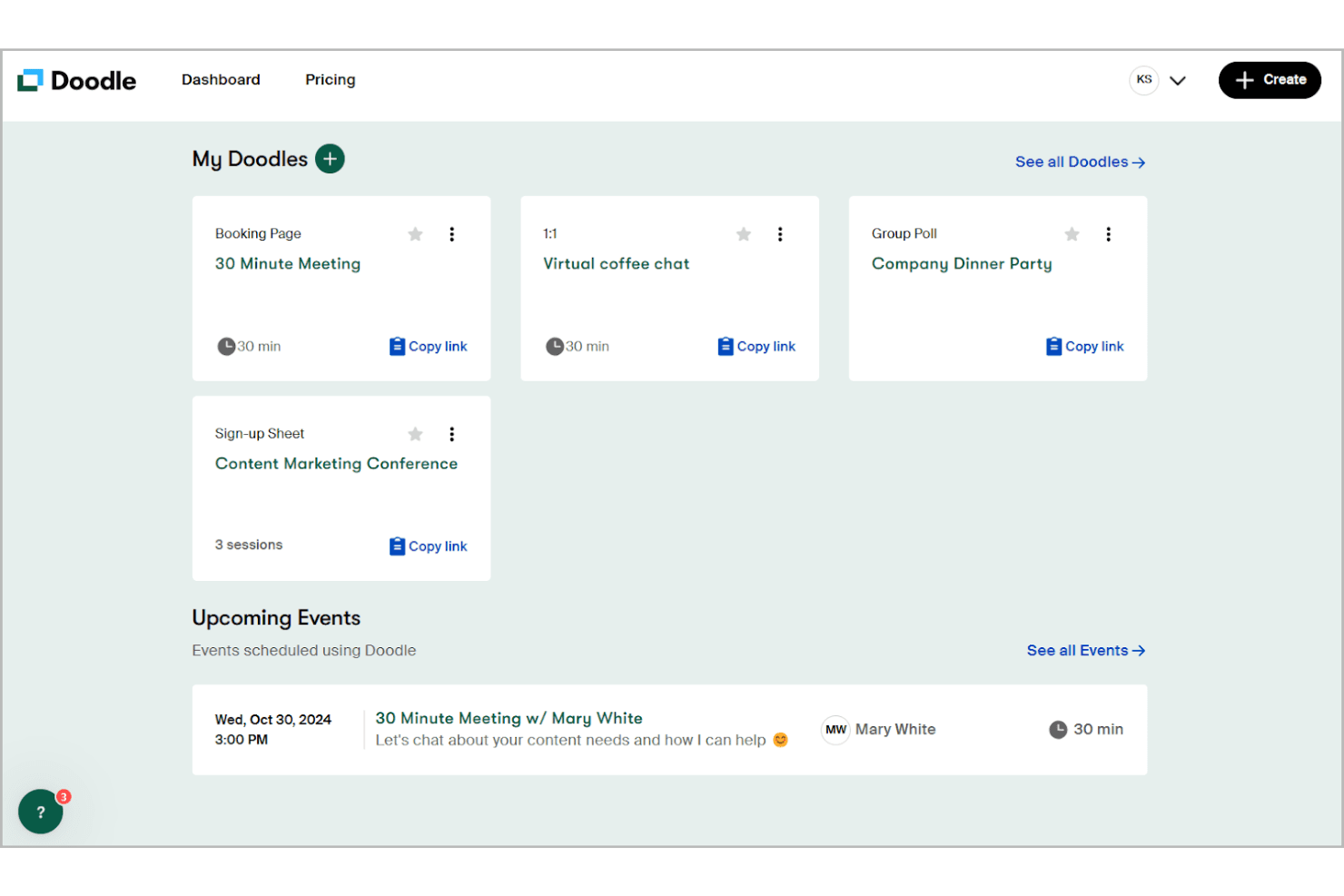
In my opinion, Doodle is an impressive scheduling tool that excels in ease of use and value for money. It stands out with its intuitive interface and efficient calendar integration, making it a reliable choice for small teams and remote workers coordinating meetings across time zones. While its core features are solid, I find the standout features slightly less innovative compared to some competitors. The onboarding process is straightforward, but the customer support could be more responsive. If you're looking for a tool that simplifies scheduling meetings without breaking the bank, Doodle is worth considering, especially for departments like sales and customer support. According to user reviews, Doodle offers excellent functionality for scheduling needs.
Pros
- User friendly interface that is easy to navigate.
- Integrates with calendars like Google Calendar and Outlook.
- Handles time zone differences for global teams scheduling meetings.
Cons
- Customer support response times can be slower than you'd like.
- Lacks some advanced options required for complex scheduling needs.
Is Doodle Right For Your Needs?
Who Would be a Good Fit for Doodle?
Doodle is a good fit for small businesses, remote teams, and departments like sales that need efficient scheduling. Its user-friendly interface and calendar integration with Google Calendar, Outlook, and other providers make it easy for your team to coordinate meetings without hassles. If you're in a field where scheduling across time zones is common, Doodle's ability to handle these differences smoothly is a plus. It’s ideal for teams that prioritize ease of use and simple scheduling over more advanced features. Using Doodle helps team members find the best time for group meetings efficiently.
- Remote TeamsDoodle helps your remote team coordinate across time zones with its intuitive scheduling features, making it easy to find time slots that work for large groups and schedule meetings with first-time participants.
- Small BusinessesIf you're a small business, Doodle offers an affordable and easy-to-use scheduling solution with a free version and a free plan that includes booking pages for client appointments.
- Sales DepartmentsSales teams benefit from Doodle's ability to quickly set up meetings with clients and prospects using Doodle polls to find the best times for everyone using doodle poll features.
- Customer SupportYour customer support team can use Doodle to efficiently schedule and manage support calls across different time slots, making coordinating meetings seamless.
- Educational InstitutionsSchools and colleges can use Doodle to organize meetings and events effortlessly with group polls to find the best time for large groups of faculty and students.
- FreelancersIf you're a freelancer, Doodle simplifies setting up meetings with clients and collaborators using booking pages and poll options to coordinate time slots efficiently.
Who Would be a Bad Fit for Doodle?
Doodle isn't ideal for large enterprises or industries requiring complex scheduling features. If your team needs advanced options like resource allocation or customized workflows, Doodle might fall short. Its simplicity, while a strength for some, can be a limitation for those needing detailed scheduling and reporting capabilities. Departments like project management, which often require intricate scheduling and resource management, might find Doodle's feature set too basic for their scheduling needs.
- Large EnterprisesLarge enterprises might find Doodle lacking the advanced scheduling features they require for complex scheduling needs.
- Healthcare ProvidersHealthcare often needs specialized scheduling capabilities and functionality for first-time patient appointments that Doodle doesn’t offer.
- Project ManagementProject management usually has complex scheduling needs, including resource management and advanced scheduling, both of which Doodle tends to fall short on.
- Manufacturing CompaniesManufacturing requires detailed shift scheduling, production timeline management, and equipment resource allocation, which are beyond Doodle's basic functionality.
- Event PlanningEvent planners need tools for managing vendors, venues, and complex timelines with large groups that exceed Doodle's capabilities.
- Legal FirmsLegal firms often require specialized client matter management, billing integration, and court calendar synchronization that Doodle doesn’t support.
How We Test & Score Tools
We’ve spent years building, refining, and improving our software testing and scoring system. The rubric is designed to capture the nuances of software selection and what makes a tool effective, focusing on critical aspects of the decision-making process.
Below, you can see exactly how our testing and scoring works across seven criteria. It allows us to provide an unbiased evaluation of the software based on core functionality, standout features, ease of use, onboarding, customer support, integrations, customer reviews, and value for money.
Core Functionality (25% of final scoring)
The starting point of our evaluation is always the core functionality of the tool. Does it have the basic features and functions that a user would expect to see? Are any of those core features locked to higher-tiered pricing plans? At its core, we expect a tool to stand up against the baseline capabilities of its competitors.
Standout Features (25% of final scoring)
Next, we evaluate uncommon standout features that go above and beyond the core functionality typically found in tools of its kind. A high score reflects specialized or unique features that make the product faster, more efficient, or offer additional value to the user.
We also evaluate how easy it is to integrate with other tools typically found in the tech stack to expand the functionality and utility of the software. Tools offering plentiful native integrations, 3rd party connections, and API access to build custom integrations score best.
Ease of Use (10% of final scoring)
We consider how quick and easy it is to execute the tasks defined in the core functionality using the tool. High scoring software is well designed, intuitive to use, offers mobile apps, provides templates, and makes relatively complex tasks seem simple.
Onboarding (10% of final scoring)
We know how important rapid team adoption is for a new platform, so we evaluate how easy it is to learn and use a tool with minimal training. We evaluate how quickly a team member can get set up and start using the tool with no experience. High scoring solutions indicate little or no support is required.
Customer Support (10% of final scoring)
We review how quick and easy it is to get unstuck and find help by phone, live chat, or knowledge base. Tools and companies that provide real-time support score best, while chatbots score worst.
Customer Reviews (10% of final scoring)
Beyond our own testing and evaluation, we consider the net promoter score from current and past customers. We review their likelihood, given the option, to choose the tool again for the core functionality. A high scoring software reflects a high net promoter score from current or past customers.
Value for Money (10% of final scoring)
Lastly, in consideration of all the other criteria, we review the average price of entry level plans against the core features and consider the value of the other evaluation criteria. Software that delivers more, for less, will score higher.
Core Features
Calendar Integration: Doodle syncs with your existing calendars like Google Calendar and Outlook, ensuring all your schedules are in one place. This feature keeps your team's appointments up-to-date across time zones and avoids double bookings.
Time Zone Management: Doodle automatically adjusts meeting times based on participants' time zones. It's the ideal tool to find the best timer for remote teams coordinating meetings across different regions.
Poll Scheduling: You can create Doodle polls and group polls to find the best meeting time for everyone. It simplifies group scheduling by letting participants vote on their availability via poll options.
Customizable Meeting Links: Doodle lets you create personalized meeting links and booking pages for your events. This makes it easy for your team to share and schedule meetings with external contacts, offering multiple time slots for selection.
Reminders and Notifications: Set automatic notifications to remind participants of upcoming meetings. This feature helps reduce no-shows and keeps everyone informed about meeting times.
User-Friendly Interface: Doodle's clean and simple design makes it easy for everyone on your team to use. You don't need a manual to get started.
Ease of Use
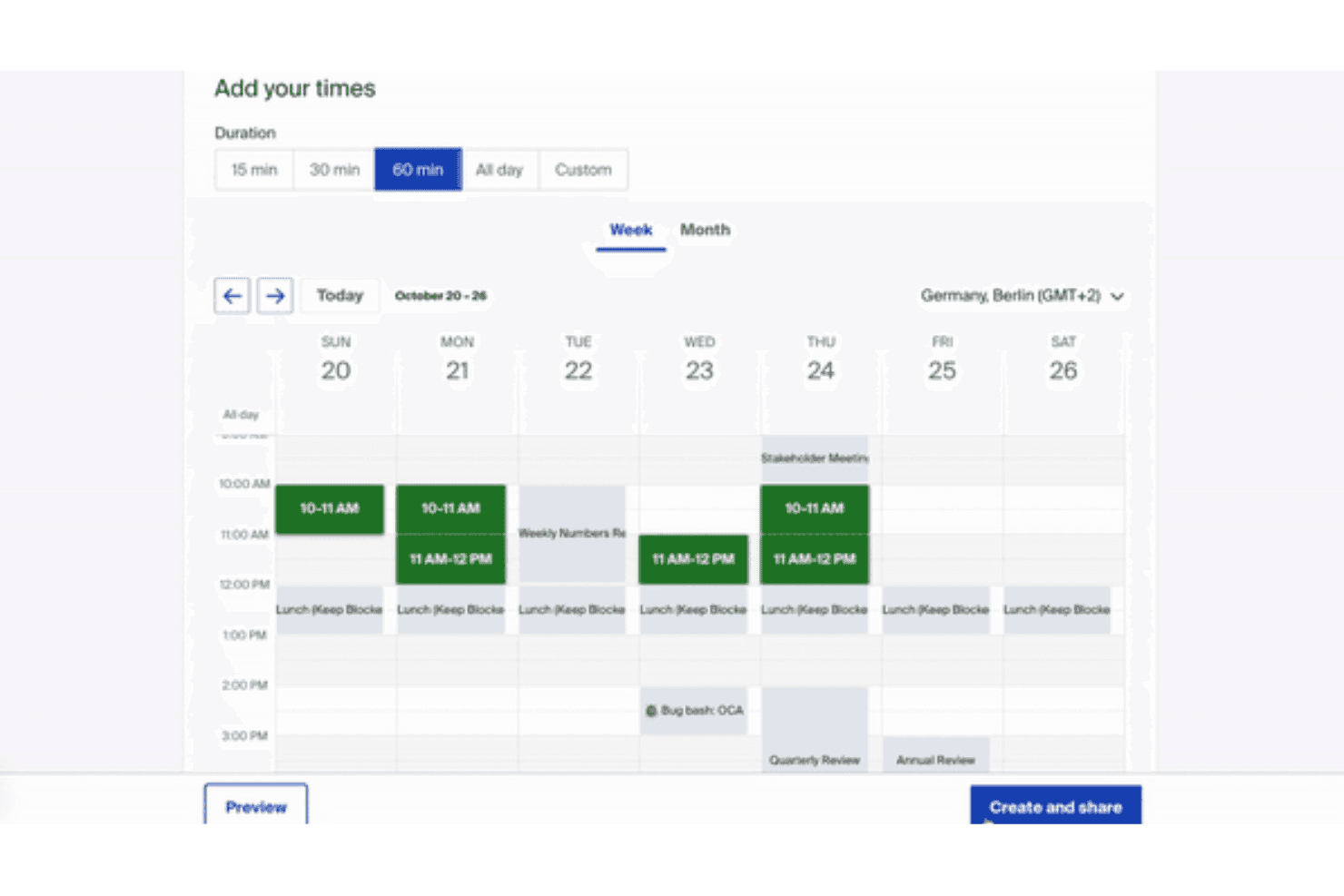
Doodle is incredibly user-friendly, making it a breeze for you and your team to schedule meetings. Its intuitive interface means it doesn’t have a steep learning curve. The simple drag-and-drop calendar integration ensures smooth scheduling with minimal effort. Verified reviews often appreciate how quickly they can set up polls and meetings, reducing time spent on coordination. Compared to other scheduling software, Doodle stands out for its straightforward design and ease of use. Verified reviews consistently praise Doodle's simplicity for everyday scheduling needs.
Integrations
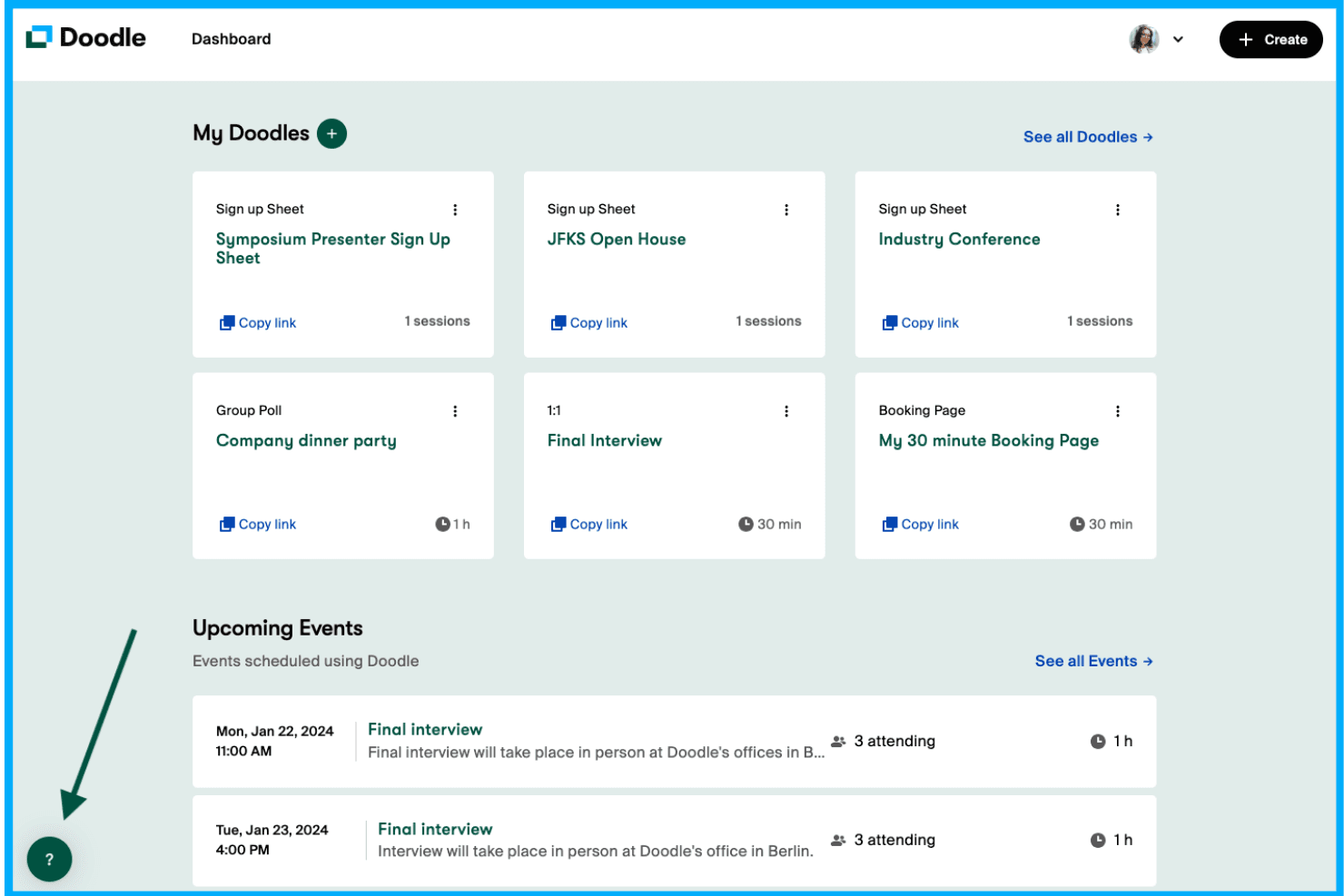
Doodle integrates with Zoom, Google Meet, Microsoft Teams, Stripe, Webex, Apple iCloud, Outlook, Microsoft Exchange, Google Calendar, Microsoft Office 365, and Slack for seamless video conferencing and communication.
Doodle also connects with over 3,000 third-party apps through Zapier and offers an API for additional customization and integration options, enabling enhanced functionality for scheduling needs.
Doodle Specs
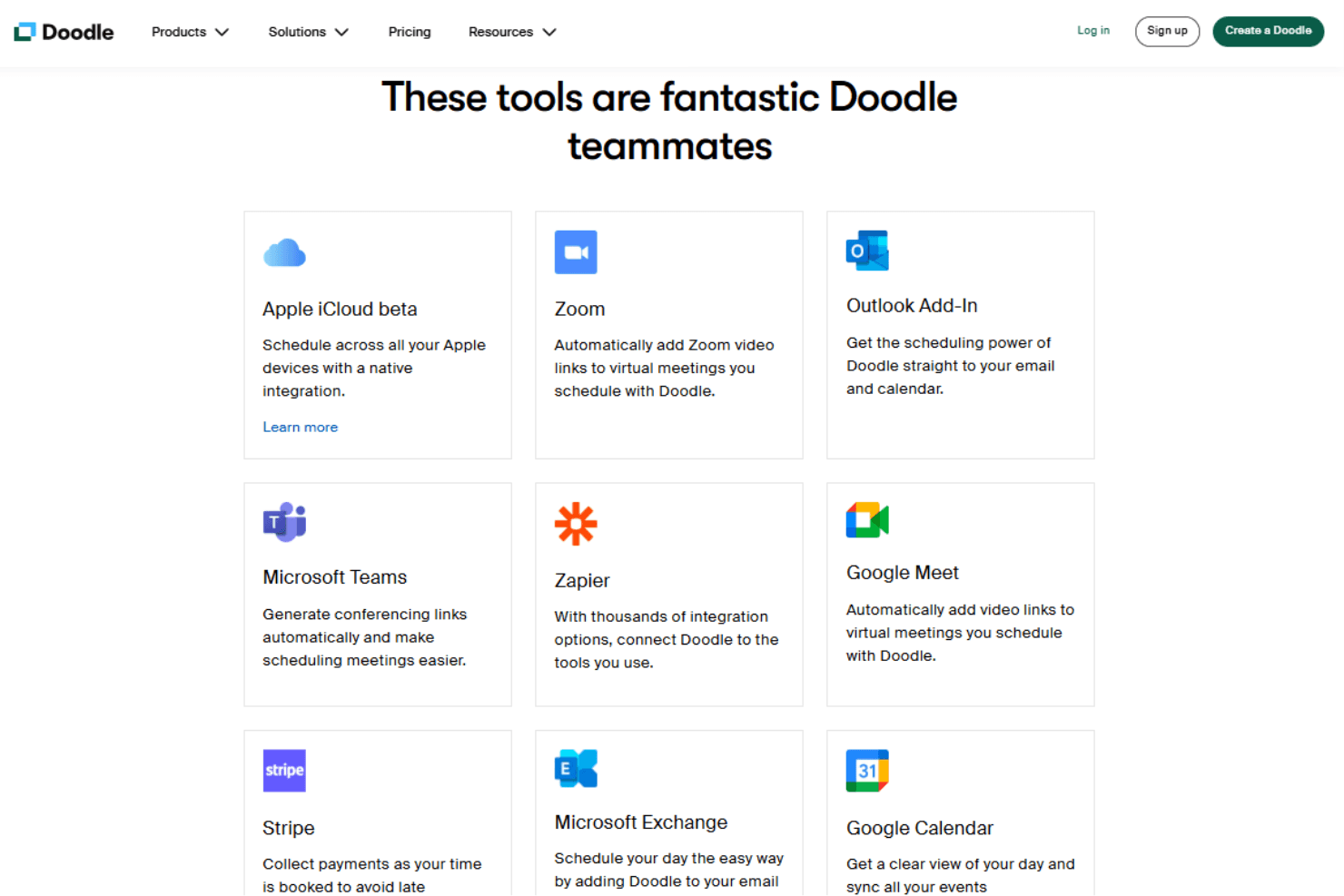
- Analytics: Yes
- API: Yes
- Batch Permissions & Access: Yes
- Calendar Management: Yes
- Contact Management: Yes
- Custom Reports: Yes
- Dashboard: Yes
- Data Export: Yes
- Data Import: Yes
- Data Visualization: Yes
- Email Integration: Yes
- External Integrations: Yes
- Feedback Management: Yes
- Google Apps Integration: Yes
- Marketing Automation: Yes
- Multi-Source Feedback: Yes
- Multi-User: Yes
- Net Promoter Score: Yes
- Notifications: Yes
- Online Surveys: Yes
- Paper Surveys: Yes
- Scheduling: Yes
- Sentiment Analysis: Yes
- Template Designer: Yes
- Workflow Management: Yes


