

Avis sur Userback : avantages, inconvénients, fonctionnalités et tarifs
Userback excelle dans le retour visuel en temps réel et les capacités d’intégration, ce qui en fait un outil précieux pour les équipes axées sur les insights clients et la collaboration.

Nous évaluons les outils indépendamment ; les commissions aident à financer nos tests. Consultez notre politique de transparence et notre méthodologie.
Userback is a customer data platform built around in-product feedback collection, letting users annotate screenshots, record their screen, and submit bug reports directly from your app or website. It's worth considering if your team needs structured, visual feedback that's easy to triage and act on. I'd look at it specifically if you want more actionable user input than Hotjar gives you, without adding a full-scale analytics suite to your stack.
Userback Evaluation Summary
4.8/5
- From $29/month (billed annually)
- Free plan available
Pourquoi faire confiance à nos recommandations de logiciels
6,700+
Reviews
20
Industry experts
16+
Evaluation factors
14
Years
Notre équipe teste et évalue des logiciels depuis 2012. En tant que leaders CX nous-mêmes, nous savons à quel point il est difficile — et important — de choisir le bon logiciel.
Pour ce guide, nous avons évalué les outils grâce à des tests pratiques et une recherche indépendante, en notant les outils selon nos critères de sélection.
Nos avis reflètent notre jugement éditorial humain, et non un argumentaire de vente.
 Gui DrusinaCreative Director
 Tim FisherVP of AI
Userback Overview
In my opinion, Userback offers a solid set of customer data features, making it a viable option for teams looking for an efficient way to gather user feedback. Its standout features and ease of use are commendable, although onboarding and customer support could benefit from some enhancements. The platform is well suited for small and medium-sized teams that need user feedback integration functions that don't break the bank. However, it may lack advanced customization and detailed analytics. If your team values simplicity and cost-effectiveness, Userback is worth considering.
Pros
- Gather visual feedback efficiently with Userback's intuitive interface.
- Real-time collaboration features mean faster issue resolution.
- Userback's screenshot and annotation tools make it easy to communicate specific feedback.
Cons
- Your team might face a learning curve with its wide range of features.
- Some users find the customization options limited for niche use cases.
- Userback has limited customer support channels.
Is Userback Right For Your Needs?
Who Would be a Good Fit for Userback?
Userback suits any team that needs visual feedback on digital projects. If your work involves web development or design, Userback helps by collecting annotated screenshots directly from users. It's perfect for quality assurance (QA) teams, product managers, and developers who want to streamline feedback processes. Its integration with tools such as Jira and Slack makes it an efficient choice for teams already using those platforms.
- Web Development TeamsUserback excels in gathering detailed visual website feedback, which helps developers identify and fix issues quickly.
- Design AgenciesDesigners can benefit from Userback's ability to collect client feedback directly on design projects, strengthening collaboration.
- Product ManagersWith Userback, product managers can gather user insights efficiently and integrate feedback into development cycles.
- QA TeamsQA teams can leverage Userback for bug tracking and capture, making the debugging process faster.
- Marketing TeamsMarketers can use Userback to gather user impressions on digital campaigns and refine strategies based on real user feedback.
- Small and Medium-Sized EnterprisesSmall and medium-sized enterprises benefit from Userback's cost-effective feedback tools that integrate with existing workflows to improve product quality.
Who Would be a Bad Fit for Userback?
Userback may not suit businesses with limited technical resources. If your team doesn't have a dedicated IT department or technical staff, Userback's setup and integration might be challenging. It's designed for environments where feedback can be actively managed and acted upon, so if your operations are more straightforward and don't require detailed feedback loops, it might not be the best fit.
- Non-Technical TeamsTeams lacking technical expertise might struggle with Userback's setup and customization options.
- Retail IndustryRetailers focusing on in-store customer experiences might not benefit from Userback's digital feedback tools.
- HR DepartmentsHR teams may not find Userback useful, as it primarily addresses user experience and product feedback rather than employee feedback.
- Health Care ProvidersHealth care providers with strict compliance requirements may face challenges integrating Userback due to data privacy concerns.
- Logistics CompaniesLogistics companies that have minimal customer interaction may not need Userback's extensive feedback capabilities.
Comment nous testons et évaluons les outils
Nous avons passé des années à bâtir, affiner et améliorer notre système de test et de notation des logiciels. Notre grille d’évaluation est conçue pour saisir les subtilités des sélections logicielles et ce qui fait qu’un outil est efficace, en se concentrant sur les éléments essentiels du processus de décision. Vous trouverez ci-dessous le détail de notre méthodologie d’évaluation et de notation selon sept critères. Cela nous permet de fournir une évaluation impartiale des logiciels basée sur les fonctionnalités principales, les options uniques, la facilité d’utilisation, l’intégration, la prise en main, l’assistance, les avis clients et le rapport qualité/prix.
Fonctionnalité principale (25% de la note totale)
Le point de départ de notre évaluation concerne toujours la fonctionnalité principale de l’outil. Possède-t-il les fonctions que l’on attend normalement, et ces fonctions sont-elles accessibles pour toutes les offres ? Nous attendons qu’un outil soit au niveau des capacités minimales de ses concurrents.
Fonctionnalités différenciantes (25% de la note totale)
Nous évaluons ici les fonctionnalités qui se distinguent de la fonction de base habituellement présente dans ce type de logiciel. Un score élevé récompense des fonctions spécialisées qui rendent le produit plus efficace ou unique et offrent une valeur ajoutée à l’utilisateur. Nous évaluons également la capacité à s’intégrer facilement avec d’autres solutions courantes, ce qui accroît l’intérêt et l’utilité de l’outil. Les logiciels qui proposent de nombreuses intégrations natives, des connexions tierces ou une API pour les intégrations personnalisées obtiennent une meilleure note.
Facilité d’utilisation (10% de la note totale)
Nous mesurons la rapidité et la simplicité pour effectuer les tâches clés avec l’outil. On valorise le design intuitif, les applications mobiles, les templates préconçus et la capacité à simplifier les tâches complexes.
Accompagnement à la prise en main (10% de la note totale)
L’adoption rapide est essentielle. Nous examinons donc la facilité pour un nouvel utilisateur à prendre l’outil en main avec peu de formation. Nous vérifions la rapidité d’installation et d’utilisation sans expérience préalable. Les meilleurs logiciels exigent peu ou pas de support pour démarrer.
Assistance (10% de la note totale)
Nous évaluons la réactivité et la facilité d’obtenir de l’aide par téléphone, chat ou base de connaissances. Les outils offrant un support humain en temps réel ont le meilleur score ; les chatbots sont moins bien valorisés.
Avis clients (10% de la note totale)
En plus de notre expertises, nous prenons en compte le score NPS (Net Promoter Score) accordé par les utilisateurs actuels et passés. Nous analysons la probabilité qu’ils réutilisent l’outil. Les outils à score élevé possèdent un excellent NPS utilisateur.
Rapport qualité/prix (10% de la note totale)
Après examen des autres critères, nous considérons le prix moyen des offres principales par rapport aux fonctionnalités essentielles évaluées. Les solutions offrant plus pour un prix inférieur obtiennent un meilleur score.
Core Features
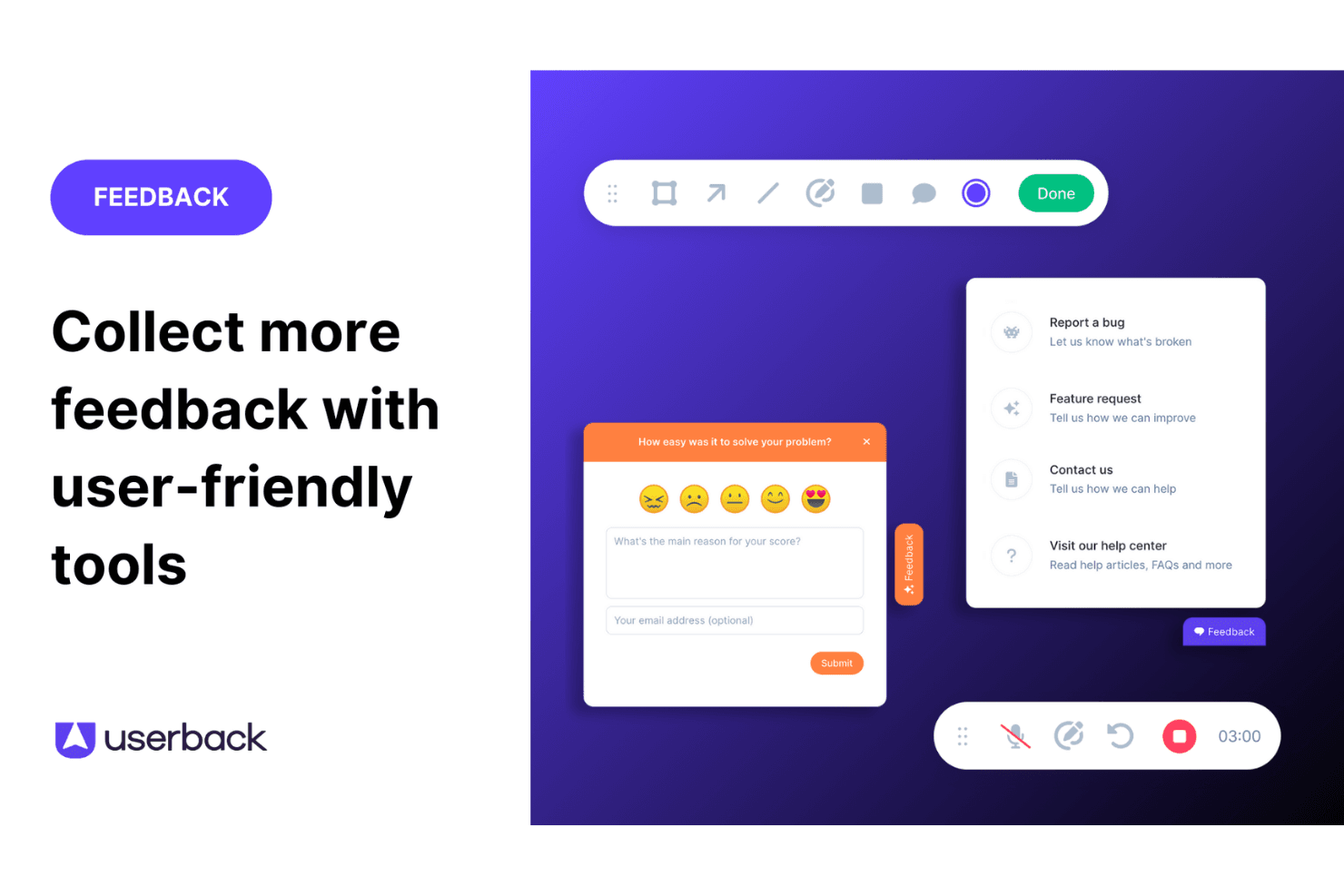
Feedback Widget: You can easily gather user feedback with a customizable button placed directly on your website or app. This in-app tool stands out because it simplifies the feedback process for users, encouraging more participation.
User Surveys: Create and deploy targeted surveys to collect specific insights from your end users. These feedback forms can be embedded in your app or shared externally, allowing you to get detailed information directly from your audience.
Feature Portal: Engage your users by allowing them to view, vote for, and comment on new features. This helps you make data-driven decisions based on real user input.
Browser Extension: This no-code feature lets you collect feedback from any web page quickly and efficiently. It's perfect for gathering insights without needing technical setup.
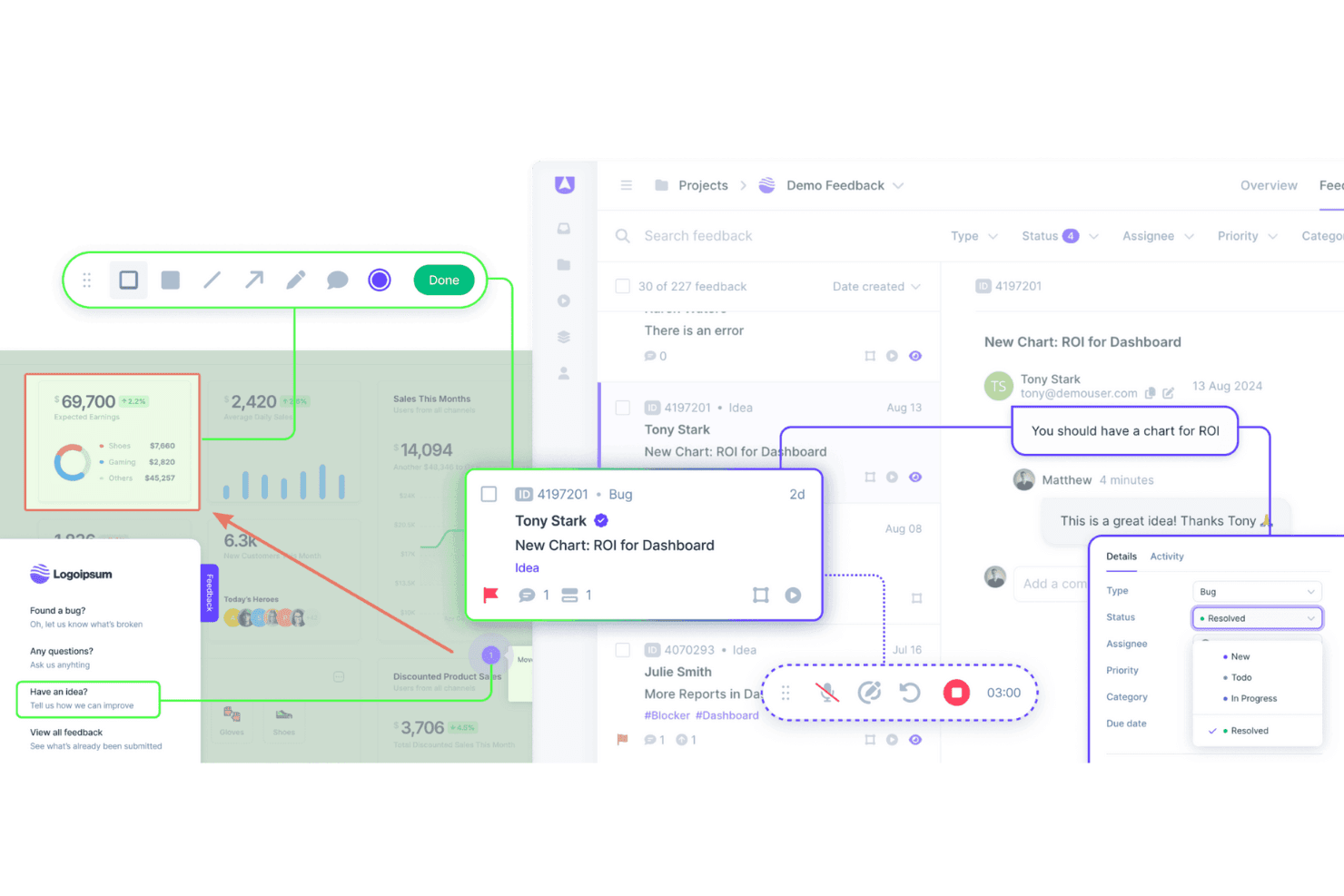
Visual Feedback Collection: Utilize screen annotation and video feedback to gain clear insights into user experiences. These tools help you understand exactly what users see and experience.
Session Replay: Record and review user sessions to analyze how they interact with your product. This feature gives you valuable insights to improve user experience.

Ease of Use
Userback is straightforward to use thanks to its intuitive interface and clear navigation. Setting up feedback collection is quick, which lets your team focus on responding to insights rather than struggling with complex tools. Reviews highlight that Userback's simplicity doesn't compromise its capabilities, making it accessible even for those unfamiliar with CDPs. Its ease of use ensures your workflow is efficient, allowing more time for decision-making based on valuable customer feedback.
Integrations
Userback integrates with Jira, Slack, ClickUp, Intercom, Asana, Notion, Trello, Basecamp, monday.com, and Teamwork.
Userback also provides a representational state transfer application programming interface, or REST API, and supports third-party integration tools such as Zapier, strengthening its functionality for user feedback management.

Userback Specs
- Analytics: Yes
- API: Yes
- Calendar Management: Yes
- Call Tracking: Yes
- Contact Management: Yes
- Dashboard: Yes
- Data Export: Yes
- Data Import: Yes
- Data Visualization: Yes
- Email Integration: Yes
- External Integrations: Yes
- Google Apps Integration: Yes
- Multi-User: Yes
- Net Promoter Score: Yes
- Notifications: Yes
- Review Monitoring: Yes
- Scheduling: Yes
- Softphone: Yes
- Third-Party Plugins/Add-Ons: Yes


