

Userback Review: Pros, Cons, Features, and Pricing
Userback excels in real-time visual feedback and integration capabilities, making it a valuable tool for teams focused on customer insights and collaboration.

We review tools independently, and commissions help fund our testing. See our transparency policy, our methodology, or suggest a tool.
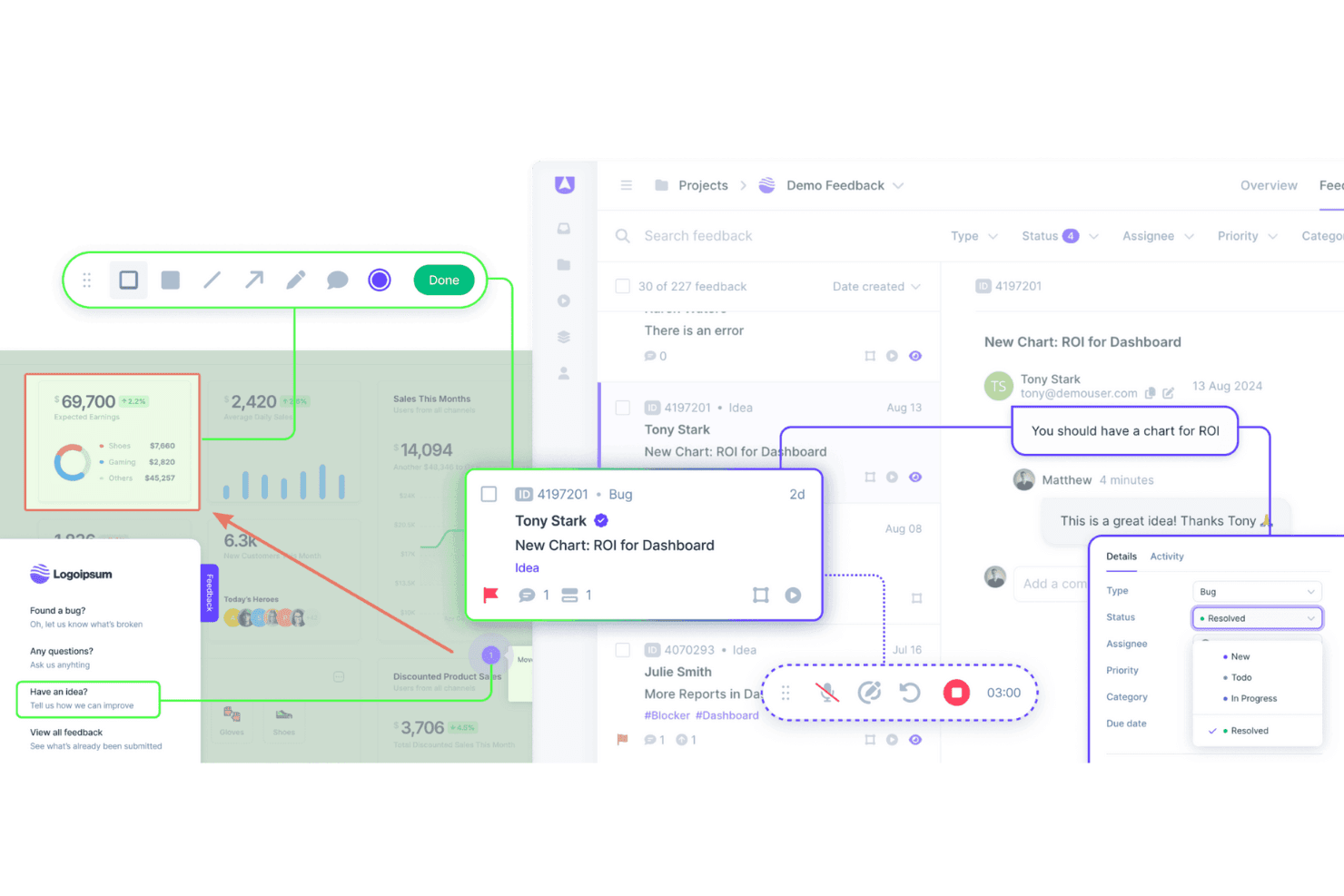
Userback is a customer data platform built around in-product feedback collection, letting users annotate screenshots, record their screen, and submit bug reports directly from your app or website. It's worth considering if your team needs structured, visual feedback that's easy to triage and act on. I'd look at it specifically if you want more actionable user input than Hotjar gives you, without adding a full-scale analytics suite to your stack.
Userback Evaluation Summary
4.8/5
- From $29/month (billed annually)
- Free plan available
Why Trust Our Software Recommendations
6,700+
Reviews
20
Industry experts
16+
Evaluation factors
14
Years
Our team has been testing and reviewing software since 2012. As CX leaders ourselves, we know how difficult—and important—it is to choose the right software.
For this guide, we evaluated tools using hands-on testing and independent research, scoring tools using our selection criteria.
Our reviews reflect our human editorial judgment, not a sales pitch.
 Gui DrusinaCreative Director
 Tim FisherVP of AI
Userback Overview
In my opinion, Userback offers a solid set of customer data features, making it a viable option for teams looking for an efficient way to gather user feedback. Its standout features and ease of use are commendable, although onboarding and customer support could benefit from some enhancements. The platform is well suited for small and medium-sized teams that need user feedback integration functions that don't break the bank. However, it may lack advanced customization and detailed analytics. If your team values simplicity and cost-effectiveness, Userback is worth considering.
Pros
- Gather visual feedback efficiently with Userback's intuitive interface.
- Real-time collaboration features mean faster issue resolution.
- Userback's screenshot and annotation tools make it easy to communicate specific feedback.
Cons
- Your team might face a learning curve with its wide range of features.
- Some users find the customization options limited for niche use cases.
- Userback has limited customer support channels.
Is Userback Right For Your Needs?
Who Would be a Good Fit for Userback?
Userback suits any team that needs visual feedback on digital projects. If your work involves web development or design, Userback helps by collecting annotated screenshots directly from users. It's perfect for quality assurance (QA) teams, product managers, and developers who want to streamline feedback processes. Its integration with tools such as Jira and Slack makes it an efficient choice for teams already using those platforms.
- Web Development TeamsUserback excels in gathering detailed visual website feedback, which helps developers identify and fix issues quickly.
- Design AgenciesDesigners can benefit from Userback's ability to collect client feedback directly on design projects, strengthening collaboration.
- Product ManagersWith Userback, product managers can gather user insights efficiently and integrate feedback into development cycles.
- QA TeamsQA teams can leverage Userback for bug tracking and capture, making the debugging process faster.
- Marketing TeamsMarketers can use Userback to gather user impressions on digital campaigns and refine strategies based on real user feedback.
- Small and Medium-Sized EnterprisesSmall and medium-sized enterprises benefit from Userback's cost-effective feedback tools that integrate with existing workflows to improve product quality.
Who Would be a Bad Fit for Userback?
Userback may not suit businesses with limited technical resources. If your team doesn't have a dedicated IT department or technical staff, Userback's setup and integration might be challenging. It's designed for environments where feedback can be actively managed and acted upon, so if your operations are more straightforward and don't require detailed feedback loops, it might not be the best fit.
- Non-Technical TeamsTeams lacking technical expertise might struggle with Userback's setup and customization options.
- Retail IndustryRetailers focusing on in-store customer experiences might not benefit from Userback's digital feedback tools.
- HR DepartmentsHR teams may not find Userback useful, as it primarily addresses user experience and product feedback rather than employee feedback.
- Health Care ProvidersHealth care providers with strict compliance requirements may face challenges integrating Userback due to data privacy concerns.
- Logistics CompaniesLogistics companies that have minimal customer interaction may not need Userback's extensive feedback capabilities.
How We Test & Score Tools
We’ve spent years building, refining, and improving our software testing and scoring system. The rubric is designed to capture the nuances of software selection and what makes a tool effective, focusing on critical aspects of the decision-making process.
Below, you can see exactly how our testing and scoring works across seven criteria. It allows us to provide an unbiased evaluation of the software based on core functionality, standout features, ease of use, onboarding, customer support, integrations, customer reviews, and value for money.
Core Functionality (25% of final scoring)
The starting point of our evaluation is always the core functionality of the tool. Does it have the basic features and functions that a user would expect to see? Are any of those core features locked to higher-tiered pricing plans? At its core, we expect a tool to stand up against the baseline capabilities of its competitors.
Standout Features (25% of final scoring)
Next, we evaluate uncommon standout features that go above and beyond the core functionality typically found in tools of its kind. A high score reflects specialized or unique features that make the product faster, more efficient, or offer additional value to the user.
We also evaluate how easy it is to integrate with other tools typically found in the tech stack to expand the functionality and utility of the software. Tools offering plentiful native integrations, 3rd party connections, and API access to build custom integrations score best.
Ease of Use (10% of final scoring)
We consider how quick and easy it is to execute the tasks defined in the core functionality using the tool. High scoring software is well designed, intuitive to use, offers mobile apps, provides templates, and makes relatively complex tasks seem simple.
Onboarding (10% of final scoring)
We know how important rapid team adoption is for a new platform, so we evaluate how easy it is to learn and use a tool with minimal training. We evaluate how quickly a team member can get set up and start using the tool with no experience. High scoring solutions indicate little or no support is required.
Customer Support (10% of final scoring)
We review how quick and easy it is to get unstuck and find help by phone, live chat, or knowledge base. Tools and companies that provide real-time support score best, while chatbots score worst.
Customer Reviews (10% of final scoring)
Beyond our own testing and evaluation, we consider the net promoter score from current and past customers. We review their likelihood, given the option, to choose the tool again for the core functionality. A high scoring software reflects a high net promoter score from current or past customers.
Value for Money (10% of final scoring)
Lastly, in consideration of all the other criteria, we review the average price of entry level plans against the core features and consider the value of the other evaluation criteria. Software that delivers more, for less, will score higher.
Core Features
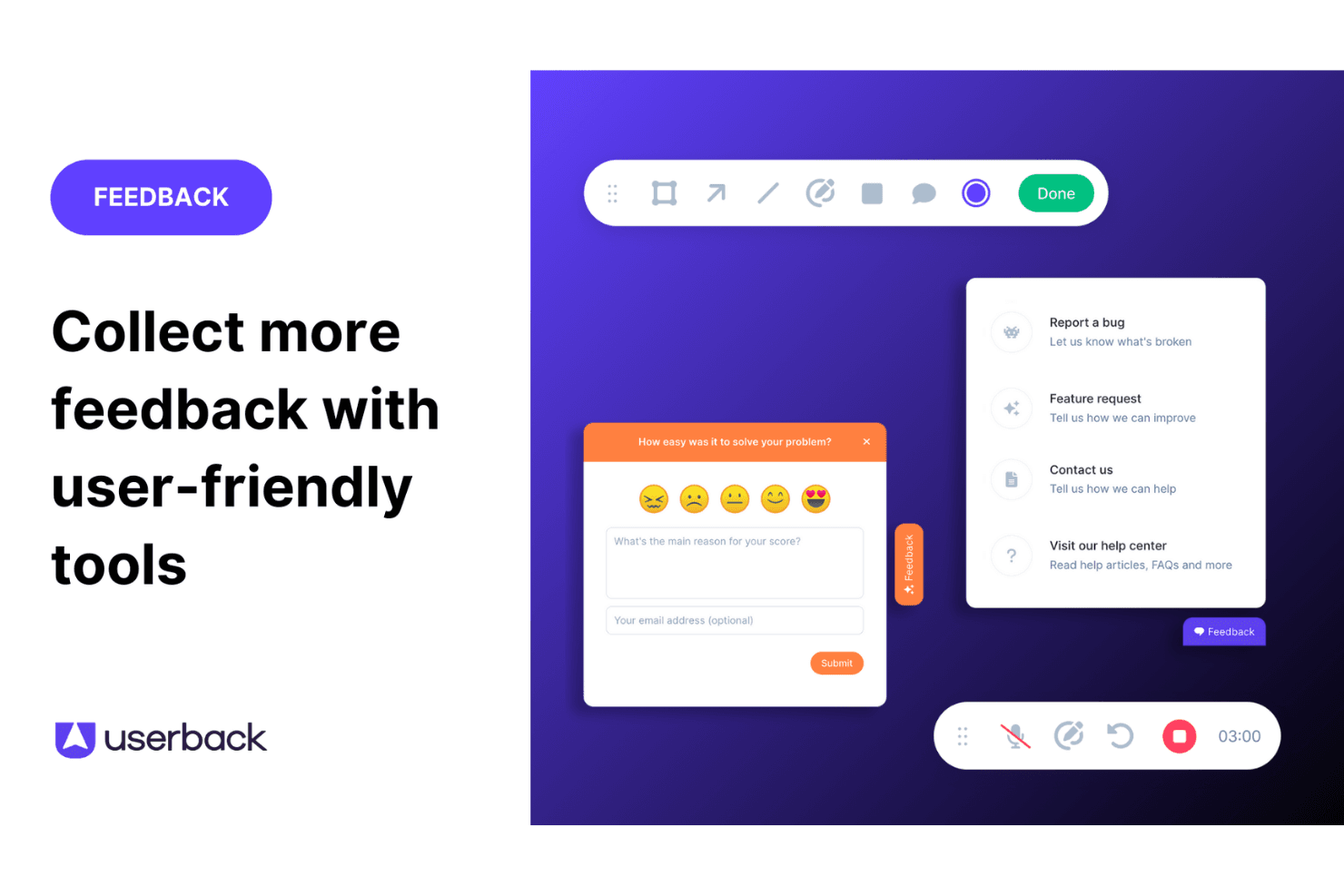
Feedback Widget: You can easily gather user feedback with a customizable button placed directly on your website or app. This in-app tool stands out because it simplifies the feedback process for users, encouraging more participation.
User Surveys: Create and deploy targeted surveys to collect specific insights from your end users. These feedback forms can be embedded in your app or shared externally, allowing you to get detailed information directly from your audience.
Feature Portal: Engage your users by allowing them to view, vote for, and comment on new features. This helps you make data-driven decisions based on real user input.
Browser Extension: This no-code feature lets you collect feedback from any web page quickly and efficiently. It's perfect for gathering insights without needing technical setup.
Visual Feedback Collection: Utilize screen annotation and video feedback to gain clear insights into user experiences. These tools help you understand exactly what users see and experience.
Session Replay: Record and review user sessions to analyze how they interact with your product. This feature gives you valuable insights to improve user experience.

Ease of Use
Userback is straightforward to use thanks to its intuitive interface and clear navigation. Setting up feedback collection is quick, which lets your team focus on responding to insights rather than struggling with complex tools. Reviews highlight that Userback's simplicity doesn't compromise its capabilities, making it accessible even for those unfamiliar with CDPs. Its ease of use ensures your workflow is efficient, allowing more time for decision-making based on valuable customer feedback.
Integrations
Userback integrates with Jira, Slack, ClickUp, Intercom, Asana, Notion, Trello, Basecamp, monday.com, and Teamwork.
Userback also provides a representational state transfer application programming interface, or REST API, and supports third-party integration tools such as Zapier, strengthening its functionality for user feedback management.

Userback Specs
- Analytics: Yes
- API: Yes
- Calendar Management: Yes
- Call Tracking: Yes
- Contact Management: Yes
- Dashboard: Yes
- Data Export: Yes
- Data Import: Yes
- Data Visualization: Yes
- Email Integration: Yes
- External Integrations: Yes
- Google Apps Integration: Yes
- Multi-User: Yes
- Net Promoter Score: Yes
- Notifications: Yes
- Review Monitoring: Yes
- Scheduling: Yes
- Softphone: Yes
- Third-Party Plugins/Add-Ons: Yes


